A token snapshot is a snapshot of the token holdings of all accounts at a specific point in time on the blockchain network. This process usually occurs at a certain block height on the blockchain, recording the token holdings of all accounts at that point in time. The main purpose of the snapshot is to ensure the fairness and transparency of token distribution and airdrops at a specific point in time.
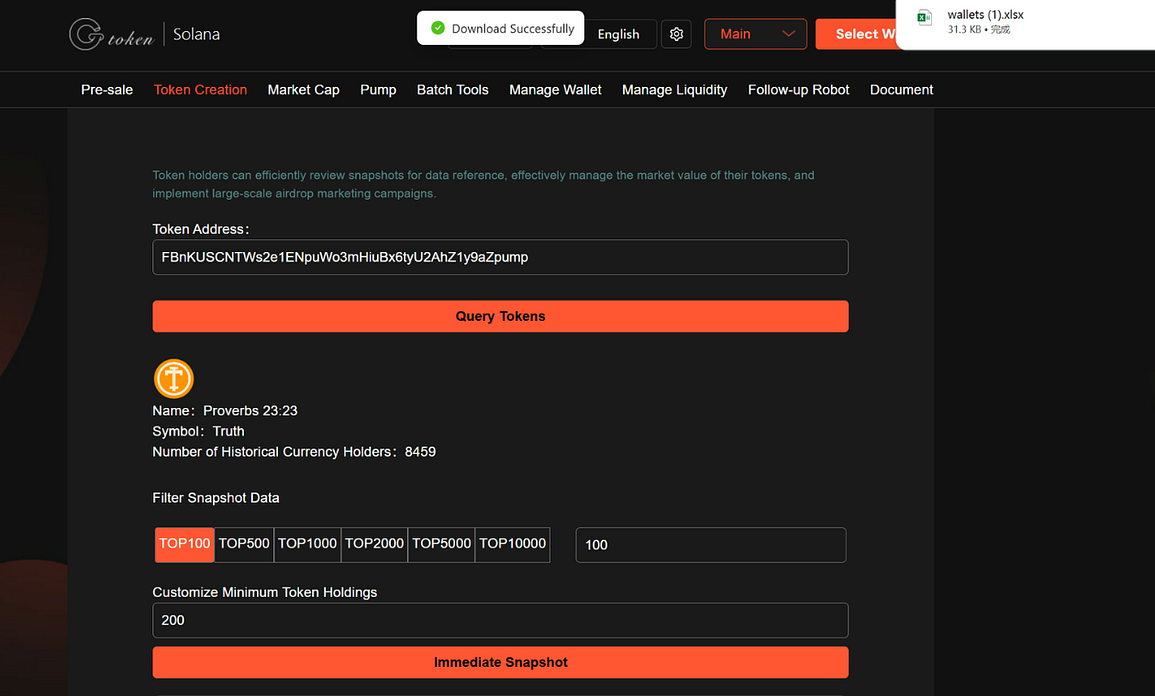
The process of token snapshot is as follows:1. Enter GTokenTool and find the Token Snapshot as shown below
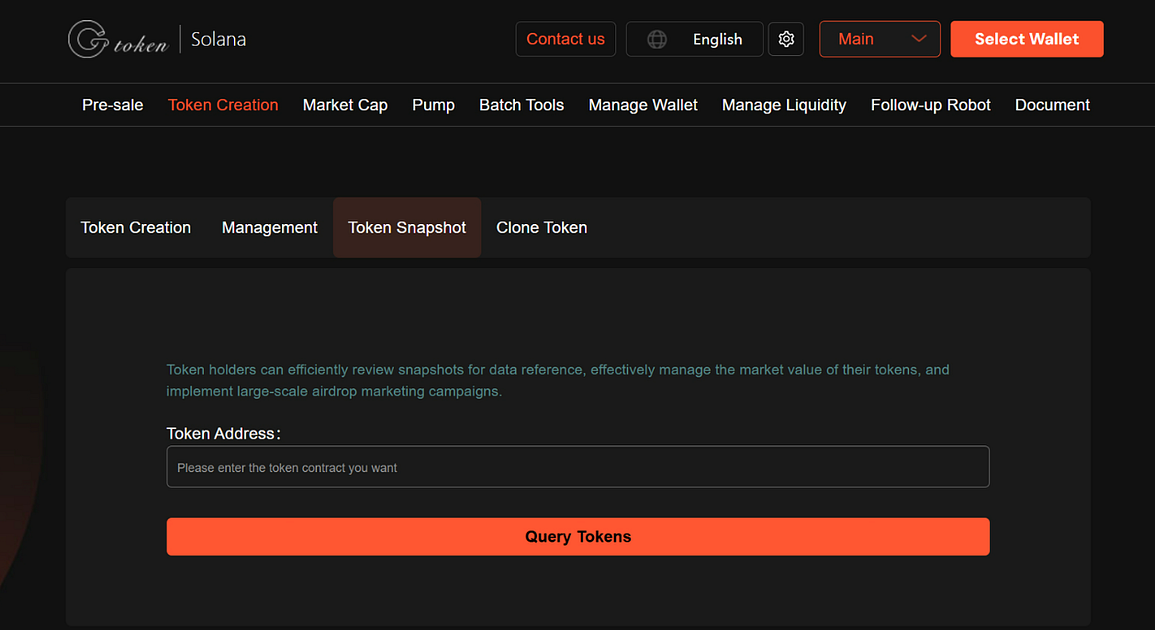
2. Enter the token address
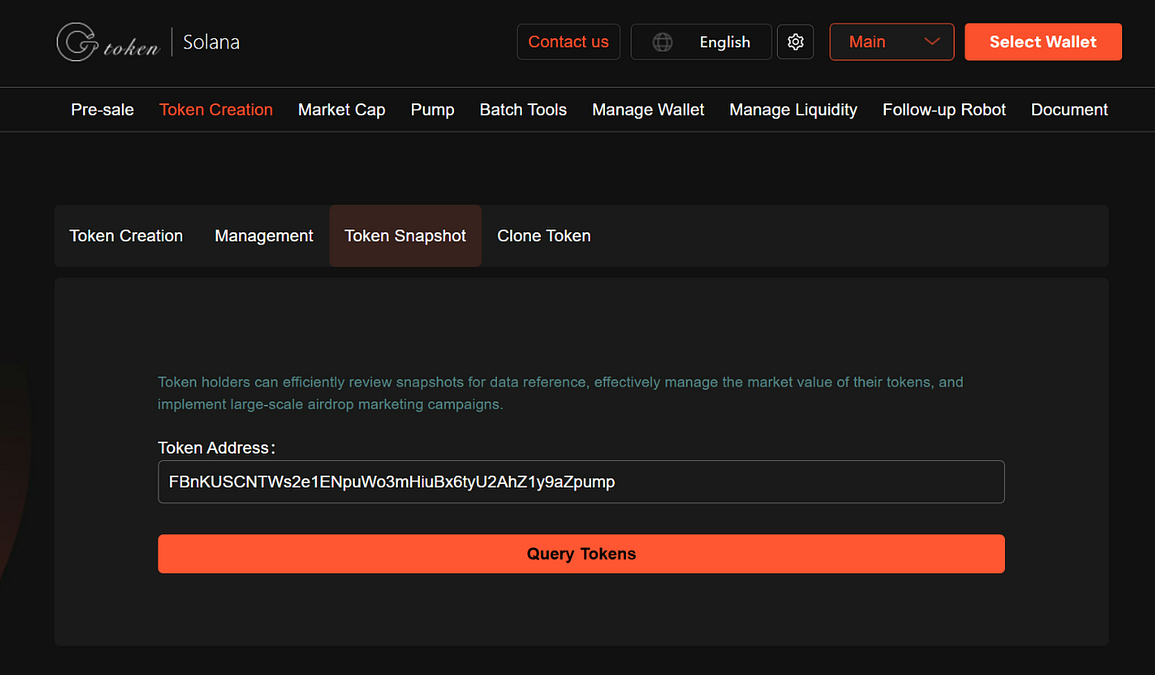
3. Click “Query Token” to see the detailed data of this tokenYou can filter snapshot data.
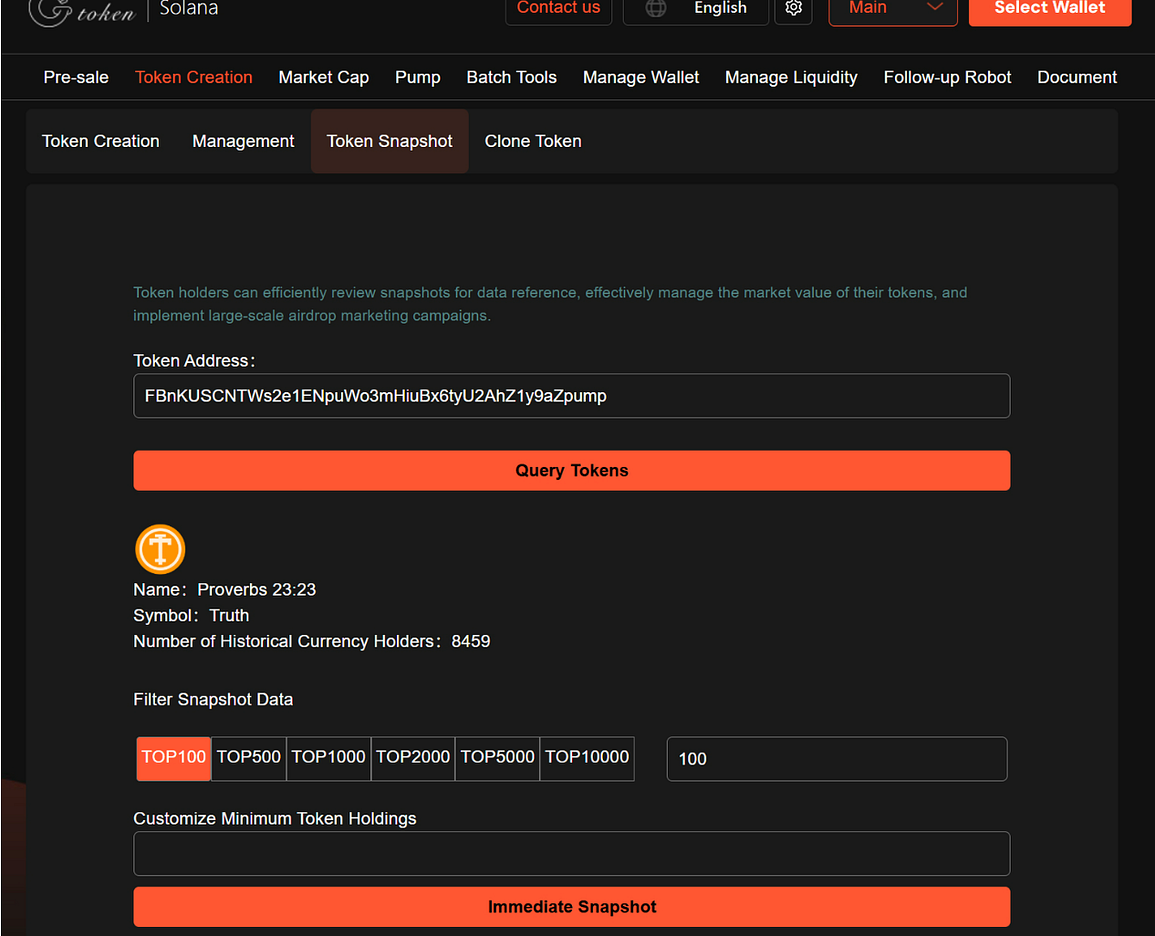
4. Click “ Immediate Snapshot” to download the data.After the snapshot is completed, the user can view the snapshot results on the page and download the snapshot data (such as a xlsx file) for subsequent use.
If you have any questions or are unclear, please join the official Telegram group: https://t.me/GToken_EN