ChatGPT silently launched a powerful direct connection to Github feature! Once connected to Github, it immediately transforms into a "research monster": whether it's a star open-source project like DeepSeek or a self-DIY documentation, just put it in the repository, and it can be handed over for in-depth research, generating a professional report with a single click.
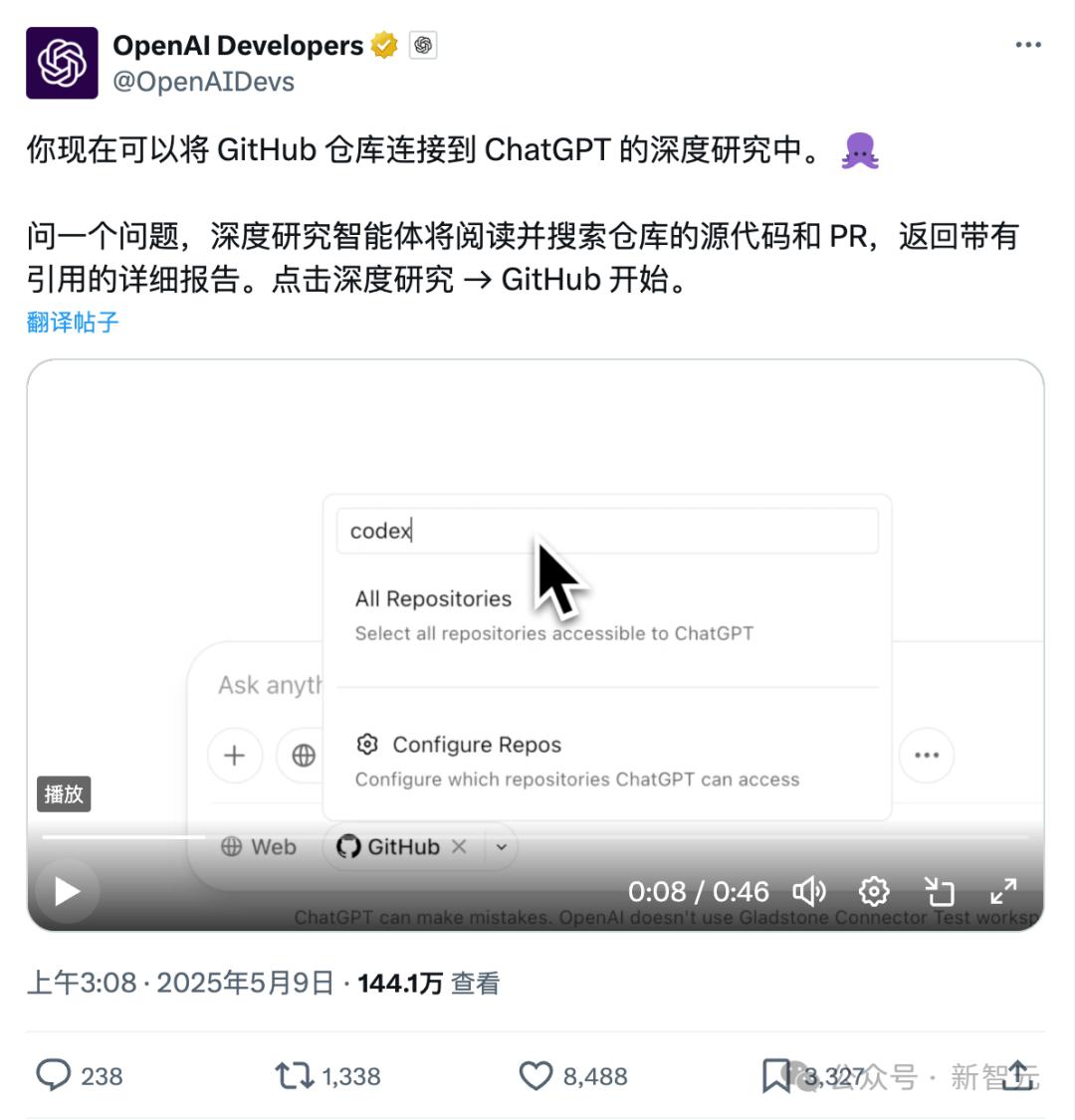
About 5 days ago, ChatGPT "quietly" launched a new feature, the Deep Research function that can directly connect to Github repositories.
When this feature was first launched, the initial reaction was that it was for programmers, but after recent use, it was discovered that this feature is extremely powerful - its application scenarios are much broader than imagined.
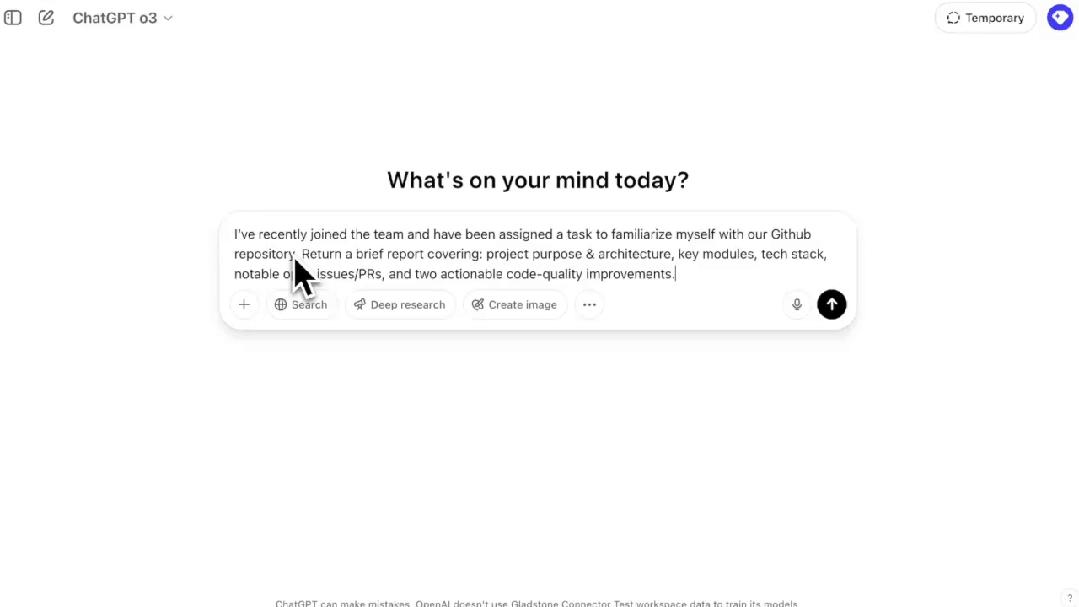
Not just for code review or report generation, the ChatGPT connected to Github after heavy use is beyond imagination - it can almost conduct in-depth research in any direction.
As long as it's a public open-source repository on Github, it can be achieved through the chain: "Official Project Repository - Fork Repository to Personal Account - ChatGPT - Github Connector - Deep Research - Select Personal Repository - Complete Report"!
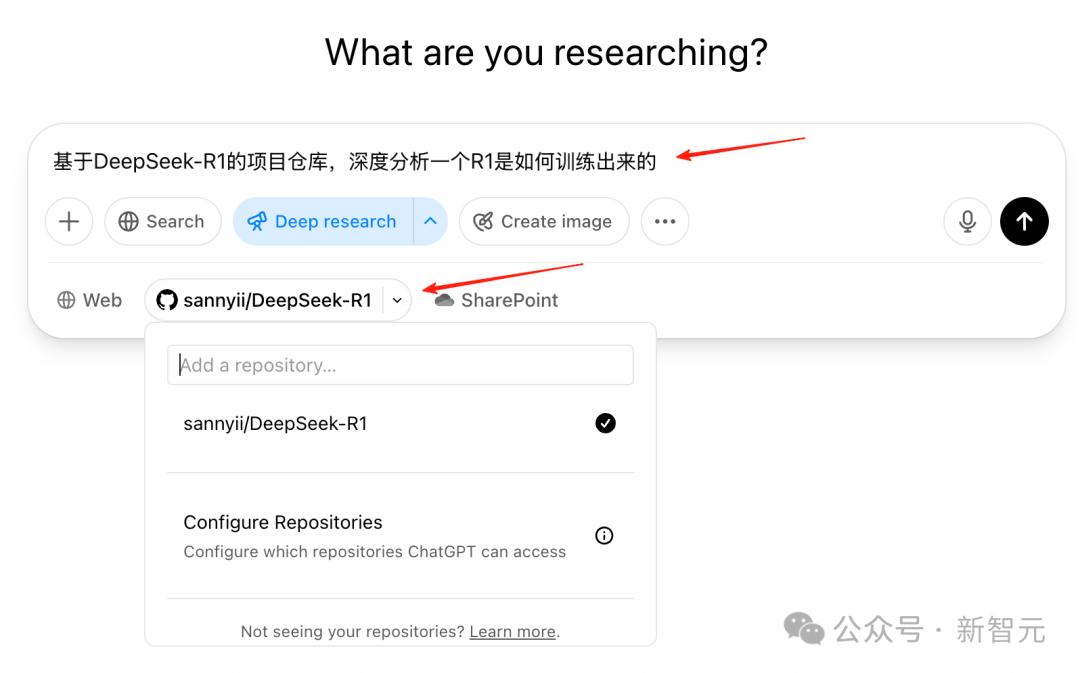
To briefly introduce, after connecting to Github, ChatGPT now has the ability to automatically read, parse, and summarize entire Github repositories.
In the past, discovering and researching an open-source project usually took several days of reading source code, but now with ChatGPT + Github connector, efficiency has been exponentially improved.
If digging for treasure on Github was previously like using a shovel, now it's like using an excavator!
For example, when I asked ChatGPT to analyze one of my repositories, the first step was still the conventional Deep Research procedure, first determining the research content, then launching the task.
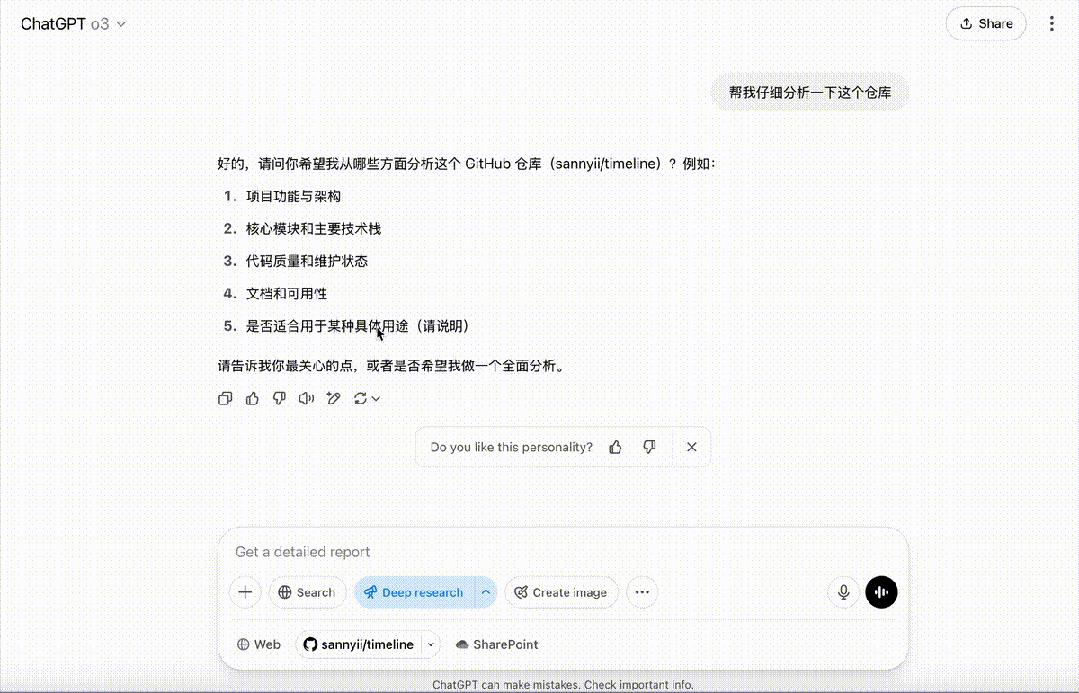
ChatGPT will comprehensively analyze the entire repository's code functionality architecture, core modules, technology stack, and maintenance status.

After researching for a period of time, it can output a very professional research report with almost no hallucinations.
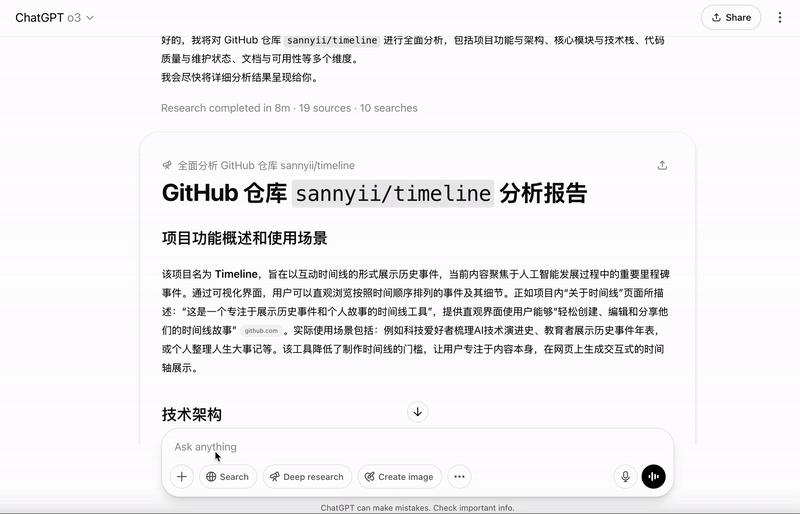
This report has almost completed all possible research and analysis of a project.
The report mainly includes six major parts: 1. Technical Architecture 2. Core Module Analysis 3. Code Quality Assessment 4. Documentation Status 5. Repository Activity and Maintenance Status 6. Project Applicability
Since it can research one repository, can it research other repositories? And Github repositories are not limited to code, any files can be uploaded.
Wait a minute, since ChatGPT can provide powerful deep research capabilities, and the Github connector limits the research scope, don't these two capabilities together essentially create a very professional researcher for a specific field!
Before this feature, ChatGPT mainly relied on internet connectivity for deep research, which could increase available information but also simultaneously increase the probability of "hallucinations".
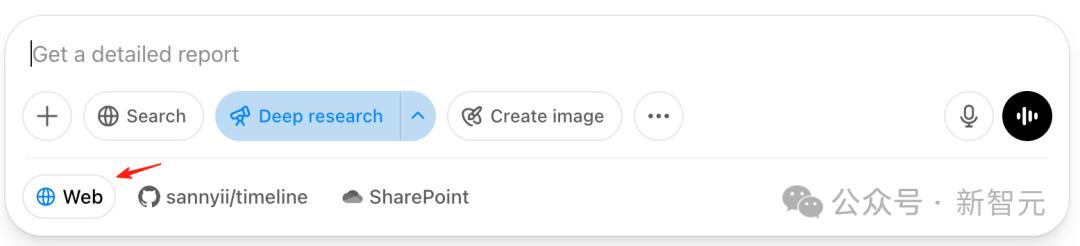
But if the "research scope" is limited through Github, wouldn't the "deep research" report from ChatGPT be more professional?
Limiting the scope is easy, just replace the repository content with the materials you want, which is equivalent to a dedicated RAG+MCP function.
Let's get to work and try the effect using open-source repository code on Github.
Let's Do It: Nested Research on DeepSeek
This time, I want ChatGPT to produce a professional analysis report on DeepSeek-R1, and DeepSeek-V3 is already open-sourced on Github.
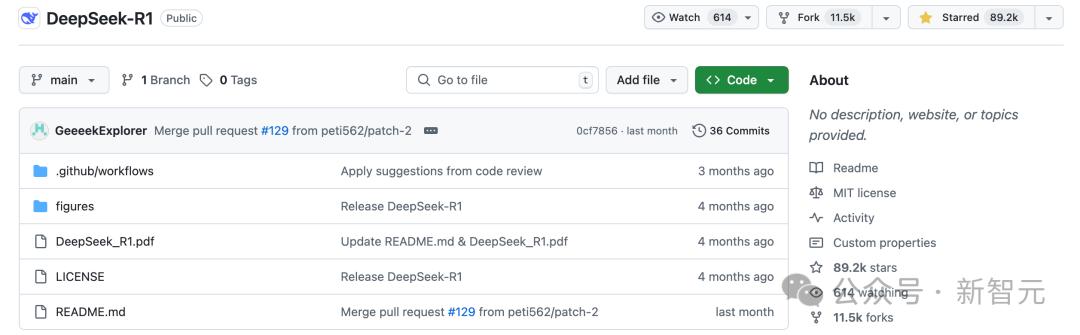
Just need to select Github connection under deep research and choose the corresponding repository.
For convenience, I first forked DeepSeek-R1 to my own repository, because the ChatGPT and Github connector need to index and find the repository, so copying it to a personal repository will speed up indexing.
So the process is: DeepSeek-R1 Official Repository - DeepSeek-R1 Fork Repository - ChatGPT - Github Connector - Select Deep Research - Select Github Repository as DeepSeek-R1 Fork Repository.
Then you can pour a cup of coffee and watch ChatGPT work, it only takes 10 minutes!
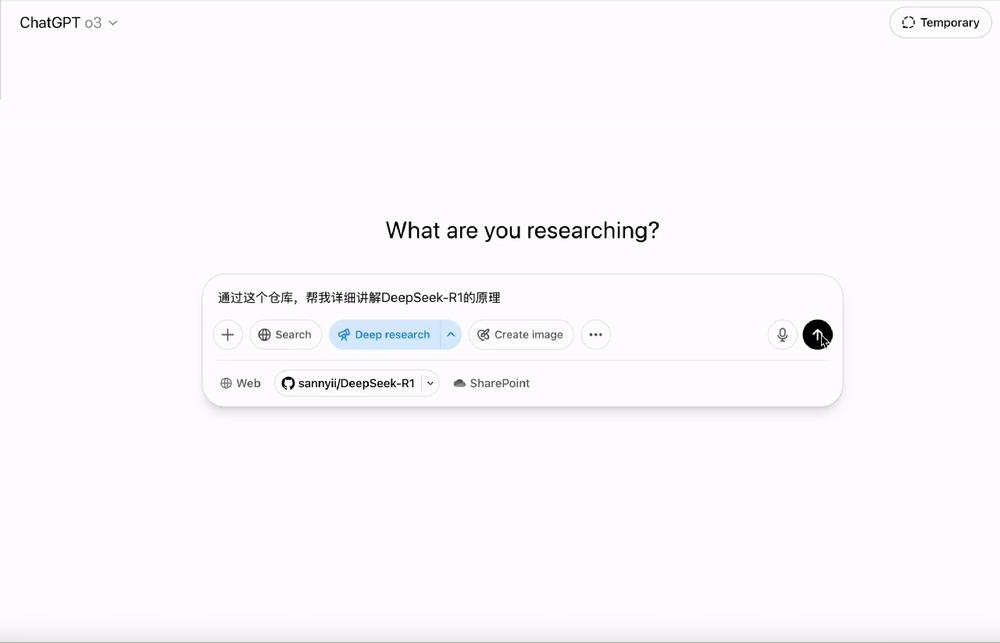
When ChatGPT begins deep research, its interface looks like the following image, with the right side indicating the activity process and research information resources being called.
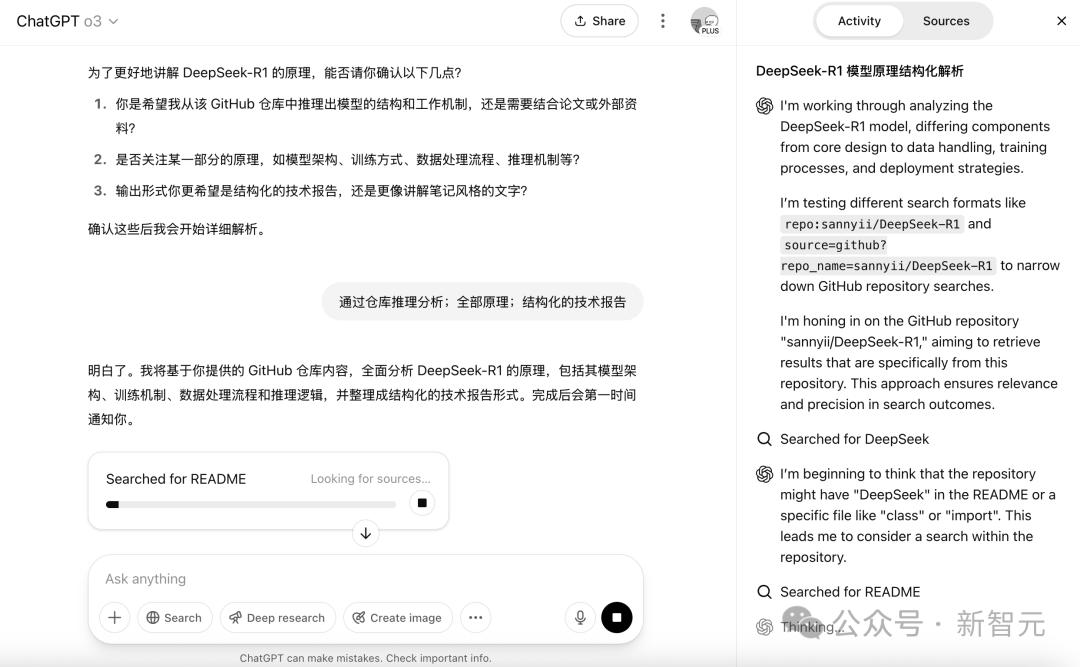
You can see that in this task, ChatGPT only used the file contents limited by the Github repository.

After waiting for about ten to twenty minutes, ChatGPT will be seriously processing and thinking about these pieces of information behind the scenes.
You can see that this report is really long and very detailed, with each section traceable to the original file location.
Those interested can check the link: https://chatgpt.com/share/682571fe-52c8-8013-a8f1-c85562ec1850
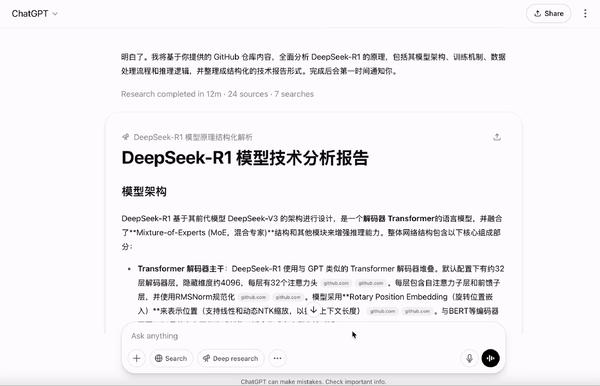
A brief introduction to the report quality: the report starts by discussing R1's model architecture, then the R1 data training process, followed by training mechanisms and inference and deployment, and finally elaborates on the model's innovation points.
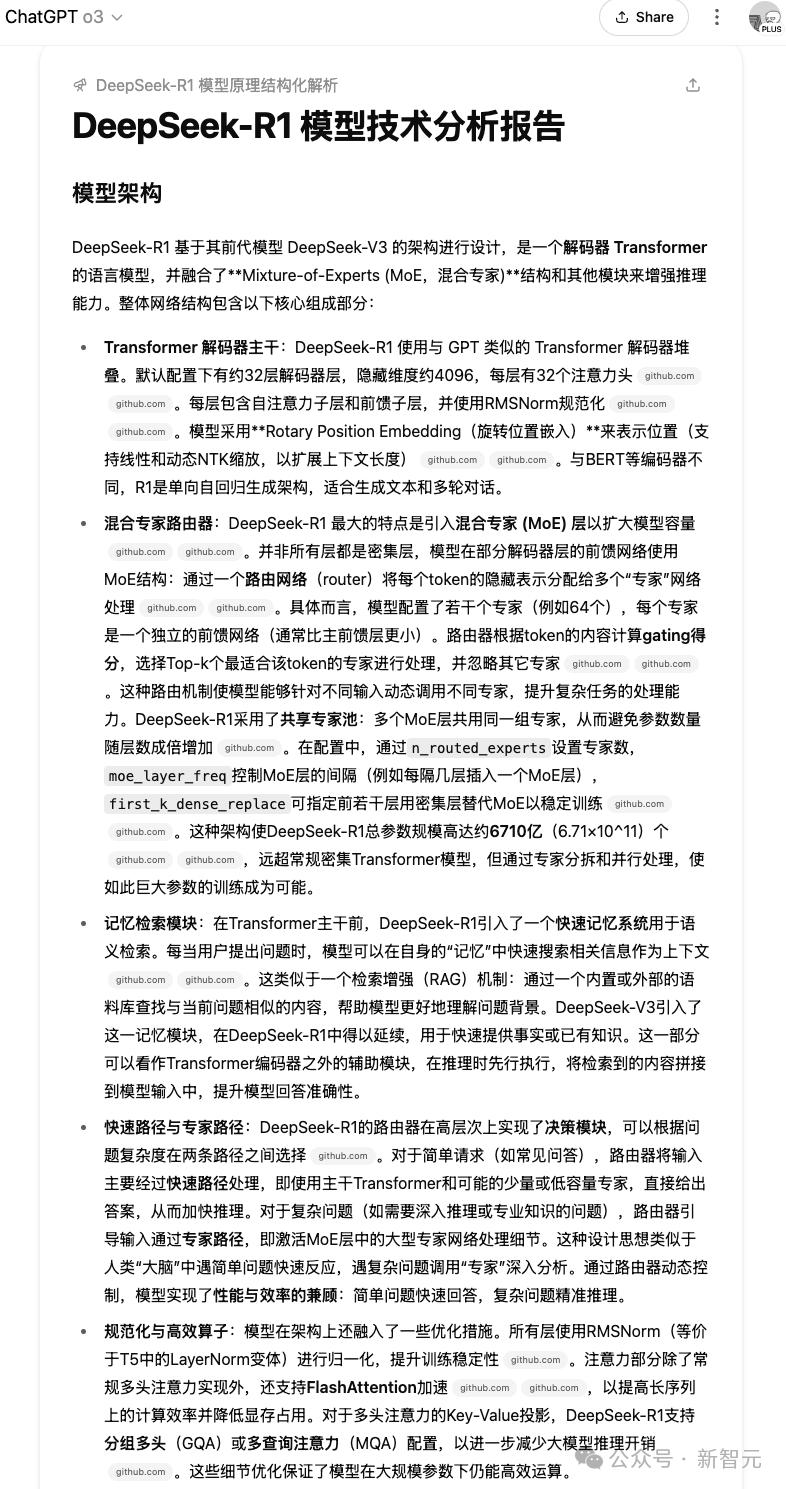
It can be said to be a very comprehensive model research report, using the official DeepSeek-R1 repository, and even including source code explanations of DeepSeek-R1 modules at the end.
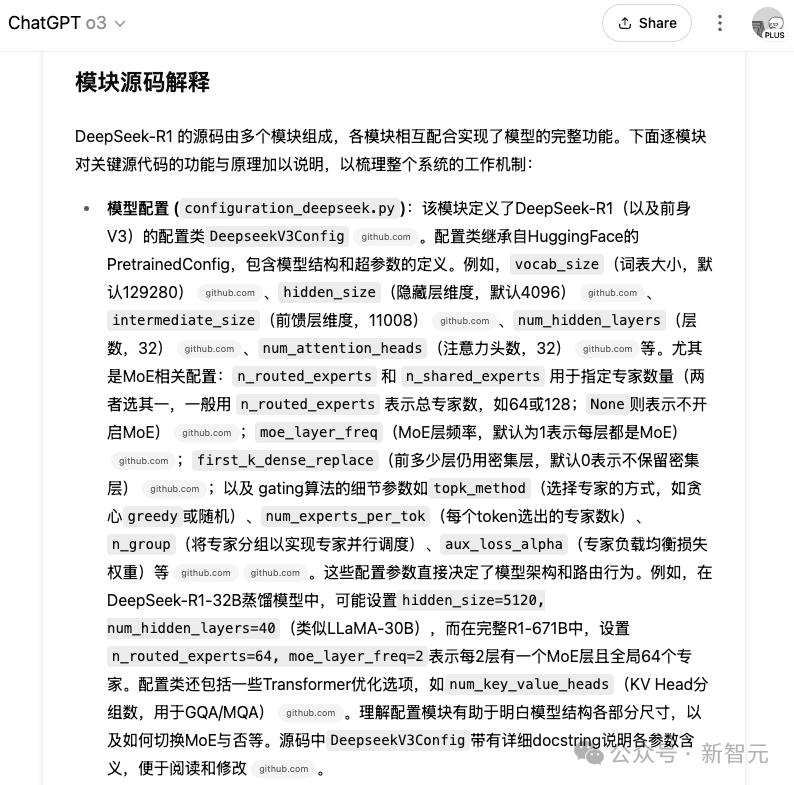
It can be said to be very detailed.
Another benefit of using ChatGPT + Github for deep research is that after generating the research report, you can directly ask questions in ChatGPT for further research.
The entire process is incredibly smooth.
Use "Indexing Techniques" to Accelerate Repository Discovery
One thing to note is that currently, the ChatGPT+Github connector is not very fast when indexing repositories.
For example, I couldn't find the repository at first, and repeatedly restarting the connector couldn't locate the repository, whether it was my own or other public repositories.
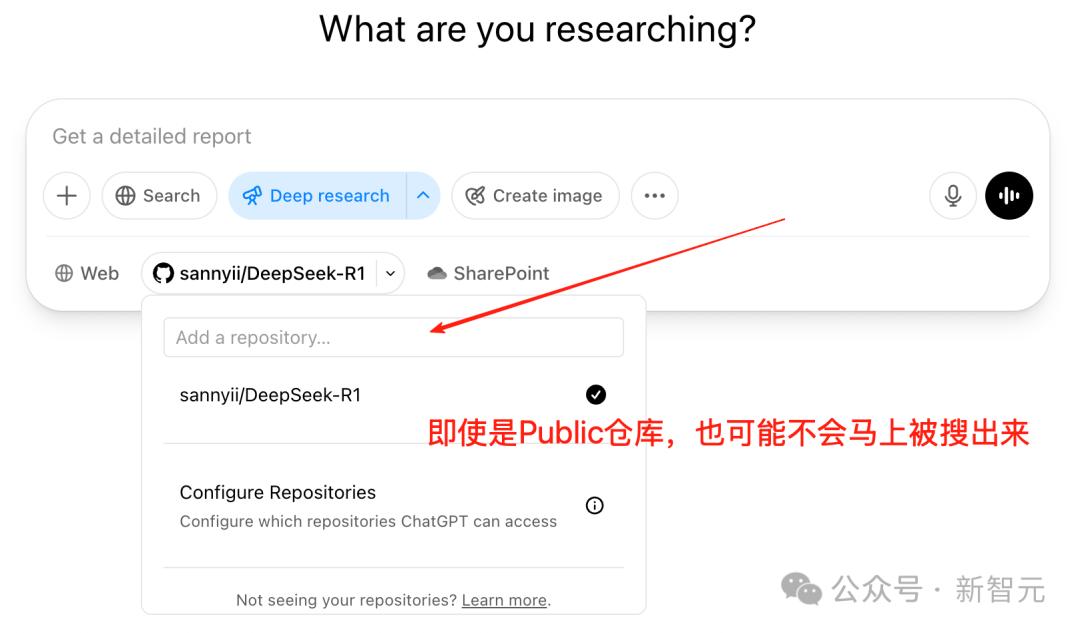
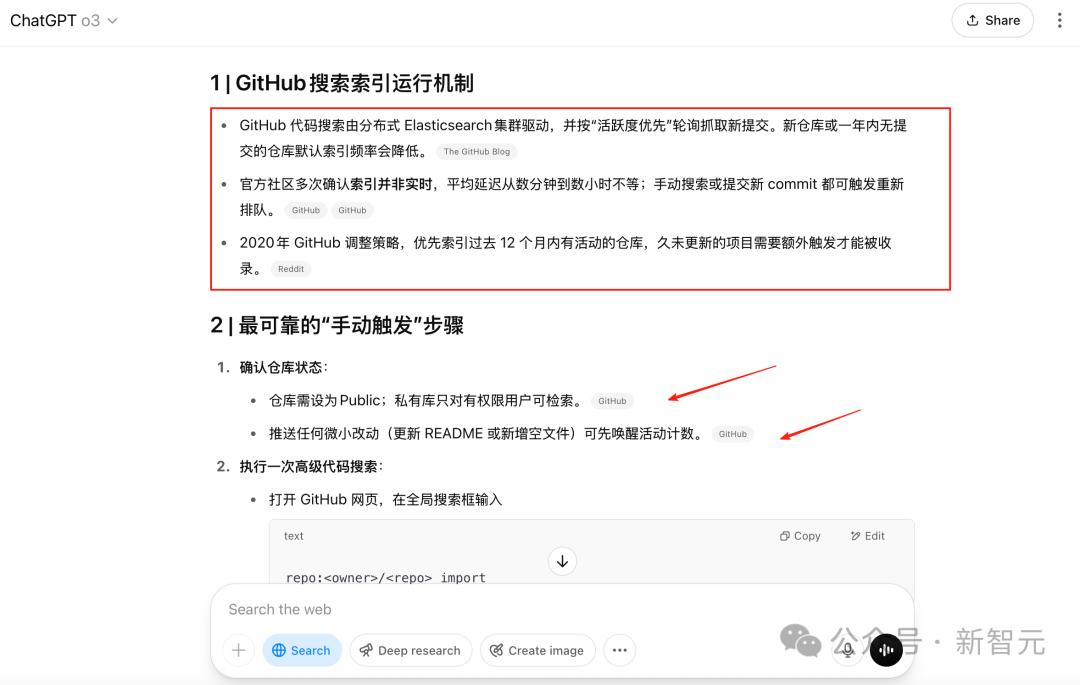
Later, I found an explanation in the OpenAI official documentation. OpenAI mentioned that Github repositories need to be manually activated before being added to the index list and can be found by the connector.
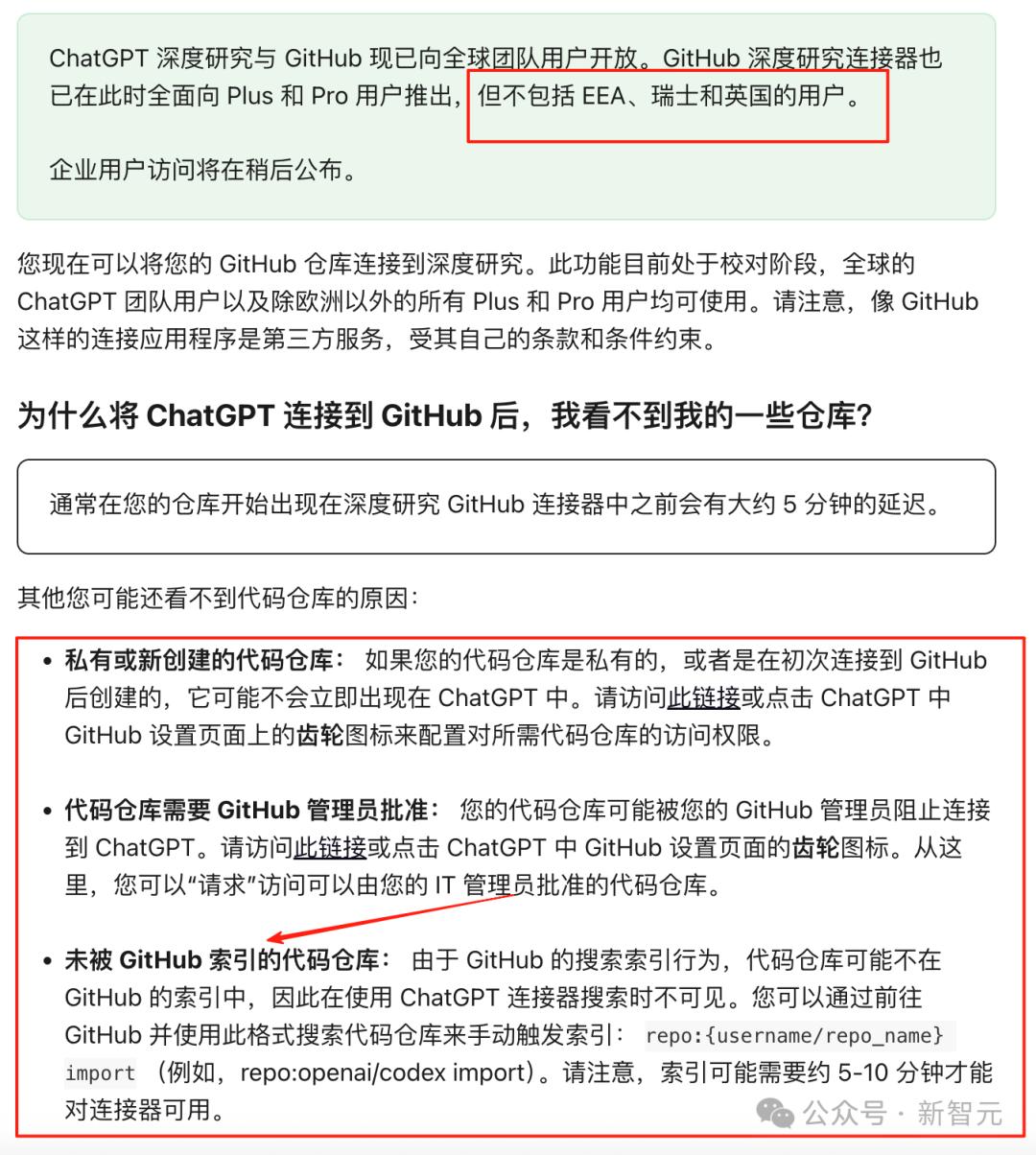
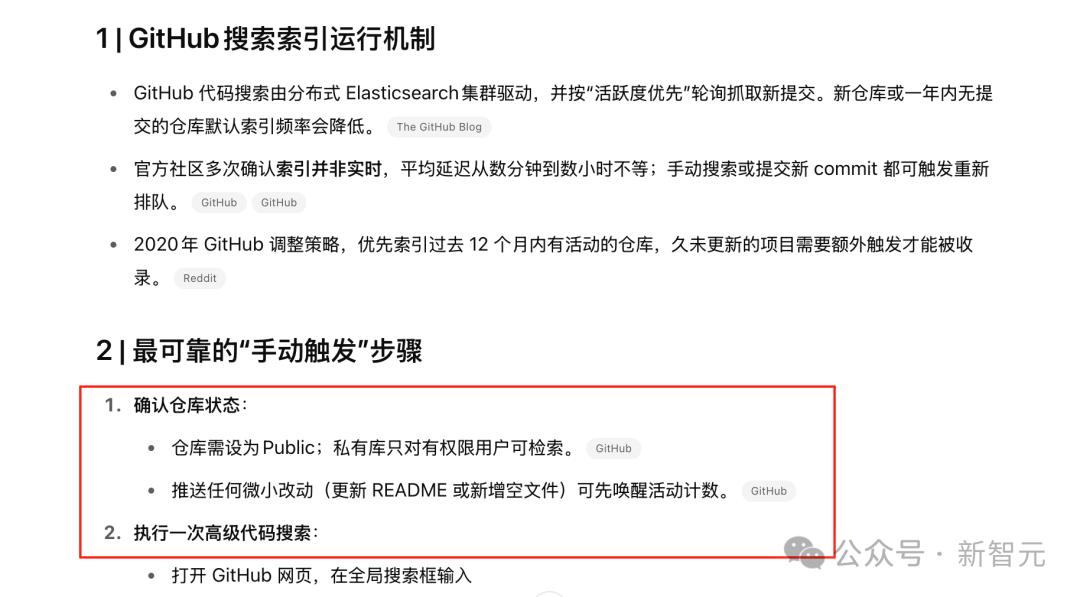
ChatGPT also provided a solution to this issue, which is to search for the repository in Github's search box or upload a new update.
Not Necessarily Code
Actually, this feature of ChatGPT is quite powerful, mainly using the ability to access Github repositories for in-depth research.
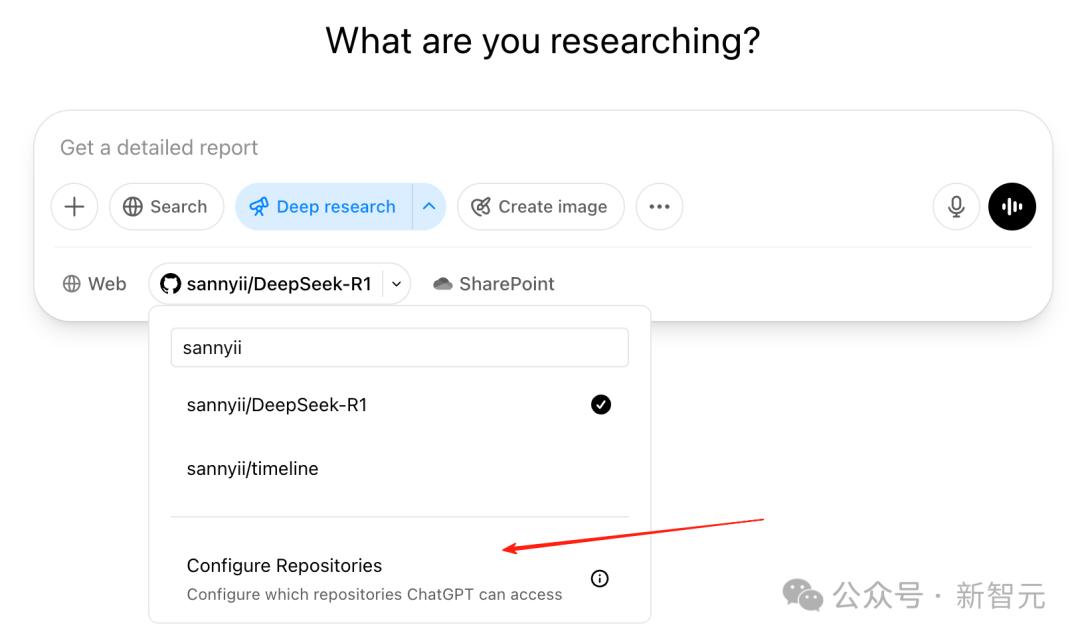
By extension, you can upload specific content like PDFs, Word documents to a newly created repository and use this process for research.
This way, research materials are limited to a fixed range, and you can also utilize Github connector's file arrangement capabilities, as Github itself distinguishes between different file types when analyzing a project repository.
This is a perfect RAG+MCP combination that not only uses ChatGPT's powerful model capabilities but also leverages Github's repository building abilities, simply perfect.
Most critically, this feature is available to Plus users, and from this perspective, ChatGPT Plus has finally justified its $20 price tag.

This new approach of deeply connecting and mutually reinforcing ChatGPT and GitHub actually opens up a completely new research mode.
Whether you want to quickly get started with an unfamiliar open-source project or precisely analyze specific domain content, you can use this combination.
More importantly, this approach can even be extended to various types of research materials, achieving a true RAG+MCP combination - professional and efficient.
If you have even more interesting ways to use this, welcome to share in the comments.
References
https://help.openai.com/en/articles/11145903-connecting-github-to-chatgpt-deep-research
https://x.com/OpenAIDevs/status/1920556386083102844
This article is from the WeChat public account "New Intelligence", author: Ding Hui, published with authorization from 36kr.