Comprehensive Guide to One-Click Token Issuance on Sui Chain
As a recently emerging star public chain, Sui has continuously increased its TVL, with the MEME ecosystem flourishing. However, for developers unfamiliar with Move language, participating in the Sui ecosystem presents barriers. The Sui one-click token issuance tool launched by BananaTool perfectly solves this problem, allowing users with no prior experience to quickly create Sui chain tokens and easily participate in ecosystem development.
Preparation: Essential Conditions for Token Issuance
- Install Wallet:
- Browser Plugin: Suiet Wallet Installation Guide
- Mobile: OKX Web3 Wallet/TokenPocket
- Fund Preparation:
- Wallet needs to prepare ≥11 SUI (including fees)
- Recommended Exchanges: OKX/Binance to purchase SUI
📱 Device Recommendation: Use Suiet for PC token issuance, OKX Web3 Wallet for mobile
Four Steps to Create Sui Token
Step One: Connect Sui Wallet
- Visit Token Issuance Platform: https://sui.bananatool.com/create-coin
- Click "Connect Wallet" in the top right corner
- Select Wallet Type (recommended Suiet or OKX Wallet)
- Confirm wallet popup authorization
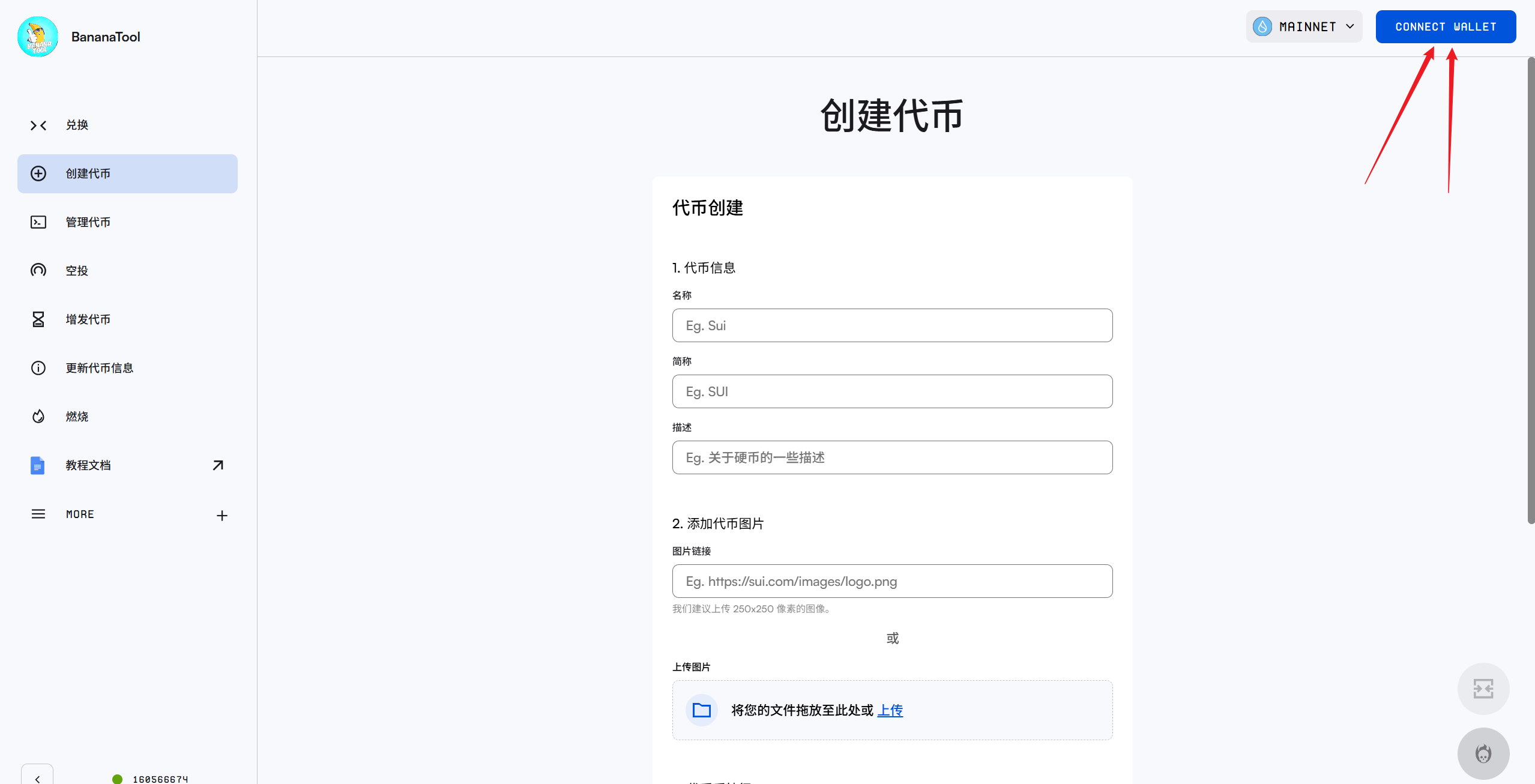
Sui Wallet Connection Diagram
Step Two: Set Token Parameters
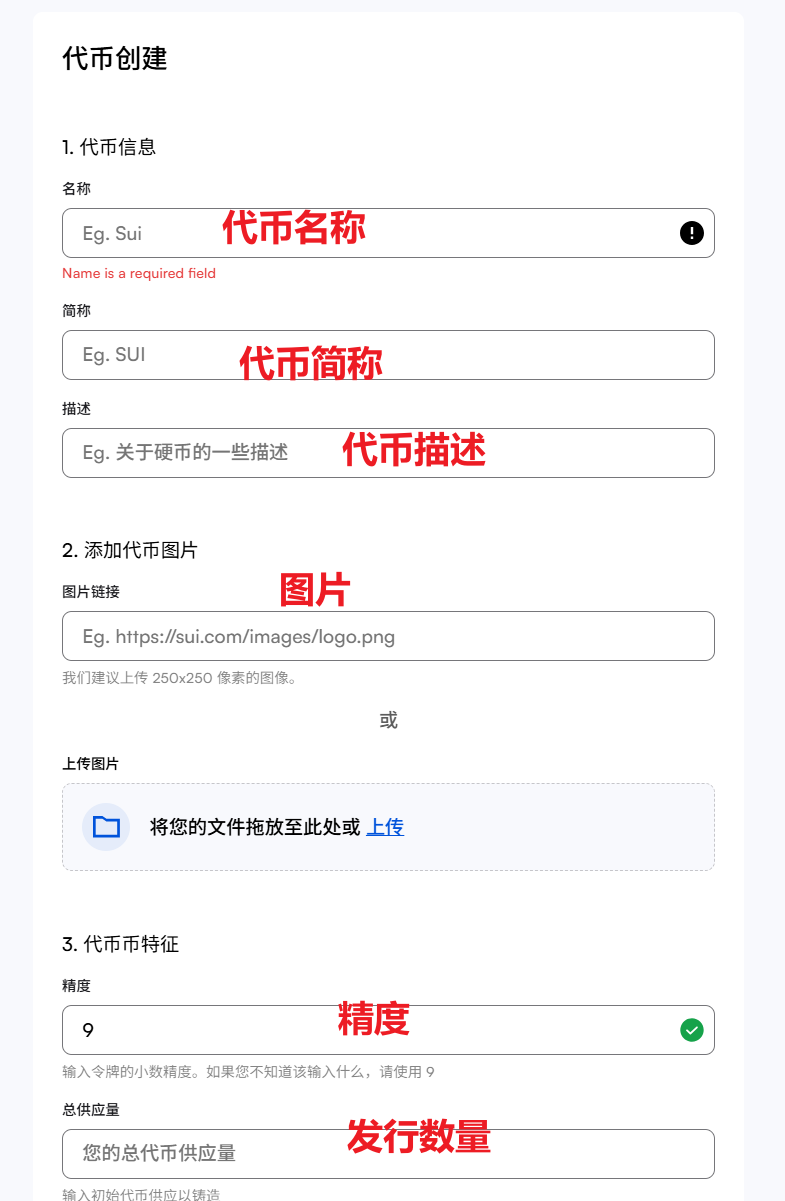
Token Parameter Setting Interface
Full Name | English/Numbers, ≤32 characters
Abbreviation | English/Numbers, 2-8 characters
Precision | Recommended 9 (determines decimal places)
Supply | ≤10 billion when precision is 9
Logo | Less than 100KB, 256×256 pixels
Introduction | English description, optional
Step Three: Confirm Creation
- Click "Create Now"
- Wallet popup transaction confirmation
- Pay approximately 10 SUI fee
- Wait for on-chain confirmation (about 15 seconds)
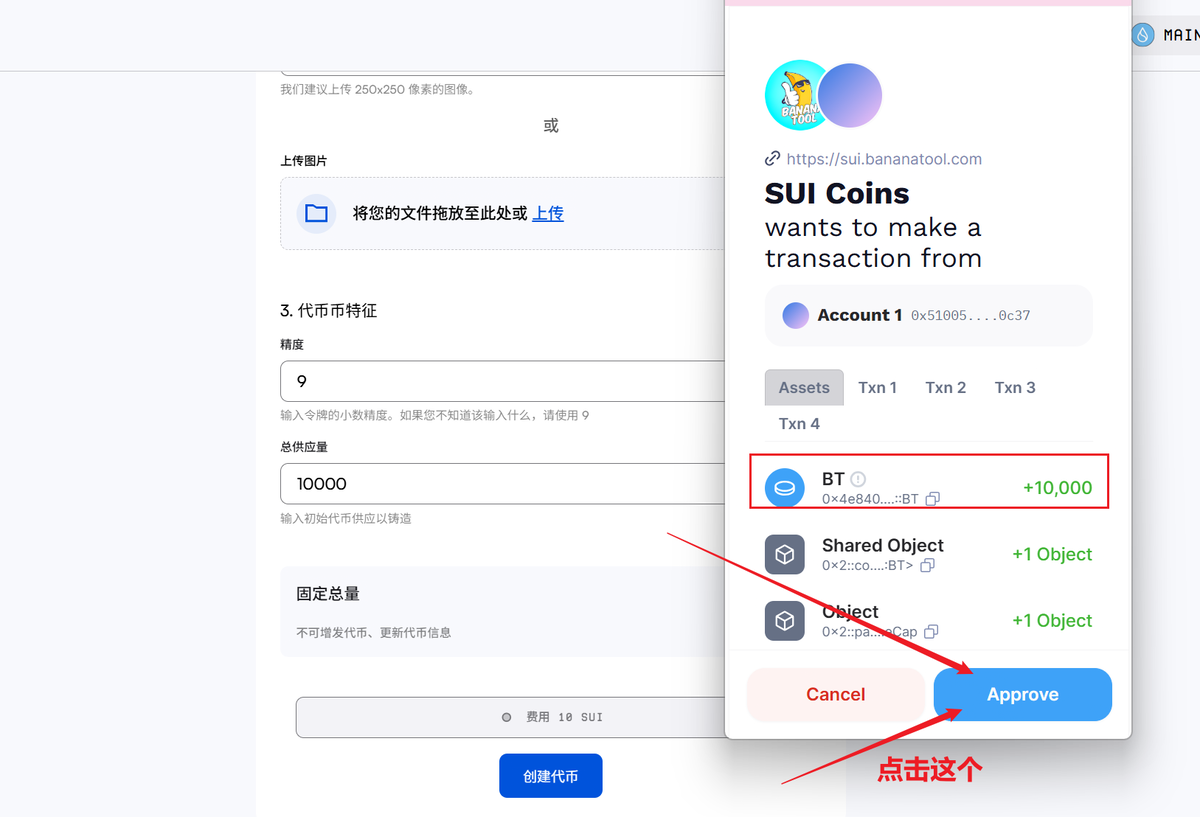
Transaction Confirmation Interface
Step Four: Verify Token
- Record the displayed contract address
- Check and verify on Sui Browser
- View token logo and balance on wallet asset page
Liquidity Configuration Guide
After creating the token, it is recommended to add liquidity:
Frequently Asked Questions
❓ What is the cost of token issuance?
- Fixed cost: 11 SUI (including gas fee and platform fee)
❓ How to operate on mobile?
- Install OKX Web3 Wallet or Sui Wallet
- Access token issuance link through wallet's built-in browser
- Follow the same process
❓ What if the supply is set incorrectly?
- Sui token can increase supply after creation
❓ How to handle logo not displaying?
- Confirm image ≤100KB and in PNG format
- Clear wallet cache and re-import token
- Wait for blockchain synchronization (maximum 2 hours)
For more questions, join the community: BananaTool Official Telegram Group
Conclusion
Through this tutorial, you have mastered the core skills of no-code token issuance on the Sui chain. It is recommended to use a small amount of SUI for the first attempt to familiarize yourself with the process before creating an official token. Seize the opportunity of Sui ecosystem explosion and create your own MEME token!