What is a Solana copy trading bot?
The Solana Copy Bot is an automated feature within the GTokenTool tool designed to increase participation and visibility on the Solana blockchain after you create a new token.
When launching a token, generating early trading activity and social proof is crucial. This bot automates the process of "copying" your token after it's created, running a series of simulated real-world trades. This creates the appearance of organic initial growth, attracting real traders and investors.
Main purposes and benefits
Its main purpose is to enhance the credibility and appeal of a token during the crucial initial period after its launch. Key benefits include:
- Simulate organic growth: Create price charts with small, realistic buy and sell orders to avoid the flat line that appears as a “death” for the token as soon as it goes public.
- Attracting real buyers: A token with initial activity is more likely to be noticed and considered for purchase by users browsing marketplaces like Raydium, Jupiter, or DexScreener.
- Build Confidence: Early volume and price movement can signal to the market that there is real interest.
- Automation: Saves you the time and effort required to manually create these initial transactions.
How it works: Step-by-step
The bot automates a series of actions that mimic natural early trading patterns.
- Creating a Token: You first create your Solana token (setting supply, metadata, taxes, etc.) using the main functionality of GTokenTool.
- Adding liquidity: You create an initial liquidity pool (e.g. on Raydium) by pairing your token with SOL.
- Launch the robot: After the fund pool is created, you navigate to the " Copy Robot " section in GTokenTool.
- Configuration parameters: You set parameters for the robot's activities (see "Configuration settings" below).
- Execution: Once launched, the bot will automatically perform a series of actions using the wallet you specify:
- It executes a series of buy orders for your tokens.
- It will intersperse small sell orders between buys.
- This creates a “wavy” or “zigzag” pattern on the price chart, showing buying pressure and natural profit-taking.
- All transactions are made from your own wallet, so you use your own SOL to buy and receive your tokens back from selling.
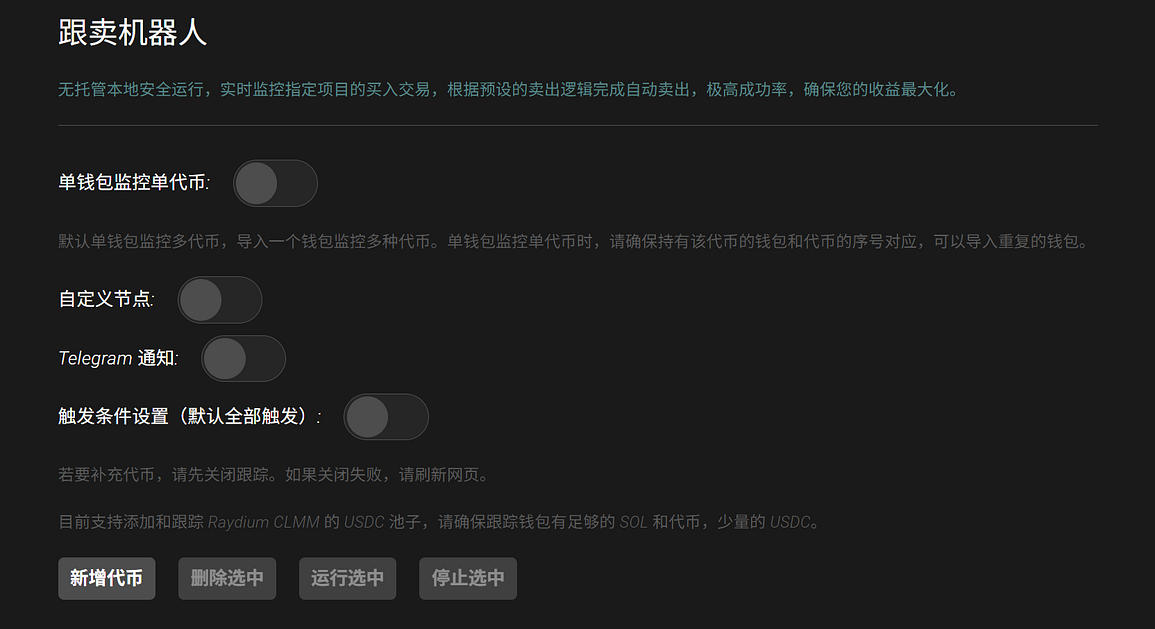
Configuration Settings
To use the bot effectively, you need to configure several parameters. Here are the settings you'll typically see:
- Execution Wallet: The private key of the wallet that will fund the transaction (SOL is required to pay gas fees and purchase tokens).
- Buy/Sell Amount Range: The minimum and maximum amount of SOL that can be spent per transaction (e.g., minimum: 0.01 SOL, maximum: 0.05 SOL).
- Number of Trades: The total number of buy and sell cycles you want the bot to perform.
- Inter-trade delay: Randomize delays (e.g., 10–30 seconds) to make activity appear more human and less likely to be bots.
- Slippage Tolerance: The maximum slippage you allow for each swap.
- Transaction Priority Fee: A priority fee (in microrambaud) to ensure that transactions are processed quickly even when the network is congested.
A simple practical example
Let's look at a typical scenario:
- You create a token:
TEST_123 - You add liquidity: You add 1,000,000
TEST_123and 10 SOL to the Raydium pool. - You configure the robot:
Execute wallet: age in full size您的主钱包私钥
- Buy-in amount: 0.01 to 0.03 SOL
- Sell Amount: 0.005 to 0.015 SOL (sell volume is less than buy volume to create net upward pressure)
- Number of transactions: 20
- Delay: 15–45 seconds
- You click "Start":
- The robot uses your wallet to buy
TEST_123worth0.02 SOL. - Wait 20 seconds.
- Then it sells the portion of
TEST_123it just bought, which is worth0.01 SOL. - Wait 35 seconds.
- Buy
0.025 SOLworth... - …and repeat this cycle for a total of 20 transactions.
Result: On DexScreener, TEST_123 ’s chart now shows 20 trades, growing volume, and a healthy, wavy price chart, which suggests real trading interest, making it more likely that others will invest.