By configuring custom parameters, certain accounts can be prohibited from performing specific operations such as sending transactions, which helps prevent malicious bots from damaging assets.
Preparations
1. A computer or a mobile phone 2. A Solana wallet 3. The token address and the wallet address to be blocked 4. Ensure the connected wallet has enough SOL
Solana Convenient Freezing Procedure
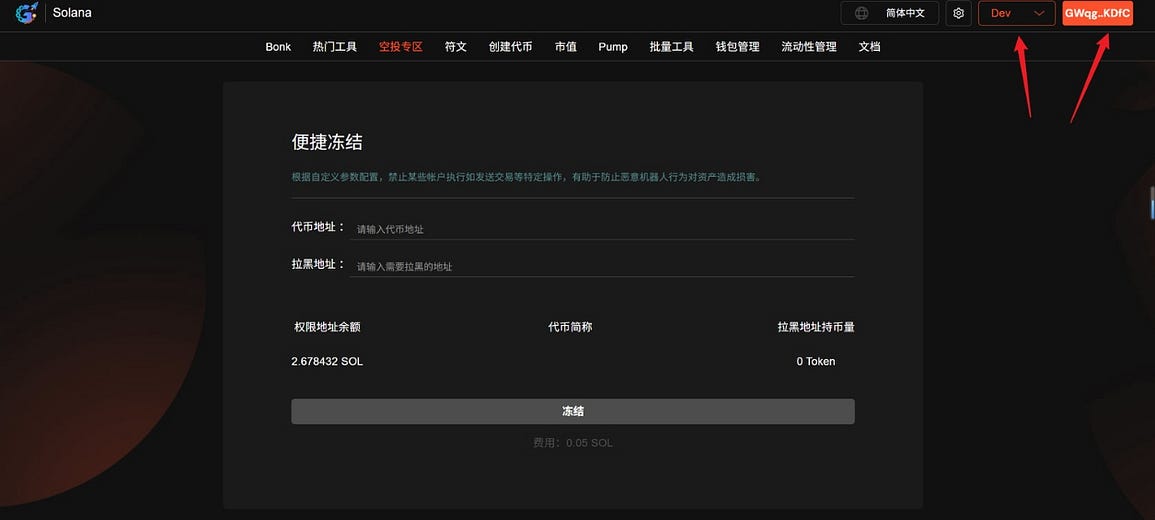
- Connect your wallet to the Solana Convenient Freeze page: https://sol.gtokentool.com/zh-CN/airdropSection/ConvenientFreeze . Click "Connect Wallet" in the upper right corner and select the Main network. This demonstration uses the test network.
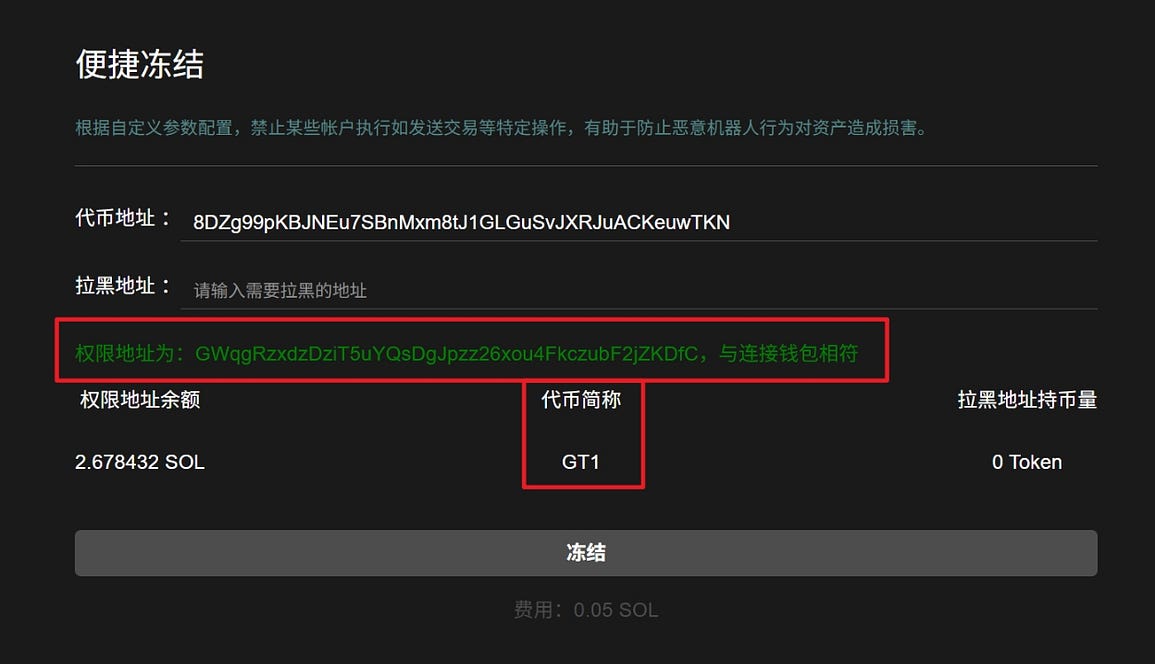
2. Enter the token address. After entering the token address, the token abbreviation and permission address will be displayed to check if they match the connected wallet.
3. Enter the address to be blocked. After entering the address to be blocked, the amount of cryptocurrency held by the blocked address will be displayed.
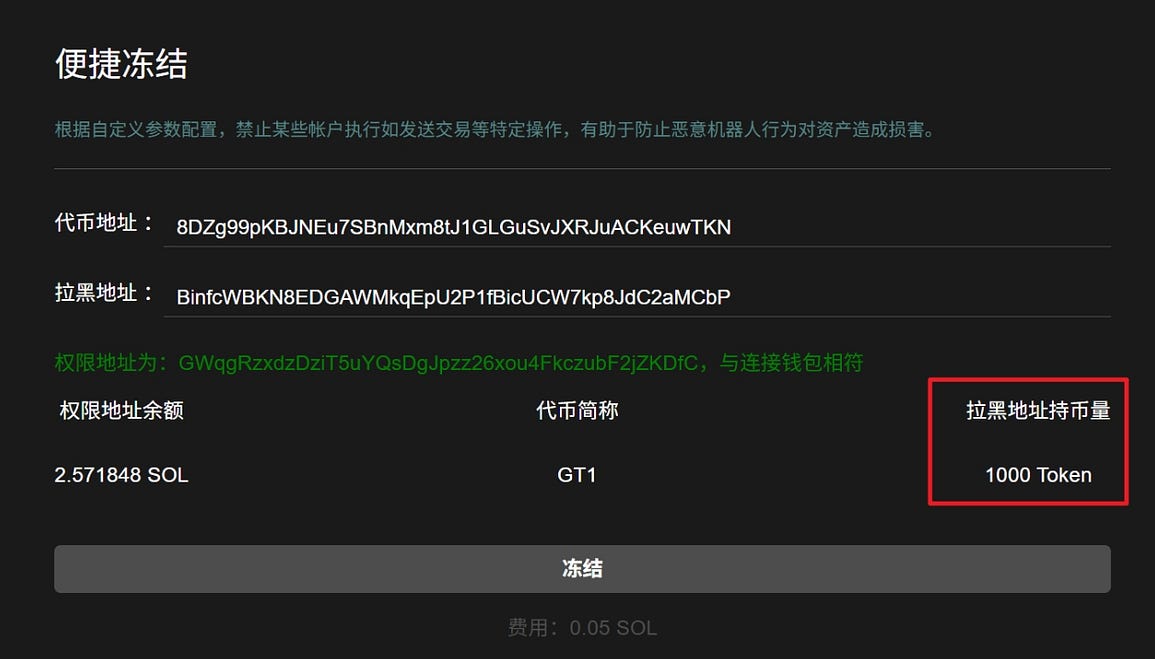
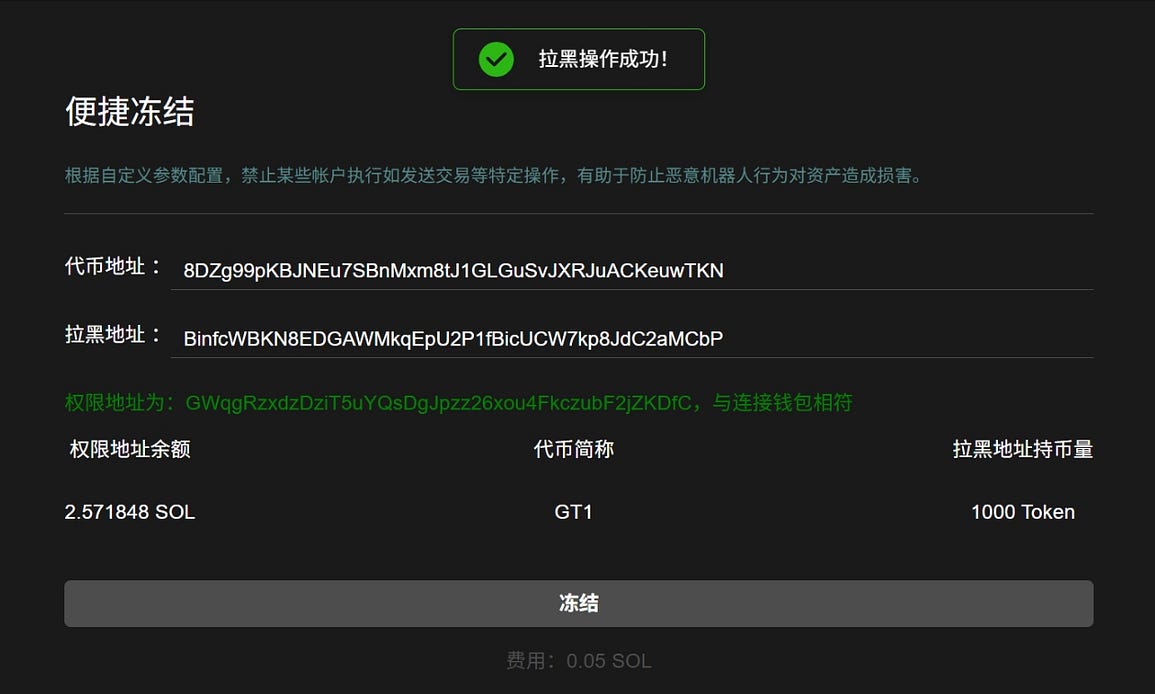
4. After clicking "Freeze" and the wallet pops up, click "Confirm". A success message will pop up after the freeze is successful.