
🫡 Notice on Submitting Objections to EdgeX Token Allocation $EDGE An objection window has been opened for those whose token allocation results are set lower than the actual value of the fees they paid. If you are dissatisfied with your allocation amount, please submit supporting documents according to the guide below! ✅ Eligibility and Method of Objection 🟢 Eligibility: Cases where the value of the allocated token relative to points is lower than the actual fees used 🟢 Submission Requirements: Supporting information such as your UID and screenshots of your fee history 🟢 Submission Location: Direct link to Google Form ✅ How to Check Your Fee History 1️⃣. Access edgeX and click the Portfolio menu 2️⃣. Click Perpetuals and select the Trade History tab 3️⃣. Set the period to "All" and click Export 4️⃣. Check the total sum of fees in the downloaded file and capture a screenshot We hope everyone receives fair compensation without any unfair cases..!! #edgeX
This article is machine translated
Show original
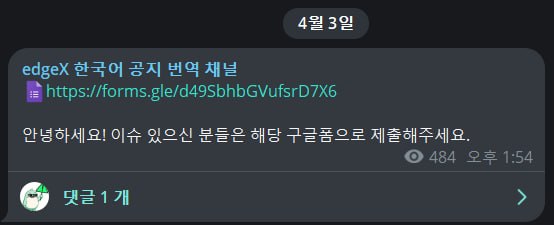

Telegram
Disclaimer: The content above is only the author's opinion which does not represent any position of Followin, and is not intended as, and shall not be understood or construed as, investment advice from Followin.
Like
Add to Favorites
Comments
Share
Relevant content