Because there are some bugs in the official test network link to the eth wallet, this tutorial has been updated. About B2 Network: B2 Network is an EVM-compatible Rollup based on Bitcoin's zero-knowledge proof verification commitment. Rollup data and zk-proof verification commitments are recorded on the Bitcoin network and ultimately confirmed through a challenge-response mechanism.
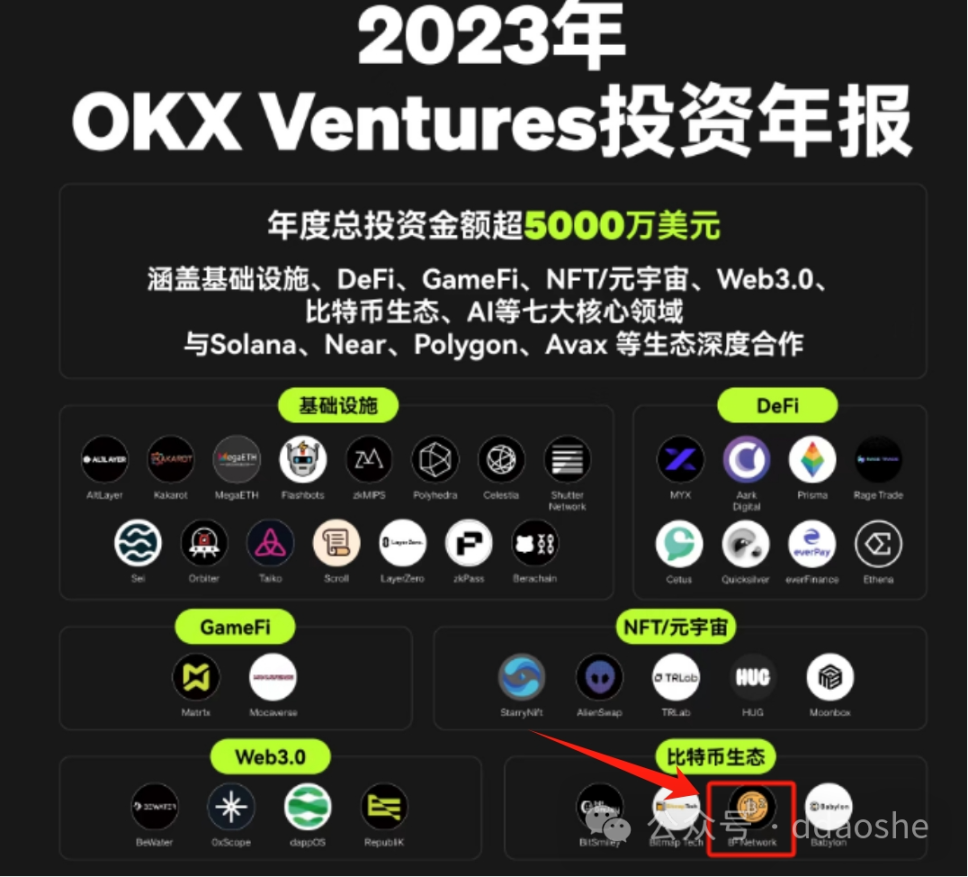
Regarding financing: OKX released its 23-year investment annual report. The most practical Bitcoin second-layer network B2@BsquaredNetwork is on the investment list, and the specific amount is unknown.
About the airdrop: The invitation-only Odyssey mission https://buzz.bsquared.network?code=WzEze has been officially launched (if you want to participate, you must go through the invitation link or bind the invitation code). You can get corresponding points by completing the Odyssey mission. It is clear that the points will be used in the future. There will be corresponding rewards
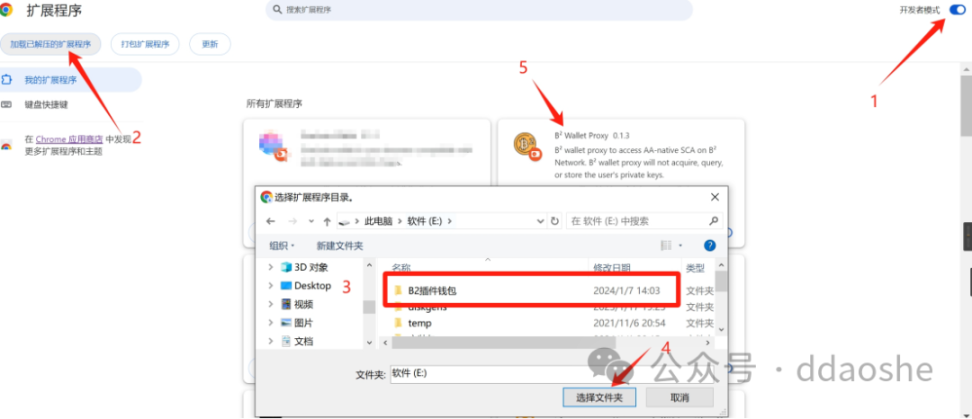
Tutorial (safety comes first when petting cats, please evaluate the risks yourself): 1 Go to the official website https://docs.bsquared.network/for-users/use_wallet_proxy#how-to-update-b-wallet-proxy to download the B2 wallet compressed file. and unzip it in a separate folder
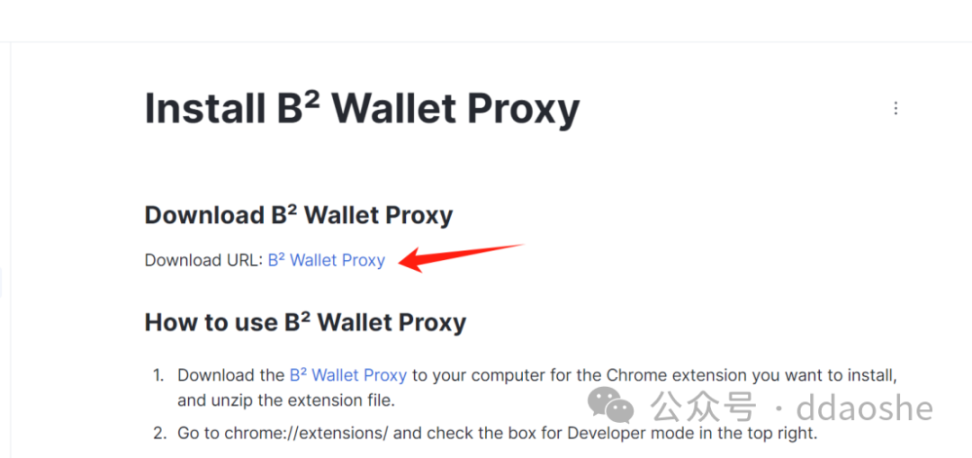
2. Open the developer mode on Google Chrome, load the unzipped extension, find the folder corresponding to the wallet and select it. You will see that the plug-in installation is completed.
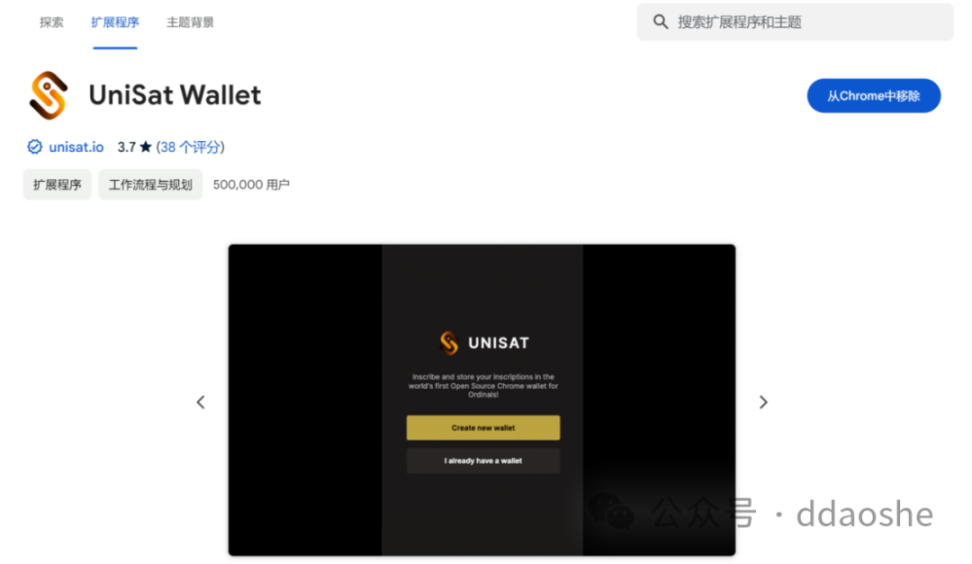
3 Also install the unisat plug-in wallet in the Google Chrome plug-in store and create a wallet
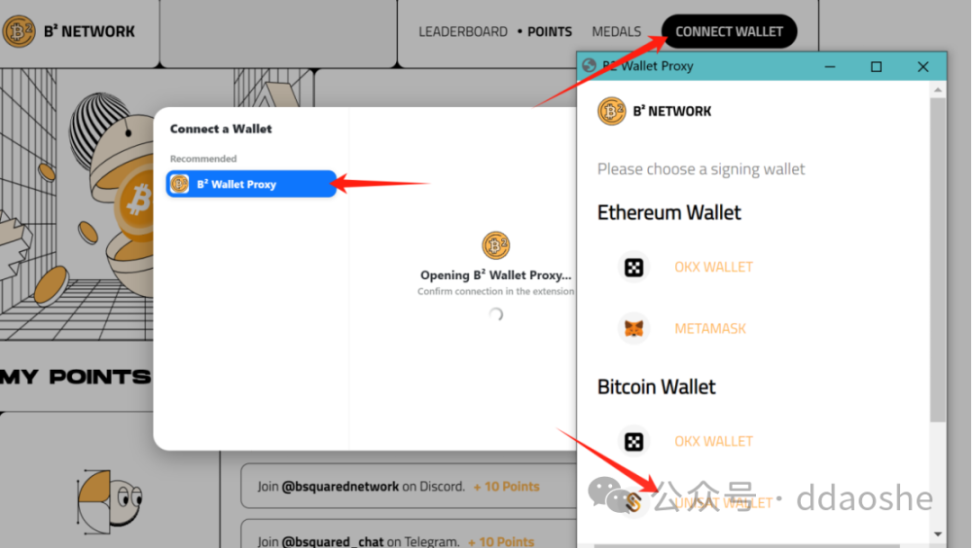
4 Go to the task official website https://task.bsquared.network/leaderboard?code=5bJVWpA to link the B2 wallet, and link the unisat wallet address in the pop-up window (the link to the eth address currently has bugs, and it will be more troublesome to follow up with ok. There are many bugs. Currently The best support is only unisat)
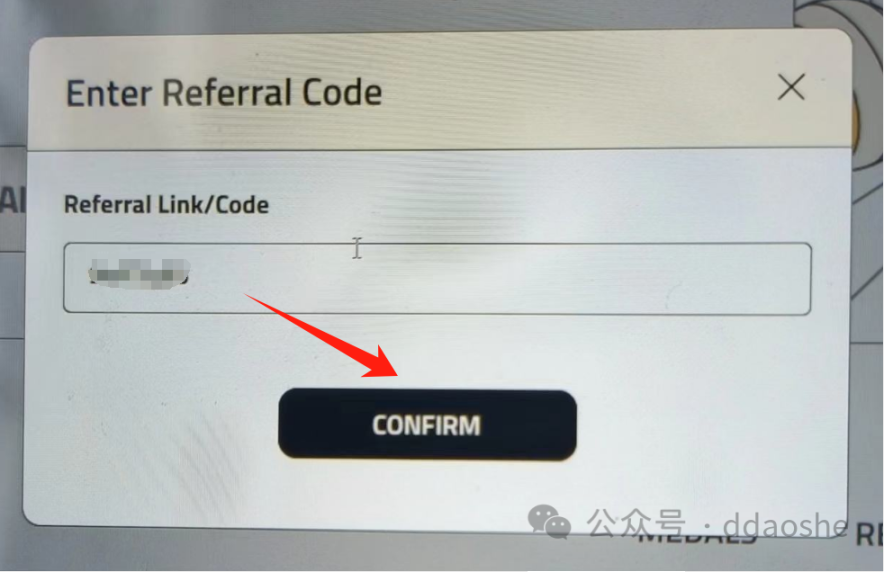
5 Confirmation code ( 5bJVWpA )
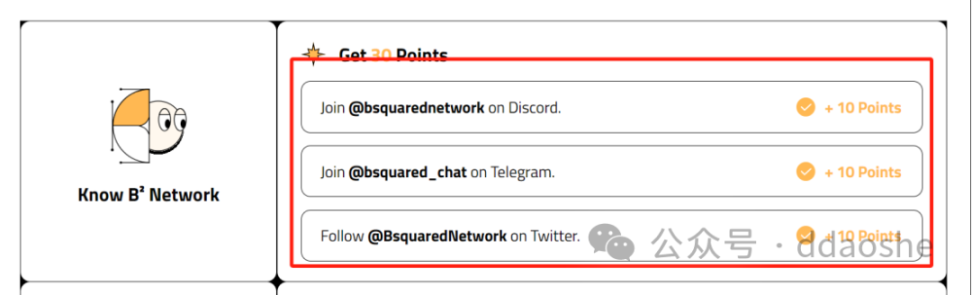
6 Complete the three simple tasks at the bottom of the page. You will get 10 points for each completed task. The task verification is slow, so you need to wait patiently, and then wait for the test network task to start.
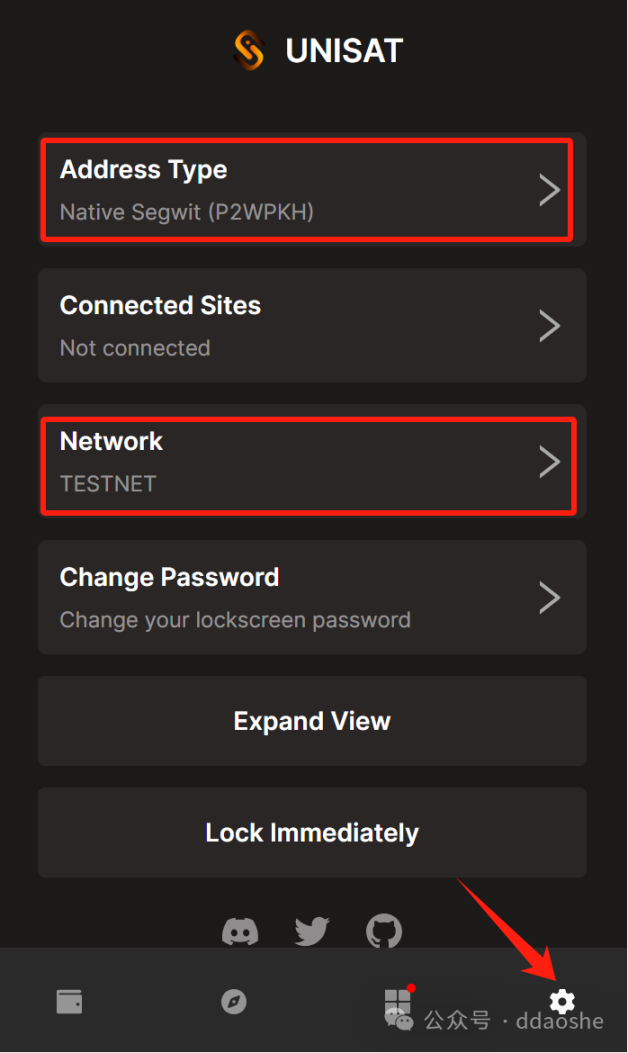
7 Enter the unisat wallet, change the network to the test network, select the Native format for the address format, and copy the address
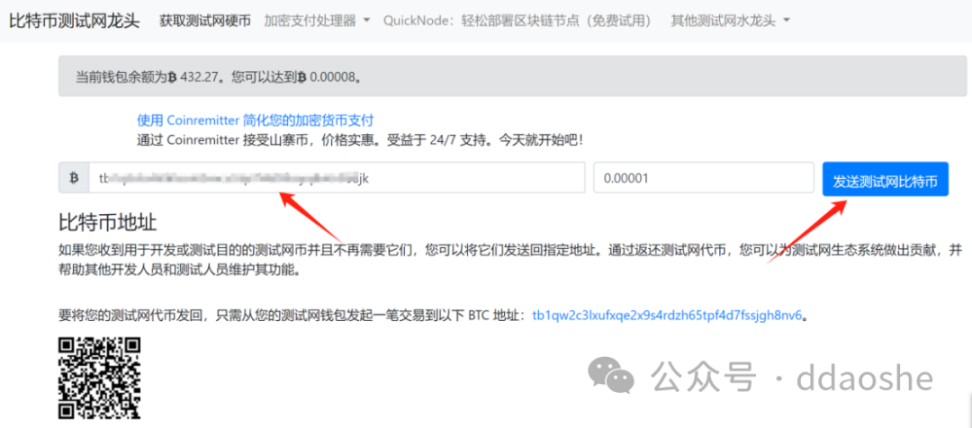
8 Go to the faucet https://bitcoinfaucet.uo1.net/ and paste the address to receive the btc test token
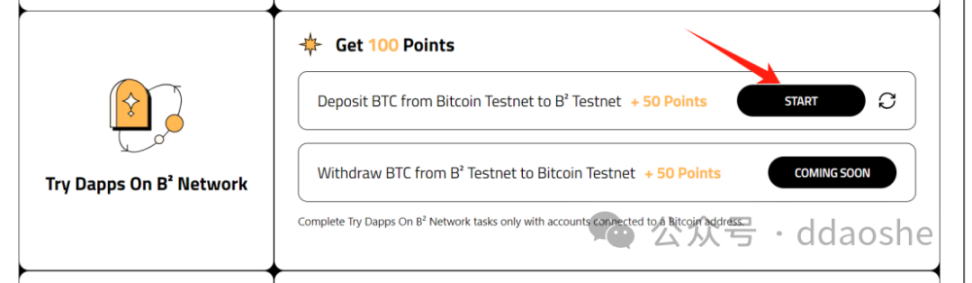
9 Return to the B2 official website and click start of the test network task
10 Enter the cross-chain bridge test network and link the wallet
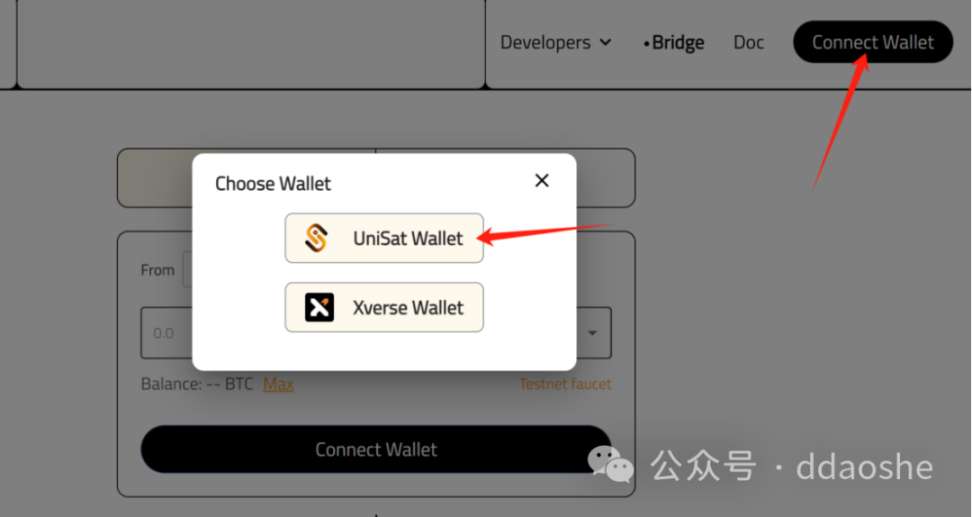
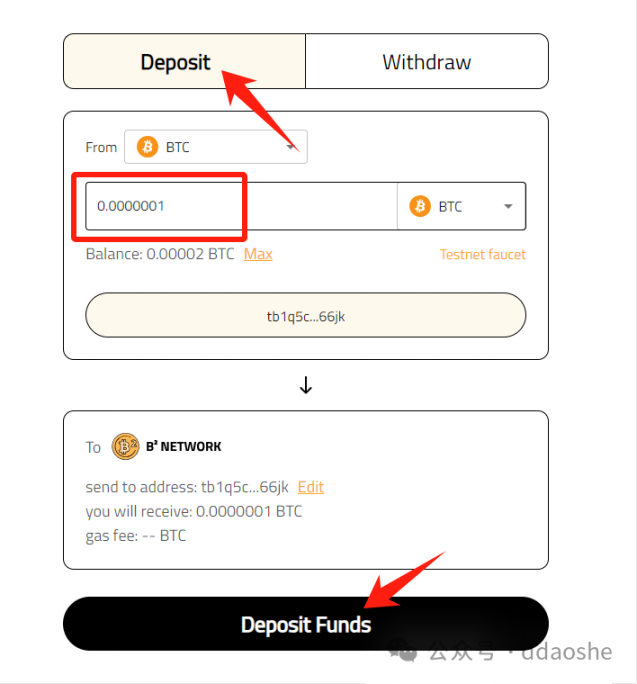
11 Select deposit, enter the amount, click deposit funds and wait for completion, then return to verification
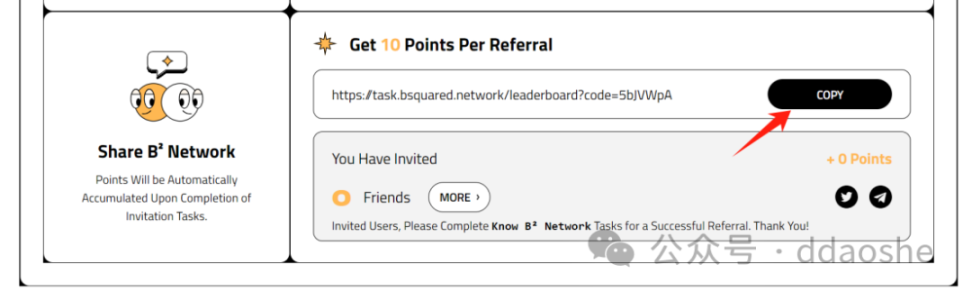
12 You can see your invitation link at the bottom of the page
The above is a simple task of the Odyssey of B2 Network, rolled up.