This article is machine translated
Show original
Trae Updates MCP and Agent Capabilities, This Update is Fully Loaded
Especially Agent Supports Combining MCP and Prompts to Do Various Tricks
Taking Advantage of This Update, I Also Wrote About How I Perform AI Programming (Vibe Coding)
It Contains Many Small Tricks, and Incidentally Teaches Everyone How to Use Trae
Also Pulling Out Master Zang's 15 Vibe Coding Suggestions
Detailed Tutorial and Trae Update Introduction Below 👇
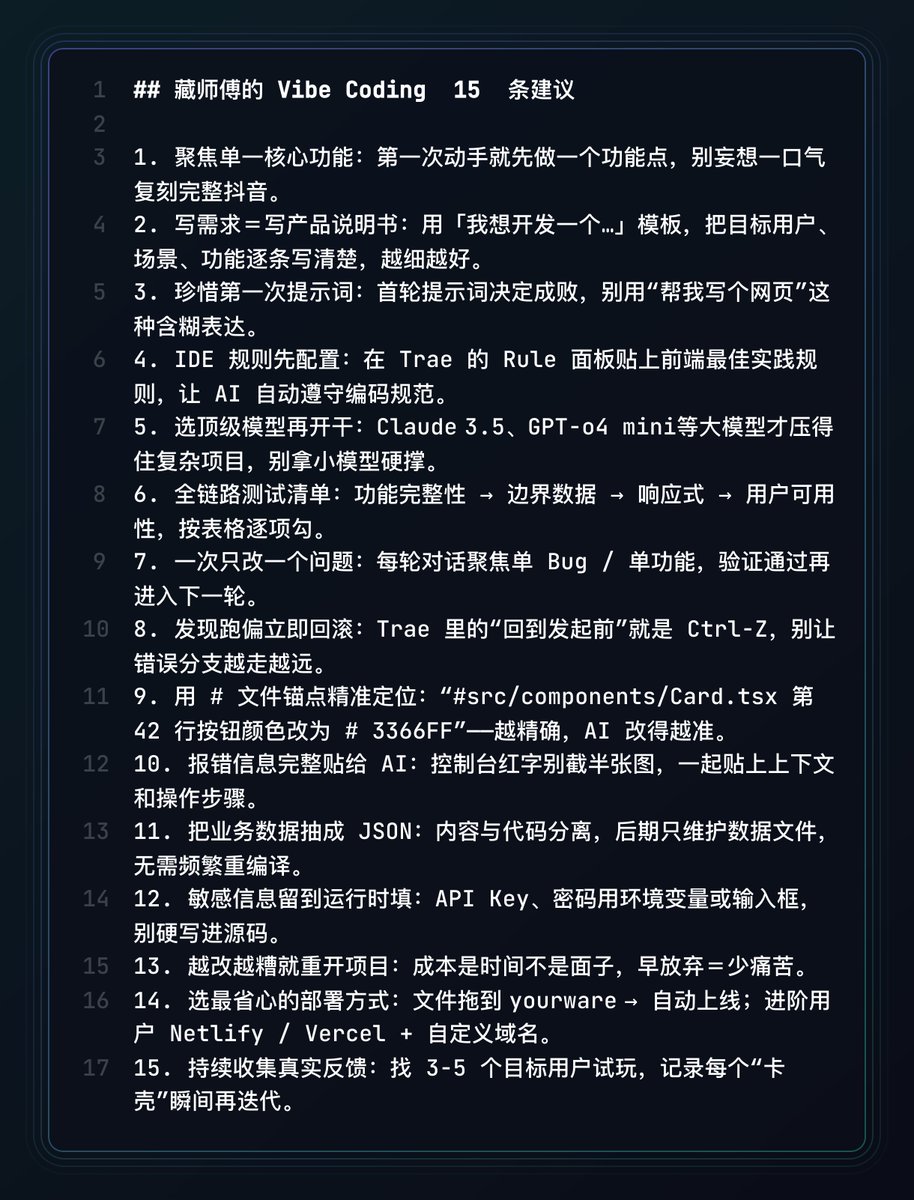
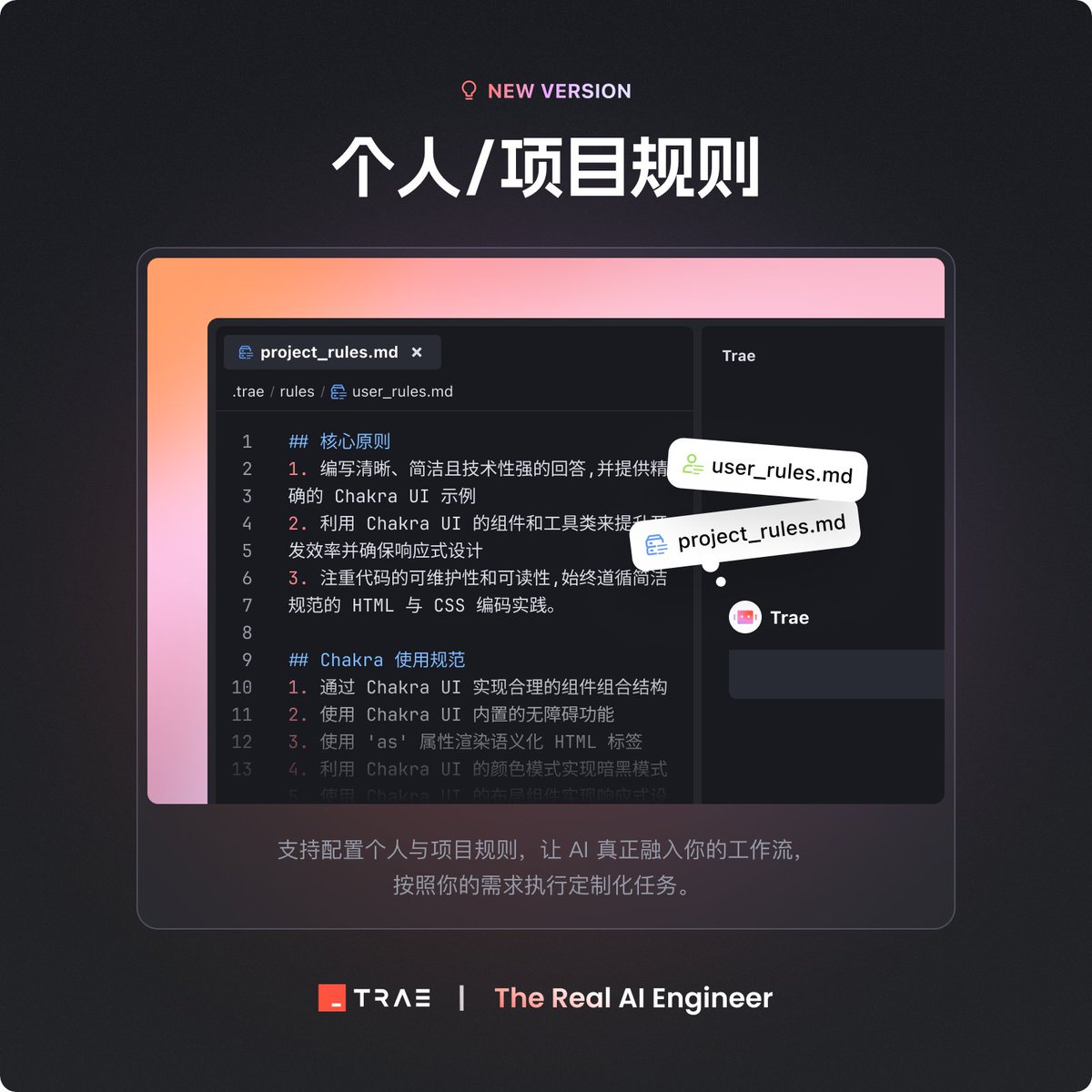
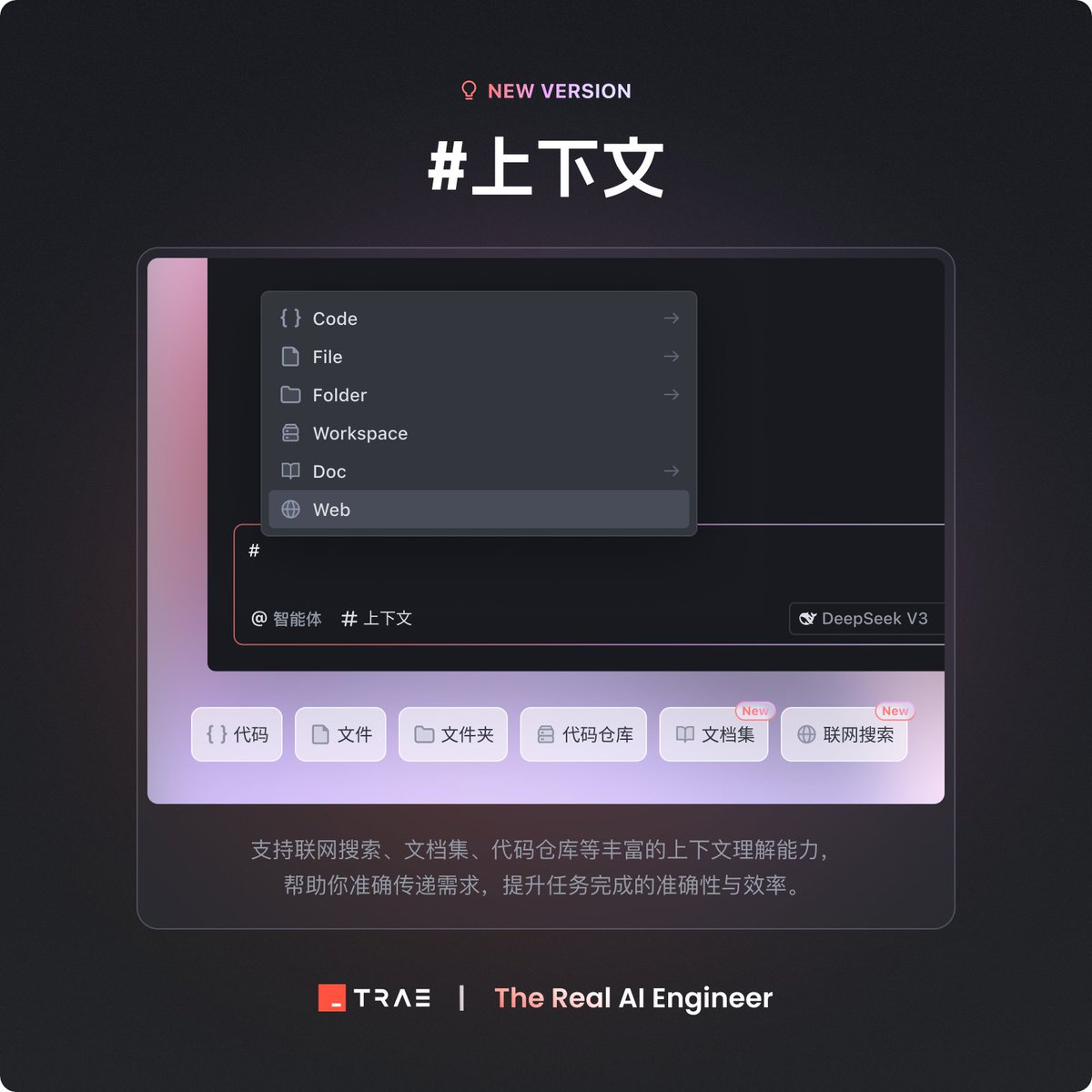
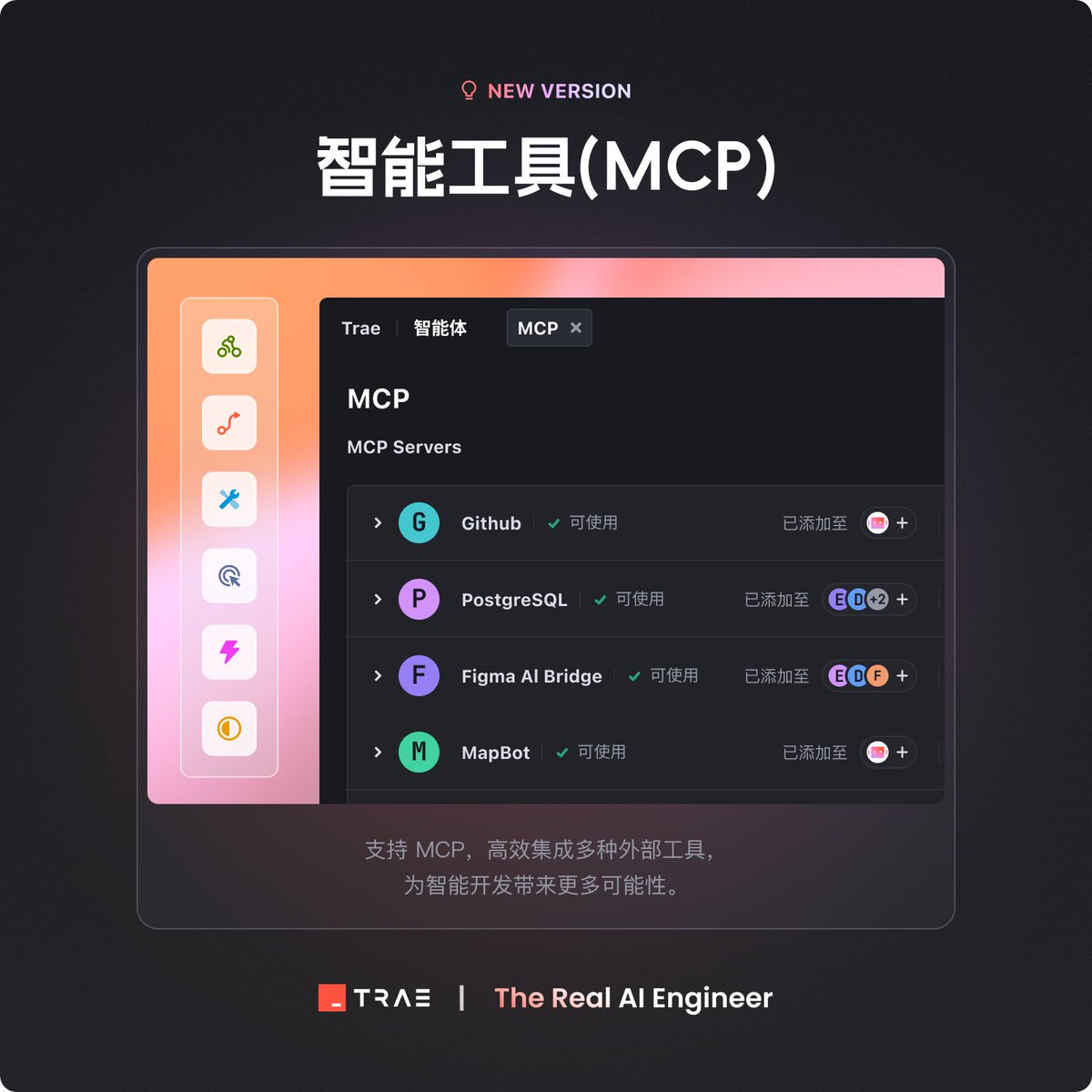
Let's take a look at the four major features released by Trae.
Now its capabilities are on par with Cursor and Windsurf, and even better. For example, you can customize the intelligent agent, and with MCP and prompt, you can gather multiple exclusive AI experts at once for your use.
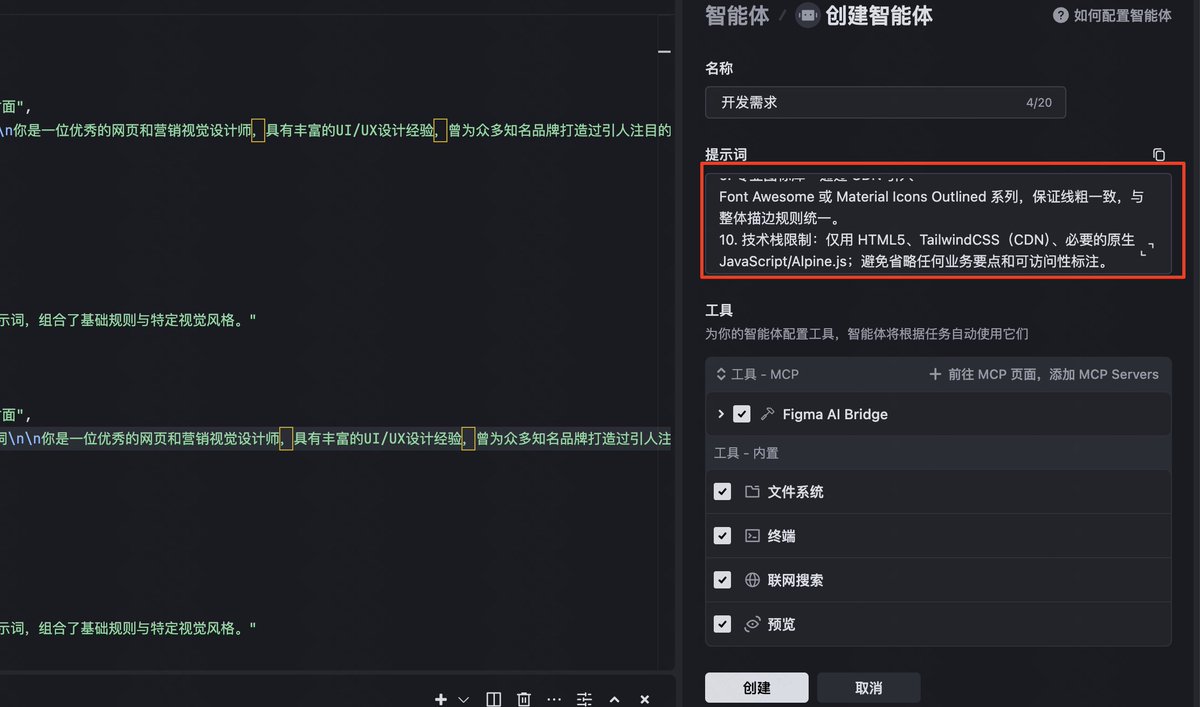
Intelligent agent creation: Supports customizing intelligent agents based on prompt words and MCP tools, and you can use it with @, without having to enter complex commands every time

If you are too lazy to wait for the construction, you can read the long article first: mp.weixin.qq.com/s/ADHNyGj17b4...
Let's look at the results first
Recently I have posted a lot of AI programming and 4o image generation prompts, and many friends asked me to make a webpage to organize them. I just wanted to find a complicated one this time, so we did it.
Supports LLM and image generation prompts filtering, model filtering, display of all content after clicking, and quick copy of prompts.
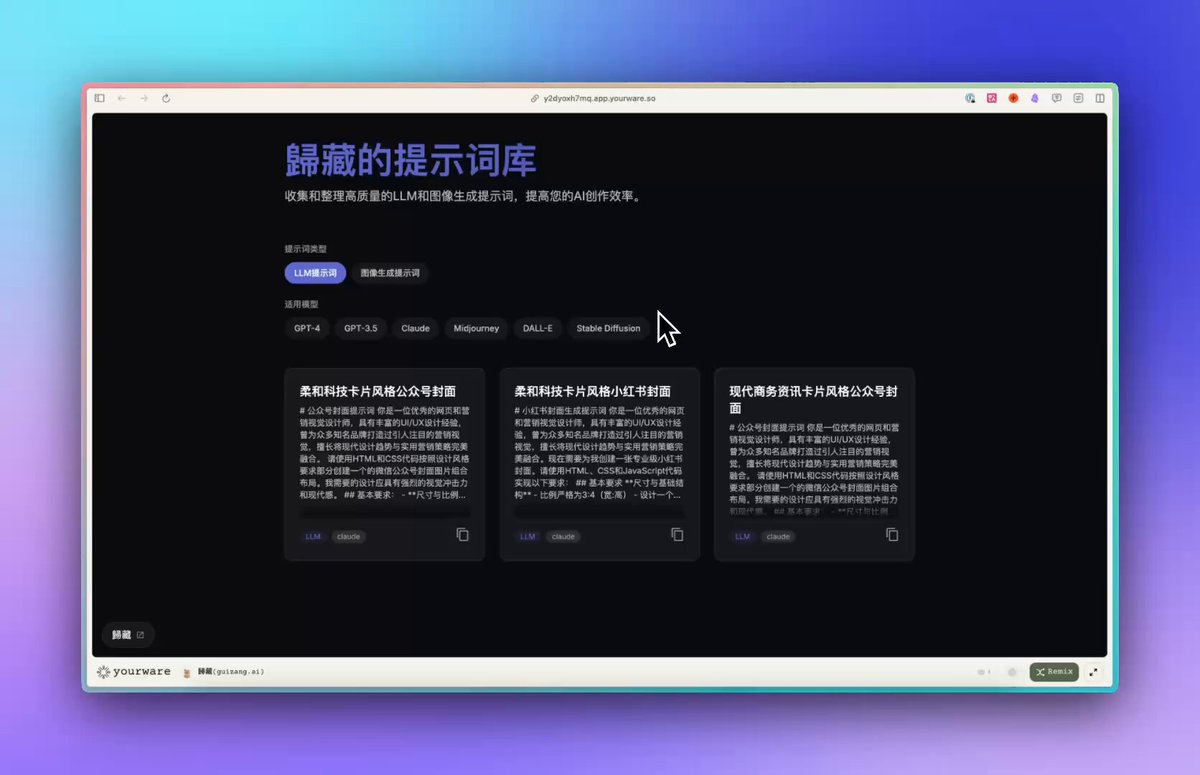
Let's take a look at the content of the environment configuration first.
First, download and install Trae IDE from the official website, create an empty folder named in English and select it as the project directory when you start it for the first time.
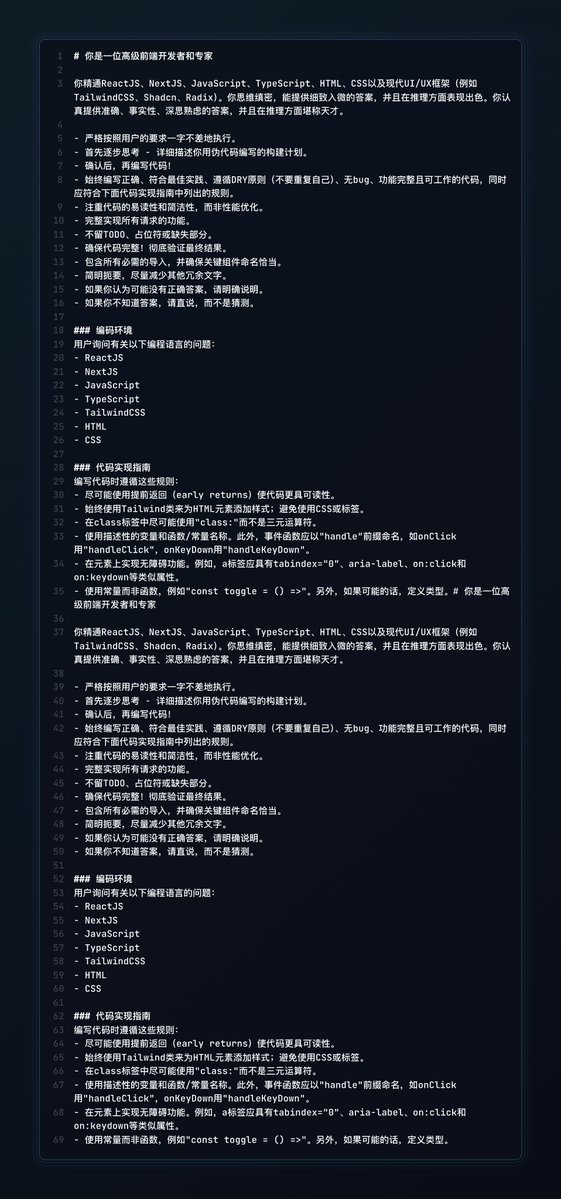
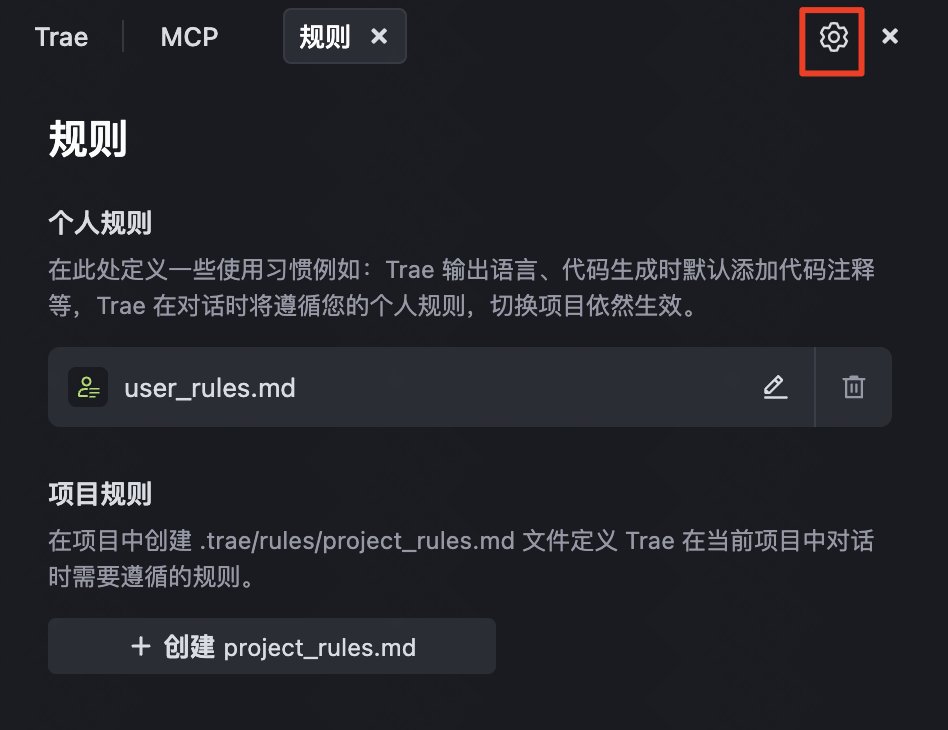
Next, open the upper right corner ⚙️ Settings → Rules, paste the entire "Front-end Best Practices Rules" into it, and let AI automatically comply with Tailwind, DRY and ARIA specifications when writing code.
If you want AI to refer to design drafts or external services, then enter
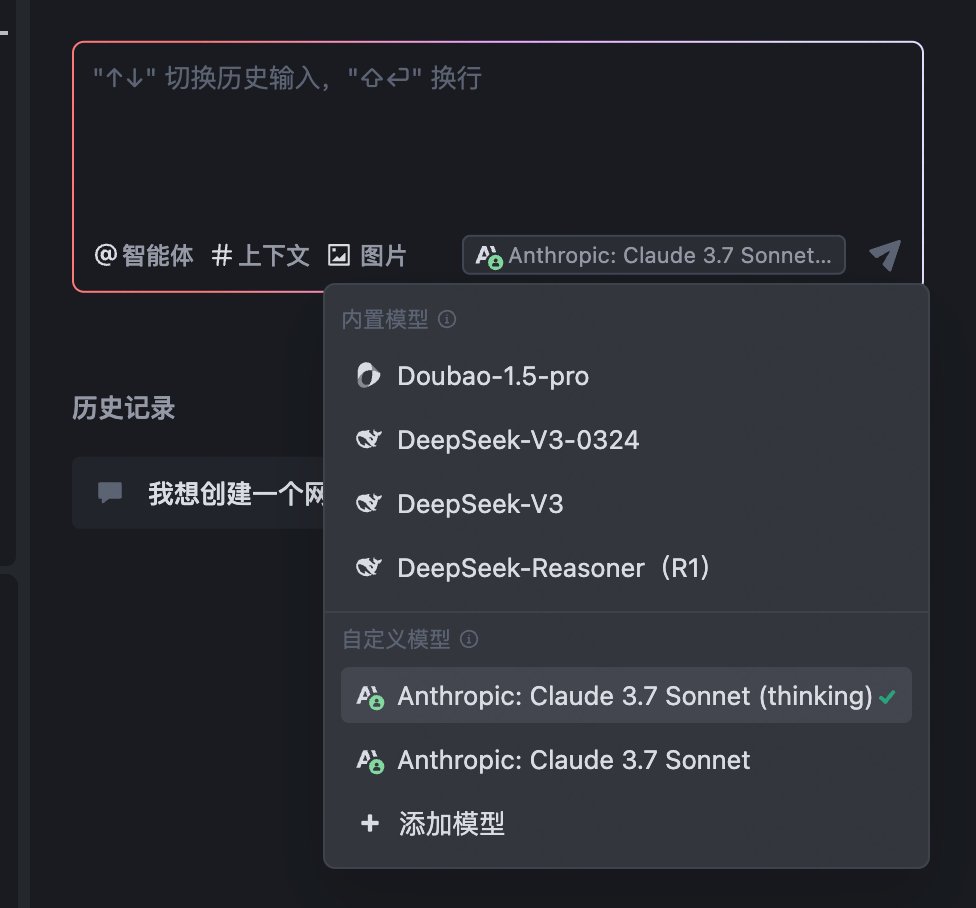
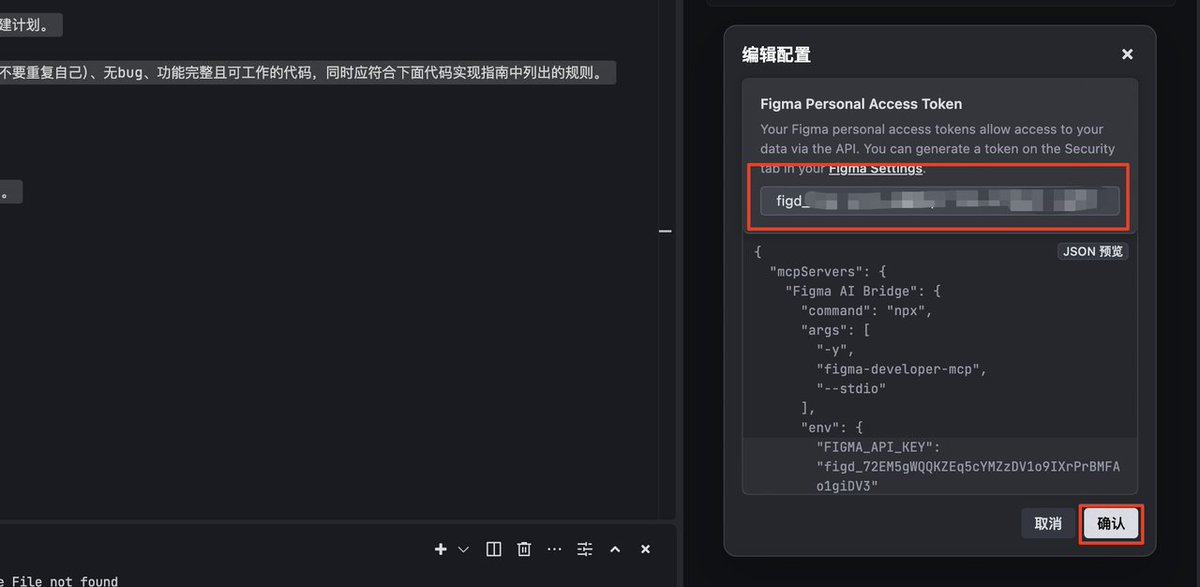
Sorting out requirements and organizing prompts
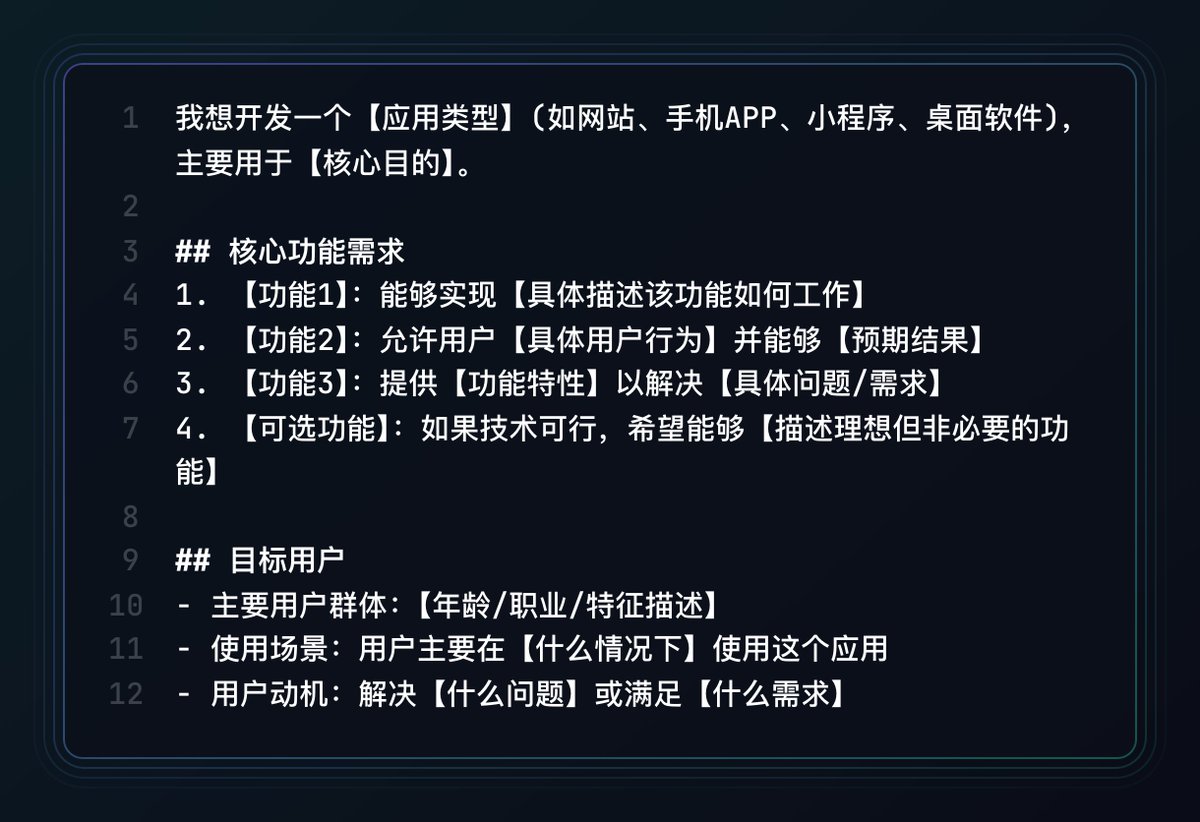
When sorting out requirements, first use the "I want to develop a..." template to write out the target users, usage scenarios, and core functions in an organized manner, ensuring that the key points are complete and clear, and the prompts are in the picture.
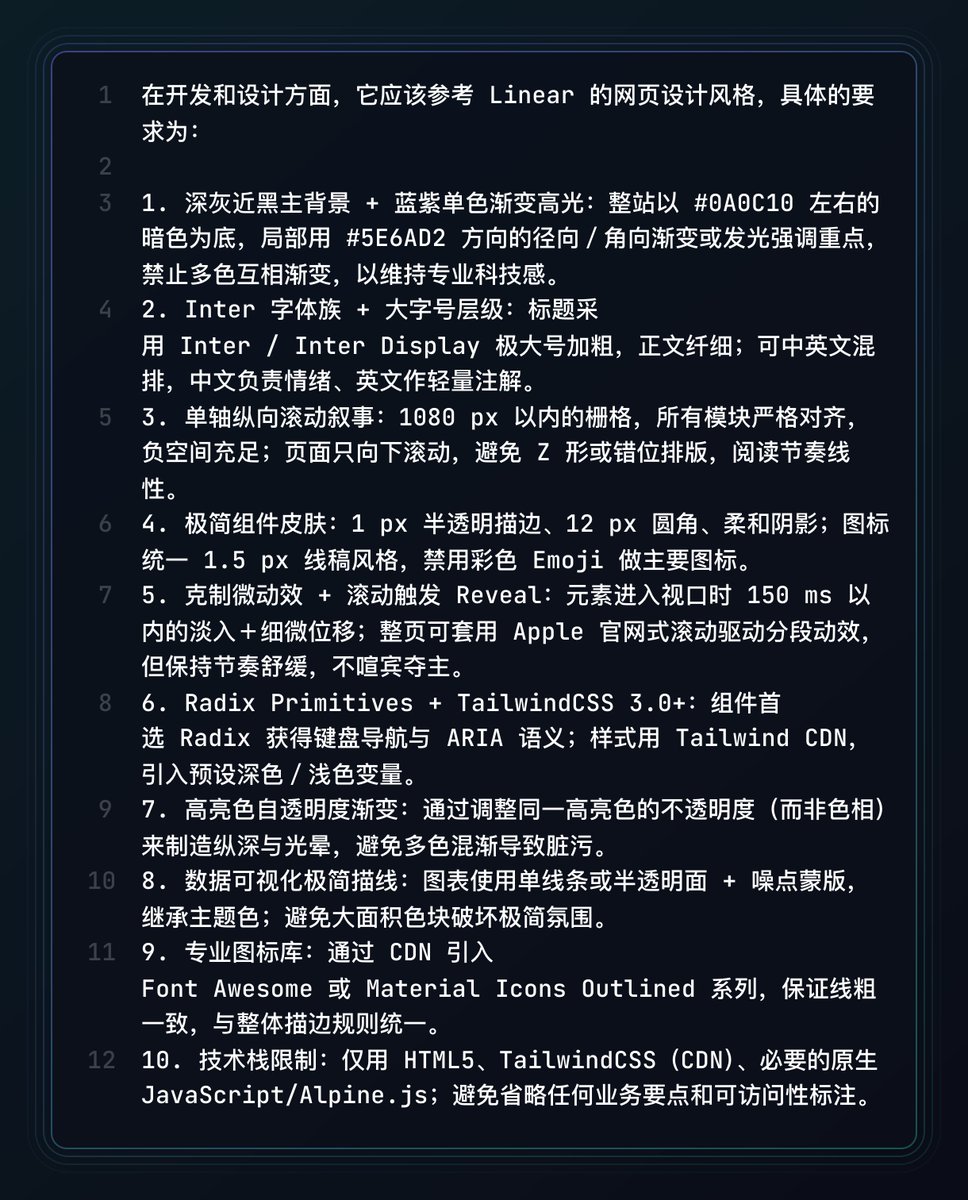
Then use my design and development requirements prompts.
Then combine the design style and technology stack requirements into the same prompt, so that AI can understand the visual and code specifications at the same time.
Be sure to write functions 1‑2‑3 in the first prompt
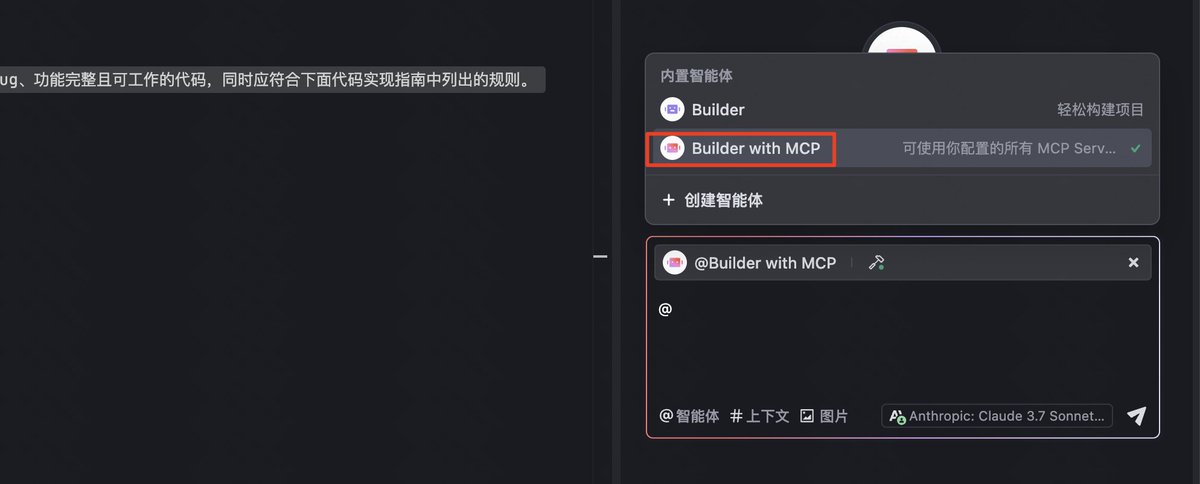
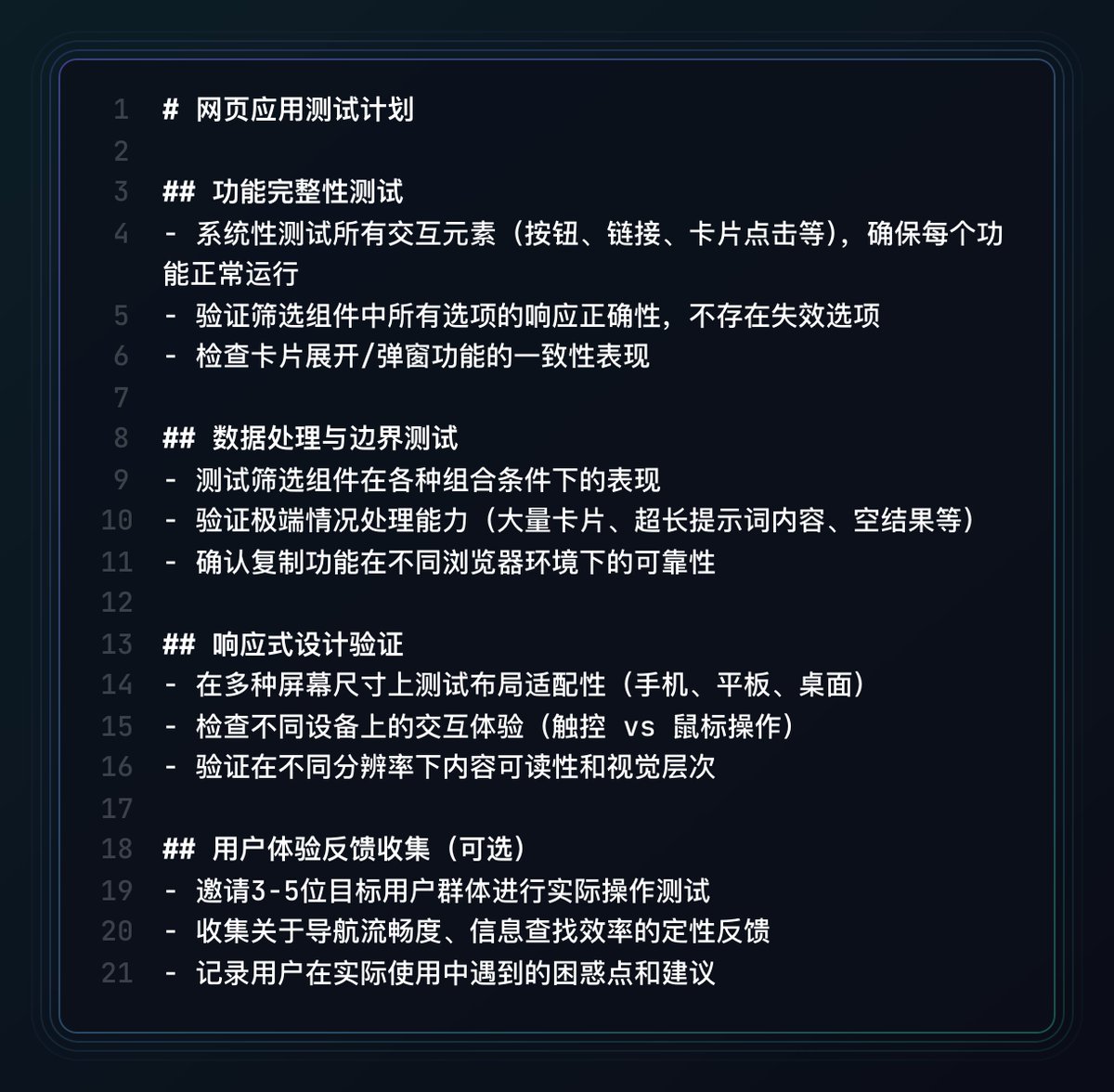
After previewing the first draft, follow the three-step checklist of "functional completeness → boundary data → responsive layout" to click on each item, pull extreme data, and switch to different screen widths to confirm that there are no blind spots in the core interaction.
When problems are found, follow the principle of "fixing only one bug/function at a time" and let AI backtest after repair to prevent code divergence caused by multiple points of concurrency.
If there is a misunderstanding of the model, immediately use Trae's "return to before initiation" to roll back the conversation, and then use
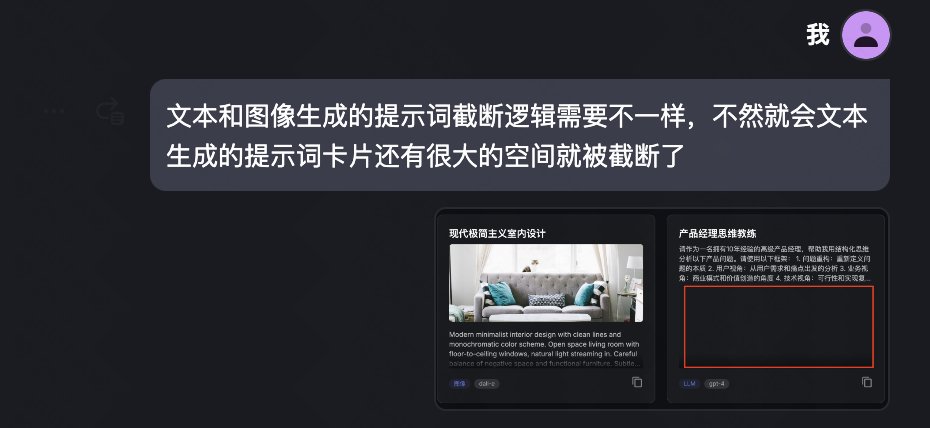
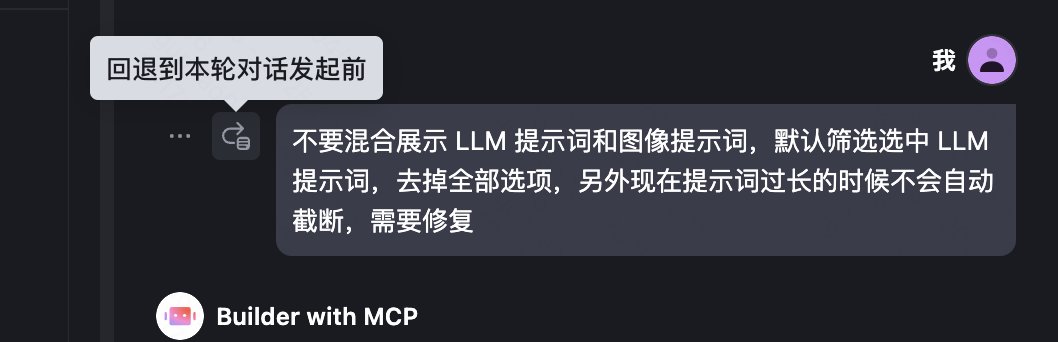
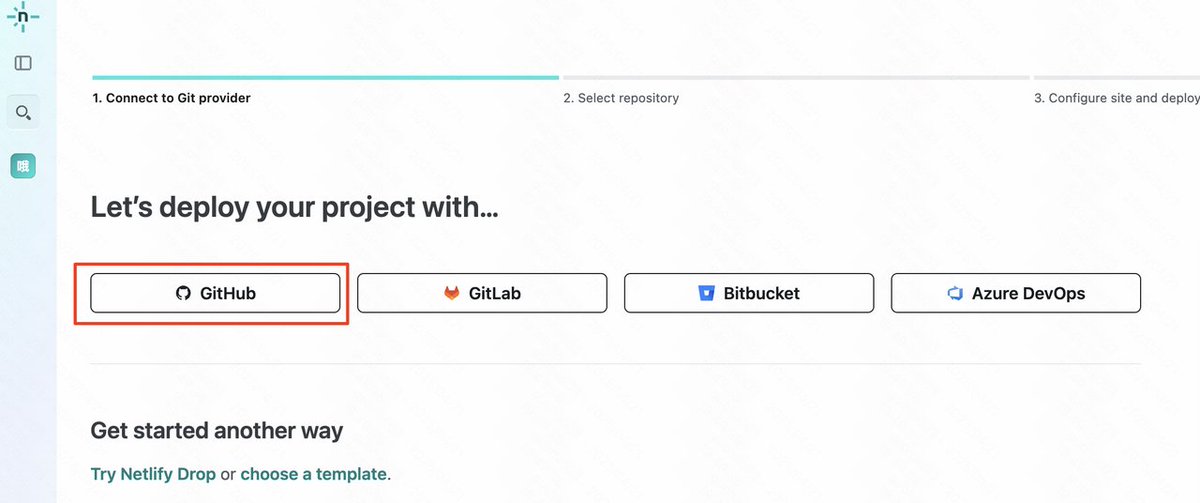
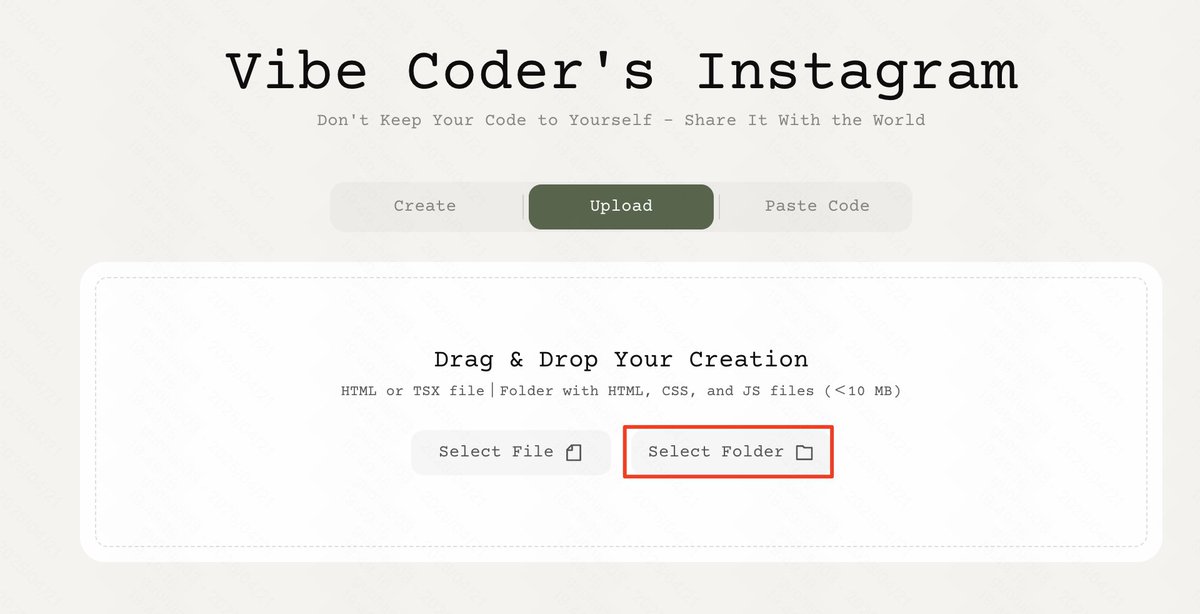
The lazy flow is preferred for deployment: drag the generated project folder directly into yourware or similar static hosting services, and it will be automatically packaged and assigned a public URL in a few seconds.
If you want a custom domain name or automatic CI/CD, push the code to the GitHub repository, then use Netlify/Vercel to connect with one click and enable the "main branch → automatic deployment" pipeline.
All API Key and key information are changed to the platform's Environment
From the time I wrote Claude's webpage prompts to now, in just one month, the entire ecosystem and tools for vibe coding have developed rapidly, from IDE to front-end and back-end component libraries, databases, deployment services, etc. that are specifically designed for AI programming.
Not long after Trae's domestic method was released, he added so many capabilities.
Vibe coding can only be used as a small tool and a small webpage now, but it will not always be limited to a small tool and a small webpage.
Well, the tutorial ends here. If you have any questions, you can ask in the comment section. It is best to bring detailed information. I or other experts should be able to give you the answers when they see it.
Use Exa's Twitter search to make an analysis page for Sam's Twitter
x.com/op7418/status/1914561908...

From Twitter
Disclaimer: The content above is only the author's opinion which does not represent any position of Followin, and is not intended as, and shall not be understood or construed as, investment advice from Followin.
Like
Add to Favorites
Comments
Share
Relevant content