How to use the Solana Vanity Wallet GeneratorOpen the GTokenTool vanity address generation page
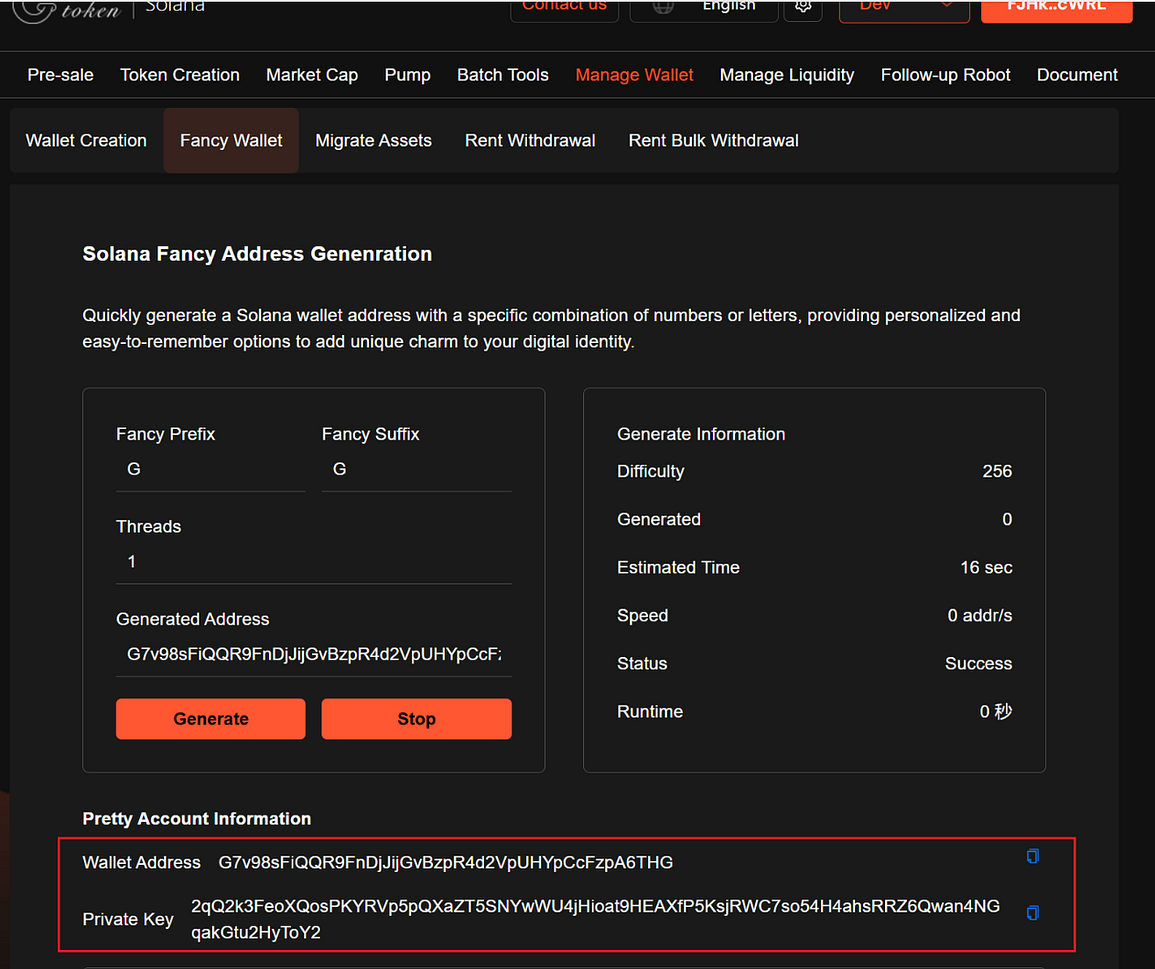
Enter the prefix and suffix you want to customize
Start generating a fancy wallet and wait for the output of fancy wallet information
Save the generated private key and import it into other wallets
Preparation:A computer or a mobile phone
Solana Wallet
Specific steps:1. Connect walletSolana Vanity Wallet Generation: https://sol.gtokentool.com/en/walletManagement/LiangHao
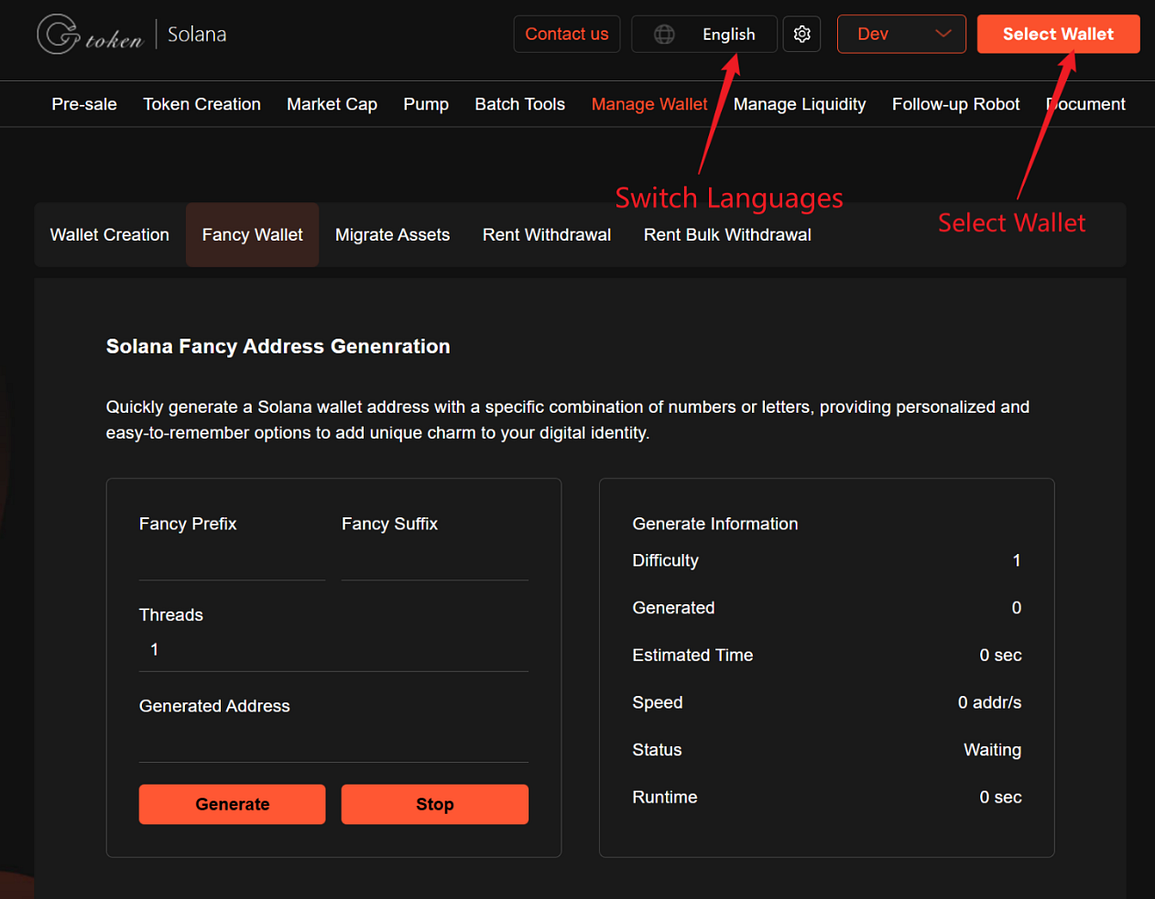
Enter the GTokenTool page to create a vanity wallet. The upper right corner supports switching languages and connecting wallet.
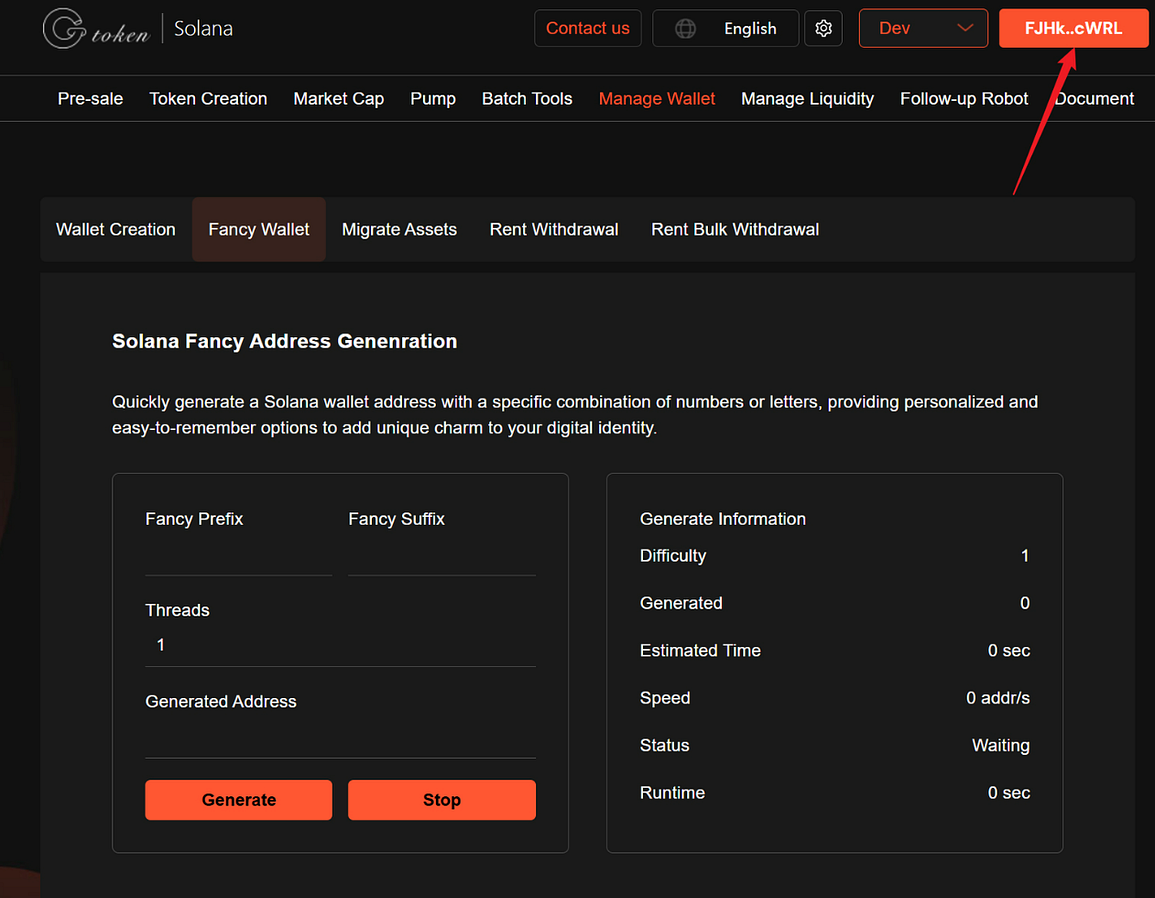
After connecting, you can see the wallet address.
2. Enter the prefix and suffix you want to customizeIt is recommended to customize a number within 5 characters to avoid wasting time
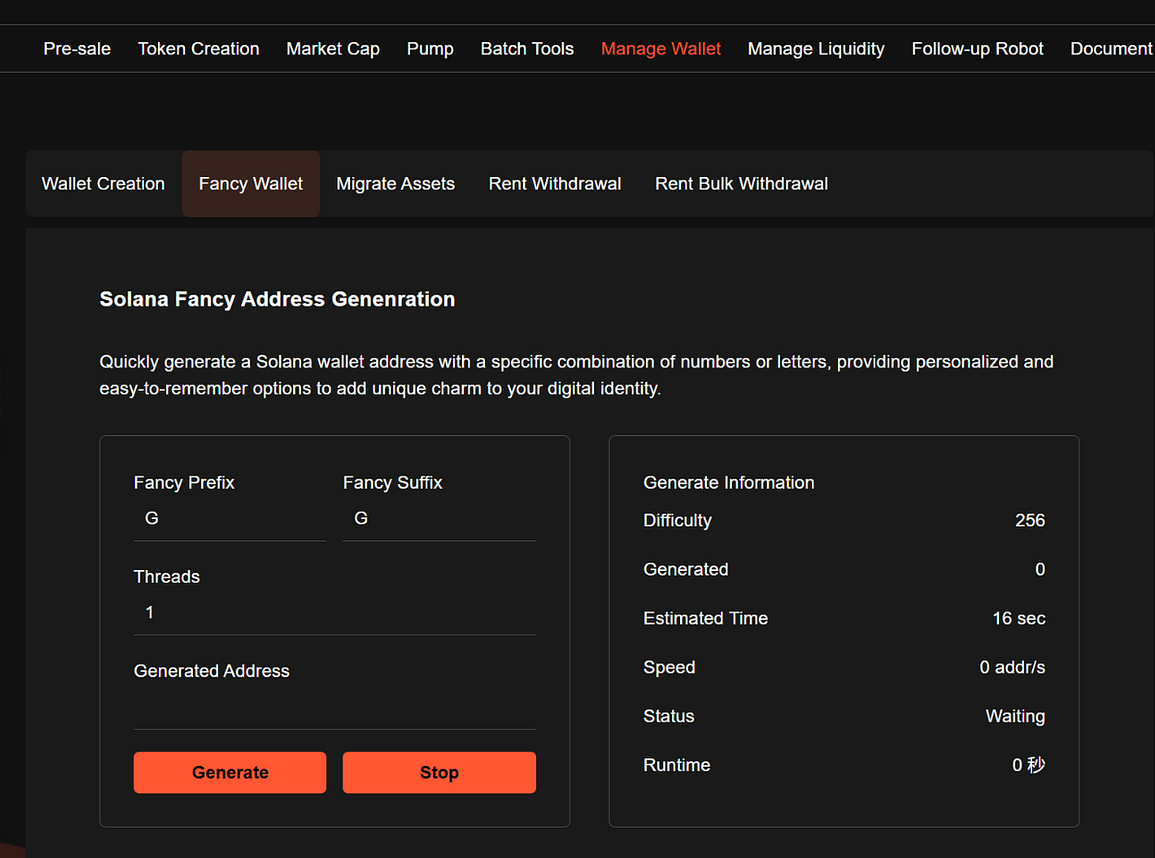
3. Start generating vanity walletWaiting for the output of the vanity wallet information, and save the private key.
Safety Tips:
The latest 256-bit 32-byte random seed is used to randomly generate the private key, and the public key is generated through keccak-256 to match the corresponding format address according to the user’s settings. No need to worry about being cracked!
If you have any questions or are unclear, please join the official Telegram group: https://t.me/GToken_EN