This article is machine translated
Show original
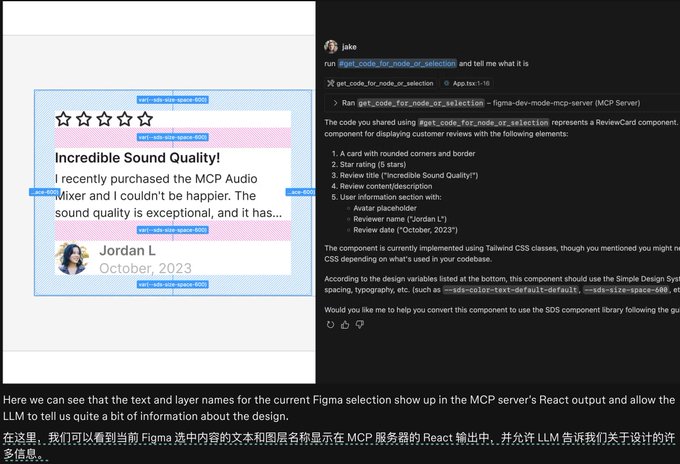
Wow, something big has quietly happened: Figma launches official MCP service
- Adopts SEE mode to eliminate tedious configuration
- Able to obtain more detailed design drafts and materials compared to unofficial MCP
Below is a detailed introduction and usage method 👇
How to use:
- Update the Figma client to the latest version
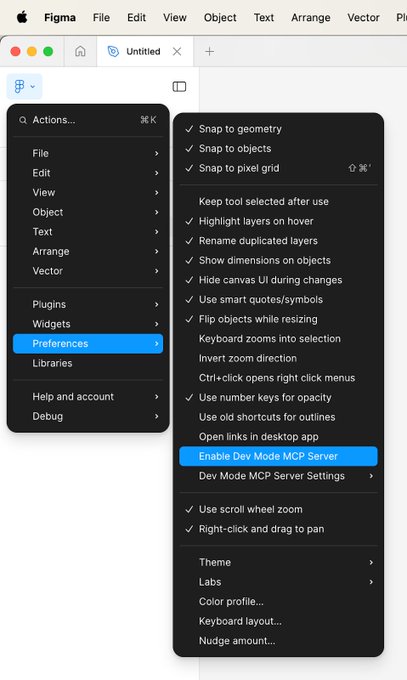
- Open the Figma menu in the top left corner, Preferences-Enable Dev Mode MCP Server
- The fixed MCP address is http:/127.0.0.1:3845/sse
- Normally set MCP in Cursor or Chatwise
- Directly select a page in Figma or copy the artboard link to the software to implement
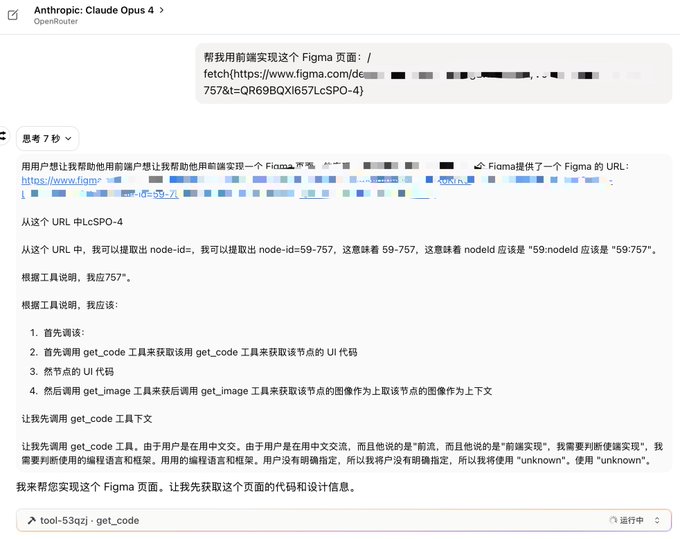
Damn, I selected a page using Opus 4 and Figma MCP for generation
Now MCP is still retrieving information, it has been running for a long time, and my Token is burning
Another typo: sse

From Twitter
Disclaimer: The content above is only the author's opinion which does not represent any position of Followin, and is not intended as, and shall not be understood or construed as, investment advice from Followin.
Like
Add to Favorites
Comments
Share
Relevant content