
Preface: Why Do We Need Batch Transfers?
In the blockchain ecosystem, batch transfer is a key function, especially suitable for the following scenarios:
- Airdrop activities: Distributing tokens or Non-Fungible Tokens to a large number of users.
- Payroll: DAOs or teams simultaneously paying multiple contributors.
- Liquidity rewards distribution: Batch issuing rewards to liquidity providers.
In traditional financial systems, batch payments can be easily completed through banks or payment platforms, but on the blockchain, manual transaction-by-transaction is not only inefficient, which is when we need to use the batch transfer function.
This article will detail 3 mainstream methods (CLI, SDK, third-party tools) to help developers, project parties, and ordinary users quickly implement batch transfers on the Sui chain, saving time and reducing operational costs.
Method 1: Using Sui CLI for Batch Transfers
Sui CLI is an official command-line tool suitable for users familiar with the terminal.
Step 1: Install Sui CLI
Step 2: Prepare CSV Transfer File
Create a transfers.csv file with the following format
Step 3: Run Batch Transfer Script (Bash/Python)
Use the sui client pay command to execute transfers in a loop:
It should be noted that Sui CLI currently does not support native batch transactions and requires writing a script to execute in a loop.
Method 2: Using Sui SDK (TypeScript/Python)
Suitable for developers to write automated scripts.
Step 1: Install Sui TypeScript SDK
Step 2: Write Batch Transfer Script
Method 3: Using Third-Party Tool - CPBOX Batch Transfer Function
If you are not a science award winner and cannot write code, you can use a ready-made batch transfer tool
Enter the CPBOX website, select the Sui chain batch transfer function, which can quickly achieve batch transfer on the Sui chain. If you are worried about not being able to operate, you can refer to their Sui batch transfer tutorial. It details how to use Sui batch transfer.
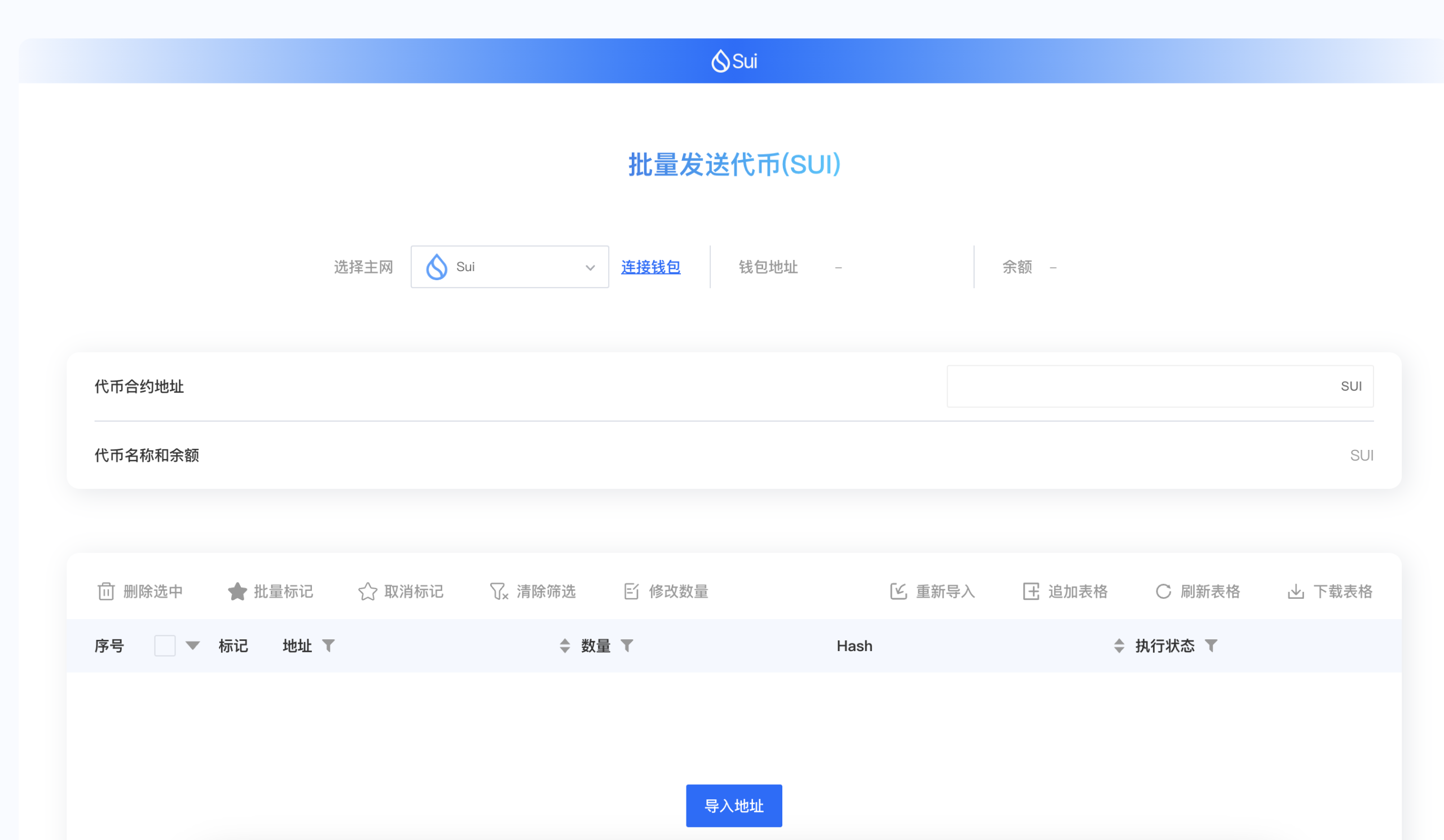
Why Choose CPBOX
First, CPBOX's batch transfer function is very useful, not only supporting batch token transfers of Sui tokens but also supporting batch sending of other tokens on the Sui chain, which is widely used in some customer community airdrop activities.
Secondly, CPBOX's batch transfer function is very smooth and mature. Development teams have focused on developing this function, and now support mainstream public chains across the network. Your transfers will not have problems.
Finally, the CPBOX team is a super believer in the Sui chain. We hope that through our own development, we can make better contributions to the Sui public chain and help new players and old users who want to participate in projects on the Sui chain.
Of course, you can also experience other functions on CPBOX, such as one-click token issuance on Sui chain, Sui batch collection, one-click token issuance on Sol, etc.
Thank you for the trust and support of all users to CPBOX
If you encounter problems while using the Sui batch transfer function or other functions
You can find us through the contact information at the bottom of the homepage https://www.cpbox.io/cn/
You can also contact us through the following social media
Other Social Media
Telegram Group: https://t.me/cpboxio
Discord: https://discord.com/invite/XMwMMfHufN
Twitter: https://twitter.com/Web3CryptoBox