OpenAI announced its new ChatGPT "group chat" feature yesterday, with Taiwan, Japan, New Zealand, and South Korea among the first regions to experience it. This feature allows up to 20 people to call on the AI in the same chat room, such as to plan itineraries together, write proposals, or brainstorm ideas, evolving from a "one-on-one assistant" to a "multi-person collaboration partner".
How do I use the group chat function?
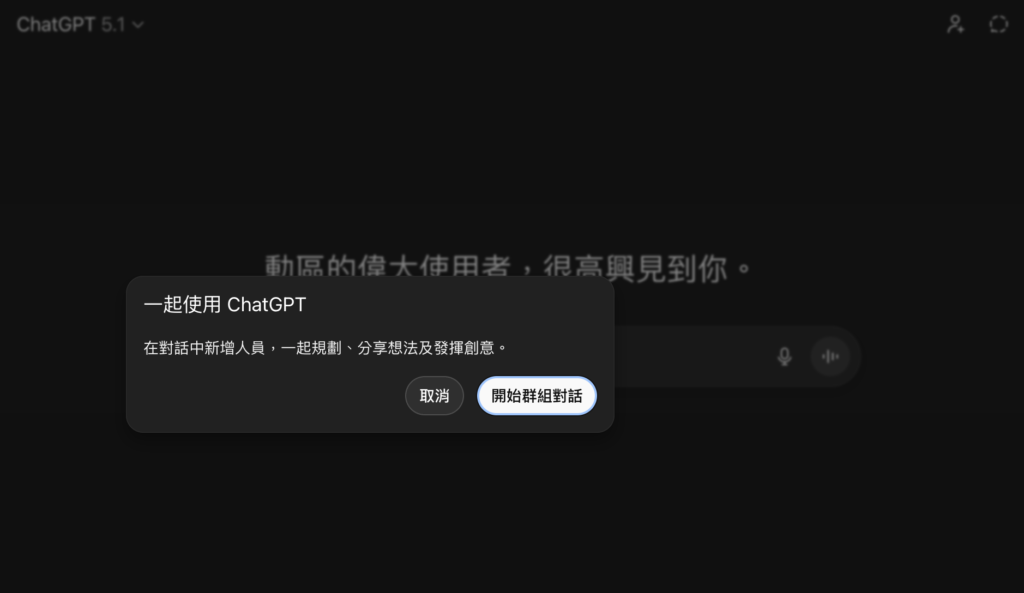
Using group chat is simple: just click on the person icon in the upper right corner of the chat interface, then click the "Start Group Chat" button to create a chat room.
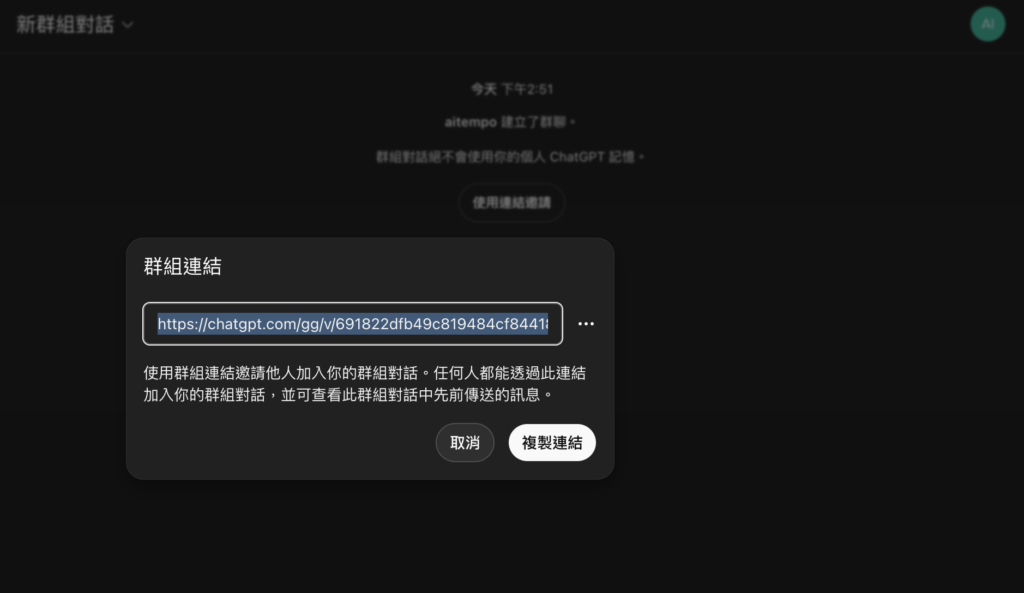
The system will then provide you with a sharing link. Send it to the partners you want to chat with, and they can join after accepting. You can leave or view the member list at any time during this process.
Currently, all logged-in accounts can experience this feature. The free version provides 10 AI responses every 5 hours, while the Plus plan offers 160 responses every 3 hours. Users who need AI assistance can simply type "ChatGPT" or "@ChatGPT" in the chat to make a call. There are no limits on text interactions between members, ensuring that discussions are not interrupted by quotas.
 GPT-5.1 Auto Highlights
According to the official description, the new flagship model GPT-5.1 Auto can read group context and automatically switch between GPT-5.1 Instant and GPT-5.1 Thinking depending on the complexity of the question. The system also has a built-in "politeness mode," where the AI analyzes the conversation flow to determine when to insert suggestions and when to remain silent, reducing concerns about message bombardment.
OpenAI also stated that group chat data is completely separated from personal conversations, and AI will not write group content into private "memory." When minors join, the system automatically lowers the weight of sensitive content.
After personally experiencing it, I found it to be a very useful feature, and I encourage you to give it a try.