As the BNB Smart Chain (BSC) ecosystem continues to expand, more and more projects, communities, and KOLs need to distribute tokens to a large number of addresses—through airdrops, rewards, rebates, and event token distributions. However, manual transfers are not only cumbersome but also prone to errors.
The following tutorial focuses on the one-to-many transfer function based on the CiaoTool one-click token issuance tool, guiding you step-by-step through the entire operation process.
I. Functional Description
The one-to-many bulk transfer function allows you to:
Transfer money to up to approximately 200 addresses at a time
Supports the same amount mode
Supports custom amounts
All signing operations are performed locally; the private key is not uploaded.
II. Tutorial: Implementing One-to-Many Batch Transfers on the BSC Chain using CiaoTool (including video tutorial below 👇)
"Video Tutorial: Learn One-to-Many Batch Transfers in 3 Minutes"
Step 1:
Open the " One-to-Many Transfer " page
Enter the CiaoTool BSC batch transfer module and select one-to-many transfer.
Step 2: Connect to a wallet supported by the BSC chain
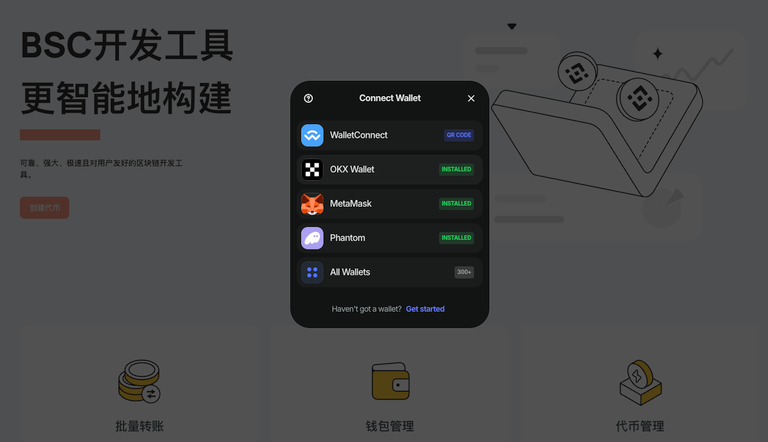
For example: MetaMask
TokenPocket
Trust Wallet
All operations are completed through local browser signing, ensuring security.
Step 3: Select Transfer Mode
Supports two modes
Mode A: All addresses receive the same number of tokens when transferring the same amount .
Suitable for airdrops and community reward distribution.
Mode B: Custom Amount Transfer
The amount received by each address is different.
Can:
Manually fill in
Alternatively, upload a CSV file containing "address, amount".
Suitable for reward distribution, commission rebates, and differentiated distribution.
Step 4: Enter the token address
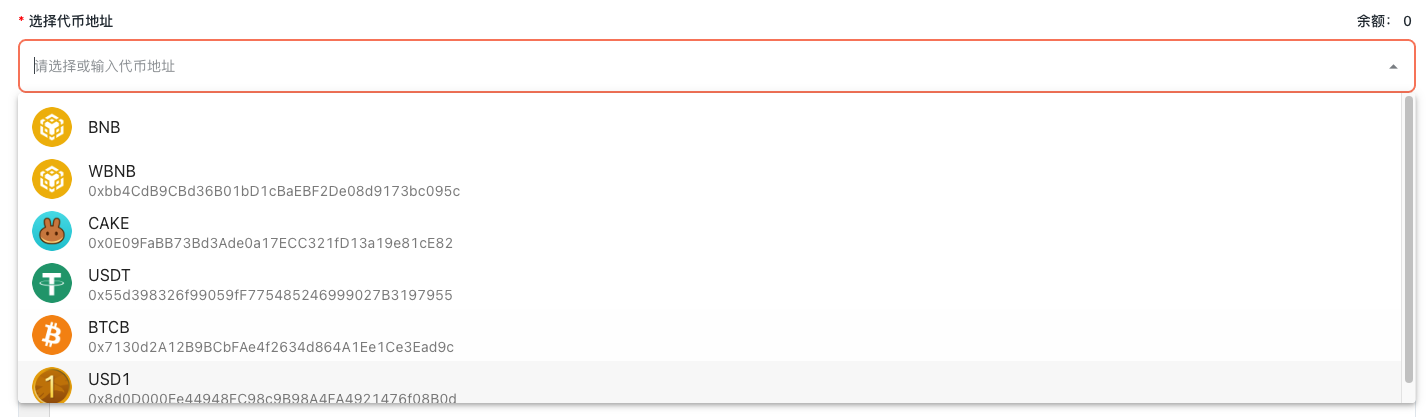
you can:
Select frequently used tokens from the wallet list.
Or manually paste the address of the BEP-20 token.
Step 5: Add receiving addresses (up to approximately 200)

1. Paste the address line by line.
2. Upload CSV file
Step 6: Confirm parameters and send.
Before clicking "Send", please confirm:
1. Number of transfer addresses
2. Total Token Amount
3. Is there sufficient money in your wallet?
4. Is BNB sufficient to cover payments?
After confirming the gas fee is correct: Sign to execute the transfer.
III. Frequently Asked Questions
1. What is the maximum number of addresses that can be used at a time?
There are currently about 200.
2. Does it support different numbers for each address?
Supported. You can upload a CSV file with a custom amount for fine-grained control over each transfer.
3. What should I do if a batch transfer fails?
Common causes:
1. Invalid address
2. Insufficient balance
3. Insufficient Gas
4. Token not authorized
5. Token precision entered incorrectly.
Simply check and then re-execute.
4. Will CiaoTool store my private key or wallet information?
No. All signing is done locally in the browser.