This article is machine translated
Show original
Gemini has released a truly amazing new feature!
You can now add markers when uploading images, and precisely edit them using Nano Banana Pro.
Control the position and content of objects you want to add or modify.
After uploading your image, simply click "Upload Image" to add markers.
General tooltips: Edit the image according to the markers on it, and remove the markers (including text and lines) after you're finished.
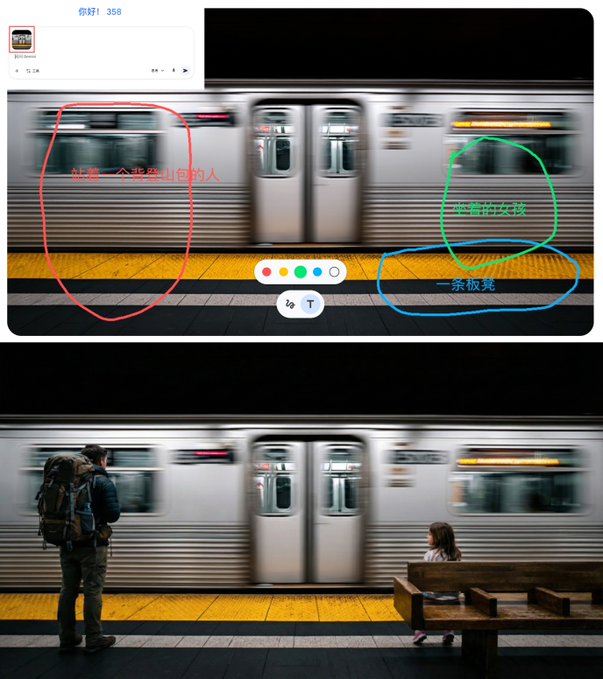
The integration is quite good; I didn't pay attention to perspective when I drew it.
This feature can also be used on the app.
Essentially, it's just an extra drawing tool; you can also use other software to mark up images and upload them.

From Twitter
Disclaimer: The content above is only the author's opinion which does not represent any position of Followin, and is not intended as, and shall not be understood or construed as, investment advice from Followin.
Like
Add to Favorites
Comments
Share
Relevant content