Once you have successfully configured the CoinAnk API, 6551 API, and Bitget API, your "Lobster" AI assistant will evolve into a truly accurate trading assistant.
Article author and source: @garyvgroup
Why do we need to configure these?
Once you have successfully configured the CoinAnk API, 6551 API, and Bitget API, your "Lobster" AI assistant will evolve into a truly accurate trading assistant (data without API configuration is often incorrect). You will only need to enter natural language in the dialog box, and it will help you complete the process.
• Real-time price check: Get the latest transaction prices of ETH/BTC and even obscure Altcoin on major exchanges in a single sentence.
• Intelligence Center: Automatically aggregates encrypted news from across the web provided by 6551, and monitors the latest activities of specific Twitter KOL(such as Vitalik).
• Asset monitoring: No need to open multiple apps, directly use AI to check the on-chain balance of BitGet associated addresses in real time.
• Multidimensional decision-making: Combining secondary market prices, news sentiment, and on-chain fund changes, let AI provide data support for your decision-making.
I. Core Configuration: Environment Variables (API Key Management Center)
What are environment variables? They are OpenClaw's "key vault," where all API keys are stored. Skill will automatically read them, so you don't need to manually enter any keys in your code.
You have two ways to configure environment variables; choose one:
Method 1 (Recommended): Dashboard Graphical Interface: Open the OpenClaw web console → Go to Settings → Environment Variables → Click Add Variable
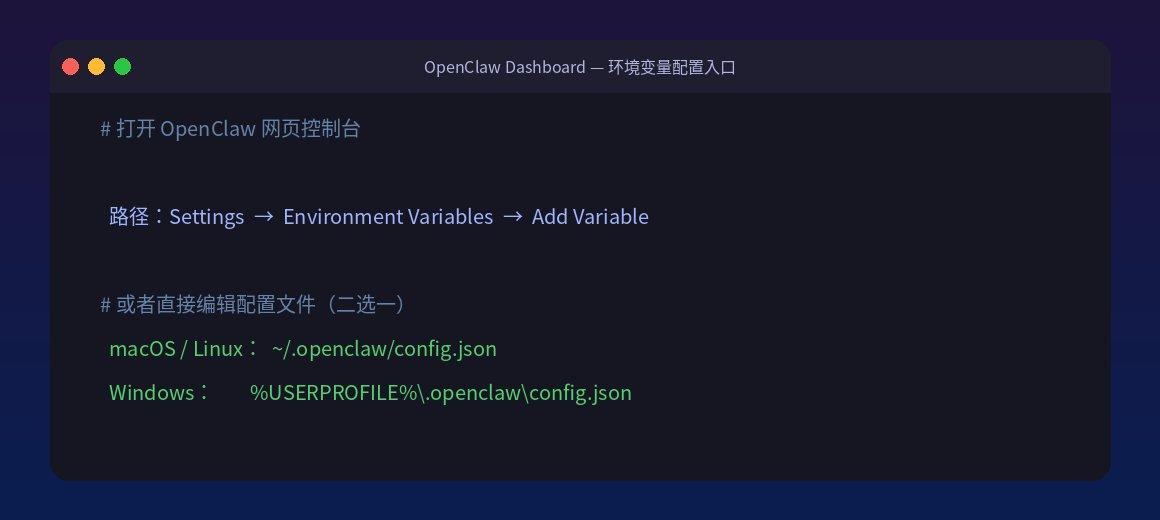
Method 2: Directly edit the configuration file
Operating System: Mac / Configuration File Path
~/.openclaw/config.json
Windows
%USERPROFILE%\.openclaw\config.json
II. Access CoinAnk (Secondary Market Price Data) ⏱ 5 minutes
2.1 Apply for an API key (passport)
1. Visit the official website: https://coinank.com
2. Register and log in to your account
3. Go to "Personal Center" → "API Management", and click "API".
4. Copy the generated key (in the form of ck_xxxxxxxxxxxxxxxx)
2.2 Configure environment variables
Add the following entry to the OpenClaw environment variables:
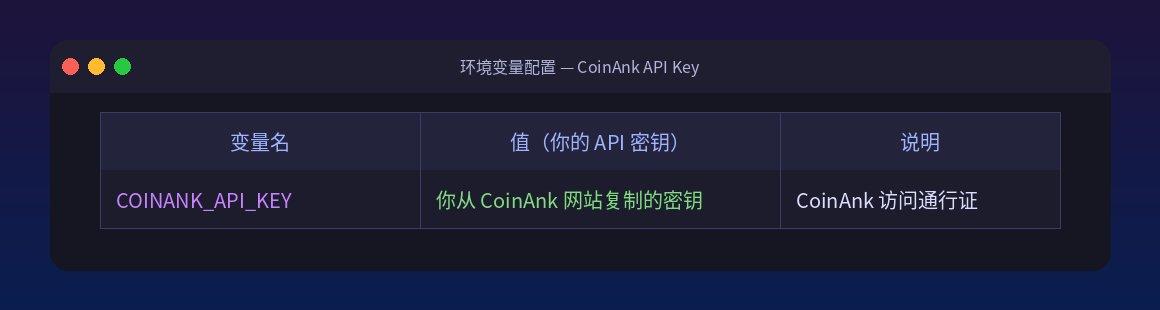
Variable name: COINANK_API_KEY
Value: The key you copied from the CoinAnk website
Note: CoinAnk access pass
2.3 Download CoinAnk Skill
Open a terminal (your computer's command line window), copy and execute the following command:
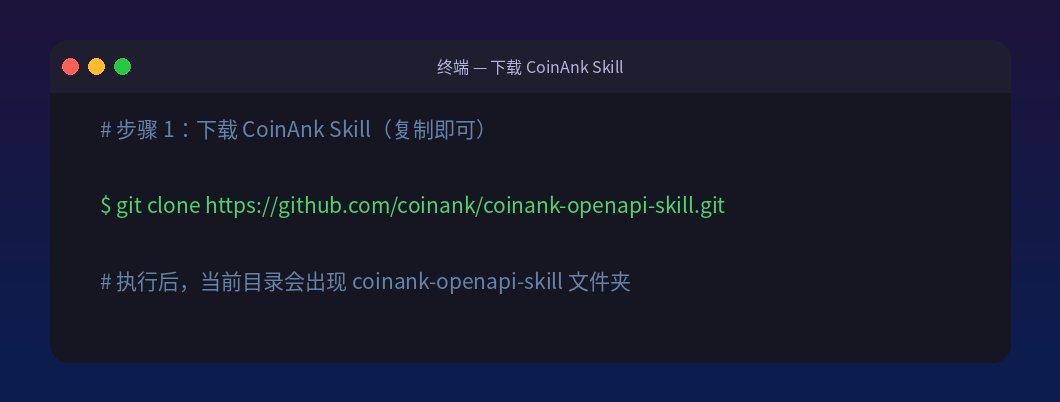
Shell
git clone https://github.com/coinank/coinank-openapi-skill.git
Verification of success: If a folder named coinank-openapi-skill appears in the current directory after execution, it means the process was successful.
2.4 Install CoinAnk Skill to OpenClaw
Copy the downloaded Skill folder to the skills directory in OpenClaw:
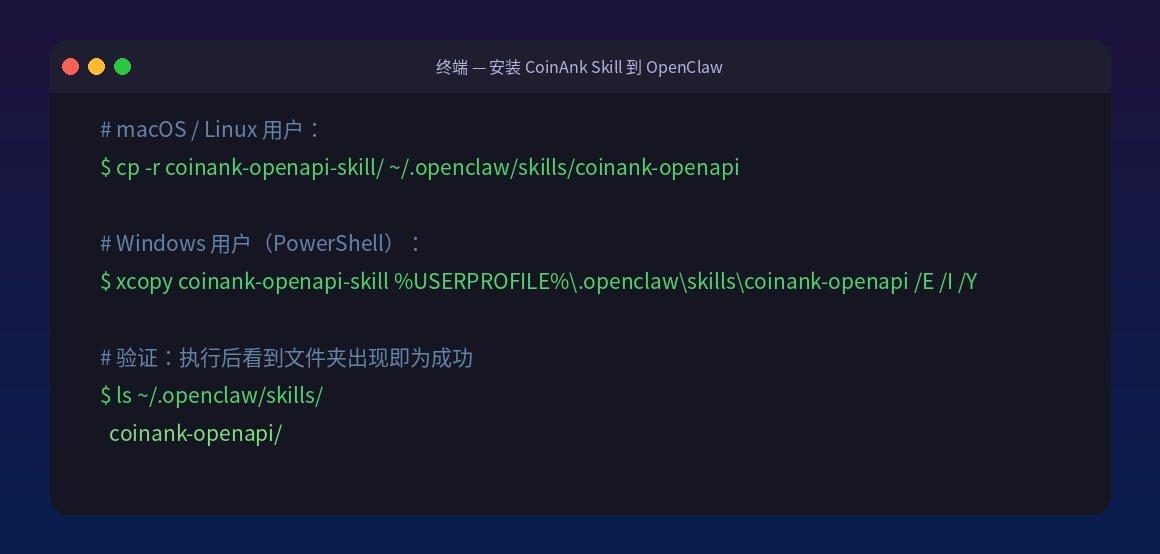
Shell
# macOS/Linux users: cp -r coinank-openapi-skill/ ~/.openclaw/skills/coinank-openapi # Windows users (PowerShell): xcopy coinank-openapi-skill %USERPROFILE%\.openclaw\skills\coinank-openapi /E /I /Y
To verify success: Execute `ls ~/.openclaw/skills/`. If you see the `coinank-openapi/` folder, then it's successful.
2.5 Skill Core Code Explanation
This is the core working logic of CoinAnk Skill; it automatically reads the COINANK_API_KEY you configured to query prices, without requiring any code modification.
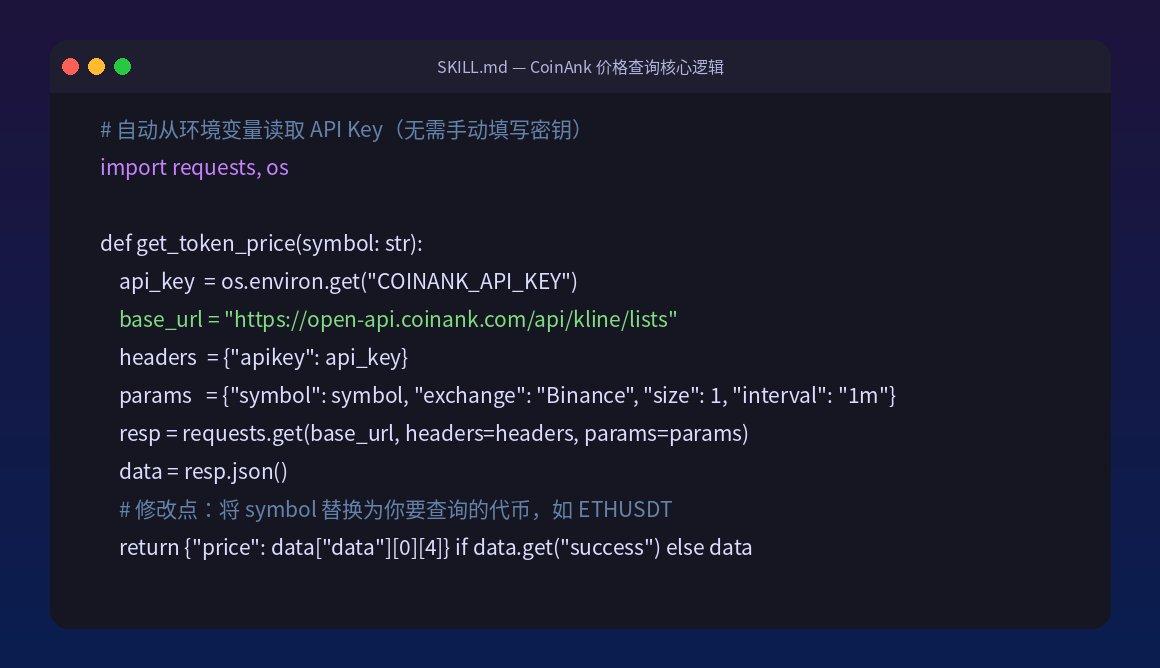
Python
# File location: ~/.openclaw/skills/coinank-openapi/SKILL.md # Function: Call the CoinAnk API to get the token price # Modification: Replace symbol with the token you want to query, such as ETHUSDT, BTCUSDT import requests, os def get_token_price(symbol: str): api_key = os.environ.get("COINANK_API_KEY") # Automatic reading, no need to manually fill in base_url = "https://open-api.coinank.com/api/kline/lists" headers = {"apikey": api_key} params = {"symbol": symbol, "exchange": "Binance", "size": 1, "interval": "1m"} resp = requests.get(base_url, headers=headers, params=params ) data = resp.json() return {"price": data["data"][0][4]} if data.get("success") else data
III. Access 6551 OpenNews (All-Network News Intelligence) ⏱ 4 minutes
3.1 Apply for an API Token
1. Visit the official website: https://6551.io/mcp
2. Register and log in to your account
3. Copy your API Token directly from the page (e.g., on_xxxxxxxxxxxxxxxx)
3.2 Configure environment variables
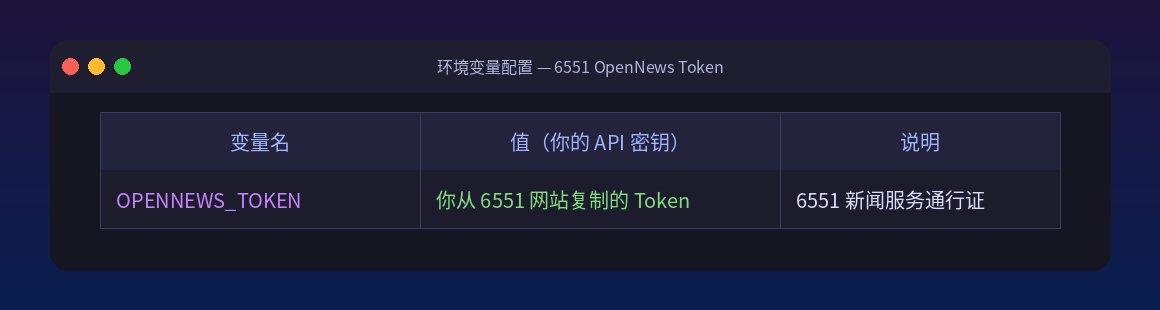
Variable name OPENNEWS_TOKEN
Value of the token you copied from the 6551 website
Explanation 6551: Access Password for News Service
3.3 Download 6551 OpenNews Skill
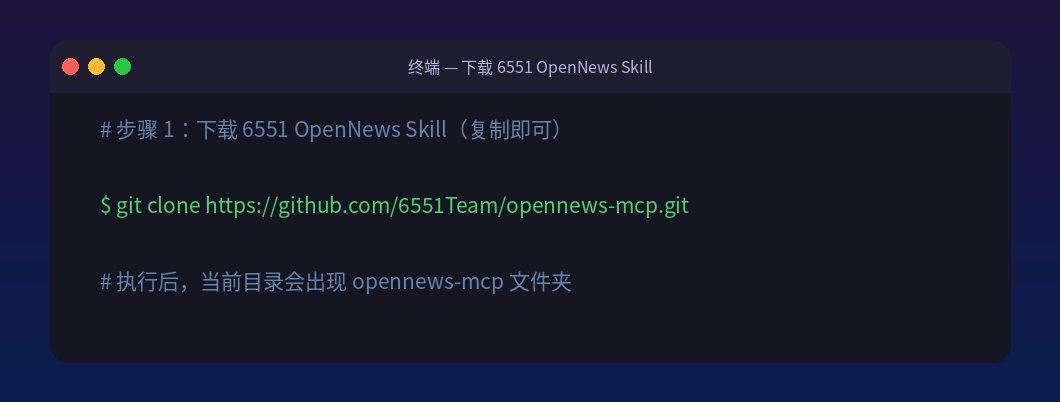
Shell
git clone https://github.com/6551Team/opennews-mcp.git
To verify success: If an opennews-mcp folder appears in the current directory after execution, it means the process was successful.
3.4 Install 6551 Skill into OpenClaw
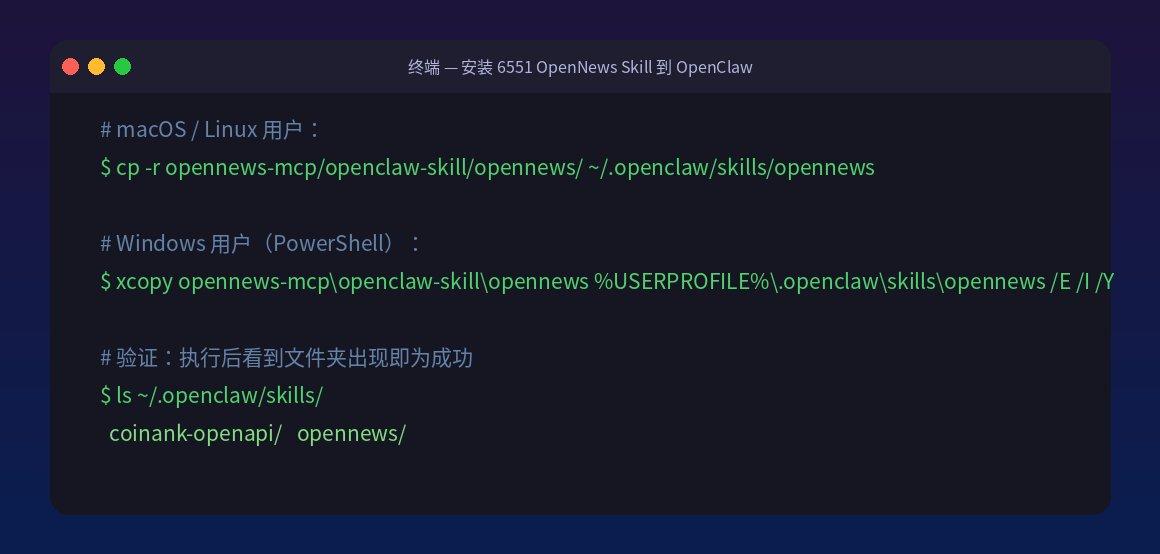
Shell
# macOS/Linux users: cp -r opennews-mcp/openclaw-skill/opennews/ ~/.openclaw/skills/opennews # Windows users (PowerShell): xcopy opennews-mcp\openclaw-skill\opennews %USERPROFILE%\.openclaw\skills\opennews /E /I /Y
To verify success: Execute `ls ~/.openclaw/skills/`. If you see the `opennews/` folder, then you have succeeded.
3.5 Skill Core Code Explanation
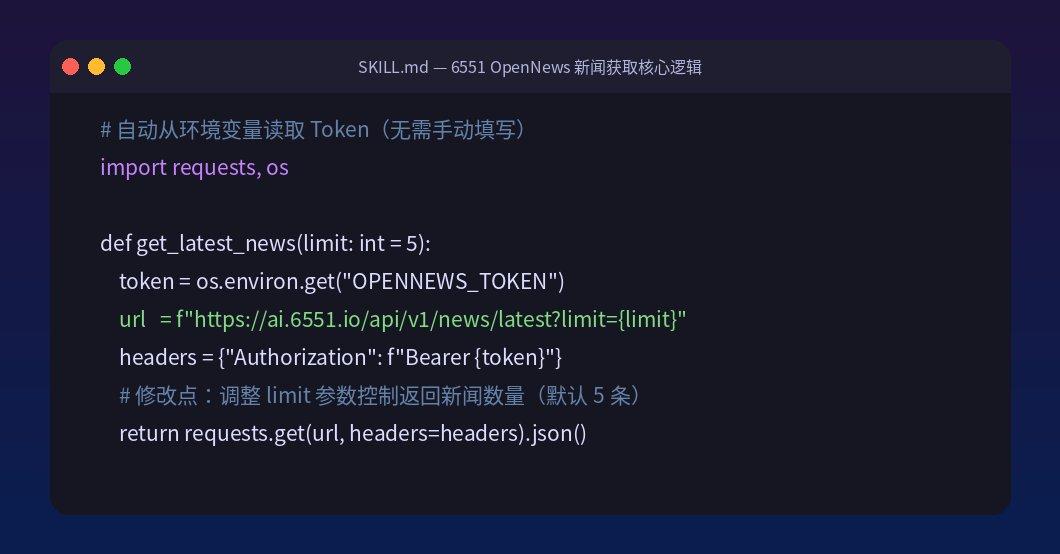
Python
# File location: ~/.openclaw/skills/opennews/SKILL.md # Function: Call the 6551 OpenNews API to get the latest news # Modification: Adjust the limit parameter to control the number of news items returned (default 5) import requests, os def get_latest_news(limit: int = 5): token = os.environ.get("OPENNEWS_TOKEN") # Automatic reading, no need to manually fill in url = f"https://ai.6551.io/api/v1/news/latest?limit={limit}" headers = {"Authorization": f"Bearer {token}"} return requests.get(url, headers=headers ).json()
IV. Accessing Bitget Wallet (On-chain Data Query) ⏱ 4 minutes
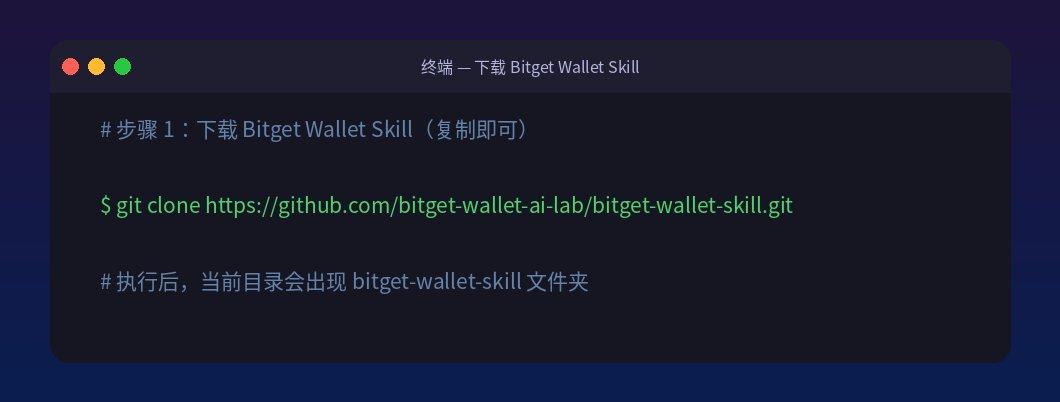
4.1 Download Bitget Wallet Skill
Shell
git clone https://github.com/bitget-wallet-ai-lab/bitget-wallet-skill.git
To verify success: If a "bitget-wallet-skill" folder appears in the current directory after execution, it means the process was successful.
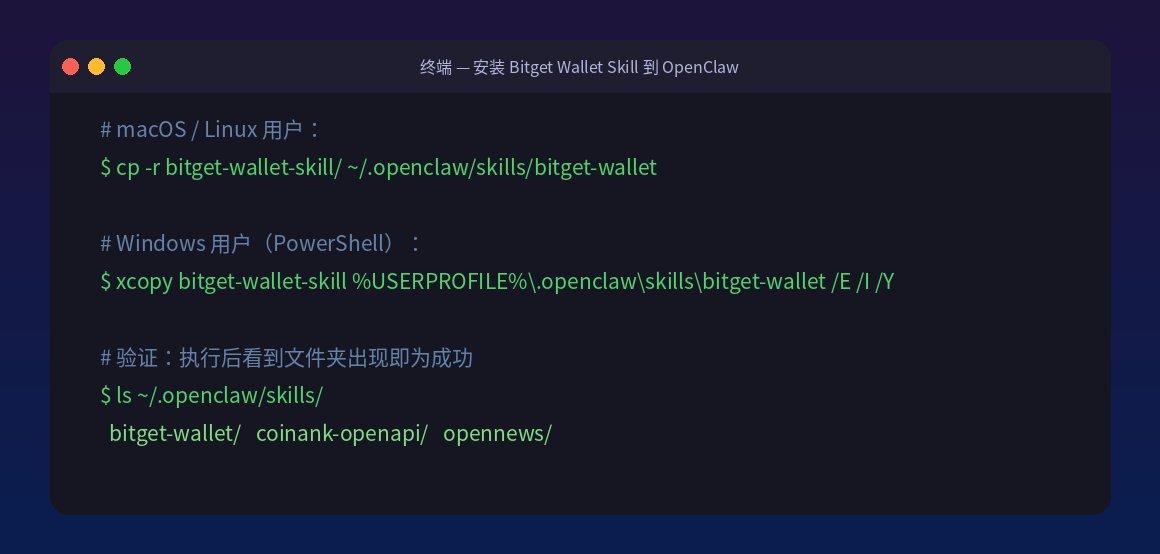
4.2 Install Bitget Wallet Skill into OpenClaw
Shell
# macOS/Linux users: cp -r bitget-wallet-skill/ ~/.openclaw/skills/bitget-wallet # Windows users (PowerShell): xcopy bitget-wallet-skill %USERPROFILE%\.openclaw\skills\bitget-wallet /E /I /Y
To verify success: Execute `ls ~/.openclaw/skills/`. If you see the `bitget-wallet/` folder, then you have succeeded.
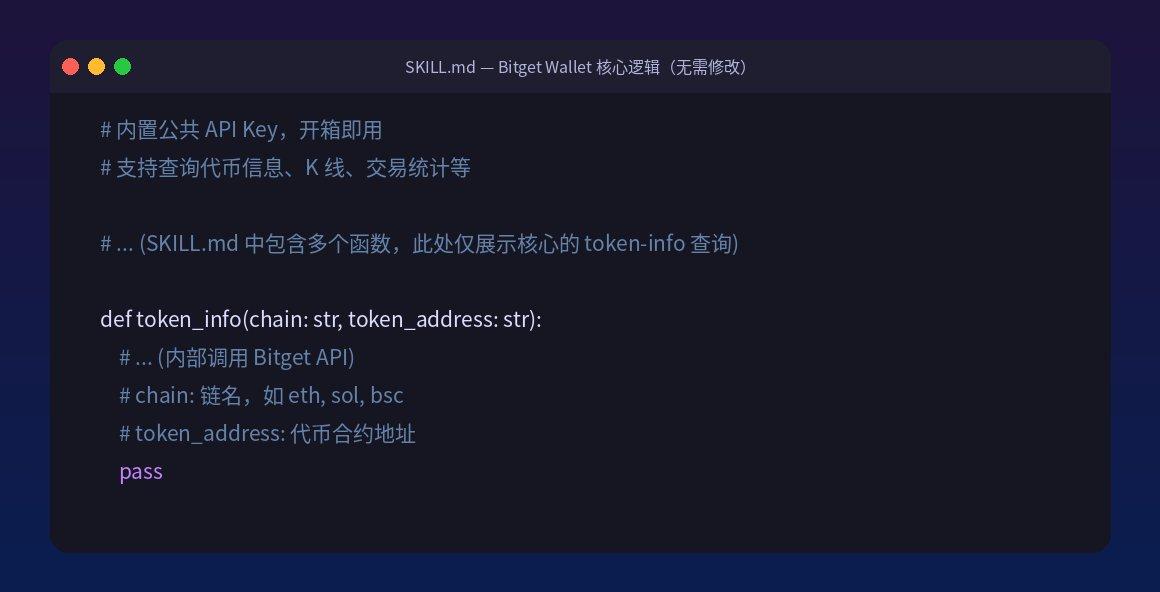
4.3 Skill Core Code Explanation
Bitget Wallet Skill comes with a built-in public API key, so it's ready to use out of the box without needing to apply for or configure any keys. It supports querying various types of on-chain data.
Python
# File Location: ~/.openclaw/skills/bitget-wallet/SKILL.md # Function: Calls the Bitget Wallet API to query token information, candlestick charts, transaction statistics, etc. # Modifications: No modification required, works out of the box # (SKILL.md contains multiple functions; only the core token-info query is shown here) # ... (Some code omitted) def token_info(chain: str, token_address: str): """Query token information""" # ... (Internal call to Bitget API)
5. Restart OpenClaw and verify the effect ⏱ 2 minutes
After completing all the above configurations, restart OpenClaw to make all three new skills effective.
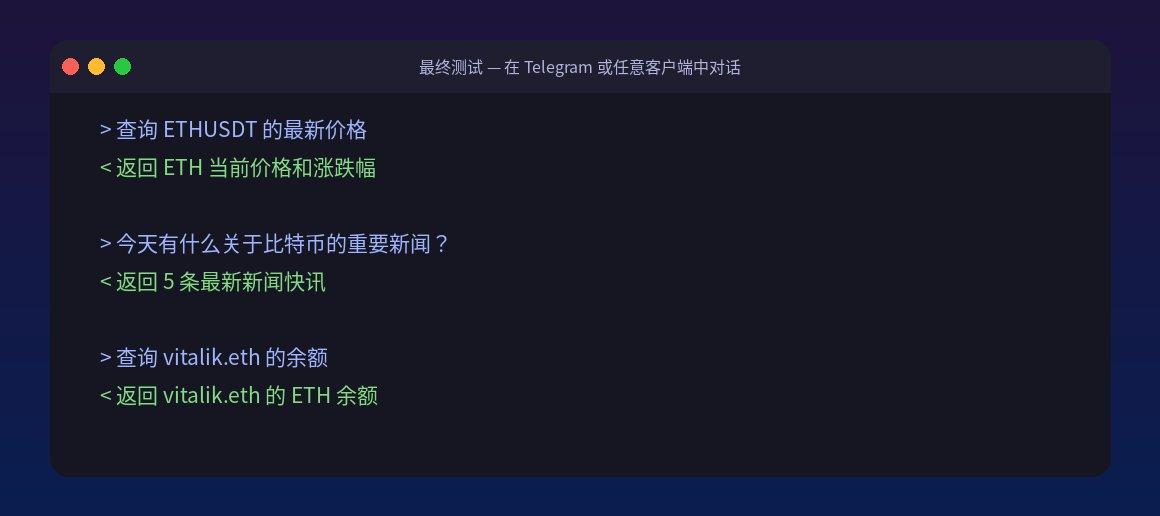
After restarting, you can test it by entering the following command directly in any Telegram or OpenClaw client:
VI. Troubleshooting Common Problems
Check the OpenClaw environment variable configuration, ensuring the variable names are spelled correctly (case-sensitive), and restart OpenClaw for the configuration to take effect. Q1: What should I do if I get the message "COINANK_API_KEY not found"?
Confirm that the folder has been copied to the correct path (~/.openclaw/skills/) and that the Skill folder contains the SKILL.md file. Restart OpenClaw and try again. Q2: Skill did not take effect after installation?
Bitget Wallet Skill depends on the requests library, which is usually built into OpenClaw. If you encounter a "requests not found" error, please run `pip install requests` in the terminal. Q3: Bitget Wallet Skill error?
Final result display
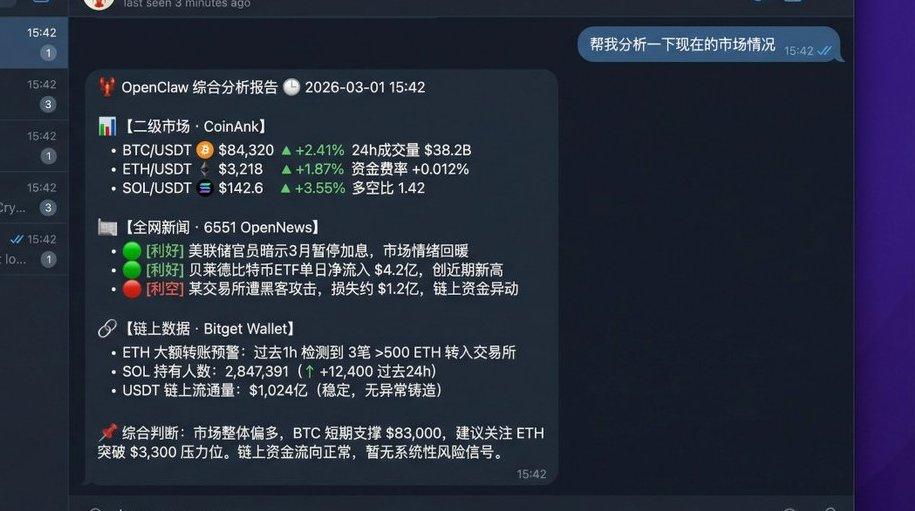
Once configured, your OpenClaw AI assistant is fully equipped. Here's a real-world example of conversing with a lobster on Telegram:
References
• CoinAnk Official Website: https://coinank.com
• CoinAnk Skill Repository: https://github.com/coinank/coinank-openapi-skill
• 6551 OpenNews Official Website: https://6551.io/mcp
• 6551 OpenNews Repository: https://github.com/6551Team/opennews-mcp
• Bitget Wallet Skill repository: https://github.com/bitget-wallet-ai-lab/bitget-wallet-skill