This article is machine translated
Show original
Previously, I used the Codex CLI in Claude for code review and bug fixing. I just saw that OpenAI has open-sourced its plugin. Curious about the differences between using this plugin and my own setup, I did some research and concluded that I recommend customizing it, as this plugin is more geared towards beginners:
1️⃣ Standardized workflow, no need to maintain glue layers yourself.
When you connect it yourself, the biggest cost is constantly maintaining scripts, commands, prompts, and parameter compatibility after connection.
This plugin directly sets up common scenarios as fixed commands and subagents, reducing a lot of custom glue code.
The official README explicitly provides codex:review, codex:rescue, etc.
2️⃣ Direct access to the officially packaged Codex review workflow within Claude Code.
The best part isn't just being able to review, but that the review process has been established as a stable entry point.
The README explicitly states: `/codex:review` is equivalent to running `/review` directly in Codex, which is more stable.
3️⃣ It adds a very useful "adversarial auditing" entry point.
`/codex:adversarial-review` is not a regular review; it's specifically designed to challenge design decisions, assumptions, tradeoffs, and failure modes. It's suitable for investigating directional issues that Claude might easily miss, such as race conditions, rollbacks, authentication, and data loss.
You can manually prompt for this scenario yourself. I personally use multiple agents for cross-auditing, but with the official fixed entry point, the reuse cost is much lower.
4️⃣ The backend task management is systematic. The most chaotic part when handling tasks yourself is how to keep long tasks running in the background, check progress and results, and how to continue running them. This plugin streamlines the entire process, which should improve actual development efficiency.
5️⃣ Directly reuses the existing local Codex environment, resulting in low migration costs.
The official documentation states: The plugin is not an independent runtime; instead, it runs your local Codex binary and Codex app server, reusing the same configuration, authentication status, repo checkout, and local environment.
💡My own approach to using the Codex CLI: I slice the model according to different tasks and finer granularities. For complex tasks, I use GPT-5.4 xhigh fast, and for some brainstorming sessions, I use medium. This plugin doesn't seem to support this yet.

Laughing
@0xLaughing
03-31
Claude Code + Codex 双剑合璧才舒服
复杂工程两个一起出方案,达成共识才能执行
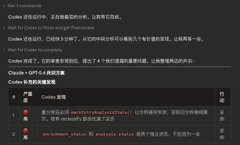
Claude 执行完了,再用 Codex review,也能找出 Claude 没发现的问题
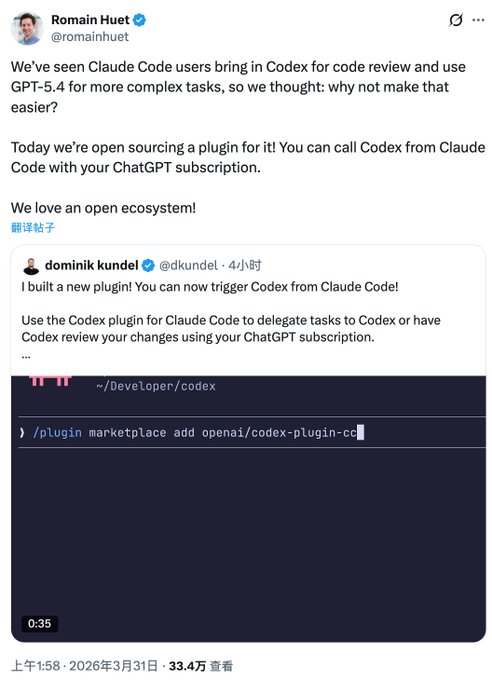
The library is here

Romain Huet
@romainhuet
03-31
My favorite thing about this plugin is that it’s built on the open-source Codex app server and the same open-source Codex harness.
So you get the same models, parallel tasking, and code review flow.
Get the plugin here: http://github.com/openai/codex-plugin-cc…

From Twitter
Disclaimer: The content above is only the author's opinion which does not represent any position of Followin, and is not intended as, and shall not be understood or construed as, investment advice from Followin.
Like
Add to Favorites
Comments
Share
Relevant content