Author: Nox Ventures
Twitter: https://x.com/NOX_Ventures
If you've been using the old Prompt to let AI write code and look up information for you over the past six months, you may have missed out on this biggest wave of wealth leverage.
By 2026, the core competitiveness of AI agents will no longer be the size of model parameters, but skills.
Why are skills so important?
Because a large language model is essentially a "brain trapped in a vat." It can think, but it has no hands or feet, and no real-time eyes. When you tell it, "Buy me some of today's hottest Meme coins," if it doesn't have the corresponding skills installed, it will either make things up or tell you directly, "As an AI model, I cannot execute the transaction."
Skills are the agent's "hands, feet," and "senses." They are standardized, reusable code packages.
Essentially, it's a SKILL.md file containing YAML metadata and Markdown directives. Once installed, your agent can directly access on-chain data, connect to wallets, execute transactions, and even engage in cross-chain arbitrage. Moreover, because it's standardized, a strategy written by one person can be directly reused by agents worldwide.
More importantly, Skills significantly lowers the barrier to entry for ordinary people to participate in high-frequency quantitative trading and on-chain automation. What used to require a five-person technical team to write a trading system over a month can now be accomplished simply by entering the command `npx skills add` in the terminal.
After two months of trial use, this article will provide you with an in-depth breakdown of the most powerful Crypto Skills in the current OpenClaw ecosystem.
From intelligence gathering and wallet management to trade execution and DeFi automation, this article covers every money-making scenario you can imagine. It not only lists these powerful tools but also guides you step-by-step on how to discover, install, configure, and securely execute them.
After reading this article, you will learn how to transform an ordinary chatbot into a 24/7 on-chain combat unit.
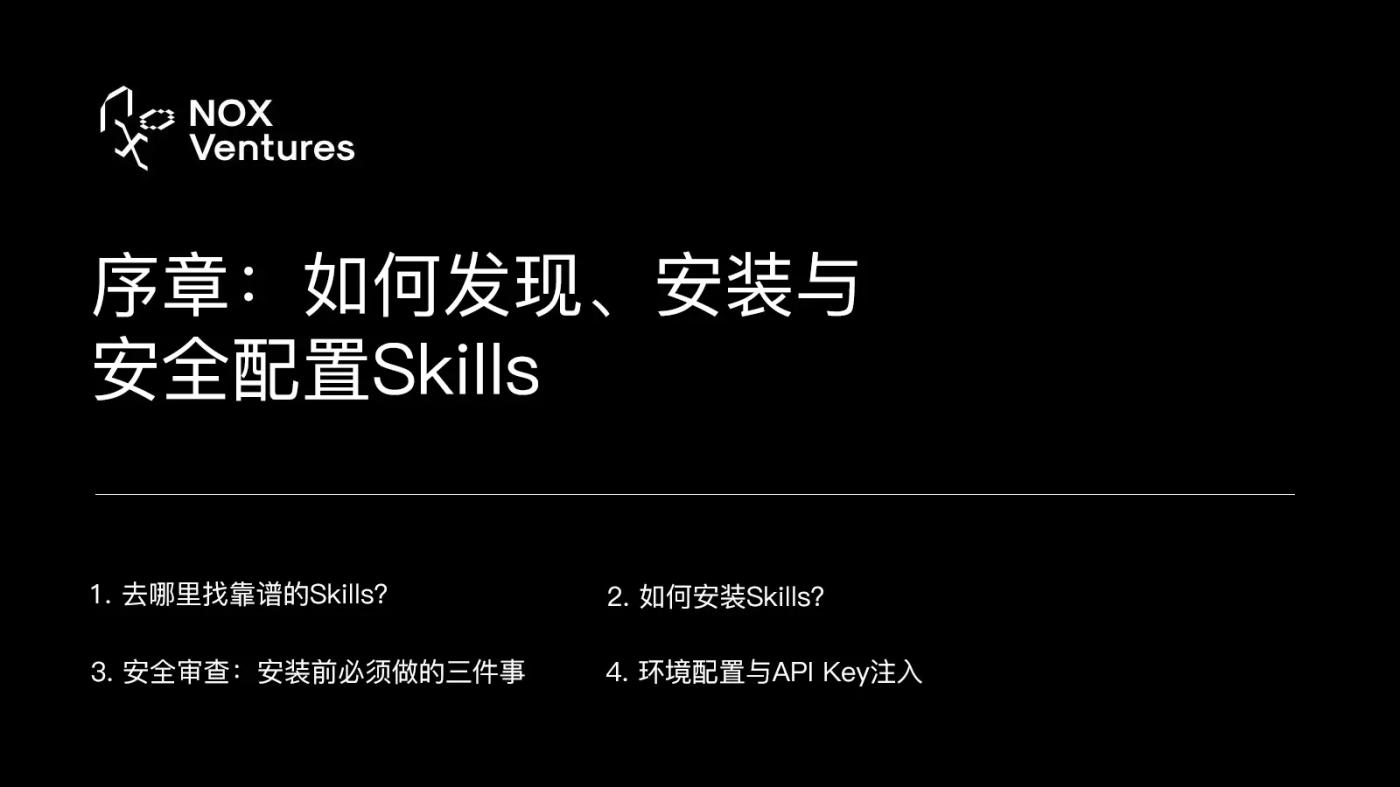
Prologue: How to Discover, Install, and Securely Configure Skills
Before delving into specific skill recommendations, we must first grasp the correct "how to use your device." In early 2026, a security research institution audited 2,857 community skills on ClawHub and found that 341 of them contained malicious commands, a rate of nearly 15%.
These malicious techniques include stealing private keys, tricking users into granting unlimited permissions, and even silently downloading Trojans in the background.
Therefore, safety should always be the top priority.
Where can I find reliable skills?
The largest official skills marketplace is currently ClawHub, which you can think of as "npm for skills." It features certified official skills as well as community-contributed third-party skills. Another excellent resource is the LobeHub Skills Marketplace (lobehub.com/skills), which curates 68 top Crypto skills and provides a one-click installation prompt.
The curated lists on GitHub are also worth checking out. VoltAgent/awesome-openclaw-skills features over 5,400 high-quality skills categorized by scenario. BlockRunAI/awesome-OpenClaw-Money-Maker focuses on money-making strategies, offering everything from trading bots to automated airdrops.
For cryptocurrency users, my advice is to prioritize installing official repositories from major exchanges and leading DeFi protocols. Examples include Binance's binance/binance-skills-hub, OKX's okx/onchainos-skills and okx/agent-skills, Coinbase's coinbase/agentic-wallet-skills, and Uniswap's Uniswap/uniswap-ai. Official repositories offer guaranteed security and stability.
How do I install Skills?
The installation process is very simple, and there are three methods:
Method 1:
Natural language installation. Simply say "Help me install Uniswap trading skills" in the OpenClaw dialog box, and the agent will automatically search for and install it from ClawHub.
Method 2:
Command-line installation. Use it in the terminal:
# Install a single skill from the official ClawHub repository
openclaw skill install okx-cex-trade
# Install the entire skill pack in bulk from the GitHub repository
npx skills add Uniswap/uniswap-ai
# Install all 68 selected Crypto skills from LobeHub (one-line command)
npx skills add lobehub/crypto-collection
Method 3:
Manual installation. Simply clone the repository using `git clone` and place the skills folder in the `~/.openclaw/skills/` directory. This method is best suited for scenarios where you want to heavily modify skill commands.
After installation, the skill files will be loaded from three locations according to priority: /skills (highest priority) > ~/.openclaw/skills (managed skills) > built-in skills (lowest priority). If you place a skill with the same name in your workspace, it will automatically override the managed version.
Safety Review: Three Things You Must Do Before Installation
Never blindly trust a skill. A skill is not static content, but rather the execution aspect. It can read files, run shell commands, make network requests, and manipulate browsers.
Step 1: Read SKILL.md. Open this file in the skills directory and carefully read its YAML header (frontmatter) and Markdown directives. Search for suspicious remote download links (such as curl, wget) or strange single-line shell commands. A normal price query skill should not contain any file writing or network download instructions.
Step 2: Check permission declarations. If a skill that is only responsible for querying prices requests access to your local file system or requests private key signing permissions for your wallet, delete it immediately. In the YAML frontmatter, `user-invocable: true` means it can be manually triggered by the user, while `disable-model-invocation: true` means it will not be automatically invoked by AI; the latter is suitable for sensitive or expensive operations.
Step 3: Use an auditing tool. OpenClaw now integrates VirusTotal for scanning. You can also use the community-sourced openclaw-audit tool to perform a silent local scan before installation. For skills installed from ClawHub, pay attention to their dependency list—if a simple skill pulls dozens of system binaries, it's a cause for concern.
Environment configuration and API Key injection
The skill's configuration file is located at ~/.openclaw/openclaw.json. When you install a skill that requires an API Key (such as a Binance or OKX trading skill), you need to inject the environment variable here:
{
"skills": {
"entries": {
"okx-cex-trade": {
"enabled": true,
"env": {
"OKX_API_KEY": "your_key",
"OKX_SECRET": "your_secret",
"OKX_PASSPHRASE": "your_passphrase"
}
}
}
}
}
OpenClaw's design is very clever: it only temporarily injects these environment variables when the Agent runs the skill and destroys them immediately after execution. This means your API Key will never appear in the chat history or context cache. Configuration changes usually take effect in a new session, so remember to restart after making changes.
If you want a skill to only be effective in a specific project, you can place it in the project settings. It's located in the `/skills/` directory, not the global `~/.openclaw/skills/`. This way, it will only be loaded when you open that project.
Chapter 1: Intelligence and Data Skills
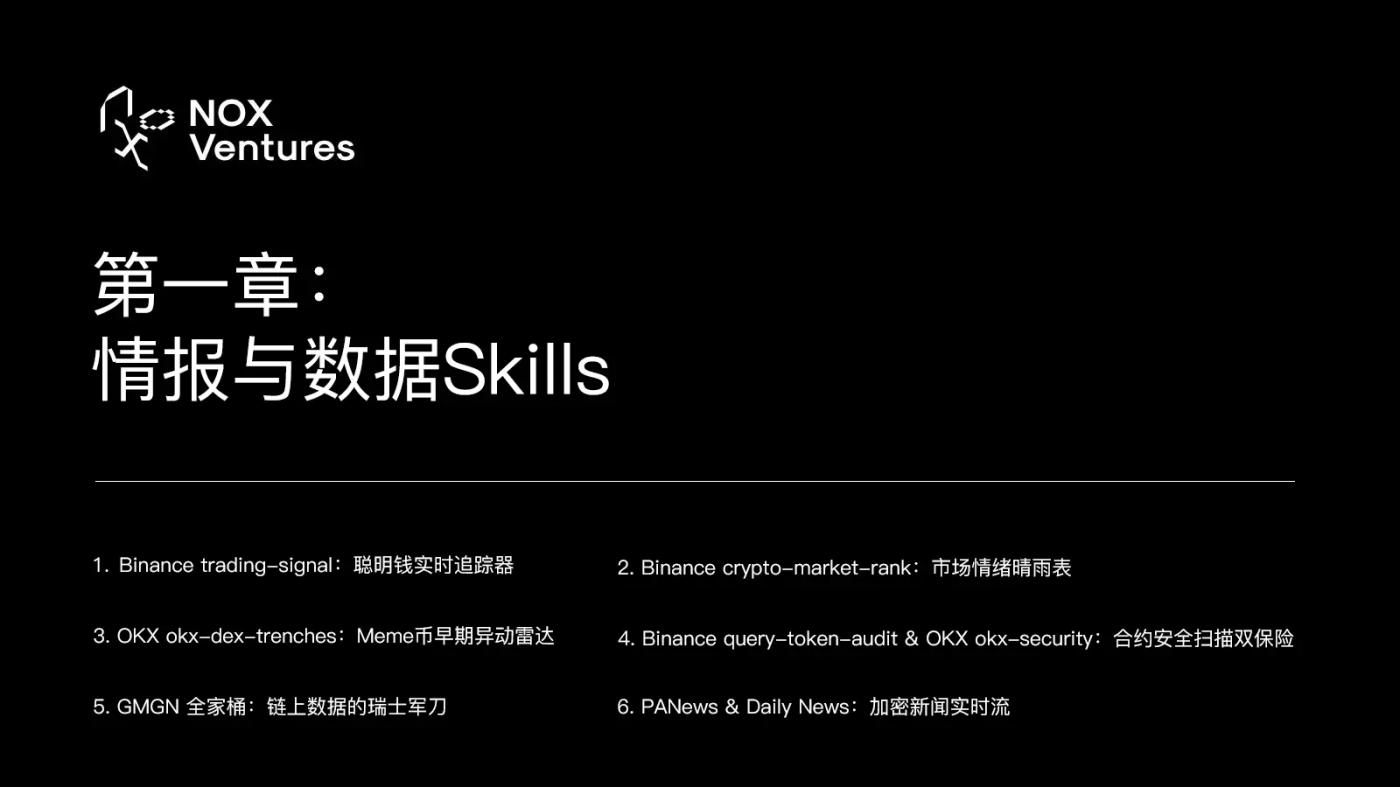
The first step in trading is always information gathering. Don't let your agent read the noise on Twitter; let it read on-chain data and the movements of smart money directly. In this chapter, we evaluate six core intelligence skills.
1. Binance Trading Signal: Smart Money Real-Time Tracker
GitHub: binance/binance-skills-hub
Installation: OpenClaw Skill Install Trading Signal
This is Binance's official on-chain Smart Money signal subscription feature, one of the most powerful intelligence tools available. It allows your agent to subscribe to and retrieve on-chain smart money trading signals in real time, not only telling you what big players have bought, but also returning trigger prices, current prices, maximum yields, and exit rates.
You can instruct your agent like this: "Subscribe to Smart Money addresses with a win rate exceeding 80%. Notify me immediately when they buy new coins with a market capitalization below $10 million, along with the contract address of that token and the average purchase price."
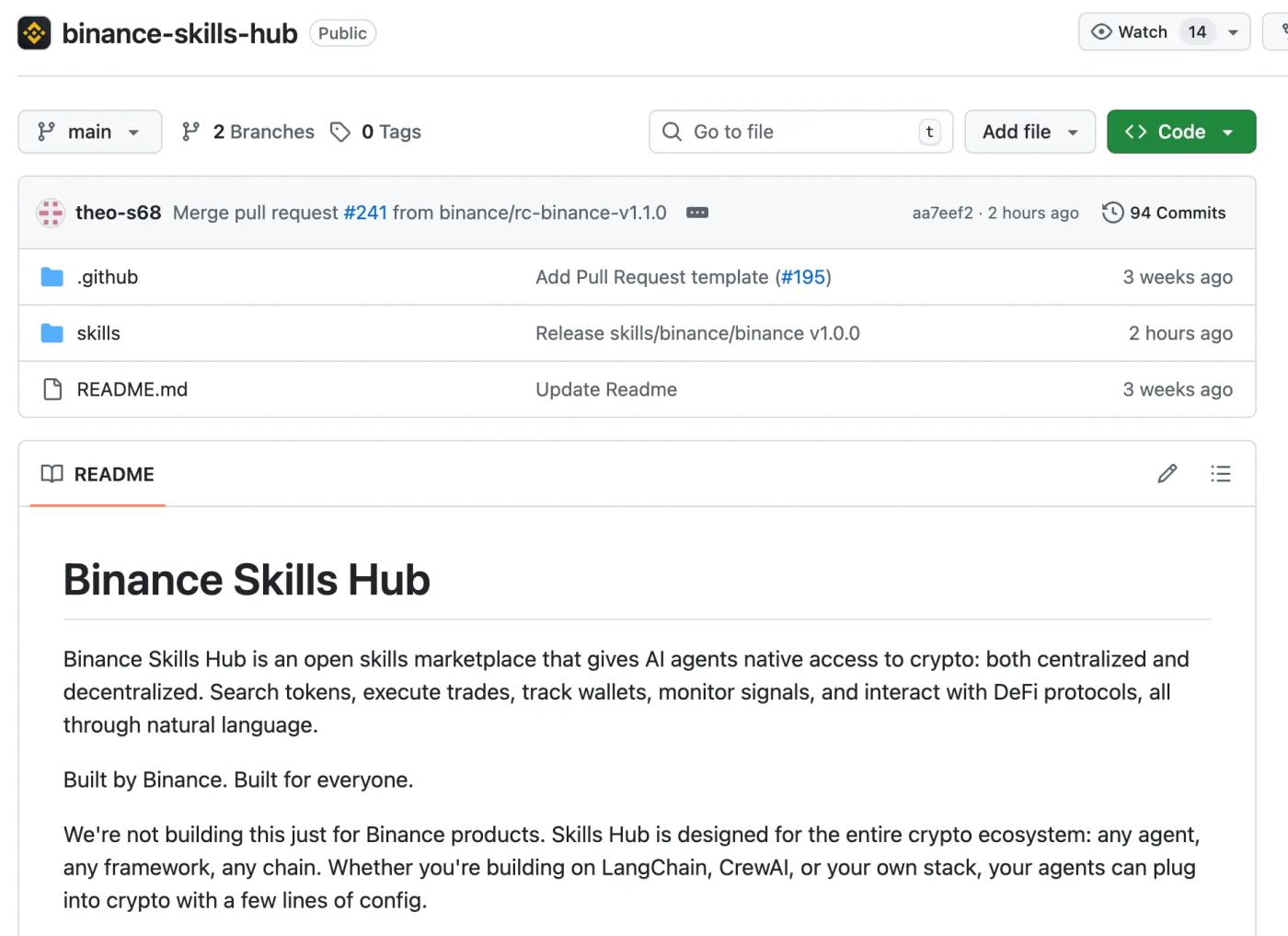
This skill has an extremely high information density. Each signal contains address tags, purchase time, position changes, and historical win rates, which is equivalent to hiring an analyst who monitors the blockchain 24/7.
2. Binance crypto-market-rank: A barometer of market sentiment.
GitHub: binance/binance-skills-hub
Installation: OpenClaw skill install crypto-market-rank
This skill is the perfect companion to trading-signal. It can query trending token rankings, social media hype rankings, Smart Money inflow rankings, top Meme coin rankings on the Pulse launch platform, and even PnL leaderboards for top traders.
For example, users can have the agent automatically run trading-signal + crypto-market-rank every morning at 8 AM to generate a morning report containing "the tokens with the most fund inflows" and "the tokens with the fastest rising social media popularity." If the same token appears on both lists, it is a very strong buy signal.
3. OKX (okx-dex-trenches): Early anomaly radar for Meme coin.
GitHub: okx/onchainos-skills
Installation: openclaw skill install okx-dex-trenches
If you enjoy on-chain meme on-chain tokens, this skill is a must-have. It's specifically designed for early Meme coin anomaly detection—it can scan developers' reputation history, detect front-running (bundle) activities, and track liquidity changes in new pools.
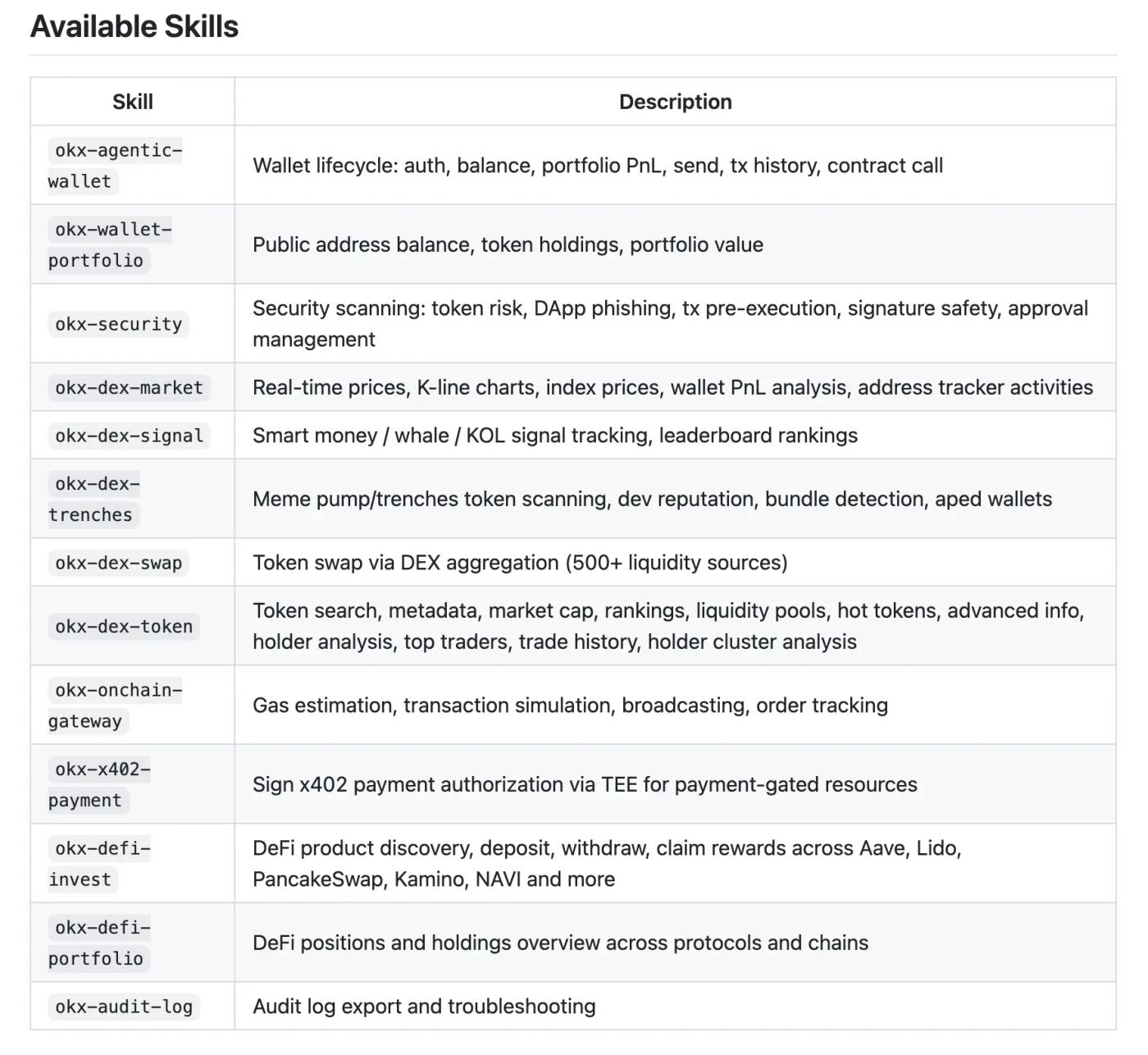
With the help of okx-dex-signal (Smart Money on-chain signal tracking), you can get a full risk assessment report within minutes of a new Meme coin being listed.
4. Binance query-token-audit & OKX okx-security: Double protection for contract security scanning
GitHub: binance/binance-skills-hub / okx/onchainos-skills Installation: openclaw skill install query-token-audit and openclaw skill install okx-security
Before deciding to buy any tokens, the Agent must invoke security auditing capabilities. `query-token-audit` scans the smart contract, detecting potential crypto honeypot, token issuance vulnerabilities, malicious backdoors, or suspicious proxy contract patterns. `okx-security` provides supplementary verification from OKX's security database.
In practice, enforce a strict rule in your Agent system prompt: "Before any token purchase operation, query-token-audit must be called to scan the contract security. If the risk score is below 80 points, or a Honeypot flag is detected, unconditionally refuse to execute the transaction and report the reason to me." This rule can help you avoid 99% of on-chain meme scams.
5. GMGN Family Bucket: The Swiss Army Knife of On-Chain Data
GitHub: gmgnai/gmgn-skills
Installation: openclaw skill install gmgn-token / gmgn-market / gmgn-portfolio / gmgn-swap / gmgn-track

GMGN offers five skills covering almost all scenarios of on-chain data analysis. `gmgn-token` allows for one-click queries of token fundamentals, security scores, liquidity pool status, and analysis of the top ten holders and traders on chains such as Solana, Base, Ethereum, and BSC. `gmgn-track` allows you to track real-time transaction activity for any wallet address. `gmgn-market` provides global market data, and `gmgn-swap` enables direct token swaps.
The power of this combination lies in the fact that you can have the agent first use gmgn-token to conduct fundamental due diligence, then use gmgn-track to track the movement of large holders of the token, and finally use gmgn-swap to buy with one click—the whole process is completed in one conversation.
6. PANews & Daily News: Encrypted News Live Stream
GitHub:
panewslab/skills
6551team/daily-news
Install:
openclaw skill install PANews
openclaw skill install daily-news
Information asymmetry is the biggest advantage in the Crypto world. The PANews skill is integrated with PANews' real-time news feed, while daily-news provides trending topics and tracking. The agent scans the news every hour, and when a key event such as "a protocol has been hacked" or "an exchange has announced the listing of a coin" occurs, it immediately triggers a preset trading strategy.
Chapter Two: Asset Management and Wallets
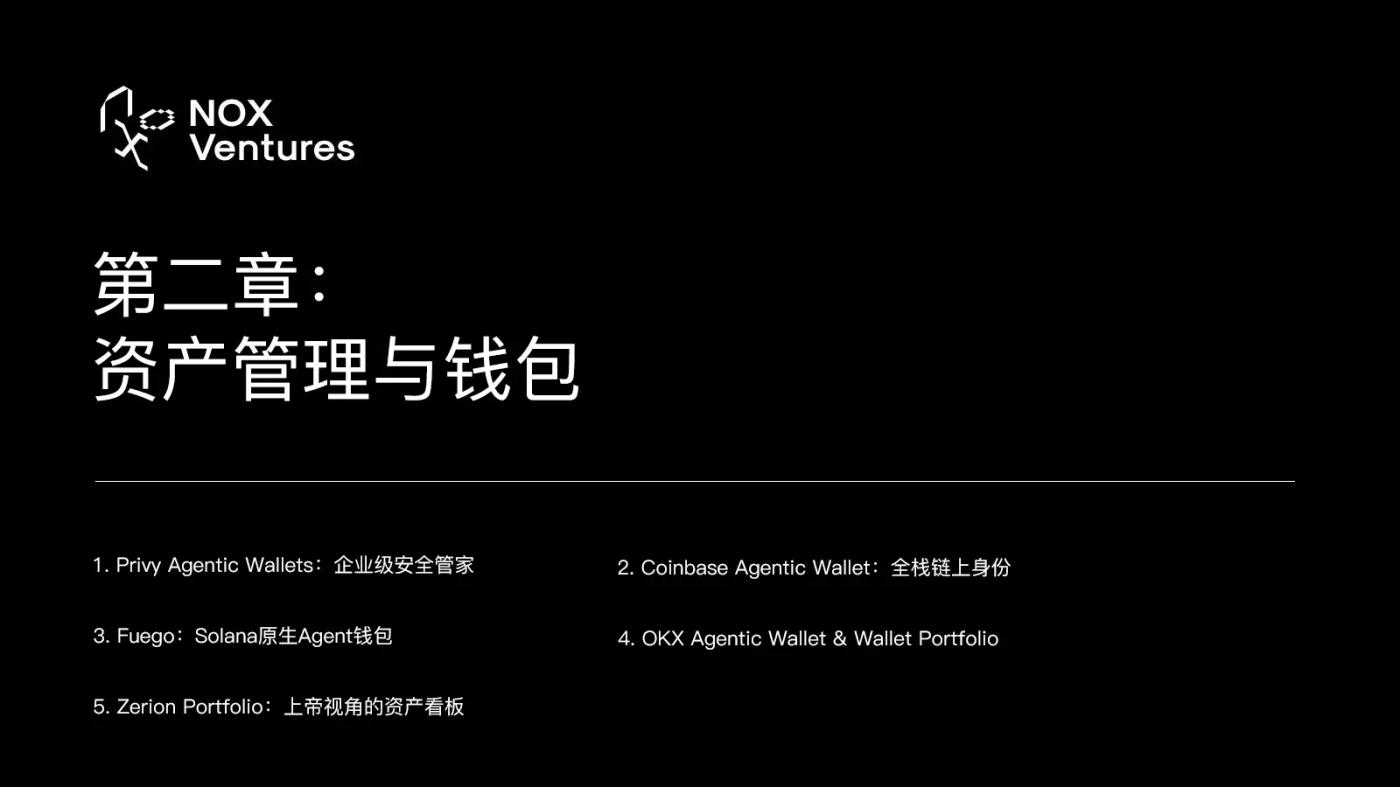
Once the agent can understand the data, it needs a secure place to store the funds. Directly sharing the private key with an LLM is extremely dangerous. This chapter evaluates five wallets and asset management skills.
1. Privy Agentic Wallets: Enterprise-level Security Guardian
GitHub: privy-io/skills
Installation: openclaw skill install privy-agentic-wallets-skill
Privy offers an exceptionally elegant solution: creating server-side wallets for AI. With this capability, your agent can autonomously create wallets, manage policies, and execute transactions, but it never has access to the underlying private keys—which are hosted by Privy's secure infrastructure.
You can set strict rules through the strategy engine: "Maximum daily spending is 100 USDC", "Interaction is only allowed with official Uniswap and Aave contracts", and "Single transaction cannot exceed 50 USDC". This is currently the closest agent wallet security solution to "bank-level" security.
2. Coinbase Agentic Wallet: Full-Stack On-Chain Identity
GitHub: coinbase/agentic-wallet-skills
Installation: openclaw skill install authenticate-wallet / send-usdc / trade / fund
Coinbase offers a complete suite of Agent wallet capabilities, from identity authentication to USDC transfers, token trading, and fund deposits. Its advantage lies in its deep integration with the Coinbase ecosystem—if your users or customers use Coinbase, this suite enables seamless fiat currency deposits and withdrawals.
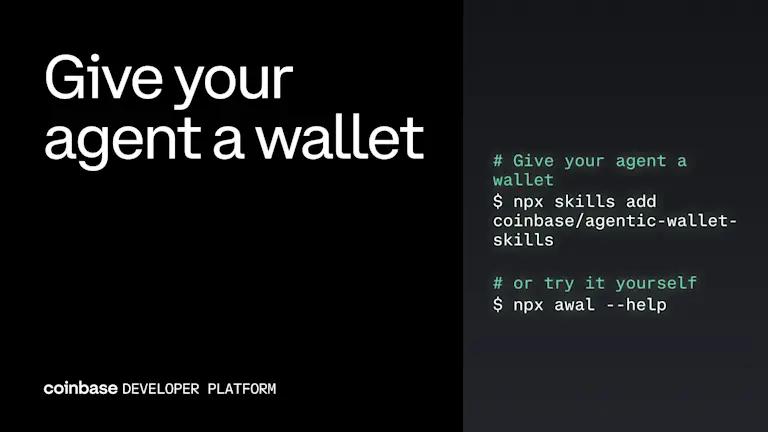
More importantly, Coinbase's query-onchain-data feature allows agents to directly query any on-chain data, while search-for-service and pay-for-service enable agents to independently discover and purchase paid services offered by other agents in the x402 protocol's service marketplace.
3. Fuego: Solana's native agent wallet
Official website: fuego.cash
Installation: Install the fuego skill via ClawHub
If you're focused on the Solana ecosystem, Fuego is currently the best choice. It's a 100% open-source Solana wallet infrastructure designed specifically for OpenClaw.
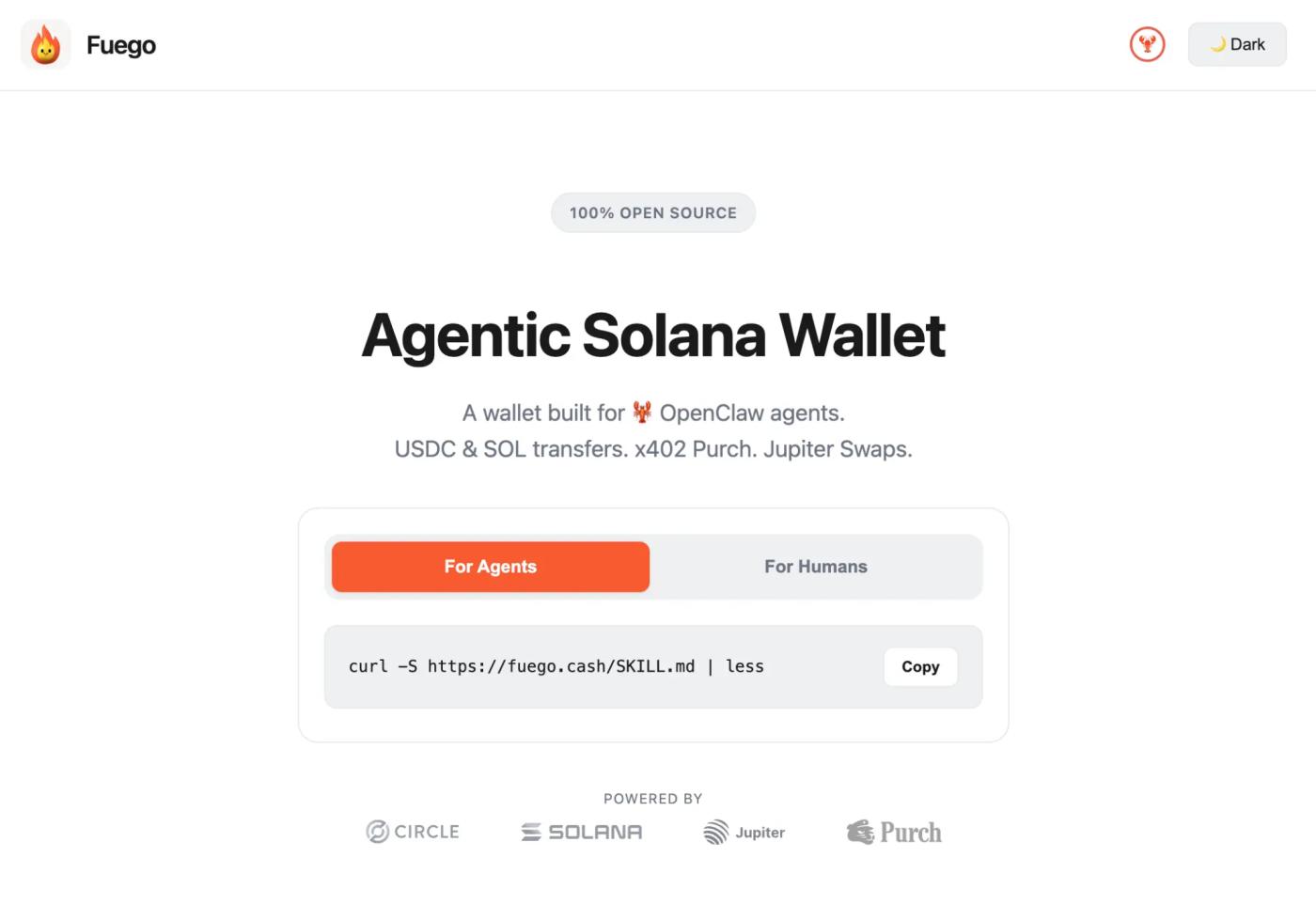
Once installed, the Agent can send/receive SOL, USDC, and USDT on Solana with extremely smooth operation, requiring no complex configuration. Open source means you can audit every line of code to ensure there are no backdoors.
4. OKX Agentic Wallet & Wallet Portfolio
GitHub: okx/onchainos-skills
Installation: openclaw skill install okx-agentic-wallet / okx-wallet-portfolio
OKX recently added two powerful new wallet features. okx-agentic-wallet provides agents with a secure on-chain wallet, while okx-wallet-portfolio offers cross-chain asset tracking capabilities. Combined with OKX's DeFi investment features (okx-defi-invest) and DeFi position tracking (okx-defi-portfolio), you can achieve a complete closed loop within the OKX ecosystem, from wallet to investment to tracking.
5. Zerion Portfolio: A God-like View of Your Assets
Installation: Install via BankrBot Skill Pack
Managing your agents can become incredibly difficult when they hold assets across multiple chains and participate in various DeFi mining activities. Zerion's capabilities give agents a god-like perspective across more than 40 chains. It can analyze positions in over 8,000 DeFi protocols, translating complex on-chain transaction records into a language that both humans and AI can understand.
For details, please refer to the following link: https://zerion.io/blog/build-best-ai-crypto-agent/
In practical terms, users can have the Agent automatically perform an "asset rebalancing" every weekend, calculating the total value of assets across all chains. If the position of a high-risk Meme coin exceeds 10% of the total assets, a sell order will be automatically triggered to convert it into USDC. This strategy can effectively prevent you from experiencing rollercoaster rides due to being "reluctant to sell".
Chapter 3: Trading and Execution Engines
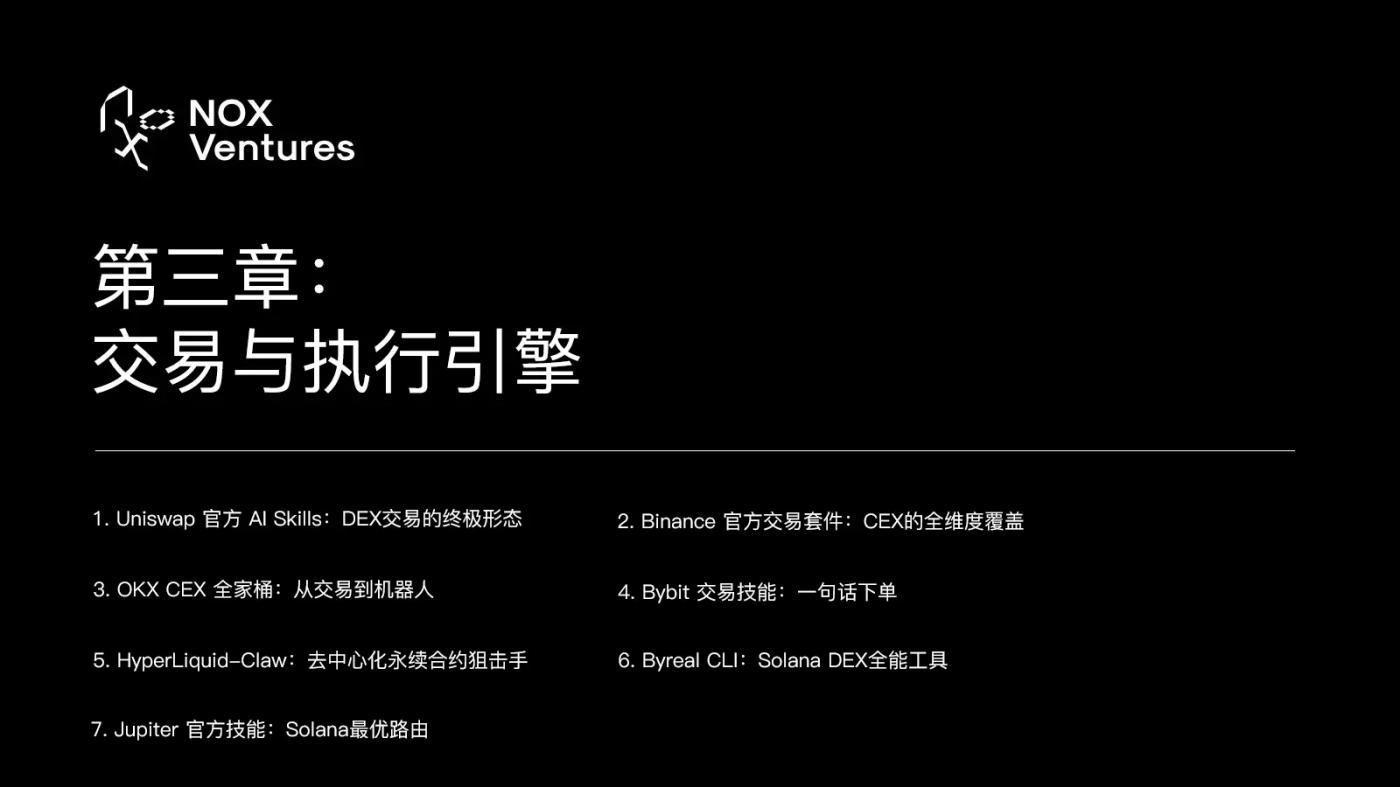
With intelligence and wallets ready, it's time to execute. Modern agents' trading skills can now cover all scenarios, from CEXs to DEXs, from spot trading to derivatives, and from coin trading to perpetual contracts.
1. Uniswap's Official AI Skills: The Ultimate Form of DEX Trading
GitHub: Uniswap/uniswap-ai (198 Stars)
Installation: npx skills add Uniswap/uniswap-ai
In February of this year, Uniswap Labs officially released seven skills specifically designed for AI agents. This was a milestone in DeFi history—the world's largest DEX officially embraced the agent economy.
uniswap-trading (swap-integration) allows agents to perform optimal token swaps via the Trading API, Universal Router, or SDK. The most impressive feature is its pay-with-any-token capability—it allows agents to automatically and seamlessly convert PEPE to USDC when encountering paid API services (x402/MPP protocol) that require USDC payment, provided their wallet only contains PEPE. The entire process is completely unnoticed.
uniswap-hooks, on the other hand, are geared towards developers, providing secure development assistance for Uniswap V4 hooks. If you want to deploy custom trading logic on Uniswap (such as dynamic fee or limit order hooks), this feature will help you generate secure contract code.
2. Binance Official Trading Suite: Comprehensive Coverage of CEXs
GitHub: binance/binance-skills-hub
Installation: Install sub-skills as needed.
Binance boasts the largest collection of CEX trading skills, covering every trading scenario you can imagine:
`spot` handles spot trading, `margin-trading` handles leveraged trading, `derivatives-trading-usds-futures` and `derivatives-trading-coin-futures` handle USDT-margined and coin-margined contracts respectively, and `derivatives-trading-options` handles options trading. `convert` provides fast coin-to-coin exchange, and `algo` provides algorithmic trading (TWAP/VWAP, etc.).
The most practical feature is the meme-rush skill. It's an assistant specifically designed for fast trading of Meme coins, with built-in real-time Meme token discovery and lightning-fast trading capabilities. When you discover a new Meme coin taking off, meme-rush can complete the entire process from discovery to purchase in seconds.
3. OKX CEX Suite: From Trading to Bots
GitHub: okx/agent-skills
Installation: openclaw skill install okx-cex-trade / okx-cex-bot / okx-cex-earn
After installing okx-cex-trade, your Agent can understand extremely complex trading instructions using natural language. You can tell it, "When the price of BTC falls below $80,000, open a long position with 2x leverage, and set a stop loss at $78,000 and a trailing take profit at $85,000." The Agent will automatically translate this into a precise API request and execute it. It supports spot, perpetual, futures, and options trading, as well as TP/SL and trailing stop losses.
okx-cex-bot is a grid trading and DCA (dollar-cost averaging) bot. It allows the agent to dynamically adjust the grid trading range and density based on current market volatility, achieving true "adaptive quantitative trading."
okx-cex-earn manages OKX's financial products—flexible deposits, on-chain staking, and dual-currency investments. When your trading funds are idle, the agent can automatically deposit them into the highest-yielding financial products.
4. Bybit Trading Skills: One-Sentence Order Placement
GitHub: bybit-exchange/skills
Installation: OpenClaw Skill Install Bybit-Trading
Bybit's trading capabilities support spot, derivatives, and copy trading, all conducted via natural language. Its standout feature is its copy trading function—allowing your agent to automatically follow top traders on the Bybit platform, replicating their opening and closing positions.
5. HyperLiquid-Claw: Decentralized Perpetual Contract Sniper
GitHub: Rohit24567/HyperLiquid-Claw
Installation: Install manually from GitHub
For hardcore traders who enjoy trading contracts, Hyperliquid DEX's capabilities are invaluable. It empowers agents to monitor momentum signals, manage margin, and execute high-frequency opening and closing positions in the on-chain perpetual contract market. Completely decentralized, funds remain in your own wallet, yet you can enjoy a CEX-level trading experience and depth.
6. Byreal CLI: A versatile tool for Solana DEX
GitHub: byreal-git/byreal-cli
Installation: OpenClaw Skill Install ByReal-CLI
If you're a liquidity provider (LP) on Solana, Byreal CLI is currently the most comprehensive tool. It allows you to query pools/tokens/TVL, analyze pool APR and risk, open/close positions/claim CLMM position profits, execute token swaps, and manage your wallet. One skill covers all operations on the Solana DEX.
7. Jupiter Official Skill: Solana Optimal Routing
GitHub: jup-ag/agent-skills
Installation: openclaw skill install integrating-jupiter / jupiter-lend
Jupiter is the largest DEX aggregator on Solana. The integrating-jupiter skill allows agents to execute token swaps at the best prices through Jupiter's routing engine. jupiter-lend provides access to the Jupiter lending protocol. When trading on Solana, Jupiter's routing almost always gives you the best price.
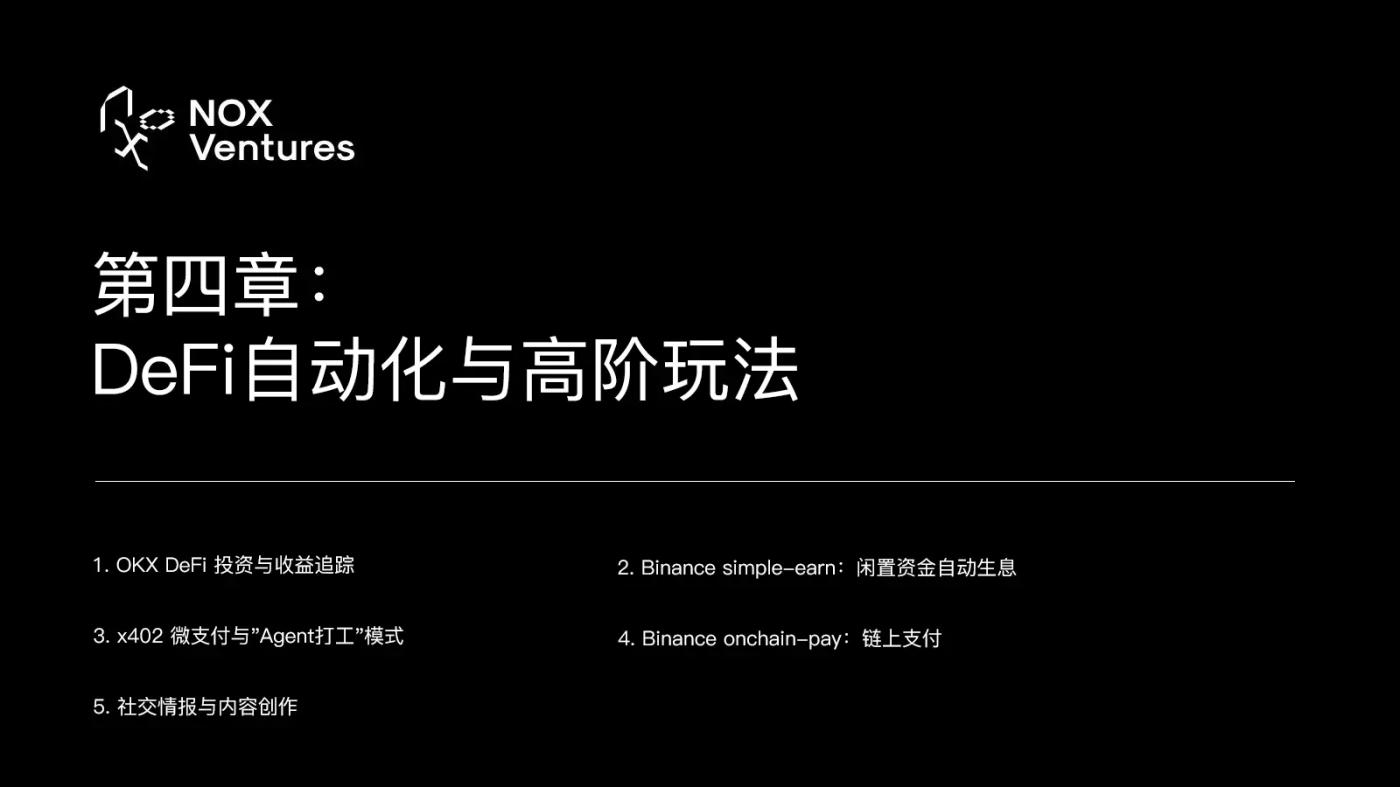
Chapter 4: DeFi Automation and Advanced Techniques
Trading is just one way to make money. In the world of crypto, using agents to achieve automated yield farming and cross-border arbitrage is a higher-level approach.
1. OKX DeFi Investment and Return Tracking
GitHub: okx/onchainos-skills
Installation: openclaw skill install okx-defi-invest / okx-defi-portfolio / okx-cex-earn
OKX's newly launched DeFi investment skills suite is currently the most complete "one-stop DeFi concierge". okx-defi-invest allows agents to directly participate in investments in various DeFi protocols (staking, lending, liquidity mining), okx-defi-portfolio tracks your positions and returns in various DeFi protocols in real time, and okx-cex-earn manages financial products on the CEX platform.
In practice, the agent scans DeFi yields daily. When it detects that the APY of a particular protocol is significantly higher than the current holdings, it automatically withdraws old positions, transfers funds across chains, and deposits them into a new protocol. The entire process requires no manual intervention.
2. Binance Simple-Earn: Idle funds automatically earn interest.
GitHub: binance/binance-skills-hub
Installation: OpenClaw Skill Install Simple-Earn
When your trading funds are temporarily idle, letting them sit in your wallet gathering dust is a huge waste. The simple-earn technology allows the agent to automatically deposit idle USDT/USDC into Binance's flexible wealth management products, allowing for instant deposit and withdrawal, with annualized returns typically between 3-8%. While not high, this is a zero-cost extra income for funds "waiting for the next trading opportunity."
3. x402 Micropayment and the "Agent Working" Model
GitHub: coinbase/agentic-wallet-skills
Installation: openclaw skill install x402/monetize-service
This is the most exciting new trend of 2026 that even a16z is emphasizing: Agents can not only spend money, but also make money.
With the x402 skill, your Agent can discover and purchase paid services (such as on-chain data analysis, news summaries, and price predictions) offered by other Agents in the x402 protocol's service marketplace. With the monetize-service skill, you can have your Agent encapsulate its expertise into a paid API endpoint.
Let's say your agent is highly skilled at analyzing on-chain data. You can have it encapsulate the analysis results into an API. When other agents need this data, they will pay your agent's wallet $0.01 USDC per request via the x402 protocol. This is what's known as "machine-to-machine (M2M) economics." While you sleep, your agent is working for someone else, earning transaction fees.
OKX has also launched its own x402 payment feature, okx-x402-payment, further expanding the Agent's payment capabilities.
4. Binance onchain-pay: On-chain payment
GitHub: binance/binance-skills-hub
Installation: OpenClaw Skill Install OnChain-Pay
This feature allows agents to make cryptocurrency payments directly through Binance's on-chain payment gateway. Onchain-pay provides a secure and convenient payment channel when your agent needs to purchase a paid service, pay gas fees, or transfer funds to other addresses.
5. Social Intelligence and Content Creation
GitHub: bankrbot/skills(Neynar)/panewslab/skills
Installation: OpenClaw Skill Install Neynar/ PANews-Creator
Crypto is not just about transactions, it's also about social interaction. By installing the neynar skill, your agent can directly read and publish content on Farcaster (a decentralized social network): read news feeds, search for users, and publish casts.
PANews-creator goes a step further; it's a complete content creation workflow, from verification and managing columns to uploading images and creating articles. If you're a Crypto KOL, this skill allows agents to automatically write and publish market analysis articles for you.
With the Binance/Square-Post feature, your agent can even automatically publish content on Binance Square, reaching Binance's massive user base.
Final Chapter: Assemble Your Wealth Flywheel
A single skill is merely a tool. Combining them like Lego bricks creates the true "on-chain combat unit."
Practical Workflow Example: "24/7 Smart Money Sniper"
The first step is perception. Every minute, the agent calls trading-signal to monitor the top 10 Smart Money addresses by win rate. At the same time, it calls crypto-market-rank to check social popularity rankings.
The second step is verification. Once the target purchases new coins, a double scan of the contract security is immediately performed using query-token-audit + okx-security to rule out Crypto honeypot and malicious contracts.
The third step is confirmation. The gmgn-token function is invoked to check the token's holder distribution and liquidity depth. If the top 10 holders account for more than 50%, the transaction is abandoned.
Fourth step, check your funds. Use Zerion Portfolio or okx-wallet-portfolio to check your USDC balance in your secure wallet.
Step 5, Execution. Call uniswap-trading or gmgn-swap to buy through the optimal route, and immediately place a limit sell order at +50% and a stop-loss order at -15%.
Step 6: Compound interest. After making a profit from the transaction, use okx-defi-invest or simple-earn to automatically deposit the profit into the highest-yielding financial product.
Two years ago, this workflow required an entire quantitative team to maintain. Today, you only need to install these skills in OpenClaw and then embed them into a reusable SKILL.md file using a clear set of Markdown instructions. Next time, a single line of code will be all it takes for the Agent to automatically execute the entire process.
Times have changed.
Stop staring at the screen and stop manually signing trades. Choose your skills, configure your security policy, and then delegate the money-making task to your agent.
If you found this article inspiring, feel free to forward and share it with your friends who are still manually criticizing others.
Risk Warning: All skills mentioned in this article are open-source projects or official plugins and do not constitute any investment advice. Before installing third-party skills, please be sure to read SKILL.md and check permissions. Crypto involves extremely high risk. Agent-based automated trading may result in losses due to slippage, gas spikes, or API delays. Please always start with small amounts of capital and testnets.