
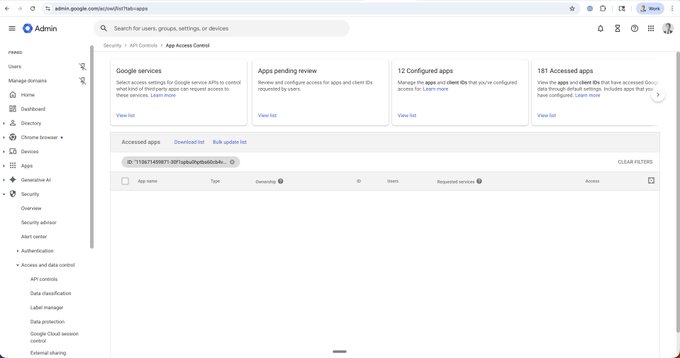
To check if your Google Workspace has been compromised by the same tool that compromised Vercel: 1. Go to admin.google.com/ac/owl/list?t...… - This is Google Admin Console > Security > Access and Data Control > API Controls > Manage app access > Accessed Apps 2. Filter by ID = …http:/110671459871-30f1spbu0hp... - This is the ID of the compromised OAuth app If you see an app after filtering, you have potentially been compromised

From Twitter
Disclaimer: The content above is only the author's opinion which does not represent any position of Followin, and is not intended as, and shall not be understood or construed as, investment advice from Followin.
Like
Add to Favorites
Comments
Share
Relevant content