Stand on the shoulders of giant whales to find the next hundred times coins.
Written by: Dami-Defi
Compile: little bear
In the encryption market, whale investors have more resources and information, and their investment behavior often has a significant impact on the market. Therefore, it is crucial for investors to understand how to find and track whales investing in high-performing coins. This article will introduce how to find whale investors, understand and track their investment strategies and behaviors.
This wallet I recently found was worth $25,000 on May 20th and three days later it was worth $1,300,000!
What kind of currency did they buy, and why it rose by nearly 5000% in just a few days.
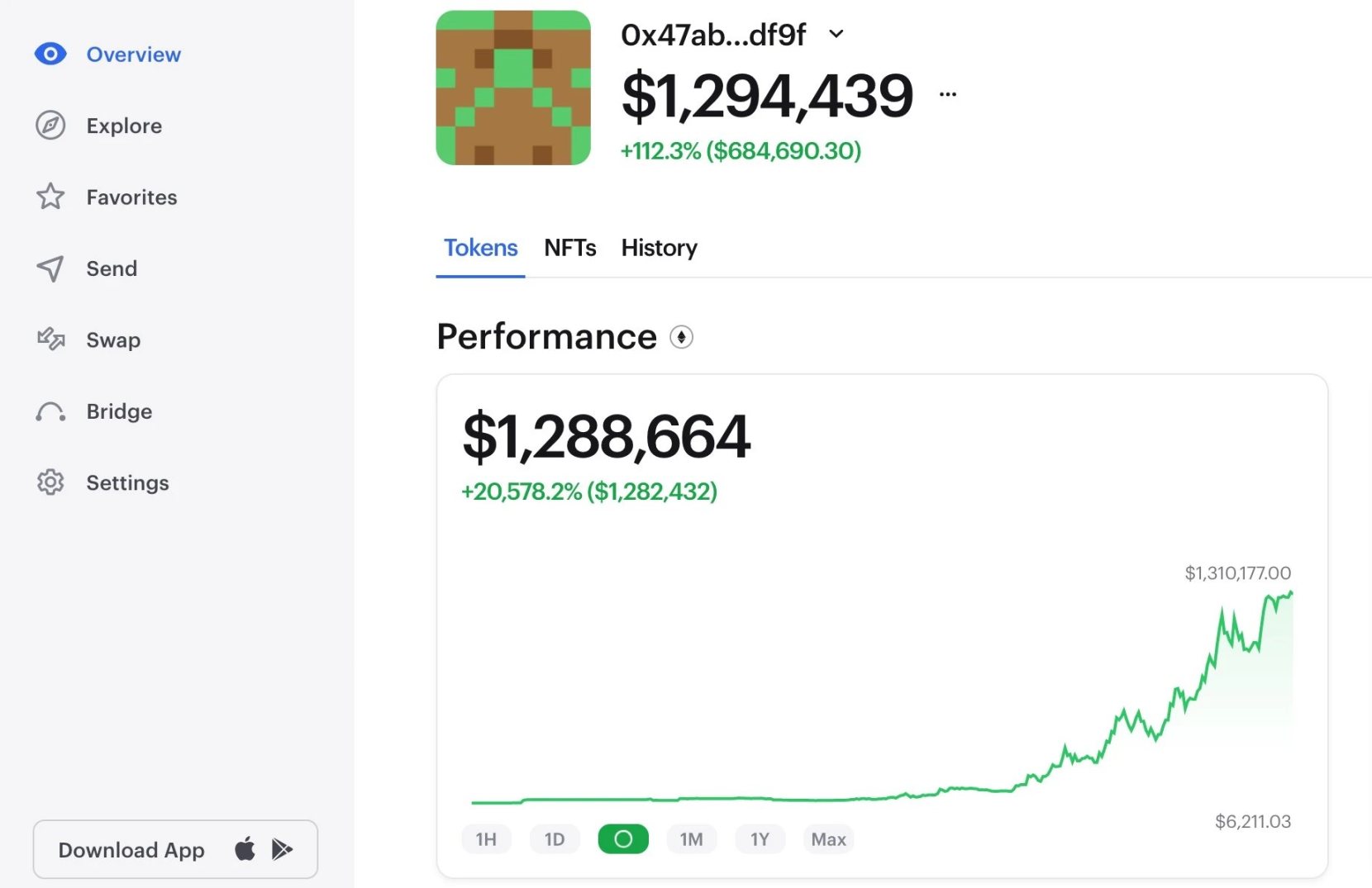
The largest position in this wallet is $RFD, $RFD accounts for 99% of its investment portfolio, holding 13567175828 RFD (worth $1,327,042), the first purchase price is $0.00000084, and it cost $16,300 to buy, now worth $1,327,042, A profit of $1,314,572.
How did I find this giant whale address that earned 50 times in 3 days?
How to find the address of the giant whale? 1. Use CoinGecko
We only want wallets that find investments in tokens that perform well:
Go to the CoinGecko website
Click on the token with the highest yield
select time range
Choose the token you are interested in
Note which chain they are on
Write down the token address
Make a note of the date when the token price was lower
Now that we have some tokens that are doing well, the next step is to find wallets to invest in these assets.
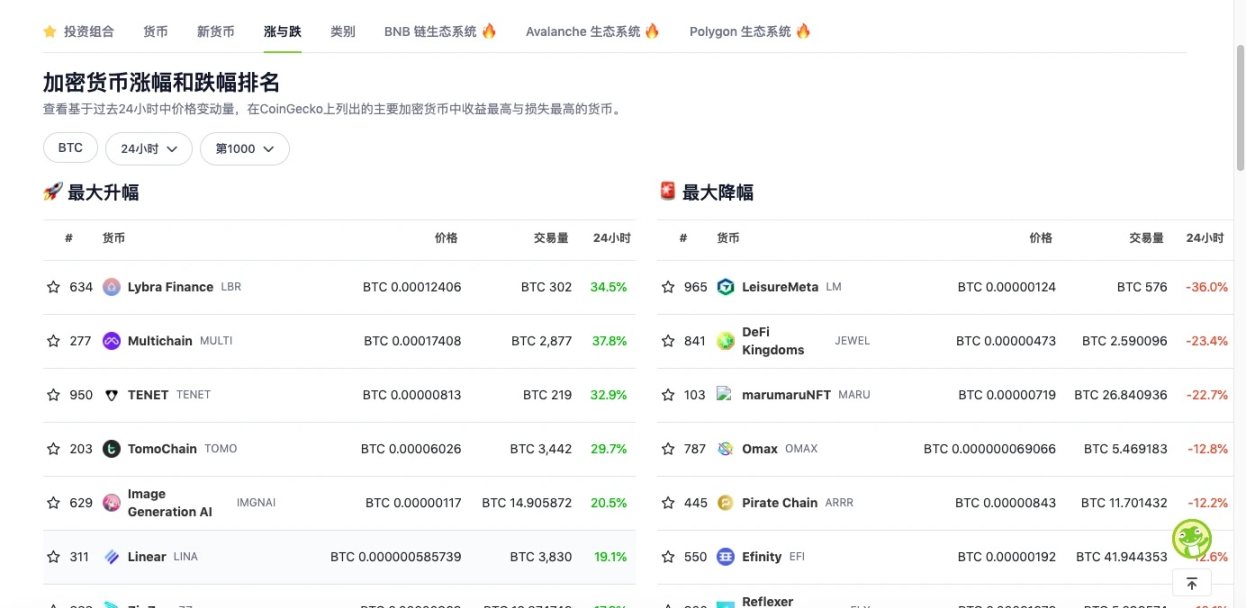
For individual investors, it is recommended to ignore those wallets that hold a large amount of meme coins, because the holders of these wallets tend to be more inclined to gambling-style investment behavior, and they may repeat such investment decisions in the future, but rarely Make good profits.
2. Use a blockchain explorer
Go to the relevant blockchain manager
Enter token address
Filter out addresses with large transactions
Download a CSV list to find a specific date
Click on the address of the large transaction
Avoid contract addresses
Make a note of the address where you bought it on the date when the price was lower
Can also filter by holder
note down the address of the whale
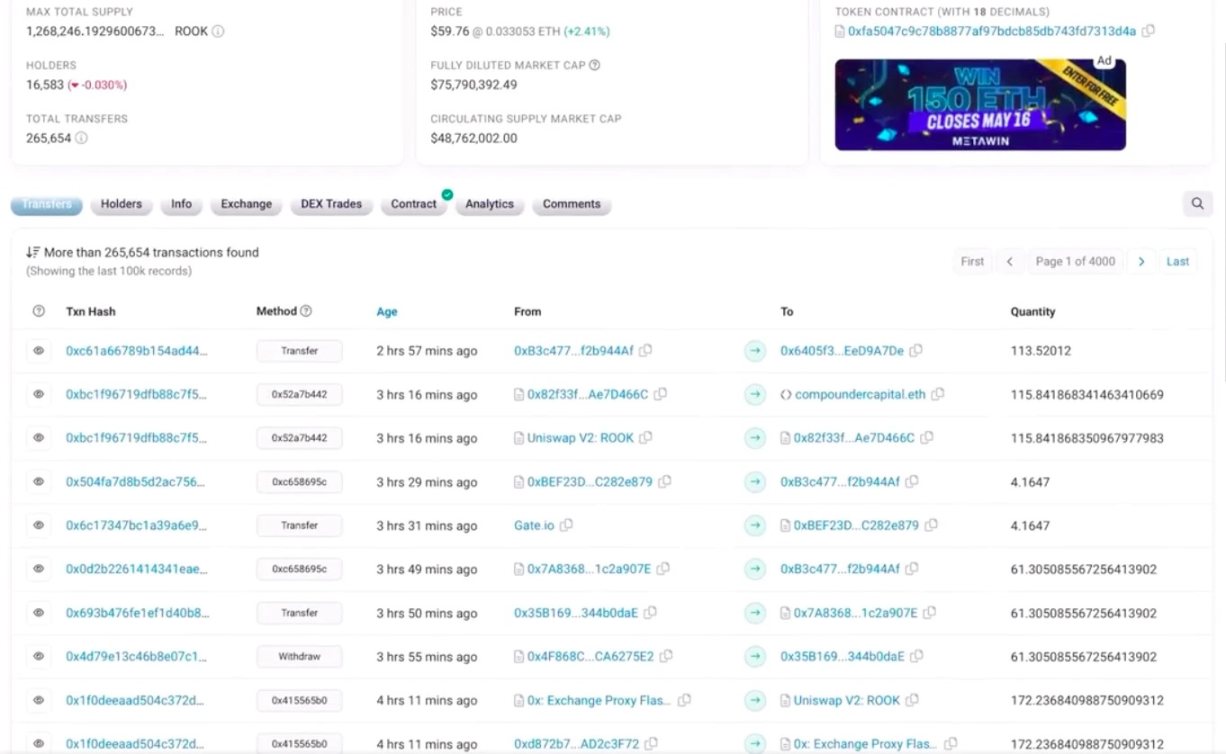
In this way, we can also sort out some wallet addresses that may be useful.
3. Using Bubble Charts
Go to the Bubble Maps website @bubblemaps
Enter token address
Select a time period of interest
Check out the top holders from that period
Filter out pre-sale addresses
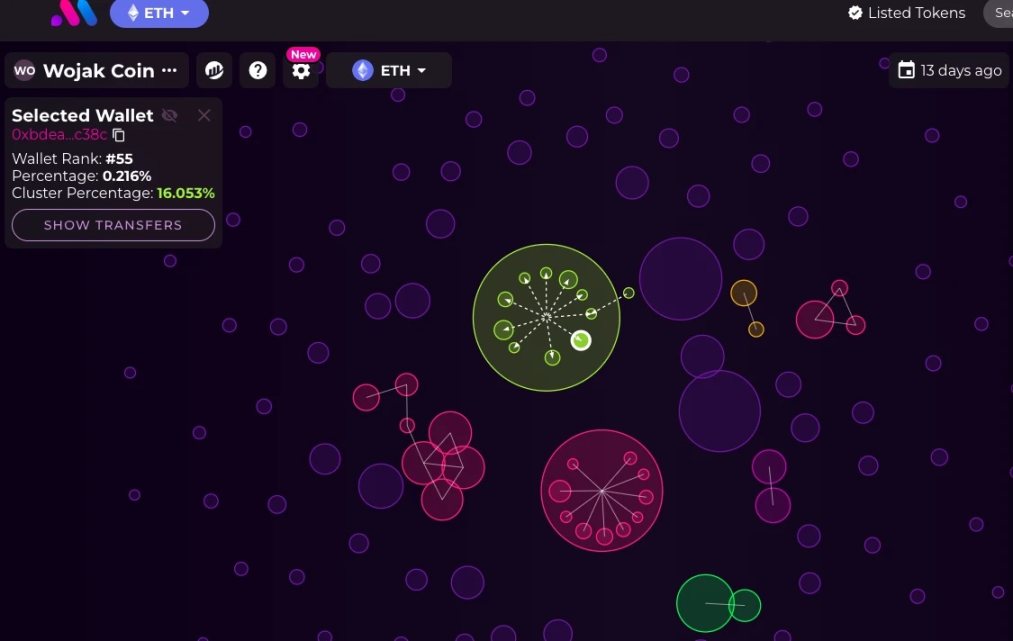
This is a very quick way to find some of the top holders of a token with a visual aid, while also filtering out addresses that may hold a large amount of tokens due to the presale.
4. Use the dune analyzer
A very powerful Dune dashboard by Mochi (@defi_mochi).
Search "Token Analyzooor"
Select the chain
Enter token address
Enter how many days ago you want to see someone bought
Now you can see the most profitable holders
Click on the address of interest, ignore the contract address, and record other addresses
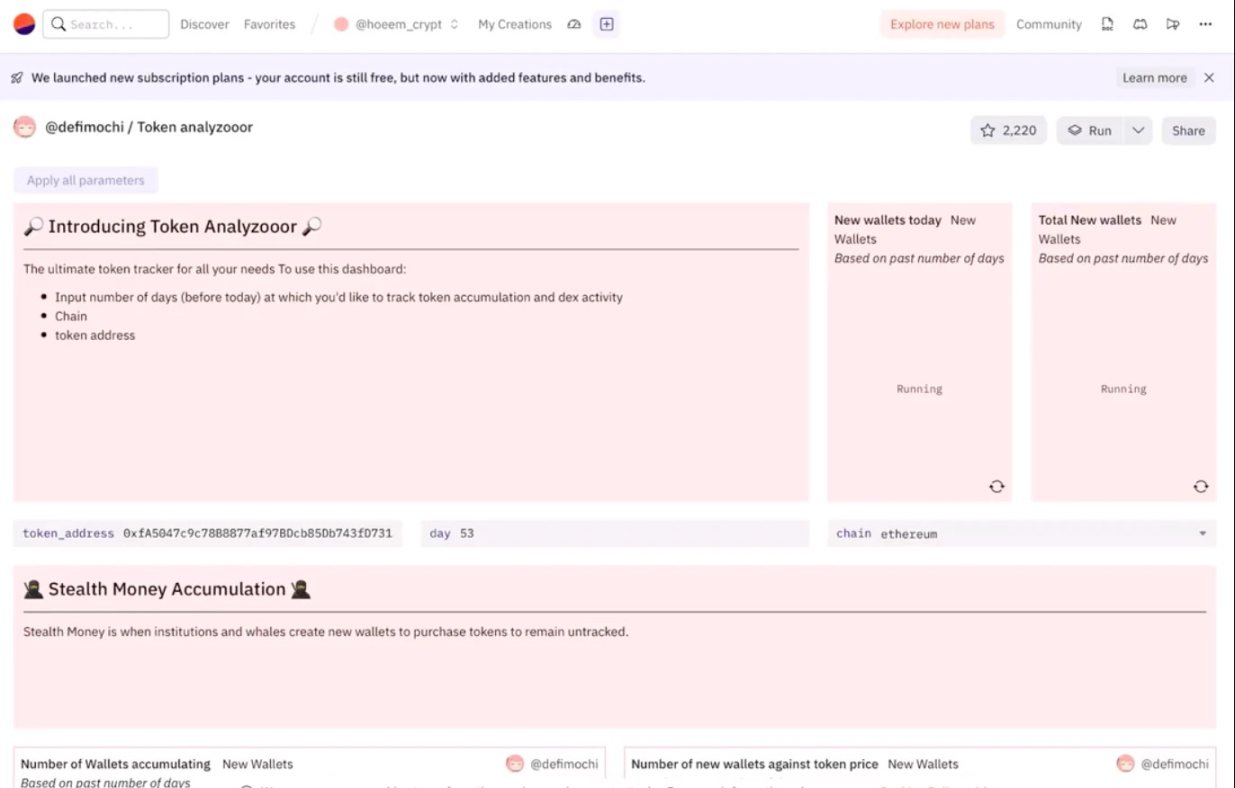
Now you can get more addresses to buy tokens at a low price.
5. Filter wallet
We now have a list of interested wallets that have purchased tokens that are performing well.
It might be luck, so now we need to filter further:
Enter wallet address into DeBank (@DeBankDeFi), Arkham (@ArkhamIntel) or Zerion (@zerion) website
filter transactions
Find token purchases and sales
Check if there is a profit record
If anything, this is a wallet to watch

Filter out profitable wallets
We now have a list of whales of specific interest.
Now we need to find whales among them that are making big profits.
We will use a dashboard.
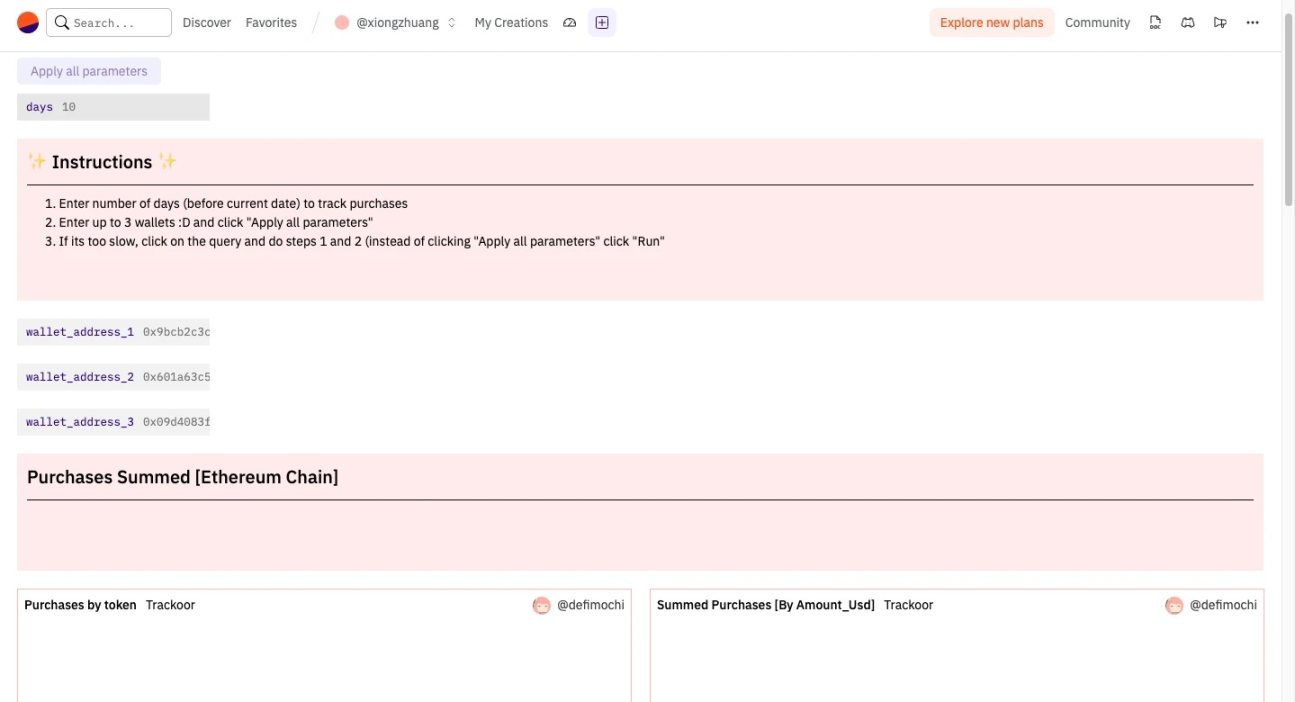
Enter "Wallet purchase visualizer" on Dune (@DuneAnalytics).
This dashboard was made by Mochi (@defi_mochi) and is free for anyone to use.
Enter query details: query date, query wallet (up to three wallets can be queried), the chain where the token is located (currently only supports Arbitrum and Ethereum);
Analysis details: now you can see the purchases of this wallet in the past X days; check when tokens were purchased, check the price at the time of purchase, note the address and price of these tokens;
quick comparison
Now you can quickly use CoinGecko to compare.
Go to CoinGecko, search for any coin address, compare the price with the purchase price.
create list
Delete wallets that don't meet your criteria and keep a list of wallets that meet your requirements.
Monitor wallets with bots
Monitoring tools are:
Cielo
Maestro Bot
Etherdrops tracking bot
These will send you an alert whenever any of the Whale's smart wallets you monitor make a transaction.
By understanding the investment strategies of whale investors, we can better predict market trends and find the most promising tokens. Of course, there are still risks in investment, and we should always remain rational and prudent, and do a good job in risk management.