Microsoft is indeed here to cause trouble! Suddenly in the middle of the night, the new Copilot powered by GPT-4 is officially connected to Office Family Bucket, Windows 11 and Edge. It can be said that almost all of Microsoft’s “bragging” half a year ago has been realized today.
After 6 months of waiting, Microsoft Copilot is finally here!
Just now, Microsoft dropped another bomb late at night——
Starting from September 26, the newly upgraded Copilot will be directly integrated into Windows 11, all Microsoft Office 365 products, and Edge.
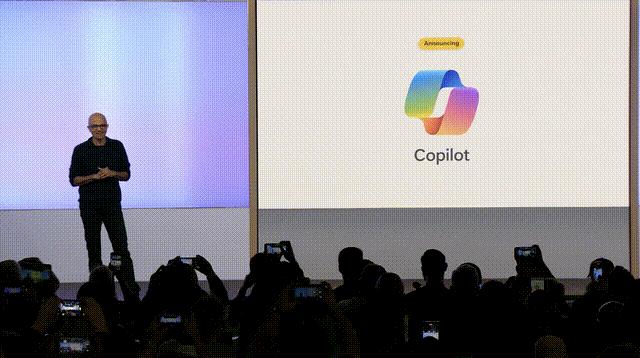
From now on, whether it is office software such as Word, PPT, Excel, Outlook, Teams, Windows 11 operating system, or Edge browser, all will be supported by GPT-4!
As expected, the release of DALL·E 3 yesterday was just the clarion call for Microsoft to expand its strategy. Perhaps the news about Google's multi-modal large model Gemini is approaching day by day, and Microsoft is getting anxious.
For Copilot, Microsoft introduces it this way - "Your daily AI companion, making you smarter, more creative, more productive, and more connected to the world around you."
It has these words written all over it - evolve into a better worker.

01 Microsoft Copilot is fully online, and a new era of AI is here!
Among the massive updates launched by Windows 11 on September 26, Windows Copilot, which has been tested for some time, was directly launched.

Just like the literal meaning of the word Copilot - co-pilot, this time Windows 11 Copilot will use AI's understanding capabilities to help users easily create and complete various tasks in Windows in an unprecedented way.
With the support of Copilot, Windows 11 instantly becomes your digital butler. You no longer need to remember those spell-like shortcut key combinations, you just have to ask him in natural language, and he will do his best to present the results directly to you.
This operating system, which has been launched for more than 20 years and has the most users in the world, will become the starting point for users to experience the powerful capabilities of AI.
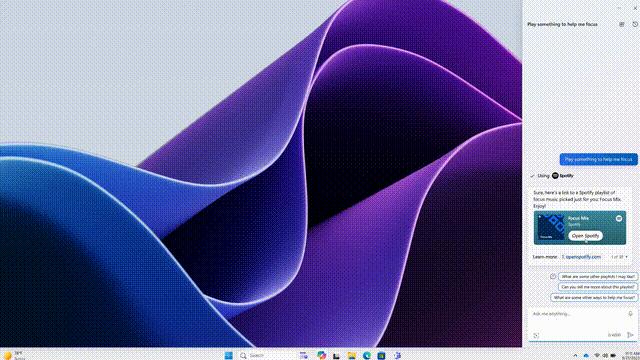
The same as the previous beta version, users only need to use Win+C or click the Copilot icon on the menu bar to call out Copilot on the far right of the system.

Users only need to ask "Play some music to help me concentrate", and Copilot will automatically find a solution for you: "Open Spotify and play the corresponding music."
Directly ask Copilot to "organize the desktop" and Copilot will ask the system to automatically arrange the windows in tiles for you.
As long as you enter "turn on night mode", the entire system will instantly switch to dark mode, which can be called the cyber version of "whatever you say".

Copilot's functions are far more than that. It can help you even more in terms of productivity.
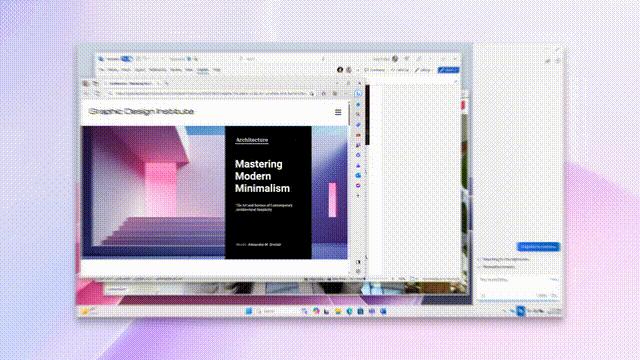
Select a window and let it help you summarize the web pages in the window. Instantly the key points of lengthy web content appear in Copilot.
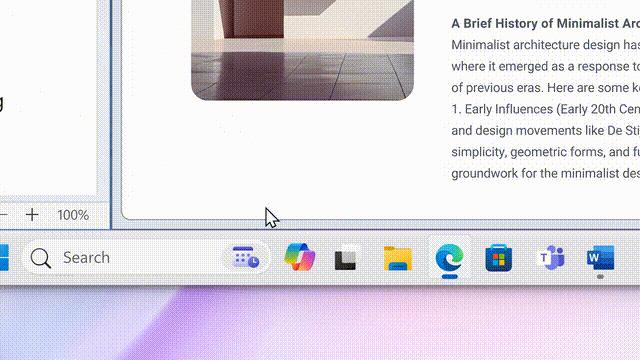
Just like ChatGPT, you can easily let Copilot directly help you generate a text with a certain topic on the web page.
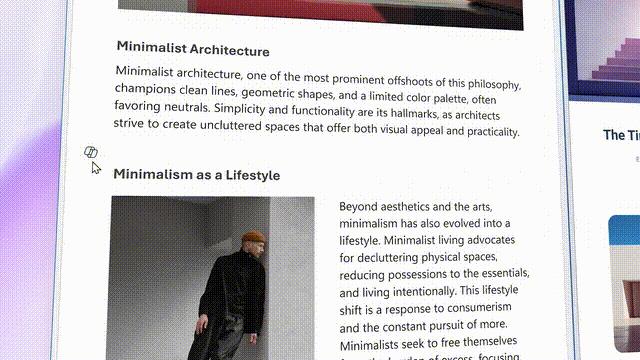
Through Copilot, you can also easily complete a series of operations such as removing the background from system screenshots.

Using the portrait you just cut out with Copilot, you can even ask it to synthesize a picture for you and send it to Moments, and it will automatically open the drawing software for you.
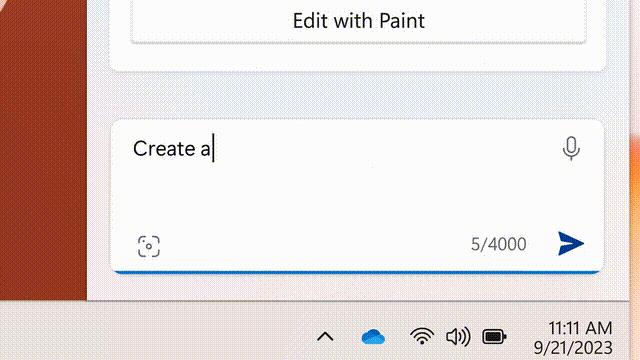
In addition to "intimately" updating digital butlers like Copilot, users can interact with their computers in an unprecedented, extremely smooth way.
Microsoft has even "ruthlessly" updated its productivity family bucket, which is so powerful that it can almost "completely replace wage earners"!
02 GPT-4 version of Microsoft 365, $30 per month
The madness in March is still unfulfilled.
Moreover, just in the past few months, Copilot has become stronger, in Microsoft's words, "raised to a whole new level."

From now on, Copilot will be integrated into Microsoft 365 applications that millions of people use every day—Word, Excel, PowerPoint, Outlook, and Teams.
On November 1, Microsoft 365 Copilot will be fully launched for corporate customers such as Visa, General Motors, and KPMG. (That is to say, we ordinary users cannot use it yet).
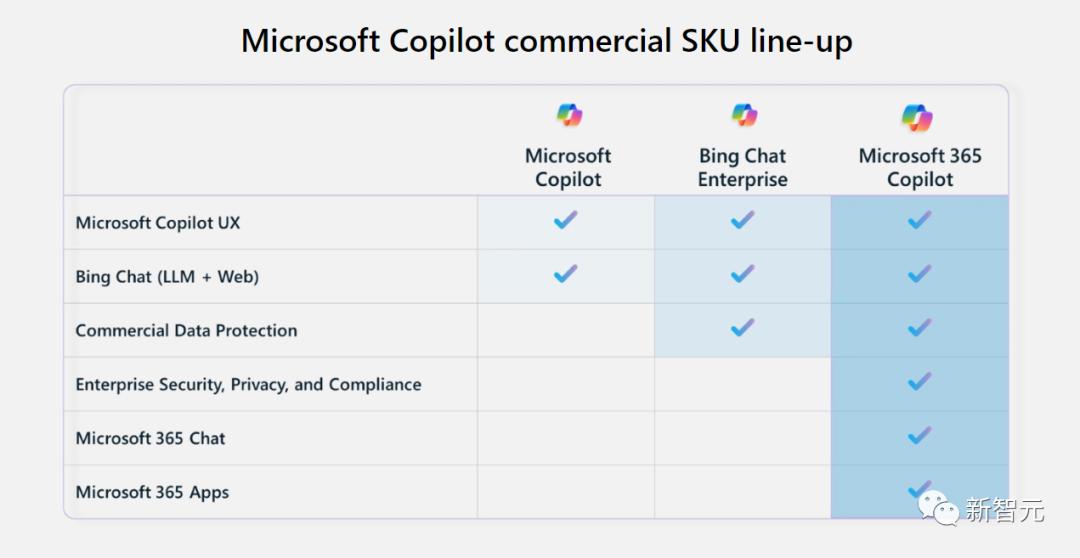
Various packages are available on demand and are clearly arranged for you.
The fee is $30 per month. It's actually much lower than expected?

03 Microsoft 365 Chat: Release productivity, here’s the good news for workers
In the past few years, migrant workers around the world have become busier and busier, with the pace of work accelerating and the workload increasing.
In a day, we may need to search the Internet, check emails, and send/read messages on office software hundreds of times.

Copilot can solve all these complicated and trivial matters!
The newly released Microsoft 365 Chat has gone far beyond the simple scope of answering questions and giving answers.
It can freely shuttle through your entire data domain, including all emails, meetings, chats, documents, and the Web, and can even solve the most complex problems in your work!

Like a real assistant, it has a deep understanding of you, your work, your priorities and your company.
It can find anything you need in your files (including files you forgot existed), connect the dots in content and context at the speed of light, and even integrate into the apps you use to run your business.
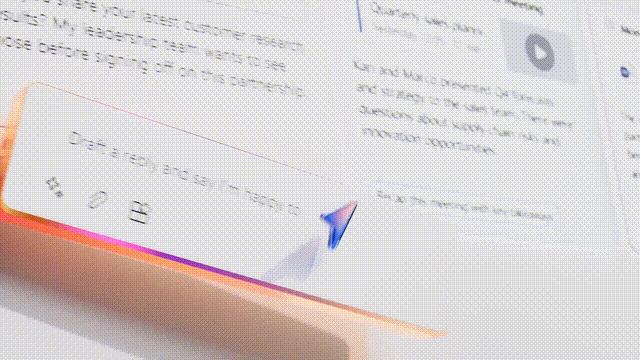
Whether it's writing a strategy document, booking a business trip, or dealing with emails, no matter how complex or boring the task is, it can help you solve it.
This undoubtedly takes Microsoft 365 Copilot's services to a new dimension.
Word
With Copilot, our writing speed in Word will be greatly accelerated!
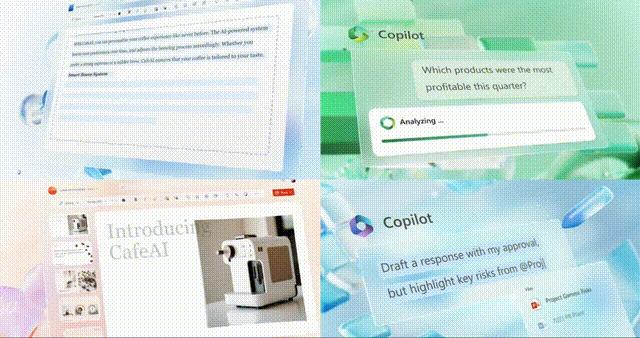
Not sure what this document is for? Copilot can quickly summarize the summary for you, allowing you to get started quickly.
Is it written "I'll die early"? It doesn't matter, Copilot is here to help you.
It can help you rewrite a paragraph, create several choices, and then automatically scroll through them to let you see which one works best.
You can also adjust your writing style and tone to make your writing more neutral, more relaxed and entertaining, or more professional and rigorous.

Or, save time by letting Copilot perform various detailed operations, such as making answers more concise, adding a column to a table, or generating a table from a copy.
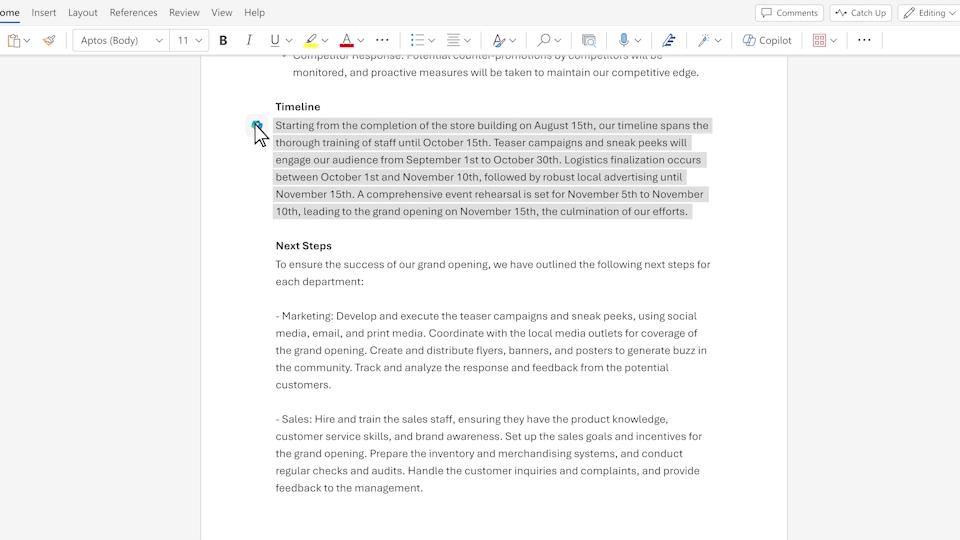
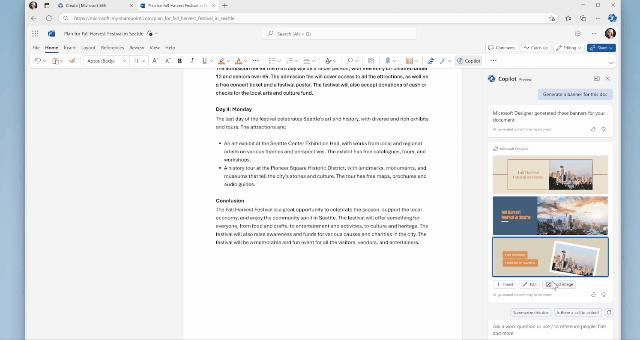
In addition to greatly strengthening Word's traditional text processing capabilities, Copilot also gives Word the function of interacting with text and images.

You can select a piece of text and let Copilot directly illustrate it, making your text more vivid and expressive.
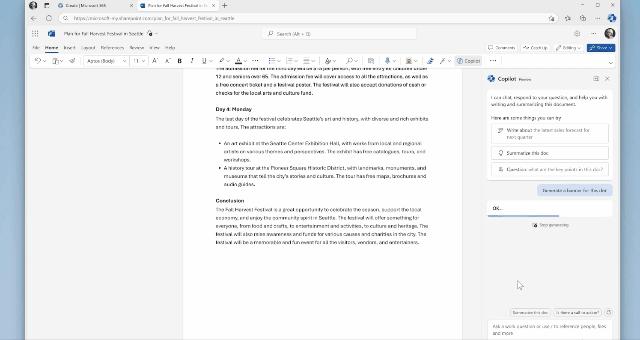
You can even use your own pictures to customize the accompanying text, which is so thoughtful!
Excel
With Copilot, even with zero foundation, you can become an Excel master and play with various data like a professional data analyst.

It can help you analyze, edit, and format data, allowing you to gain a deeper understanding of the data.
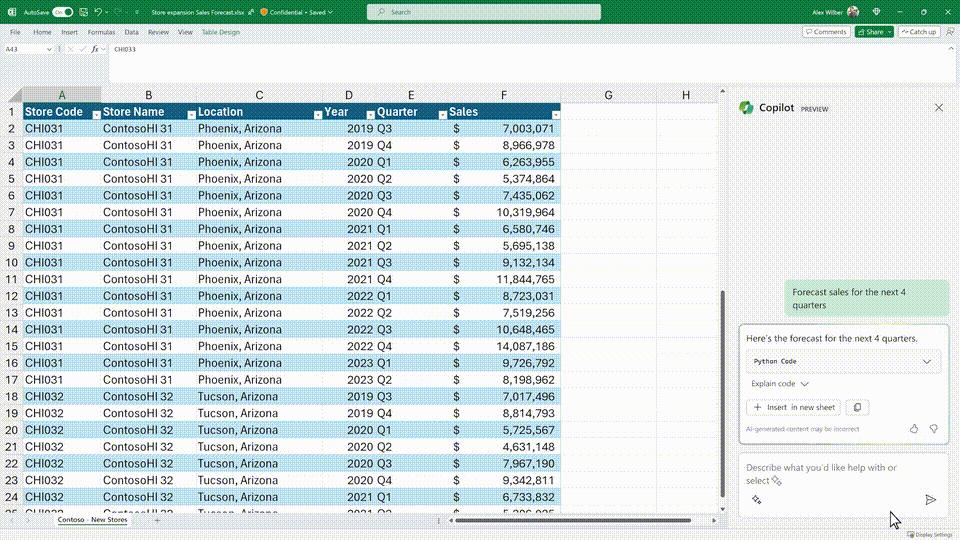
You can have it quickly add formula columns, set all cells with values below 1,000 red, filter and sort the data, and even ask it questions.
With Copilot, you also have access to more advanced analysis tools (such as Python) to create professional visualizations, generate predictions, and sort data.
Copilot, which is connected to Outlook, can help us keep an eye on the inbox 24 hours a day and help us write emails.

Too many emails to read? Copilot will help you summarize and filter key information, and then summarize the comments with one click.
With annotations, you can quickly jump to the source of the summary content to start action, reply, and prepare to schedule meetings.
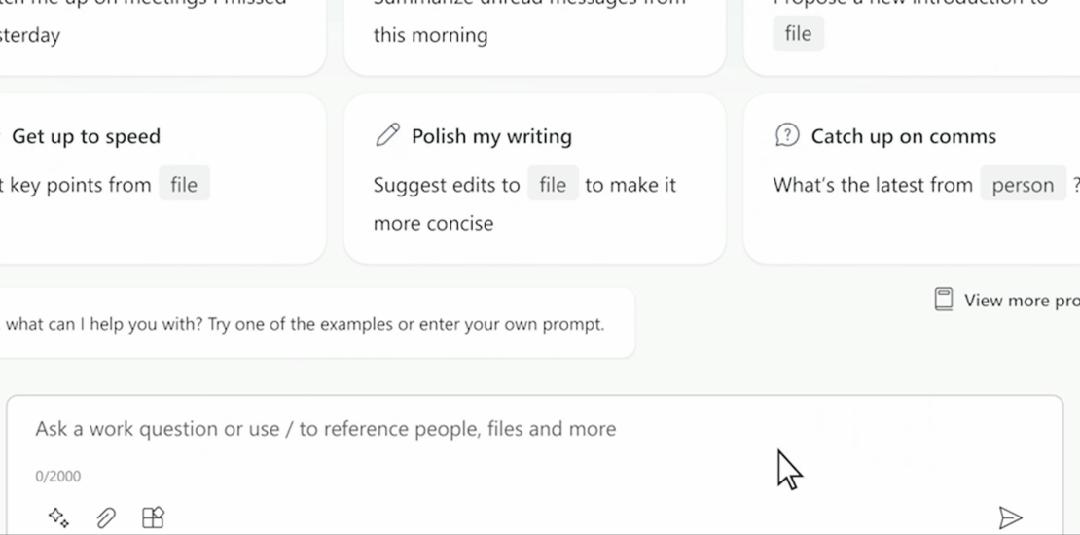
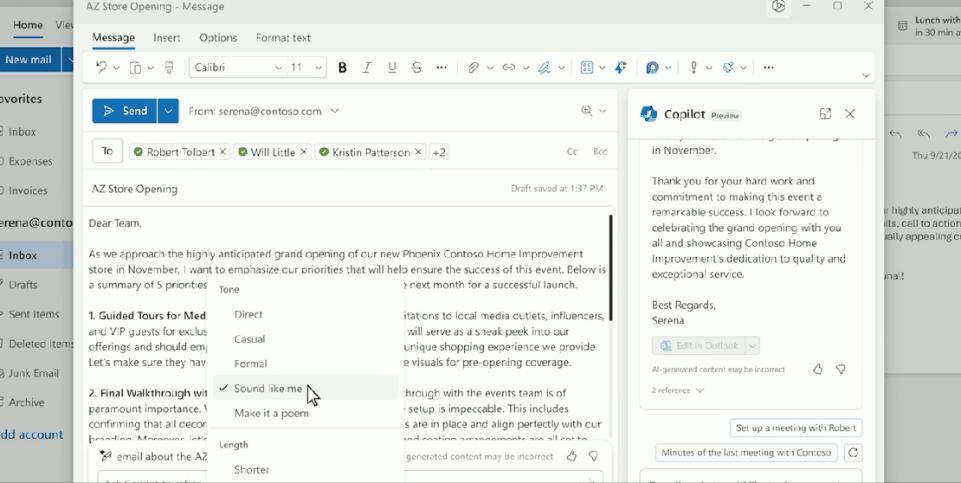
As for the function of helping you write emails, Copilot is certainly not a problem.
What’s even more amazing is that it also has the function of “imitating my brushstrokes”.
Select "Sound like me" and it will imitate your writing style and tone to write emails, trying to make it difficult for the other party to tell whether the person sending the email is a human or an AI.
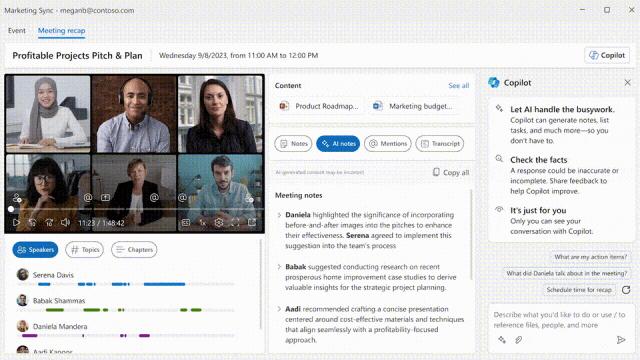
If there is a meeting that you need to attend, Copilot will also help notify you.
In addition, it will help you summarize the content of the meeting and what tasks you were assigned.
OneDrive
In OneDrive, Copilot can help you find the information you need without opening the file.
You can also ask it open-ended questions about individual documents and get a summary of the content.
OneNote
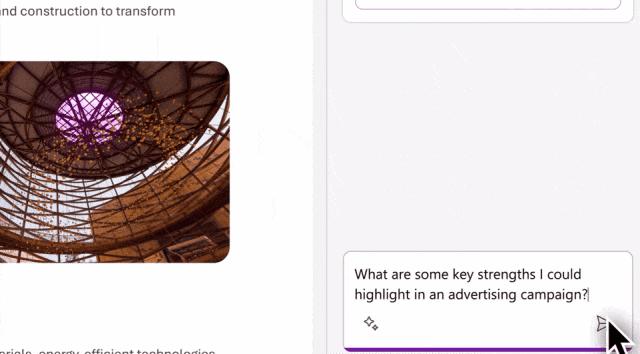
In OneNote, you can ask it from a more holistic perspective: What are the pros and cons of this process?
Output a few sentences and it will help you generate paragraphs and symbol lists to make your writing clearer and more effective.
as well as……
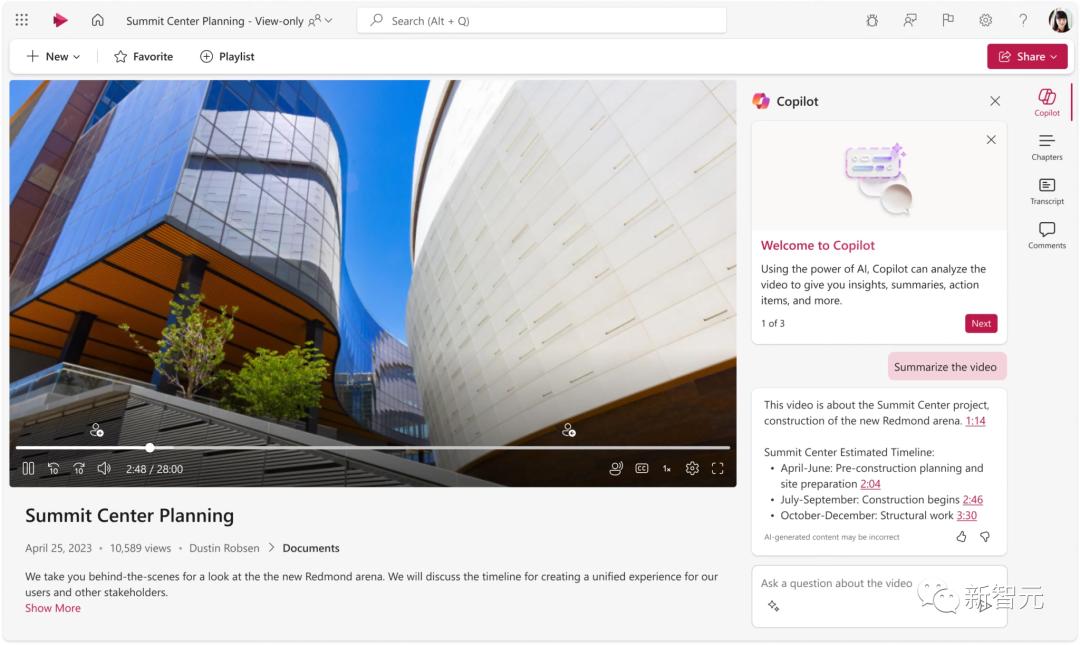
In Stream, Copilot can help you find insights and information from videos in just a few seconds.
In the video, it will get a quick summary, such as a transcript of the attraction you are looking for, and even quickly jump to the location you want in the video.
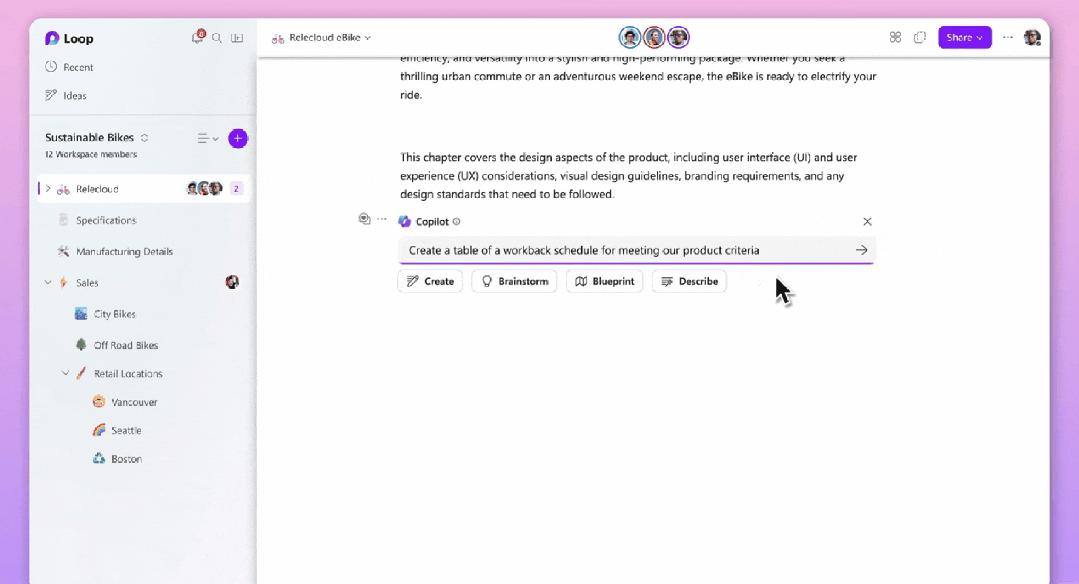
In Loop, Copilot enables teams to work together, generates quick reviews for colleagues who have been handed over work, and automatically pops up the code suggested by Copilot based on the context.
The third-party plug-in system is fully opened
In addition, Microsoft 365 Chat has also updated a new feature - plug-ins.

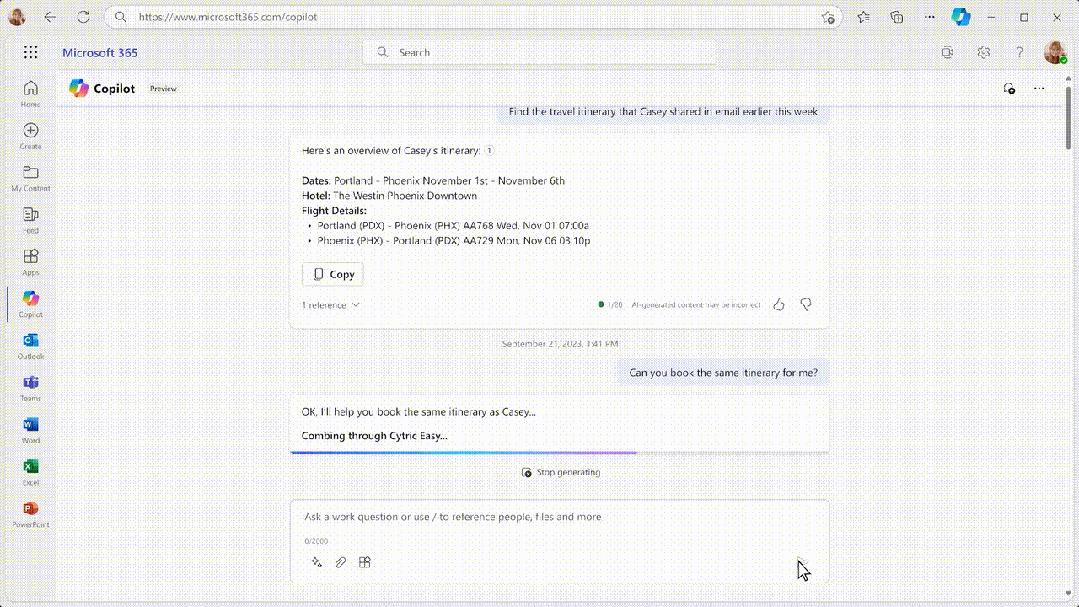
Take the Cytric Easy plug-in that can automatically help you book tickets as an example.
Just use natural conversation and you can have it book a ticket for you on the same travel route as Casey. At the same time, you can modify specific information.
With just a few mouse clicks and no tedious searching or typing, you can book all the tickets you need to travel with your friends.
Through the plug-in function, Microsoft Family Bucket and the data in it become the brain in your life and work. And these plug-ins are your hands and feet, which can directly complete the work specified by the information in the brain.
DALL·E 3 is integrated into Designer, eliminating designers with one click
This time DALL·E 3 not only makes Bing Edge drawing even more powerful, but it is also integrated into Microsoft 365’s new design application Designer.
It seems that workers in the design circle are about to be eliminated by AI again.

First, you can call Copilot directly in the document interface and request a banner ad for the document content.
It will provide you with different styles of templates to choose from.
Just click Add Image, select a picture that is more suitable for the text content, click Insert, and you're done.
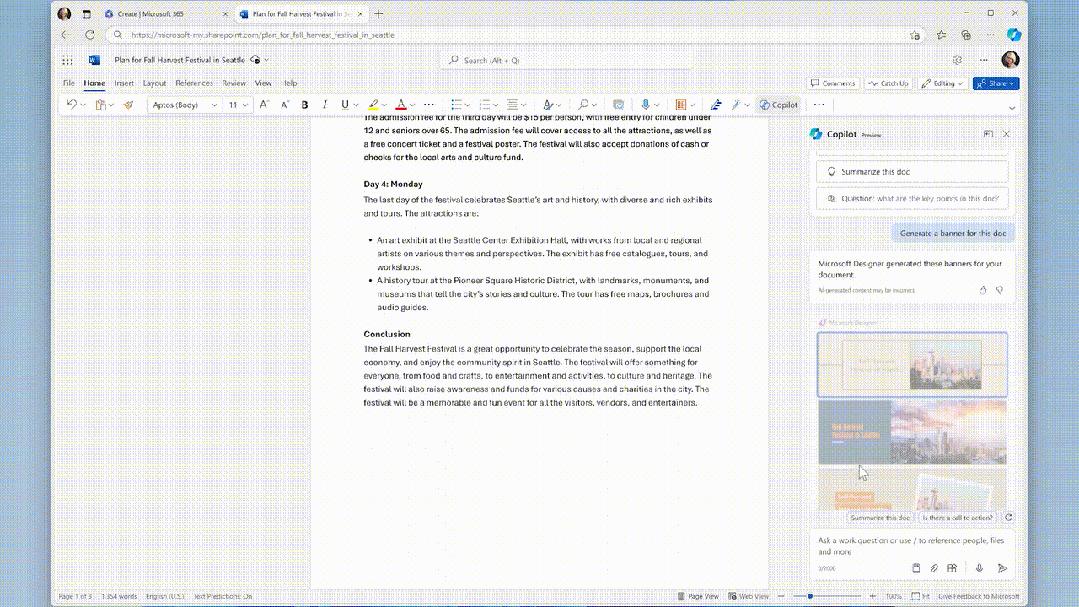
For real workers, this is simply a magical tool for matching pictures, so that the text no longer stands there dryly, and even the boss will take a second look.
In addition to documents, you can experience the design joy brought by DALL·E 3 directly in the Designer application.
For example, I happen to have some photos of life taken in autumn scenery, and I want to make such a beautiful poster.
Open Designer, add your own photo, and then select a template to generate it immediately.
However, if you feel that the selected template does not match the size of the image, you can re-select it and generate it again.
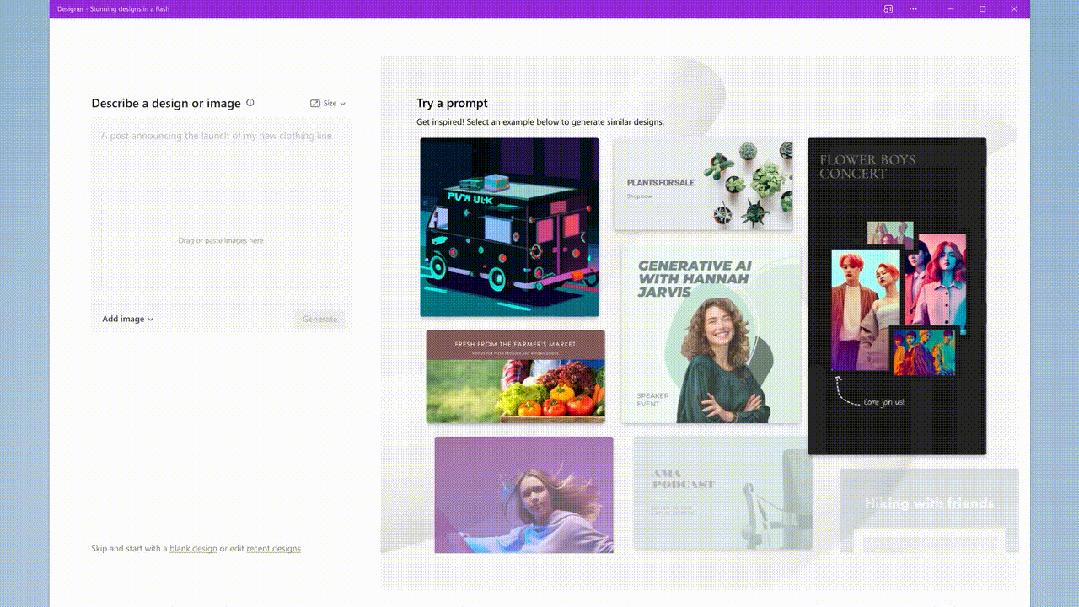
This is not the most exciting thing. What really makes people applaud is that all the designs in the picture are completed by AI with one click.
Select one of the photos of a little girl holding a pumpkin. The characters in the background can be selected with one click and erased using the "Generative Eraser".
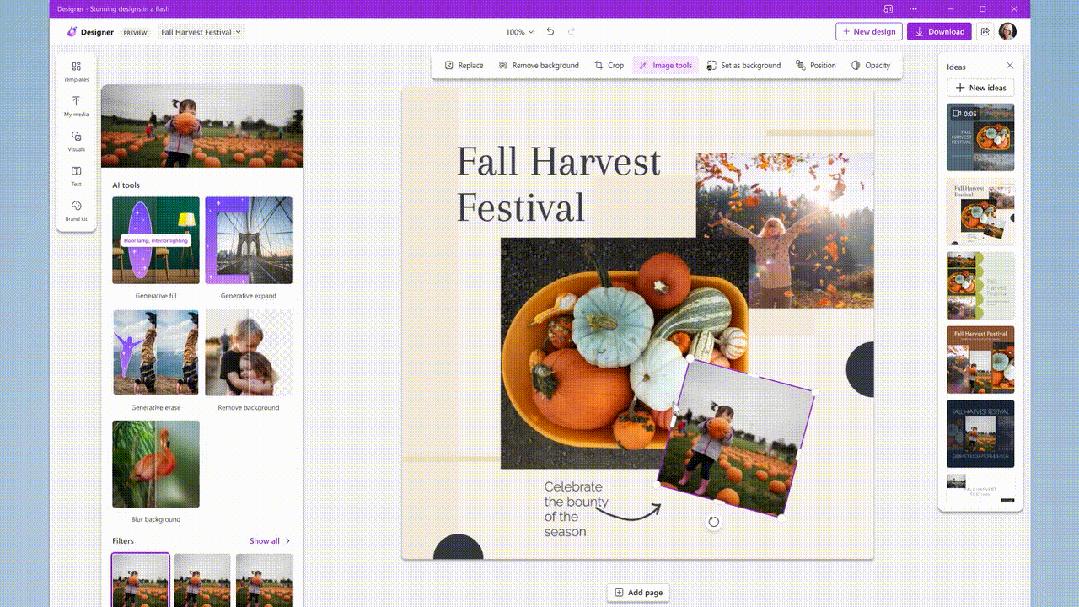
Another example is the photo of a girl under autumn leaves. If you want a more macro background, just click "Generative Extension" and you're done.
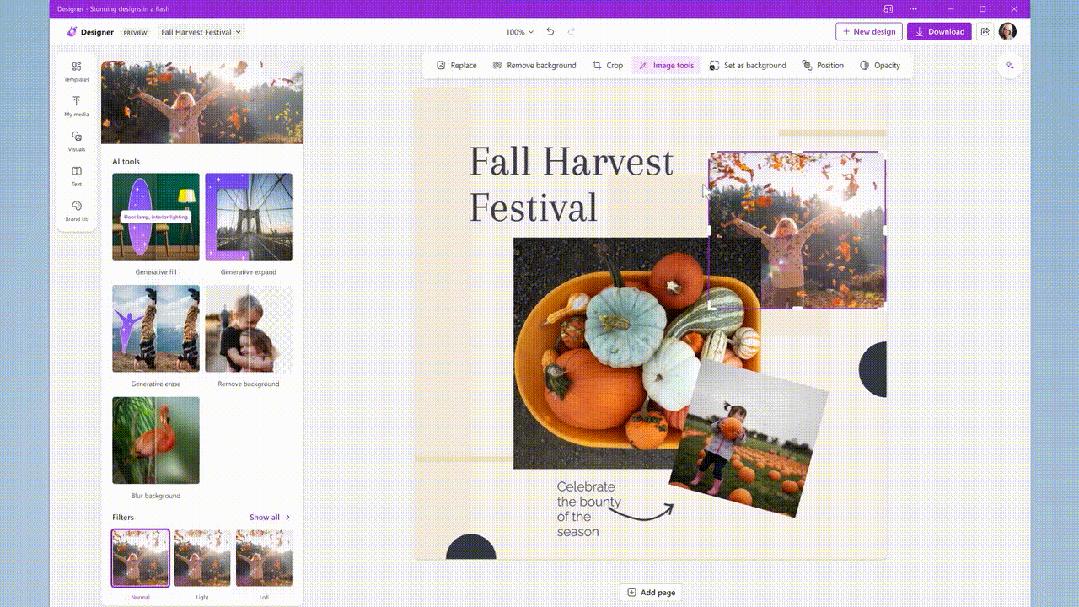
You can even use "generative filling" of the pumpkins in the fruit and vegetable basket with a bouquet of sunflowers, and it's done in an instant.
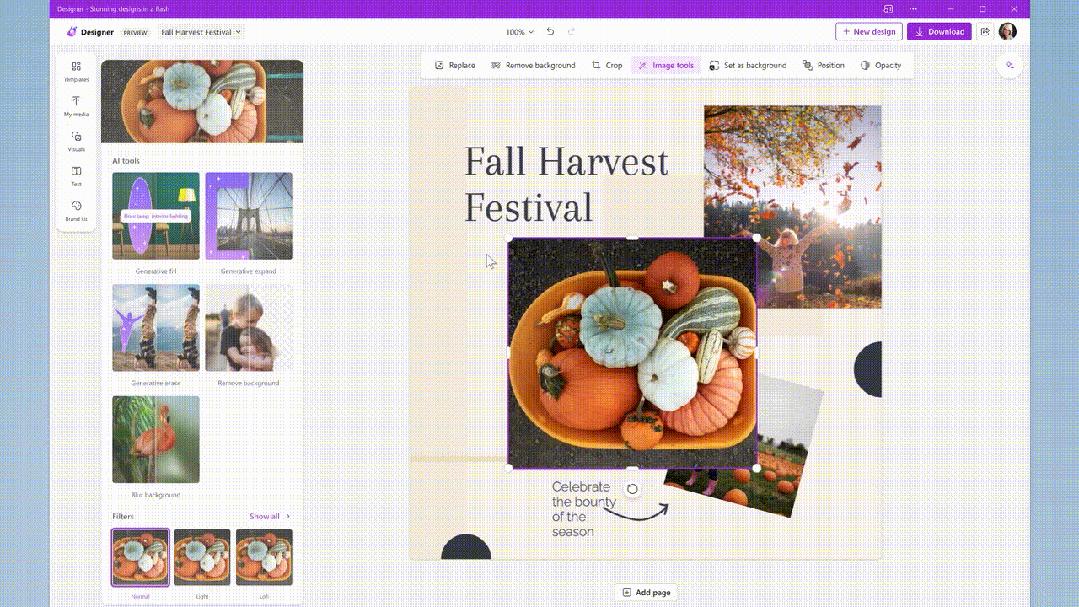
In the end, you get a poster that is exquisite and blends in with the atmosphere of the Autumn Harvest Festival.
This is DALL·E 3, which allows Designer image generation "at your fingertips" and you can easily become a design master in just a few seconds.
04 DALL·E 3 blessing, Bing Edge comes to Oita
Of course, Bing and Edge, which are redefining the way we interact with the Internet, are also being reshaped by Microsoft Copilot today.
So far, there have been more than 1 billion chats around the world on Bing and Edge.
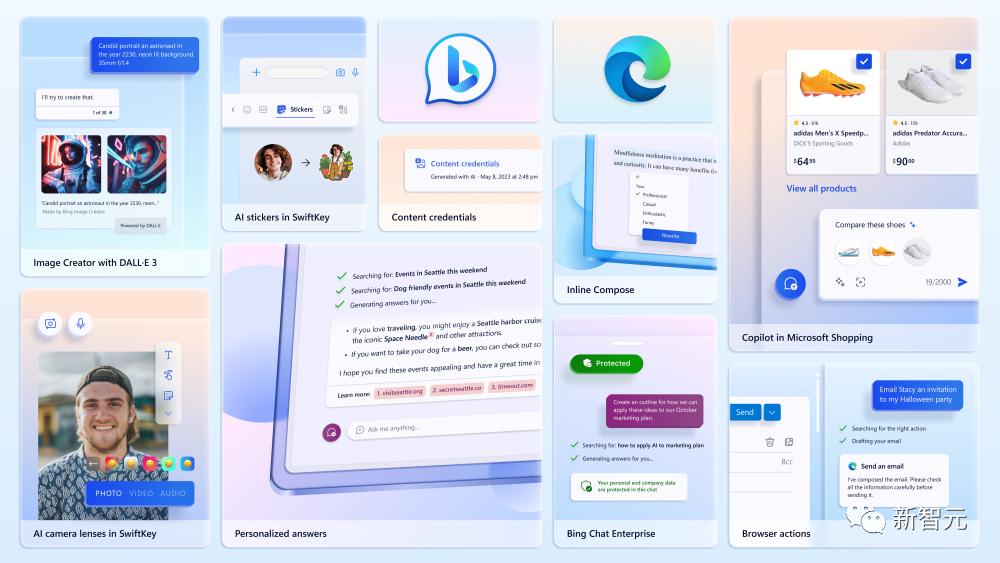
In February this year, a new version of Bing came out, integrating the powerful ChatGPT with Edge. Then in March, Microsoft announced a browser update with GPT-4 support, directly challenging Google's search throne.
This time, Microsoft once again announced a series of new features for Bing and Edge powered by the latest models.

Bing Edge drawing is even more powerful
No, OpenAI has just released DALL·E 3. Microsoft can “use it right out of the box” and Bing Image Creator has already used it.

The most important thing is it's free! ! ! ChatGPT is also only available to Plus users.
It won't be long before Bing er can be used to try it out in advance.
Under the same prompt, compared to the previous model, the image quality of DALL·E 3 is more delicate, even more realistic, and the details are simply full.
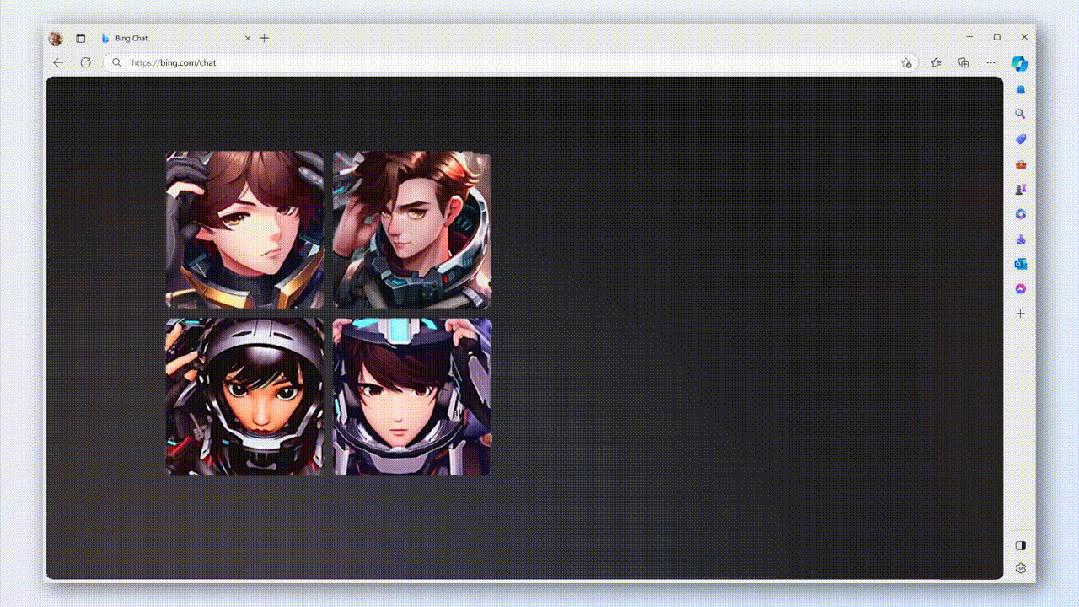
For example, ask Bing to "Create a close-up photo of a new game avatar, a spaceship pilot with purple hair and steely eyes."
Just move your mouth and you can draw amazing masterpieces with full details.
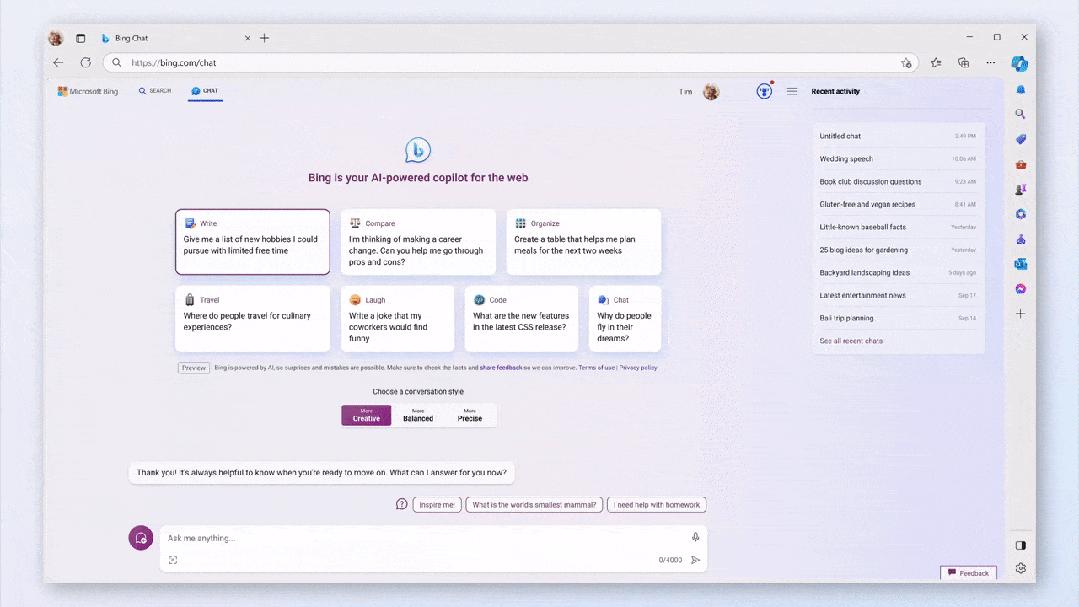
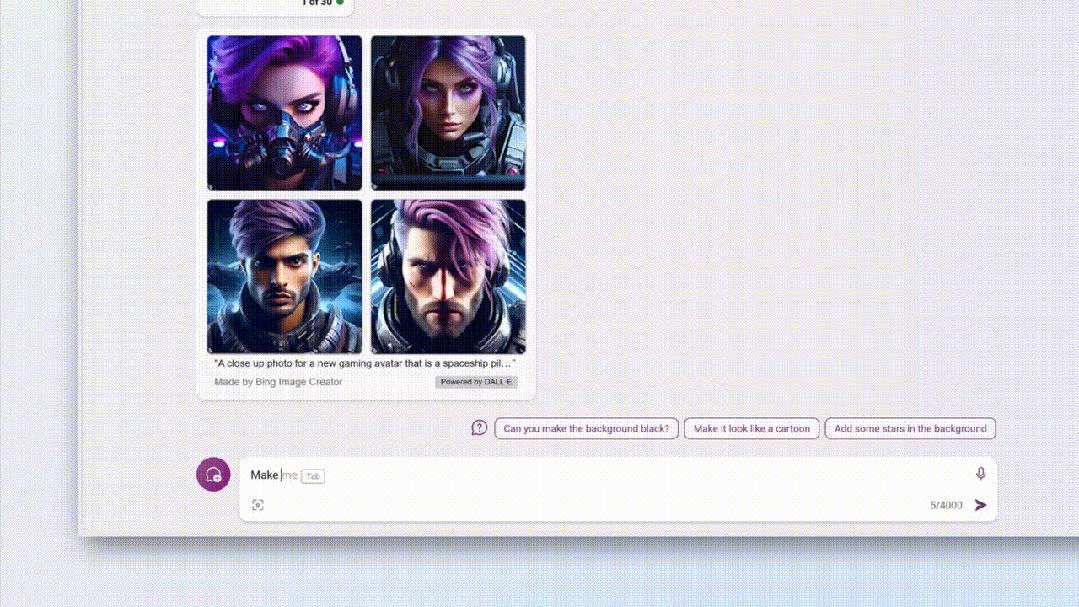
You can also continue to ask to optimize the image so that it generates a picture of a "pilot wearing a helmet and blond hair".
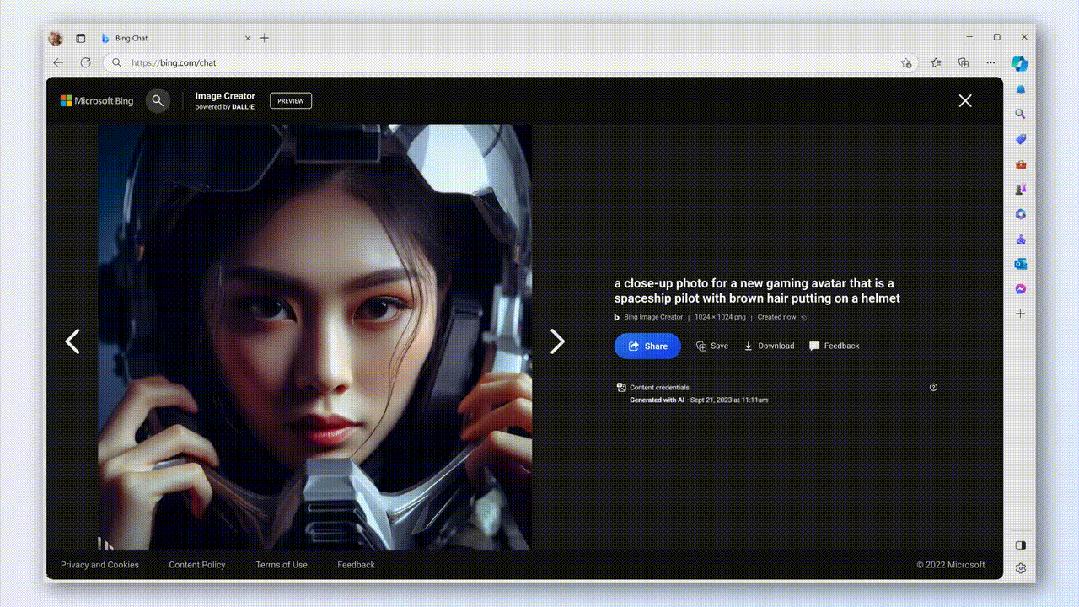
In addition, Microsoft uses encryption methods to generate an invisible watermark for each image, including the time and date of creation.
Anyone can click on each image and easily identify whether it was generated by AI.
In addition, Microsoft has integrated Microsoft Designer directly into Bing, making creation more convenient for everyone.

Personalized answers to understand you better
The second major update, your Bing will provide more "personalized answers," meaning your chat history can give you answers.
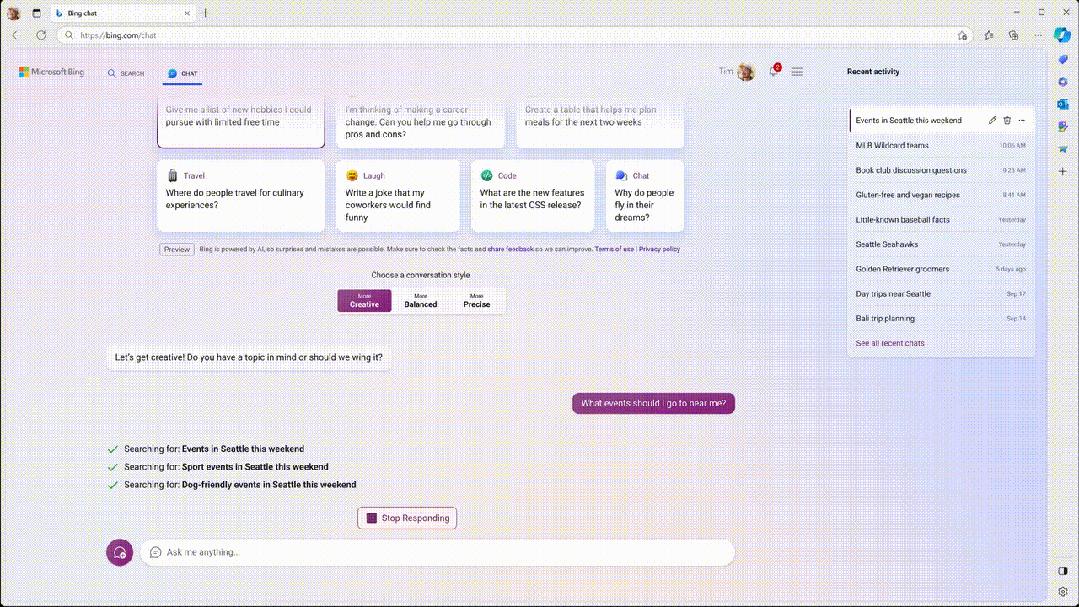
For example, when you're looking for something to do on the weekend, ask it: "Recommend some weekend activities for me."
Bing uses past chat history to guess what you want to do this weekend, such as exercise.
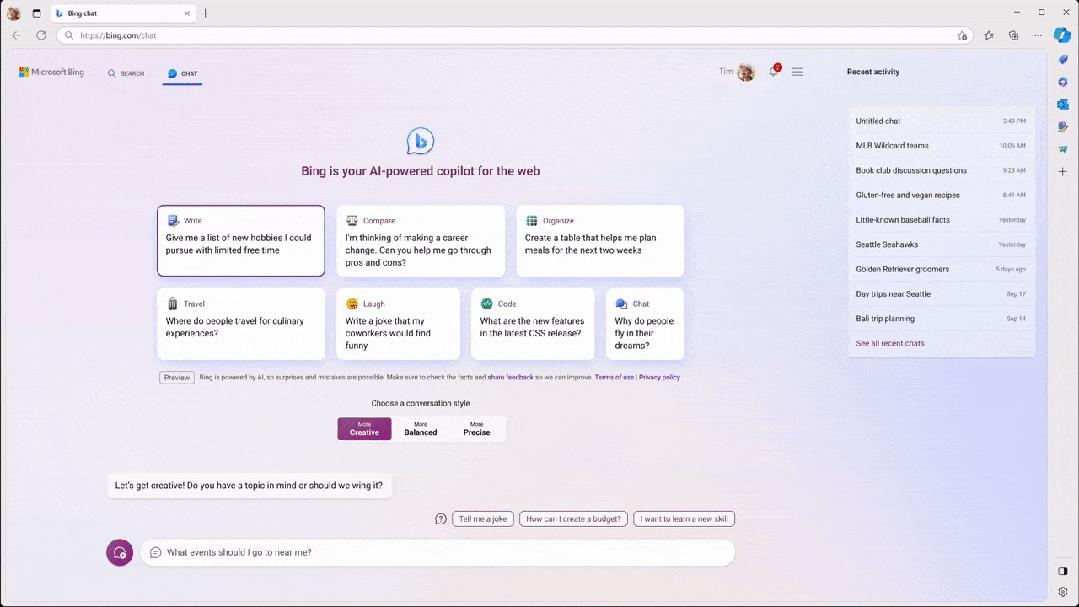
With just one prompt, Bing can tailor the most personalized recommendations on the web for you based on your personal interests.
However, if you prefer replies without chat history, you can turn off this feature in Bing settings.
Buy, buy, tailor-made
For people who like to shop the most, in order to make shopping easier, the shopping process with Copilot has become smoother.

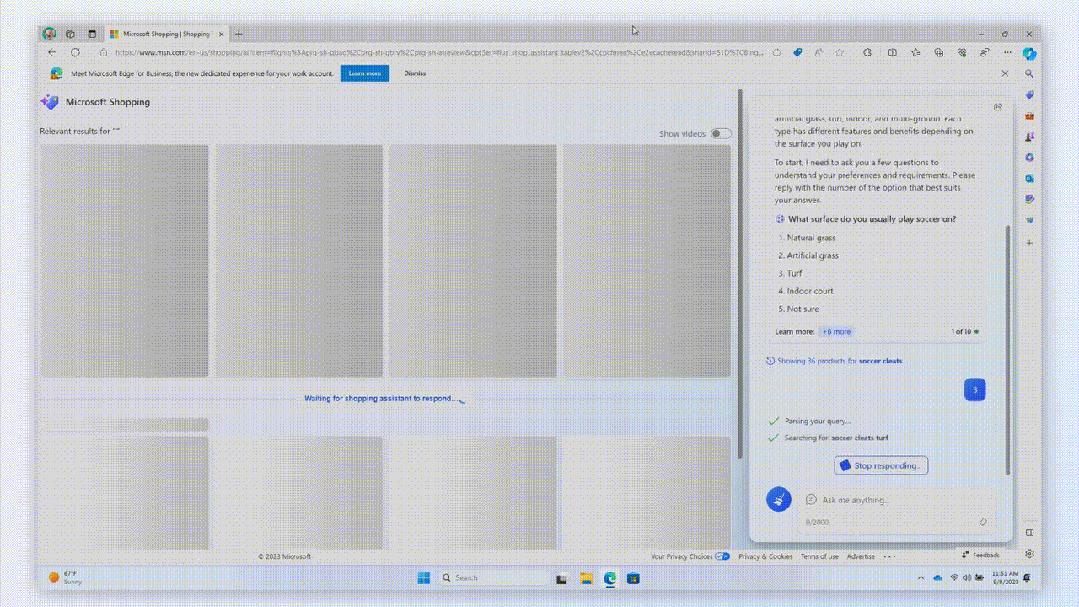
For example, if you want to buy a pair of football shoes for your boyfriend but don’t know which one is more suitable, you can directly ask Copilot on the Microsoft shopping interface.
It will make targeted suggestions through multiple rounds of dialogue, such as "Do you want to buy an entry-level or high-end one?" "Where do you often play football?"
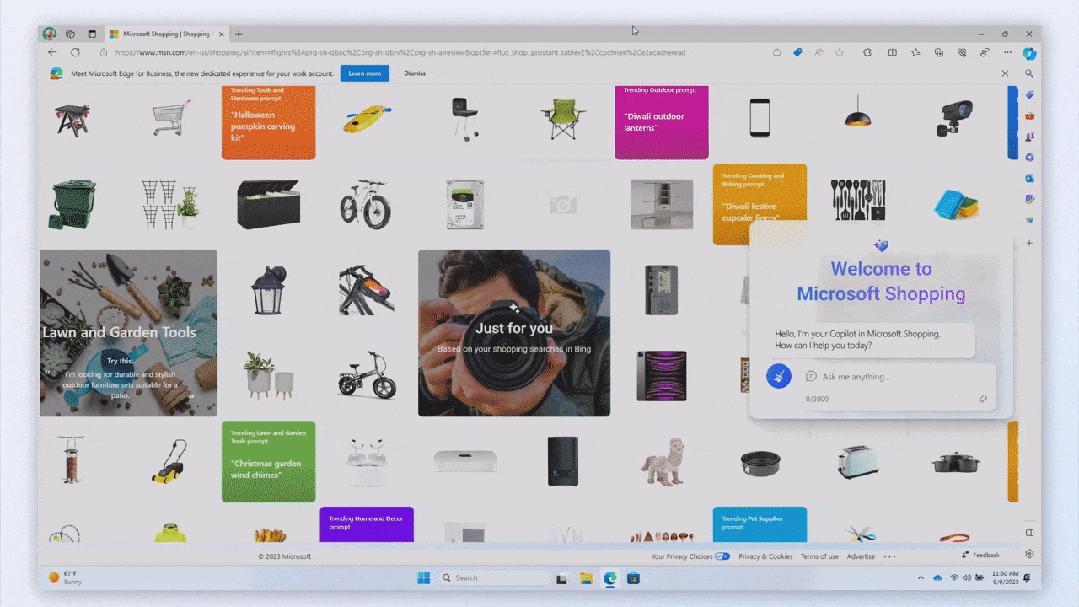
Then you can even ask it to compare top brands from thousands of merchants, and finally get important information including shoe discounts, sizes, advantages and disadvantages, etc.
Interestingly, Microsoft also has built-in coupons and discount codes to save you money.
According to reports, shoppers have saved more than $4 billion on Microsoft Edge in the past 12 months.
If your friend already has a favorite style, you can also quickly find suitable items through Copilot by taking a photo or saving a photo.
Copilot can become your personal shopping concierge, providing you with the best shopping experience and suggestions.
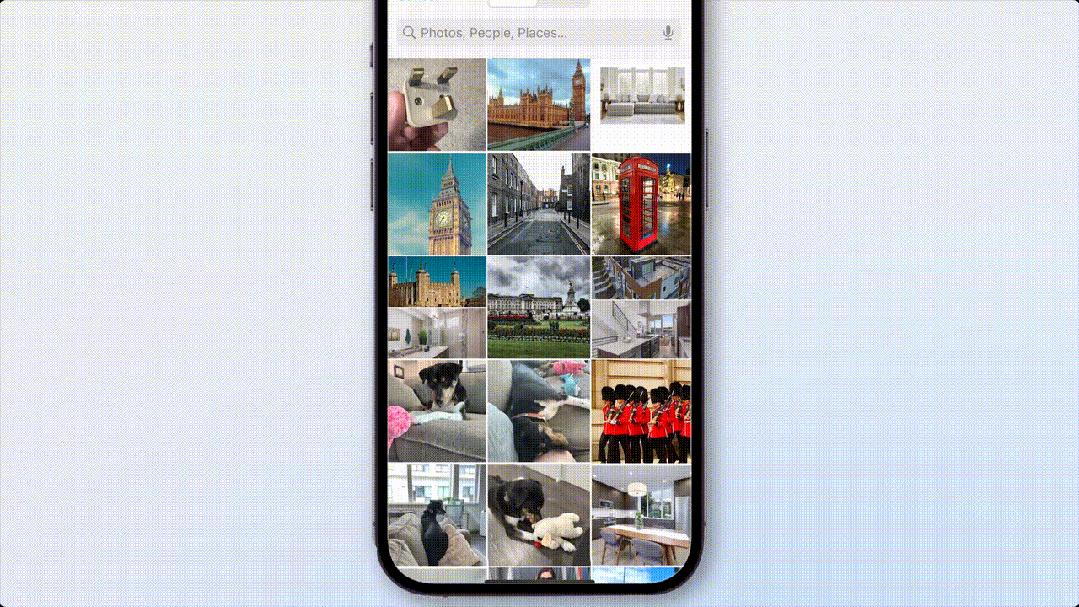
Finally, "Bing Chat Enterprise" is now available in the Microsoft Edge mobile app.
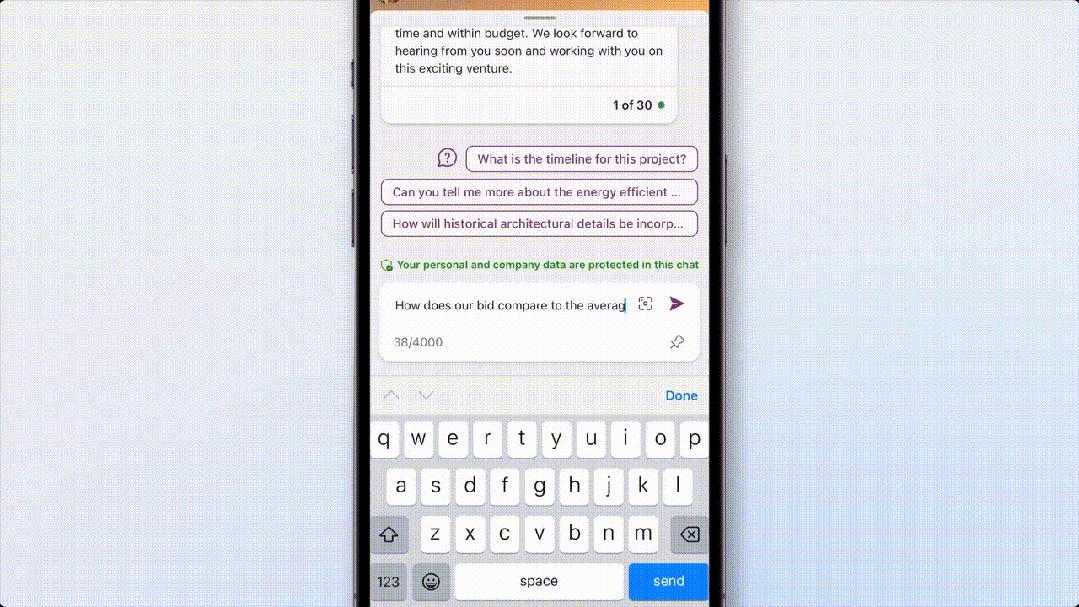
At the same time, multi-modal search and image generation can also be performed.
The ability to find and create information through images can increase creativity at work, allowing you to confidently use generative AI in your work.
Two months ago, Microsoft first launched "Bing Chat Enterprise Edition", and now more than 160 million Microsoft 365 users can now access it for free.
This time, Microsoft has added business data protection to Bing Chat Enterprise to ensure that no one can see sensitive business data.
Moreover, any queries and inputs from users will not be used to train the basic model.

05 Copilot Lab: Refining tips and sharing
Today, Microsoft also announced a new prompting tool: Copilot Lab.
In other words, if you want to have stronger prompts in the future, you can learn on this platform how to turn a good prompt into an excellent prompt.
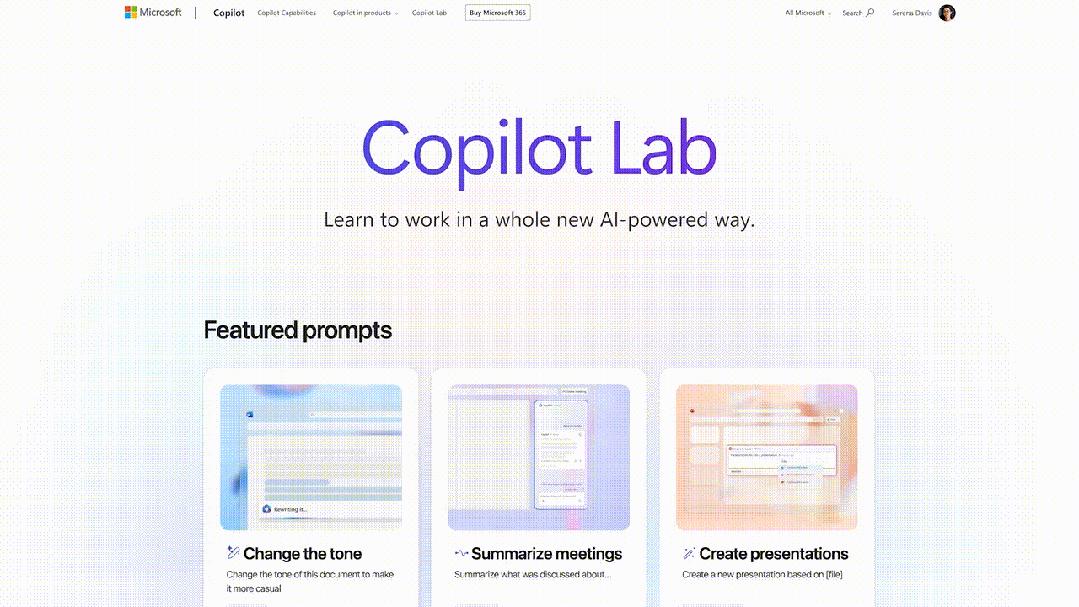
All kinds of skills are at your fingertips.
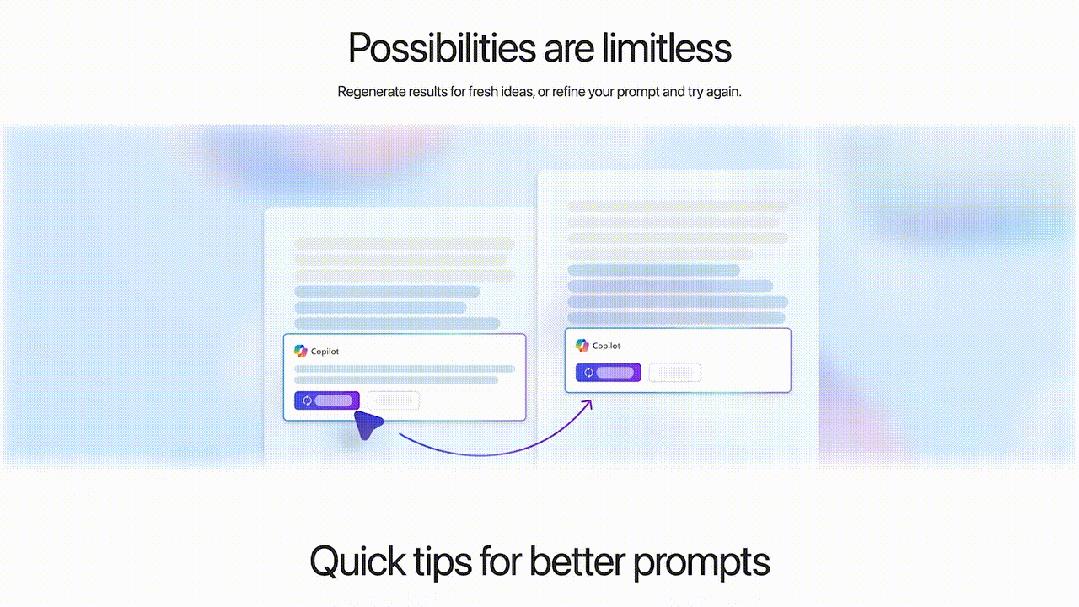
Plus, you can share your favorite tips with colleagues and get inspired.
According to Microsoft, Copilot Lab is still in internal testing. Once available, it will be integrated into Microsoft 365 Copilot and open to all Microsoft 365 Copilot users through the website.
06 The new Surface, the final work of a 20-year veteran
Just last month, Microsoft Chief Product Officer Panos Panay mentioned that he was very excited to participate in the special event that will be held on September 21.
However, he who was supposed to be the protagonist today suddenly left his job a few days before the event and switched to Amazon.
In recent years, Panay has been responsible for the research and development of the two major product lines of Windows and Surface, and has also done his best to promote the development of Microsoft's multi-purpose devices.
In contrast, new director Yusuf Mehdi has a different vision for the company's direction.
Obviously, with the departure of this 20-year veteran, the future of Microsoft hardware has become confusing.

The most powerful AI accelerator in history, starting at $1,999
Today, Microsoft released the most powerful Surface yet - Surface Laptop Studio 2.
Specifically, Studio 2 is equipped with Intel's 13th generation i7-13700H CPU, and Nvidia GeForce RTX 4050/4060, or professional RTX 2000 Ada GPU, with a power release of 80W.
Overall, Studio 2 has twice the performance of its predecessor and can provide up to 2TB of storage space and 64G of memory.
At the same time, it is also the first Windows computer equipped with Intel Neural Processing Unit, which can achieve faster and more powerful AI functions. (Gen3 Movidius 3700VC VPU AI accelerator)
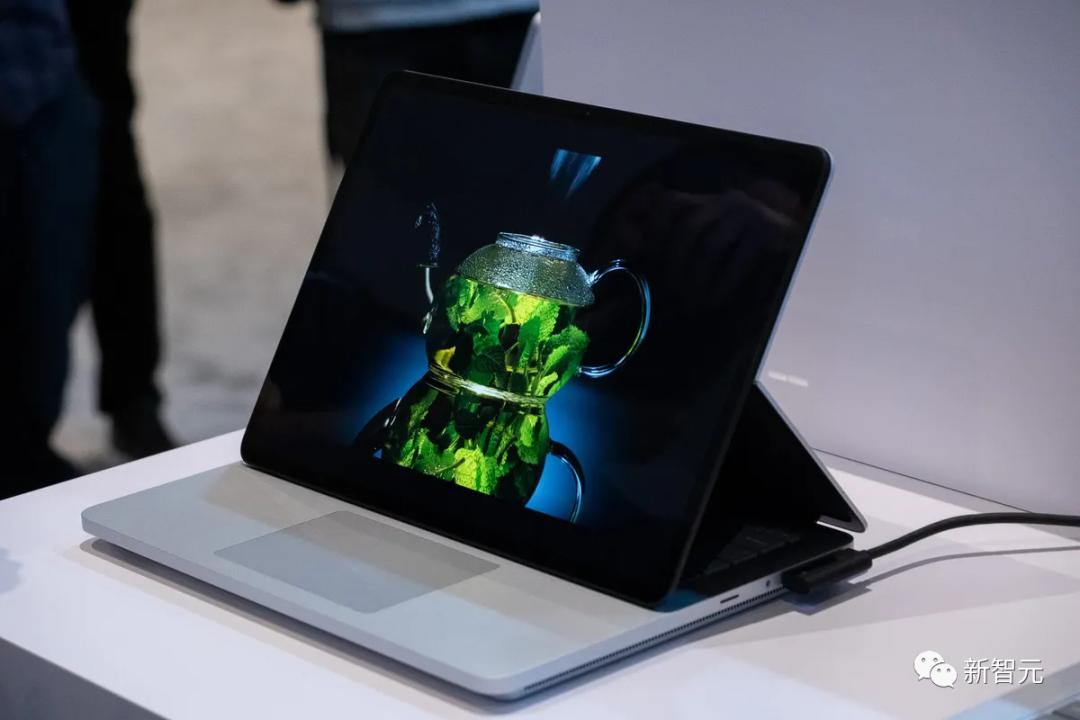
In terms of appearance, Studio 2 is similar to the previous generation product, also using a 14.4-inch screen with a resolution of 2400 x 1600 and a refresh rate of up to 120Hz. It can be stretched forward or laid flat like a tablet.
On the body, Studio 2 has two USB-C ports, one USB-A port, a microSD card reader, the new Surface Slim Pen 2, and a customizable touchpad - Microsoft calls it "all laptops The most inclusive touchpad in the world."
Lightweight Laptop Go 3, only 1.13kg
Microsoft's newly released Surface Laptop Go 3 looks very similar to the previous Go 2, but there are some new upgrades internally.
For example, the CPU was replaced with the 12th generation Intel Core i5-1235U, which has an "88%" speed increase compared to before.
Moreover, it can also be configured with up to 16GB of memory and 256GB of storage space. Of course, the basic version still only has 8GB of memory.
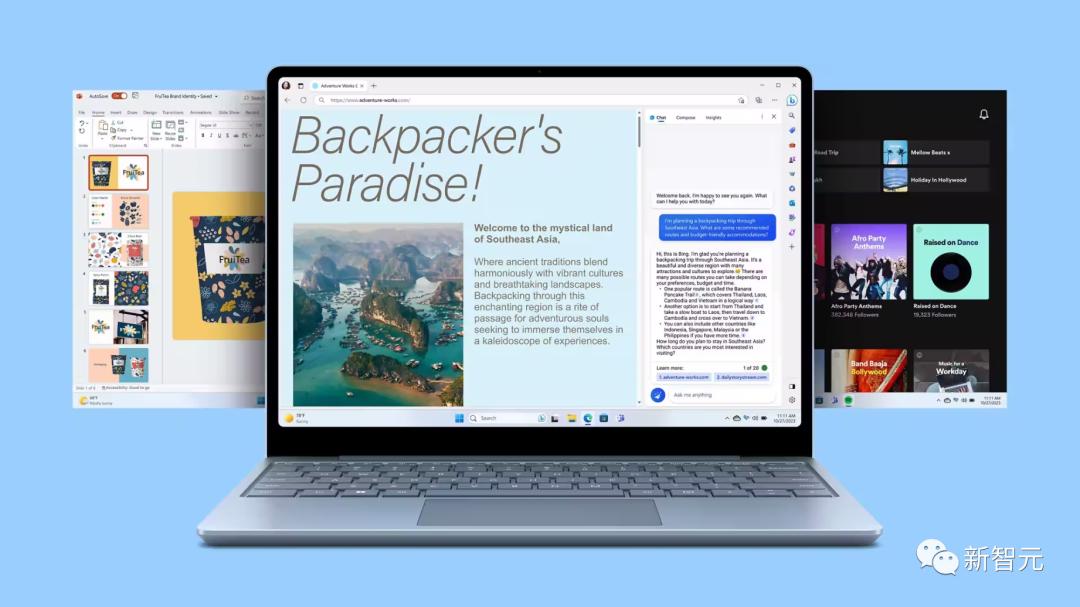
In addition to the above-mentioned performance improvements, the new Surface Laptop Go 3 is basically the same as the previous model.
The 12.4-inch touch screen has the same 3:2 ratio as the previous model, and the resolution is still only 1536 x 1024.
Ports include a USB-A port, a USB-C, a headphone jack on the left and a proprietary Surface Connect port on the right, as well as a fingerprint-ready power button.
The new model comes in four colors (Platinum, Sage, Sandstone and Ice Blue), weighs less than 2.5 pounds, and starts at $799.

I still remember that after OpenAI launched GPT-4 on March 14, Microsoft officially announced that it would fully integrate into FamilyMart.
Now the same plot is happening again. OpenAI released a new generation of Vincentian graph model DALLE·3 yesterday, and Microsoft then integrated it into the application.
I thought that after the AI war started in the first half of the year, there would be no follow-up. OpenAI and Microsoft jointly declared war in the second half of the year and officially started.
So, how does Google turn around? Next, stay tuned for Gemini’s stunning debut.
References:
https://blogs.microsoft.com/blog/2023/09/21/announcing-microsoft-copilot-your-everyday-ai-companion/
This article comes from the WeChat public account "Xin Zhiyuan" (ID: AI_era) , author: Xinzhiyuan, 36 Krypton is authorized to publish.