Telegram Bot is a type of automated program that works on the Telegram application, interacting with users through the Telegram Bot API, performing various tasks, significantly expanding the functionality of the Telegram application.
In the Web3 field, when effectively used, Telegram bot is considered a "miracle tool" for investing and learning.
Followin Telegram Bot is a very useful bot in the Web3 field, which can be used to explore Alpha opportunities in this field.
In short, Followin is a content aggregation platform, synthesizing information from many sources such as Twitter, news websites, Mirror, Youtube, Telegram, on chain data, with many languages such as Chinese, English , Vietnamese, Korean, and then use AI algorithms to send quality and hot content to users. Simply put, Followin is a Web3 information hub powered by artificial intelligence.
The Followin Telegram bot is a product based on the Followin product, serving investment in the Web3 field.
How to use this robot? Let's explore!
What features does the Telegram Followin bot have?
Let's XEM at the bot's features first.
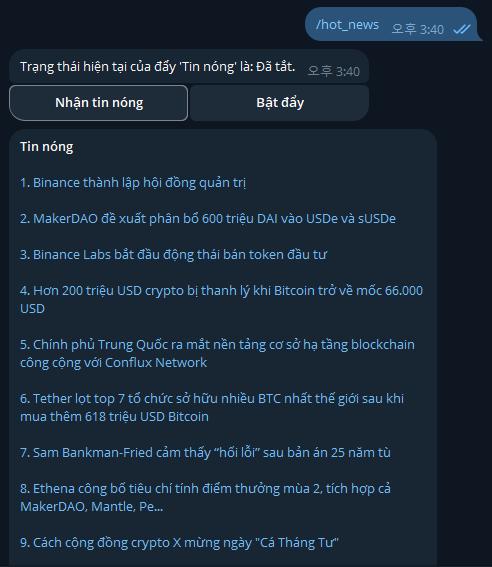
First, Today's Ranking:
Introduction: Today's Ranking is the result of Followin based on content data from different platforms across the network, sorted through AI algorithms. The content on the chart is the most prominent and interesting content of the day. To access, enter the command "/hot_news" or enter "/" and press the function directly in the dialog box.
Tip:
Read daily to easily understand the most important news of the day.
Explore and search for potential investment opportunities and development trends in the industry.
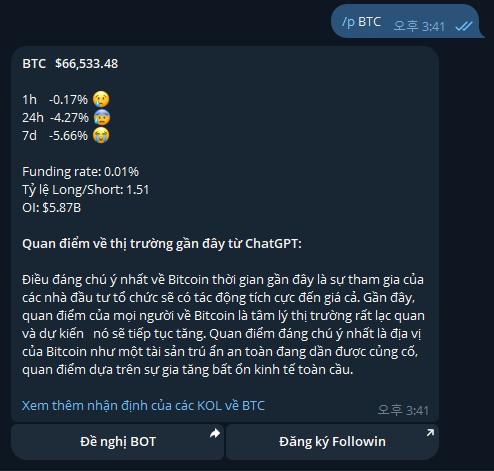
Second, look up Token data:
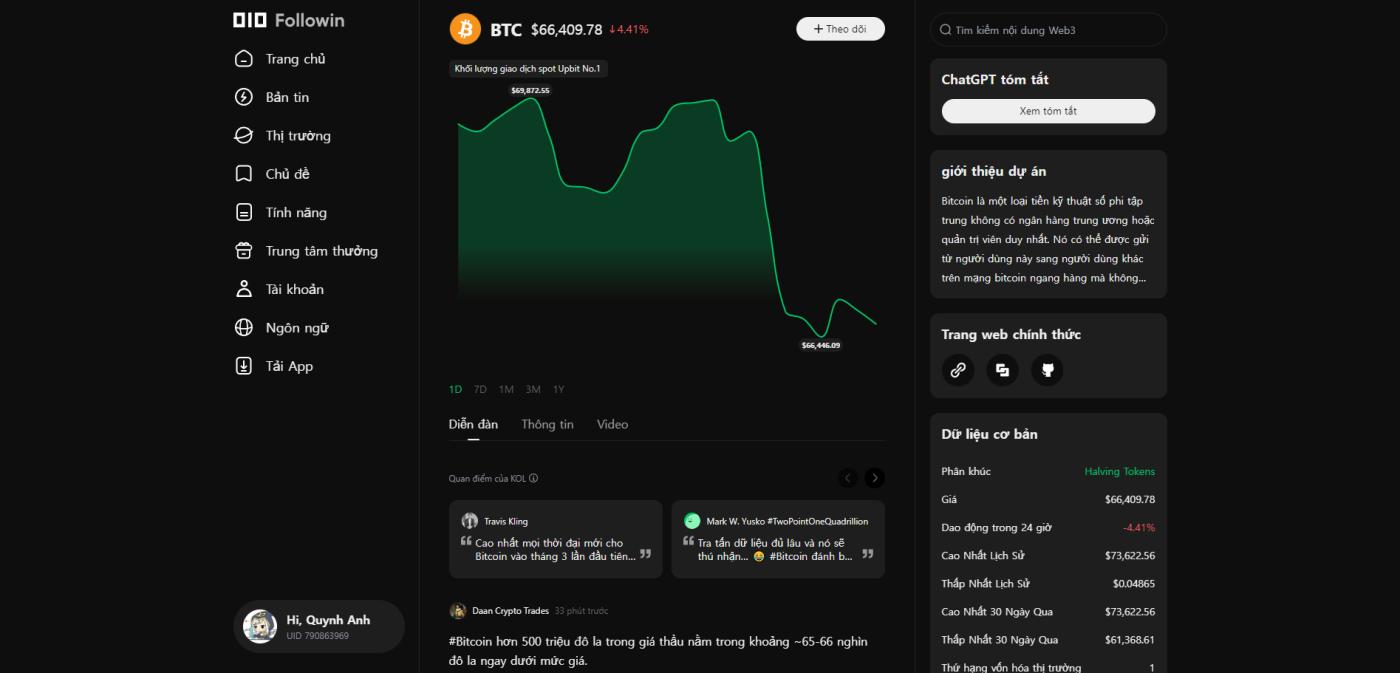
Introduction: BOT can look up data including Token price fluctuations, Capital fee rates, long-short rates, etc. To access, enter the command "/p BTC".
Tip:
Can help find suitable trading points for Token, optimize investment decisions and increase win rate.
GPT's summary is a big highlight.
Click "XEM BTC discussion of major accounts", you can access Followin's official Token project homepage (XEM image below), to Also Read information about the project, including comments from famous major accounts, media articles, etc
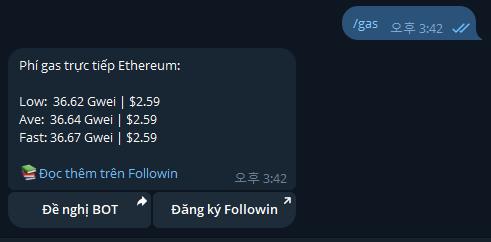
Third, Gas Prices on the Ethereum Network
Introduction: Gas Price can be looked up on the Ethereum chain in real time. Enter the command "/ gas", or enter "/" then click that function in the chat dialog.
Tip:
Look up on chain"heat" to understand how busy Ethereum is.
Look for Low Gas moments to perform on chain interactions at a lower cost. Very useful when exploiting profits from on chain project interaction.
Fourth, On Chain Data
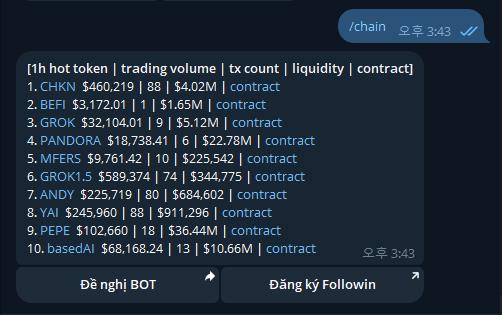
Introduction: Popular cryptocurrencies traded within the last 1 hour can be looked up on chain with the top 10 categories, including volume, number of transactions, size meter and contract. Enter the command "/chain".
Tip:
Predict early, detect popular projects that can be traded. The larger the volume , the larger the pool, the better the cryptocurrency. This data is useful in joining new on chain projects like MEME.
Find the right cryptocurrency address by going directly through the contract, avoid being scammed by fake addresses.
Summary:
Followin's Telegram bot has many different features and will be updated quickly according to industry developments. For example, during the exciting period of BTC , the bot provides a service to look up hot situations on the BTC chain in real time, helping investors grasp and quickly participate in hot BTC transactions.
How to use Telegram Followin Bot?
Personal
Steps to add and use Telegram Bot are as follows:
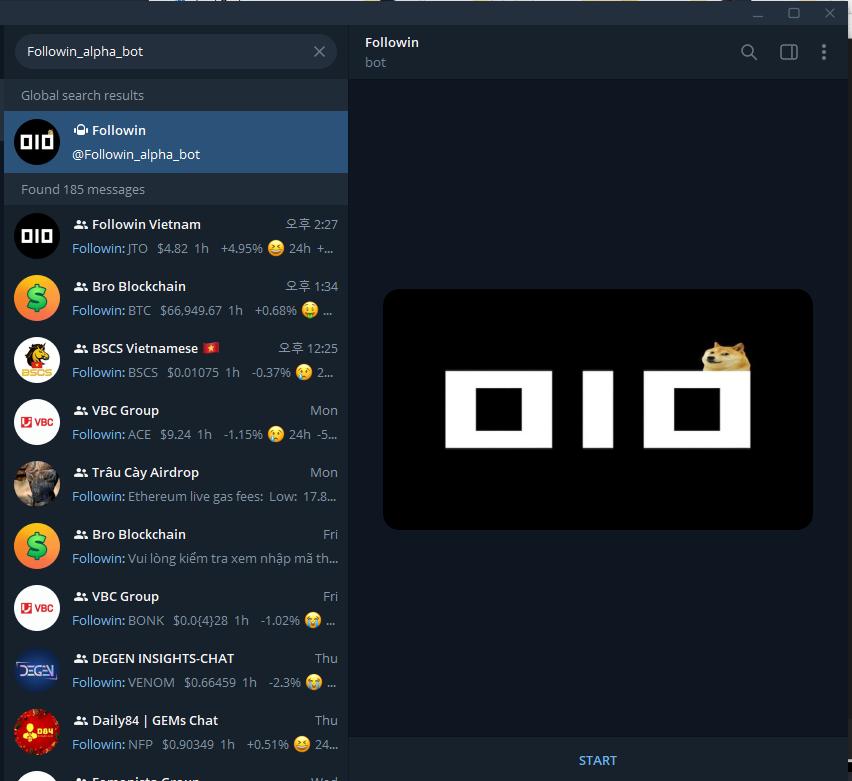
1) In Telegram, search for "Followin_alpha_bot", click "Enable" button in the upper right corner, complete adding bot.
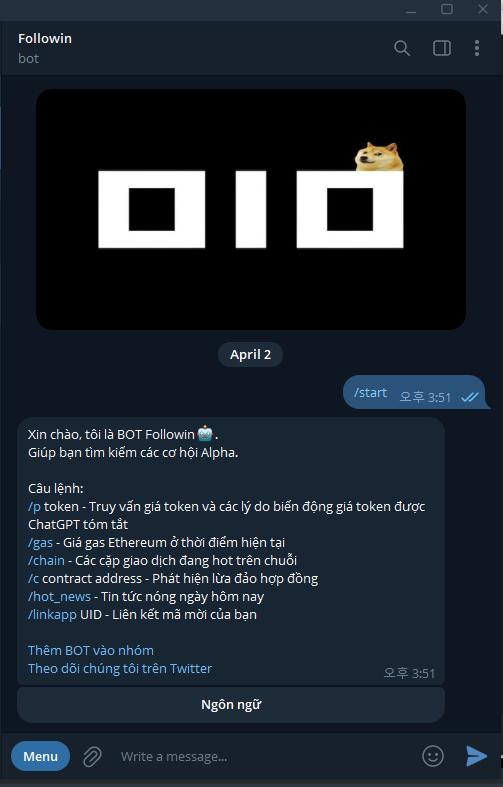
2) In the dialog box, enter "/" to display the command input window. Based on the query's suggestion, access the corresponding function. Some functions can be accessed directly by clicking the corresponding command, for example "/ gas" will immediately query; while some other functions require entering a full command, for example querying Token data, which requires entering a full command like "/p ETH".
3) Connect Followin UID
Enter "/linkapp+Followin UID" to link the bot to the Followin account. Later, users can receive marketing rewards through clicking "Subscribe to Followin" in the content sent by the bot.

This function is suitable for linking the Followin bot to the Telegram community.
KOL, Community Administration:
The Telegram Followin bot is not only for personal chatting but is also very suitable for deployment into the community, providing many multi-dimensional values for community users, improving the level of activity. Community activities, etc.
Usage for KOL, Community Administration is as follows:
1) In Telegram, search for "followin_alpha_bot".
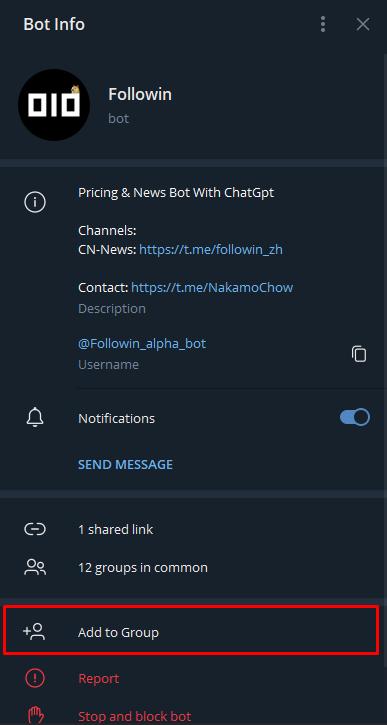
2) On the interface as shown, click the "Add to Group or Channel" button.
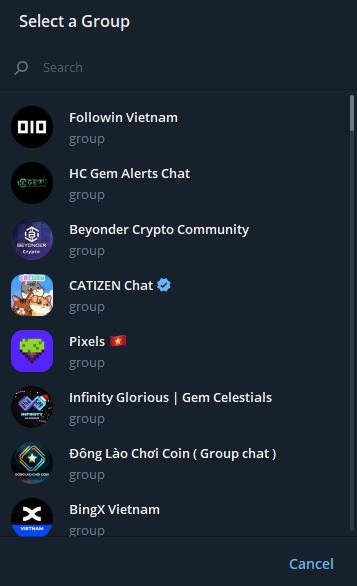
3) Select the group/channel you want to add a bot to in the corresponding interface (take group x in the image as an example)
4) After selecting the group, grant the bot the following permissions:
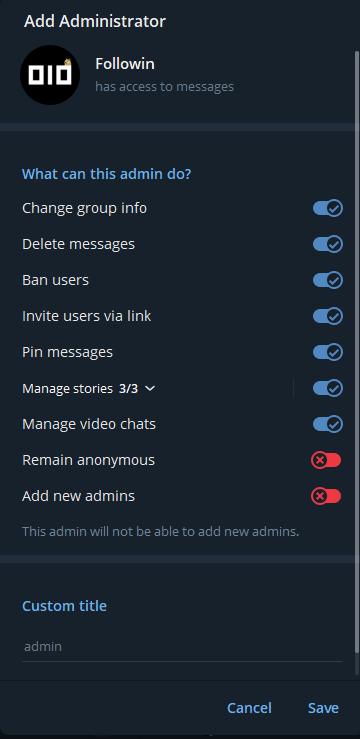
Once added, you can now use the Followin bot in groups.
Followin bot also supports use in Line App. If needed, you can chat privately with @ANDREW0929 in Telegram