Telegram Bot is a type of automated program based on Telegram applications. It interacts with users and performs various tasks through Telegram Bot API. It greatly expands the functions of Telegram software.
The Telegram robot in the Web3 field, once used, is said to be an "artifact" for investment and learning.
Followin Telegram Robot is an extremely easy-to-use robot in the Web3 field and can be used to discover Alpha opportunities in the Web3 field.
Followin, to put it simply, is a content aggregation platform that aggregates information from Twitter, media websites, Mirror, Youtube, Telegram, on-chain data and other channels. The languages covered include Chinese, English, Vietnamese, and Korean. and many other languages. Through AI algorithms, Followin then pushes high-quality and hot content to users. In a word, Followin is an AI-driven Web3 information hub.
The Followin robot is a product built based on the Followin product to serve Web3 investment.
How to play this robot? Dive in together.
What are the functions of Followin Telegram bot?
Let’s first take a look at what functions the robot has.
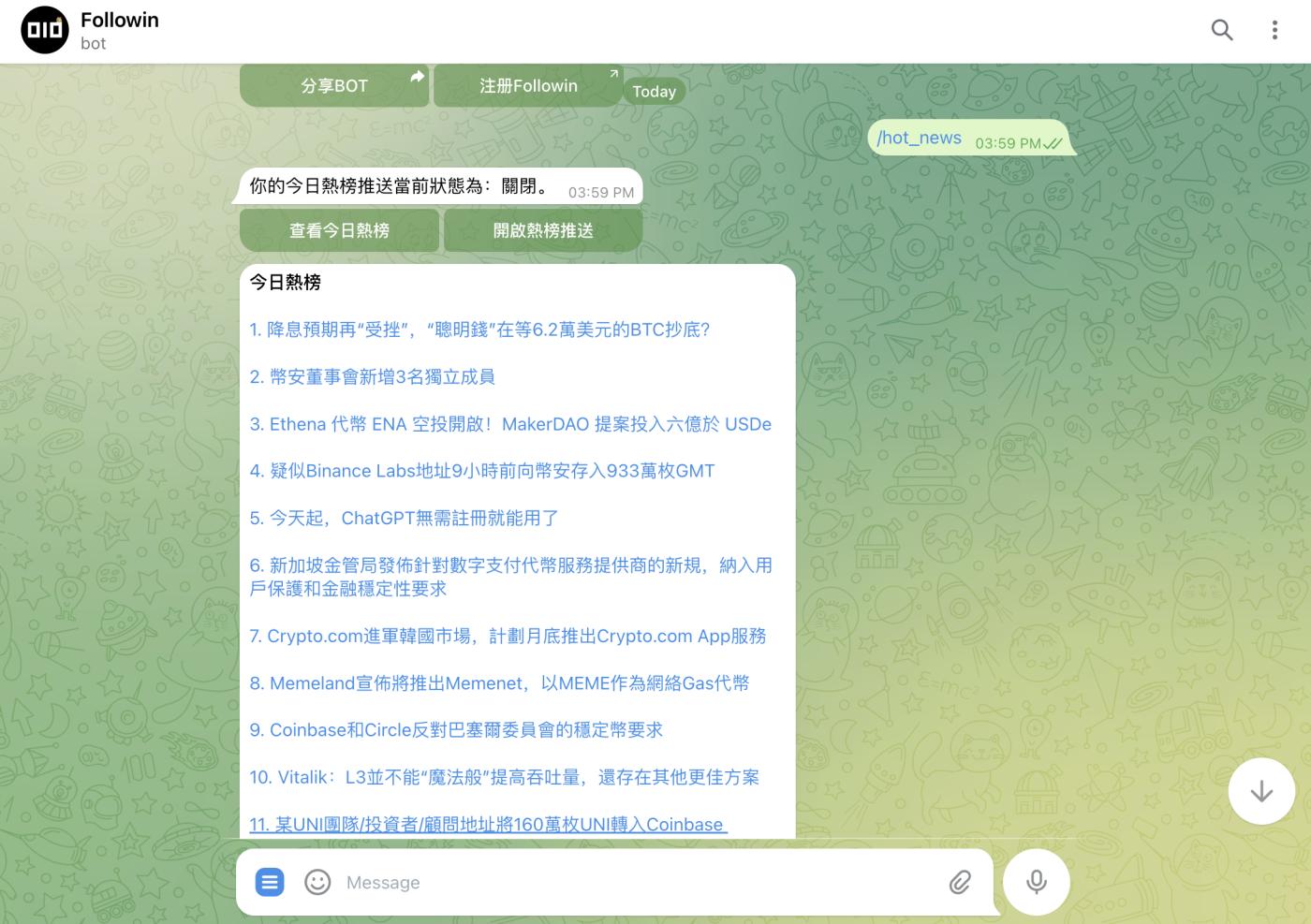
First, today’s hot list
Introduction: Today’s hot list is Followin’s content data based on different platforms across the entire network, which is sorted and output by AI algorithms. The content on the hot list is the most popular and attracts the most attention that day. Enter "/hot_news" as the command, or enter "/" and directly click the function in the dialog box.
Skill:
1. Read every day to easily understand the most important industry news of the day.
2. Discover and search for potential investment opportunities and industry development trends. 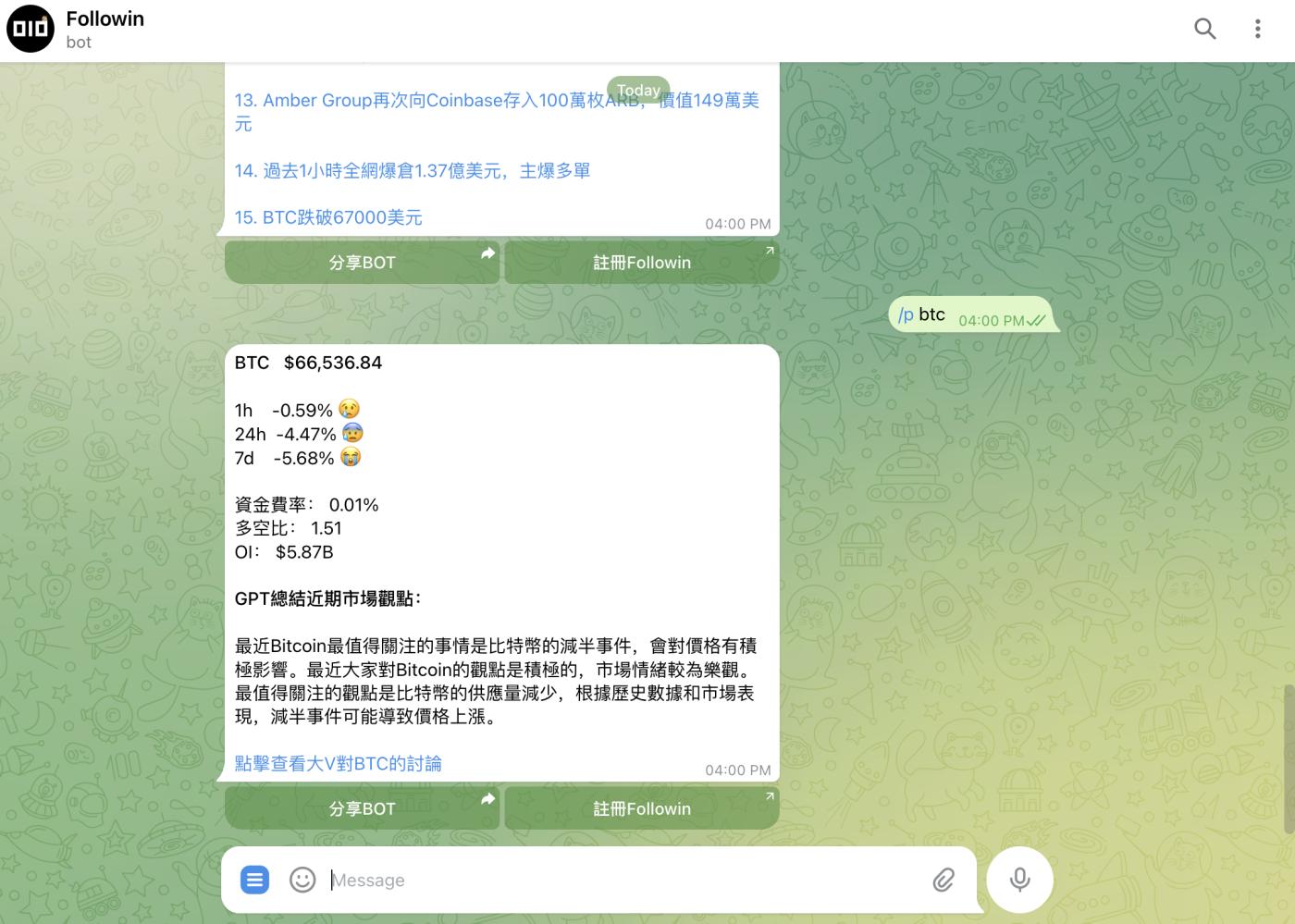
Second, token data query
Introduction: BOT can query data including token price changes, funding rates, long-short ratio, etc. The command input is "/p BTC".
Skill:
1. It can easily find the appropriate buying and selling points of tokens, optimize investment decisions, and improve the winning rate.
2. The GPT summary is a highlight. 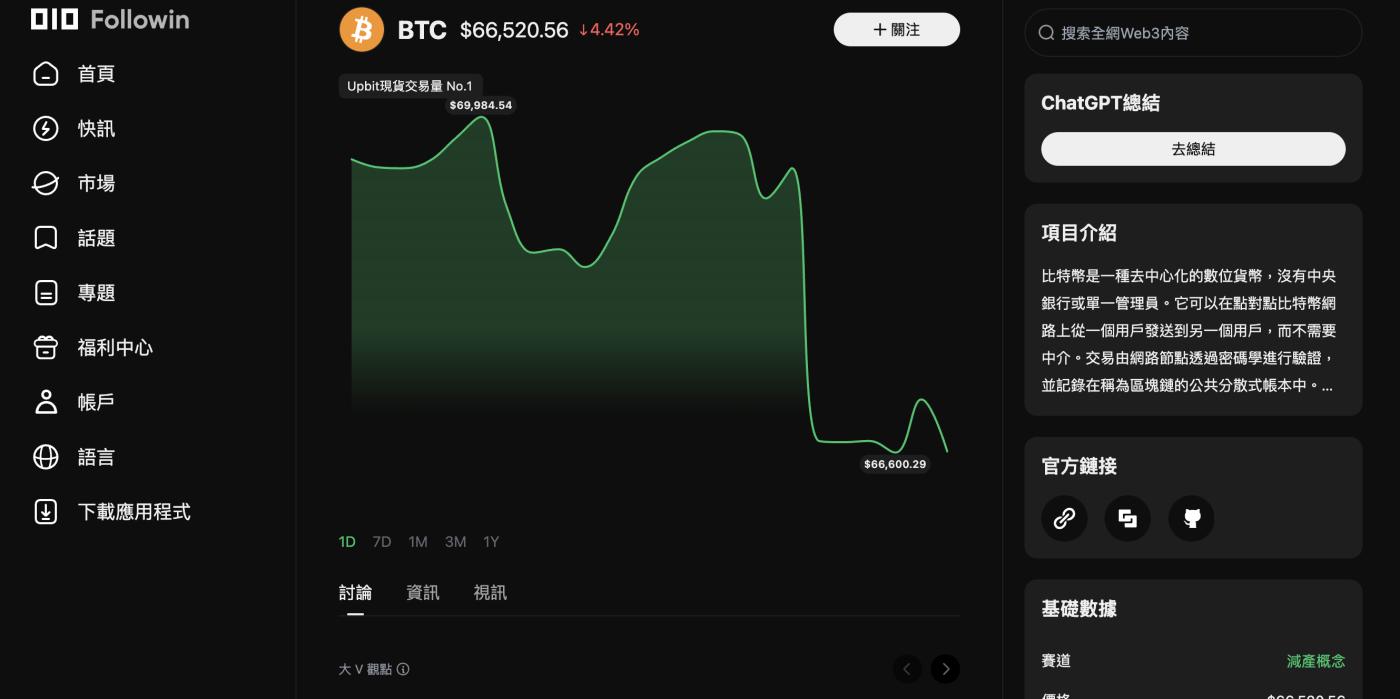
3. Click "View the discussion of big V's BTC" to enter the official Followin token project homepage (see the picture below), where you can view more project information, including popular big V comments, media articles, etc. 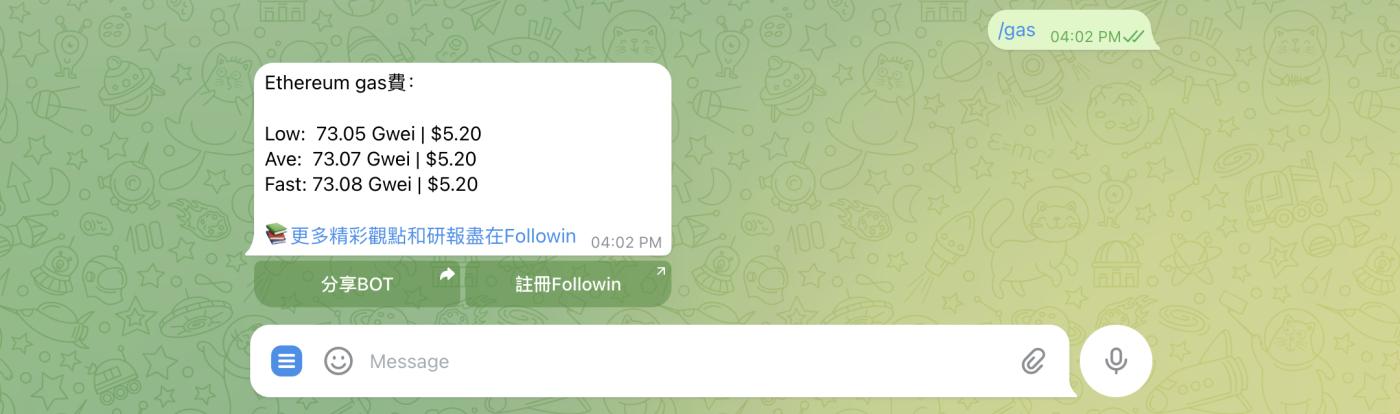
Third, Ethereum network gas price
Introduction: You can check the Gas consumption on the Ethereum chain. Enter "/gas" for the command, or enter "/" and directly click the function in the dialog box.
Skill:
1. Check the "hotness" on the chain to understand how busy Ethereum is.
2. When looking for low GAS, interact on the chain to reduce costs. Very useful when Airdrop Hunting with projects. 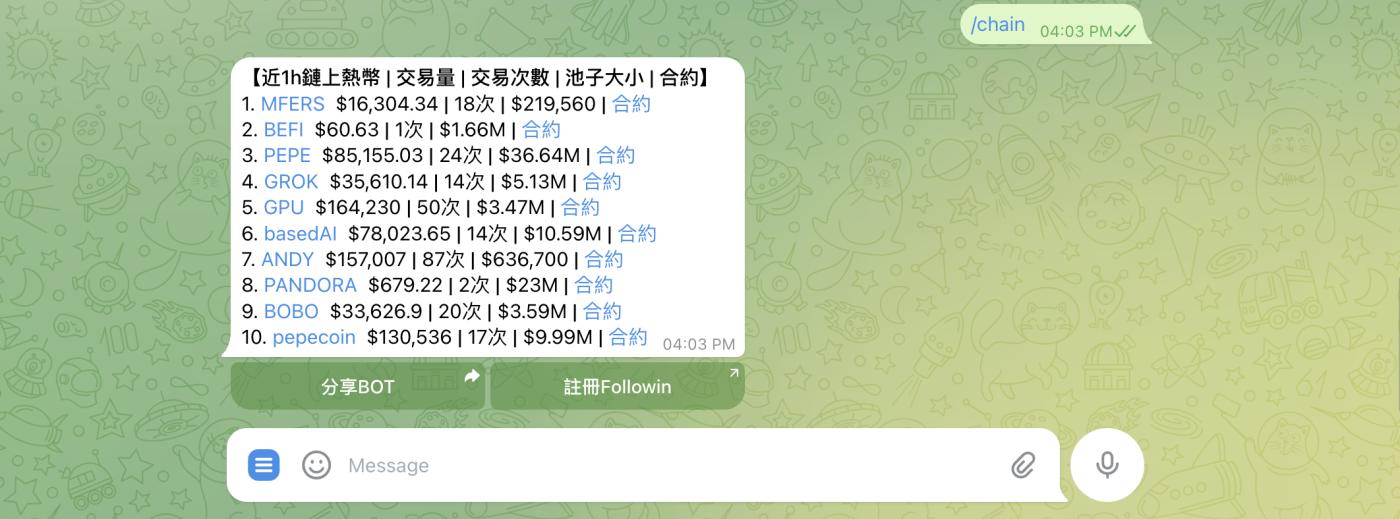
Fourth, data on the chain
Introduction: You can check the top ten rankings of popular trading tokens on the chain in the past hour, including transaction volume, number of transactions, pool size and contracts. The command input is "/chain".
Skill:
1. Be one step ahead and discover popular tradable targets. The larger the transaction volume, the larger the pool, and the relatively high-quality tokens. This data is very useful in updating MEME on the chain.
2. Find the correct token address directly through the contract to avoid being deceived by false addresses.
Summarize:
The Followin telegram robot also has multiple functions, and the functions will be quickly updated according to industry development. Such as BTC inscription
When it's hot, the robot provides real-time inscription popularity queries on the chain to help investors quickly understand and participate in the creation of popular inscriptions.
How to use Followin Telegram bot?
Personal chapter
The steps for individuals to add and use Telegram bots are as follows:
1. Search for "Followin_alpha_bot" on Telegram and click the "Open" button in the upper right corner to complete adding the robot. 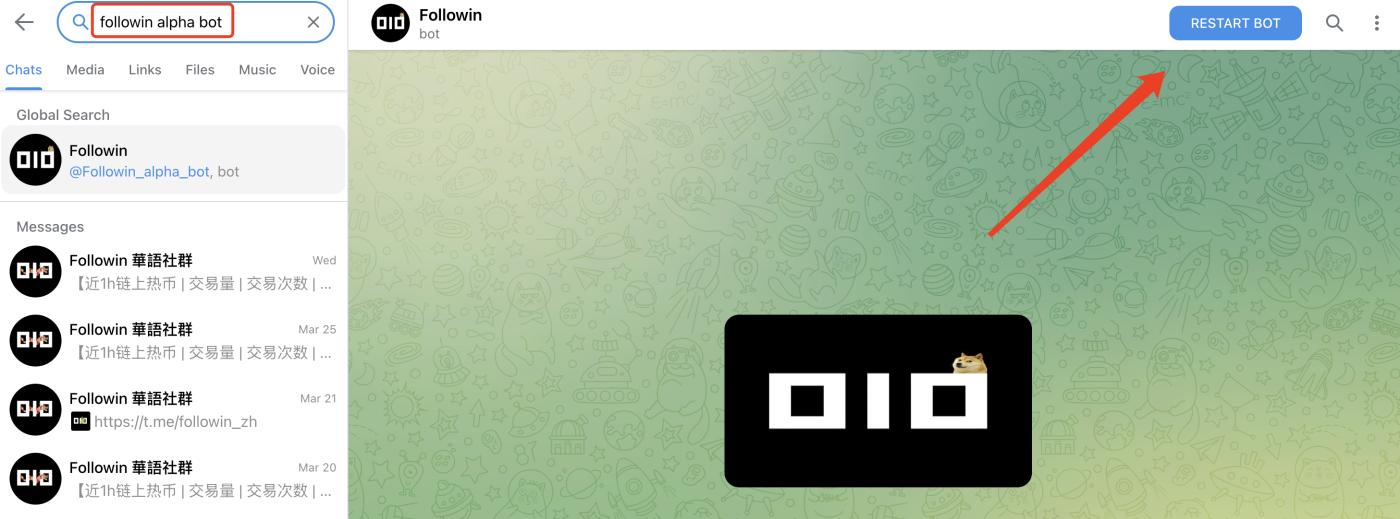
2. Enter "/" in the dialog box to jump out of the command input entrance, and enter related functions according to the query prompts. Some can be directly clicked on the relevant instructions, such as "/gas" to query immediately; some require complete instructions, such as token data, and "/p ETH" must be entered in full. 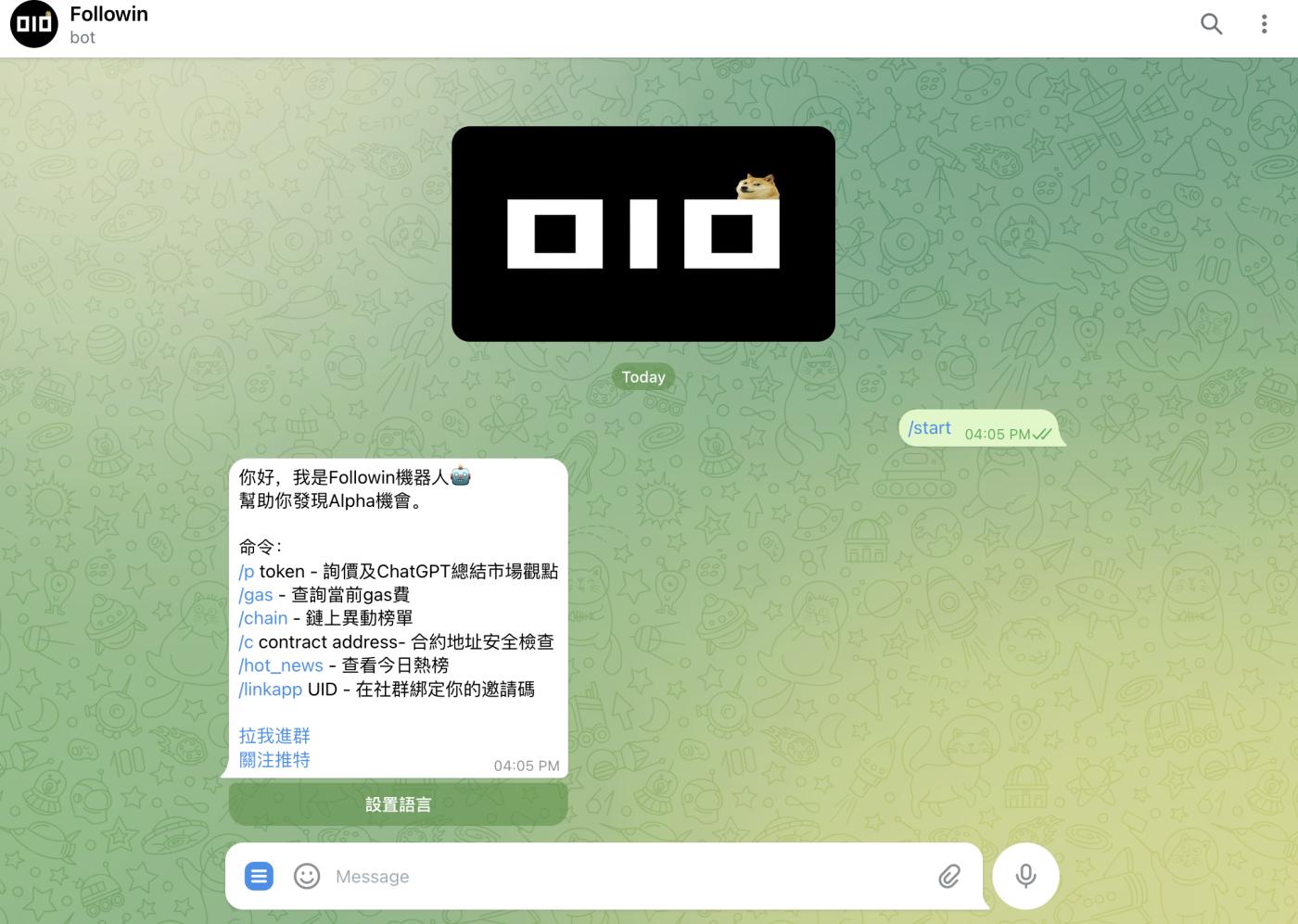
3. Bind FollowinUID
Enter "/linkapp+ Followin UID" to bind the robot to the Followin account. In the future, users can receive promotion rewards after clicking to register Followin based on the content pushed by the robot. 
This function is suitable for binding the Followin bot to the Telegram community.
KOL and community managers
The Followin telegram bot can not only be used for personal conversations, but is also very suitable for deploying it in communities to provide multi-dimensional value to community users, increase community activity, etc.
The steps for KOL and community managers to use are as follows:
1. Search for "followin_alpha_bot" in Telegram
2. Click the "Add To Group or Channel" button on the interface as shown in the figure 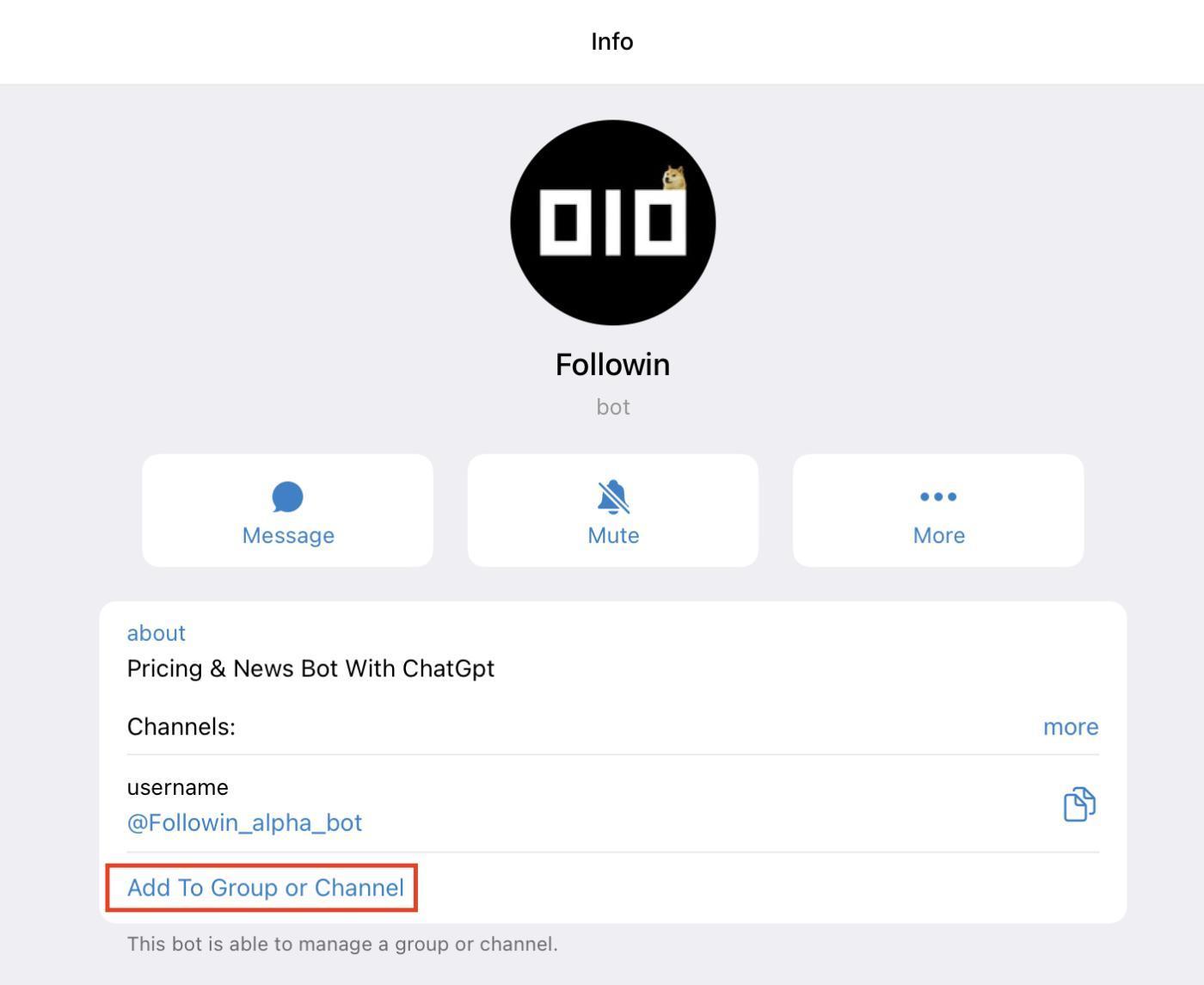
3. Select the group/channel you want to add the bot to in the corresponding interface (for example, take the x group in the picture as an example) 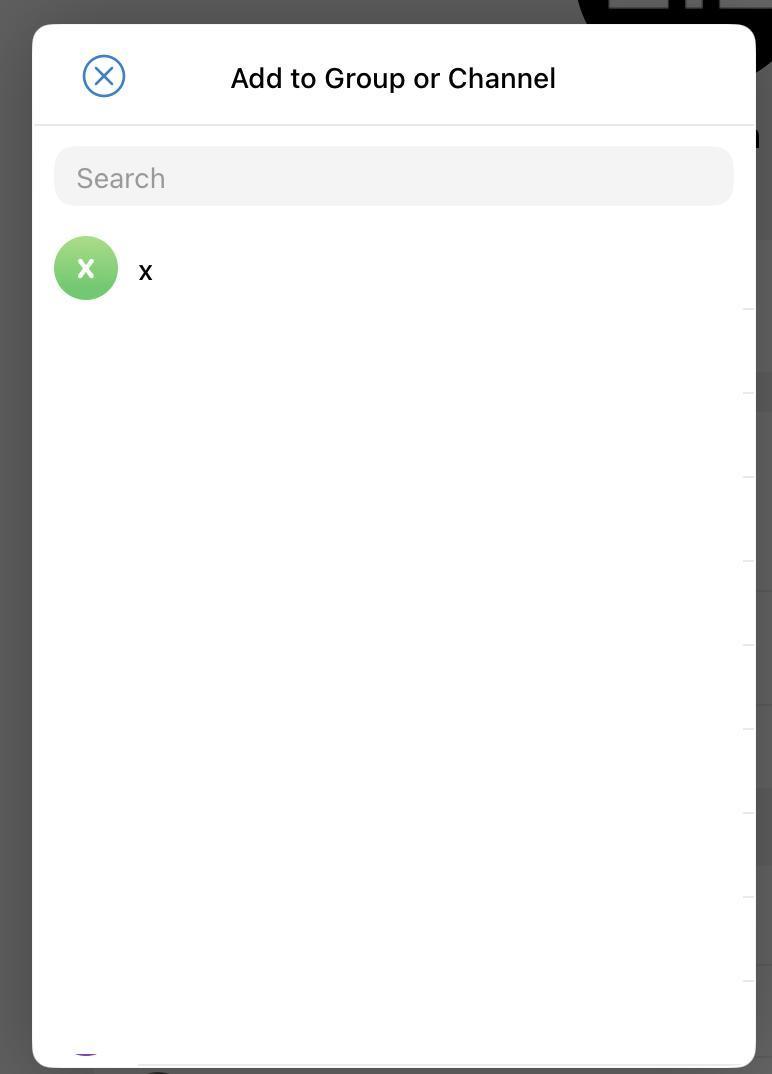
4. After selecting the group, give the bot the following permissions: 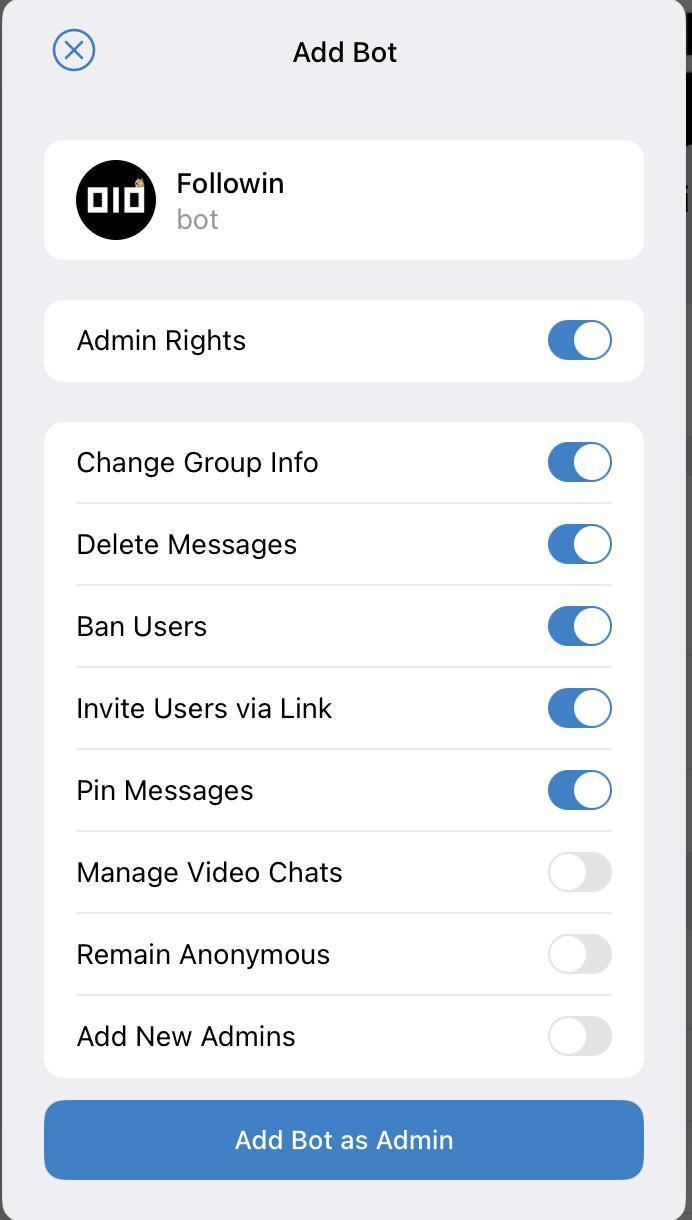
After adding it, you can now use Followin bot in the group.
Followin bot also supports use in Line App. If necessary, you can privately chat @ANDREW0929 in Telegram