Gravity is a Layer-1 blockchain designed for mass adoption and a full-chain future. Its approach abstracts the technical complexity of multi-chain interactions and integrates advanced technologies such as zero-knowledge proofs, state-of-the-art consensus mechanisms, and re-staking-driven architectures to ensure high performance, enhanced security, and cost-effectiveness. It uses a cross-chain settlement protocol designed to maximize the functionality of its high-performance and fast-finality chains.
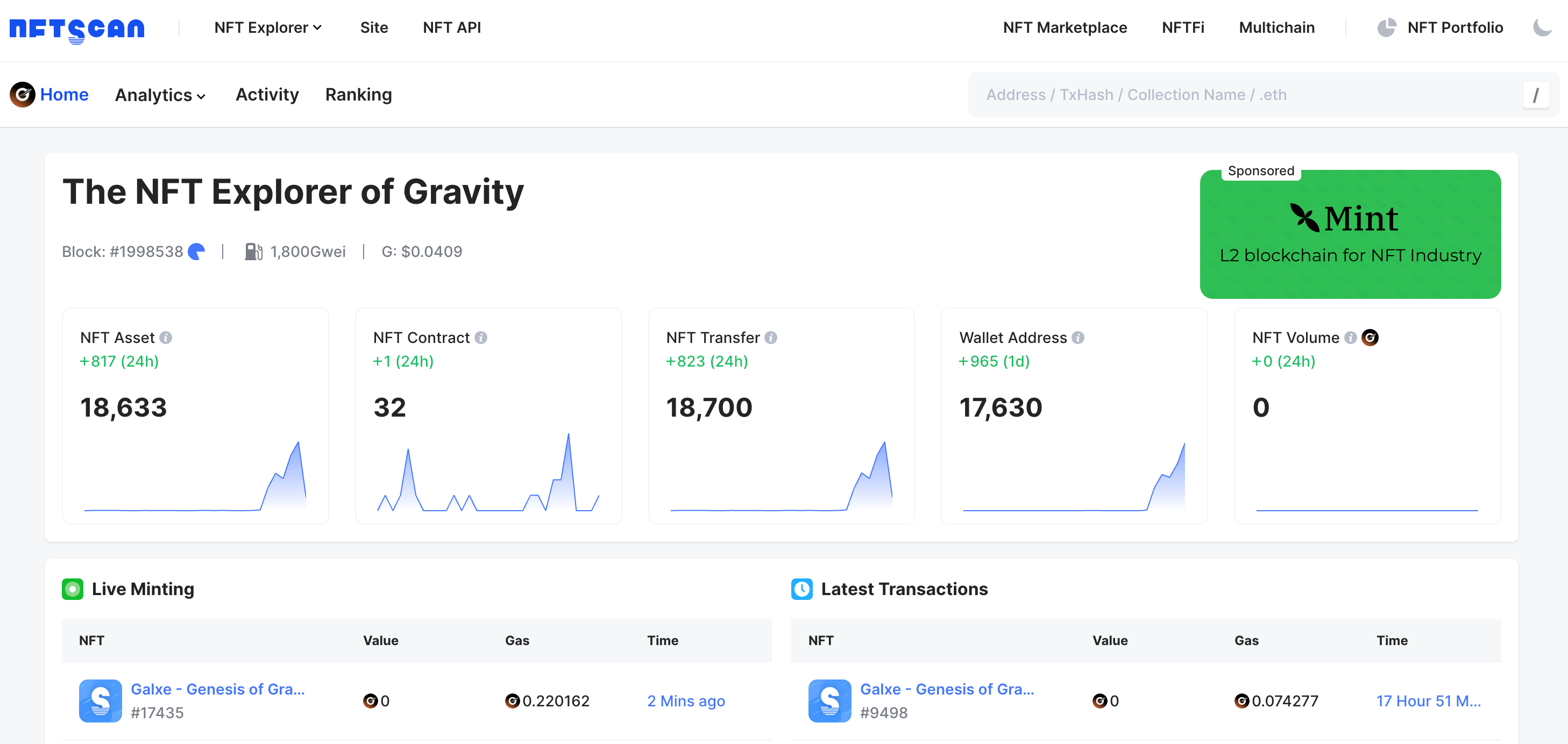
According to NFTScan data, as of August 27, a total of 18,633 NFT assets and 32 NFT Collections have been issued on Gravity Network, 18,700 interaction records have been generated, and there are 17,630 wallet addresses that have interacted.
Gravity NFTScan: https://gravity.nftscan.com/
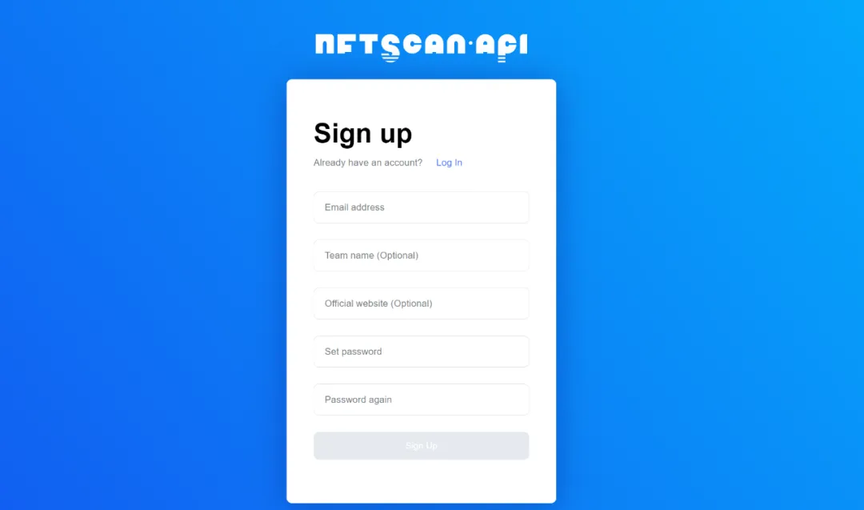
Create a NFTScan developer account
Before you start using the NFTScan API, you first need to visit the developer website and create an account. Go to the NFTScan official website and click the NFTScan API “Sign Up” button to register.
https://developer.nftscan.com/user/signup
After logging in, find your unique API KAY on the Dashboard and copy it. Visit the API documentation and enter your API KEY into the corresponding location of the API documentation. Following the instructions in the documentation, you can start using the API service. In the API documentation, developers can find a variety of interface modes to choose from and choose the most suitable interface according to their needs.
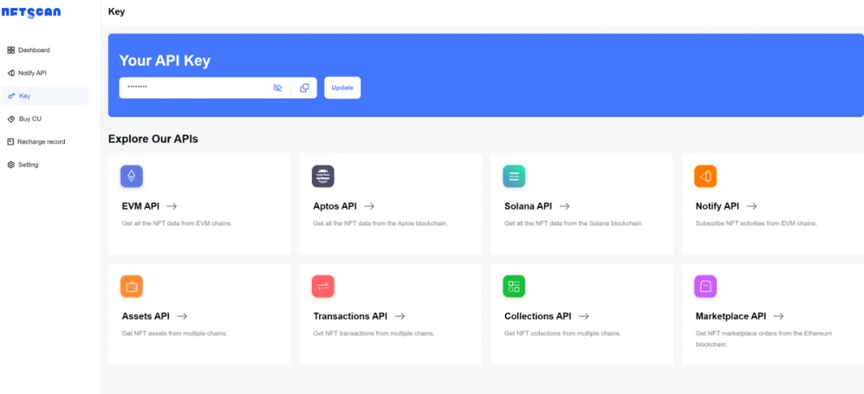
In the Dashboard, developers can also view statistics on their API usage to help record historical usage data. Not only that, NFTScan also provides each registered developer with 1M CU of API call service for requesting all NFT API interfaces, and CU never expires, until it runs out!
View Gravity NFT API documentation
After successfully registering a developer account and obtaining an API Key, you need to view the NFTScan API documentation. The API documentation contains all available API endpoints and parameters, as well as detailed information on how to construct requests and process responses. Please read the API documentation carefully and make sure you understand how to use the API to obtain the data you need. The NFTScan API service is committed to helping developers improve the experience of obtaining NFT data analysis.
NFTScan currently has the largest and most comprehensive NFT Collection library on the entire network. It supports the full NFT data of 25 blockchains such as Ethereum, Solana, BNBChain, Bitcoin, Mint, etc. The NFT data covered is complete and rich in variety. It provides a complete set of interfaces to obtain ERC721, ERC1155, ERC404, ERC6551 assets as well as transactions, projects, market statistics and other information. It now supports more than 60 public interfaces for EVM-compatible chains, as well as a batch of interfaces of the same model for Solana, Aptos, Bitcoin, and TON, which largely meets the needs of developers to index various types of NFT data.
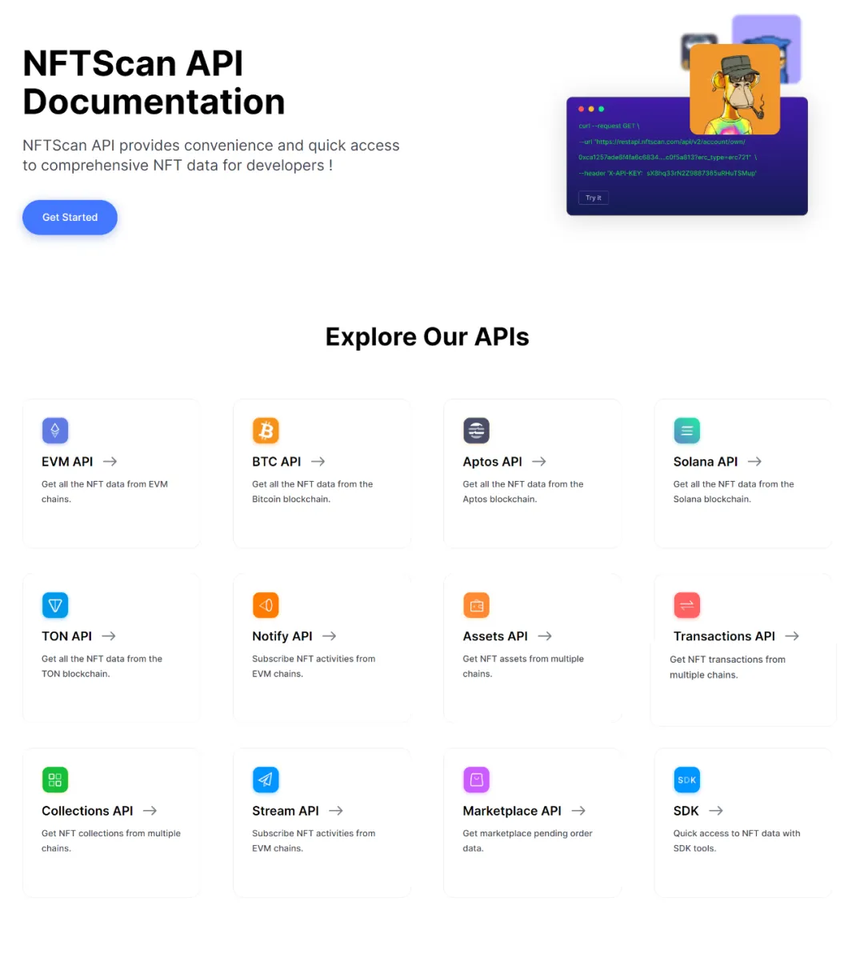
Gravity NFT API Model
It mainly includes the following three model interfaces, including an overall introduction and description of some core API fields, so that developers can know how to obtain data and use this information to serve the Dapp services they are building.
Assets API : "Assets" is the most critical data field in NFT, which is used to uniquely identify and describe digital assets. Developers can obtain a comprehensive understanding and build related applications by extracting the "Assets" data of NFT on the Gravity blockchain. The "Assets" object provides the unique identification of digital assets and data throughout their life cycle, providing a basis for developers to understand and apply NFT.
Transactions API: The transaction model represents the full transaction data of an NFT asset on the blockchain, providing developers with the complete life cycle transaction information of NFTs. Including NFT mint, transfer, sale, and other transaction activities, it provides developers with an opportunity to gain in-depth understanding of the flow and evolution of NFT assets in the Gravity ecosystem. NFTScan continuously aggregates NFT trading markets and related transaction contract information from various blockchain networks. Currently, NFTScan has been included for tracking and understanding the dynamics of the NFT market, and it also helps developers build NFT-based applications and tools.
Collections API: NFTScan obtains off-chain data such as descriptions, social media, and other basic information related to NFT Collections. NFTScan obtains this information through the API provided by the most mainstream NFT markets in various blockchain networks. In addition, the current floor price information is centralized data based on the order information of the NFT market, which is also available through the API.
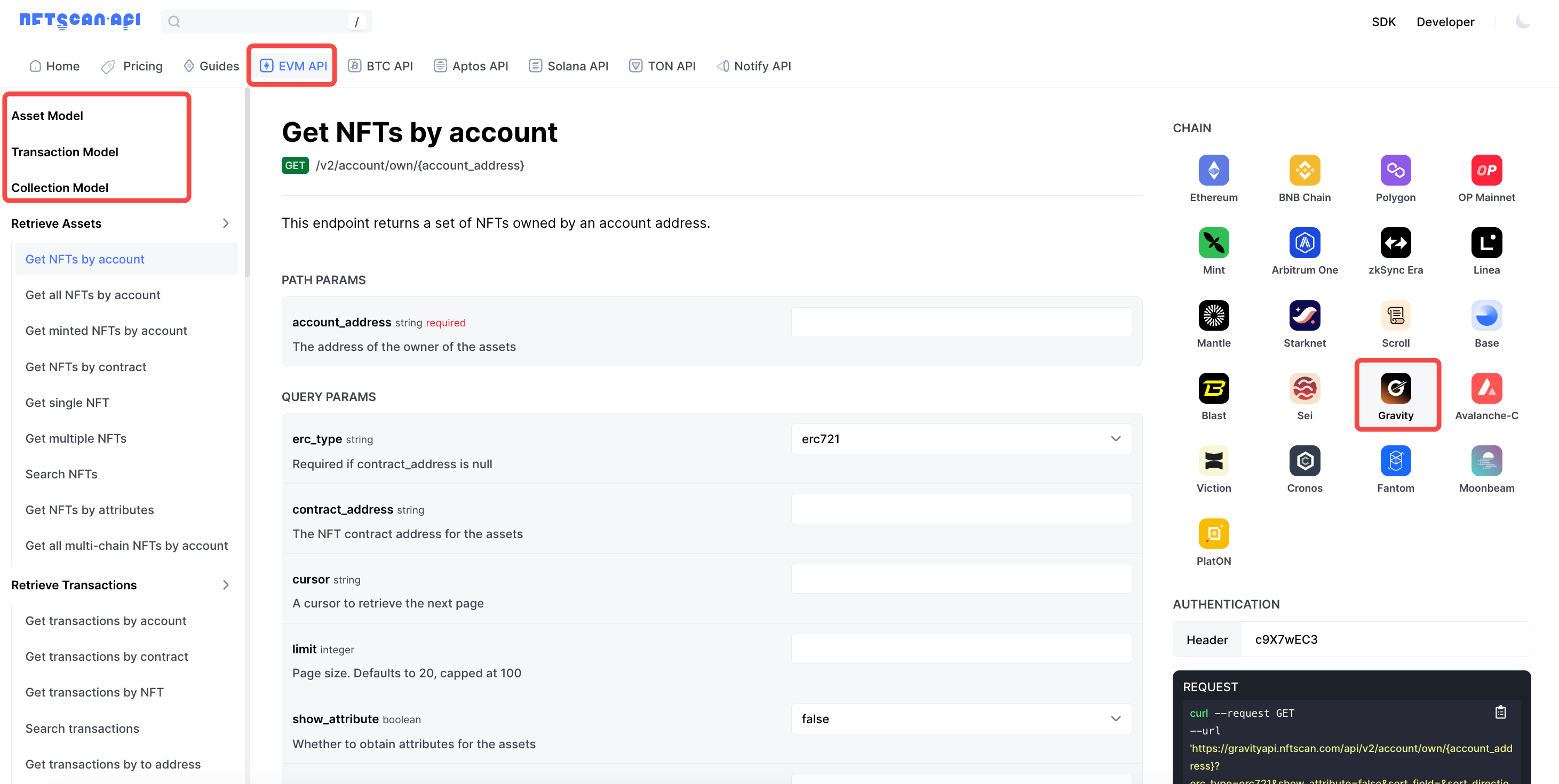
1/ Retrieve Assets Series
- Get NFTs by account
- Get all NFTs by account (retrieve all NFTs of the wallet address and group the NFTs according to the contract address. If the total number of NFTs owned by the account address exceeds 2,000, the returned NFTs will be limited to less than 2,000. In this case, developers and users can obtain all NFTs owned by the account address by account through paginated query requests)
- Get minted NFTs by account (retrieve the minted NFT of the wallet address)
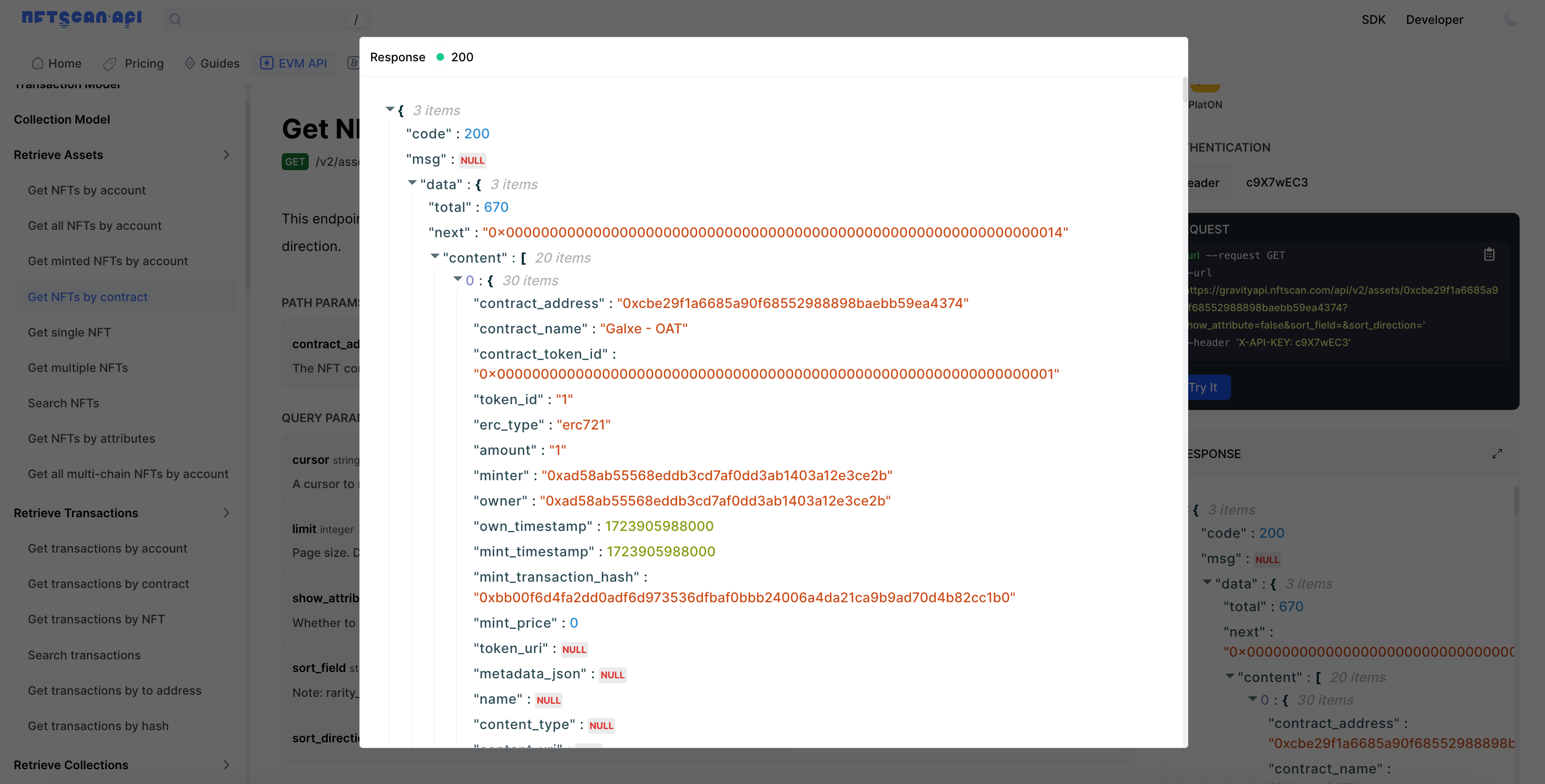
- Get NFTs by contract (retrieve NFTs by contract address and sort by token_id in ascending order)
- Get single NFT
- Get multiple NFTs (retrieve NFTs of multiple contract addresses at the same time)
- Search NFTs (This endpoint returns a list of NFT assets by applying a search filter in the request body. Assets are sorted in ascending order by nftscan_id)
- Get NFTs by attributes (this interface returns a set of NFTs belonging to the NFT contract address with attributes, and the NFTs are sorted in ascending order by token_id)
- Get all multi-chain NFTs by account (this interface returns all multi-chain NFTs owned by the account address, and NFTs are grouped according to the contract address)
Here we use the Get NFTs by contract interface as "/v2/assets/{contract_address}" to retrieve the NFT details under a contract address. The path parameter includes contract_address as an option. Here we query the project Galxe - OAT .
2/ Retrieve Transactions Series
- Get transactions by account (this interface returns the NFT transaction list of the wallet address)
- Get transactions by contract (this interface returns the NFT transaction list of the NFT contract address)
- Get transactions by NFT (this interface returns a list of transactions for a single NFT)
- Search transactions (this endpoint returns a list of NFT transactions by applying the search filter in the request body)
- Get transactions by to address (this interface returns a list of NFT transactions filtered by transaction parameters)
- Get transactions by hash (This interface returns the transaction records queried based on the transaction hash list)
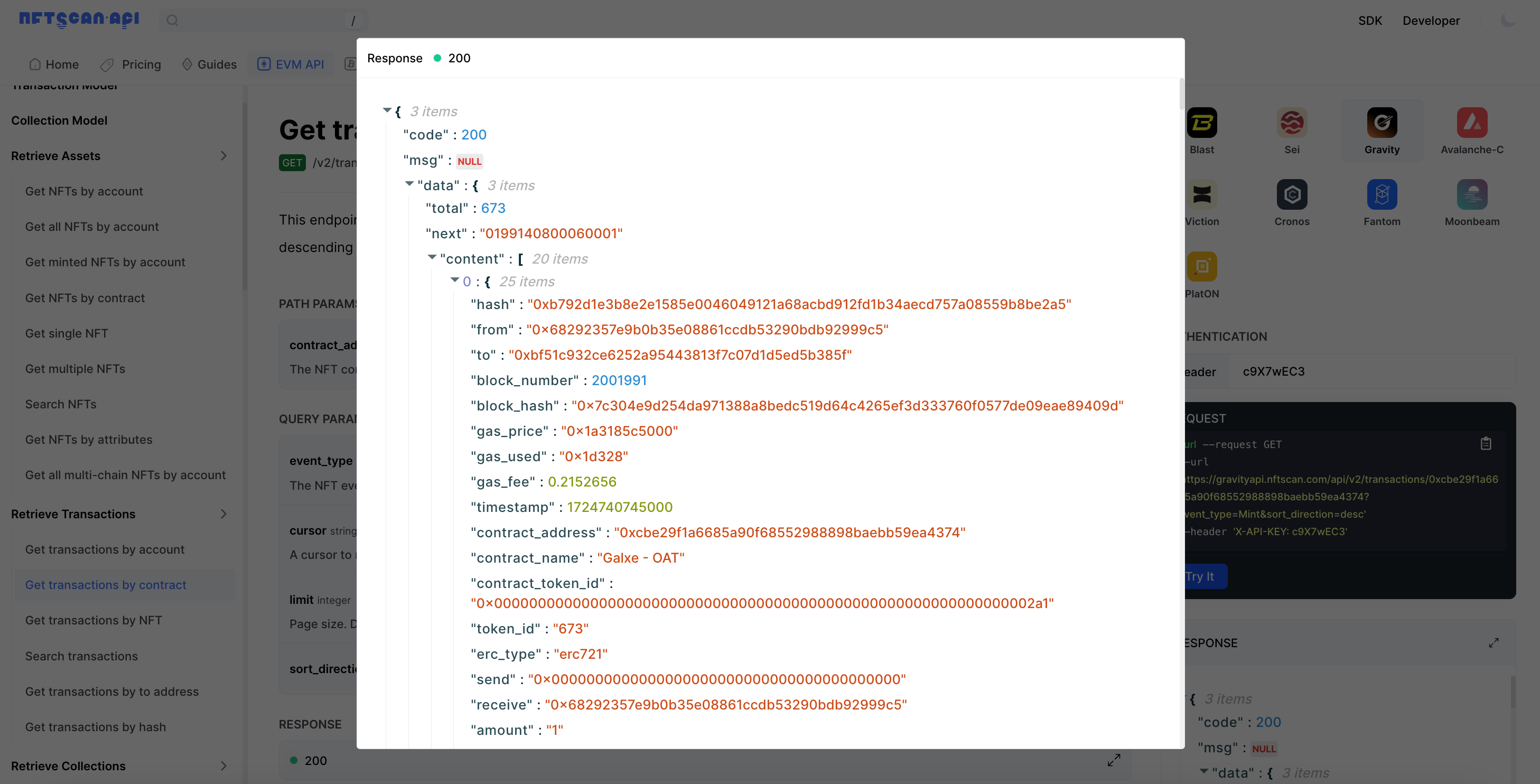
Here we use the Get transactions by contract "/v2/transactions/{contract_address}" interface to retrieve the NFT transaction records under a certain contract address. The query parameter can select the NFT event type of the transaction ( Mint/Transfer/Sale/Burn ), and use ';' to separate multiple events.
Here we also retrieve the NFT transaction records of Galxe-OAT . According to the event type of Mint, the result response data contains all the key data of all Items Mint under this NFT Collection, such as transaction hash value, From and To addresses, block information, consumed Gas, transaction timestamp and other basic data and other characteristic information of NFT transactions.
3/ Retrieve Collections
- Get an NFT collection (query details based on the contract address of the Collection, including an overview and classification of items according to descriptions, basic summary information such as holder distribution, average price, floor price, etc.)
- Search NFT collections (This endpoint returns the information of the Collection list by applying the search filter in the request body. The Collection is sorted in ascending order by deployment block number)
- Get NFT collections by account (This interface returns a list of items with a given account address, and the Collection is sorted from high to low by floor price)
- Get NFT collections by ranking (This interface returns the list of items with the given sorting field. The Collection is sorted by the given sorting field and the given sorting direction.
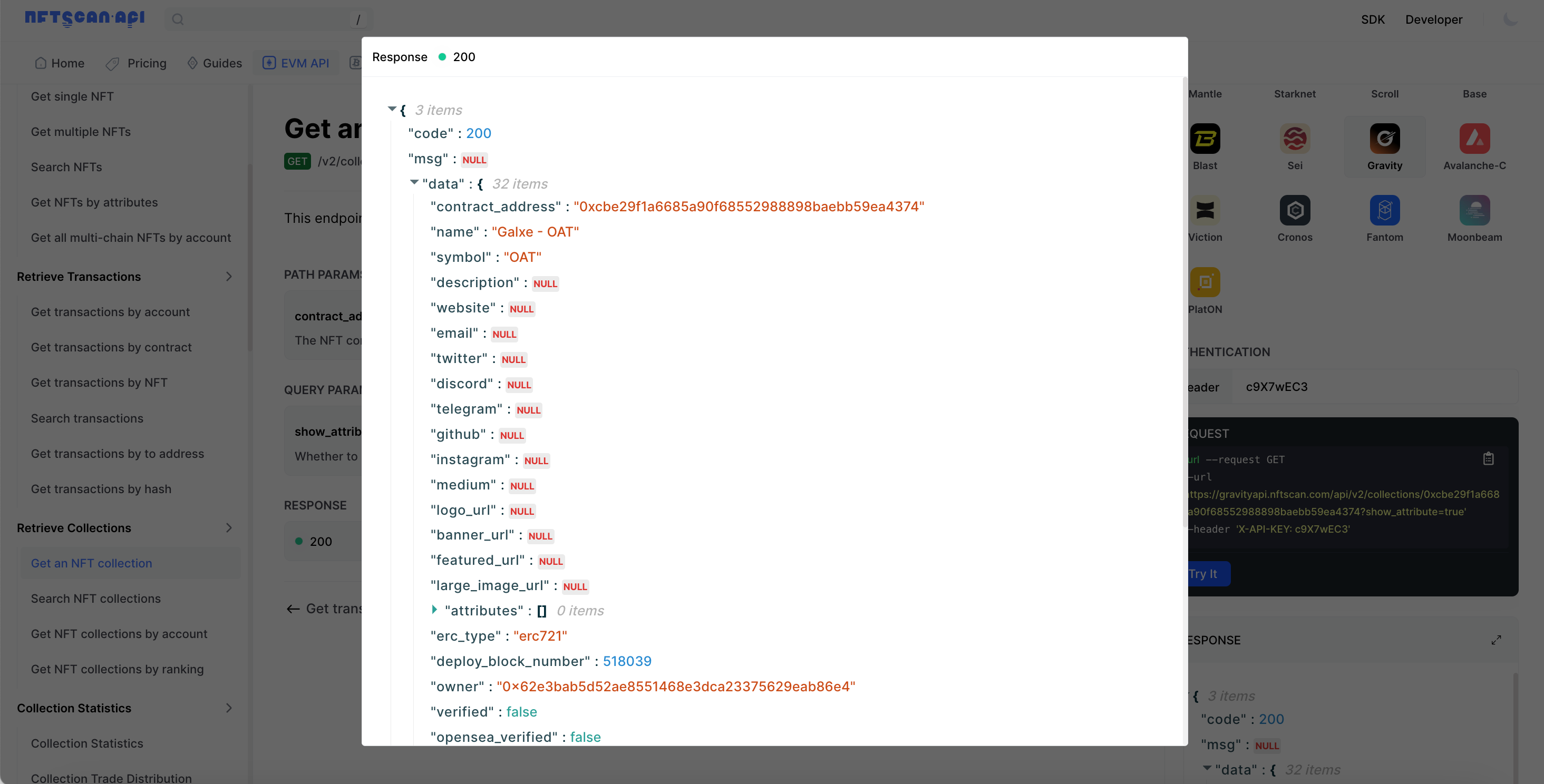
Here we use the Get an NFT collection interface "/v2/collections/{contract_address}" to retrieve the details of the address 0xcbe29f1a6685a90f68552988898baebb59ea4374 named Galxe-OAT :
4/ Collection Statistics: Collection Statistics Analysis Series
- Collection Statistics (This interface provides an overview of the NFT Collection’s analysis statistics)
- Collection Trade Distribution (this interface mainly provides project transaction distribution)
- Collection Trending Statistics (mainly returns the trading statistics sort of an item)
- Collection Holding Amount Distribution (This interface can return the distribution information of NFT project holdings)
- Collection Holding Period Distribution (data returns NFT project holding period distribution information)
- Collection Blue Chip Statistics
- Collection Blue Chip List (For a list of blue chip projects involved in this project, please refer to NFTScan Blue Chip Collection)
- Collection Top Holder (distribution of the top holders of the Collection)
Here we mainly return an NFT Collection analysis statistics overview data through the interface Collection Statistics "/v2/statistics/collection/{contract_address}", please refer to: https://gravity.nftscan.com/0xcbe29f1a6685a90f68552988898baebb59ea4374
5/ Account Statistics Series
- Account Overview Statistics (This interface returns the overview statistics of the account address, refer to NFTScan Overview)
- Account Holding Distribution (This interface returns the NFT holding distribution statistics of the account address, refer to NFTScan Portfolio)
- Account Holding NFT Trending (This interface returns the NFT holdings (or quantity) statistics of the account address, refer to NFTScan Portfolio)
6/ Analytic Statistics Series
This series of interfaces are usually used to obtain various information related to data analysis and statistics on the NFTScan Sei network, such as Trade Ranking, Mint Amount, etc. This type of interface allows developers or users to query, analyze, and retrieve statistical data related to specific data sets or indicators. It can be used for a variety of purposes, including market analysis, trend tracking, investment decisions, and understanding the nature of specific data.
7/ Refresh Metadata
- Refresh NFT metadata
- Refresh NFT metadata by contract
Refresh Metadata APIs can help developers or users submit background metadata refresh tasks. After review, the task will refresh the submitted specified item or the entire contract metadata.
8/ Other
- Get latest block number (returns the latest block number reached by NFTScan)
- Get the latest reorganization block numbers
- Get NFT amount by account (returns the amount of ERC721 and ERC1155 NFTs owned by the account address according to the search list in the request body)
- Get NFT owners by contract (returns a list of owners of the ERC721 NFT contract address, NFTs are sorted in ascending order by token_id)
- Get owners by an NFT (returns a list of owners of ERC1155 NFTs, sorted in ascending order by account_address)
Construct relevant NFT API requests
Developers can use different languages to write code that calls the NFTScan API, such as Python, Java, JavaScript, etc. For example, in Python, you can use the requests library to initiate API requests; in JavaScript, you can use axios; in Java, you can use libraries such as OkHttp or Retrofit. When writing code, developers only need to organize the interface parameters, such as contract address, API Key, etc., and call the corresponding NFTScan interface to easily obtain standardized JSON format data.
Here we retrieve the NFT details data of the contract address 0xcbe29f1a6685a90f68552988898baebb59ea4374, use the Get NFTs by contract interface path "/v2/assets/{contract_address}", HTTP GET request to access the NFTScan API interface, use Python's requests library, and construct the request like this: