This article is machine translated
Show original
Immersive Translation is estimated to be in everyone's hands
A few days ago, I discovered they released a new tool called , which supports maintaining the original layout when translating PDFs
After trying it out, it's really powerful, handling extremely long and complex PDFs without issues
Most importantly, it's still very considerate. I conducted a relatively detailed test 👇:

Let's start with some common papers with low difficulty. Generally, they don't have very complicated layouts. The difficulty lies mainly in the charts, tables and formulas.
For example, the beginning of a common paper, such as the papers of Byte and Meta, is like this, from the title to the abstract to the following charts.
The layout of many mathematical formulas and chemical formulas in academic papers is very complicated. In the past, if there were formulas around, the layout of the text was not easy to maintain.
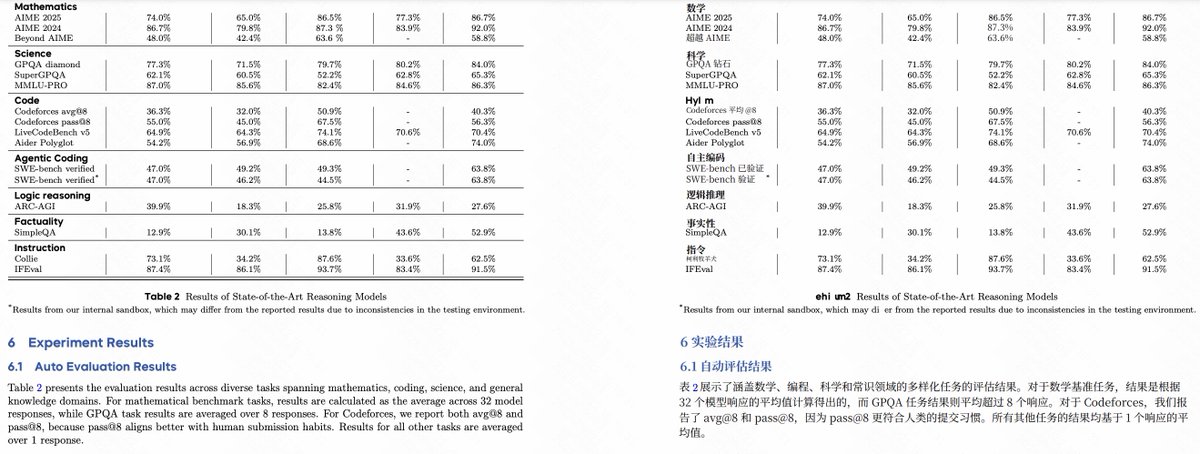
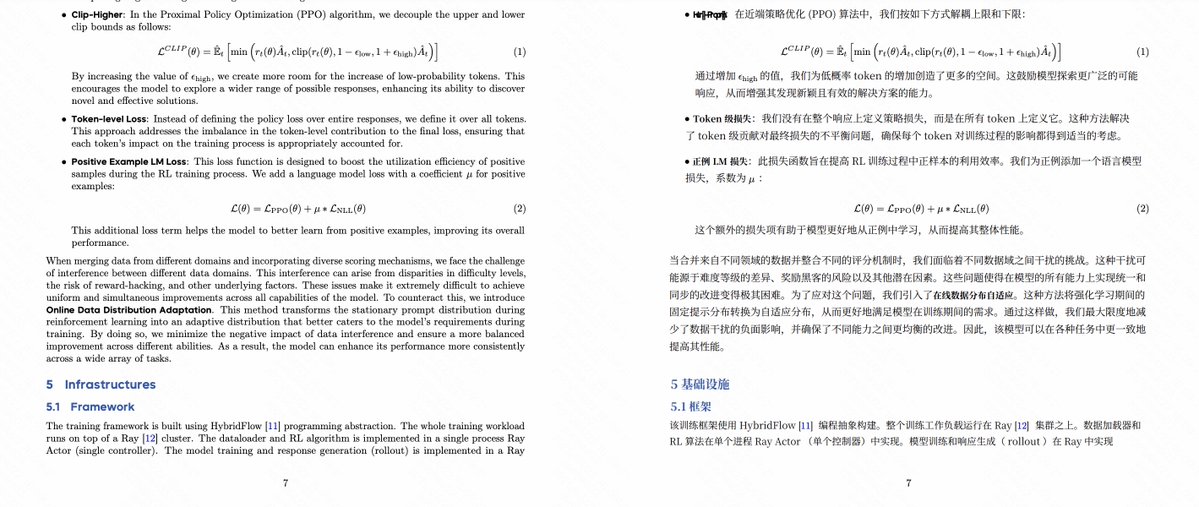
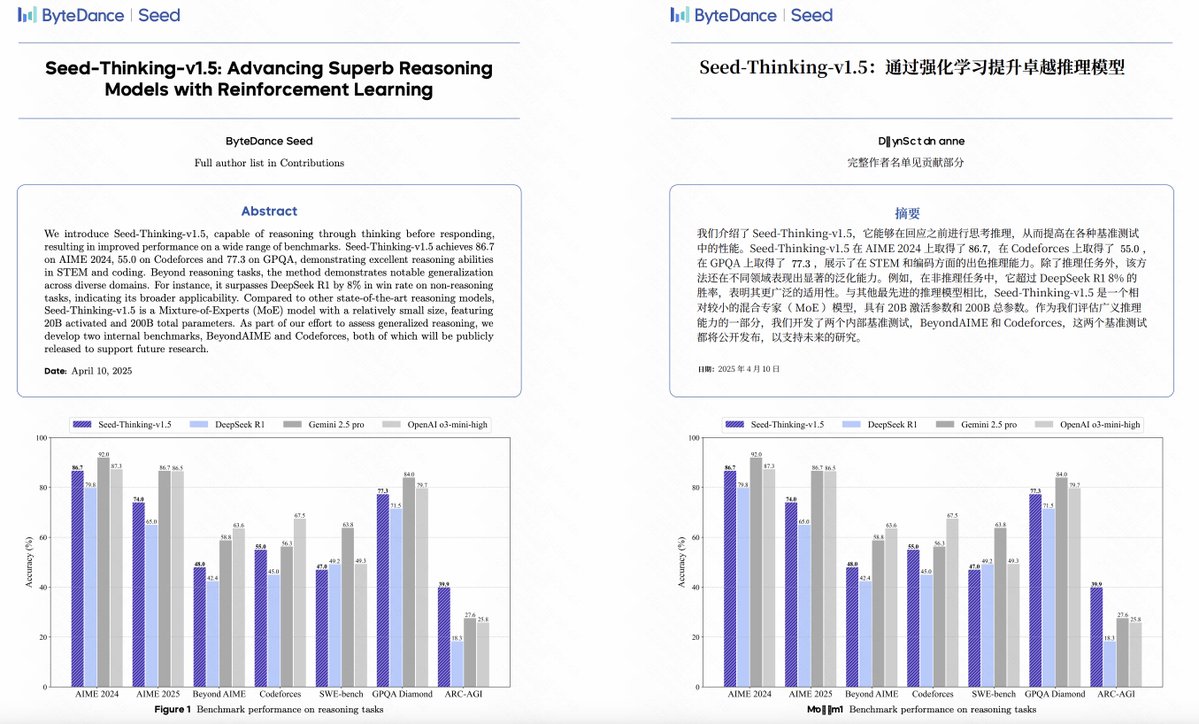
Then let's take a slightly more complicated one.
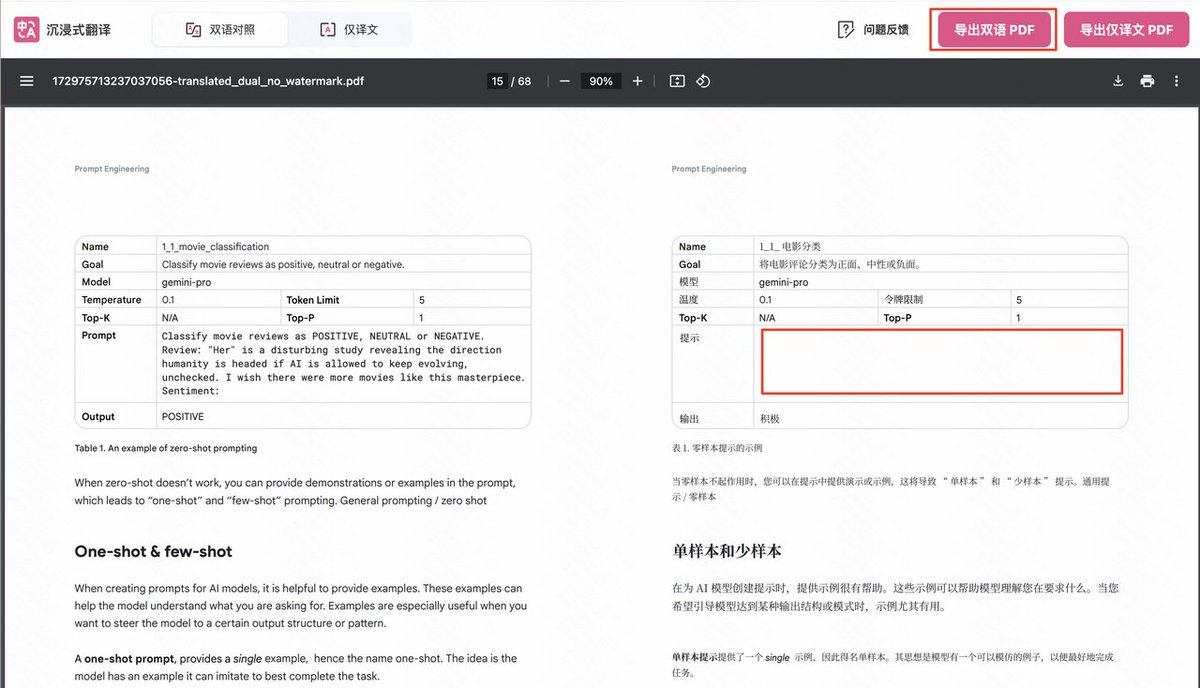
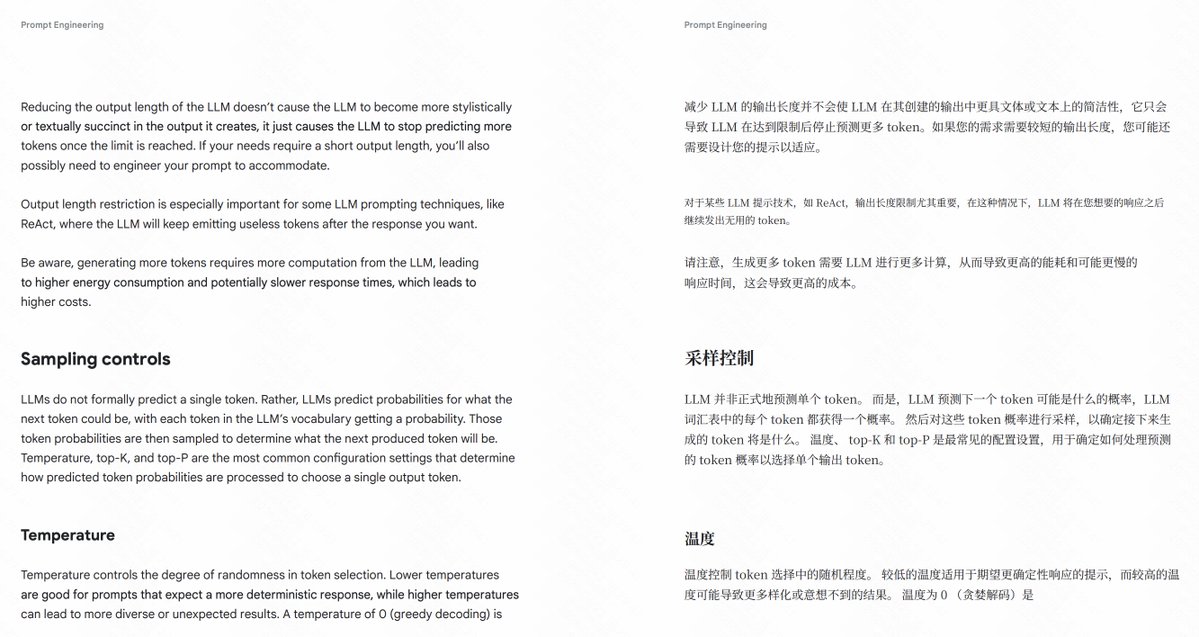
The PDF of the Google Word Writing Tutorial that was quite popular some time ago.
This PDF obviously has some special layout, redefining different font sizes and spacing, as well as different fonts, which is usually quite troublesome, although it still looks like black text on a white background.
Babeldoc still has no problem, the entire font size, paragraph spacing, and line spacing are consistent with the original PDF.
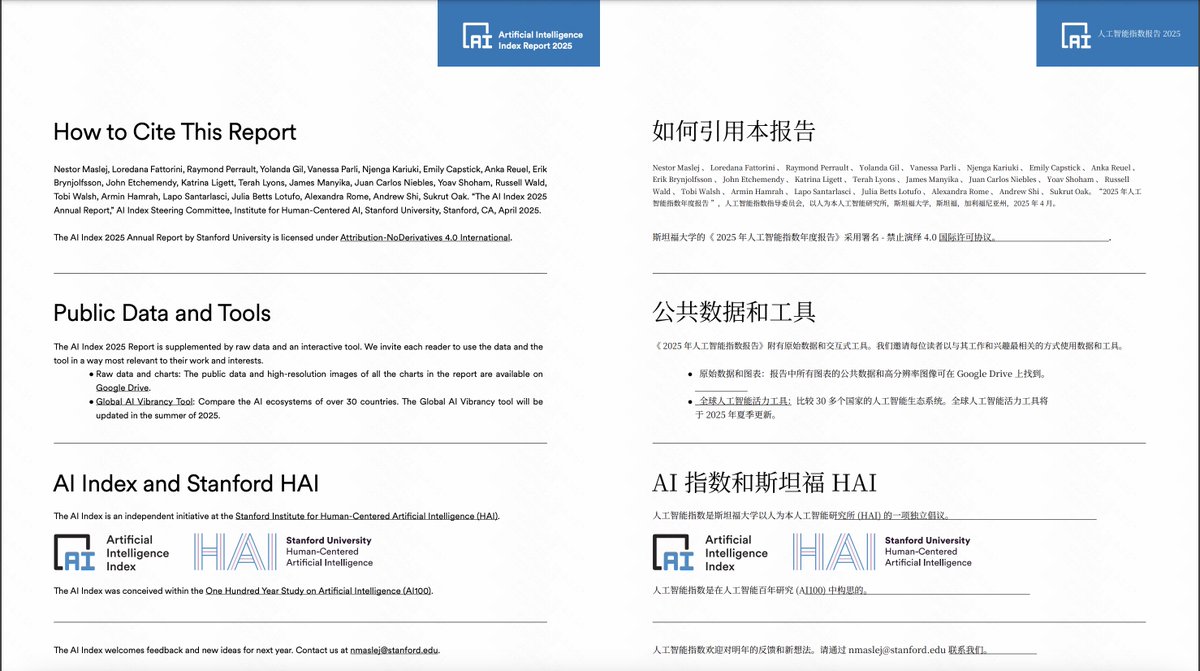
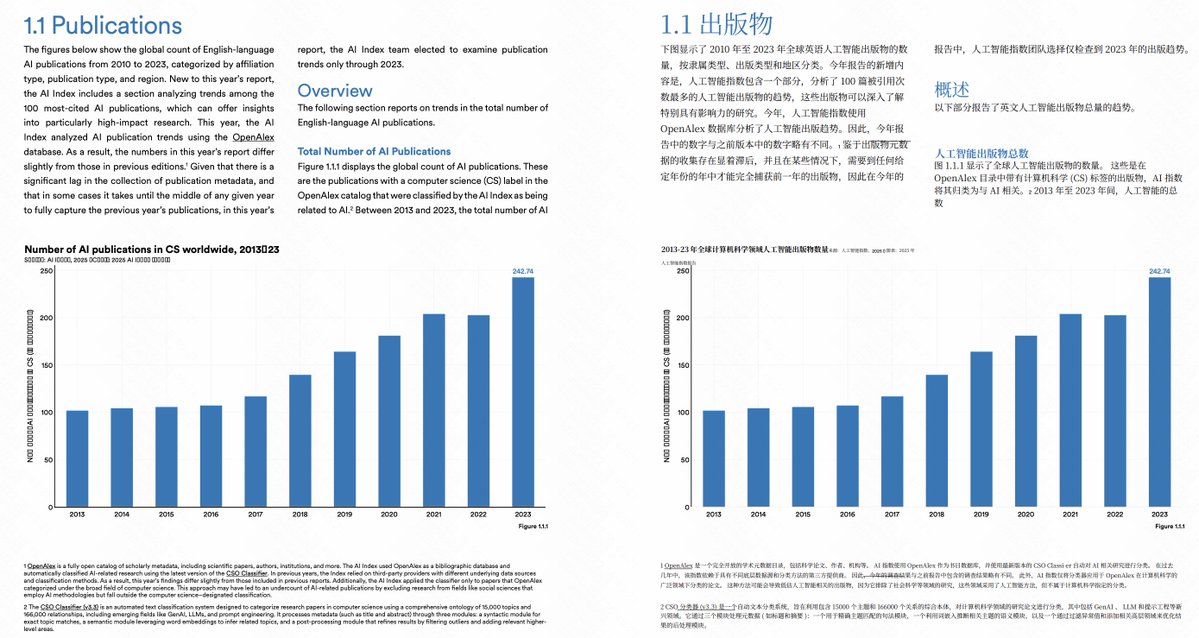
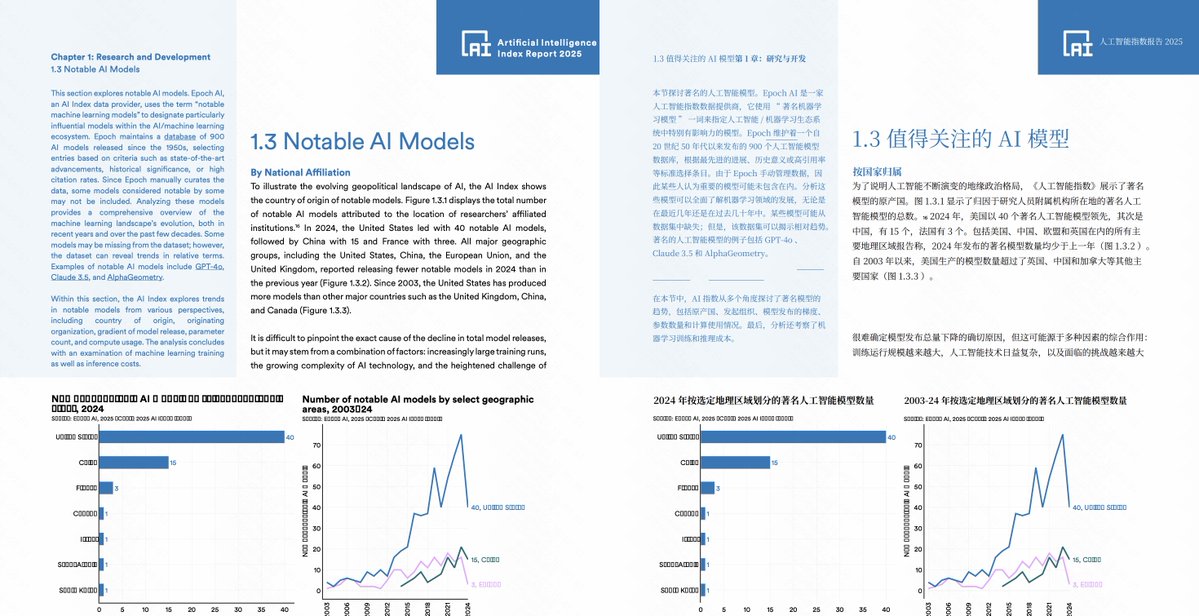
The final ultimate test is Stanford HAI's 2025 Artificial Intelligence Research Report
This PDF has 456 pages and the content is extremely complex, with various charts, pictures, logos, corner marks, multi-column layout, and all the difficult and complicated problems.
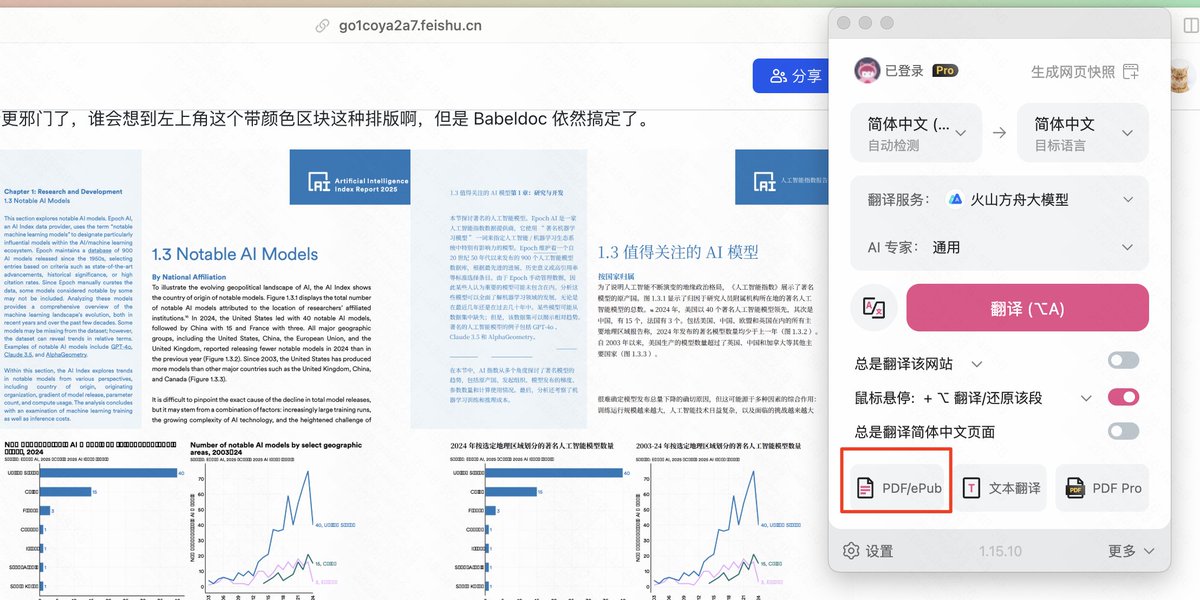
I didn't expect this to be so perfect. Take a look at this page first. There is no problem with the dividing line, underline and logo. The corner marks are translated for you.
So how do you use it after all this talk?
If you have installed immersive translation, you can click on the plugin, then click on PDF/ePub in the picture to enter the document translation interface, and then select BabelDOC
You can also visit directly: app.immersivetranslate.com/bab...
BabelDOC's packages continue the conscientious operation of immersive translation:
Free version users enjoy a quota of 1,000 pages of PDF analysis and translation per month, and use the GLM-4-FLASH large model for translation. I don't have so many documents to translate in a month.
Pro members enjoy a quota of 10,000 pages per month and access to the DeepSeek advanced translation model, bringing stronger translation effects.

From Twitter
Disclaimer: The content above is only the author's opinion which does not represent any position of Followin, and is not intended as, and shall not be understood or construed as, investment advice from Followin.
Like
Add to Favorites
Comments
Share
Relevant content