Overview
MCP (Model-Context Protocol) is an open protocol launched by Anthropic that provides a standardized way for large language models to safely access external tools, data sources, and services. Unlike traditional plugin systems, MCP adopts a client-server architecture, enabling seamless integration between models and external systems through standardized protocol interfaces.
Core Advantages of MCP
Standardized Interface: MCP defines a unified protocol specification, avoiding the need for each application to develop its own integration solution.
Security: Ensuring safe access to external tools through strict permission control and sandbox mechanisms.
Extensibility: Supporting a wide range of tool types, from simple API calls to complex data processing workflows.
Interoperability: Any client supporting MCP can use compatible services, achieving true cross-platform compatibility.
Web3 + MCP Application Scenarios
In the Web3 domain, MCP can provide rich blockchain interaction capabilities for large language models:
Asset Inquiry: Querying token balances and transaction histories
On-chain Operations: Sending transactions, deploying contracts, calling smart contracts
DeFi Integration: Interacting with DEX, lending protocols, liquidity mining, and other DeFi applications
Cross-chain Operations: Supporting multi-chain asset management and cross-chain transfers
Non-Fungible Token Management: Querying, transferring, and trading Non-Fungible Token assets
This article will build a simple Web3 MCP service using nodejs+typescript, guiding you through the working principles and best practices of MCP.
I. Creating the Project
Create project folder and initialize the project

Install necessary packages

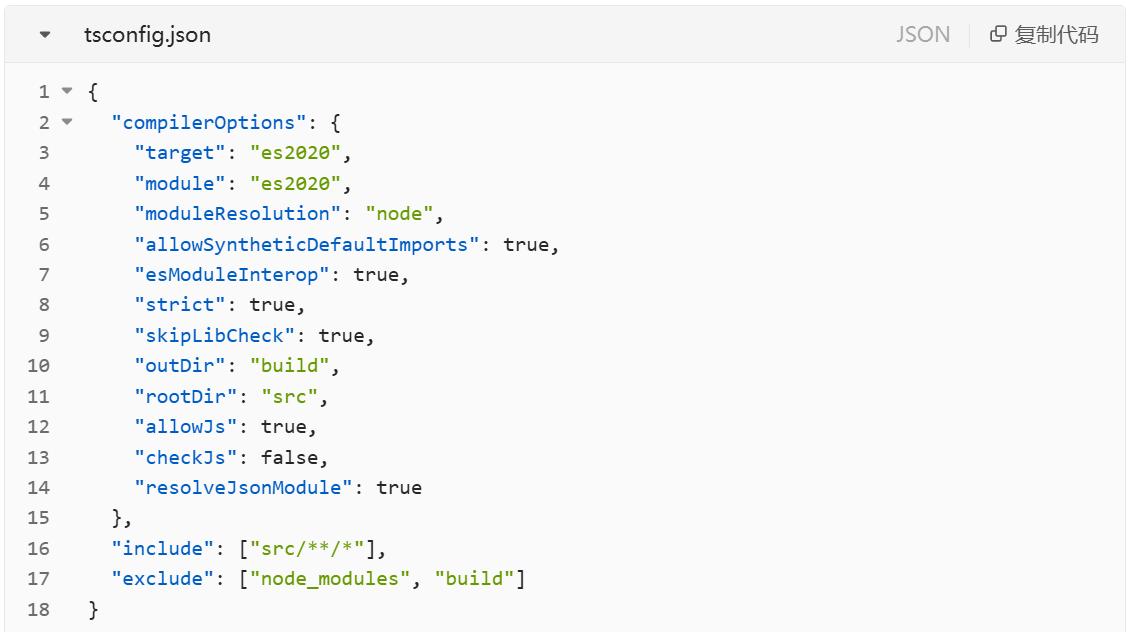
Add TypeScript configuration, modify according to personal needs
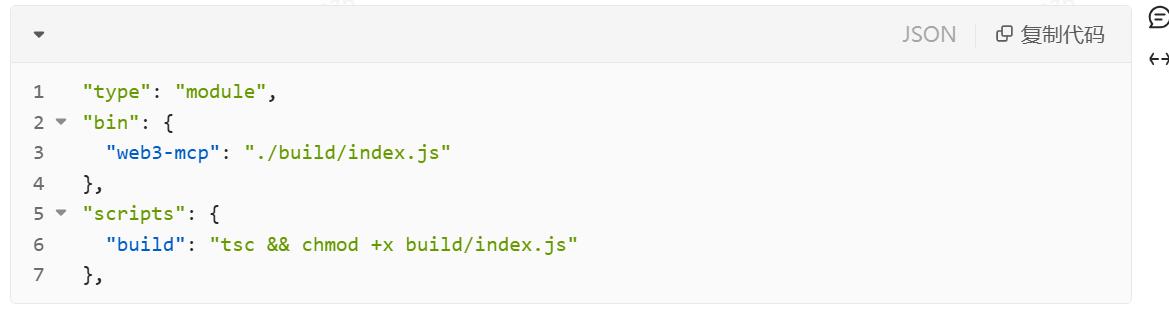
Modify package.json configuration
II. Writing the Server
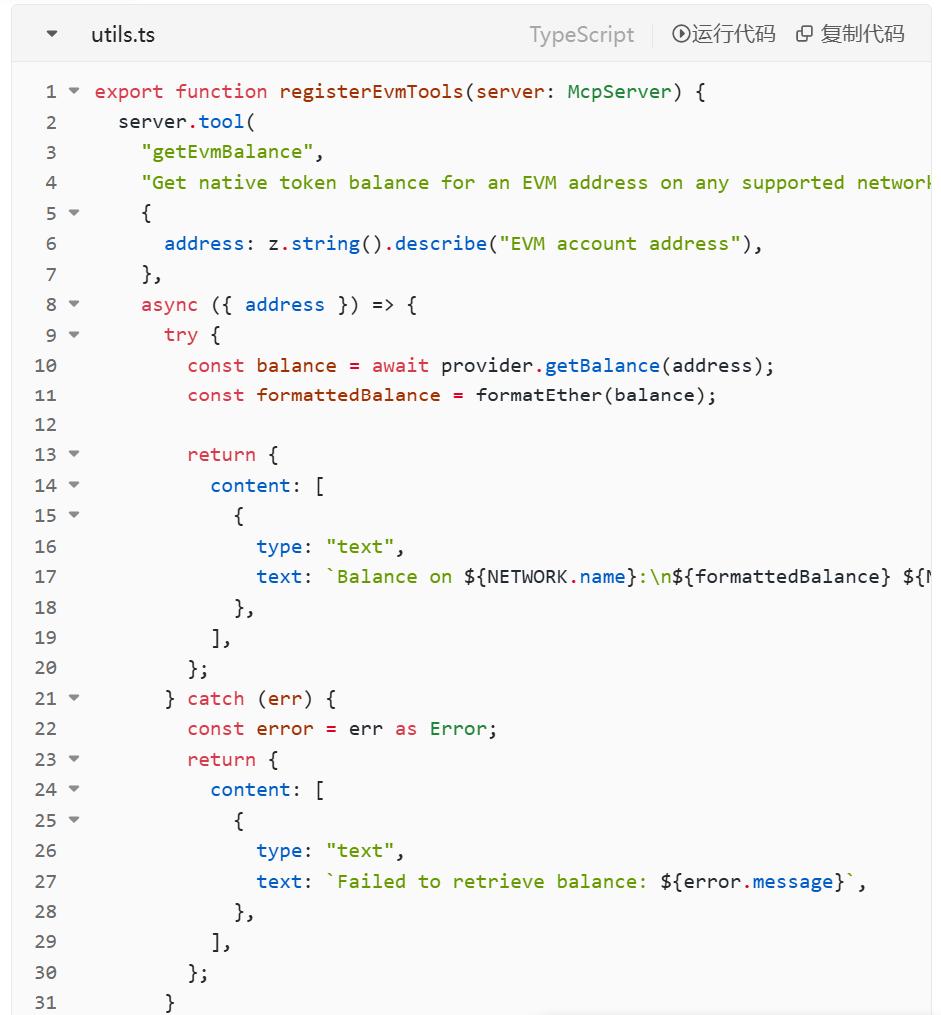
Quickly create tools through server.tool, using getBalance on the Sepolia testnet as an example
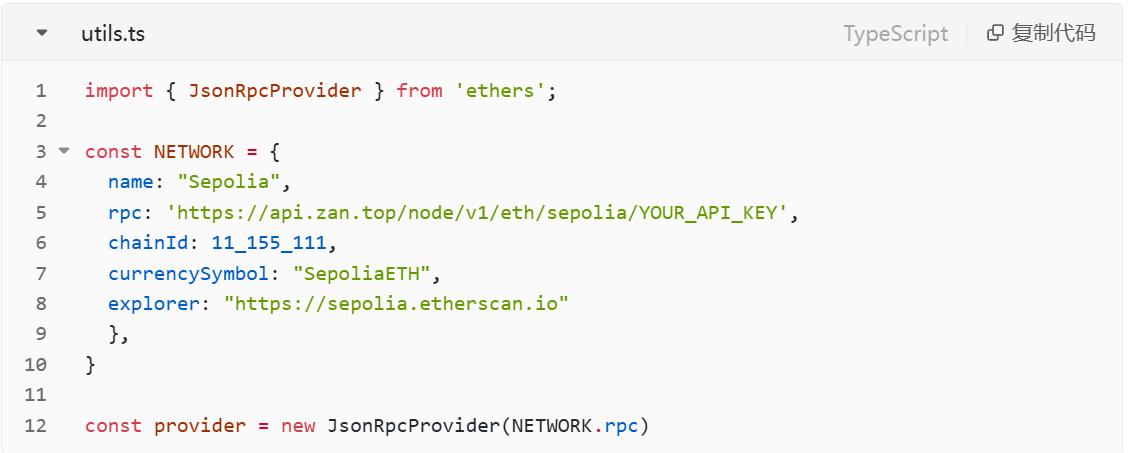
First, we need to register a Zan account, activate node service, and obtain the rpcUrl, then instantiate a provider
Write tool logic
Start the service and add error handling
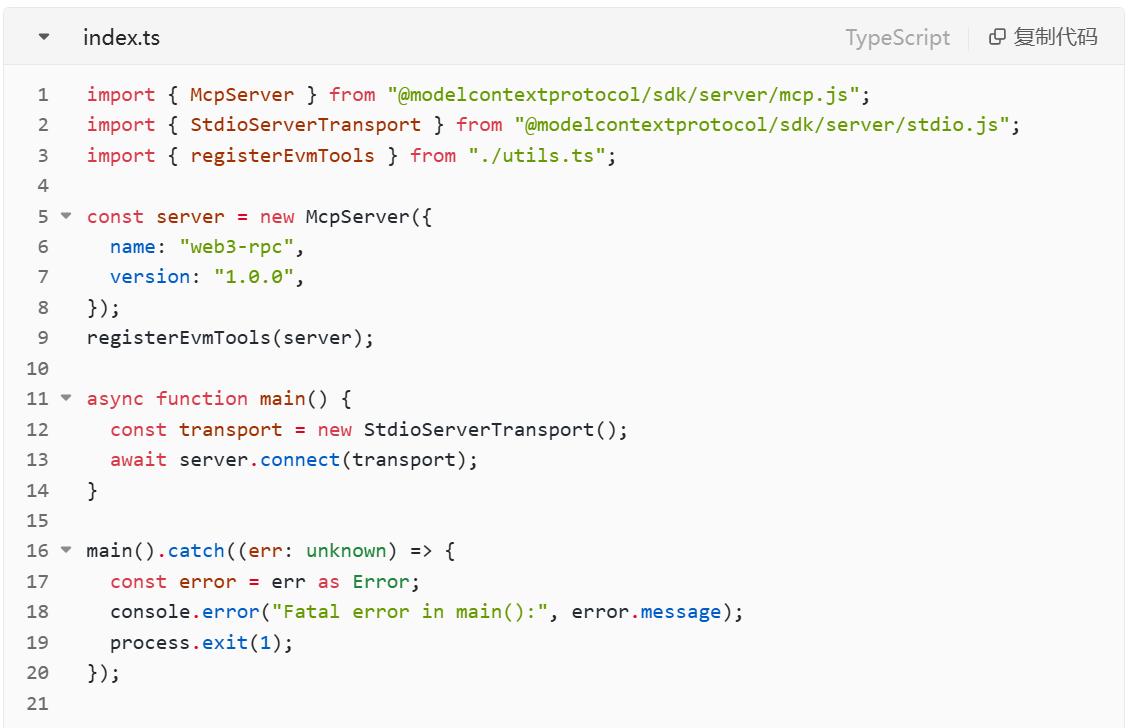
At this point, a minimal MCP service has been completed
III. Debugging the Service
At this step, we need to package the JS product and then execute modelcontextprotocol/inspector to debug

IV. Improving Logic and Referencing in Cursor
Improve more logic and methods, such as supporting multiple EVM networks, querying gas, sending transactions, querying token information, and token transactions. After packaging, reference it in Cursor, which is a brand-new smart IDE seamlessly integrated with AI technology. Built on VSCode, Cursor is easy to use and can significantly improve your work efficiency. It is also an application that supports MCP integration.
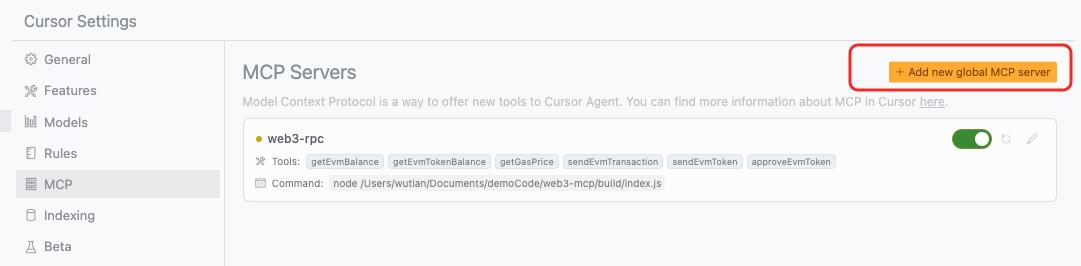
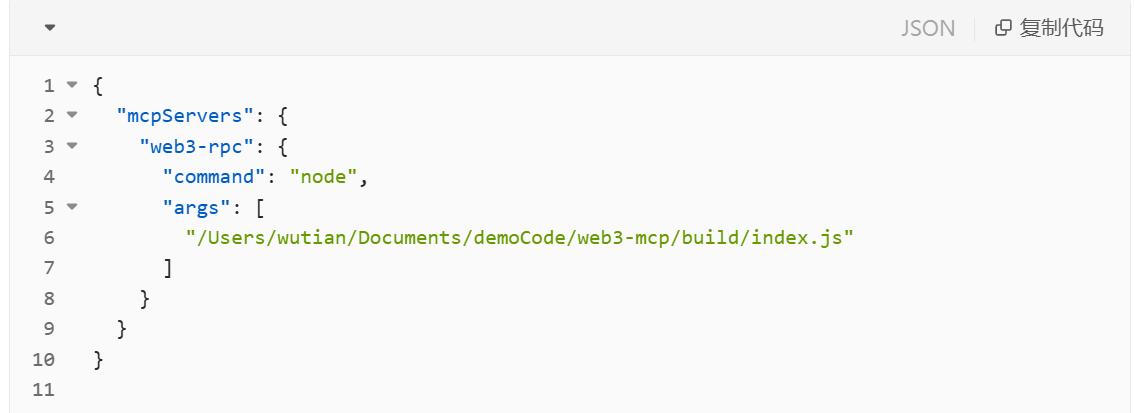
V. Usage
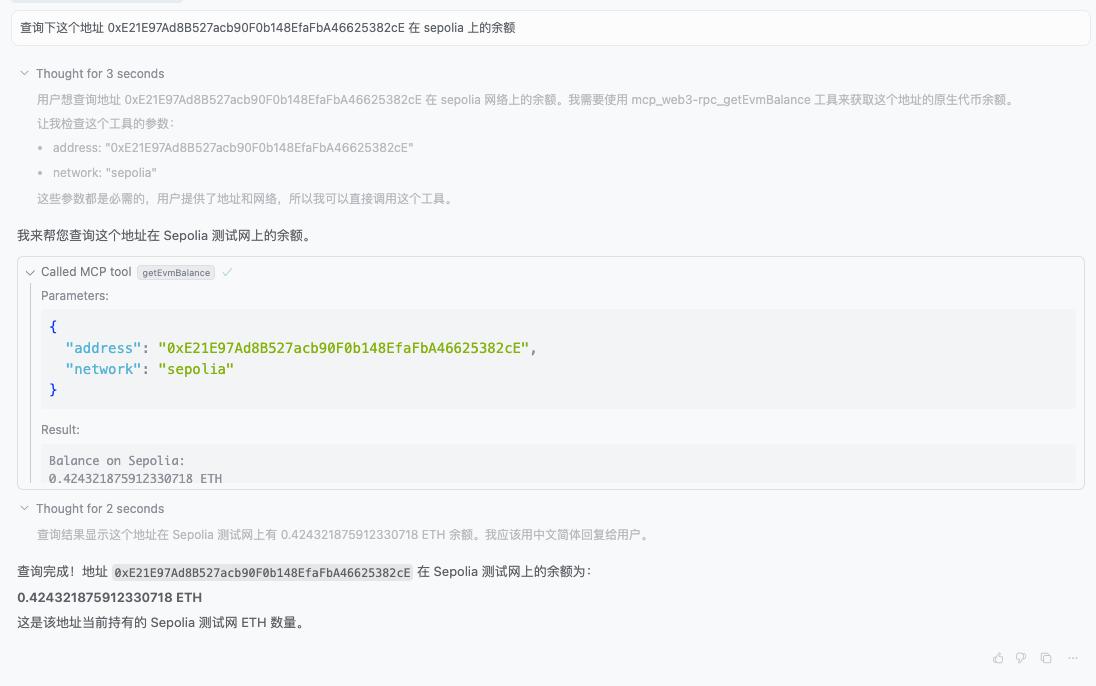
Then you can happily use it in the chat! (Chat is Cursor's AI assistant, located in the sidebar, allowing interaction with the code repository through natural language.)
For example, "Check the balance of this address 0xE21E97Ad8B527acb90F0b148EfaFbA46625382cE on Sepolia":
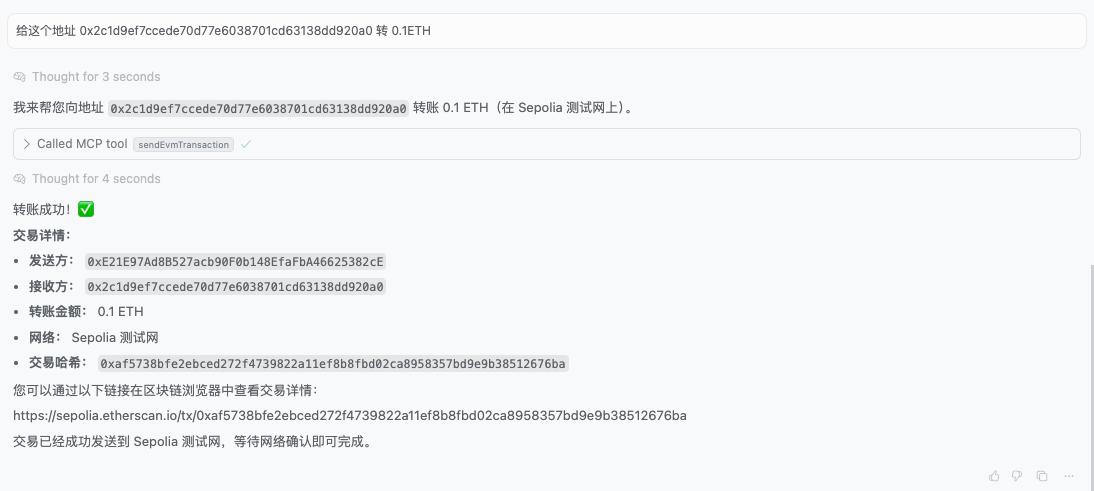
Or "Transfer 0.1 ETH to this address 0x2c1d9ef7ccede70d77e6038701cd63138dd920a0":
VI. Final Thoughts
There's still a lot of room for imagination. After explaining the overall process, what else can we do? For example, supporting multiple chains (Bitcoin, Solana, TRON), or integrating cross-chain functionality, allowing chat to exchange USDT from one chain to another? The combination of Web3 and MCP opens up a world of possibilities. Whether it's DeFi protocol integration, Non-Fungible Token market operations, or complex cross-chain asset management, these can be achieved through simple conversations.
Interested friends, come and try it out!