This article is machine translated
Show original
I tried the newly launched ShellAgent 2.0 from MyShell
The interesting part is that there is no frontend page.
Everything is interacted through universal components in a Chatbot, focusing solely on the Agent workflow itself
Users don't need to worry about display, just focus on functional logic
I created several fun Agents with it, 👇 here are the detailed introductions:

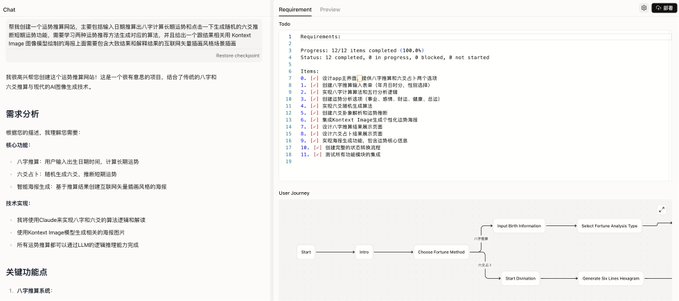
I first wanted him to make an agent that calculates the eight characters, and then give him a corresponding picture.
Those who have seen my previous prompts know that I need to write a bunch of prompts for web page styles and interactive logic. This is a high threshold for C-end users, but now it is completely unnecessary, just one sentence will do.
After you enter the prompt, he will first conduct a demand analysis, and then ask you for some details that need to be supplemented, and then start generating after you confirm.
The right side will show the progress of the agent generation. The user journey map below is particularly interesting. You can quickly understand his agent construction ideas.
Moreover, after selecting the part of the journey map, it can be used as context to fill in the modified part.
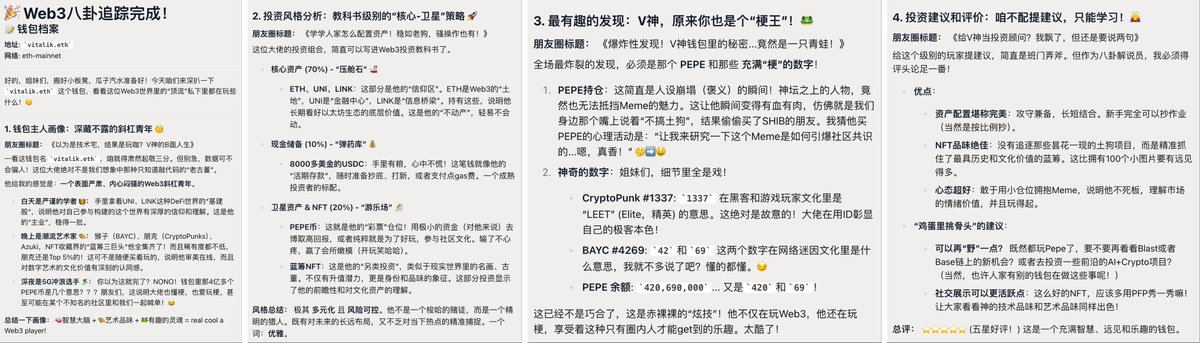
Enter the prompt word and wait for a while. We just need to click to start tracking, then enter the wallet address or ENS domain name, and select the network. Here we use Vitalik’s domain name for testing. Then wait for the results. AI will interpret the asset allocation of this wallet and the meaning behind it in a very concise and humorous way. It’s very interesting. Whether you understand Web 3 or not, you can understand it.

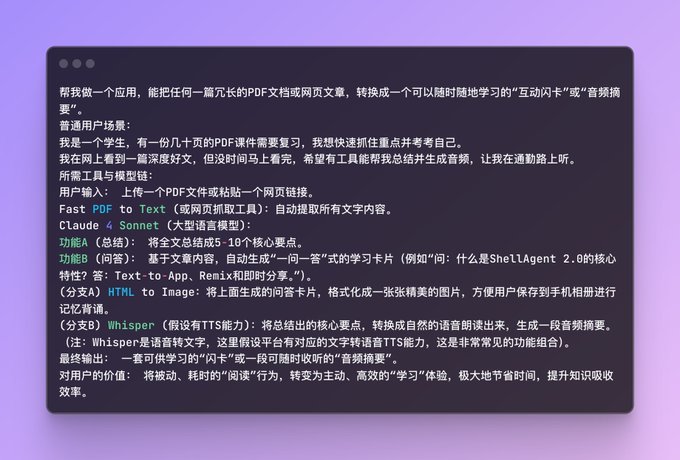
ShellAgent 2.0 has a lot of built-in tools. In addition to generating text and images, it can also generate audio.
So I came up with an idea to let it generate learning podcasts and picture flashcards based on the content of my documents to break down the learning materials.
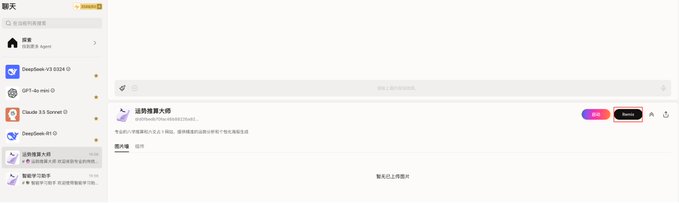
Finally, if you don't know how to write prompts yourself, or if you see a good Agent and want to modify it for your own use, you can also remix others' releases.
Find the Agent on the homepage or enter the user interface through the link shared by others, and click the Remix button.
The threshold for creation is already very low, and now it is even lower. Basically everyone can create their own Agent, you just need an idea.
In addition, they replaced the complex front-end pages with common components. Although the interface diversity is sacrificed, the development cost and token consumption are greatly reduced, allowing users to focus on the functional logic they want to achieve.
You can play ShellAgent 2.0 here: app.myshell.ai/robot-workshop
There is an invitation code for the lucky draw at the end of the article: mp.weixin.qq.com/s/gW5HDsmd-rS...…

From Twitter
Disclaimer: The content above is only the author's opinion which does not represent any position of Followin, and is not intended as, and shall not be understood or construed as, investment advice from Followin.
Like
Add to Favorites
Comments
Share
Relevant content