As the year draws to a close, the annual report competition has begun again on social media. Various platforms are showcasing their designs, interactions, and data, all vying to dominate your feed.
ChatGPT has also launched its annual review, but due to various restrictions, not everyone can access it. Some users waited all day but still couldn't get their annual review.
Come on, AI is already so useful now, why can't we make our own ? Especially this year, a lot of time has been spent on these AI tools.
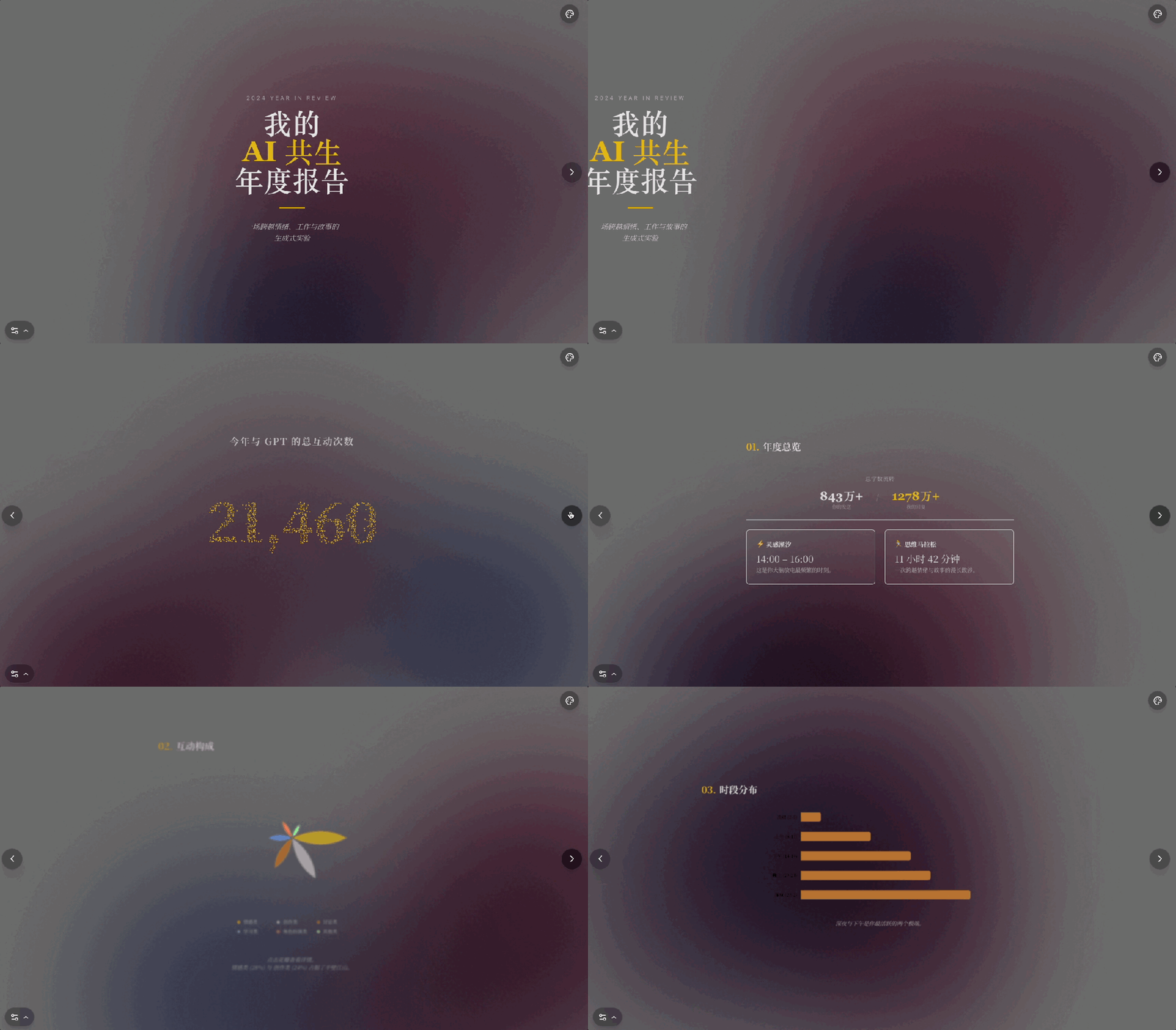
Unexpectedly, this small idea sparked a two-day intensive project in the AI studio, during which I completed two versions: one was a "traditional version" based on static elements and simple interactions.
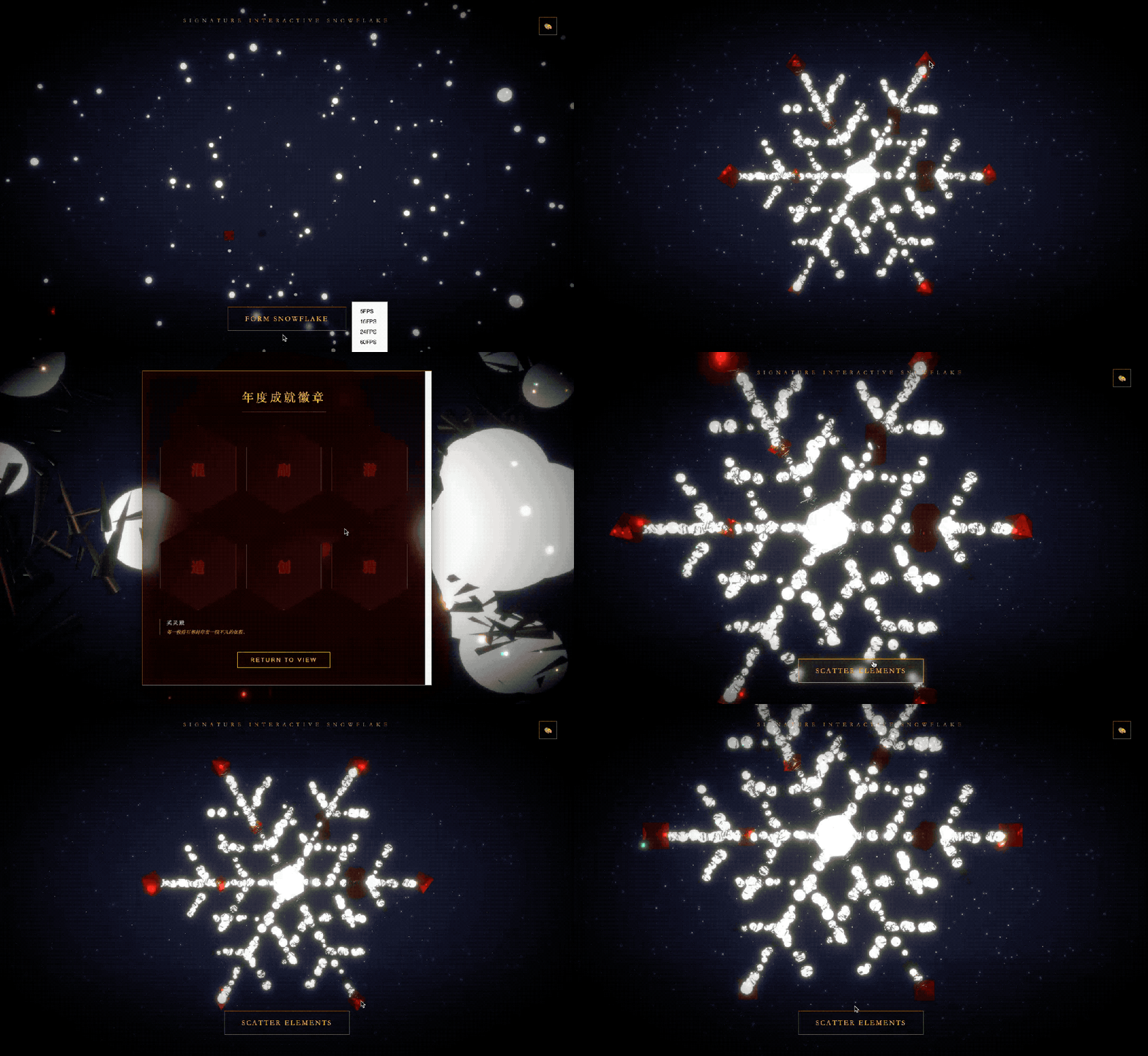
The other is a "skill version" that features dynamic effects, can be infinitely scaled, and combines 3D particles and interactivity.
What I didn't expect was that the whole experience changed my previous understanding of collaborating and helping with AI: there is no such thing as a magic spell, and there is only one real magic weapon.
Create your own skills-based "Year-End Summary".
Before you begin, prepare your most frequently used AI chatbot—it must be the one you use most often, someone you chat with almost daily. Insufficient data not only prevents you from creating interesting summaries, but it can also lead to being forced to use data that doesn't exist.
I'm using ChatGPT, so I'll open a new window and type the following prompt:
Based on the conversations from this year, please construct a data-driven summary from the dimensions of "quantity, theme, time, emotion, usage habits, and personality traits," including simulated data and ASCII charts. Please strictly follow the structure below:
【1. Annual Overview】
Total interactions with GPT this year
Total number of characters sent + Total number of characters received
Most frequent interaction time
Longest continuous conversation duration
【2. Distribution of Interaction Types (Pie Chart)】
Please demonstrate using an ASCII diagram:
Emotional, Discussion, Creative, Learning, Role-playing, Other
【3. Top 10 Most Frequently Used Topics】
The content is presented in the form of a leaderboard, with a commentary for each topic.
4. My Annual Emotional Trajectory (Line Graph)
Simulation analysis of my emotion curve during the conversation
5. User Behavior Profile (Radar Chart)
Radar chart dimensions include:
Curiosity, dependency, depth of analysis, desire to express oneself, emotional sensitivity, frequency of self-analysis
【6. Usage Time Period and Frequency (Bar Chart)】
The bar chart shows the time periods I most frequently use to find GPT data throughout the year: early morning, morning, afternoon, evening, and late night.
【7. My Interaction Habit Tags】
Please generate 6-10 tags similar to "App Annual Profile" for me, based on the year-round pattern. Also, design 6 named annual achievement badges.
[8. My Perspective from AI (Data + Narrative)]
Based on the annual pattern, write a passage with data metaphors:
"What kind of person am I? What is my soul like? Why do I deserve such a summary?"
[9. One-sentence summary of the year]
Overall style requirements:
The design blends data visualization with an annual review, using ASCII charts. Visualizations should be clear, attractive, and easy to read, while the text should be technological, immersive, and narrative, avoiding generic clichés.
These are the basic materials for the next step. Under the prompt command mentioned above, GPT will only output plain text, and the graph will be drawn hastily.
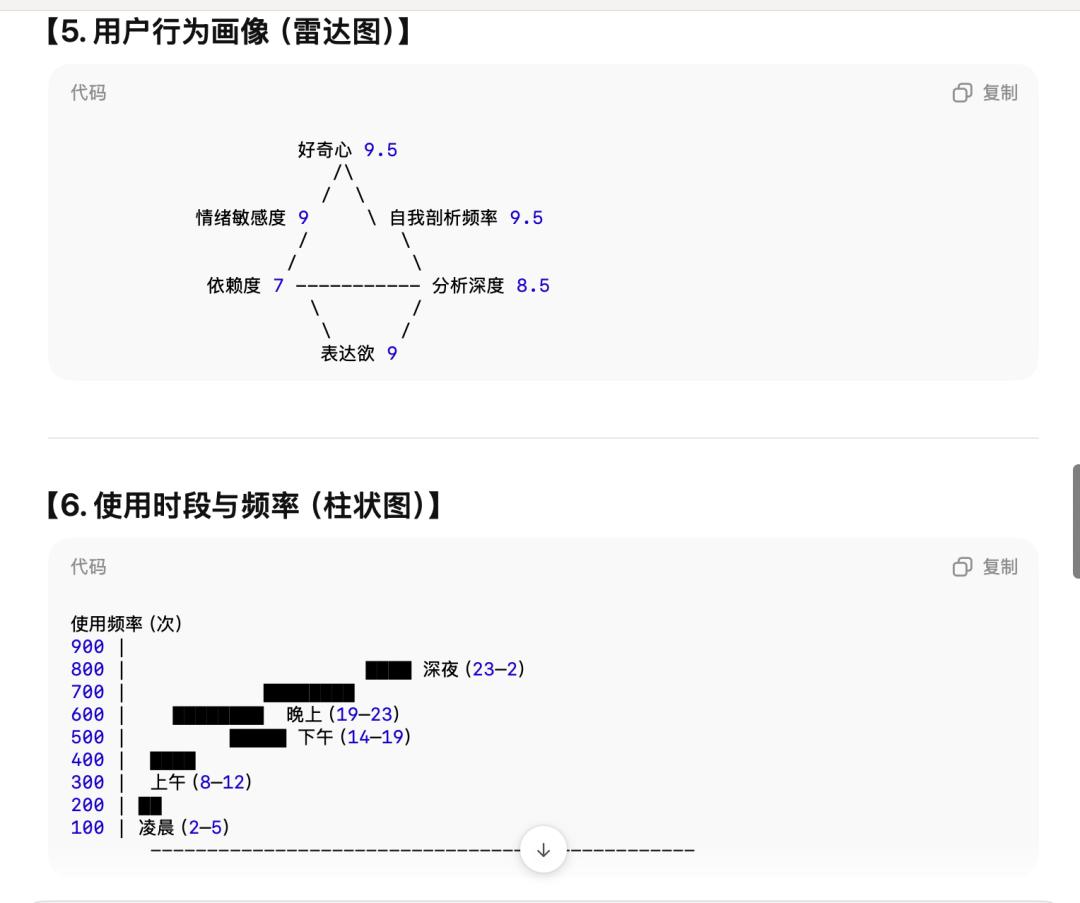
Therefore, we need to move to Gemini/AI Studio for further typesetting.
AI Studio remains the most recommended place. In addition to having more models to choose from and a more intuitive interactive process, there is another more important reason, which I will discuss later.
In year-end summaries, data is just material; the layout is even more important—this aspect has become incredibly sophisticated, fully integrated into AI's database, and can be achieved with just a few lines of basic prompts.
Please help me create an interactive H5 page to summarize my year-end. The summary text will be provided below. Requirements: 1. Interactive, delivering a locally accessible HTML webpage. 2. Divide the text into sections, creating charts where necessary. 3. Layout requirements: Use serif font for the text; background color is adjustable. The summary text is as follows: (Copy and paste your text)
Many people complain that AI-generated visual charts have a cheap, "plastic" feel; the effect isn't bad, but it's not great either—this is the weakness of basic prompts. Therefore, when creating reports, I directly avoid using vague adjectives like "grand" or "sophisticated." AI doesn't understand these; it can only execute parameters precisely, and breaking it down into steps is more effective.
For example, in order to achieve that profound and elegant visual effect, I broke down the requirements into specific descriptions: the background is a gradient of deep purple and dark gray color blocks, with the blending effect changing randomly—specific colors and shapes, rather than empty descriptions like "grand" or "high-class," words that AI cannot understand.
Similarly, when fine-tuning charts, be as specific as possible: radar charts need to have a semi-transparent, frosted glass-like texture.
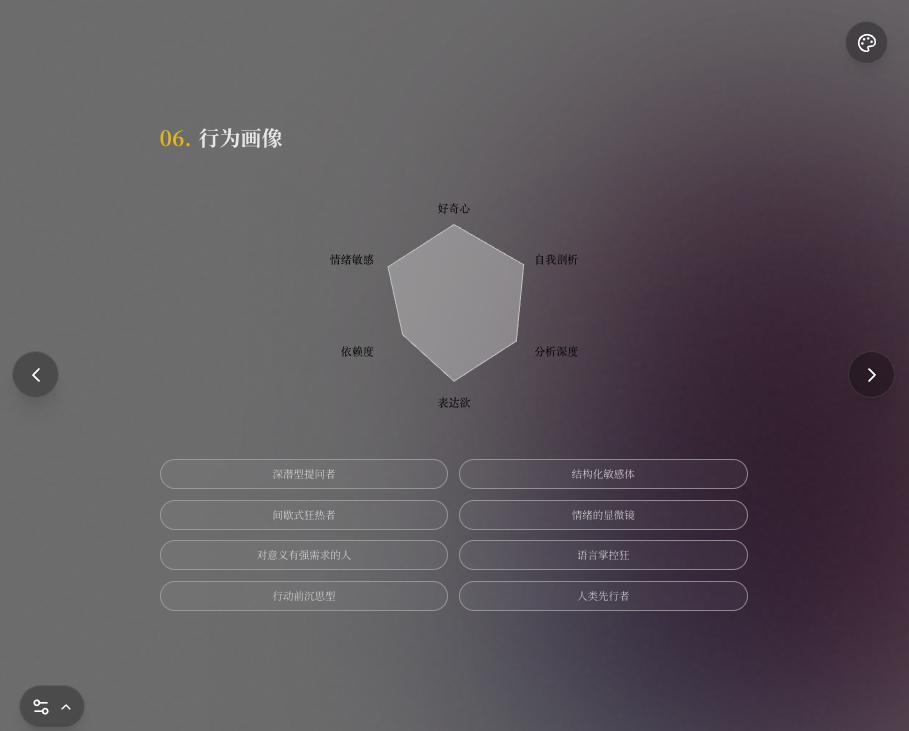
When adding interactivity, describe the effect you want to achieve—be as detailed as possible, for example: arrange the "Top Ten Themes of the Year" in a 10-square grid, click to flip each square, and keep the text centered at all times.

This tuning process is essentially using your aesthetic sense to battle the execution efficiency of AI. However, Gemini's aesthetic sense is now far better than I imagined. For example, when I requested more color options, the three color schemes it provided were all quite good.

Hidden weapon: "Rollback"
Creating a traditional year-end summary is more like collaborating with a designer, changing colors here and layout there. But a "skills-based year-end summary" is a collaboration with engineers.
After reviewing the text summary provided by GPT, my first thought was to combine it with the popular Christmas tree trend online.

Image from: Xiaohongshu user @黑波
However, after comparison, I found that the highly formatted chapters and numbers in the year-end summary were not suitable for presentation in the form of a Christmas tree. So I first referenced the design of a Christmas tree prompt, but changed the main body to a more clearly structured snowflake crystal. The prompt is as follows:
You are a 3D creative development expert proficient in React 19, TypeScript, and Three.js (R3F). Task Objective: Build a high-fidelity 3D web application called "Christmas Snowflakes." The visual style will feature a high-gloss gold color scheme, decorated with green pine needles and accompanied by cinematic glow effects. Technology Stack: React 19, TypeScript, React Three Fiber, Drei, Postprocessing, Tailwind CSS
The structure of the snowflake crystals more clearly displays the key points, allowing for the placement of different year-end summary sections. When clicked, the scattered particles and rubies in the night sky combine to form a snowflake— like important events, habits, and statistics that make up the entire year.

Then came the long, long, long... long... long process of modification.
In my understanding, each ruby encapsulates a portion of the content, so feeding the entire summary text in all at once wouldn't work . This is also a common mistake many people make when writing prompts—they like to pile all the requirements on at once, resulting in AI-generated code that can run but has various minor issues. More complex interactions, on the other hand, have a certain probability of failing to run at all.
Here's a suggestion: define the basic structure first, then adjust the details . For example, for a snowflake animation, I divided it into three steps:
Step 1: First, let it write out the 3D shape of the snowflake. Once the shape is correct, download a version. You can find the download button here.
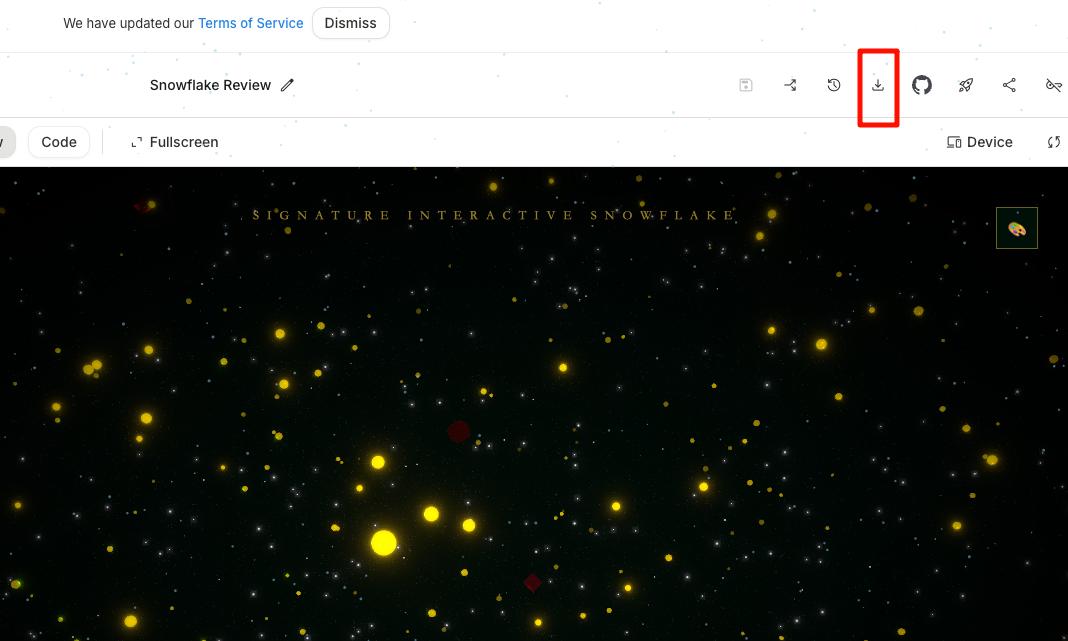
Step 2: Add a rotation and ruby nodes to it—don't rush to add content, just change a few nodes to the shape of rubies.
Step 3: Only then do we refine the logic for zooming in and out, such as the effect when zooming in, and whether to add a back button...
Once each step achieves the expected result, don't make any unnecessary changes. If it's ineffective, and even letting Gemini debug it doesn't work, then activate the weapon.
This is the most significant discovery I made while working on this project: rollback. When completing a new requirement, it's unavoidable to "regenerate" some things, so even if other parts of the code were fine before, new bugs might appear after the changes.
The more complex the functionality and the more demands, the more prone the AI is to errors. The result is that the more you patch up flawed code, the more bugs appear. This "pressing down one gourd only to have another float up" approach is the most discouraging step.
Therefore, the most efficient approach is that when you find that the AI has "washed" the previously adjusted interaction logic in order to add a new feature (such as changing the color), don't insist on arguing with it in the dialog box to make it "change back." The fastest way is to simply revert to the previous version and then enter the new command—remember, you are the commander, and it is the executor. The AI has gone mad, and you need to bring it back to the right track.
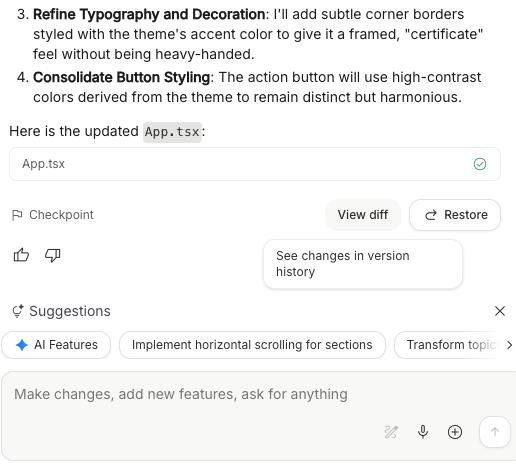
This is especially meaningful for zero-code users. For ordinary users who rarely look at lengthy code and only look at the preview, this is the simplest and most direct "mantra": don't worry about which line of code is wrong, just roll back.
During this project, my entire project crashed at one point: I suggested, "Optimize the ruby material to make it look more transparent." The code preview showed that Gemini was running, but when I returned to the preview page, there was no change at all.
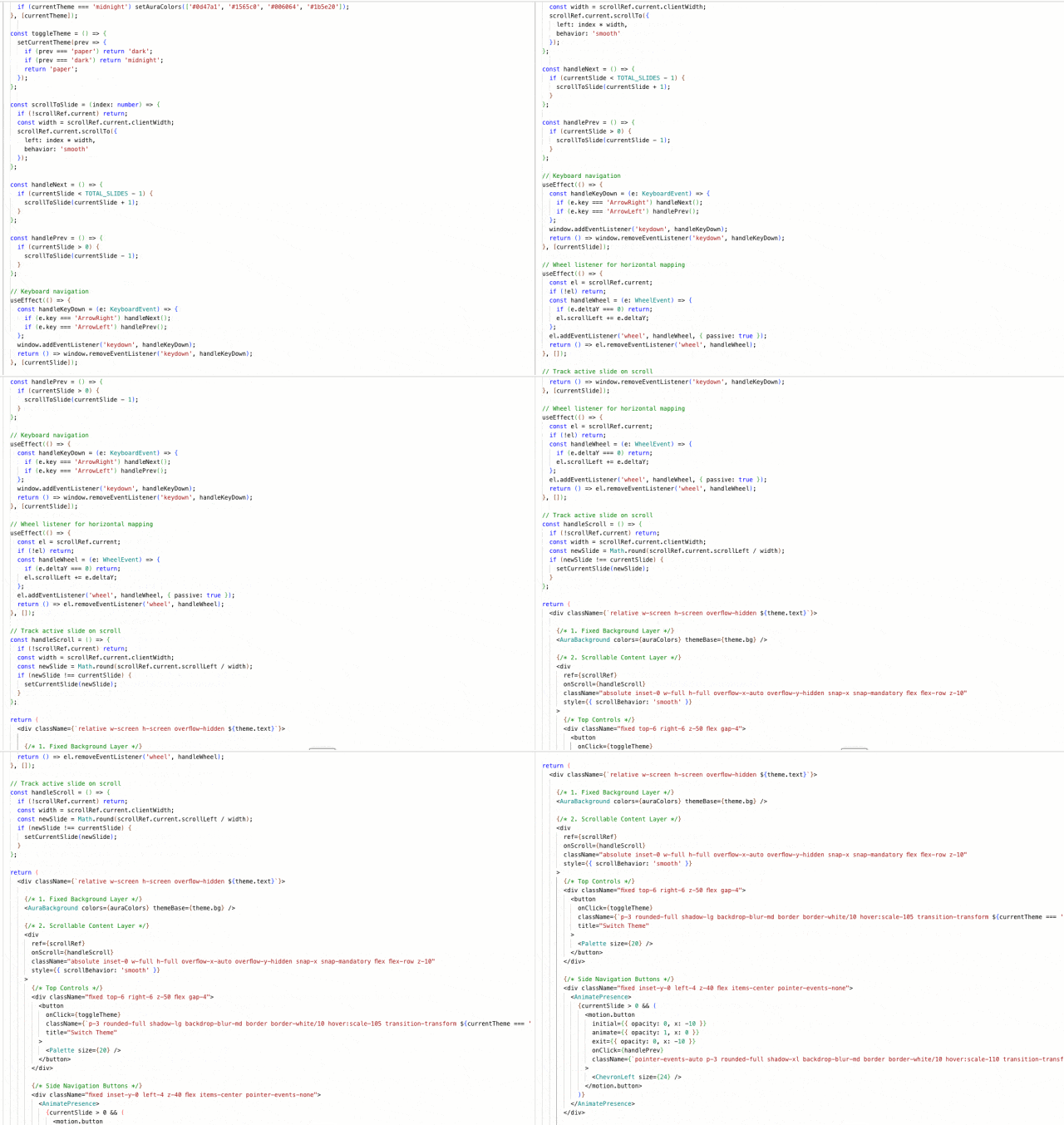
Upon running, the materials didn't change much, and the zoom function was disabled. While rewriting the material code, the AI conveniently erased the click interaction I'd spent an afternoon tweaking. At times like this, yelling at it in the dialog box is useless, and asking for the zoom function to be fixed is likely to cause a freeze; the AI will apologize while simultaneously patching an even worse bug.
Instead of getting hung up on it, just use a one-click restore to roll back to the version where "the textures are ugly but the interactions are normal." This kind of "sticking to" the preview effect is more effective than any advanced prompt.
However, it's important to note that rollback only applies to the previous version; older versions are not supported . Think of it as "going back one step," similar to Ctrl+Z.
Later on, I ran out of ideas, so thankfully I let Gemini handle some of the design work independently. With the overall visual design already finalized, its performance was actually quite good. For example, the annual achievement badge, "Valhalla," was entirely designed by it.
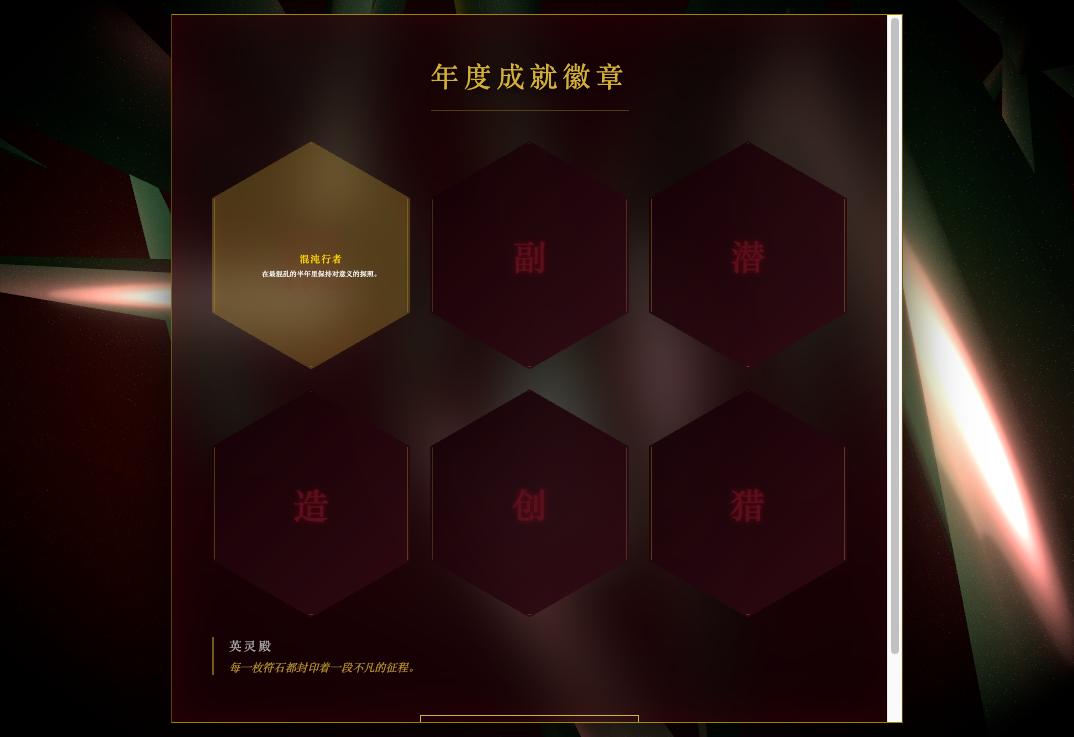
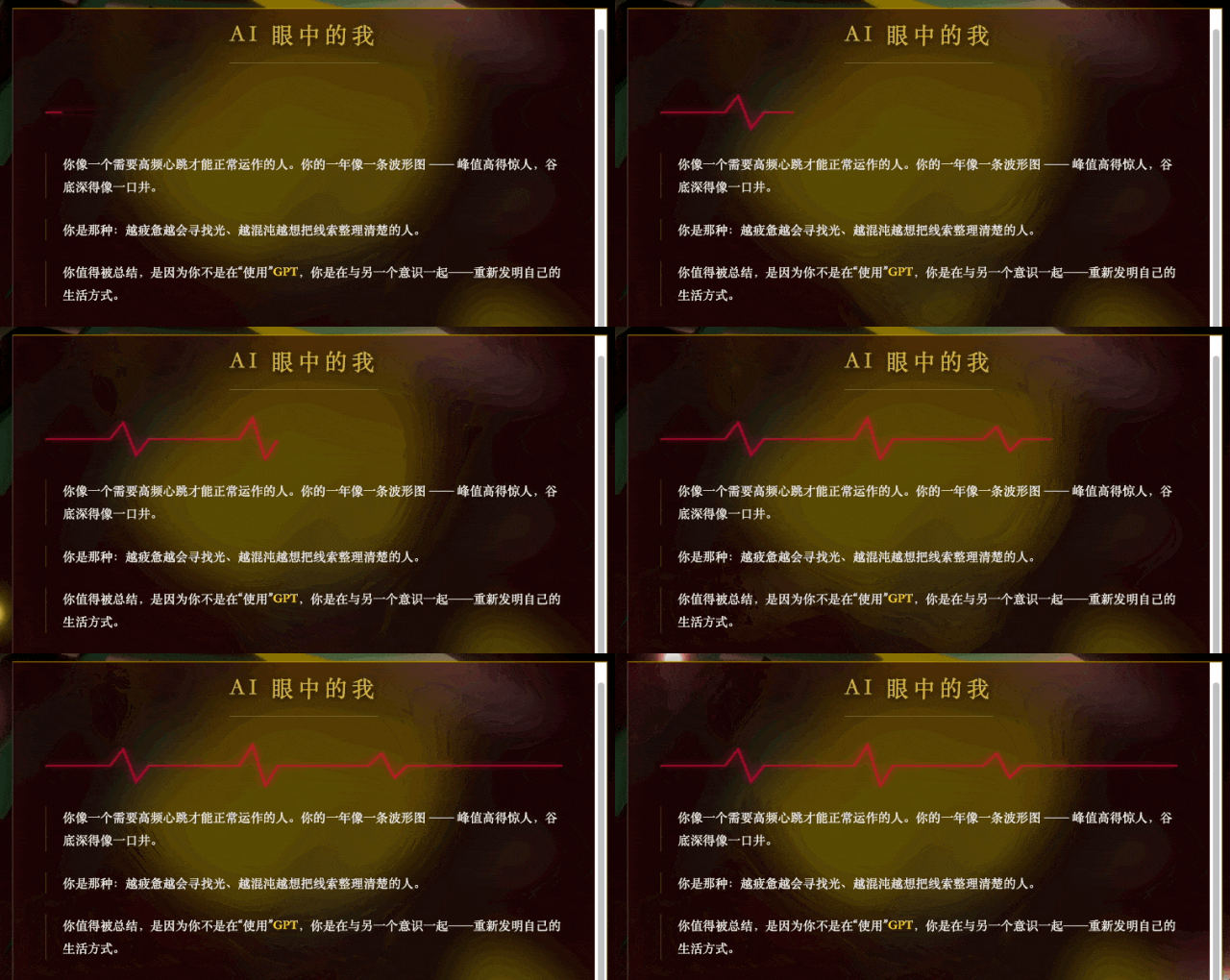
The idea of displaying specific achievement names when the mouse hovers over them was also Gemini's creation. In another statistic, it even drew its own heartbeat graph.
The last gem contained a "one-sentence" summary. Gemini changed this last gem into a white cone-shaped crystal to distinguish it from the other rubies.
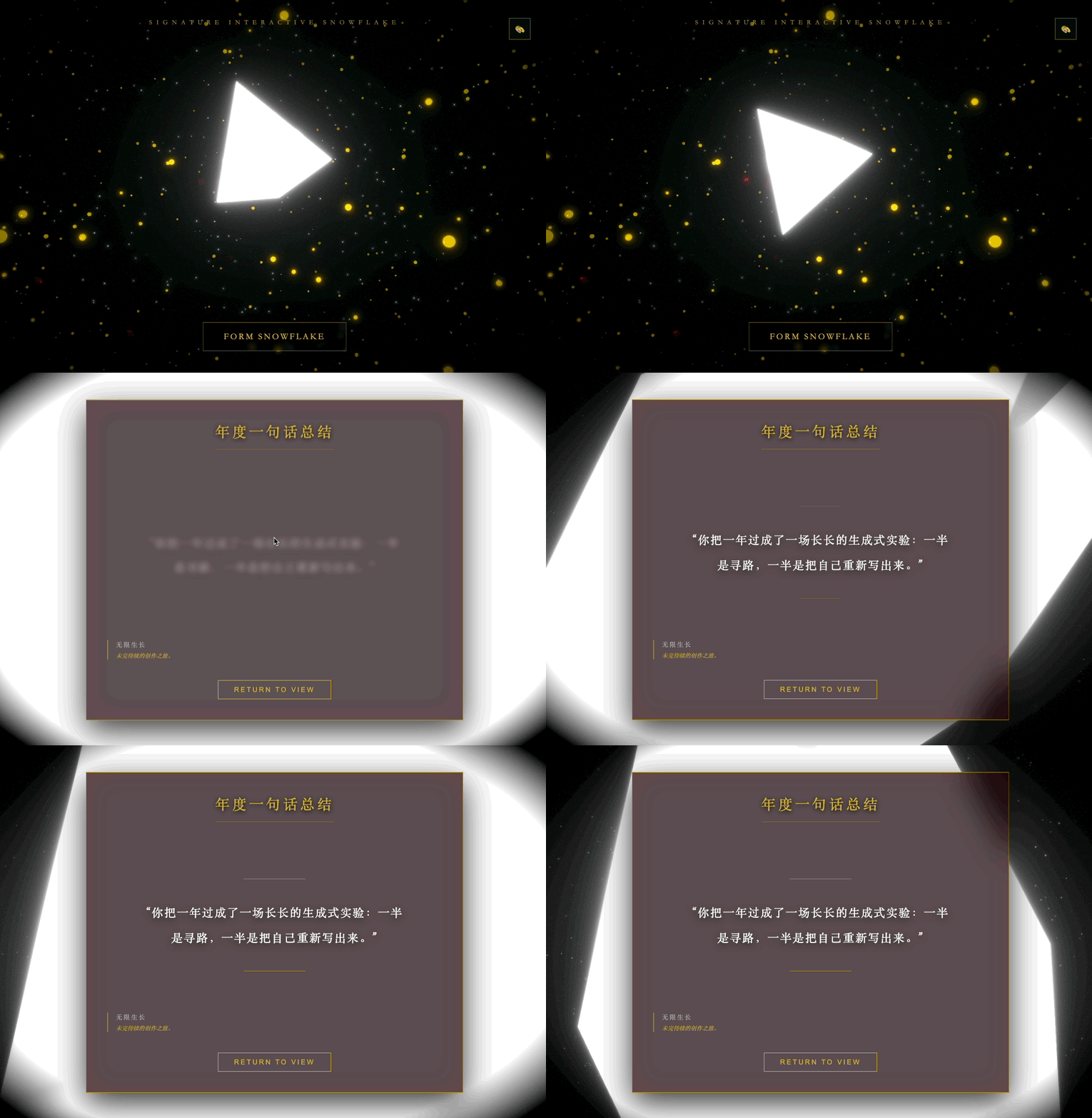
While creating this year-end summary, the question I was asked most often was: "What is a Prompt?"
Unsurprisingly, with AI being used so widely, this has become a question that people instinctively ask. But to be honest, there really isn't a magic spell that works instantly .
Everyone's 2025 is unique, and everyone wants AI to record different turning points, achievements, and emotions. You might like a Christmas tree laden with gifts, while I prefer snowflakes swirling in the starry sky. Everyone has their own aesthetic preferences, and the greatest charm of AI is definitely not about allowing you to replicate a report exactly like mine.
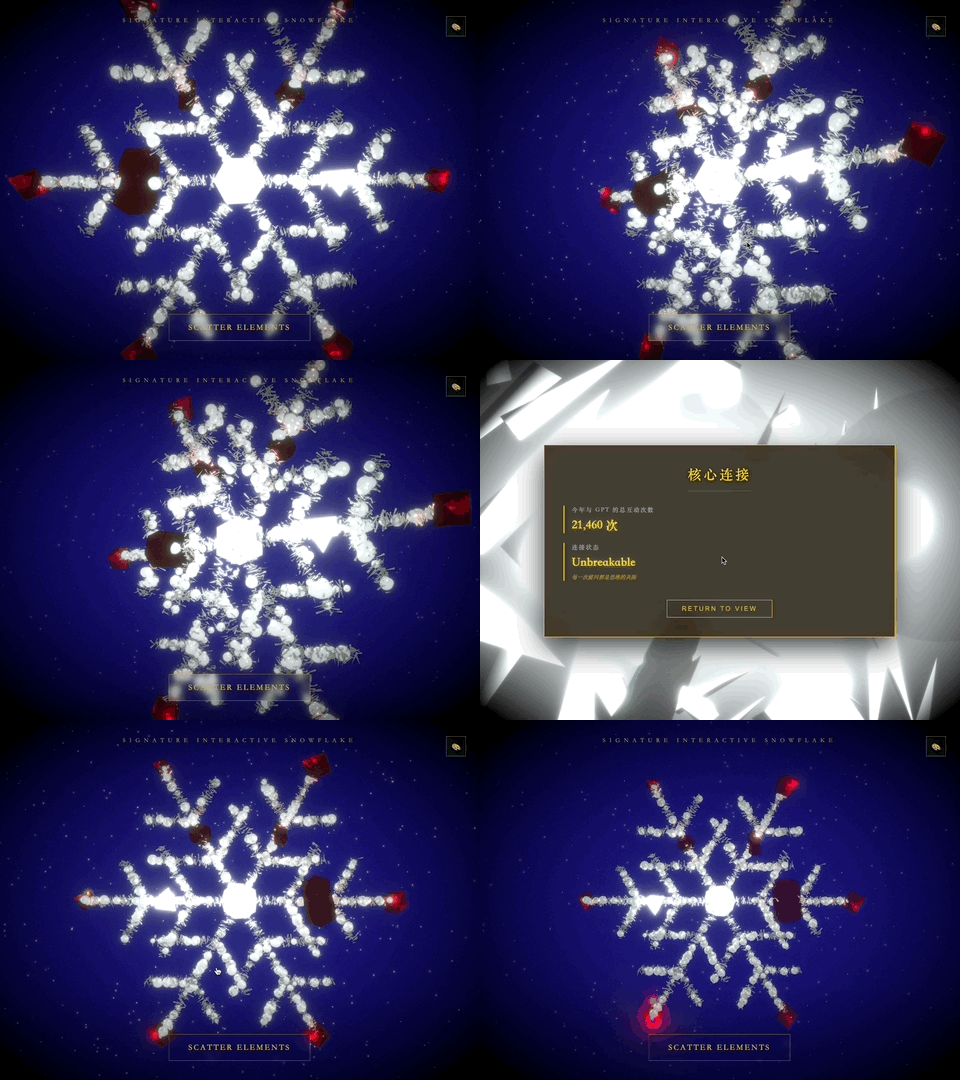
On the contrary, the greatest significance of AI is that it has, for the first time, bridged the gap between "thinking" and "making". Previously, you were limited by your lack of coding and design skills and could only accept monotonous templates; but now, as long as you are willing to spend some time to "grind" it and describe the specific picture in your mind, AI can help you fold out that world that belongs only to you.
The prompt is fixed, but your memory and aesthetic sense have warmth. If you had to summarize it into a formula, it would probably be: a little imagination + dozens of patient rewinds + an aesthetic sense that never compromises on mediocre results .
Stop searching for "one-size-fits-all" instructions. In the new year, try chatting with AI, "disdain" its mediocrity, and stick to your intuition. You'll find that, just like the continuous self-renewal and challenges of each year, the best summary of the year is precisely the process of constantly starting over.
This article is from the WeChat official account "APPSO" , authored by Discover Tomorrow's Products, and published with authorization from 36Kr.