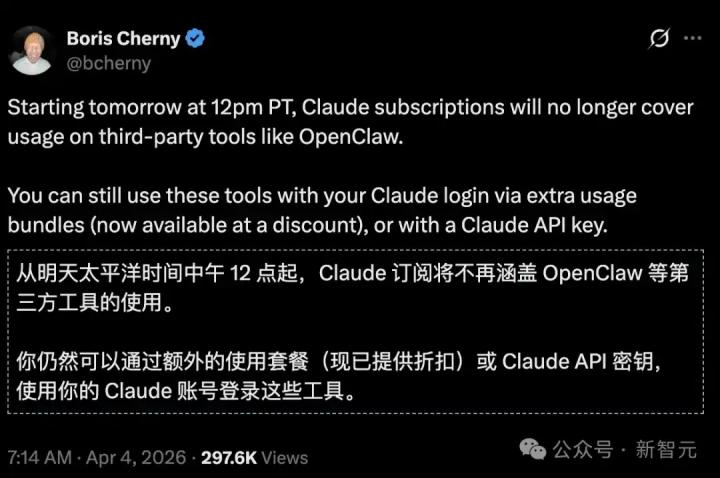
TL;DR: Clawdbot is like your personal "AI assistant," capable of receiving commands across all your messaging apps, including LINE, WhatsApp, Telegram, and Discord, and answering your questions and handling tasks for you at any time.
What is Clawdbot?
You may have used AI chat tools like ChatGPT and Gemini, but you have to open a webpage or app to use them each time, right?
Clawdbot was created to solve this problem.
It's an open-source personal AI assistant. Once installed on your own computer, you can directly converse with the AI through your usual messaging apps (WhatsApp, Telegram, Discord, Slack, iMessage, etc.). No need to switch apps or open web pages: simply ask your questions in the chat window, and the AI will answer you.
In short:
- No need to open a separate app — talk to AI directly within your preferred communication software.
- Running on your own computer —data is not stored by third parties, and your privacy is protected.
- One assistant, multiple platforms —the same AI can appear simultaneously on your WhatsApp, Telegram, and Discord.
- Supports voice interaction —you can speak instead of typing.
- Open source and free — completely free to use, with transparent and publicly available code.
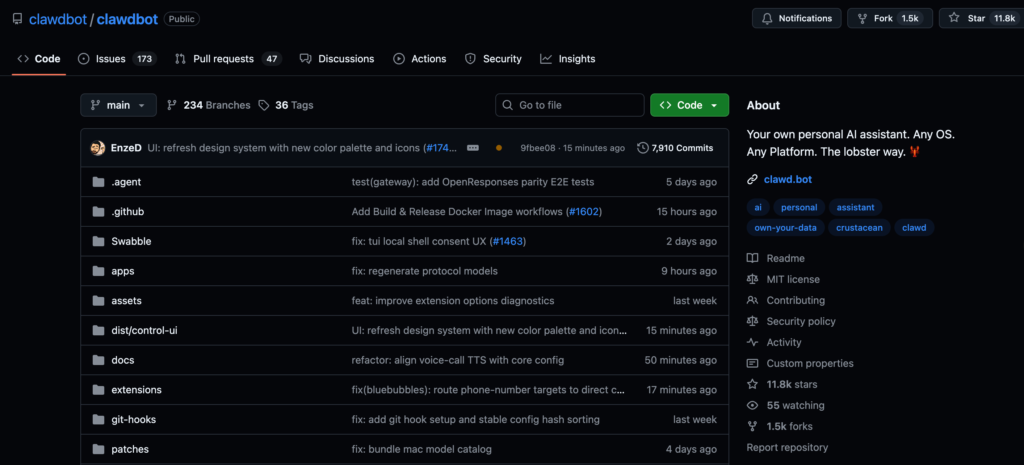
To date, Clawdbot has garnered over 11,800 stars and has more than 1,500 branches on GitHub, making it a fairly active open-source project. Its mascot is an adorable space lobster named Clawd.
Why do you need Clawdbot?
Advantage 1: No need to switch apps, ask AI directly in the chat software.
Imagine this scenario: You're chatting with a friend on WhatsApp and suddenly need to look up some information. Previously, you would:
- Switch to ChatGPT App
- Typing questions
- Copy answer
- Switch back to WhatsApp and paste.
With Clawdbot, you can simply type your question in WhatsApp and the AI will answer it without having to switch apps.
Advantage 2: One assistant, universal across all platforms
Clawdbot can connect to your:
- Telegram
- Discord
- Slack
- iMessage (Mac only)
- Microsoft Teams
- Signal
- Google Chat
- And more…
You only need to set it up once, and this AI assistant will appear on all platforms simultaneously.
Advantage 3: Data is stored on your own computer, ensuring privacy.
Unlike ChatGPT or other cloud services, Clawdbot runs on your own computer. This means:
- Your conversation will not be uploaded to a third-party server.
- You have complete control over your data.
- No need to worry about privacy leaks
Advantage 4: Voice communication is possible
Clawdbot supports voice interaction:
- Voice wake-up: Activate with a single voice command
- Dialogue Mode: Like chatting with a real person, you can have a back-and-forth conversation using spoken language.
- Supports Mac, iPhone, and Android.
Advantage 5: Supports multiple AI models
You can choose to use:
- Claude (Anthropic's AI)
- ChatGPT (OpenAI)
- Gemini (Google)
- Other models
The official recommendation is to use Claude Opus 4.5 because it has strong long conversation memory capabilities and higher security.
Advantage 6: Completely free and open source
Clawdbot itself is completely free, and its code is publicly available on GitHub. The only thing that requires payment is the usage fee for the AI model (such as a Claude Pro subscription), but this is paid to Anthropic or OpenAI, not to Clawdbot.
Clawdbot vs. General AI Chat Tools
| Function | Clawdbot | ChatGPT App | Claude App |
|---|---|---|---|
| Use directly in the communication software |  yes yes |  no no | no |
| Supports multiple platforms | yes | no | no |
| The data is stored on my own computer | yes | no | no |
| voice dialogue | yes | yes | yes |
| Open source and free | yes | no | no |
| Installation requires technical background. |  Need a little Need a little | Need not | Need not |
Note : Clawdbot requires some basic technical knowledge to install (being able to type commands in a terminal), but there is a wizard to help you complete the setup.
Installation Methods Overview
System Requirements
- Node.js ≥ 22
- Supports macOS, Linux, and Windows (via WSL2).
Recommended installation method
`npm install -g clawdbot@latest` or use `pnpmpnpm add -g clawdbot@latest` to execute the bootloader wizard `clawdbot onboard --install-daemon`.
The sprite will install the Gateway daemon (launchd/systemd user service) to ensure it continues to run.
Quick Start
# Start Gatewayclawdbot gateway --port 18789 --verbose # Send message clawdbot message send --to +1234567890 --message "Greetings from Clawdbot" # Chat with the agent clawdbot agent --message "Help me organize my to-do list" --thinking high
Detailed Explanation of Main Functions
Channel connection: Each communication platform has its own dedicated connection method.
| platform | Setting method |
|---|---|
execute clawdbot channels login to connect to the device. | |
| Telegram | Set the Bot Token ( TELEGRAM_BOT_TOKEN ) |
| Slack | Set Bot Token + App Token |
| Discord | Set the Bot Token ( DISCORD_BOT_TOKEN ) |
| iMessage | macOS only, requires Messages login |
| Signal | Requires signal-cli to use |
| Microsoft Teams | Teams App + Bot Framework needs to be configured |
Security Mechanism
Clawdbot places great emphasis on security:
- DM Pairing Mode : By default, unknown senders will receive a pairing code, and the bot will not process their messages.
- Whitelist control : Users can be allowed to interact with the platform by setting the allowed users through
allowFromsetting. - Sandbox mode : Non-master sessions in groups/channels can run in a Docker sandbox.
- Doctor diagnostic tool : Running
clawdbot doctorcan check for potential security risks.
Chat commands
The following commands can be used on various communication platforms:
-
/status— View session status (model, number of tokens, cost) -
/newor/reset— Reset the session -
/compact— Compress the session context -
/think <等級>— Sets the depth of thinking (off/minimal/low/medium/high/xhigh) -
/verbose on|off— Toggle verbose mode -
/usage off|tokens|full— Sets the usage display.
Companion Apps
Clawdbot offers an optional companion app:
macOS App
- The menu column controls the Gateway status.
- Voice wake-up + button-to-talk overlay
- WebChat + Debugging Tools
- Remote Gateway Control
iOS Node
- Matching via Bridge
- Canvas interface, voice wake-up, dialogue mode
- Camera and screen recording functions
Android Node
- The same Bridge pairing process
- Canvas, camera, and screen capture functions
- Optional SMS features
Skills System
Clawdbot has a skills platform:
- Workspace root directory :
~/clawd - Injection prompt files :
AGENTS.md,SOUL.md,TOOLS.md - Skill location :
~/clawd/skills/<技能名>/SKILL.md - ClawdHub : A skills registry that allows AI to automatically search for and introduce new skills.
Automation functions
- Cron Scheduler : Setting up scheduled tasks
- Webhooks : Receiving external triggers
- Gmail Pub/Sub : Gmail event triggering
Browser control
Clawdbot can control dedicated Chrome/Chromium browsers:
{"browser": {"enabled": true,"controlUrl": "http://127.0.0.1:18791","color": "#FF4500"}}Features include: snapshots, operations, uploads, and configuration file management.
Remote access
If you want to run Gateway on a Linux server, you can access it remotely in the following ways:
- Tailscale Serve/Funnel : Automatically configures HTTPS access
- SSH Tunnels : Connecting via SSH tunnels
Device nodes (macOS/iOS/Android) can still be paired to perform local operations, such as camera, screen recording, notifications, etc.
Configuration File Example
Minimum settings ( ~/.clawdbot/clawdbot.json ):
{"agent": {"model": "anthropic/claude-opus-4-5"}}Related official resources
- Official website : clawdbot.com
- File : docs.clawd.bot
- GitHub : github.com/clawdbot/clawdbot
- Discord community : discord.gg/clawd
- Skills Registry : ClawdHub.com
Summarize
Clawdbot is a powerful personal AI assistant solution suitable for those who:
- Users who control their AI assistants – all data is processed locally.
- Integrating users across multiple communication platforms – one assistant responds to all channels.
- For users who need voice interaction – supports voice wake-up and continuous dialogue
- For security-conscious users – a robust whitelist and sandbox mechanism.
- For users who want a high degree of customization – a skill system and complete setting options
If you're looking for a local-first, fully functional, multi-platform personal AI assistant, Clawdbot is definitely worth a try!