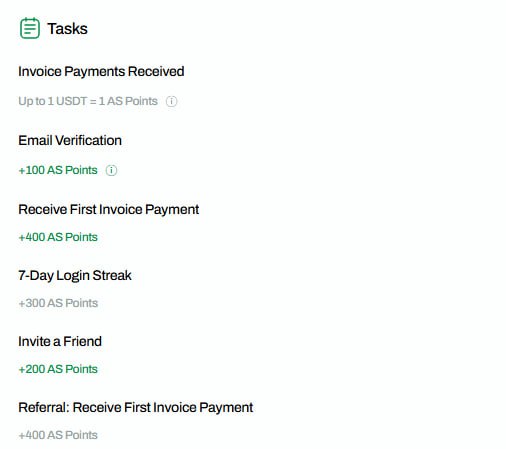
☑️AllScale Pay Day 2 Attendance Check Completed - Log in for 7 consecutive days to receive 300 AS points. - Create an invoice and receive 400 AS points. Send the invoice to a different email address you own and pay. - Payment is immediately deposited into your AllScale Pay wallet. Simply send the coins back to your wallet. 📔How to Complete the Invoice Mission 1. Go to 'Invoices' 2. Enter your email address and roughly fill in the remaining details. - Enter the minimum amount of $2.20 (including remittance fees) for the invoice amount. 3. Pay when you receive the invoice via email. Allscale Airdrop Operation #AllScale
This article is machine translated
Show original

Telegram
Disclaimer: The content above is only the author's opinion which does not represent any position of Followin, and is not intended as, and shall not be understood or construed as, investment advice from Followin.
Like
Add to Favorites
Comments
Share
Relevant content