In the Solana ecosystem, liquidity management is a crucial task for traders and developers. Especially when using DEXs like PumpSwap, bulk liquidity removal helps you efficiently manage your wallet assets, avoiding the tedious process of manual operations. GTokenTool, a one-click token issuance platform, offers a one-click bulk removal function for PumpSwap liquidity, saving you time and optimizing your trading experience.
Preparations
Before you begin bulk removal of liquidity, please ensure that you have the following conditions met:
- Equipment: A computer or mobile phone.
- Solana Wallet: Phantom Wallet is recommended. If you haven't installed it yet, please refer to the Phantom Wallet installation tutorial .
- Wallet balance: Ensure you have enough SOL in your wallet (0.001 SOL is required for each liquidity removal).
Specific process for bulk removal of liquidity
GTokenTool's batch liquidity removal page is simple and easy to use. Here are the detailed steps: Access point: https://sol.gtokentool.com/zh-CN/liquidityManagement/batchRemove
Step 1: Connect your wallet
- Open the above page for bulk removal of liquidity.
- In the upper right corner of the page, select the "Mainnet" network. If you are using it for testing, you can switch to the test network.
- Click the "Connect Wallet" button, select your Phantom or other compatible wallet, and authorize the connection.
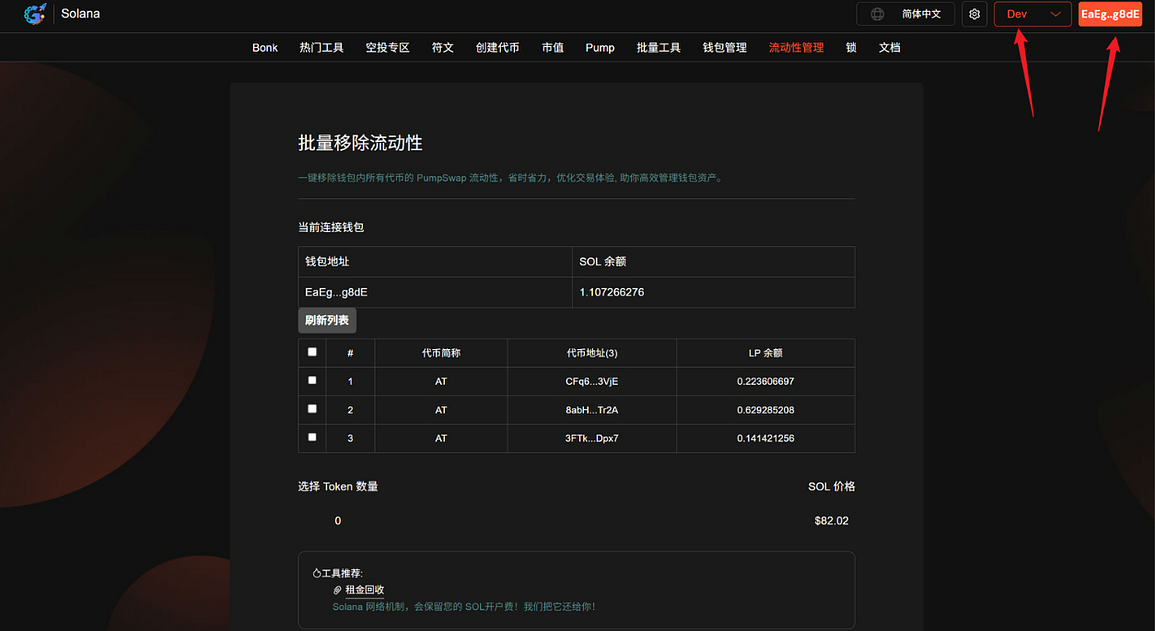
Once the connection is successful, the page will display your wallet address and relevant liquidity pool information.
Step 2: Select the liquidity to remove
- Before proceeding, it is recommended to click the "Refresh List" button to get the latest liquidity pool data. This ensures you see the up-to-date status of all PumpSwap liquidity in your wallet.
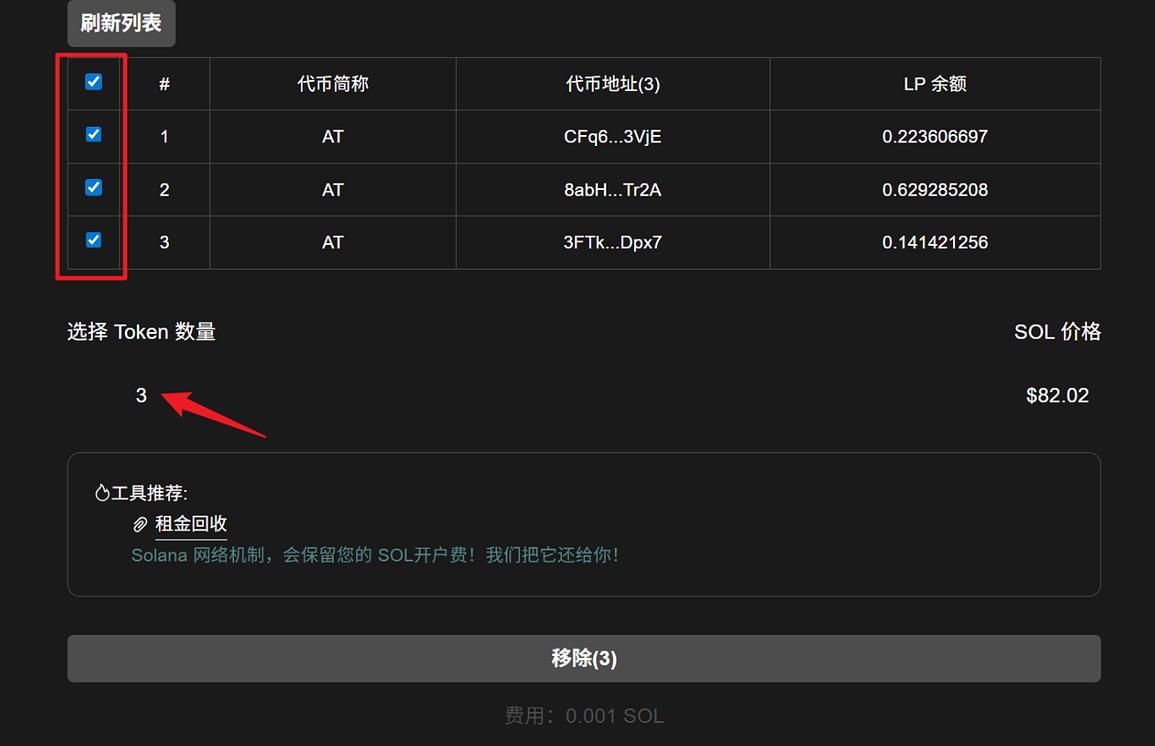
- Browse the list and select the liquidity locations you wish to remove. You can select multiple locations; the number of selected items will be displayed at the bottom of the page.
Step 3: Click Remove
- After confirming that the selection is correct, click the "Remove" button at the bottom of the page.
- The wallet will pop up a confirmation window, allowing you to carefully check the transaction details (such as fees and liquidity).
- Click "Confirm" to complete the transaction.
- After a successful transaction, a success message will pop up on the page. You can check your wallet or a blockchain explorer (such as Solana Explorer) to confirm that your assets have been returned.
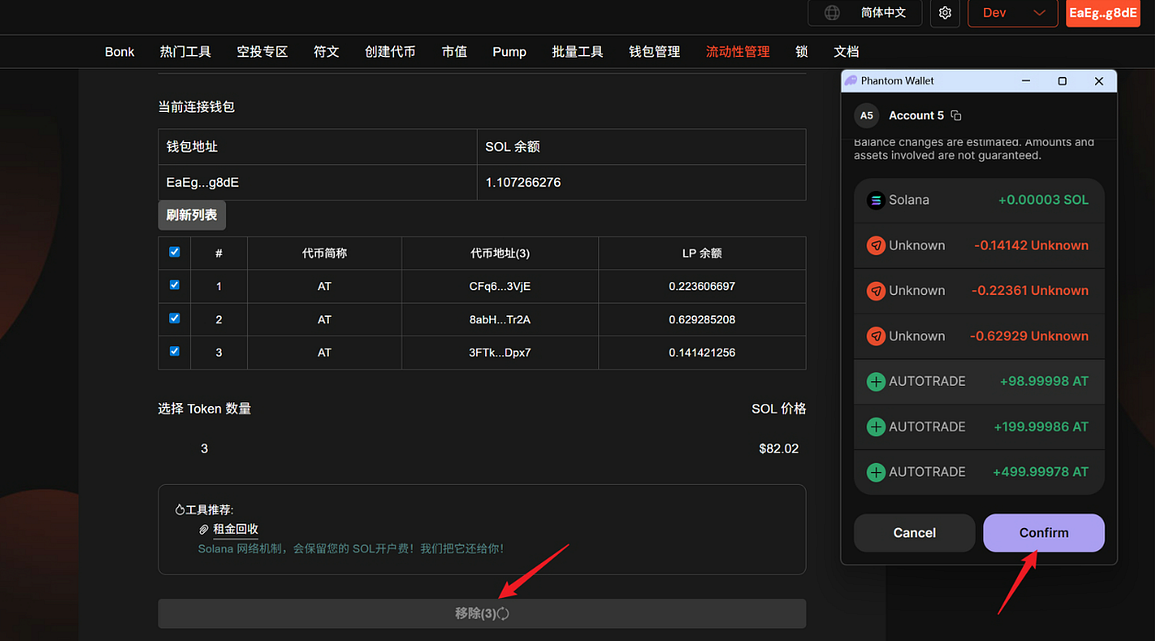
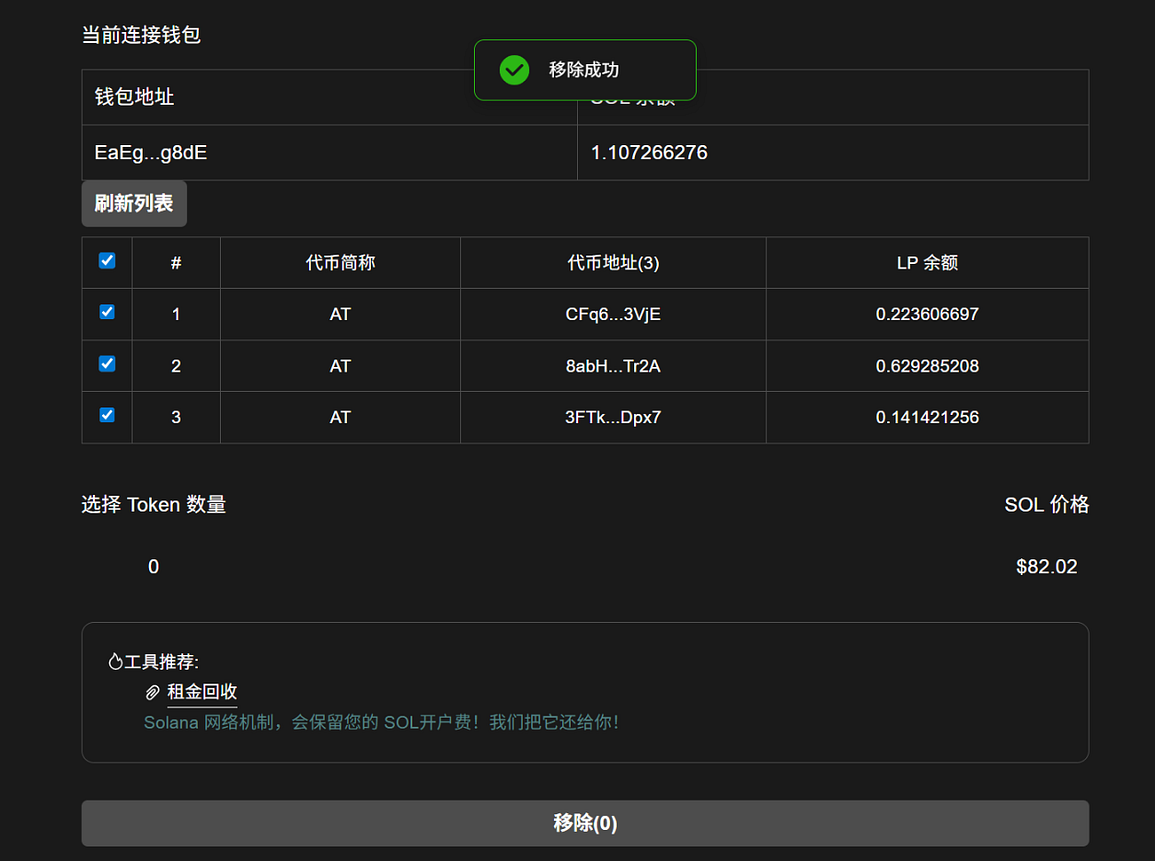
Example: Suppose you have 5 PumpSwap liquidity pools in your wallet, select 3 of them to remove. After refreshing the list, check them, click Remove, and pay approximately 0.003 SOL (3 * 0.001 SOL), which will be completed in a few seconds.
Conclusion
GTokenTool's bulk liquidity removal feature allows you to easily manage your assets in your Solana wallet and improve efficiency. If you're new to Solana, this is a great starting point. For more features such as one-click token issuance or bulk airdrops, please visit the GTokenTool homepage . Join the GTokenTool community for the latest updates:
- Telegram: https://t.me/gtokentool
- Twitter: https://x.com/gtokentool