Everyone has been waiting for this for far too long.
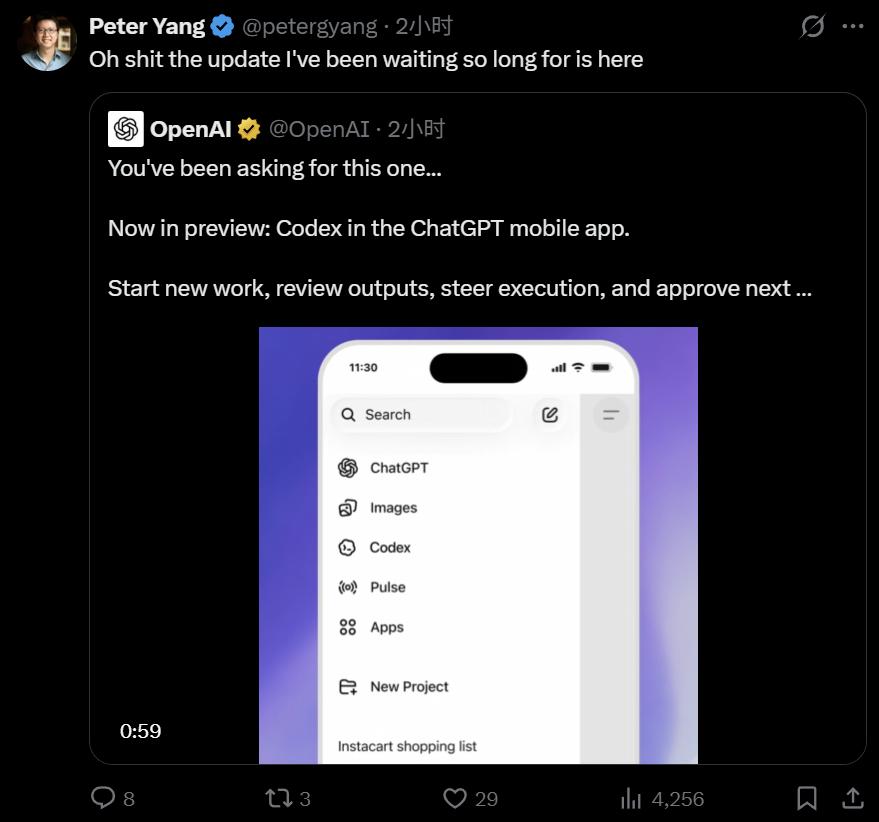
This Friday, OpenAI announced that the mobile version of Codex is now available on the ChatGPT App. Both Android and iOS versions are in preview and available to all users, including the free version.

This update primarily focuses on improving synchronization rates, allowing you to approve code anytime, anywhere, and assign tasks to AI. The news was immediately welcomed by the development and research communities. This is a game-changer.
Currently, more than 4 million people use Codex every week. This new mobile collaboration model has emerged as AI agents undertake increasingly long-term and complex tasks.
Codex is now integrated into the ChatGPT mobile application, allowing you to stay updated on its progress, view Codex discoveries, change directions, approve follow-up steps, or add new ideas. Codex can also be used on your laptop, MacMini, devbox, or remotely.
OpenAI states that Codex within the ChatGPT mobile app offers a full suite of features, enabling you to efficiently complete your work using Codex. When remotely connecting to any device running Codex, the app loads the environment's real-time state, allowing you to seamlessly handle various activity threads, approvals, plugins, and project contexts.
This is more than just remotely controlling a single task or assigning new tasks to your computer. You can manage all threads, view output, approve commands, change models, or start new projects from your phone. Your files, credentials, permissions, and local settings remain on the computer running Codex, while updates (including screenshots, terminal output, diffs, test results, and approval information) are transferred to your phone in real time.
Codex employs a secure relay layer at its core, ensuring that trusted machines are accessible across various devices without being directly exposed to the public internet. Furthermore, this relay layer allows you to maintain session state and context synchronization wherever you log in using ChatGPT.
With Codex, you can now:
Investigate the bug while waiting for your coffee. Since Codex is running in your development environment, it can begin examining relevant files, reproducing the issue in your browser, running tests, and working on a fix. If Codex requires your clarification or authorization to continue, you can reply or approve directly on your phone. During the fixing process, you can view screenshots, terminal output, and test results, and return to your computer to see the final differences.
You encounter a critical decision point during your commute. Before leaving for work, you asked Codex to handle a refactoring project that would take time to complete, planning to check the results after arriving at the office. En route, Codex finds two feasible solutions, requiring your input to proceed. You can weigh the pros and cons on your phone, choose a solution, and by the time you reach the office, the project will be progressing smoothly as you envisioned.
Be better prepared for fast-paced customer conversations. You've just finished another meeting, and a support issue is escalating across Slack, email, documents, and browser tools, with a customer call looming. At this point, you can use your phone to have Codex summarize the latest developments, mark key outstanding issues, and prepare a concise summary of the conversation. If new information emerges, you can have Codex update the summary before joining the conversation.
While the inspiration is still fresh, turn it into action. Whether you're having lunch, taking a walk, or listening to something that sparks your creativity, you can create a new thread on Codex via your phone or add it to your ongoing work, sending your ideas to the AI for processing. This way, the task can begin to take shape before you return to your desk, without completely losing touch with the moment of inspiration.
Now we no longer have to worry about AI "slacking off".
Currently, many teams are developing in hosted remote environments that provide approved dependencies, credentials, security policies, and computing resources.
With the official release of remote SSH, Codex can directly connect to these environments. The desktop application automatically detects the hosts in the SSH configuration and allows you to create projects and run threads on remote machines just like you would on a local machine.
Once the connection is successful, you can access these environments from authorized ChatGPT devices via the same secure relay infrastructure. This means you can start working on a desktop computer, control execution via your mobile phone, and keep long-running tasks running continuously without being limited to a single device.
OpenAI stated that they will also release several updates to further expand the ways teams can automate, customize, and manage Codex at scale:
Programmatic access tokens provide scope credentials that can be issued directly from ChatGPT workspace settings for CI pipelines, release workflows, and internal automation.
Hooks are now widely available and can be used to scan for secret information in hints, run validators, record conversations, create memories, or customize Codex behavior for specific repositories and directories.
Codex supports running ChatGPT Enterprise workspaces in a HIPAA-compliant manner within local environments (CLI, IDE, App), enabling healthcare organizations to support patient care and operational workflows with greater speed and confidence.
The Codex feature in the ChatGPT mobile app is now available in preview on iOS and Android platforms, covering all plans (including the free and Go versions), and is rolling out in all supported regions. To use it, you need to update the ChatGPT mobile app and the Codex app on macOS. OpenAI says that mobile connectivity for the Windows version of the Codex app will be available later .
Reference content:
https://openai.com/index/work-with-codex-from-anywhere/
This article is from the WeChat official account "Machine Heart" , author: Machine Heart, editor: Machine Heart Editorial Department, published with authorization from 36Kr.