Now, you can use the time while waiting for your coffee to work on your computer.
Over the past month, OpenAI has been continuously adding new capabilities to Codex. First, it enabled autonomous background operation on the desktop, displaying the status and emotional value of the desktop pet in real time. Then, it became a Chrome extension for real-time conversations within the browser. Today, Codex can also connect to mobile phones.
OpenAI announced that it is bringing Codex to mobile devices, which has been integrated into the ChatGPT App. iOS and Android users with full plans can preview it.
Workflows that were originally only available on the Codex app on a computer, such as viewing the real-time running environment, reviewing output, approving commands, switching models, and initiating new tasks, can all be done on a mobile phone.
I'm not just someone who can write code.
Many people's first impression of Codex is probably that it is an application specifically for developers, or even a simple local development environment like VS Code, where you open it and see a bunch of confusing code.
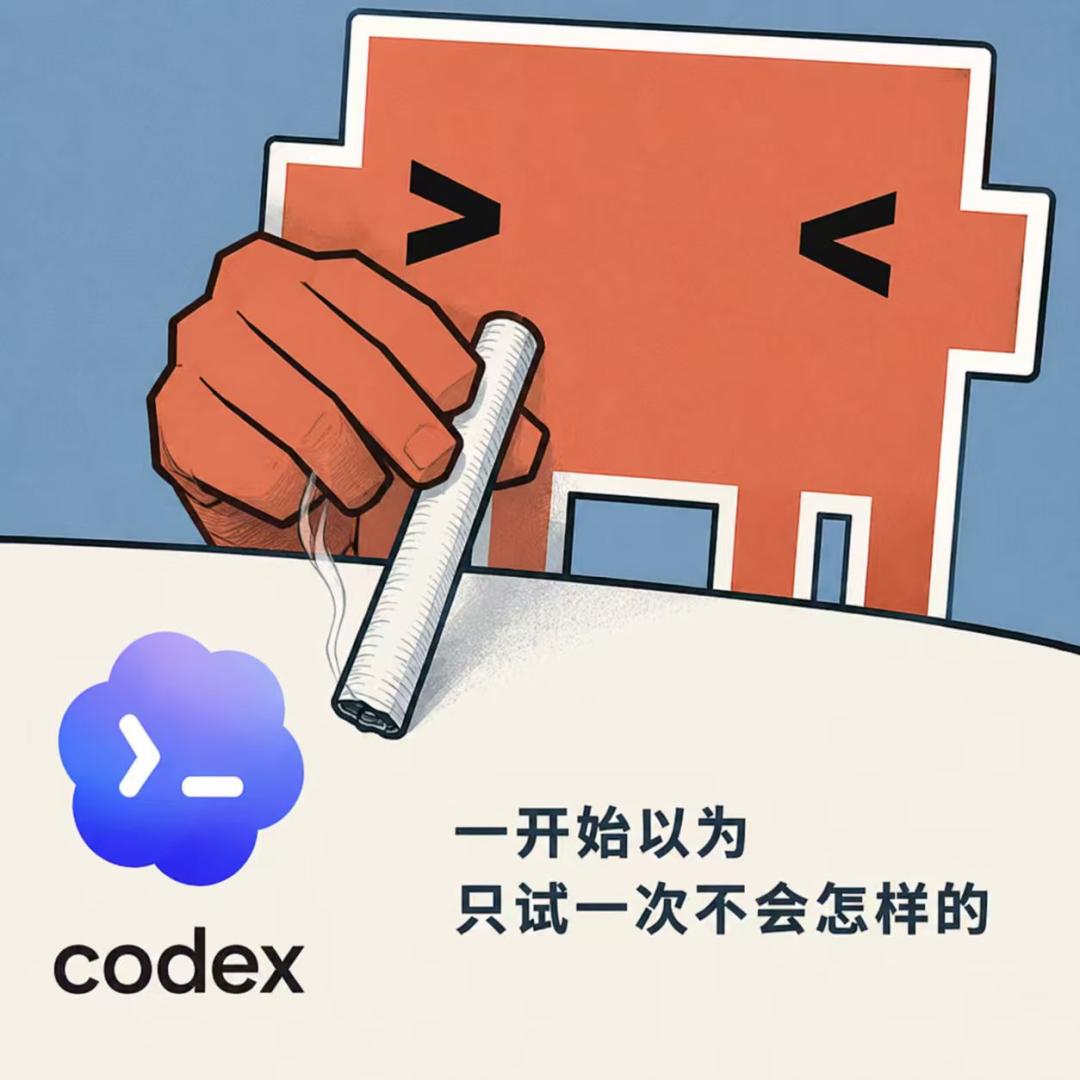
However, Codex can actually be considered an agent product of OpenAI. It can not only meet the needs of developers, but also perform everyday tasks in ChatGPT, such as simple question answering, using GPT Image 2 raw images, and preliminary in-depth research.
From the top left sidebar of the ChatGPT website, click on Codex to enter the introduction page. Don't be intimidated by "Connect to GitHub," or the CLI, IDE extensions, and terminal at the bottom.
All we need to do is download the application, click to download the macOS version, and install it like a normal application.

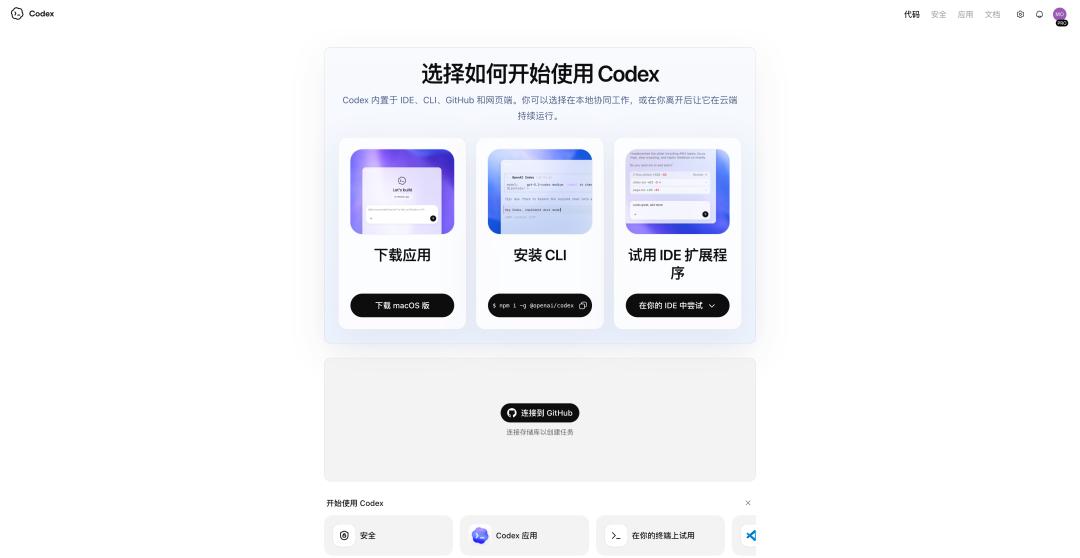
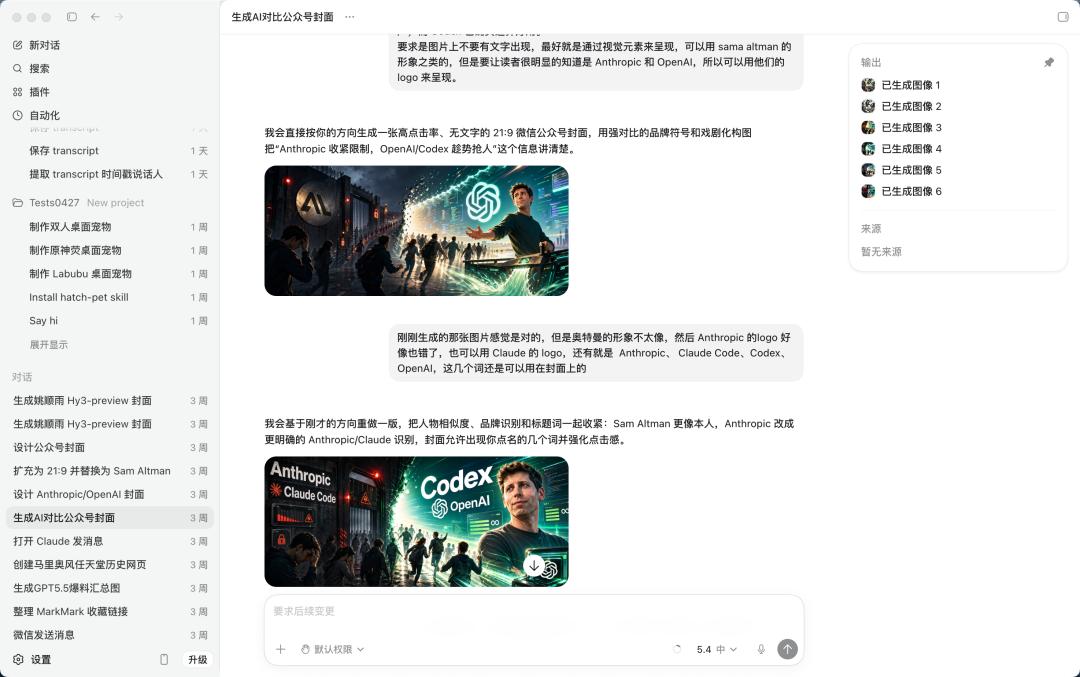
Open Codex; its layout is basically the same as the web version of ChatGPT. On the left are different projects and individual conversations, and on the right is a weightlifting dialog box where we can enter questions or requests, select different models, and send them directly to it.
For example, you can directly ask it to generate a cover image for a WeChat official account, and then modify it in the conversation.
Alternatively, you could translate an English podcast document into a bilingual (Chinese and English) transcript and summarize the corresponding podcast content.
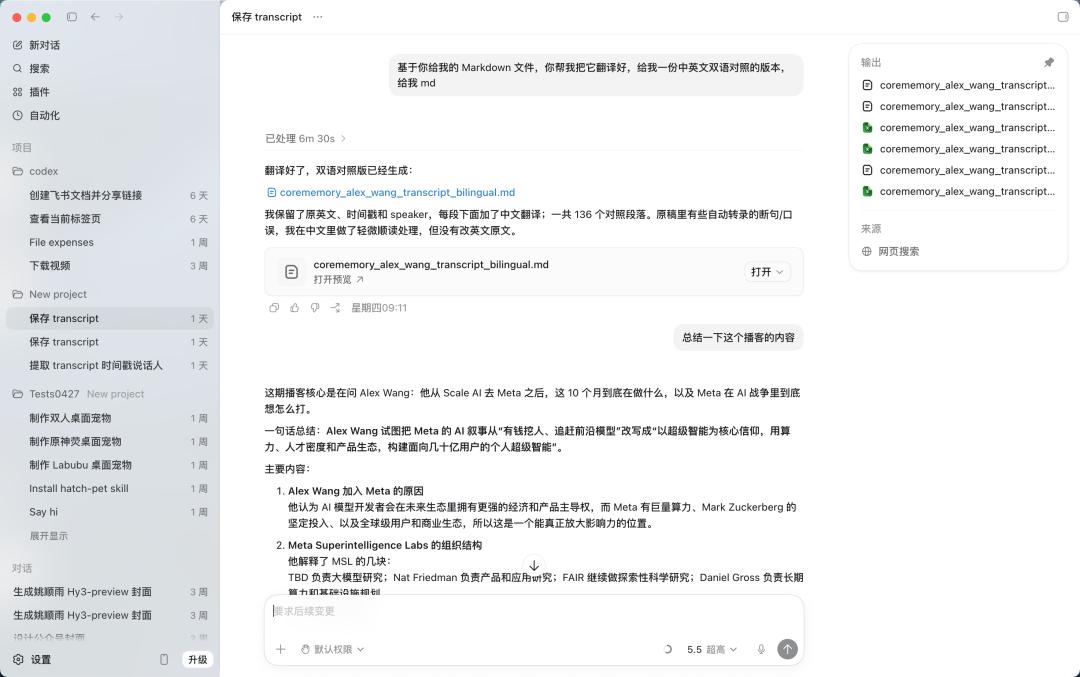
The work that was originally done through ChatGPT also had a pretty good user experience on Codex.
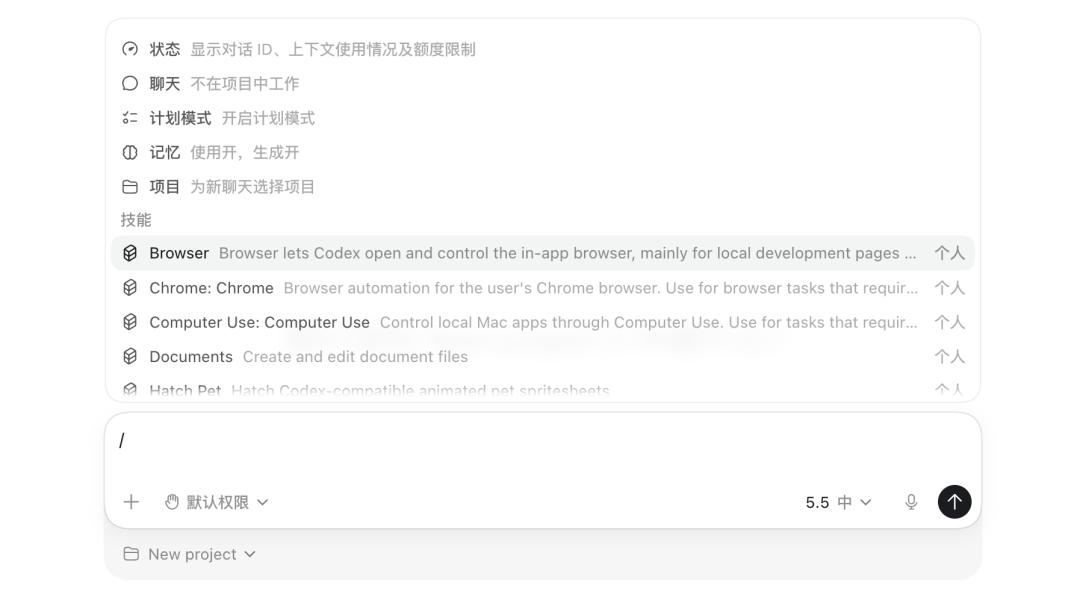
Skill, Computer Use, and scheduled tasks—common functions of other agents—can also be invoked directly with slashes to call up different commands or use corresponding skills.
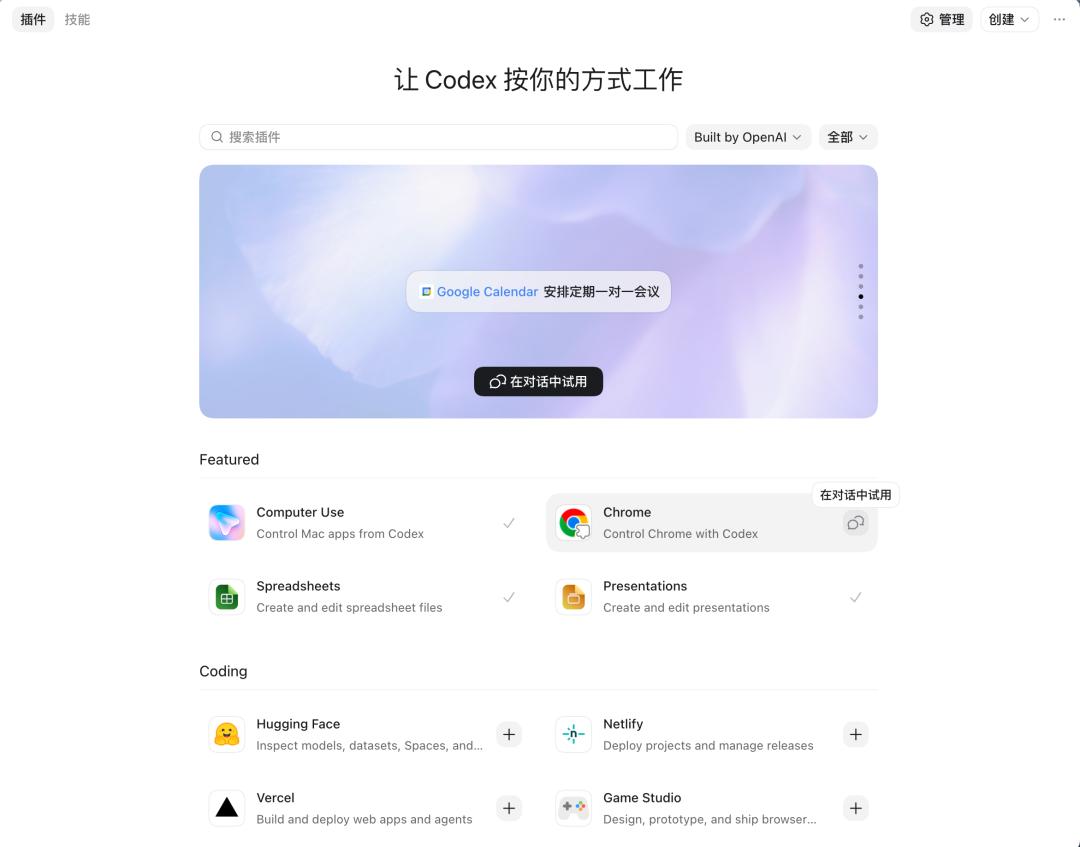
Codex's plugins page also offers a click-to-use feature for some commonly used skills, such as the recently updated Chrome plugin and Computer Use, which is a key feature of almost all local agent products.
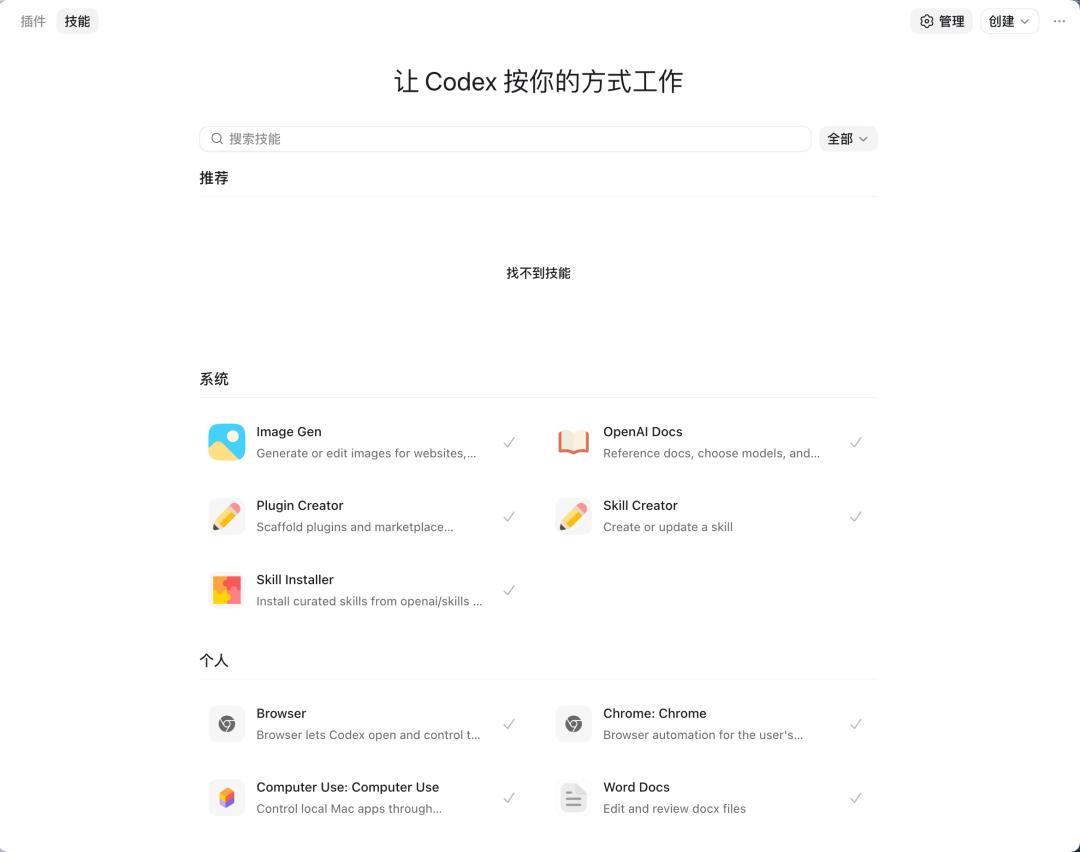
Switching to the Skills interface, Codex will put all the locally installed Skills in a management interface, allowing us to search for and create different Skills.
Generally, if the content to be processed by AI is required, and there is a local folder, Codex's approach is to directly use the existing folder as the project context.

If a question is not sufficient to constitute a project, starting a "new conversation" will not affect Codex's performance.
In other words, early ChatGPT interactions were more like a question-and-answer machine, with results appearing in seconds after each question. However, with the development of agents and AI workflows, more and more of our tasks have become "long-term tasks," making Codex and various agents a better choice.
No need to connect to Lark or WeChat, just use ChatGPT on your phone.
When lobsters first became popular at the beginning of the year, they could be integrated into various chat software, including WeChat Work, Lark, QQ, and even WeChat itself, allowing users to control lobsters on their computers via a mobile app.
Remote control has become an essential function of local computer agents. Although it can connect to WeChat and Lark, these chat software still have a major flaw: they cannot enable multi-threading and always only have one chat window for the robot.
The solution for Codex was to place the complete Codex within the ChatGPT app, but none of the Codex-related projects would run on the phone.
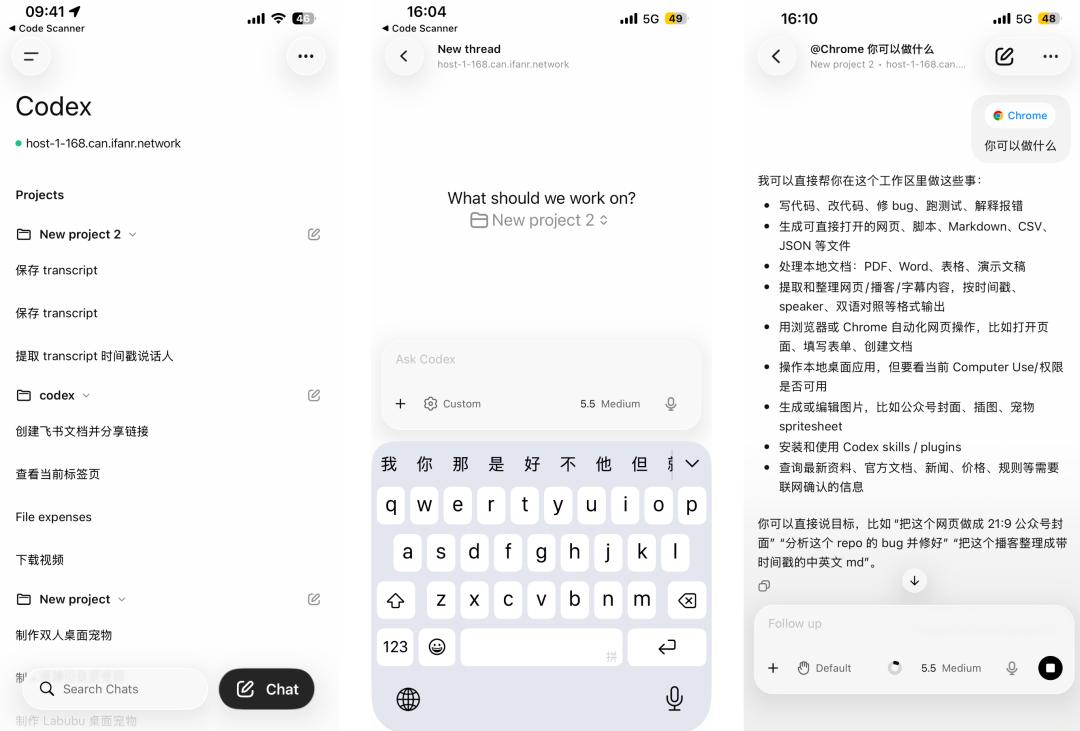
It runs on our computer or a remote server. The mobile phone is a "control panel" that we can use to check progress, give instructions, and approve operations, but the actual code reading, test execution, and file modification all happen on the local computer.
We can view and access different Codex projects/conversations on our mobile phones. Conversations conducted on the mobile phone will automatically sync to the Codex application on the computer, without losing any project context.
Enabling the Codex mobile app is also very simple. Log in to the same account for both the desktop Codex app and the mobile ChatGPT app. When you open Codex, there will usually be a pop-up window on the homepage reminding you to configure it. Follow the prompts on your computer to authenticate your device, and then you can connect.
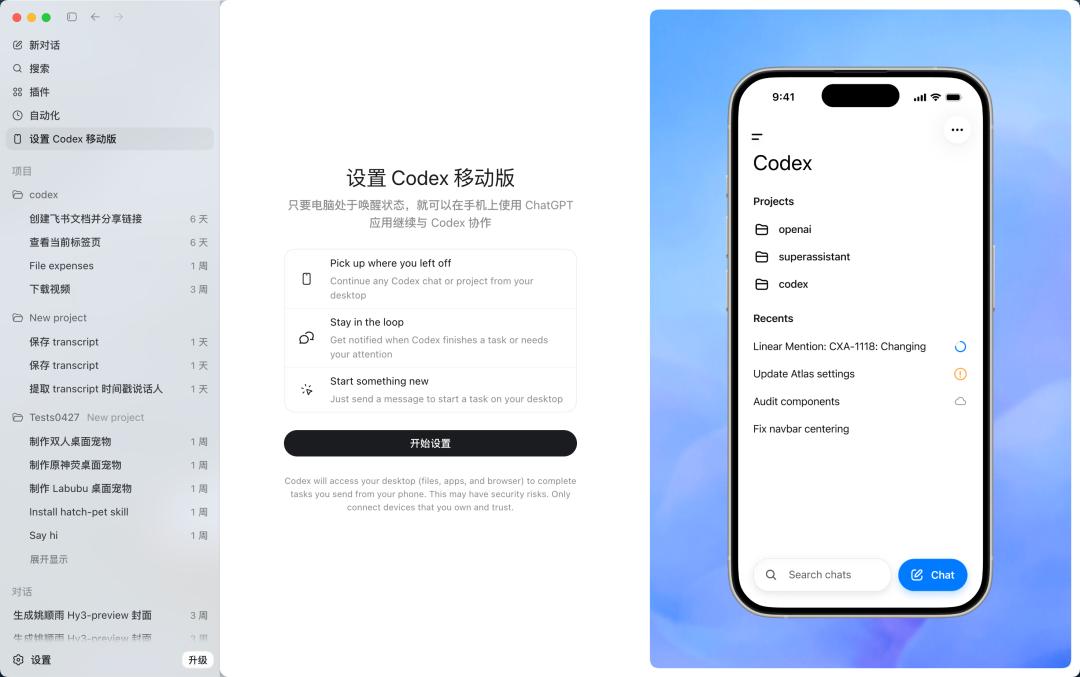
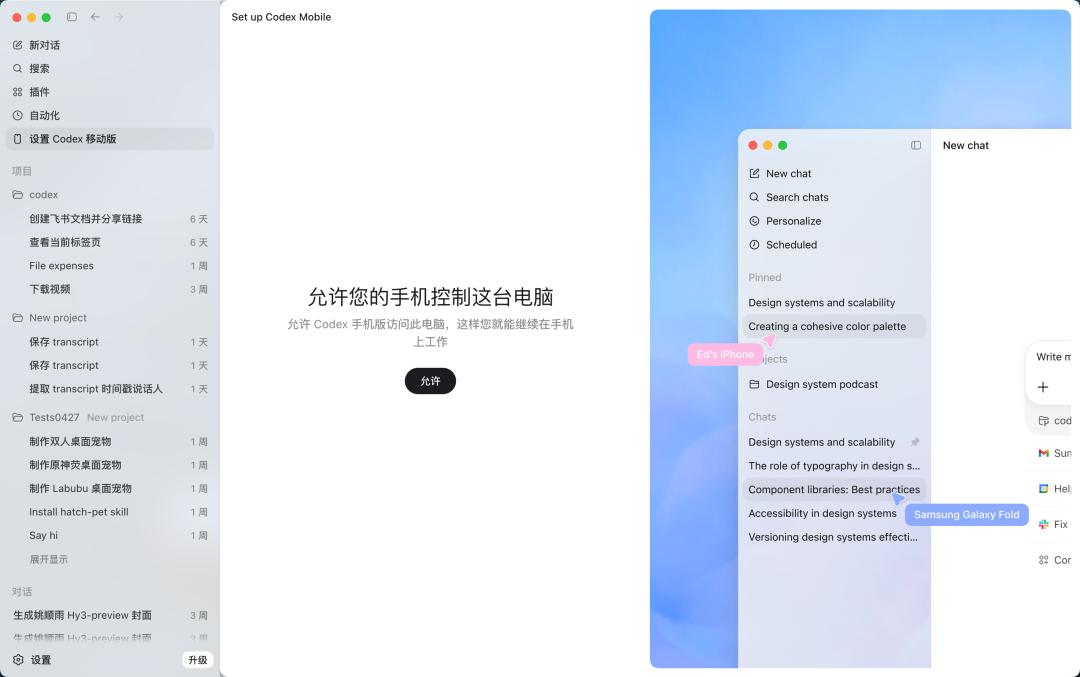
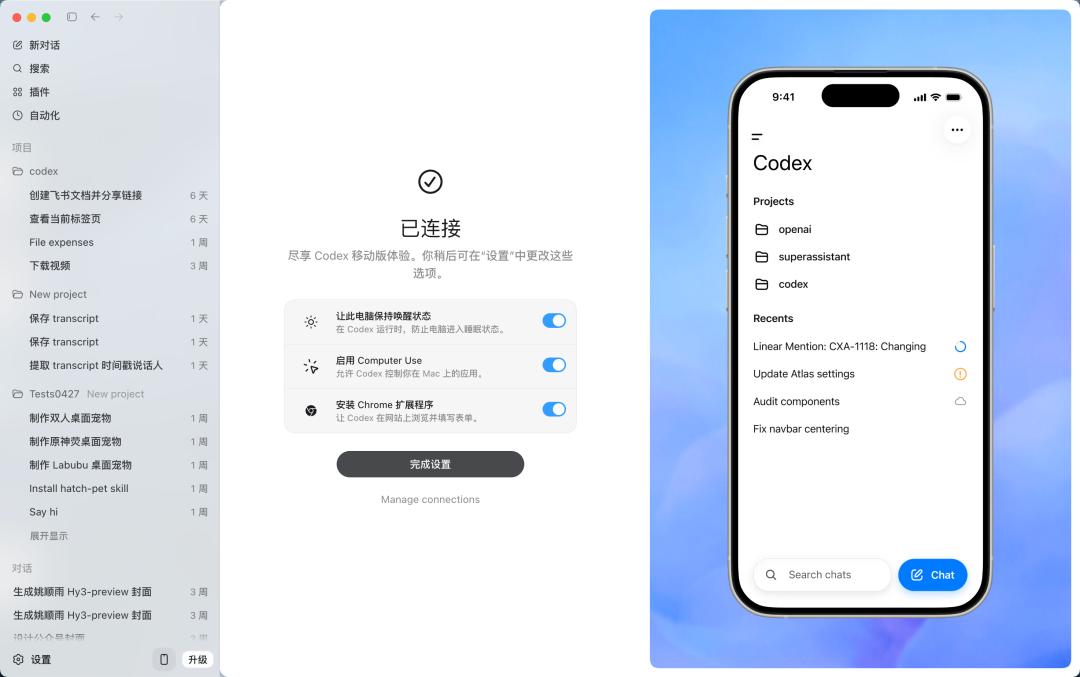
The task threads we create on the desktop can now be seen directly on the mobile phone and are updated in real time.
The simplest way is to let it read a file on the computer, provided that Codex has already obtained permissions to the corresponding folder on the local computer.
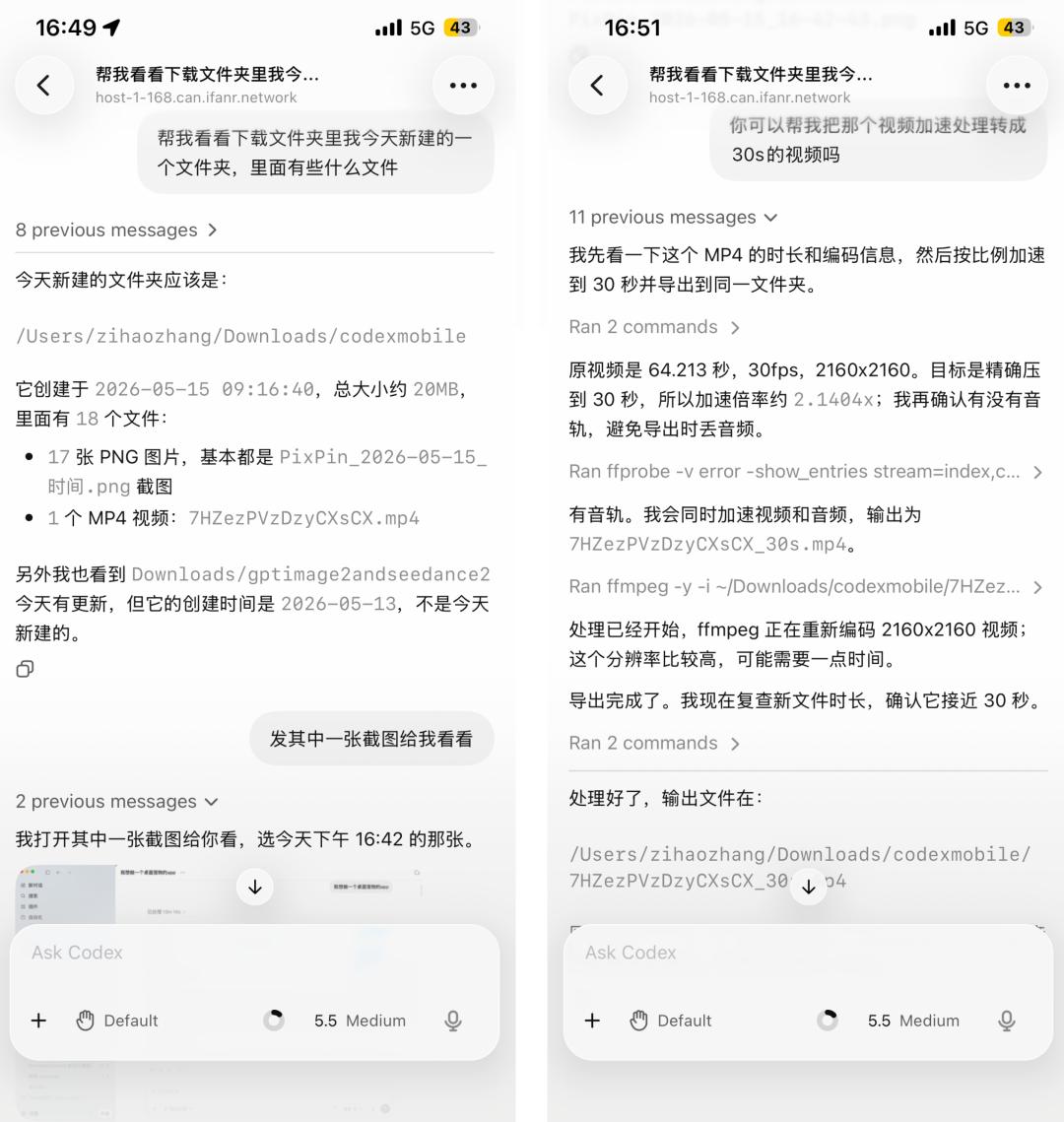
Can directly read files on the computer
We asked him to look at the contents of the download folder and showed him a screenshot.
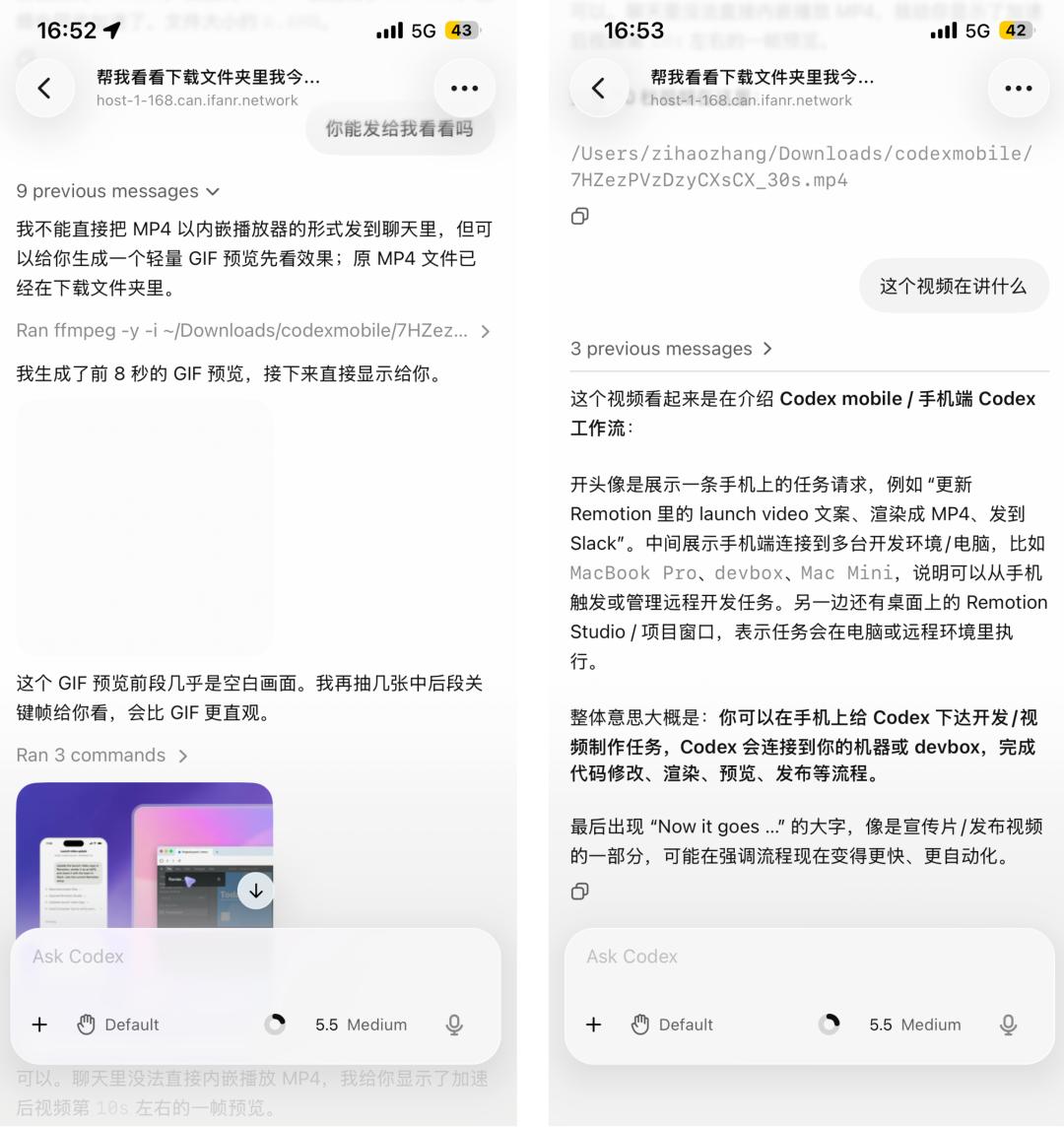
On mobile devices, Codex can also use the FFmpeg library to process multimedia files.
Then I asked him to speed up the video and convert it to a 30-second version, which he could then process using the local computer's capabilities.
Processing local files on a computer is a basic operation. With this feature in Agent tasks, we can check the task progress at any time.
Unlike third-party chat tools that only send a "status: running" message, on a mobile phone, we can see the actual execution content, terminal output, screenshots, test results, file difference comparisons, and everything that can be seen on a computer is also available on a mobile phone.
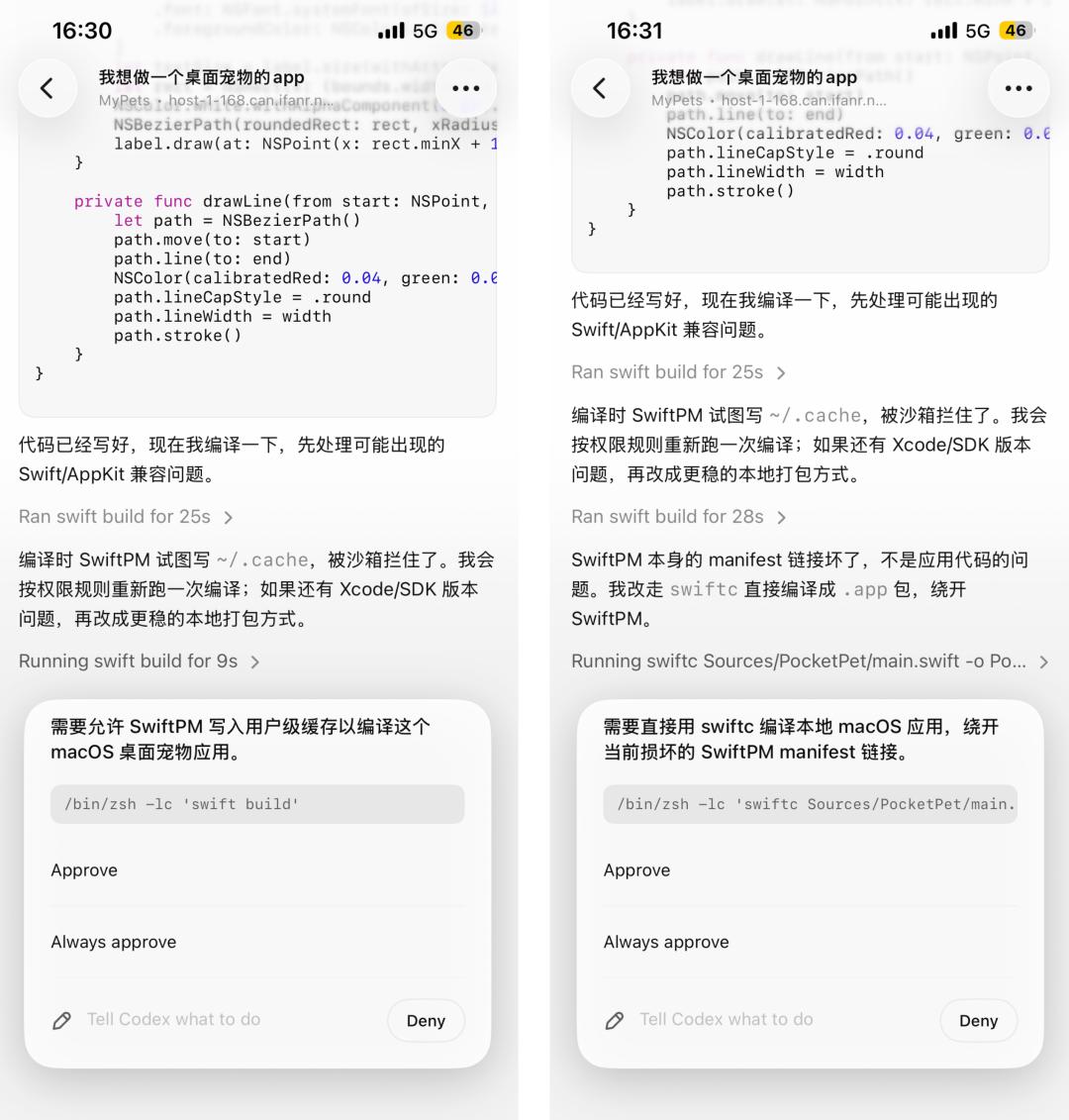
Previously, we said that it was great that the Agent could perform long tasks, but we had to click "agree" and "continue" every now and then. Now, through the ChatGPT mobile app, we can also give instructions at key points without needing a computer to respond.
If this pop-up can be integrated into Lingdong Island in the future, it will be even more convenient. When you receive the notification, the ChatGPT App will directly display a ✅ or ❌ on Lingdong Island.
In addition to handling the nodes that require our decision-making, we can also proactively initiate new tasks.
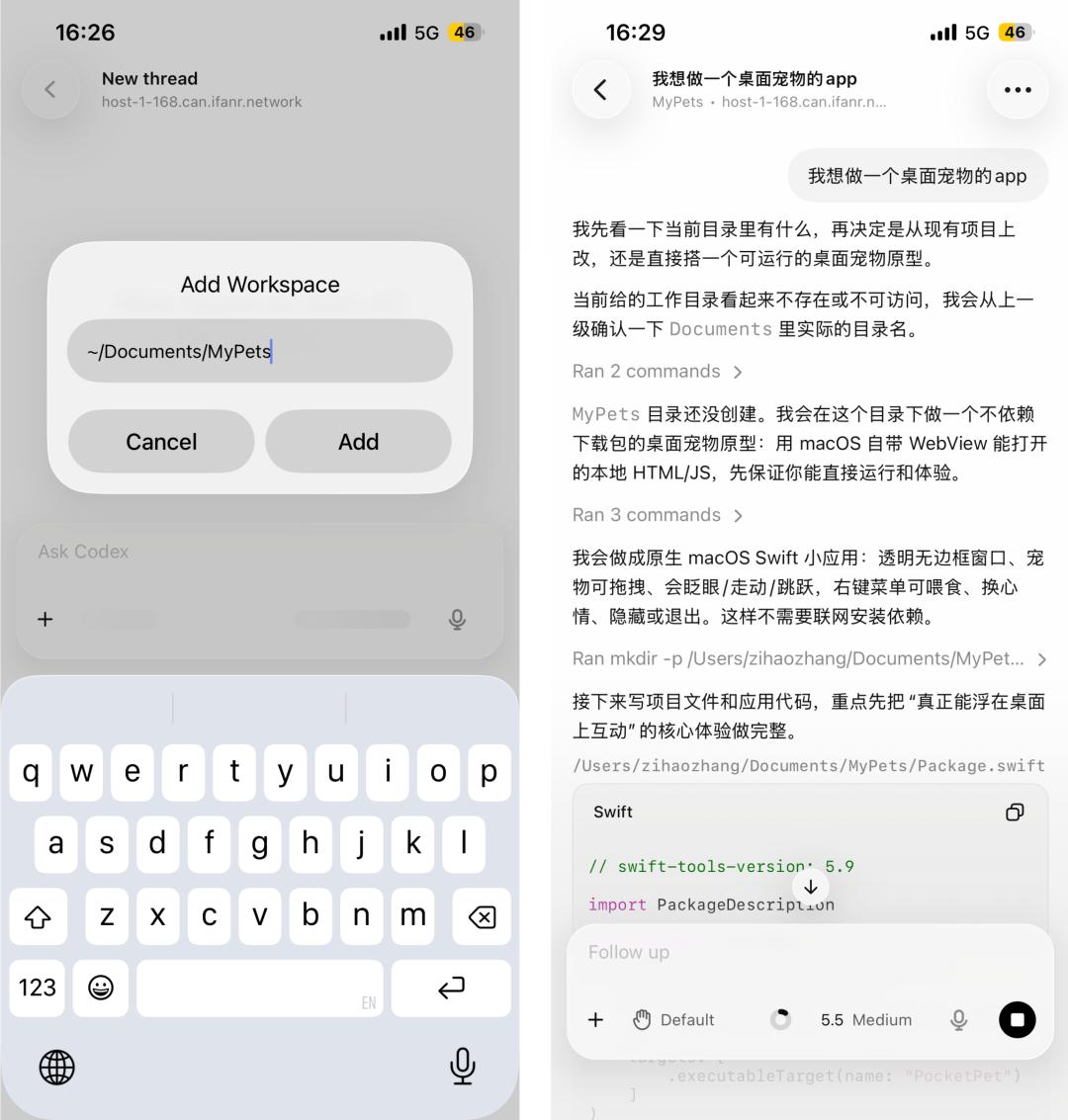
Within the Codex interface on your phone, you can create a new thread, just like on the desktop. Describe what you want to do, and the task will start running on your computer.
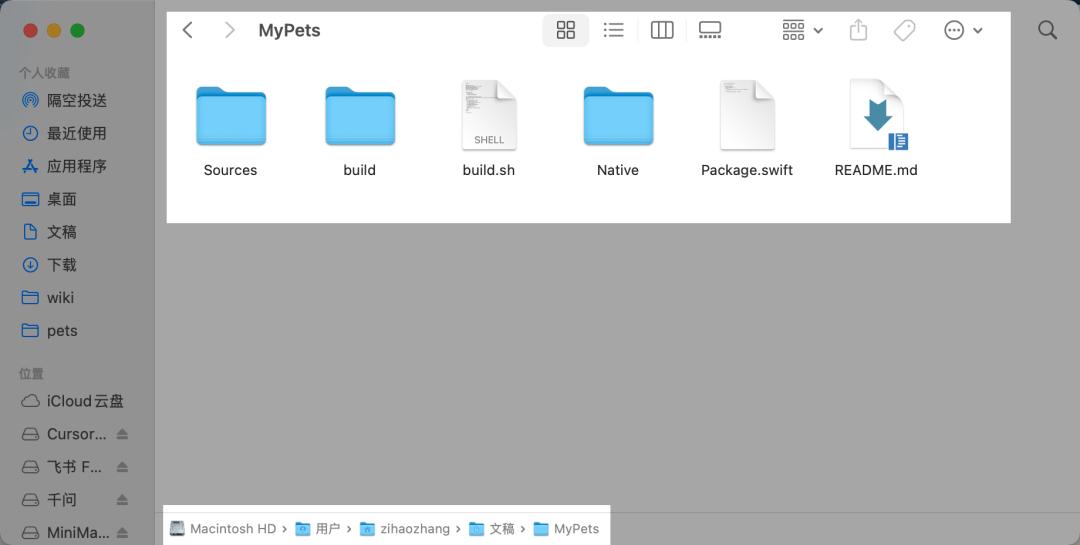
However, if you want to create a new project and use a new folder, you need to note that you need to enter not only the folder directory name, but also the complete folder path.
Once the project is created, Codex will also create a folder with the same name on our local computer.
For individual users, the ability to check task progress at any time, issue instructions at key points, and proactively initiate tasks essentially brings the capabilities of the desktop version of Codex to mobile devices.
We don't need to wait to get back to the computer or restart the task; we can simply speak into the Codex chat on our phones, and it will adjust and execute synchronously.
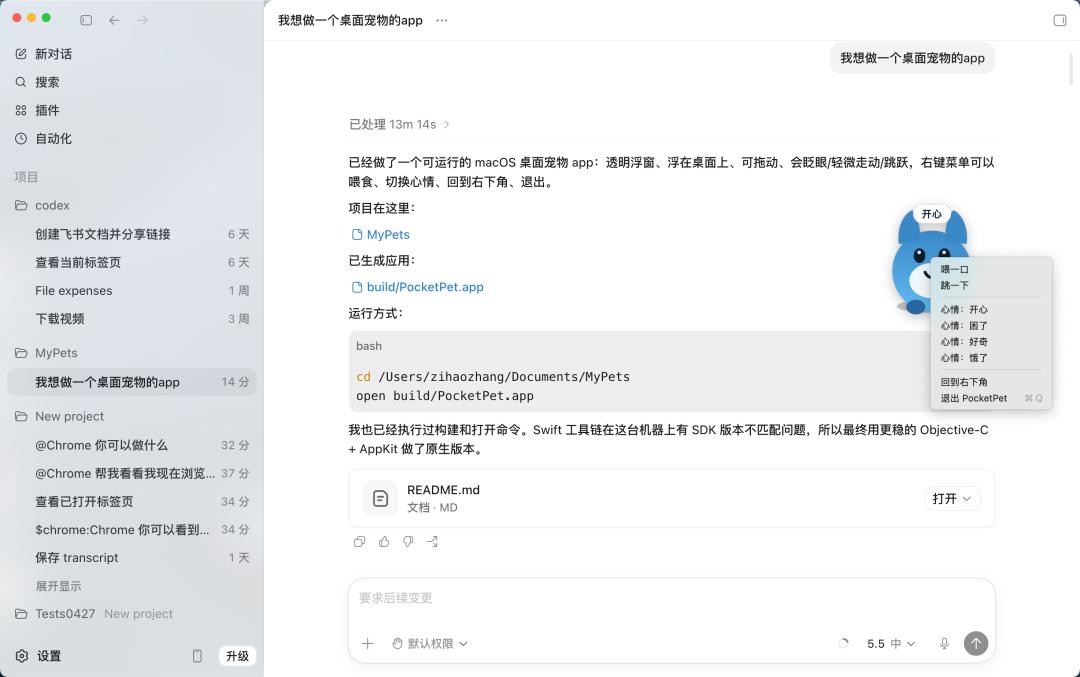
The desktop version will synchronize the corresponding project, and a desktop pet app was quickly implemented.
For more professional developers, OpenAI has also updated Remote SSH for remote control, meaning Codex can now directly connect to the company's remote development environment.
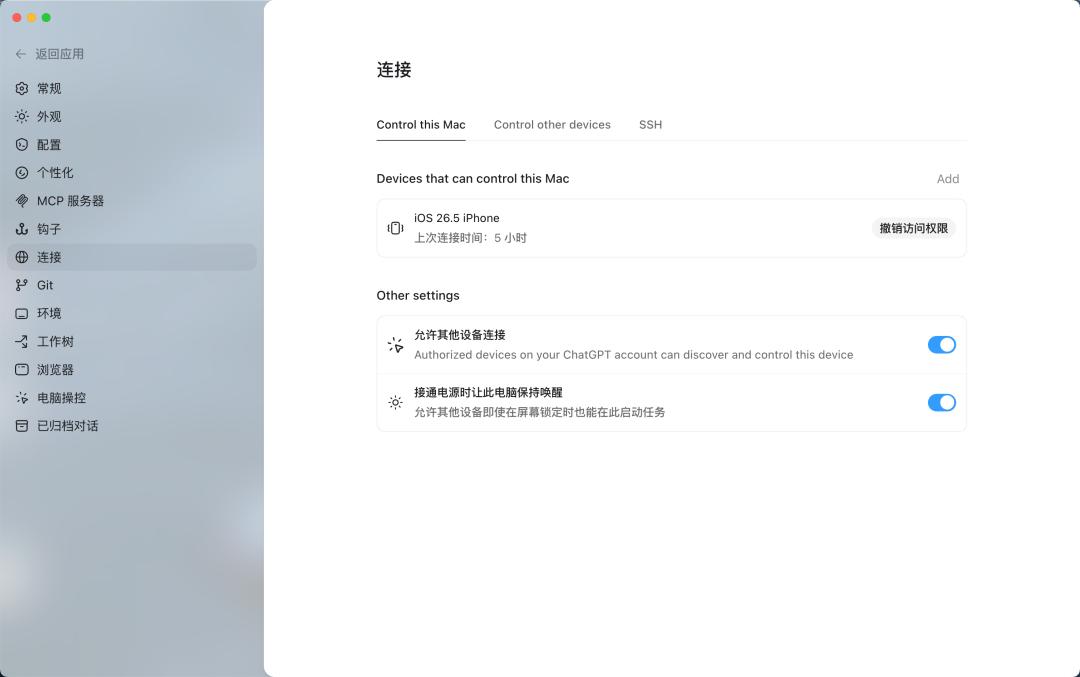
Many companies do their development not locally, but on a remote server with all dependencies, permissions, and credentials configured.
Previously, working with Codex in this environment required some workarounds. Now that Remote SSH is officially available, Codex can work directly on remote machines via SSH connections.

During this period, OpenAI has been working hard to catch up with Anthropic's work on Claude Code, while Anthropic has been constantly drawing inspiration from the community, turning interesting little features from the developer community into selling points for its products.
As the functions and forms have become more and more mature, there are hardly any people around me talking about wanting to store lobsters anymore.
OpenAI's Codedx and Anthropic's Claude Code gradually copied the capabilities of "Lobster," and now it's a matter of seeing who can create a better product experience.
This is indeed a good thing for us. Open source projects have their advantages, but commercially operated products always need to be more stable and easier to use. And in the choice between Claude Code and Codex, it's highly likely that Claude Code's account will be blocked, and Codex will win.
This article is from the WeChat official account "APPSO" , authored by Discover Tomorrow's Products, and published with authorization from 36Kr.