overview
Do you want to have a healthy body and also want to make money in the process of exercising? If so then you should try this unique app – Sweatcoin . With this Move and Earn app, you will not only be able to take care of your health, but also earn bonuses just by walking daily.
The Sweatcoin project is a dApp belonging to the Near Protocol ecosystem and has 5 years of development history. After launching the SWEAT token at the end of 2022, Sweatcoin has once again attracted users to join the Move and Earn trend.
The following article by GFI Blockchain will show you how to use the Sweatcoin app to get some extra money from your daily walk. Let's explore together!
Read more: What is Sweat Economy (SWEAT)? Sweat Economy project overview
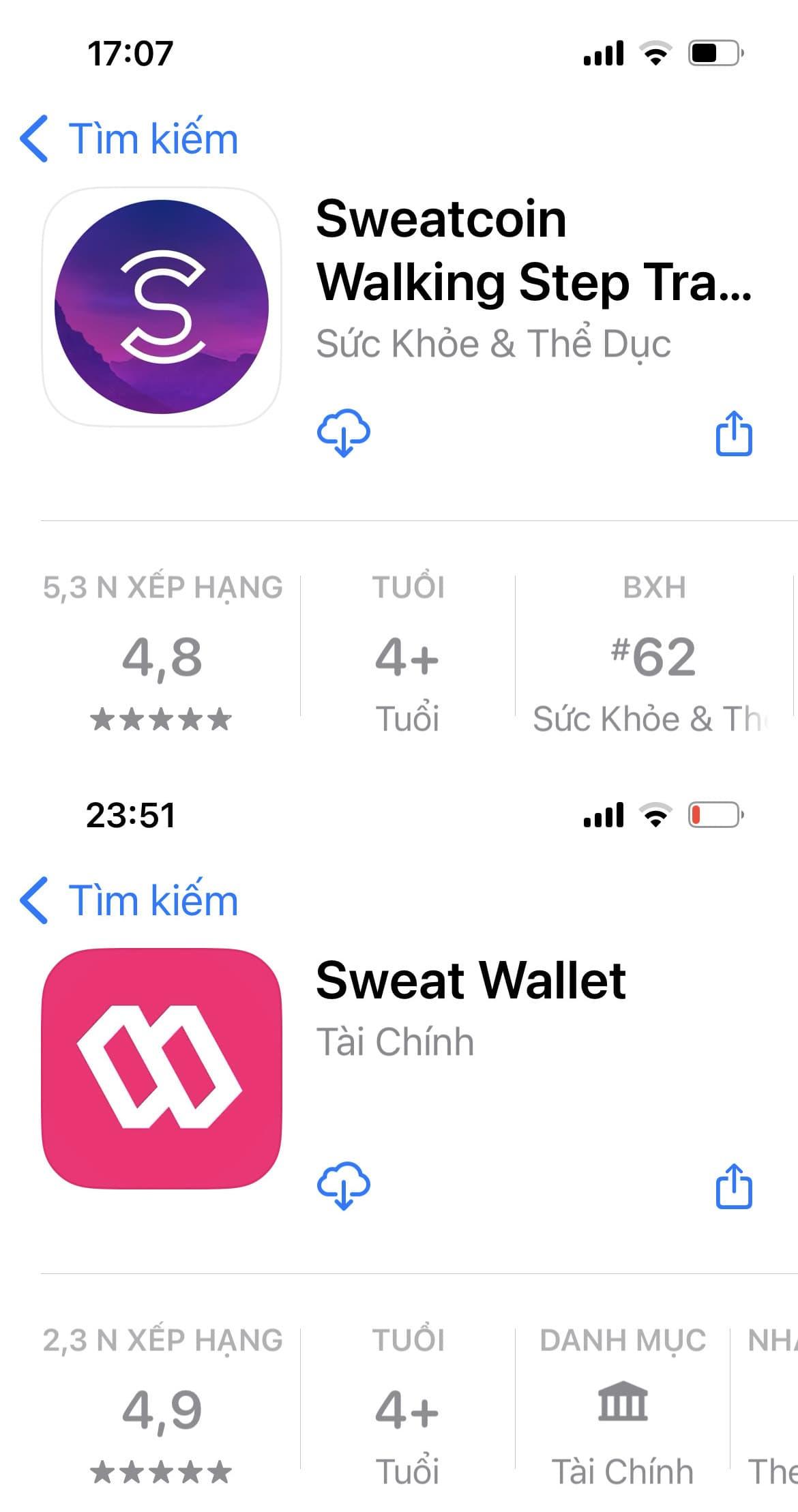
Step 1: Download Sweatcoin app and Sweat Wallet
You go to CH Play (Android device) or App Store (iOS device) to download Sweatcoin and Sweat Wallet apps.
- Sweatcoin:
+ Link to download App Store: https://apps.apple.com/app/sweatcoin-app-that-pays-you/id971023427
+ Link to download CH Play: https://play.google.com/store/apps/details?id=in.sweatco.app
- Sweat Wallet:
+ Link to download App Store: https://play.google.com/store/apps/details?id=com.sweatwallet
+ Link to download CH Play: https://apps.apple.com/vn/app/sweat-wallet/id1619316571
Step 2: Sign up for an account
- iOS devices:
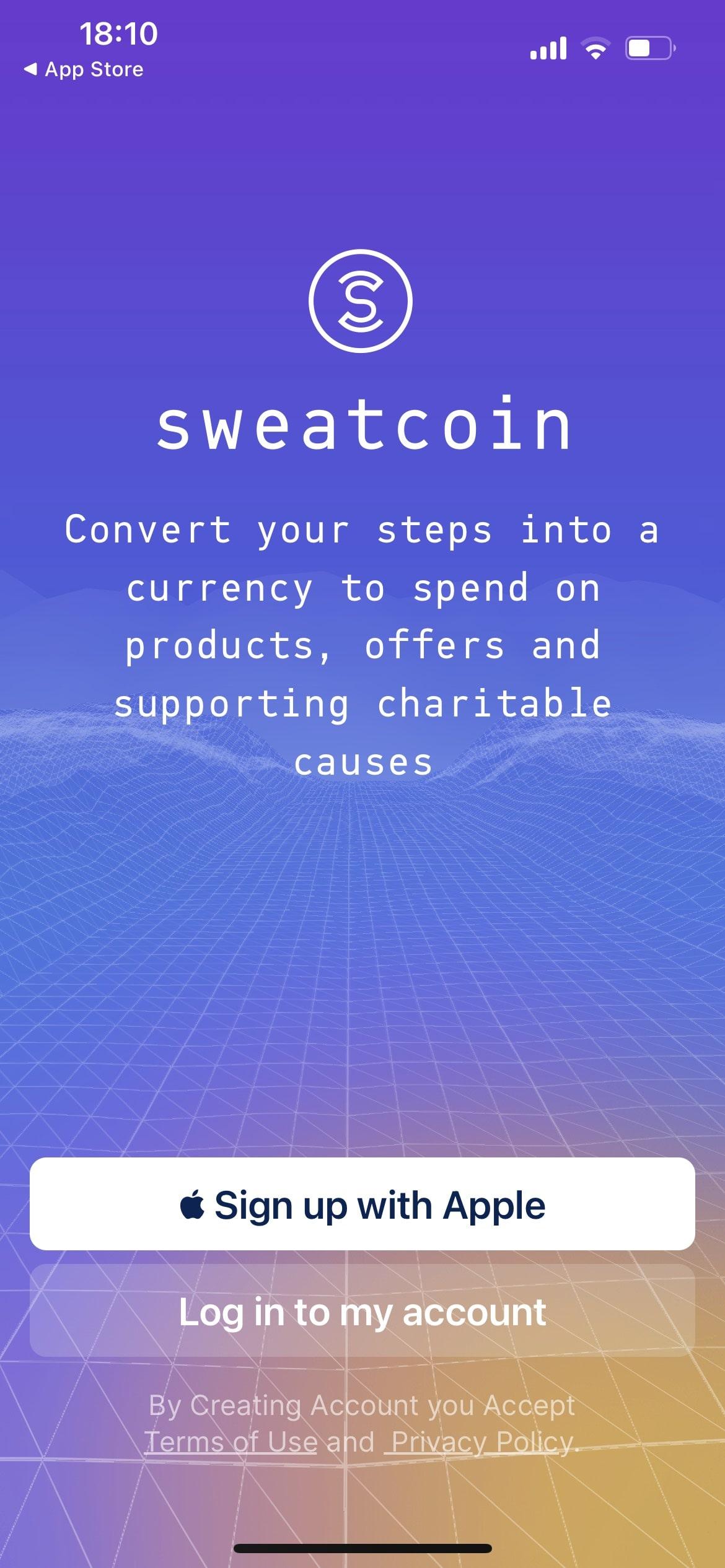
You register an account with Apple ID "Sign up with Apple" and select "Continue".
- Android devices:
You will register with a Google account "Sign up with Google" and select the "Continue" buttons on the Google interface that appears.
If you already have an account, log in by selecting “Log in to my account”.
Step 3: Initial Setup
- iOS devices:
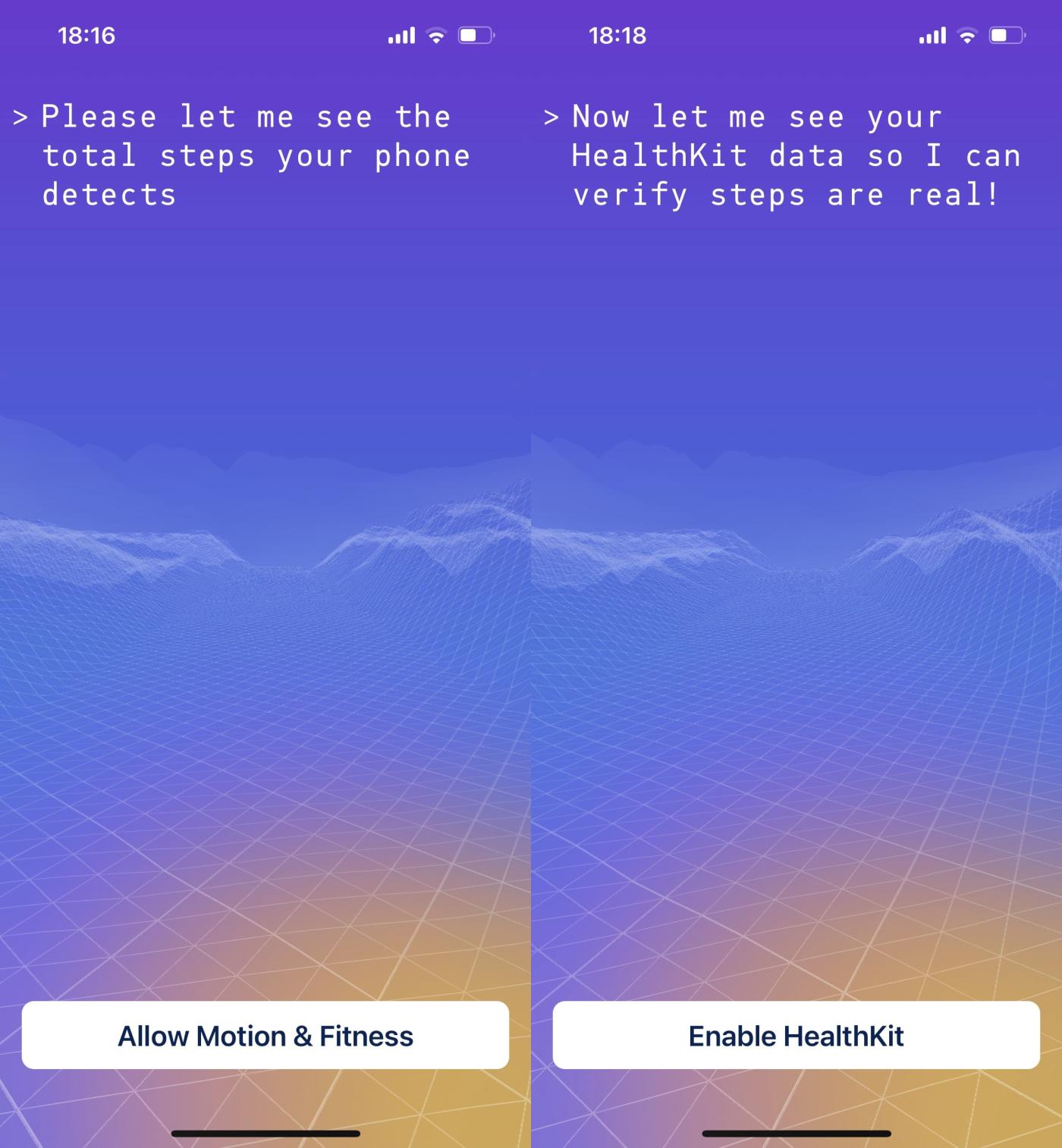
The Sweatcoin app will request access to your physical activity information. You choose “Allow Motion & Fitness” and allow access. Same goes for “Enable HealthKit” and “Step counting” (Allows Sweatcoin to read steps).
- Android devices:
You select "Access physical activity" and allow access. Same goes for “Enable GoogleFit” and “Allow step counting” sections.
Step 4: Get familiar with the Sweatcoin interface
After completing the initial registration and setup process, an interface will appear.
- The “Balance” section will tell you how many sweatcoins you have accumulated. Note that sweatcoin is an in-app point only, not a SWEAT – a crypto token . The last part of the article will guide you to earn SWEAT tokens.
- The “steps today” section will count your steps.
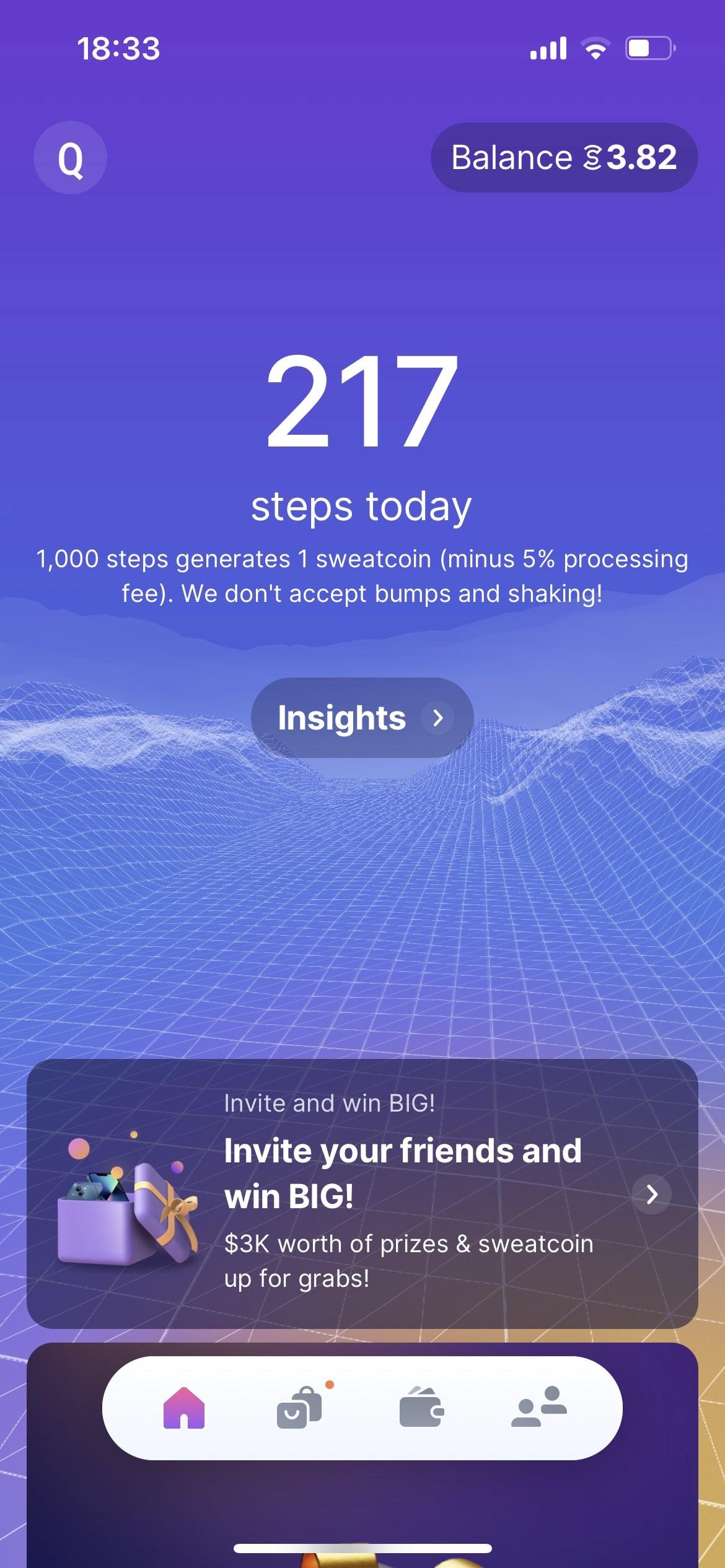
Sweatcoin application will count your steps according to the rhythm of movement combined with GPS, this counting process does not need the Internet. At the end of the day, the Sweatcoin app will summarize the number of steps you take and convert it to the corresponding sweatcoin number. This is the Move and Earn nature of this application.
Step 5: Get more rewards
You can get more sweatcoin rewards in the following ways:
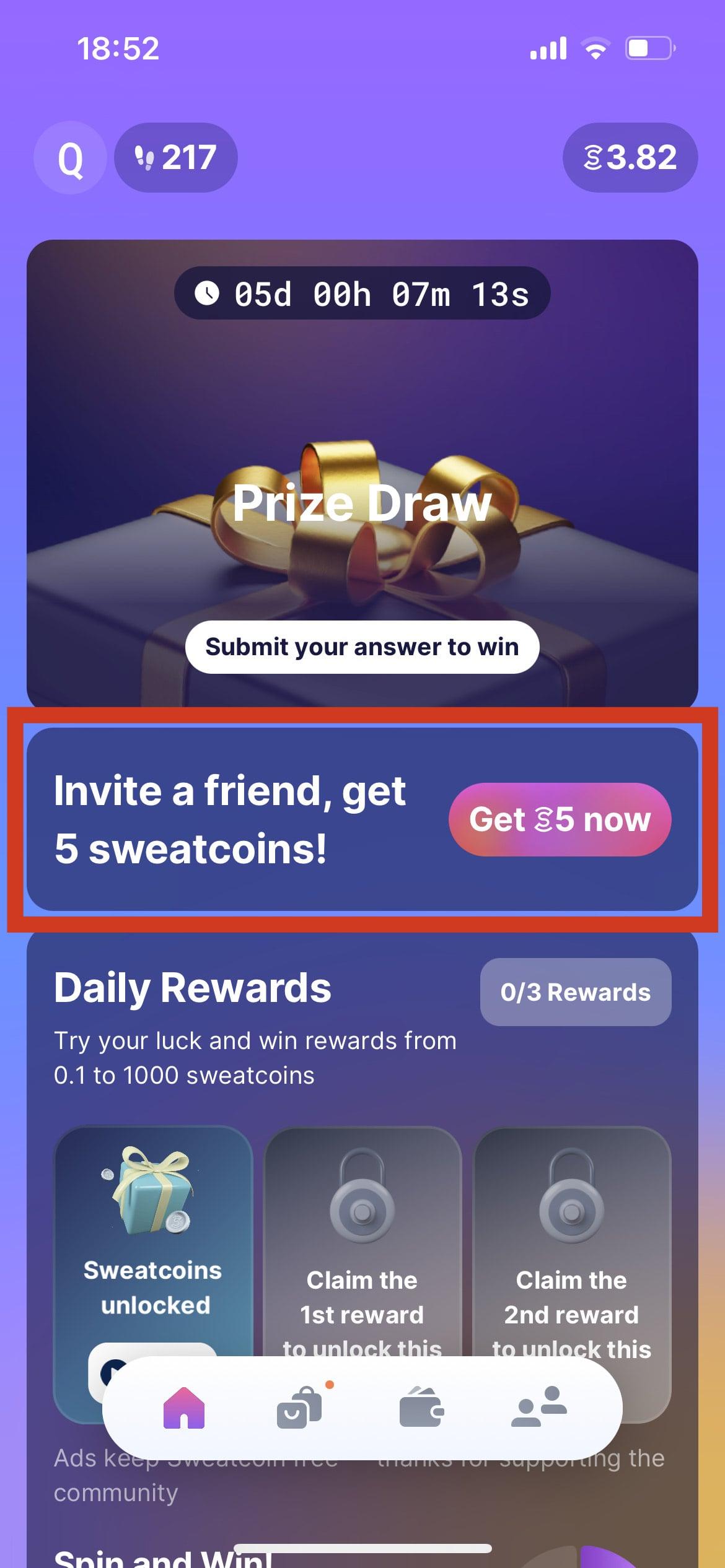
- Share the app with your friends:
In the “Invite a friend” section, click “Get 5 now” and click “Copy” to copy the invitation link. You will get 5 sweatcoin for every Sweatcoin app download from your friends.
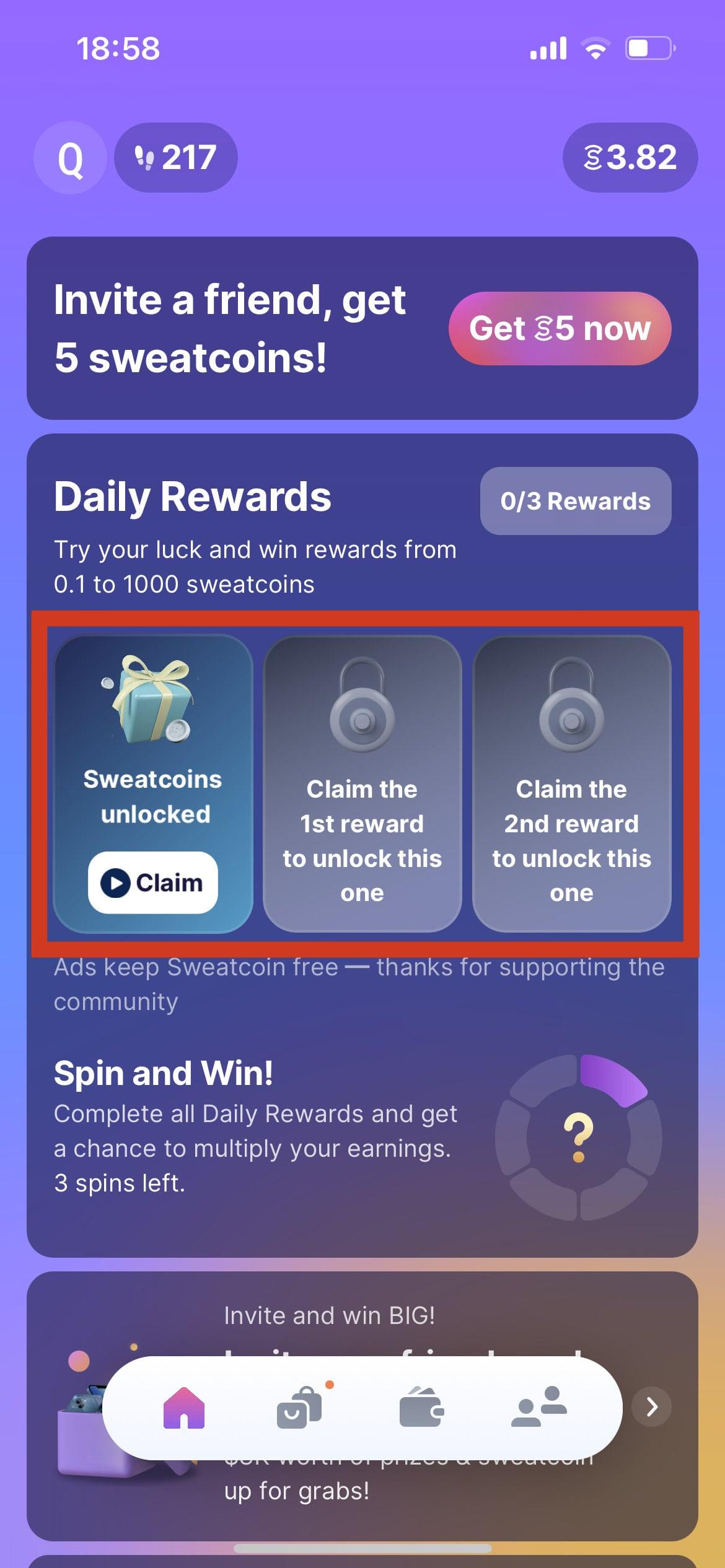
- XEM ads:
In the "Daily Rewards" section, click "Claim" to display ads. The reward after XEM the ad is a random amount from 0.1 – 1000 sweatcoin (Usually less than 5 sweatcoin). Each day you have a total of 3 rewards from this activity.
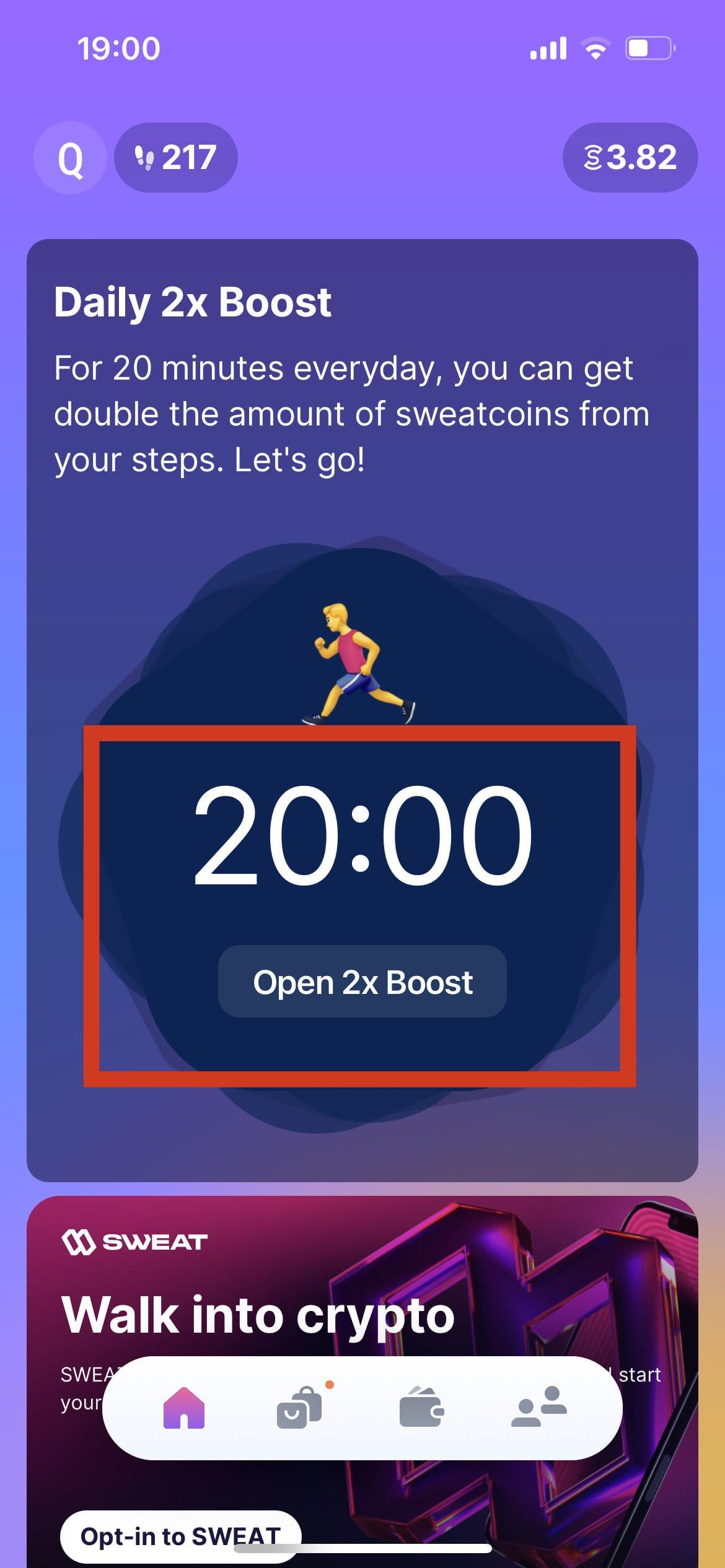
- Boost rewards:
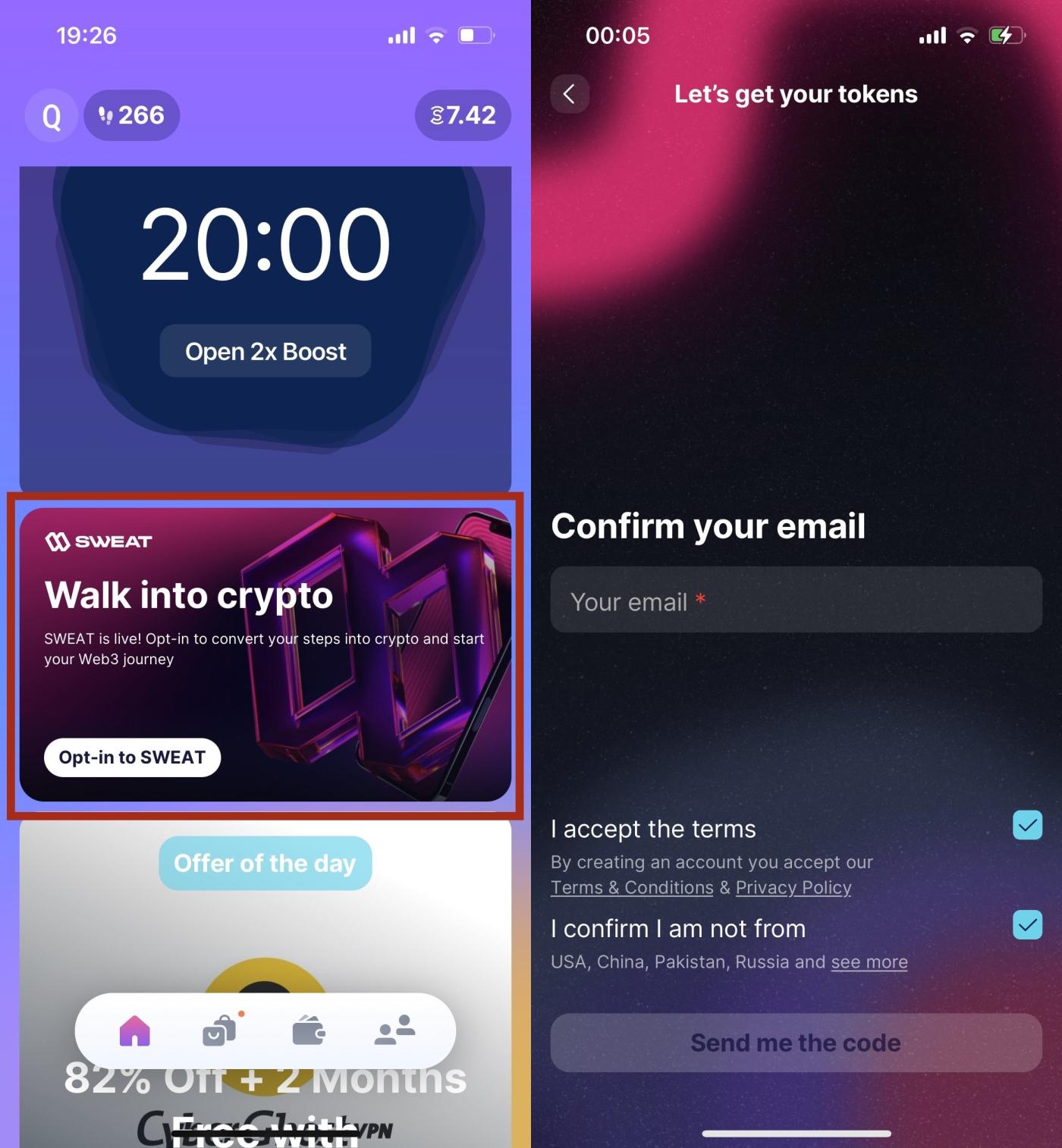
Every day you will have 20 minutes to double your sweatcoin reward from walking. You click "Open 2x Boost" and "Start 2x Boost" to start this feature.
Step 6: Link Sweatcoin app with email address
In the “Walk into crypto” section, click “Opt-in to SWEAT”. Click “Next” 3 times and select “Get your wallet”.
An email confirmation interface opens. Enter your email and check the box to confirm your agreement to the terms. Then select “Send me the code”.
A 6-digit confirmation code will be sent to your email address. Return to the Sweatcoin application screen to enter the confirmation code.
The screen shows “Congratulations” that you have successfully linked the email address. Click “Download the app” to switch to the Sweat Wallet interface.
Step 7: Link Sweatcoin App to Sweat Wallet
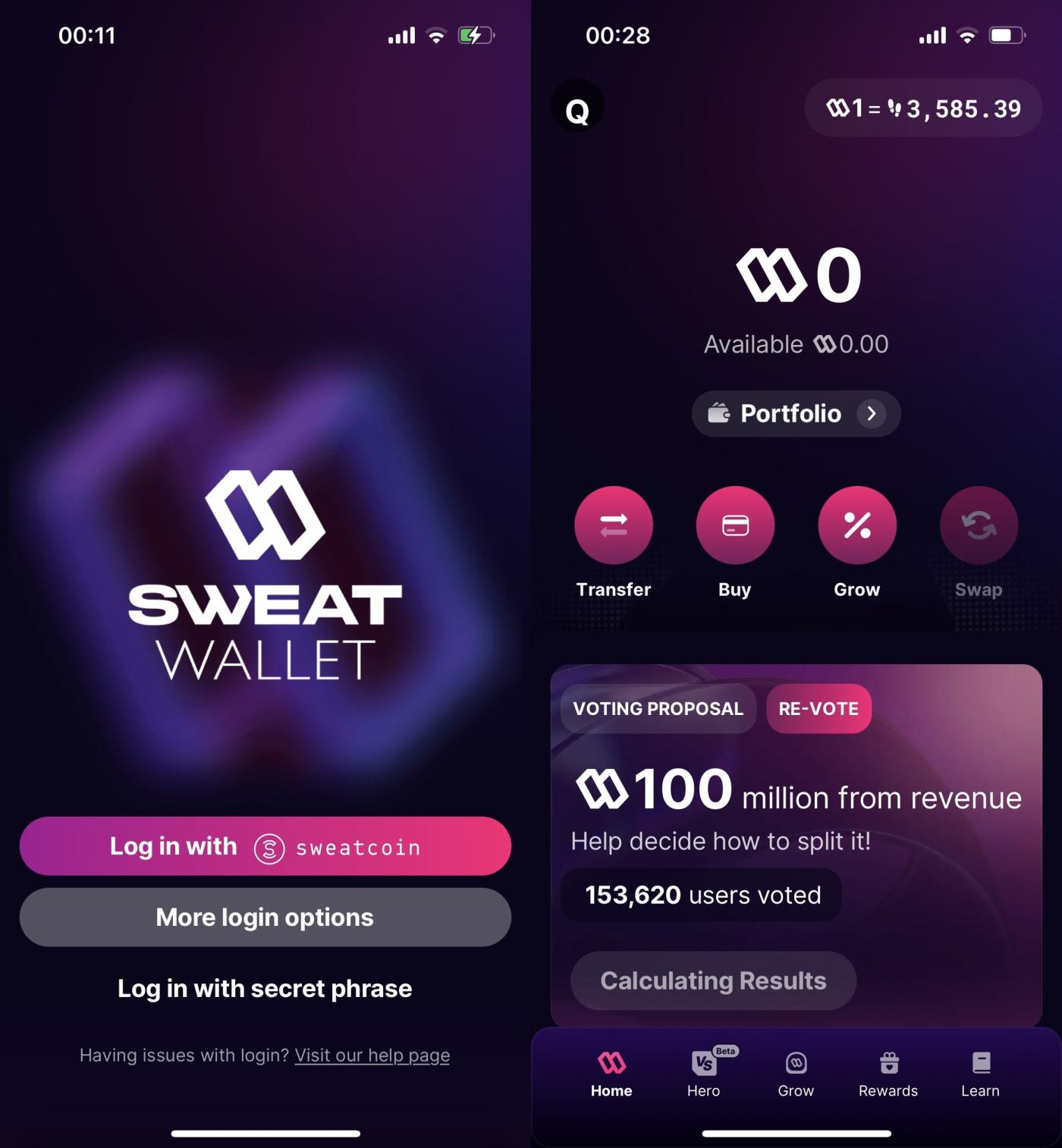
In the Sweat Wallet interface, select “Log in with sweatcoin”. The screen will return to the Sweatcoin application, continue to select “Approve login”. You have successfully linked Sweat Wallet. Click “Next” and “Open your wallet”.
As shown, my account has 0 SWEAT tokens. The current conversion rate is 3585 steps = 1 SWEAT token.
Step 8: Start walking to earn SWEAT . tokens
Returning to the Sweatcoin application interface, the "Today' Sweat Cap" panel is now displayed. The default Sweat Cap is 5000 steps per day, meaning only your first 5000 steps are converted into SWEAT tokens. The next steps will be converted into sweatcoin points.
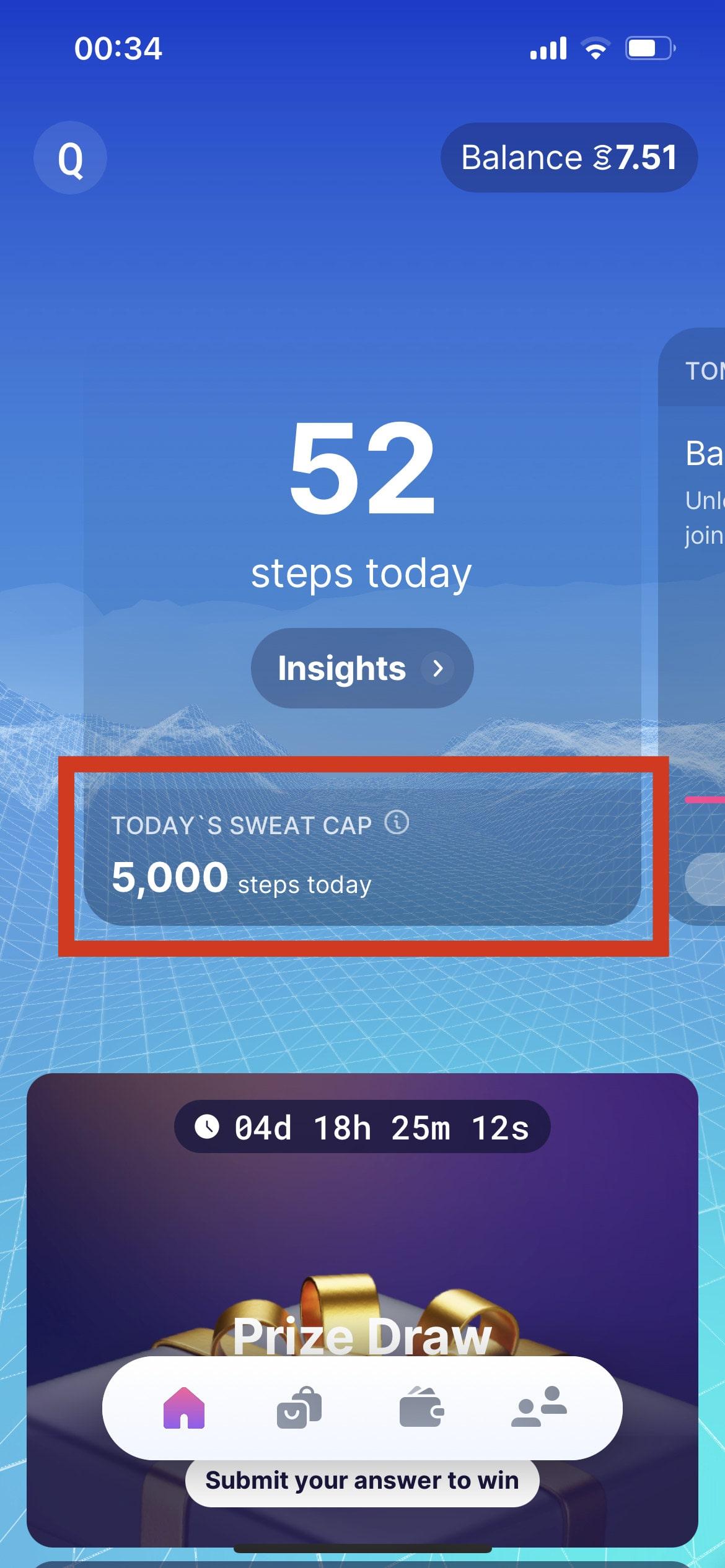
At the current rate, every day you only earn about 1.4 SWEAT tokens, equivalent to 0.012 USD if you walk 5000 steps.
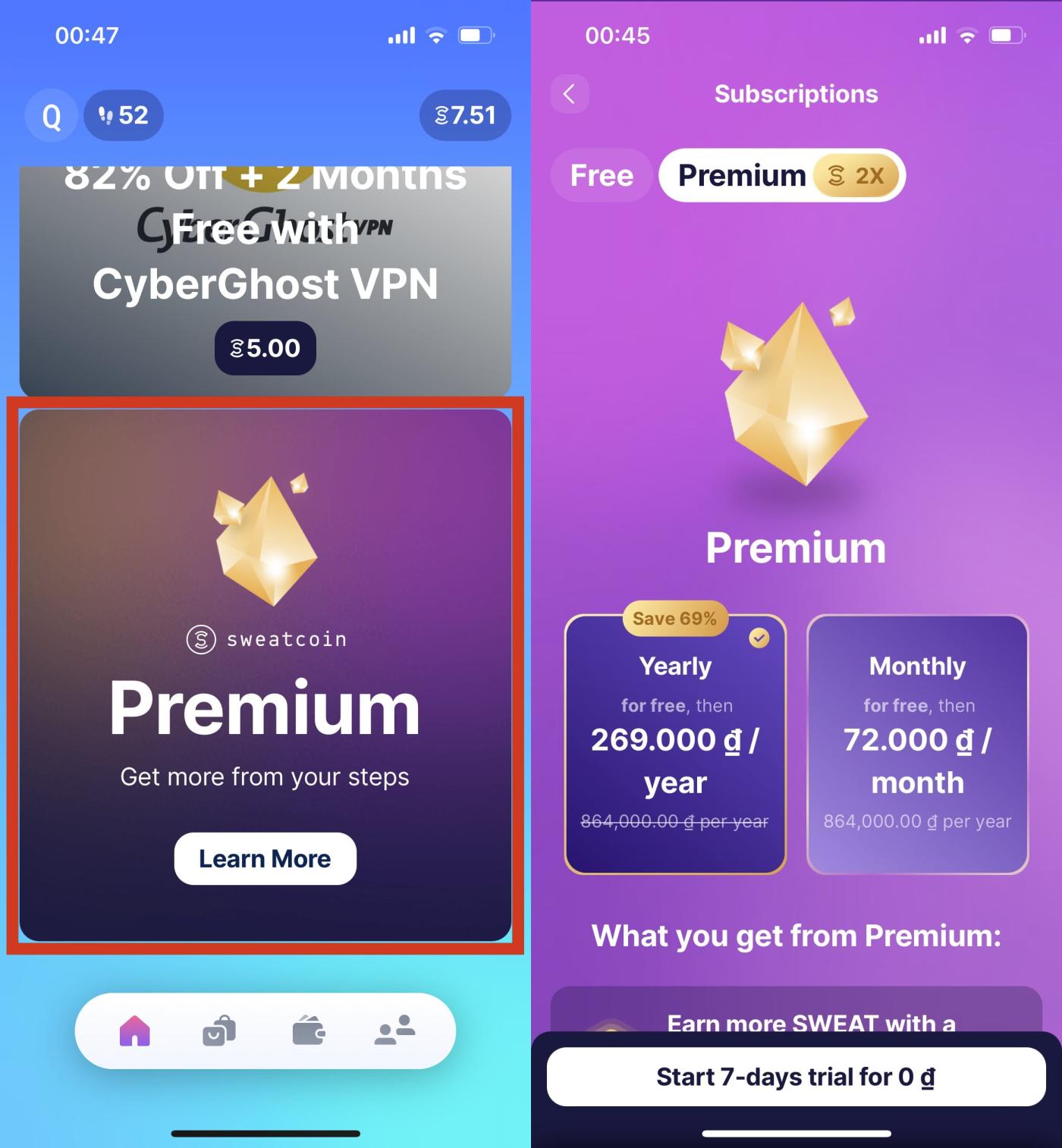
You can increase the Sweat Cap to 6000 steps by purchasing the Premium package. However, the Premium package is not necessarily beneficial for you, especially when considering the purpose of Move and Earn. You should experience the application for a while before considering buying or not.
Step 9: Transfer SWEAT tokens to the exchange for sale
In addition to using SWEAT tokens as transaction fees on Sweat Wallet, you can transfer SWEAT tokens to sell on crypto exchanges such as OKX, Gate.io, Bitget, MEXC, Bybit, Kucoin… Here I have accumulated After getting about 40 SWEAT tokens, I will show you how to transfer tokens from Sweat Wallet to OKX - a reputable and Liquidity exchange for trading SWEAT tokens:
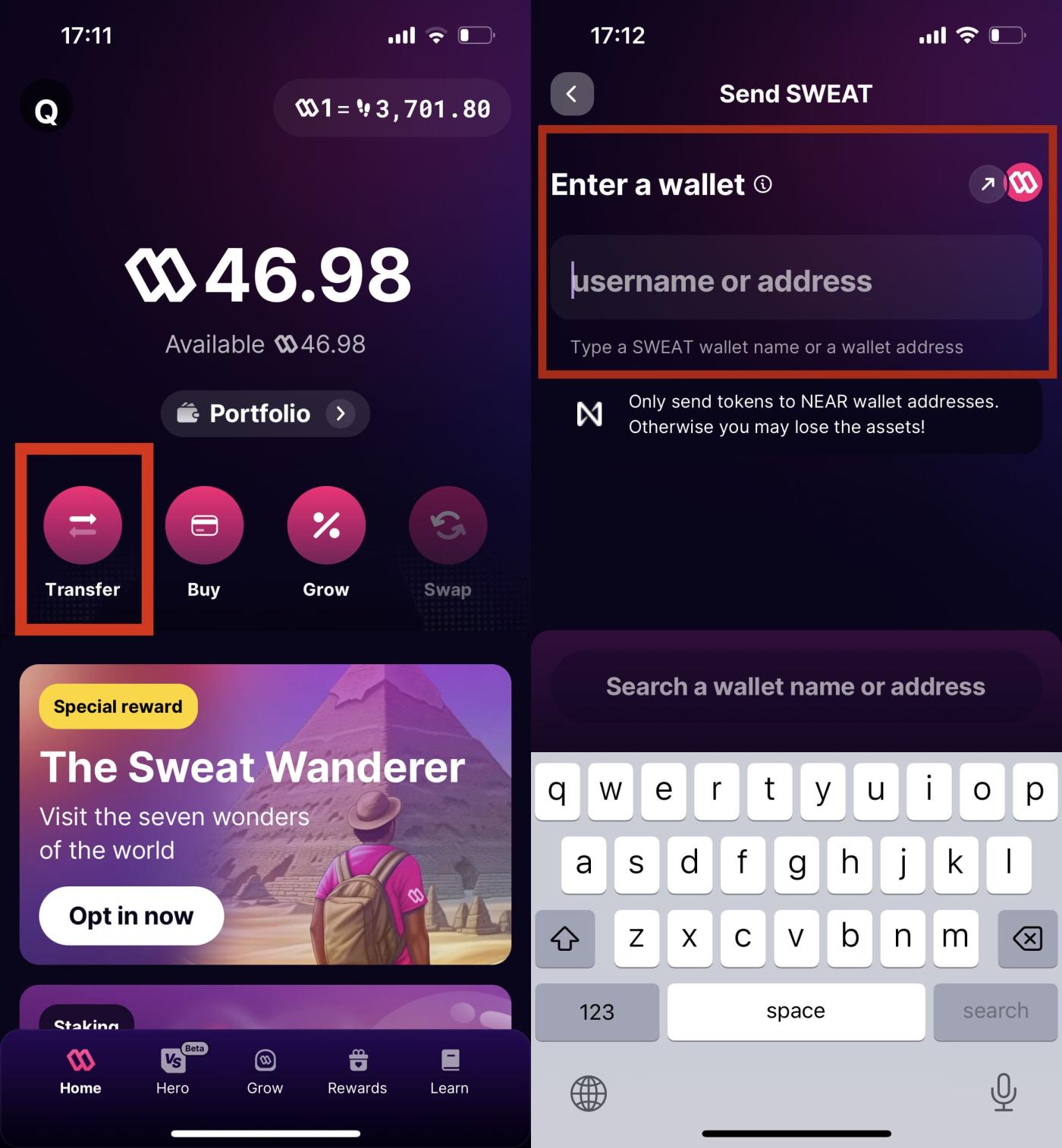
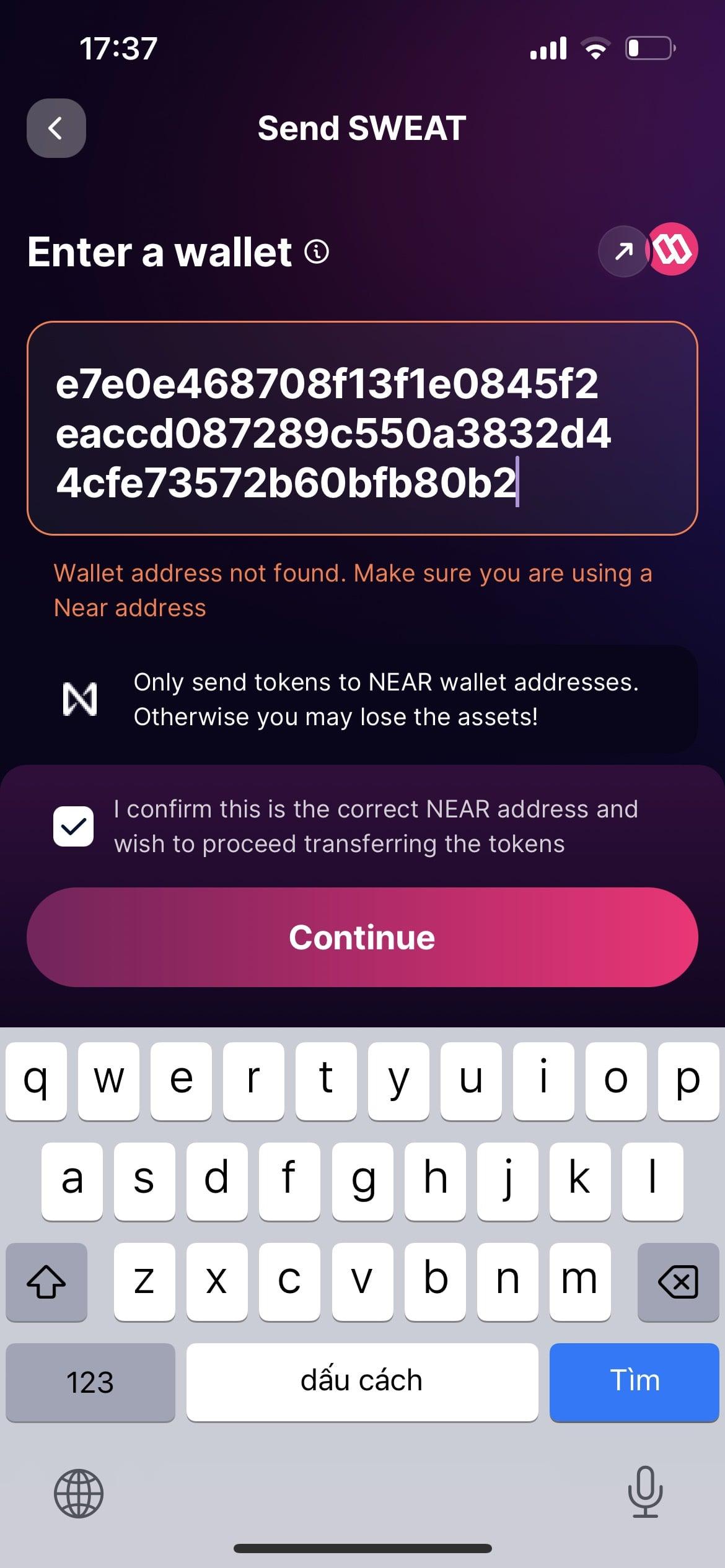
- First, go to your Sweat Wallet, click “Transfer” -> “Send” and select the SWEAT token. The interface will display an empty box in the "Enter a wallet" section, asking you to enter the wallet address to receive the token. You need to get the wallet address to receive the token on the OKX exchange.
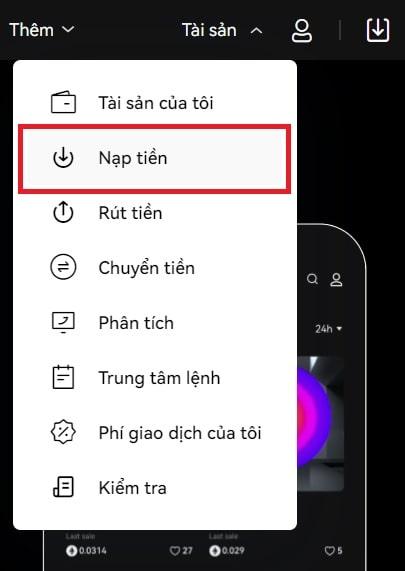
- At this point, you go to OKX, log in to your account, select "Assets" -> "Deposit".
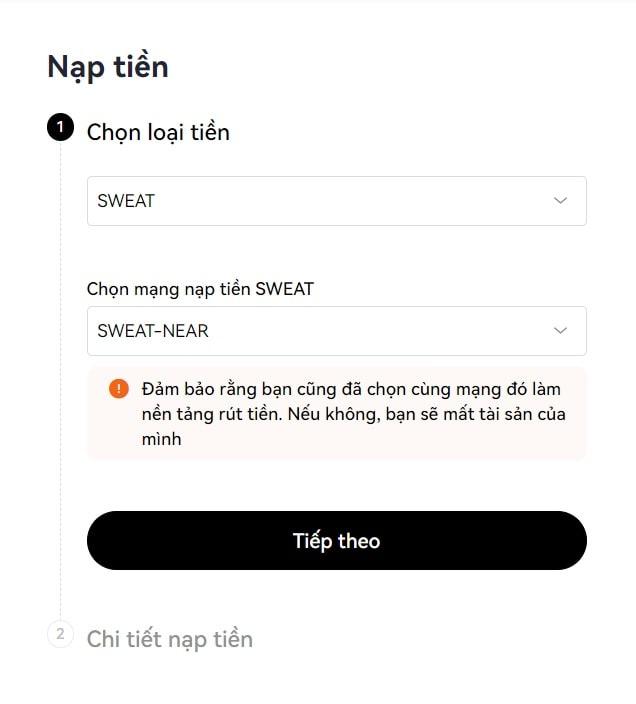
- In the “Choose currency” section, enter “SWEAT”. In the “Select SWEAT recharge network” section, select “SWEAT-NEAR”. Then press “Next”.
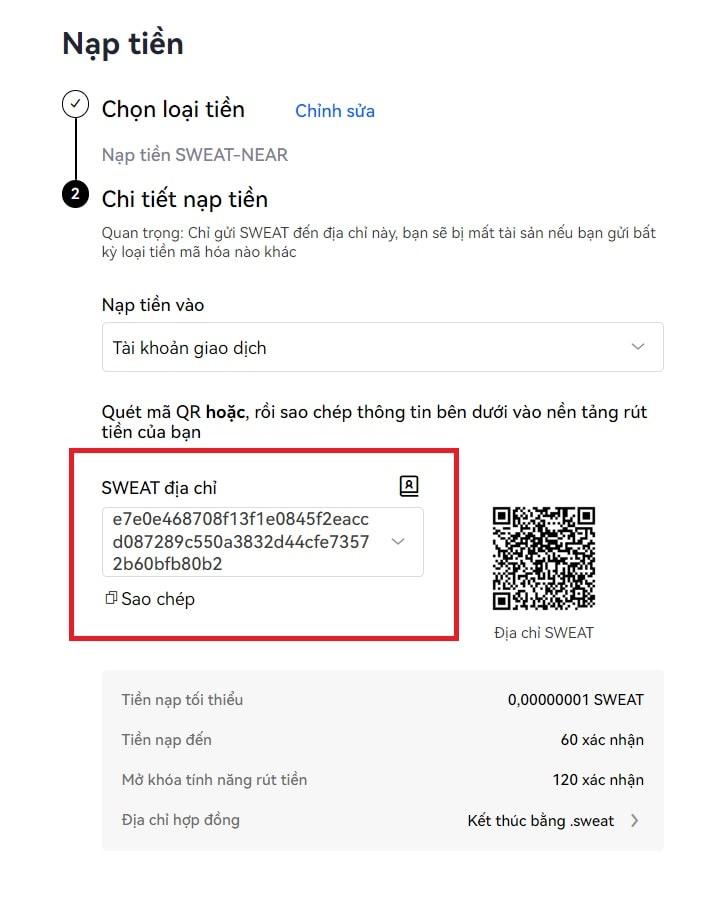
- A SWEAT address will appear as a sequence of 64 letters and numbers, this is the wallet address that receives the token. You copy this address and fill in the "Enter a wallet" box in the Sweat Wallet. Then press “Search”, if the wallet address is valid, the empty box will turn green. You choose to continue "Continue".
- However, the wallet address generated by the exchange usually does not have a transaction recorded on the NEAR blockchain, so the Sweat Wallet wallet will display the words "Wallet address not found. Make sure you are using a Near address”. This is normal , you just need to tick the box "I confirm this is the correct NEAR address and wish to proceed transfer transfer the tokens", then select "Continue".
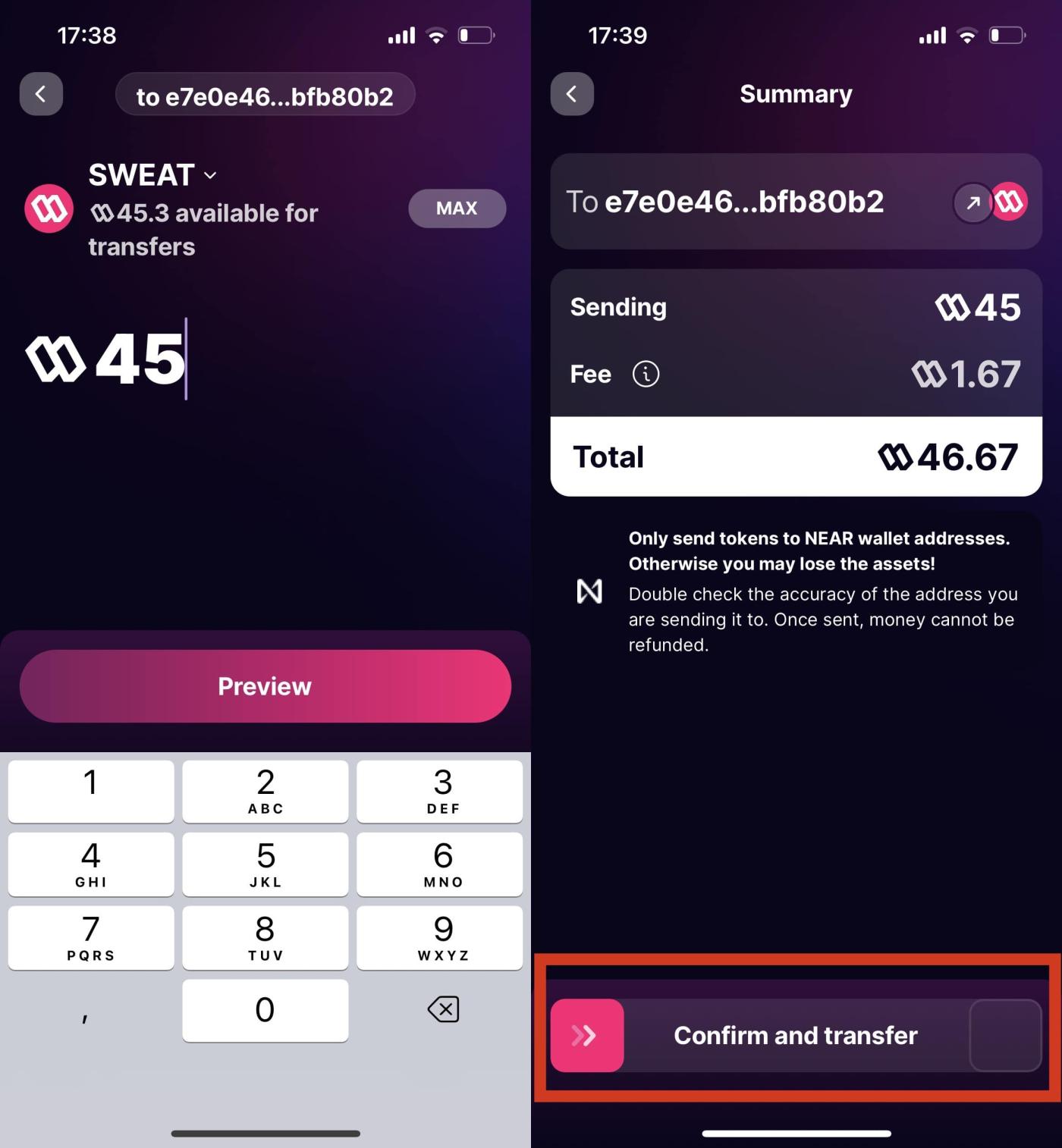
- Next, you enter the number of tokens to transfer (you can transfer a small amount of tokens in advance to try), then swipe from left to right in the "Confirm and transfer" box. Wait about 3 minutes, SWEAT balance will show up on your OKX exchange account, you can sell SWEAT tokens for Stablecoin (like USDT) and convert to cash.
Step 10: Use Sweatcoin Points
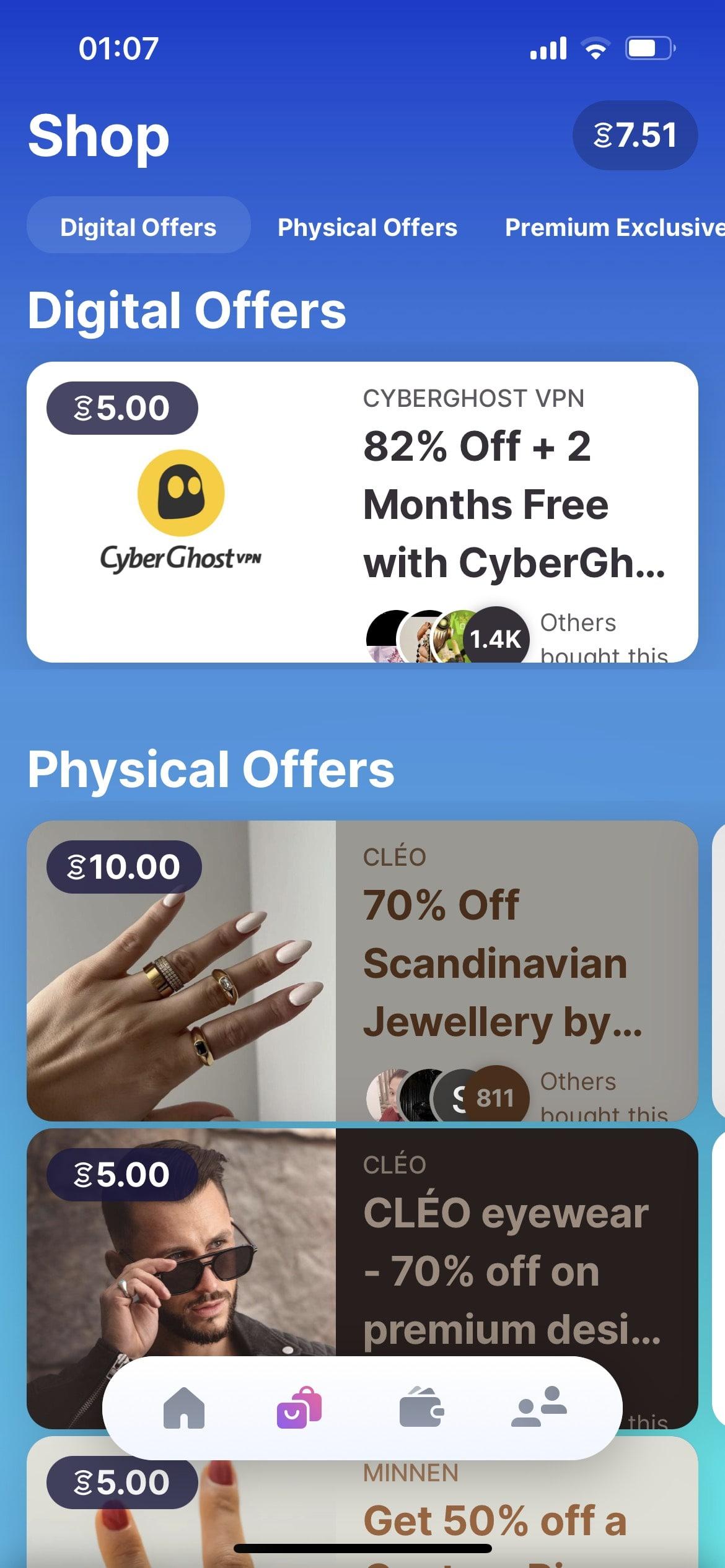
For excess sweatcoin points, you can exchange these points for gift cards and preferential offers in the “Shop” section of the Sweatcoin app.
Conclude
The above article has detailed instructions for you on how to make money walking with Sweatcoin application. Maybe the amount of money you earn with Sweatcoin is not much – only a few dozen cents a month, but this Move and Earn app is still loved by many people because it encourages people to exercise more for good health. than.