Author's opinion
Inscriptions were originally born from Bitcoin, because Bitcoin does not support complete smart contract functions and cannot issue coins or NFTs on the Bitcoin network. Inscriptions are a special approach to achieve similar purposes.
After the inscription became popular, the craze spread to other platform public chains. However, the platform public chain itself supports smart contracts and can issue coins and NFTs. Putting inscriptions on the platform public chain has a sense of absurdity in reducing dimensionality, but the market naturally has its own logic. Thinking, the inscription craze has also become a kind of stress test for the platform's public chain, testing whether the so-called high-speed and efficient public chain is really high-speed and efficient, or can it be easily crashed and shut down?
The inscription on Polkadot is different. Although Polkadot is also a public chain, it is a lower-level zero-layer blockchain that does not support smart contracts and cannot issue coins directly on Polkadot. Casting inscriptions on Boka seems quite reasonable if you think about it.
However, whether the inscription is valuable or not depends on subsequent development. This article is just a tutorial on Polkadot inscription and does not constitute investment advice.
Polka Inscription Preparation
Casting inscriptions is essentially initiating a transaction on the chain and adding funds to the transaction. This is an on-chain operation. There are two main pre-operations:
You must have a Polkadot ecological wallet
You must have Polkadot coins in your wallet to pay gas fees
Casting Polkadot Inscription Preparation Action 1: Create Polkadot Wallet
The first is to create a wallet. Here we introduce three Polkadot ecological wallets. You can choose the one you like to install.
Polkadot official wallet - Polkadot.js
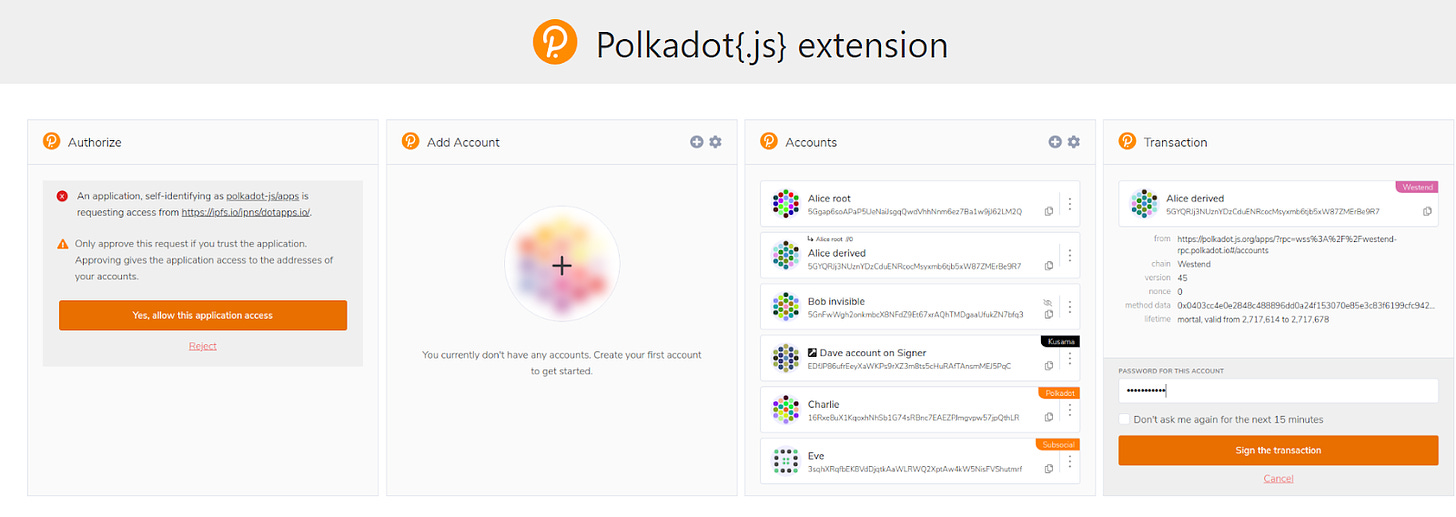
The first is the official launch of the Polkadot.js wallet, which has the most elegant interface and is the most difficult to get started initially, but it is very easy to use once you get used to it.
https://polkadot.js.org/extension/
The process of creating a wallet is similar to other wallets. It is recommended to install a browser extension, choose to create a new wallet, back up the seed phrase, and then follow the steps to complete the creation. What is special about Polkadot is that it is a multi-chain ecosystem. Polkadot wallet can support all Polkadot ecological chains. There is no need to install a new wallet for each chain, and the address of each chain can be directly obtained.
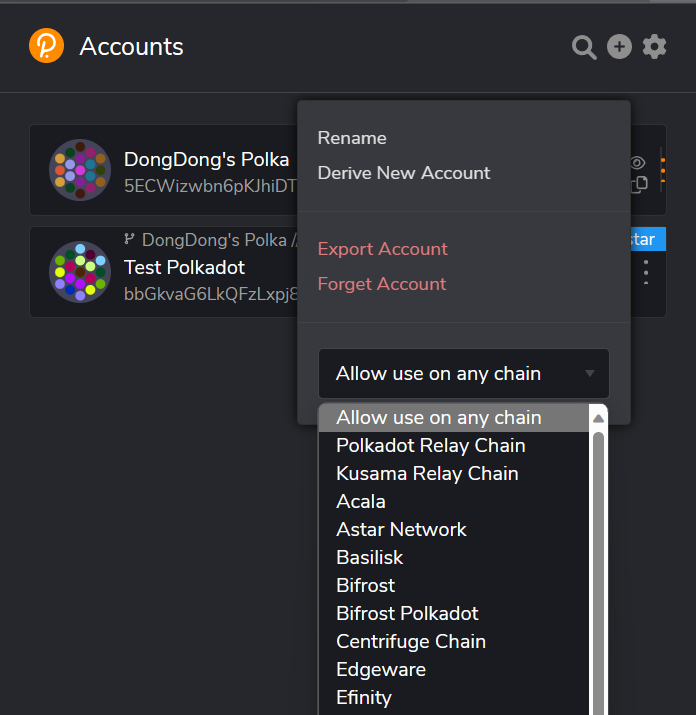
When looking for the payment address, click on the browser extension. When interacting with the website, you can select Allow use on any chain. In this way, the website can read the data of all chains in the wallet, no matter which chain is initiated. Transactions are possible; but when you want to copy an address, you have to switch to the chain you need at the moment to display the address on that chain. If you want to transfer Polkadot coins from the exchange, you have to select the Polkadot Relay chain here. The payment address of Polkadot Chain!
The interface of the js wallet browser extension is very elegant. Basically, you can only adjust settings & copy addresses, etc. If you want to send coins or view transaction records, you need to use the official wallet web version App:
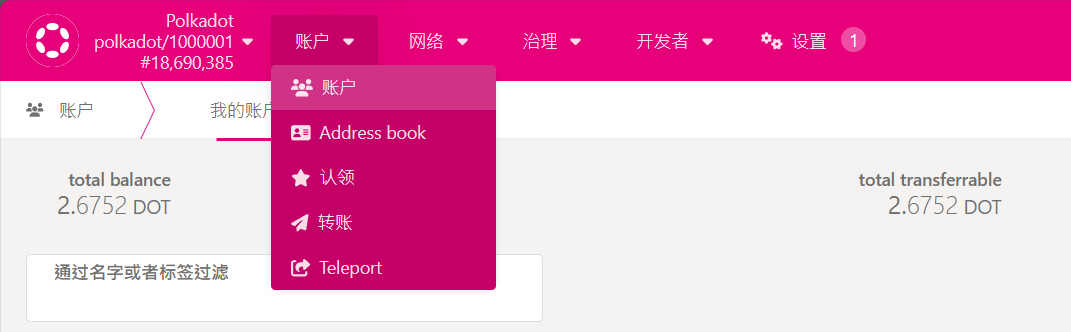
After entering this website, connect to the js wallet (usually it will connect automatically), so that it can be regarded as a complete Polkadot wallet operating interface.
Polkadot Ecological Wallet-Talisman
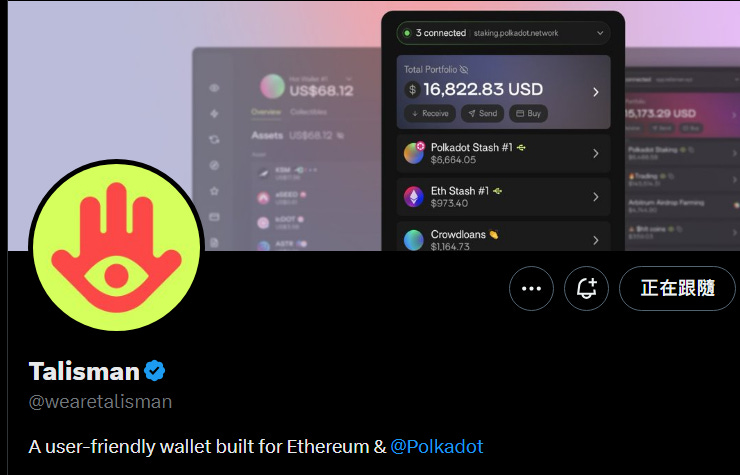
The interface of Tailsman wallet is much friendlier. If you have used wallets such as Little Fox Metamask, it is easy to get started. Talisman not only supports the Polkadot ecological chain, but also supports the EVM chain. It currently has a web version & browser extension.
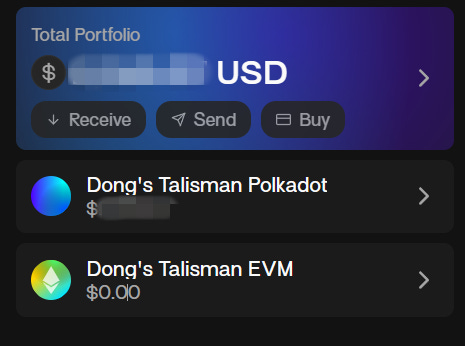
The wallet interface is like this, divided into two categories: Polkadot / EVM. When you want to copy the payment address, select Receive and find the currency you want to receive.
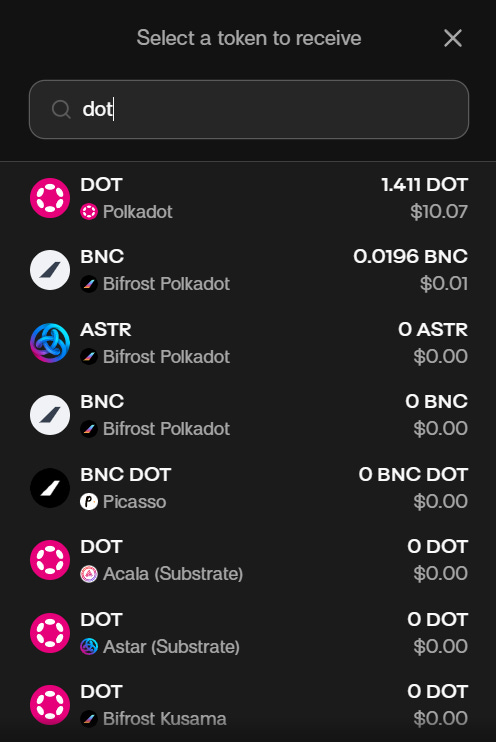
For example, Polkadot DOT is available on many chains. Then you can copy the address by selecting the chain you want to receive payment from. If you want to transfer Polkadot coins and make inscriptions, select Polkadot, the main chain of Polkadot. The chain wallet address starts with 1.
If you already have the habit of interacting with the EVM chain, it is recommended that you create a Talisman wallet directly to support both ecologies at once.
Polkadot ecological wallet-Subwallet
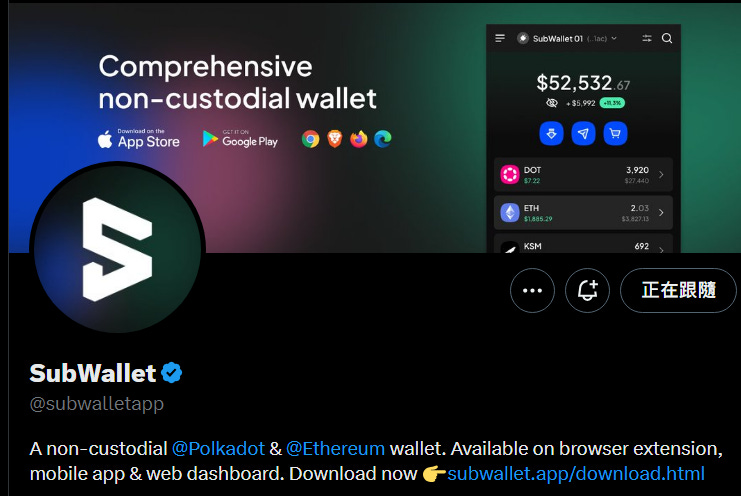
Like Talisman, it also supports both the Polkadot ecosystem and the EVM chain. The difference is that in addition to browser extensions, Subwallet also has a mobile app.
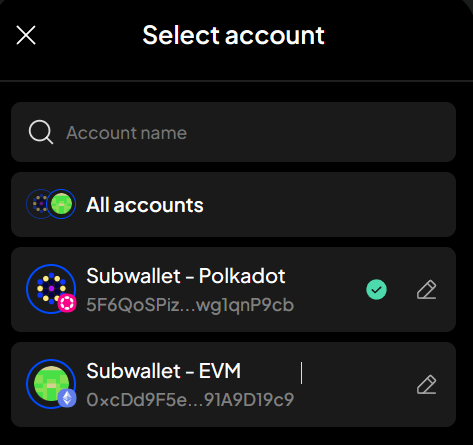
When looking for the payment address, first select the Polkadot ecosystem or EVM chain you want to use this time at the top of the wallet, and then press Get address.
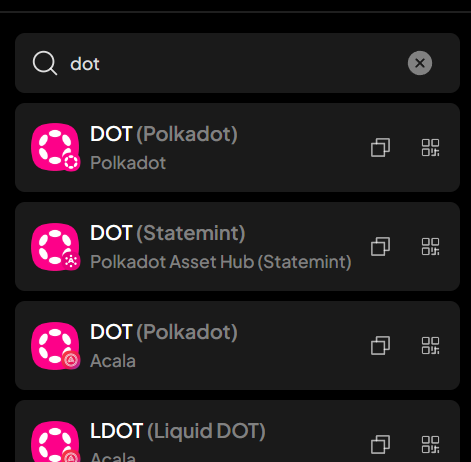
Similarly, there will be Polkadot coins on many chains. It depends on which chain you want to go to this time to copy the address. For Polkadot inscriptions, it is on the Polkadot main chain. Select Polkadot to copy the address and the Polkadot main chain address. It starts with 1.
The process of creating a wallet is almost the same, so I won’t go into details. The most important part to pay attention to is backing seed phrase. Remember to copy the backup by hand instead of taking screenshots, which will be safer. Talisman and Subwallet both support the EVM chain, which is more convenient for people who already have a lot of assets on the EVM chain.
***Important Reminder***
The account balance in the Polkadot main chain account must be > 1 DOT to keep the account active. If the account balance is < 1 DOT, it will become an inactive account and the balance will be reset to zero. Please be sure to keep a balance of at least 1 DOT.
Preparatory action for casting Polkadot inscription 2: Buy some Polkadot coins DOT as gas
The simplest way is to buy it from an exchange and transfer it. Polkadot is a mainstream currency and can be bought on all major exchanges. The code of Polkadot is DOT, which can be purchased from exchanges such as Binance or OKX and withdrawn. wallet.
If you don't have an exchange account yet:
Daily Binance x Binance recommendation code/discount code: RVN433Z4
Use this discount code to register an account, and the account will be permanently exempted from 20% handling fee! Binance Discount Code👉🏻Register Portal
Daily Biyan OKX exchange recommended registration link:
https://www.okx.com/join/CW2023
Register for OKX through Daily Biyan’s exclusive invitation code: "CW2023" to get a lifetime 20% handling fee discount!
For the withdrawal method, please refer to the instructions of each exchange. The exchange will charge a small handling fee for the withdrawal. The arrival time after withdrawal depends on the current situation on the chain. For Polkadot chain, it is usually completed within a few minutes.
***Important Reminder***
The account balance in the Polkadot main chain account must be > 1 DOT to keep the account active. If the account balance is < 1 DOT, it will become an inactive account and the balance will be reset to zero. Please be sure to keep a balance of at least 1 DOT. If you want to transfer Polkadot coins to mint inscriptions, please prepare some more Polkadots in addition to the expected casting fee to avoid your account being reset to zero.
How to play Polkadot Inscription - Dotordinals / Dota.fyi
There are currently two Polkadot Inscription protocol websites that can mint Polkadot Inscription.
Dotordinals.io|pdc-20 Inscription Protocol
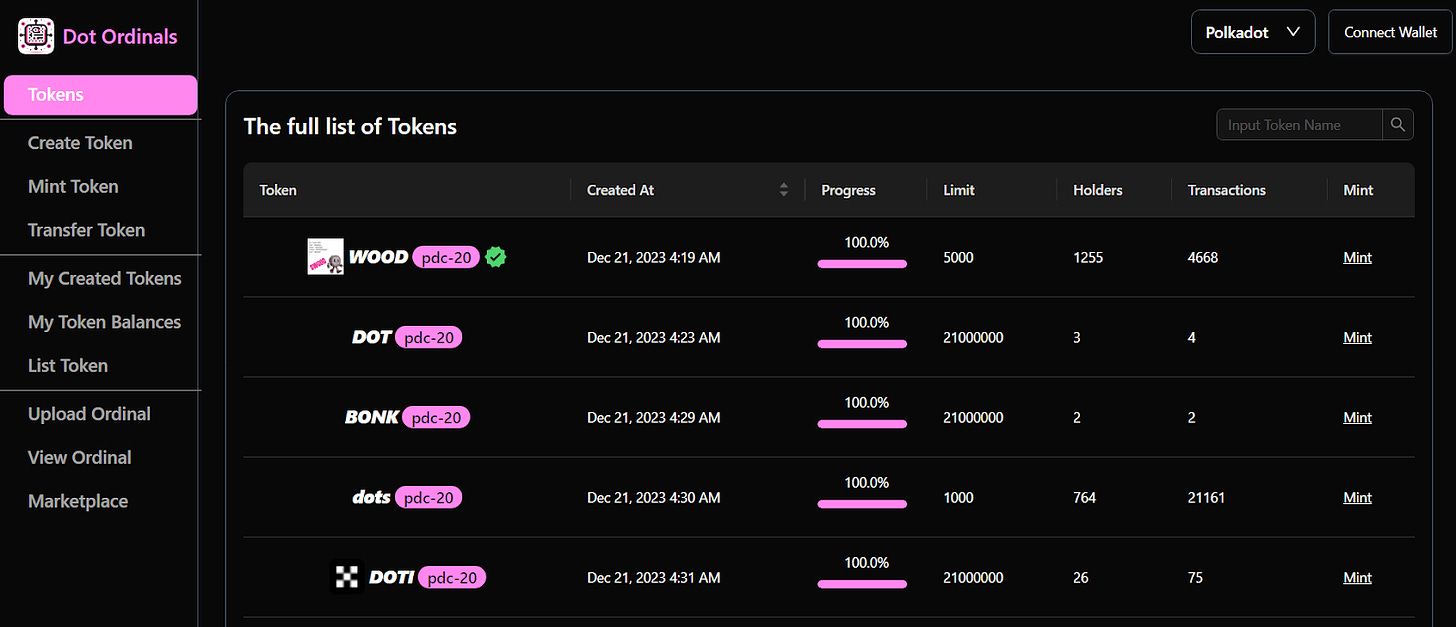
The online wallet in the upper right corner is supported by js/Talisman/Subwallet. Their inscription protocol type is pdc-20. There are currently dozens of pages of inscription lists on the website. 100% of them have been completed and have not yet been completed. Find the one you like and press the mint button on the far right.
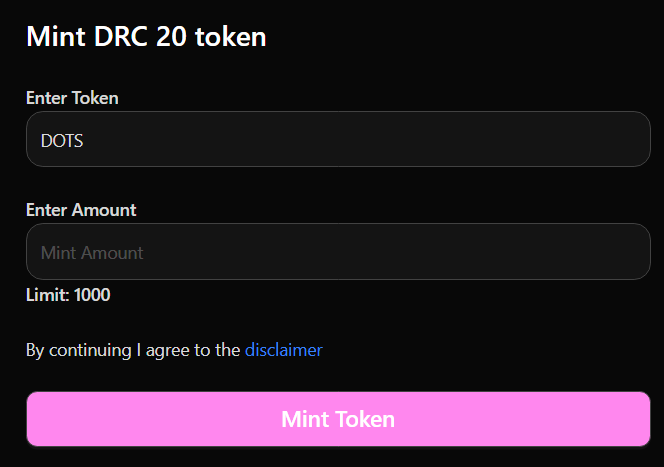
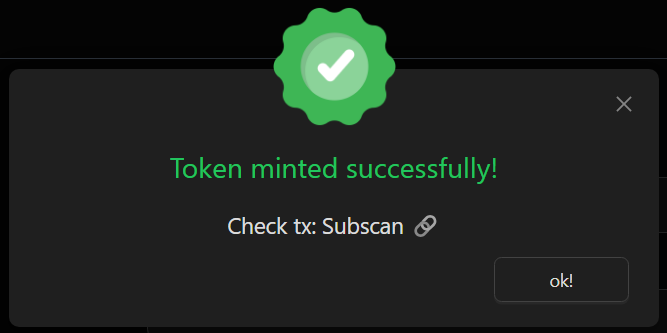
Enter the amount (must be less than the upper limit), press Mint Token, then wait for the wallet to pop up the confirmation window, press Send Transaction, and it is successful when you see the following window.
How to check the inscription balance?
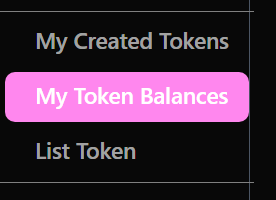
Select My Token Balances on the left interface to see which inscriptions are currently cast and how many are there? Inscriptions can be sent to other addresses.
Inscription trading has been announced, and the team said it will be open in the next two days, but the author cannot trade it at the moment.
Dota.fyi|dot-20 Inscription Protocol
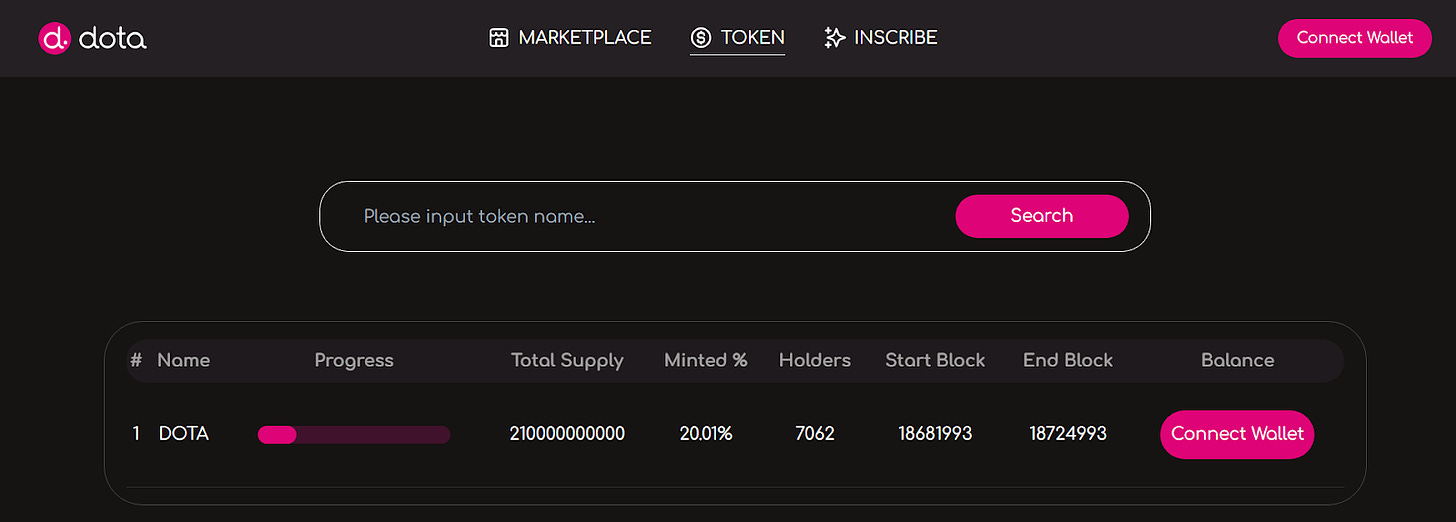
This website currently only has one inscription that can be cast, the protocol type is dot-20, and the mechanism is relatively special. The same is done by connecting to the wallet in the upper right corner, and then selecting INSCRIBE at the top:
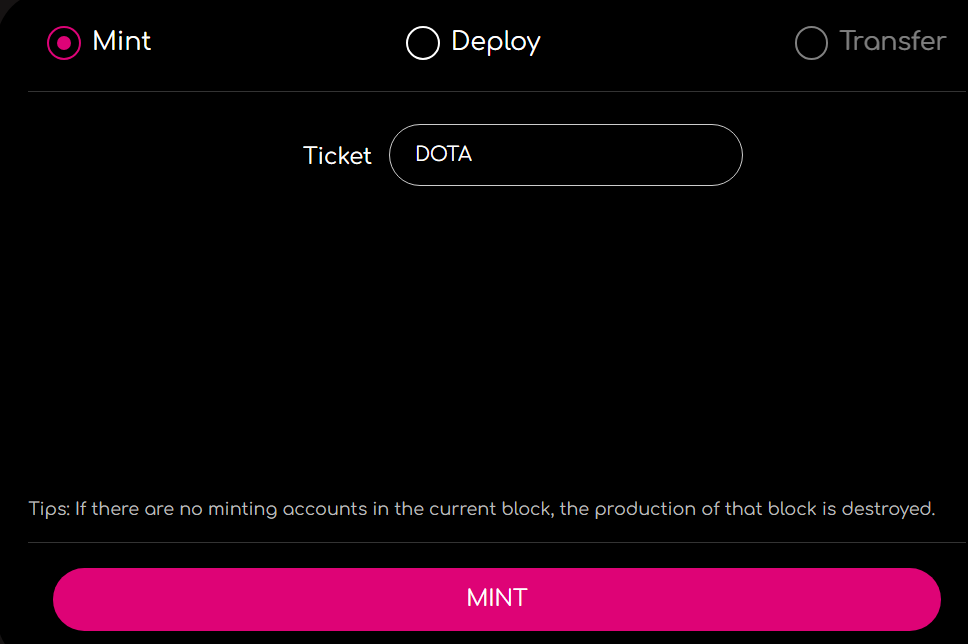
Just press MINT and wait for the wallet to confirm. The special thing is that the amount of minting cannot be set. Its mechanism is that the amount that can be minted in each block is fixed, and it is divided equally among the people who initiate the transaction. It is a bit similar to mining. The more people participate, the more people participate. The higher the difficulty, this mechanism is used to avoid being quickly wiped out by specific people.
After the casting is completed, go back to the homepage and see your Balance to know how much has been cast. The inscription sending function is not yet open.
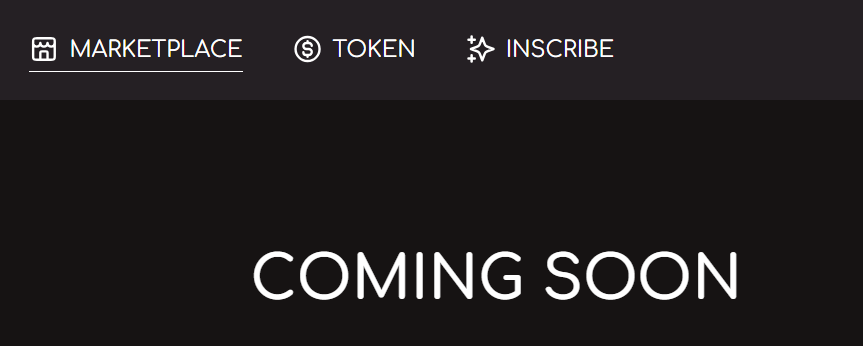
The trading function is also still under development, and trading is not available at the moment of writing.
How to trade Polkadot Inscription
At the moment of writing, the trading functions of the two Polkadot Inscription protocols are still under development and cannot be traded yet. The content of the article will be updated after trading is opened.
***Important Reminder***
Inscription is a very high-risk investment at this stage, so please be sure to carefully evaluate the level of investment and participation.
▌Discuss market hot spots with the community. Welcome to join the Daily Biyan Chinese Exchange Group !
If you don’t know much about Polkadot and inscriptions, you can refer to further reading:
Second anniversary of Polkadot’s first slot auction
What are Ordinals NFTs? What is the BRC-20 token? |Bitcoin NFT Protocol|Operation Tutorial