A quick introduction to Polkadot ecology
Polkadot, called Polkadot in Chinese. If this is the first time you come into contact with Polkadot, unlike common public chain ecology, Polkadot ecology is not an ecology on one chain. Similar to another multi-chain ecology Cosmos, Polkadot ecology is also composed of multiple chains, of which the two most basic The two types of units are relay chain and parachain.
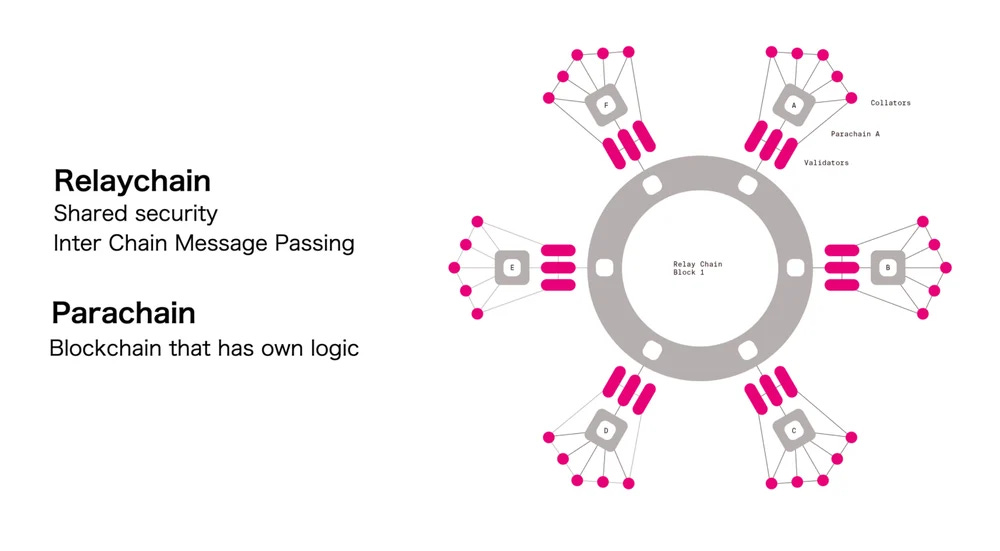
Polkadot's main focus is a multi-chain ecology. Each DApp can create its own exclusive blockchain. Blockchains built using Polkadot's underlying technology Substrate can become Polkadot parachains. Polkadot's main chain is the relay chain. After connecting the parachain and the relay chain, security can be shared. The Polkadot main chain is responsible for maintaining the security of the entire ecology, and because the parachains have the same underlying architecture and shared security, they can be easily executed Various cross-chain interoperability.
The so-called Polkadot ecosystem is not just the ecosystem on the Polkadot chain, but also includes all parallel chains connected to the Polkadot chain.
According to the current figures on the official website, including Polkadot and Canary Network Kusama, plus all parallel chains, the Polkadot ecosystem currently has a total of nearly one hundred blockchains.
Reference reading:
Introduction to DOT Coin | Is the Polkadot ecosystem still worth paying attention to?
Polkadot wallet tutorial – native wallet/compatible EVM wallet
The underlying architecture used by Polkadot is different from other public chains, and the wallets are also different. However, in addition to Polkadot’s native wallet, there are also EVM-compatible wallets. If you already have assets on the EVM chain, you can directly choose an EVM-compatible wallet to use. .
The following tutorial focuses on Polkadot.js, the native wallet of Polkadot. The differences in EVM-compatible wallets will be supplemented in the following paragraphs.
Polkadot wallet tutorial – taking the official wallet JS as an example
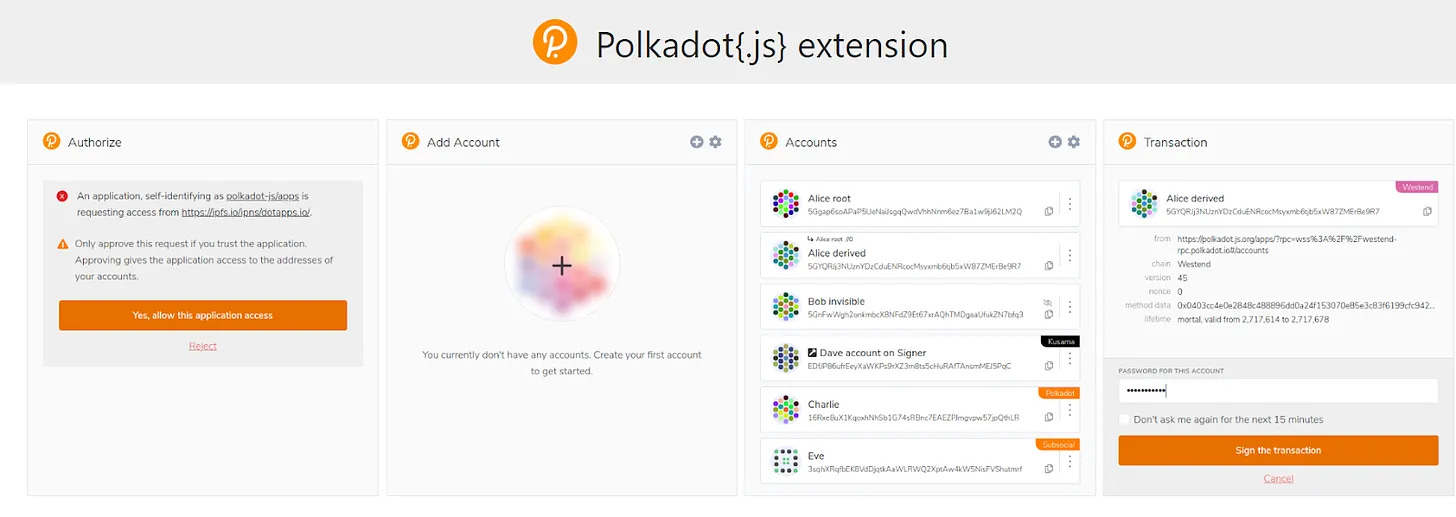
Let’s talk about the key points first: js is the most popular wallet among Polkadot’s mainstream wallets, with the most elegant interface and the hardest to get started, but once you get started, you will find it easy to use.
For Polkadot.js, it is recommended to use the browser plug-in version. For mobile wallets, it is recommended to use other EVM-compatible options that will be introduced later.
Polkadot-js extension, manage accounts for substrate based chains
Click in and download and install. Currently, two versions are available: Chrome/Firefox.
Polkadot js wallet creation tutorial
Click on it after installing the browser plug-in.
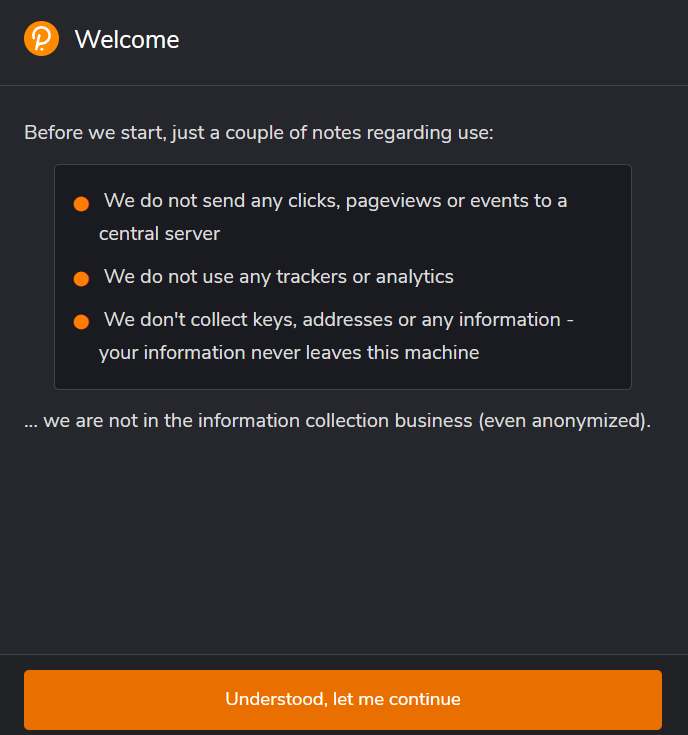
Like ordinary cryptocurrency wallets, this is a non-custodial wallet that does not track or store information. The relevant records are on the chain. The private seed phrase must be kept by the user, and the user must be responsible for its security.
Then follow the steps:
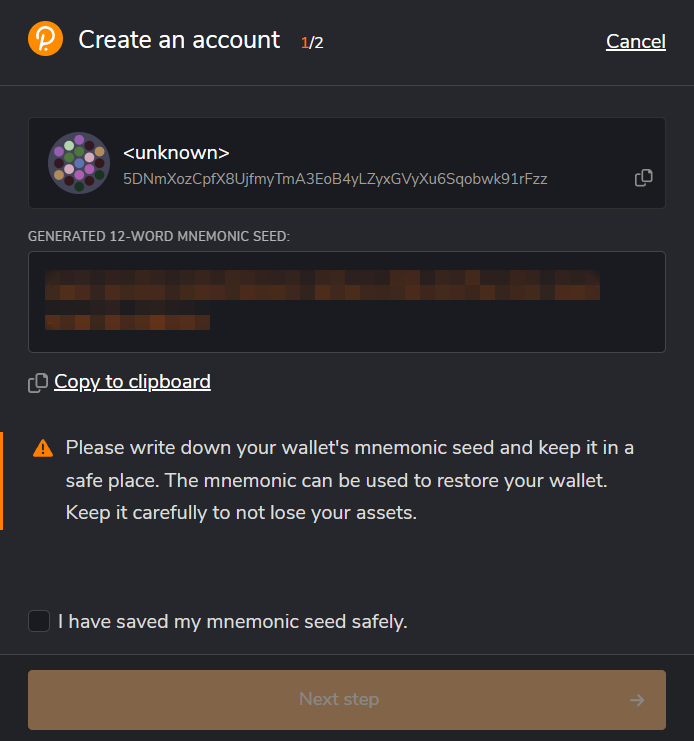
Anyone who has used a cryptocurrency wallet knows that this step is the most important! Be sure to back up & keep seed phrase properly! Once lost, the wallet cannot be restored, and if it is lost, you will lose control of the wallet.
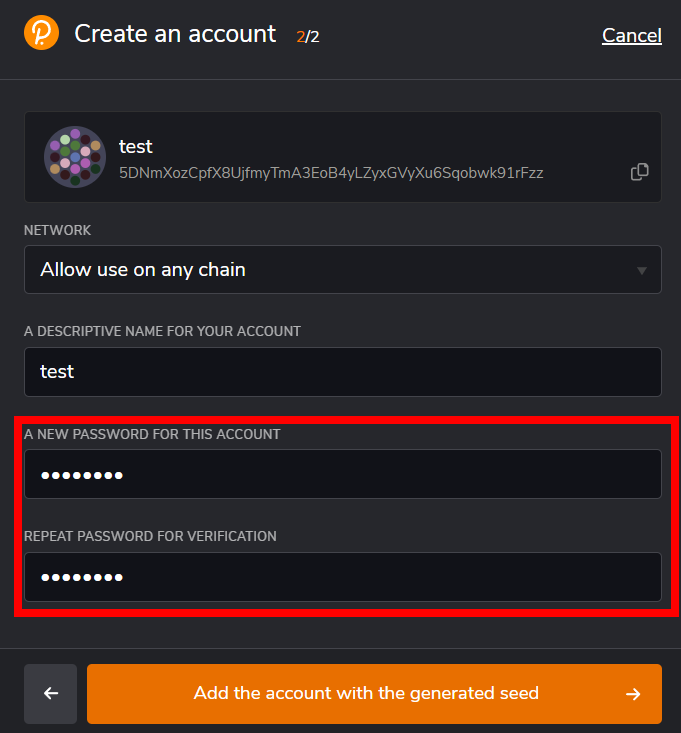
The NETWORK column is not important at the moment. Don't worry about it. This step is mainly to set the account name and password.
Important: The account name is only for personal identification and has no difference to the outside world; the password is the wallet password on this device. It is used when unlocking the wallet and confirming transactions. It is seed phrase a seed phrase if you really lose your password. Reset wallet reset.
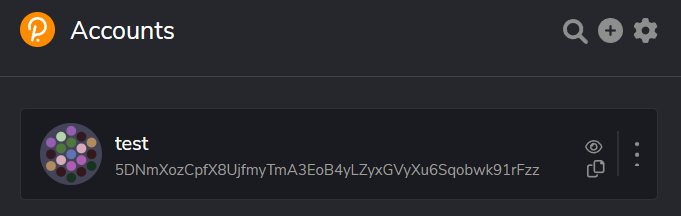
Then the installation is completed. The most important thing in the process is to back up the seed phrase and set a password. The password is only used to unlock the wallet and confirm transactions on this device, and is different from the seed phrase.
How to find js wallet payment address
After the wallet is created, if you want to participate in the on-chain ecology, you must first transfer some coins. The first question when transferring coins: How to find the payment address? Polkadot is a multi-chain ecosystem, and Polkadot wallet is of course a multi-chain wallet. The first key point when looking for a payment address is: which chain do you want to transfer to?
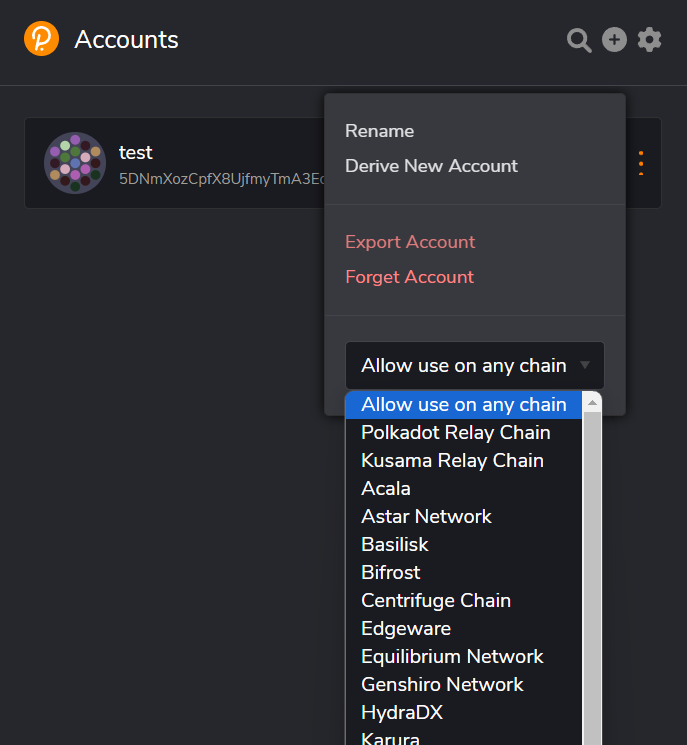
Press the three rightmost points and click Allow use on any chain. A list of all currently supported chains will appear. Find the chain you want to transfer here. Assume that this time you want to transfer DOT coins from the exchange to Polkadot. On the main chain, select Polkadot Relay Chain here.
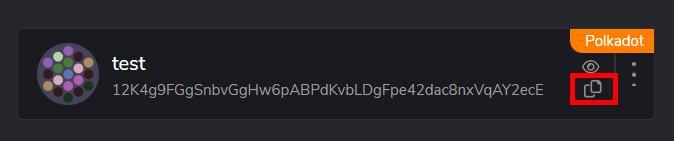
You will find that the address is different. The name of the chain will also be displayed on the upper right. Press the red box to copy the address.
Help: What should I do if I can’t find the link I want to transfer in the drop-down list?
Do you still remember that js is the Polkadot wallet with the most youthful interface and the most difficult to use? At this time, you need to use it with another website:
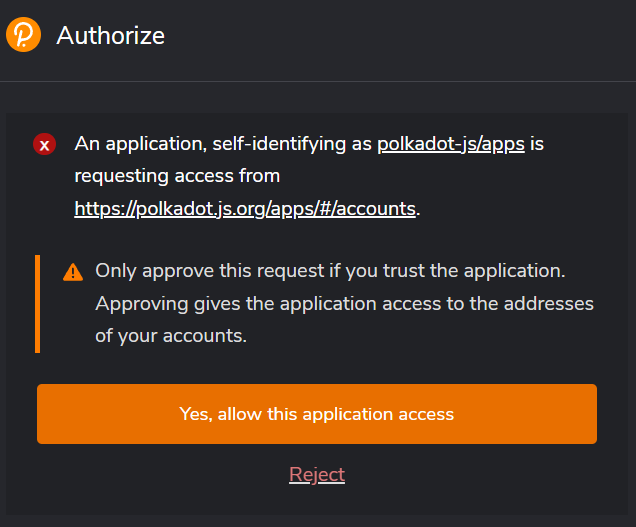
When connecting for the first time, the wallet authorization window will pop up:
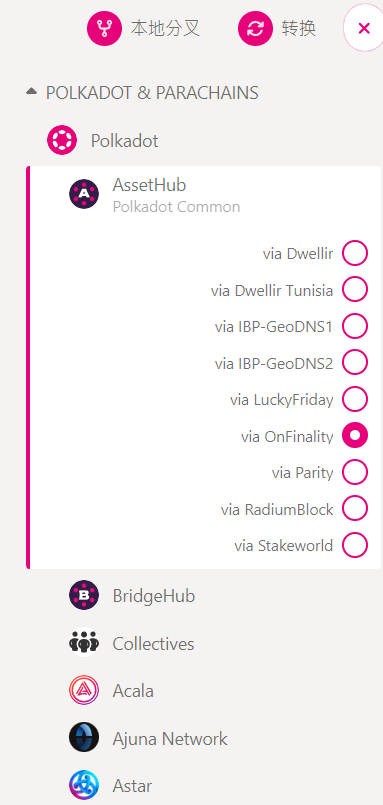
Press the upper left corner and find the chain & conversion you want to convert in the list that pops up.
The site will refresh for a few seconds and convert to another link, then go to Settings > Metadata > Update Metadata.
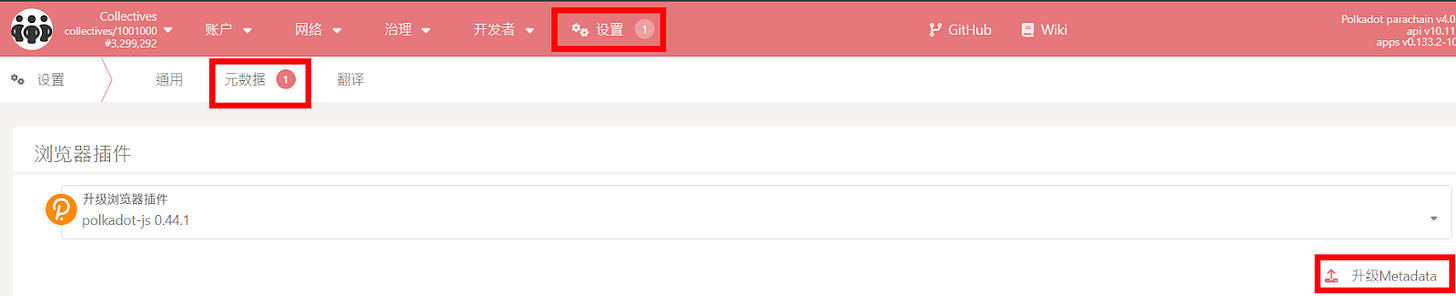
The principle is that the original js has not been updated with the latest information, and it cannot capture some new links. Only after the data is updated can it be displayed normally. However, new players are unlikely to encounter this problem. Most exchanges support well-known and mainstream parachains, which are usually displayed in the existing list. DeFi players will encounter this problem when operating chains that are too new. .
Tutorial on checking balance and transferring funds in Polkadot js wallet
Without this tutorial, if you follow your usual habit of using a cryptocurrency wallet and click back and forth on the js browser plug-in, you will find that you can't find the transfer function and you can't see the wallet balance.
Because it is a wallet with a very elegant interface... Basically it only has a functional interface for creating wallets & switching chains. Checking balances and transferring funds require other tools.
Let’s go back to the website mentioned in the previous paragraph: Polkadot/Substrate Portal

After switching to the corresponding chain, select the account to see the balance.

Press send to transfer money.
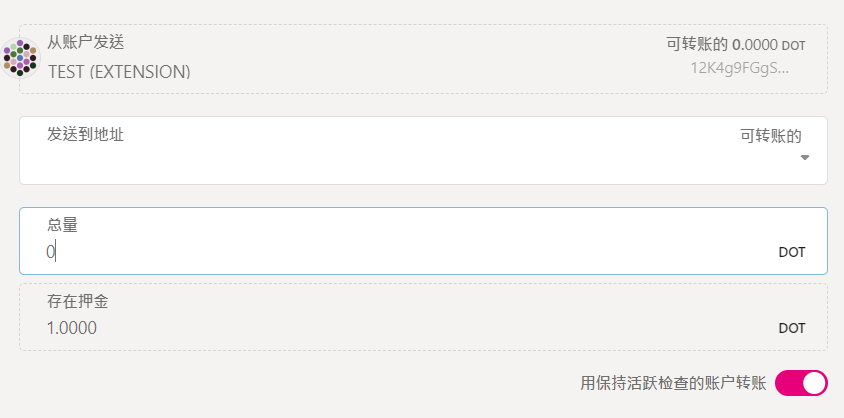
After pasting the payment address & transfer amount, you can transfer money.
Important: The Polkadot main chain account needs to maintain at least 1 DOT to keep the account active, and pay attention to the balance when transferring; only the Polkadot main chain has this restriction, and other parallel chains do not.
Use Sub ID to see the total assets of multiple chains in the wallet at once
Using the website mentioned in the previous paragraph, although you can see the wallet balance, you can only see the assets on one chain at a time. If you want to see the asset status of each chain at once, you can use the asset tracking dashboard tool in the Polkadot ecosystem:
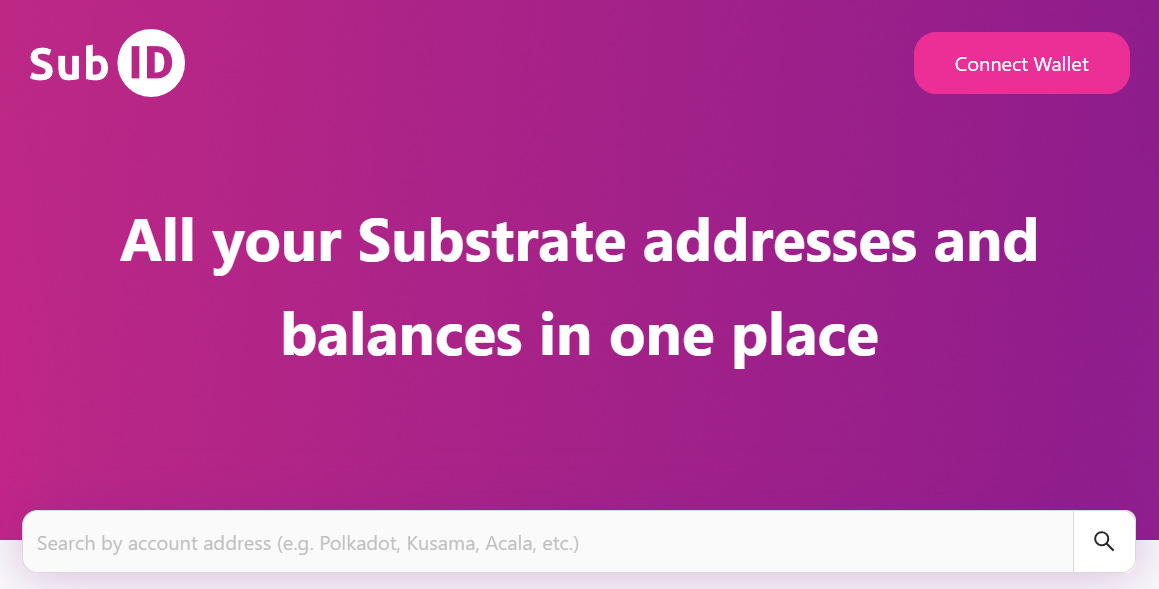
After connecting to the wallet, you can see the assets on each chain currently in the wallet. Most current balances in the wallet and coins in pledge can be displayed successfully, but assets in some protocols that are stored in liquidity mining or lending cannot yet be displayed correctly.
Cross-chain transfer in Polkadot ecosystem
The transfer mentioned earlier is a transfer between different addresses on the same chain. For example, transferring Polkadot coins from an exchange to the Polkadot chain in a wallet is done on the Polkadot chain; the Polkadot ecosystem is a multi-chain ecosystem. , cross-chain transfers can also be easily made between parallel chains. How to transfer between different chains?
The operation interface usually needs to be matched with the websites of other projects. Many DEXs in Polkadot provide cross-chain transfer functions. Here is HydraDX as an example:
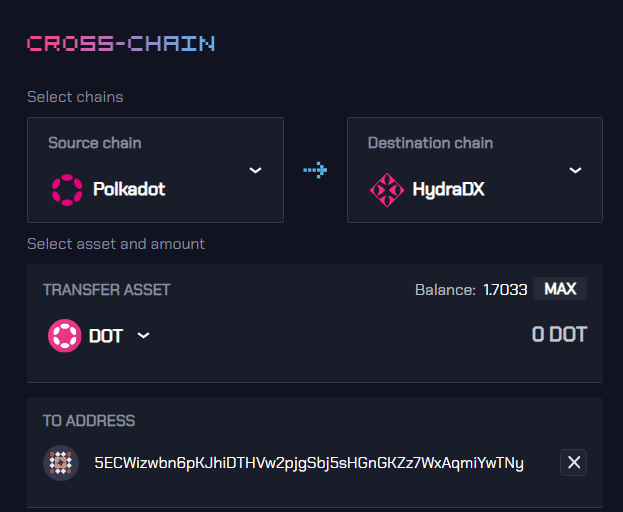
The function is usually called Cross-Chain. You first select which chain to transfer from and which cryptocurrency to transfer, and then enter the address.
Transfers between parallel chains rely on Polkadot XCM technology, but channels must be opened between each other first. Only those that have been opened can transfer funds across chains. Not every chain can be transferred to any chain. You have to click to see if it is. Yes, the supported currencies are also limited. There are restrictions on the coins that can be transferred between different chains. Not all coins can be transferred. You have to click and see to confirm.
Among the mainstream parachains, most of the major coins have been supported and can be easily transferred.
Key point: If it is a cross-chain transfer between the same wallet, you usually do not need to enter the address, the system will catch it by itself.
To briefly explain the principle , when the wallet selects Allow use on any chain, the displayed address is the seed address of this wallet, from which the addresses of all other parallel chains can be calculated, which means that the addresses of different chains in this wallet can be calculated. There are only a few special exceptions, such as switching to an EVM-compatible parachain. Due to different address logic, you need to enter the address at this time.
Normally, in order to make it easier for websites to read, NETWORK is set to Allow use on any chain. When you specifically want to operate an action on a certain chain, just switch to the corresponding chain.
Polkadot Compatible EVM Wallet Introduction – Talisman / Subwallet / Novawallet
Firstly, because some Polkadot parachains are also EVM compatible, and secondly, EVM is currently the most important public chain ecosystem. Several Polkadot wallets launched later usually support both Polkadot native & EVM.
If you already have some assets on the EVM chain and frequently interact with the EVM chain, you can directly choose one of these EVM-compatible Polkadot wallets.
Being compatible with the EVM wallet means that we can transfer assets in the Polkadot ecosystem to the ecosystem led by Ethereum, that is, the address starting with "0x" in your Metamask such as Metamask.
As of writing, there are three types that are more common in the current ecology:
- Browser plug-in & mobile app
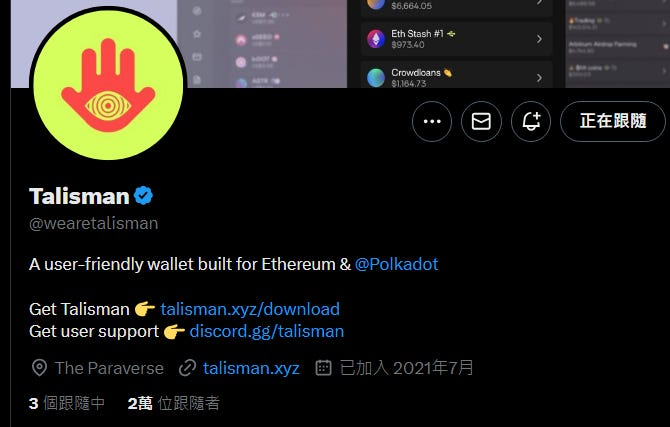
- Browser plug-ins
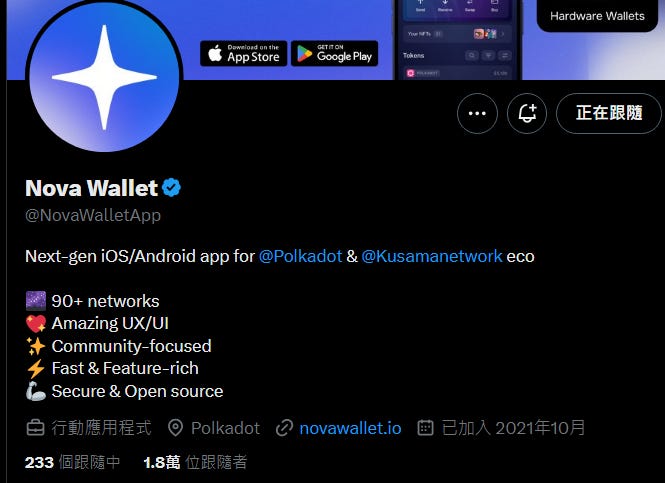
- Mobile App
The creation process is similar so I won’t go into details. When entering the wallet, because it supports EVM, there will be multiple steps to choose from:
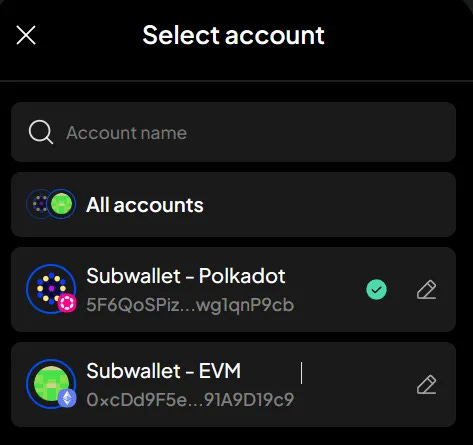
Select whether you want to use Polkadot native or EVM chain.
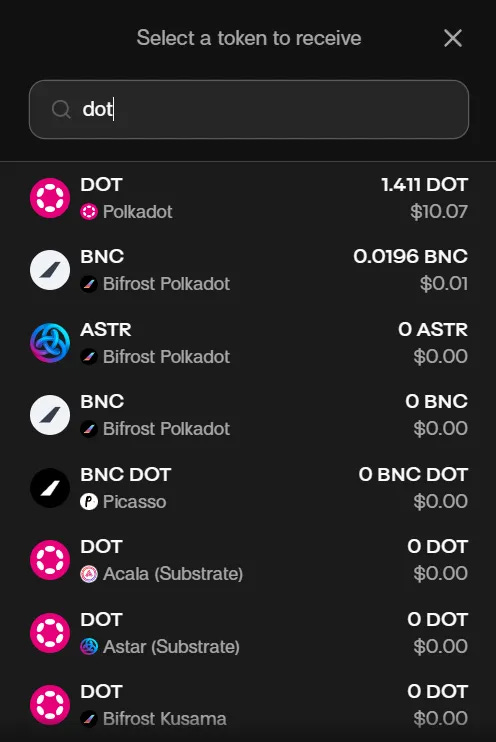
When looking for the payment address, find the receive / get address button and press it, and then search in units of coins. It should be noted that some coins will exist on multiple chains at the same time, especially the main currencies in the ecosystem like $DOT. At this time, be sure to read the name of the chain clearly. Once you find it, press it to copy the payment address.
These later-launched wallets have relatively complete interface functions. They are not as elegant as js. You can directly use the wallet interface to perform operations such as checking balances and transferring funds. There are also dashboards that can directly view the assets on each chain:
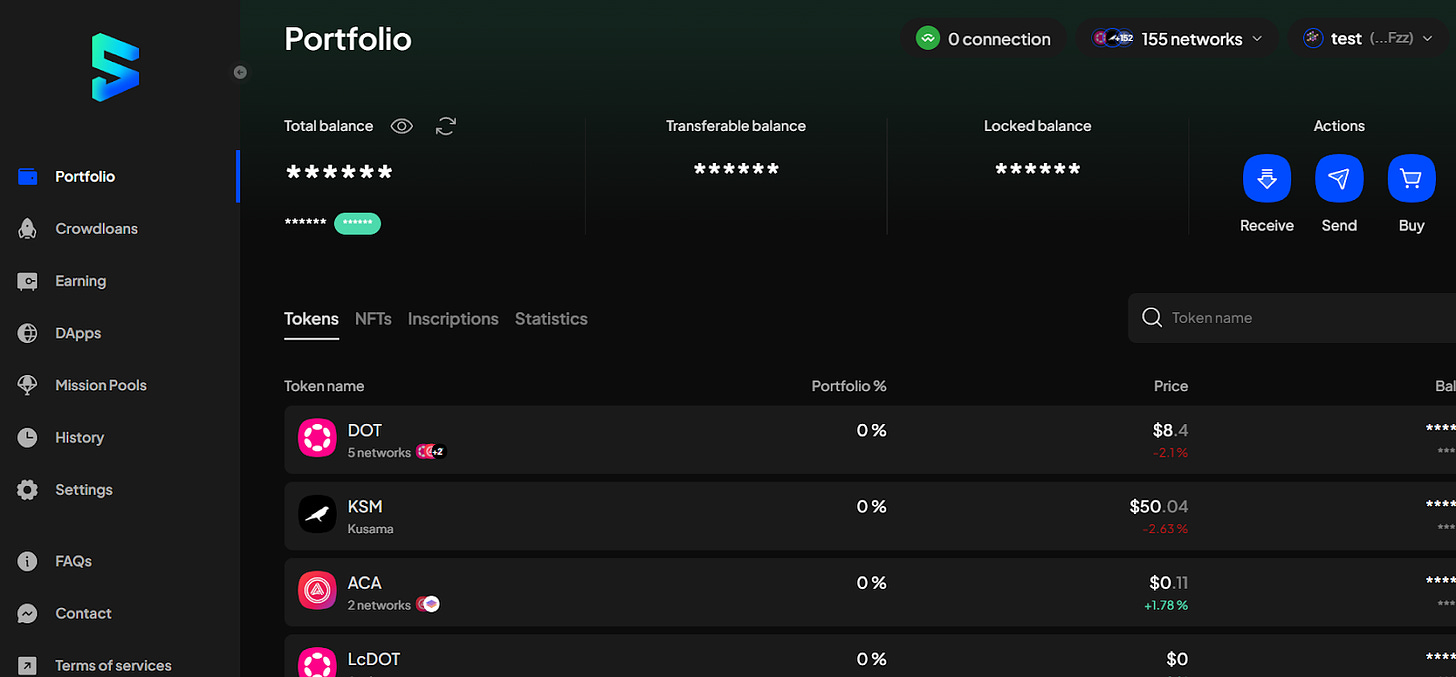
This is the dashboard of Subwallet. Even if a js wallet is installed, you can view the assets in the wallet after connecting to the wallet, or directly use the Subwallet interface to operate the js wallet.
Polkadot wallet security precautions
Polkadot wallet is also a cryptocurrency wallet, and the basic security rules are the same as those for general use of cryptocurrency wallets:
Be sure to download and install from the correct official website
Be sure to back up and keep seed phrase
Never leak seed phrase and private keys to untrusted people
Only interact with sites you trust
Open more wallets to diversify your assets
The most special thing is that Polkadot is not a single public chain but a multi-chain ecosystem. When operating on the chain, you must confirm which chain you are currently on? From where to go?
And the gas tokens of different chains are different. Some chains can use different cryptocurrencies to pay for gas, and some can only use the native platform currency of the chain to pay. Remember to pay attention when transferring or operating, and make sure that the balance left is enough to pay for gas, otherwise There will be a situation where the gas cannot be paid and the user is stuck unable to do anything.
▌It’s too difficult. Let’s study and discuss with the community. Welcome to join the Daily Biyan Chinese Exchange Group !
Further reading
HydraDX Omnipool – Polkadot Ecological Liquidity Center | Hydra DEX introduction and teaching
Introduction to DOT Coin | Is the Polkadot ecosystem still worth paying attention to?
Full-chain LSD protocol on cross-chain ecological Polkadot | Bifrost / BNC coin introduction
The second anniversary of Polkadot’s first slot auction | The winner later developed? Will slot bidding become a thing of the past?