Soundness Layer is a decentralized verification layer aimed at solving the scalability and cost challenges of on-chain data validity, more specifically zero-knowledge proof (ZKP) verification. By leveraging parallel execution, Move's secure smart contracts, and Walrus's decentralized storage, Soundness Layer provides rapid finality, censorship resistance, and cross-chain interoperability. It significantly reduces on-chain verification costs, making ZKP-based applications like zk-Rollups, zkBridges, and zkApps more affordable and scalable.
Walrus is a decentralized storage network that plays a crucial role in ensuring verifiable data is stored effectively and can be reconstructed even if some nodes fail. When used in conjunction with Soundness Layer, Walrus enables cost-effective validity checks, thereby reducing on-chain attestation costs. Together, they create a powerful infrastructure for scalable, decentralized, and economically viable proof verification, paving the way for broader adoption of ZKP-based technologies.
Soundness is currently preparing for testnet launch and inviting early participants to register their keys. For detailed instructions on key generation and registration, please refer to the soundness-cli documentation.
Registration Tutorial
1. The CLI requires a Linux environment. If you have WSL dual system, you can try it. If not, you can use Digitalocean's hourly paid service by adding a few dollars to use anytime, you can refer to this server purchase tutorial.
2. Open the FinalShell terminal and copy the following command
curl -sSL https://raw.githubusercontent.com/soundnesslabs/soundness-layer/main/soundnessup/install | bash
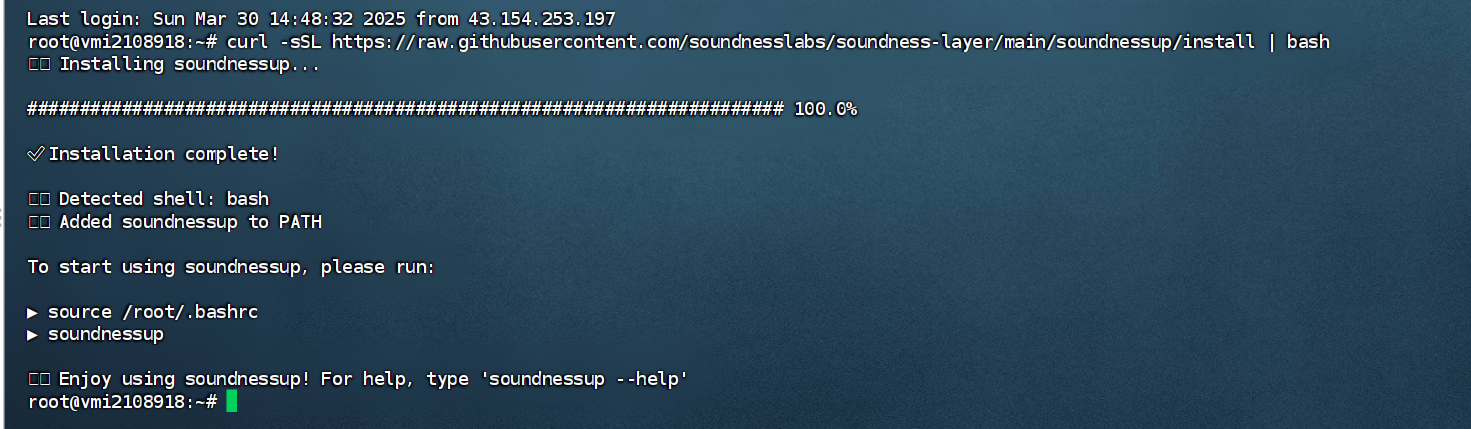
Run
source ~/.bashrc
 Then download CLI
soundnessup install
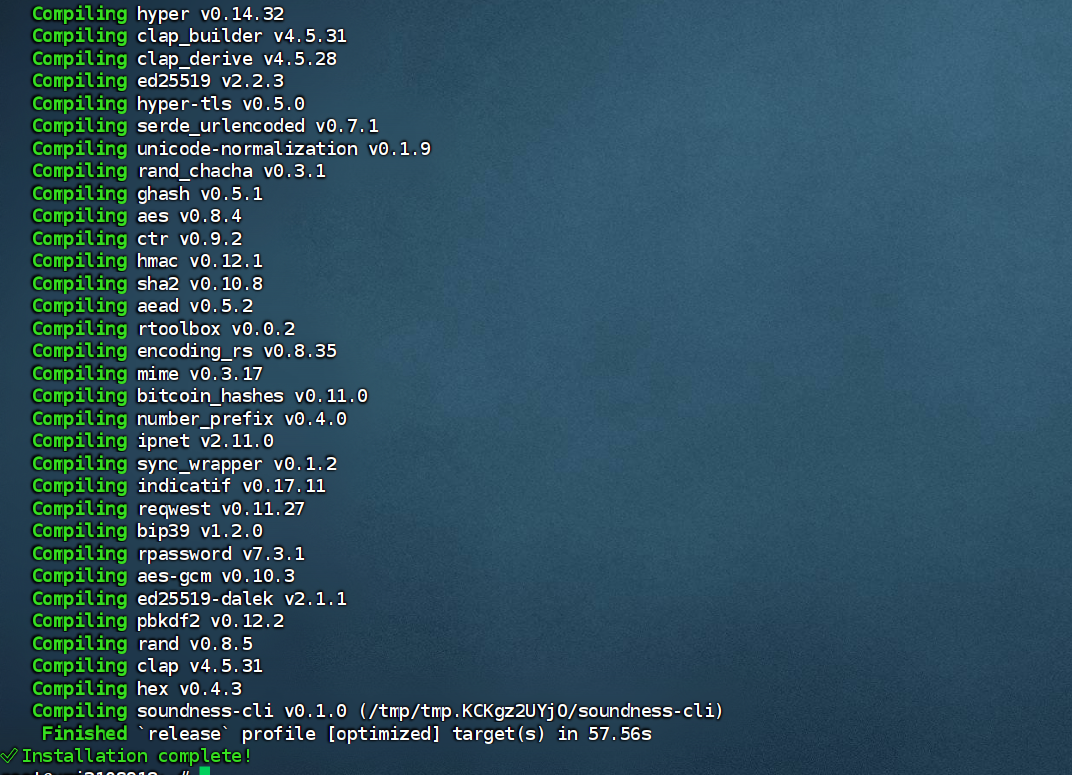
Update version
soundnessup update
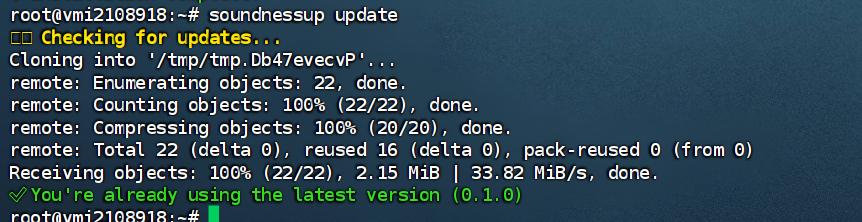
Generate Key Pair
soundness-cli generate-key --name coinowo
 Note that you need to enter a password here, please switch the input method to English, enter twice. If the passwords do not match or are not entered, the key generation will fail.
Confirm successful generation by listing the key pair
soundness-cli list-keys
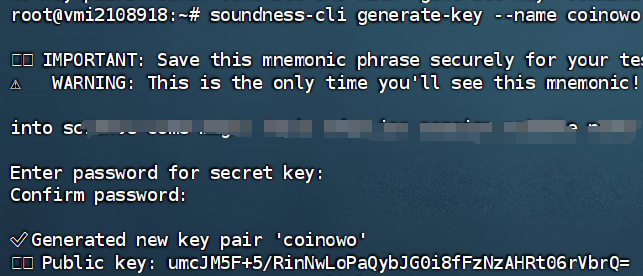
If the public key appears, the generation is successful.
Join Soundness's DC channel and send the following command in testnet-access, replacing it with your public key
!access umcJM5F+5/RinNwLoPaQybJG0i8fFzNzAHRt06rVbrQ=

At this point, the testnet registration is successful. Please be sure to save the generated key pair and seed phrase.