MyStonks is a community-driven digital asset trading platform that primarily provides spot and derivative trading services for digital assets such as Bitcoin and Ethereum to global users, while also offering trading services for RWA asset tokens and bulk/foreign exchange financial products.
MyStonks Compliance Management
MyStonks Co. Ltd.
Registered in the British Virgin Islands (BVI), applicable to all users eligible to access and use "MyStonks" services (except the United States)
MyStonks LLC
Registered in Nevada, United States, applicable to US resident users within the United States and its territories
User Guide
1. Visit the mystonks website, link your ETH wallet (create through OKX wallet, generate seed phrase, save in a secret place, do not screenshot or take photos (leakage will lead to wallet theft), then link your wallet, if you don't know how, you can contact the blogger for guidance)
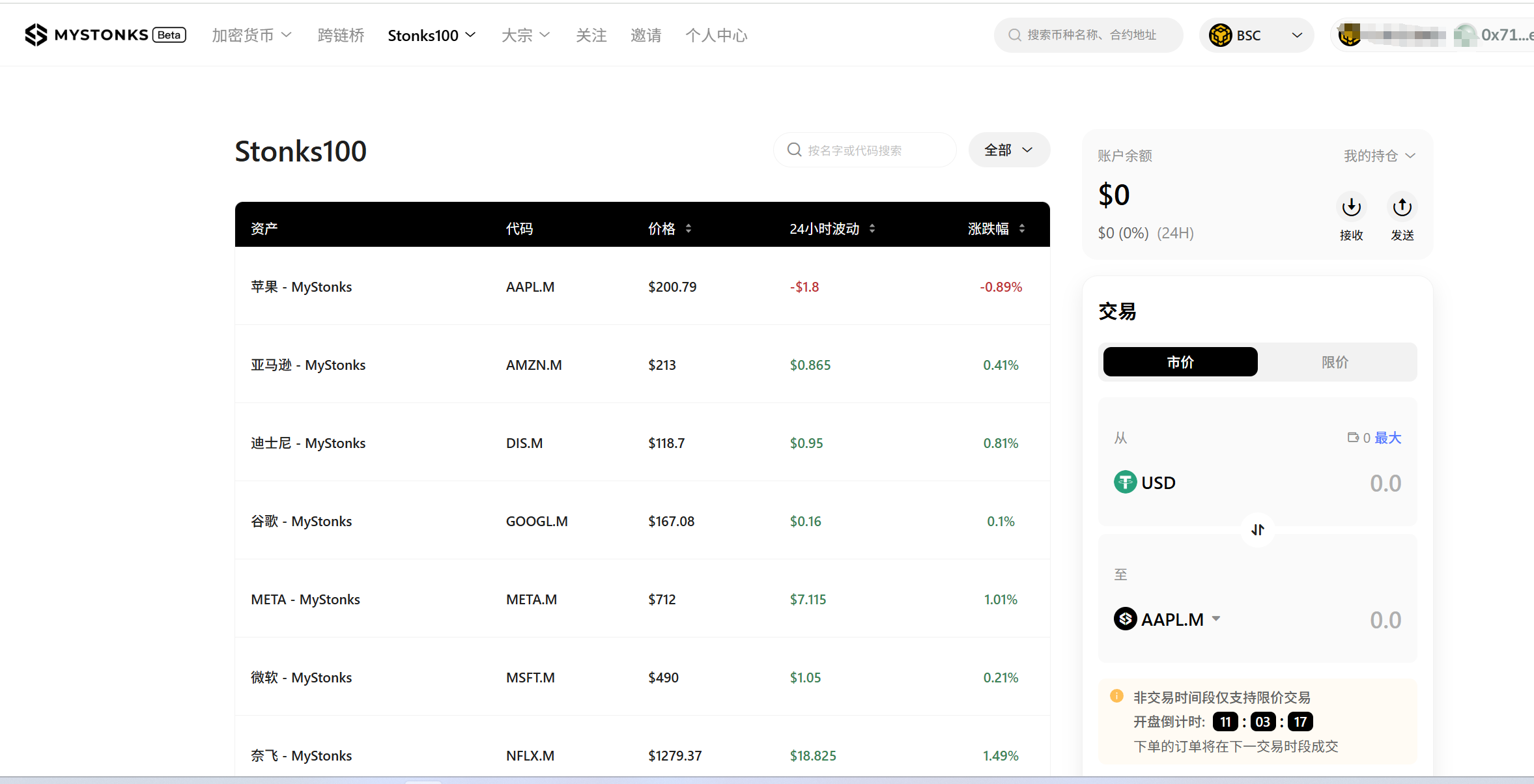
2. Deposit USDT and BNB to your wallet address (USDT is for trading US stocks, BNB is for network fees), withdraw USDT from Binance or OKX to your wallet, select BNB Smart Chain for the network. The address is the ETH address created by your OKX wallet, make sure not to copy it wrong, you can scan to obtain the address, select the network as shown in the image, the amount depends on how much you want to buy, you need to withdraw USDT and BNB (network fee per transaction is 0.01-0.08 USDT, paid in BNB)
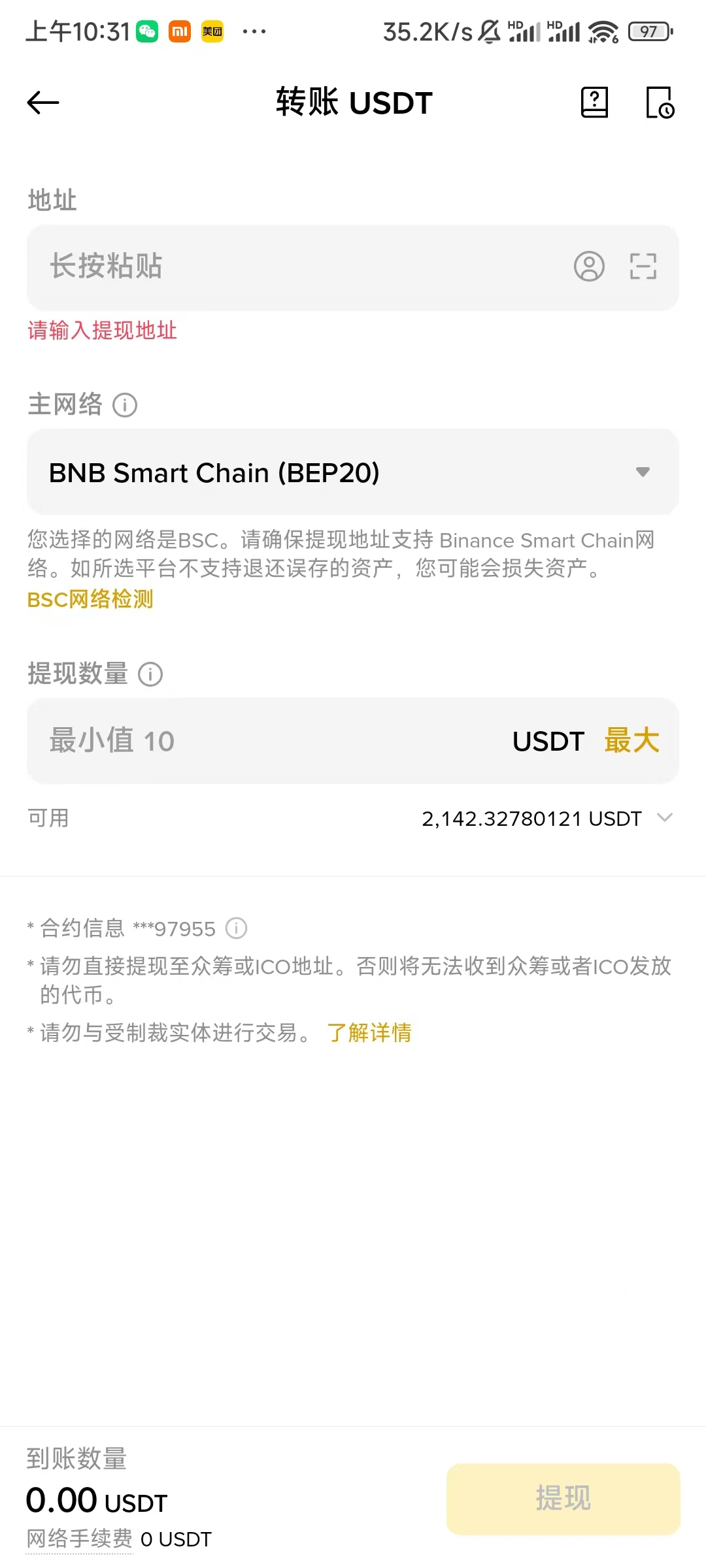
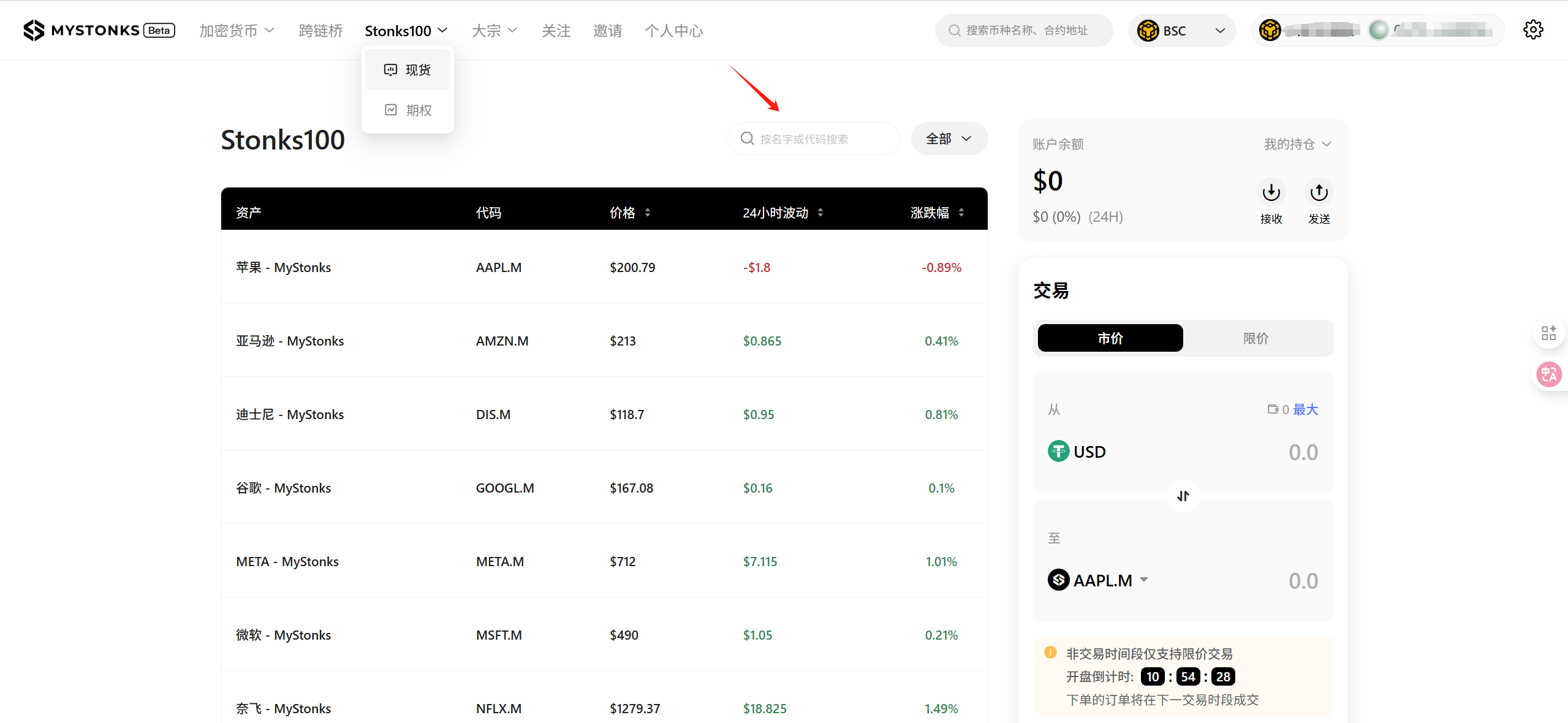
3. Purchase US stocks by visiting the mystronks website, select stocks under stronks100, and you can also participate in new stock offerings. Follow the official Twitter for advance announcements of new stocks.