This article is machine translated
Show original
The Most Common Beginner Problems and Solutions with the Viral OpenClaw Tool
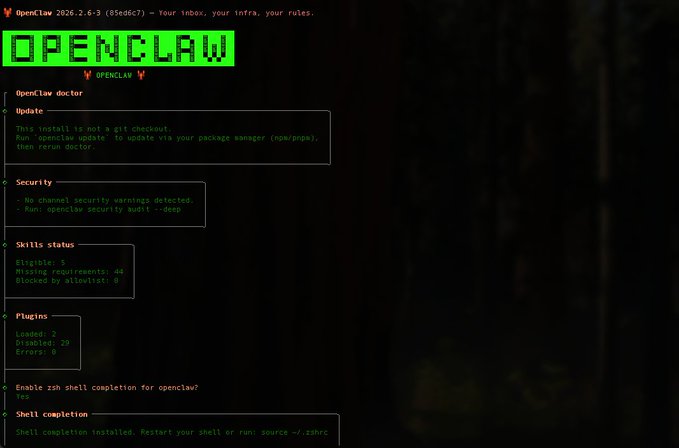
The first thing I did upon returning from Jeju Island was to equip all the Mac Minis in the studio with @openclaw, making it mandatory for every team member to learn and use OpenClaw.
Yes, my attitude was resolute; it wasn't just following the trend. I began to truly realize that we are in a phase where our cognition and production methods are undergoing a simultaneous leap. AI is no longer icing on the cake, but a fundamental variable.
My initial, habitual thought about AI was that our business might rarely use it. After all, my previous experience involved using our traditional thinking framework for investment research, and for projects that could be scaled up, we would directly ask the developers to implement scripts. However, this is path dependency, coupled with a flawed conclusion drawn from my lack of actual experience.
There are already many guides on Twitter about deployment, so I won't reinvent the wheel. Today, I'll summarize the most common pitfalls that beginners encounter and their solutions. The scenarios include problems encountered by our team in actual operation, hoping to help you avoid these pitfalls.
❶ Environment Issues
This is the most common and most easily underestimated type of problem. It's also the first step that beginners are most likely to get wrong, and encountering problems can be quite confusing.
Incorrect Node version, mixing brew and nvm, or the environment not loading after opening a new terminal can all cause OpenClaw installation or runtime errors, even resulting in "commands not found immediately after installation."
In experience, using nvm to manage Node consistently and avoiding multiple sources can save a lot of troubleshooting time. If your coding skills are really weak, you can deploy in the terminal while simultaneously sending copies to AI for troubleshooting.
Overall, ChatGPT does this best among all the tools I've used.
❷ Incorrect Command Execution Location
OpenClaw has both a CLI and a TUI, and beginners easily confuse the two.
Some configuration, authorization, and approval commands must be executed in the system terminal; if you accidentally type in TUI, the chat window will treat it as a regular message and it will have no effect.
Just remember one thing: commands are in the shell, chat is in TUI.
❸ Model Switching Related Issues
Many people are most confused when using OpenClaw for the first time because they can see the model but can't use it.
A common situation is that the model is in the list, but it actually lacks a usable API key or authorization, resulting in all requests failing. In addition, new sessions inherit the old model configuration, easily leading to a loop where the model has been switched but is still showing errors.
When troubleshooting, always check if the model is actually usable, not just look at the name. Also, it's best to switch models using commands rather than letting it switch automatically in the chat window.
❹ API Consumption and Rate Limiting Issues
Many people encounter 429 errors when they first start using it, assuming it's because they're "using it too much."
In reality, OpenClaw carries a relatively complete context by default, and with retrying on failure, it's easy to trigger the model rate limit within a short period of time.
For beginners, it's more suitable to choose models with relatively controllable consumption, such as domestic models like Qianwen, and upgrade to higher-spec models after getting used to them.
❺ API Transfer Station Related Risks
While transfer stations are indeed affordable, they often come with issues like incomplete models, restricted permissions, or opaque behavior.
Some models may appear available but are actually unusable, making troubleshooting very time-consuming. If your team is just starting out, it's recommended to prioritize stability and predictability before considering cost optimization.
Most importantly, never disclose your API key in plaintext!
Overall, the learning curve for OpenClaw isn't in the features themselves, but rather in getting used to the environment, permissions, and usage patterns. Once you get these things going, the efficiency improvements are quite noticeable.

From Twitter
Disclaimer: The content above is only the author's opinion which does not represent any position of Followin, and is not intended as, and shall not be understood or construed as, investment advice from Followin.
Like
Add to Favorites
Comments
Share
Relevant content