Onchain is one of the very important tools that everyone can access to serve the research process from which to make investment decisions, but the current problem is that there are not too many successful uses. master these onchain tools. In this article, Hak Research will bring everyone a guide to using DeBank, which is one of the most popular onchain tools today.
Related articles:
DeBank Overview
DeBank is an all-in-one On-Chain tracking platform with the goal of developing as much experience as possible for everyone in just one dApp. Everyone only needs to own an EVM wallet address to be able to use DeBank, but to experience all the features, everyone needs to Mint a Web3 ID.
DeBank offers a lot of features such as:
- Portfolio : Provides a wealth of visual onchain information to help users manage their assets across all EVM blockchains.
- Stream and Hi : This is a Decentralized Social Media that allows users to post, interact using Stream and message with other users through Hi.
- Web3 Social Ranking : Ranking the leaders based on Total Value Follower (TVF).
- Official Account Ranking : Ranking of accounts confirmed by DeBank based on TVF.
- Bundles : Allows users to manage the assets of many different wallets at the same time.
- Whales : Ranking of whales holding the most assets in the market.
- Protocols : Ranks the protocols with the highest TVL and users.
- NFTs : Ranks Non-Fungible Token collections based on total estimated values.
- Vote : Allows users to vote to improve DeBank's shortcomings in Portfolio display.
DeBank User Guide
Manage Portfolio with DeBank
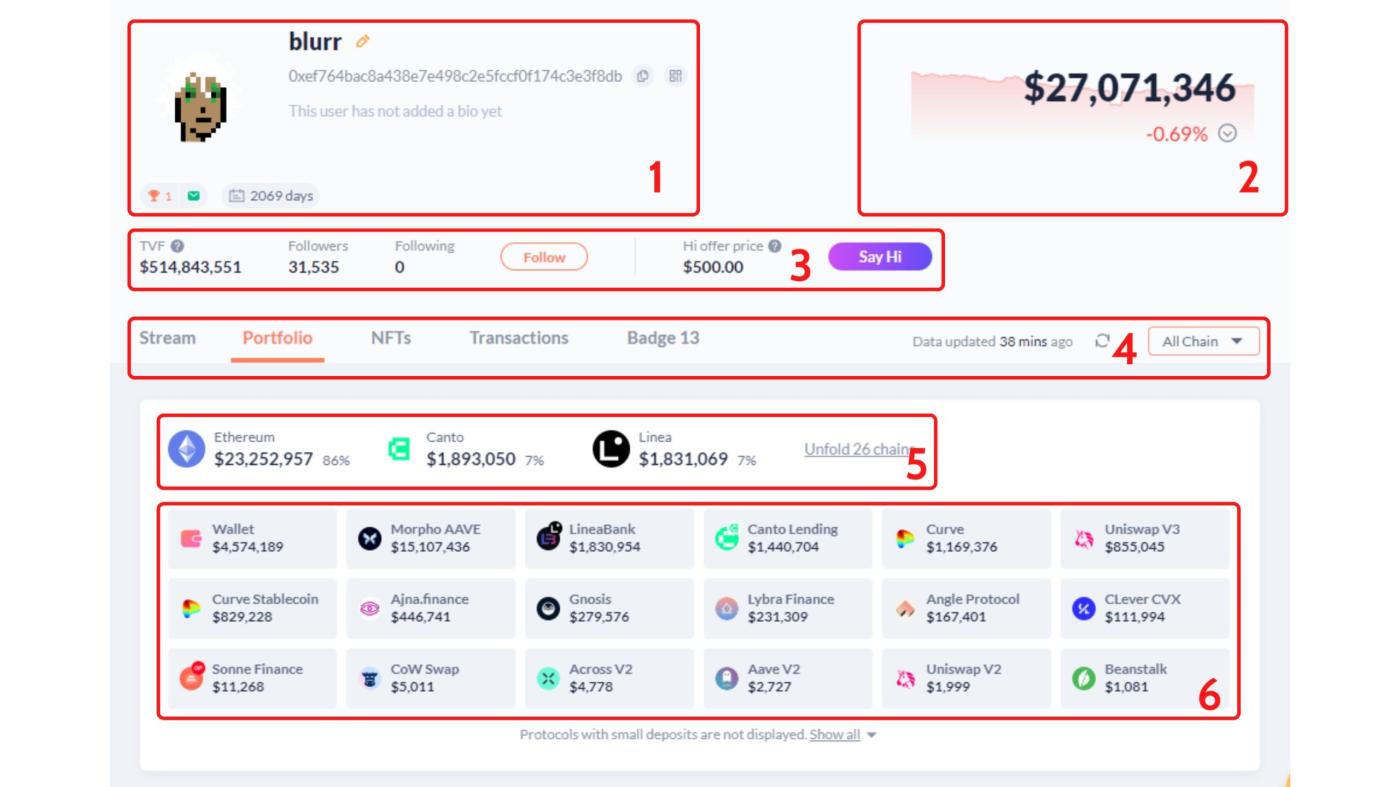
After accessing DeBank's Home and connecting the wallet, everyone will know the onchain information about their address as follows:
- Basic information such as wallet address, Web3 ID name, number of days of wallet age, wallet rating on Web3 Social Ranking .
- Total assets of the wallet owned and fluctuated in the last 24 hours.
- Shows the total number of active followers and their TVF as well as the price to start messaging with this wallet address.
- Items other than Portfolio like Stream, NFTs, Transaction, Badge and number of chains show.
- Total assets are allocated in separate chains.
- The total assets being allocated to the protocols are listed in detail.
Although displaying a lot of information, we should only focus on the following 3 parts to be able to manage Portfolio most effectively:
- Portfolio.
- NFTs.
- Transactions.
Portfolio
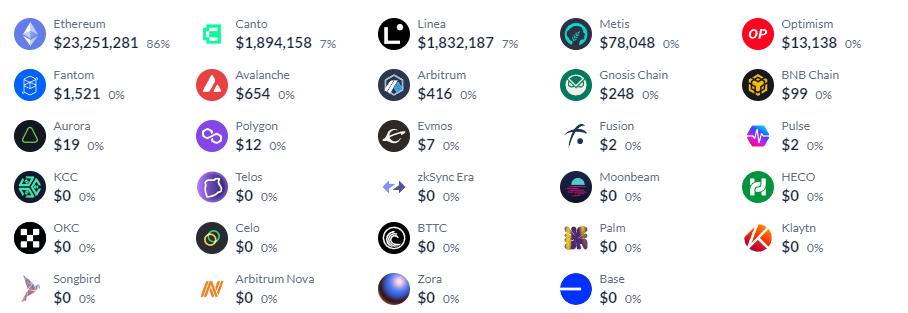
The first piece of content displayed after people access DeBank's Portfolio is each person's asset allocation across all chains, so everyone can easily see how much they hold. assets on any blockchain.
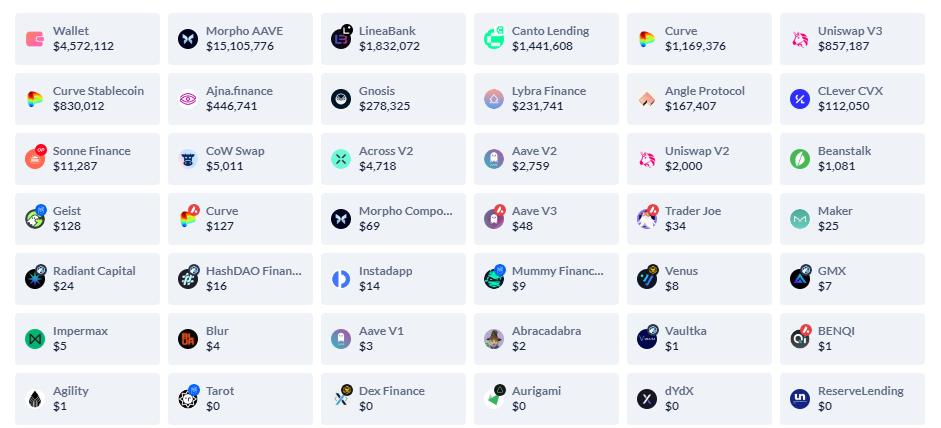
The next section is also to display general information about assets, but here it is divided by assets held in wallets and assets sent to different protocols, people can also go through the content in the section. this to review the protocols you are using from there structure in a more reasonable way.
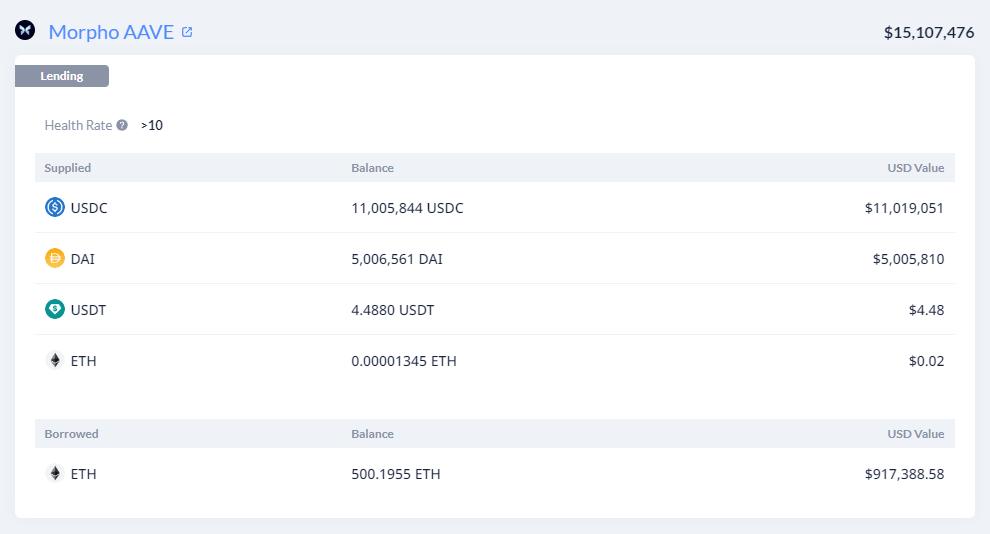
The last part of the Portfolio is the most detailed display of everyone's Portfolio with information such as:
- Details of each Token as well as the number of holdings in the wallet.
- Asset details in each protocol with everyone's deposit amount.
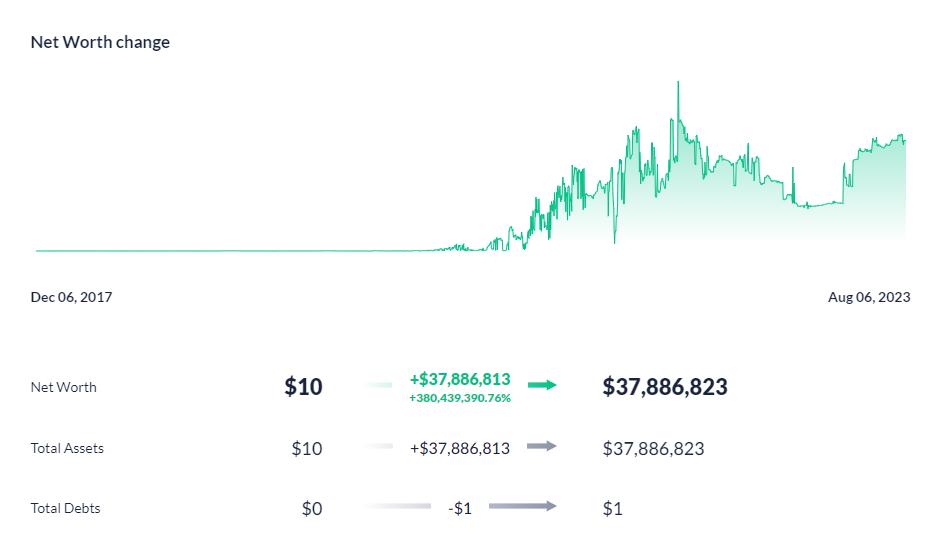
In addition, people can also use the Time Machine function to review the entire process of balance fluctuations from the time the wallet was created to the present.
NFTs
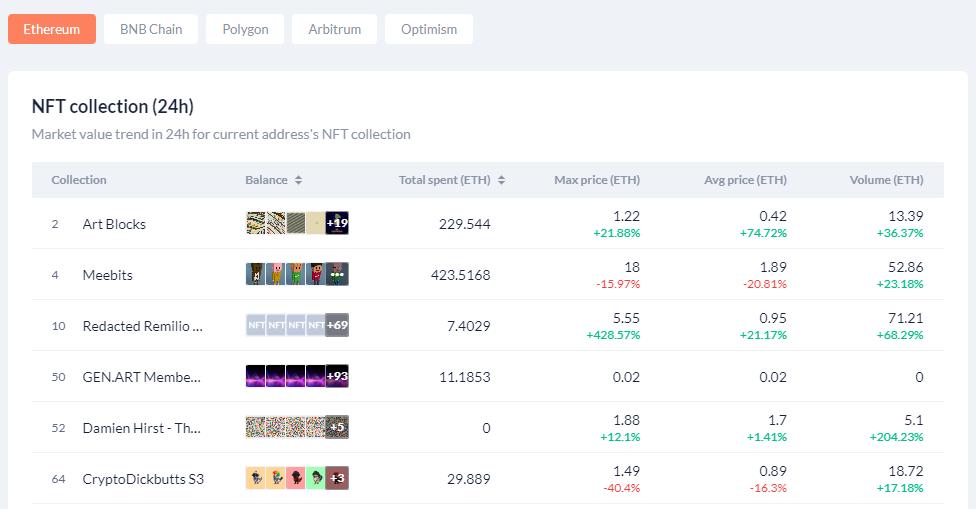
Full display of all Non-Fungible Token collections held by that wallet as well as the amount spent, peak price, Medium price and 24h Trading Volume of the Non-Fungible Token collection. In addition, people can also filter by each separate blockchain to easily capture what they are holding the most.
Transactions
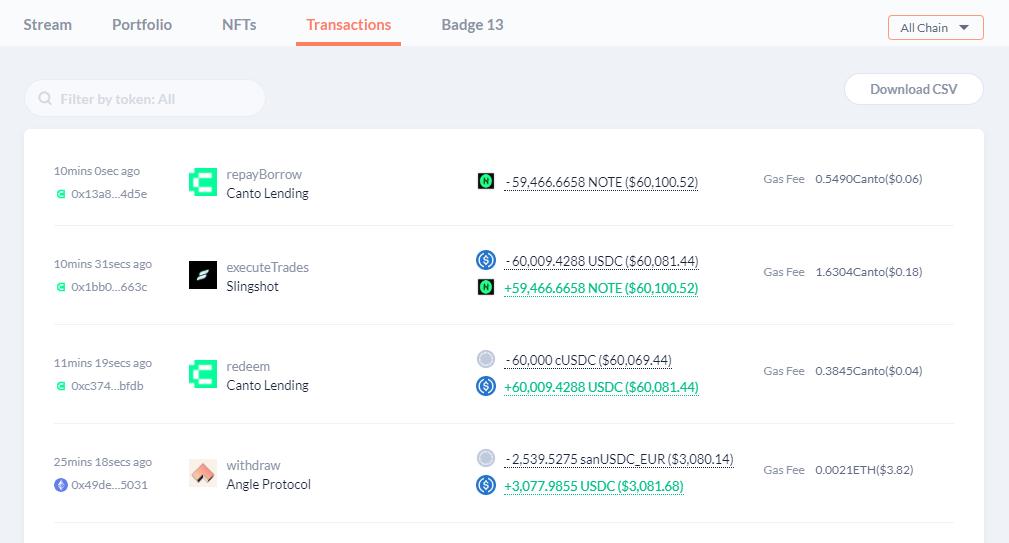
The Transactions interface will fully display the wallet's most recent transactions on all blockchains that DeBank supports. In addition, people can also search for information about the transaction of certain Token on certain blockchains through the filter.
Using DeBank's social network
Texting with Hi
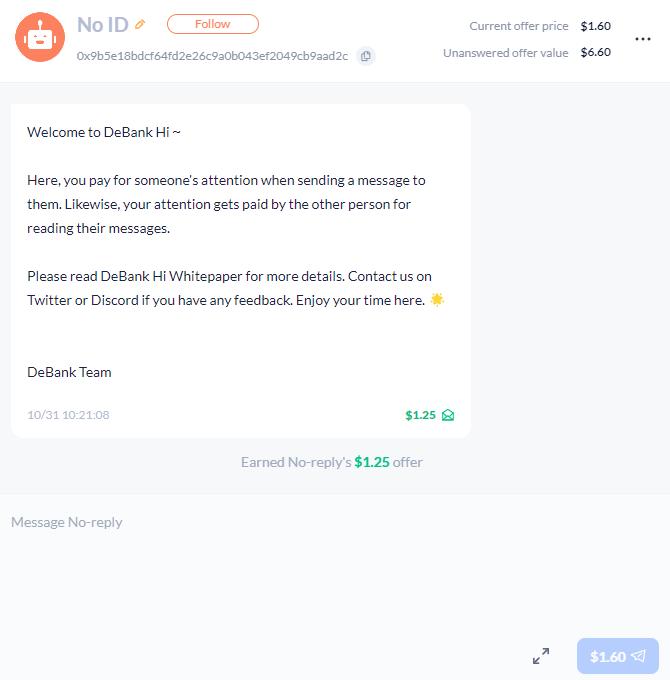
Hi is a quite unique feature of DeBank when it allows users to message each other via onchain and encrypted into the user's wallet address. To send a new message to someone who has never texted, people need to pay a flat fee set by the wallet owner.
Thanks to the fee to send a new message, DeBank users almost never get spam messages like other free platforms.
Social Network Stream
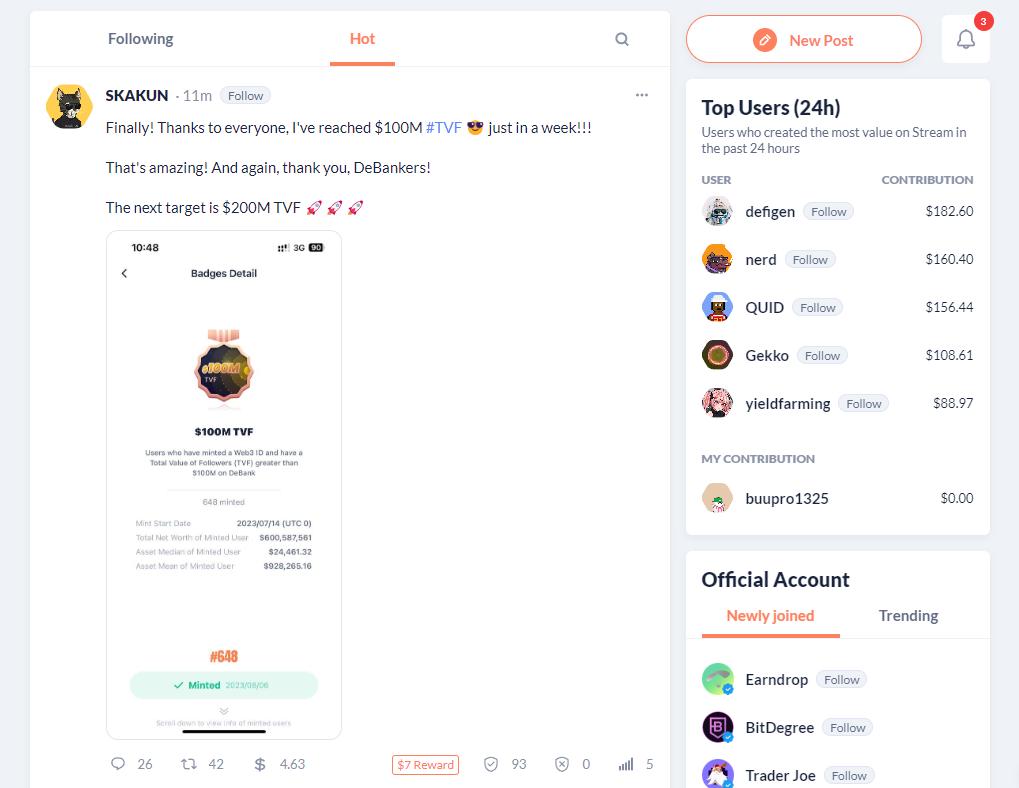
Stream is an onchain social network developed by DeBank that is quite similar to Twitter, but to use this product, users only need to own an EVM wallet address. Stream features include:
- New Post : Post a new article on Stream.
- Repost : Repost other people's posts similar to Twitter.
- Comment : Comment on other people's posts.
Other features
Web3 Social Ranking
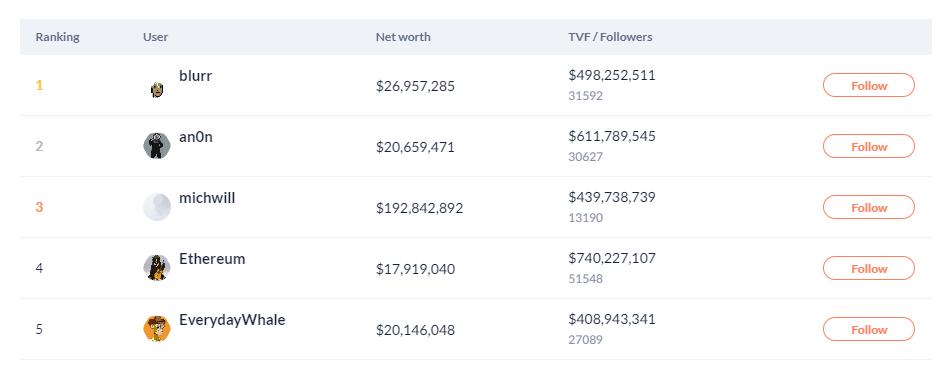
This is a ranking of all the wallets using DeBank based on the total assets of the Watcher of that wallet. The general reason these wallets are so much tracked is because the profits these wallets have made in the past are huge.
Official Account Ranking
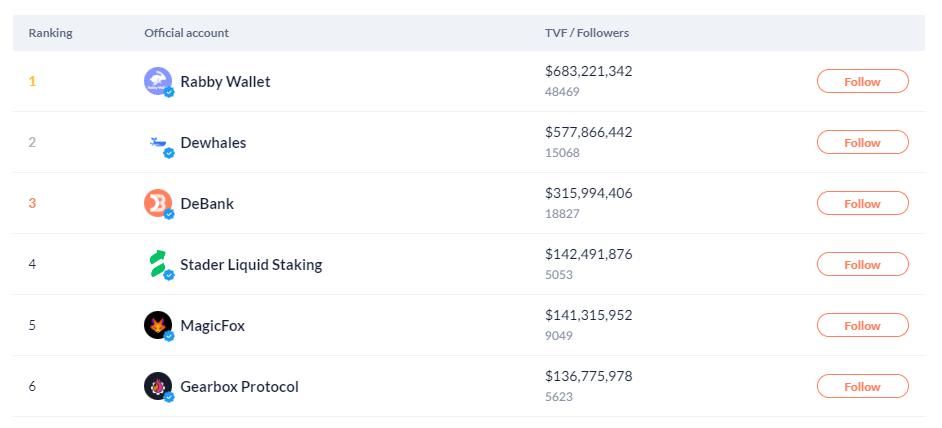
Official Account Ranking is a ranking of verified and green-checked wallet addresses by DeBank sorted based on total asset value of Watcher. In general, this ranking is mainly for projects that have been cooperating with DeBank, not too many ordinary users.
Web3 Badges
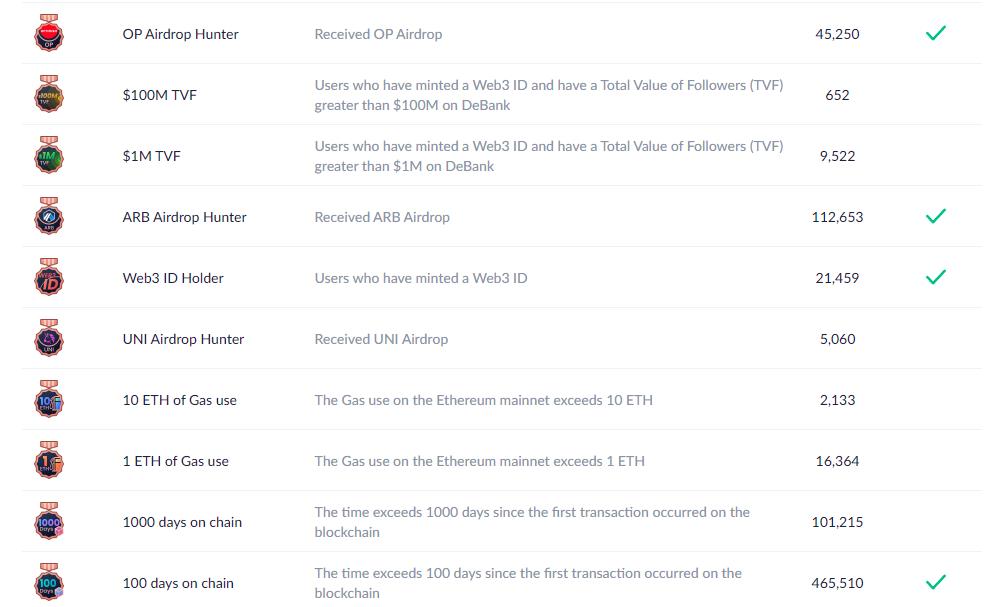
Web3 Badges is a place where users can receive testimonials about having achieved a certain action in the past such as using on 1ETH, receiving an ARB Airdrop or achieving milestones on DeBank such as holding Web3 ID, achieving $1M TVF,... All users who achieve something will receive a corresponding badges from DeBank.
Bundles
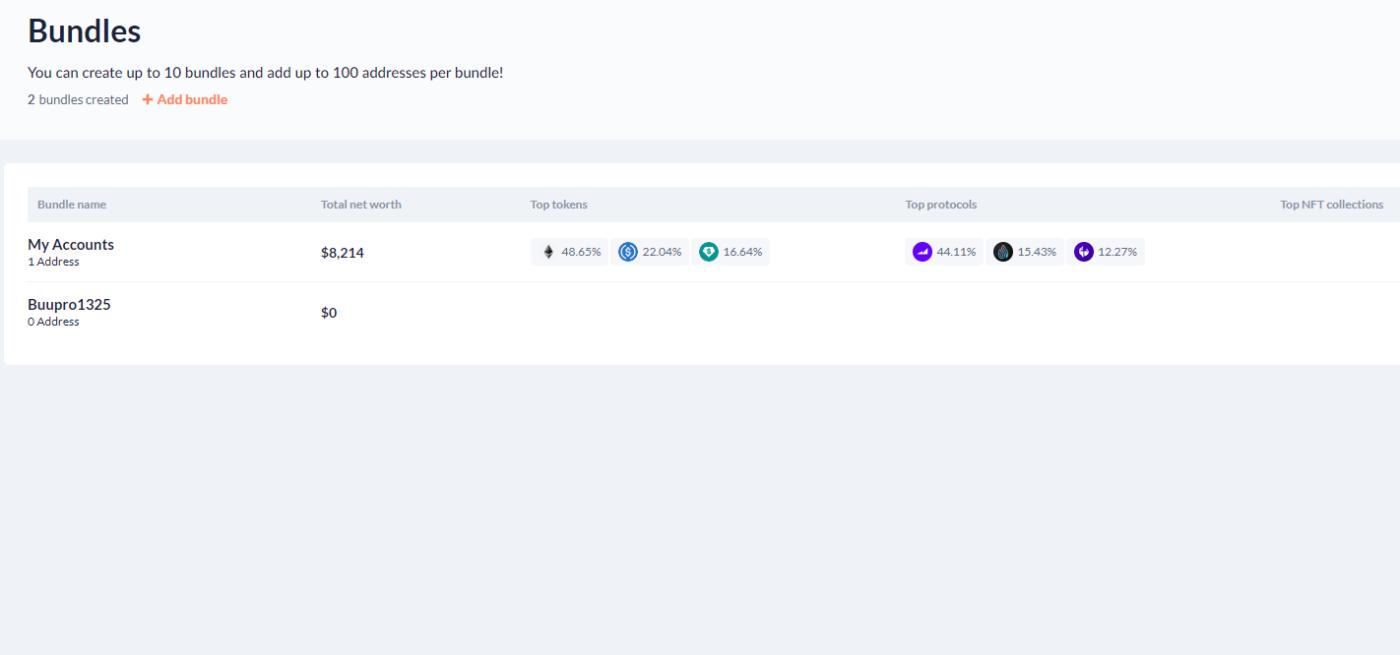
Bundles allow anyone to create a list of wallet addresses from which to track all the assets of those wallet addresses, to create a Bundle one can follow these steps:
- Access: https://debank.com/bundles
- Select add bundle and enter a name.
- After creating the bundle, everyone will need to add the wallet addresses they want to track.
Whales
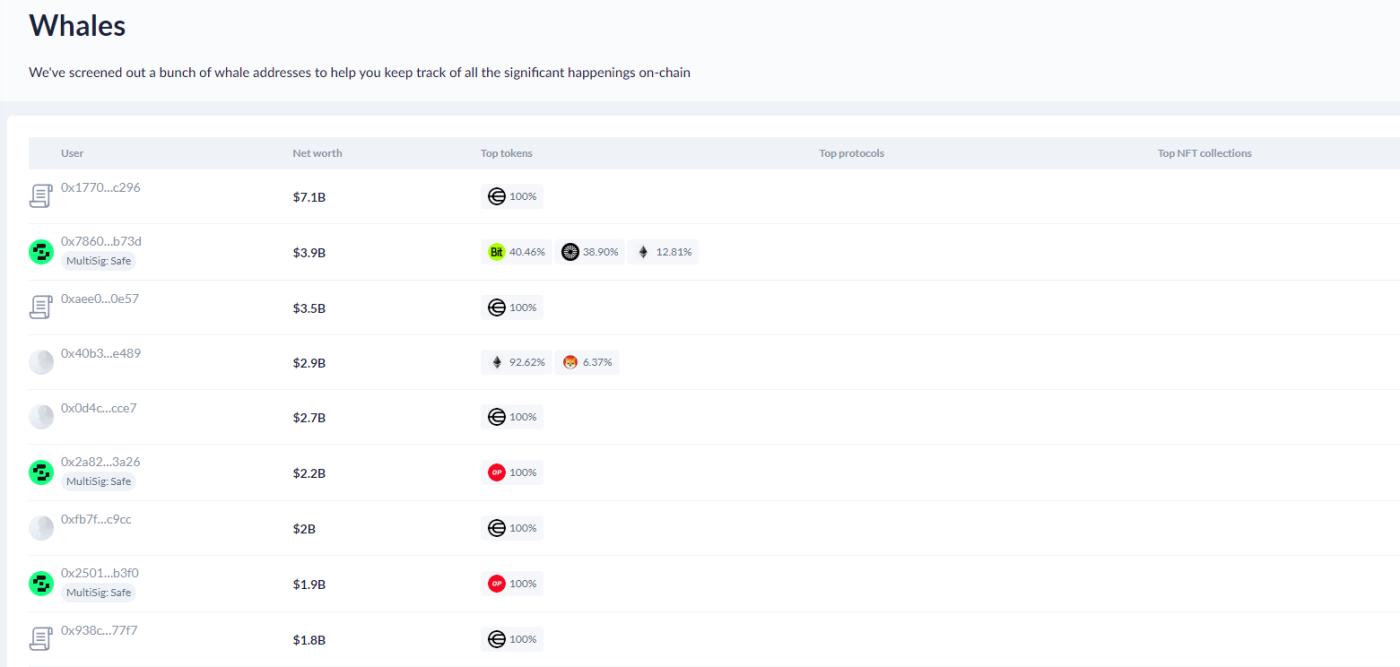
Whales is a ranking that compiles a list of wallet addresses that hold the most assets on all networks, but most of the top wallet addresses are addresses that lock Token of protocols so often holds a lot of value in dollars.
Protocols
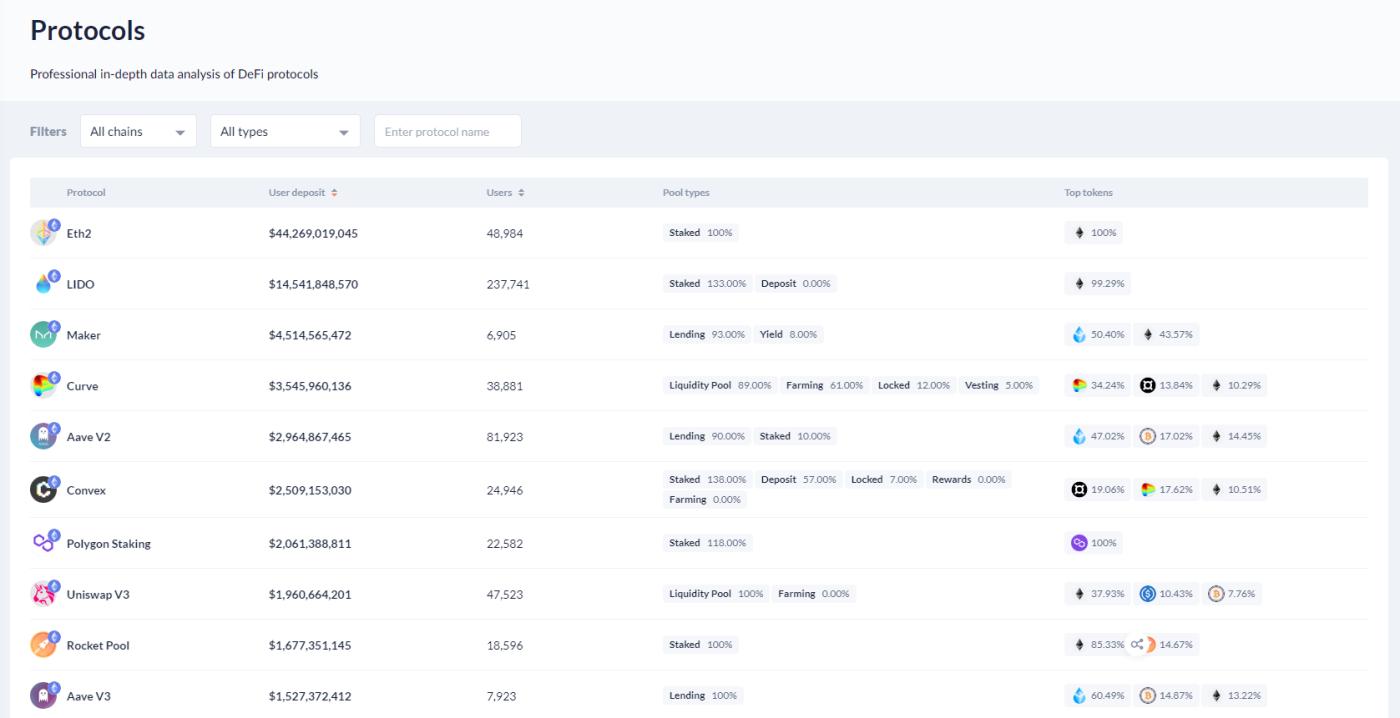
DeBank's Protocols is a table that aggregates DeFi protocols across the entire market and ranks them based on user deposits. In addition, people can also use filters to select projects that match their criteria.
NFTs
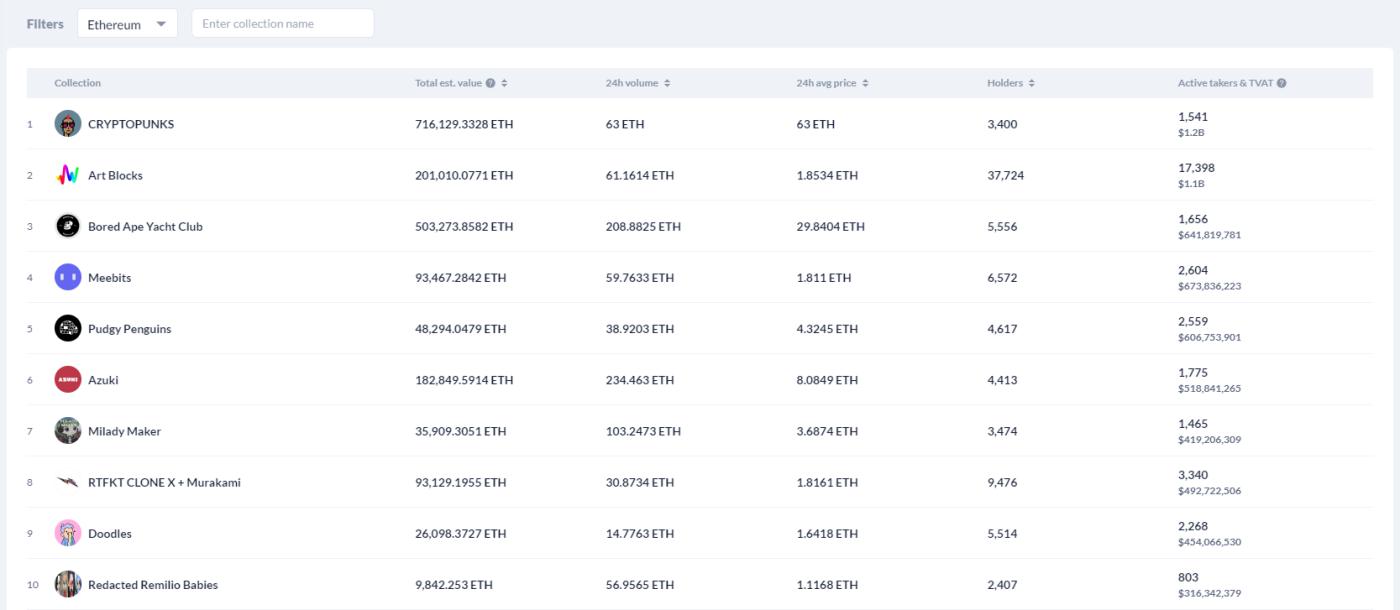
NFTs feature is a ranking of all Non-Fungible Token on a certain blockchain based on total value, 24h Trading Volume , number of holders,... This feature will be very suitable for Non-Fungible Token traders when providing NFTs. provide a fairly general information.
Summary
Above is a guide to using DeBank as well as basic information about the project's features from Hak Research, hopefully everyone will be able to use DeBank proficiently after reading this article.
The post DeBank User Guide For Beginners appeared first on HakResearch .