Truts Wallet is one of the most widely used cryptocurrency storage wallet applications at the present time, so how to use Trust Wallet proficiently? In this article, Hak Research will help everyone learn about what Trust Wallet is and how to use this wallet application.
Some other tools will also help everyone in the investing process:
What is Trust Wallet?
Trust Wallet is a decentralized Crypto wallet application that allows everyone to have full rights to store their assets without anyone being able to violate them. Trust Wallet was founded by Six Days company in 2017, then Binance acquired this application in 2018.
Thanks to the support of giant Binance, Trust Wallet quickly achieved many impressive numbers such as:
- Supports over 300,000 different Token .
- Supports over 50 different blockchains.
- The number of platform users exceeded the 70M mark.
Instructions for Downloading and Creating Trust Wallet
Download and create wallet on PC
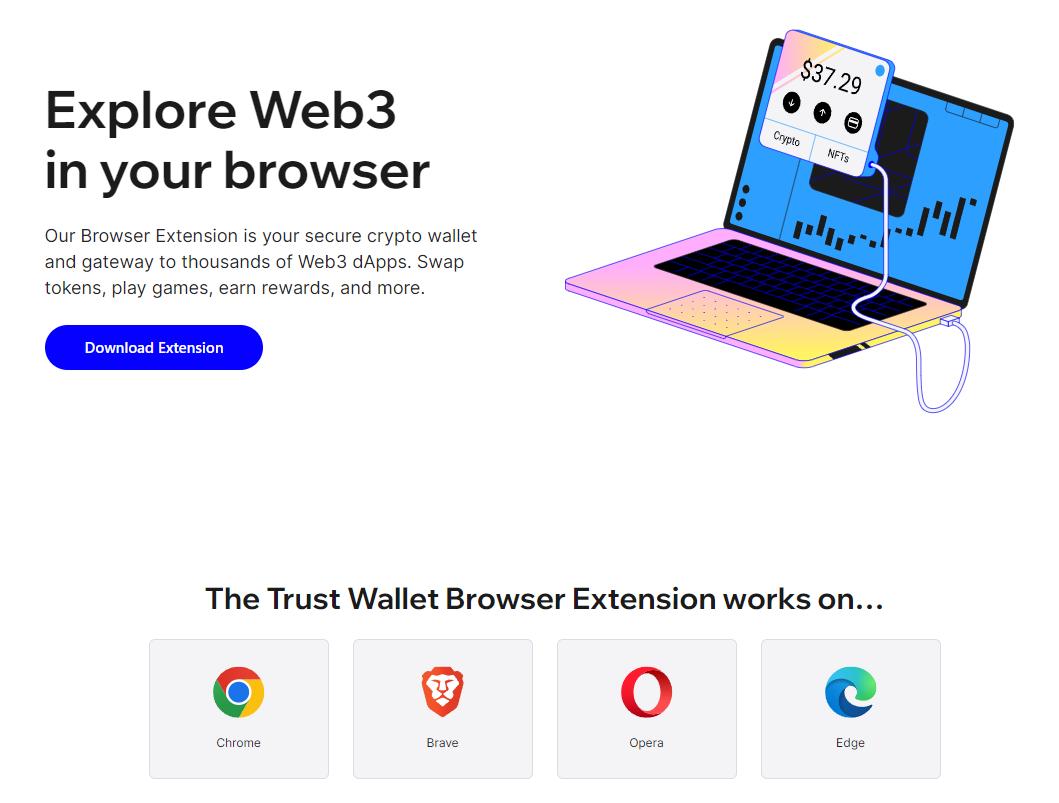
- Visit: https://trustwallet.com/browser-extension
- Select the version corresponding to your browser to download.
- Select "Create a new wallet" to create a new wallet or "Import" to import an existing wallet.
Download and create a wallet on your phone
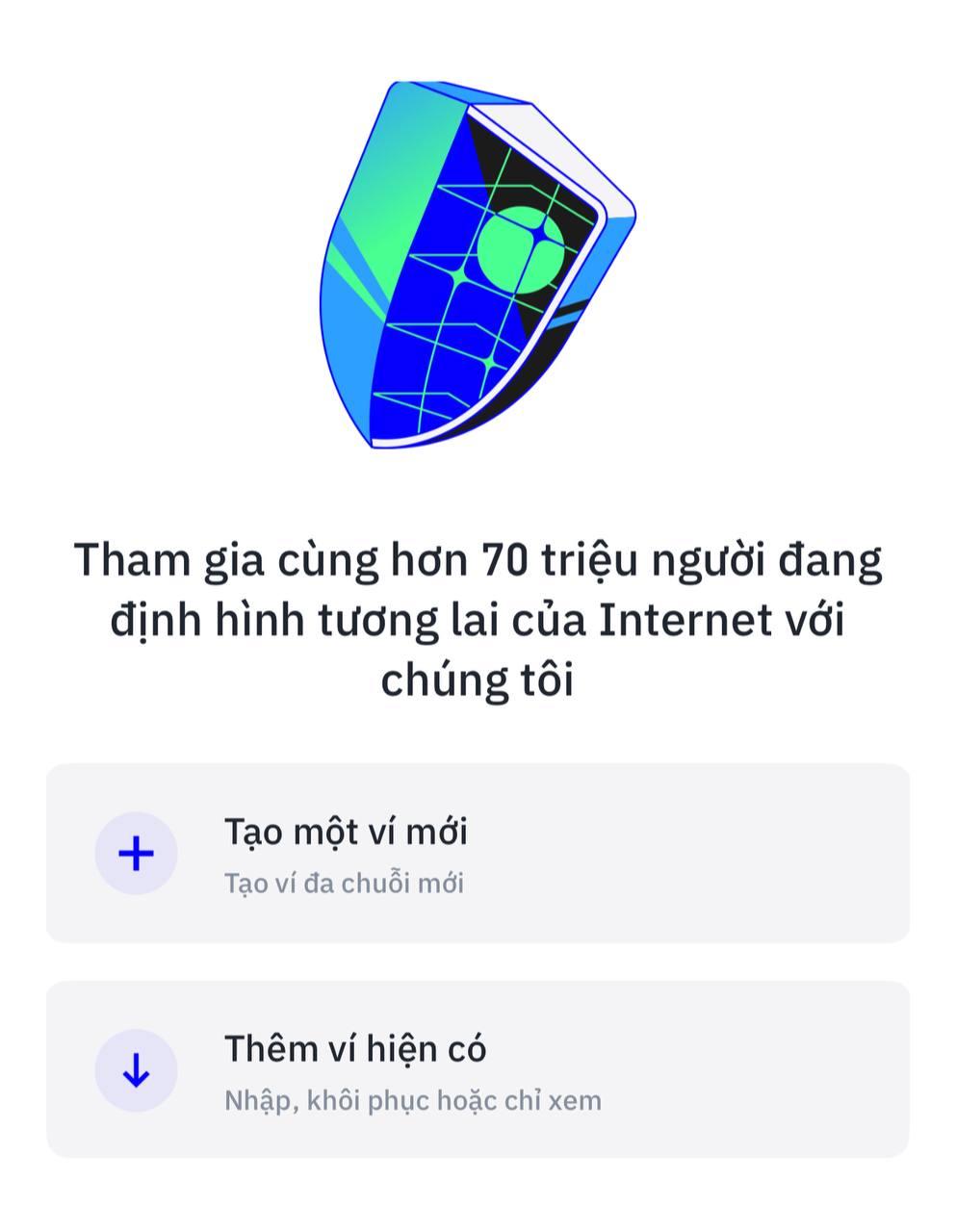
Instructions for Using Trust Wallet
Instructions for using Trust Wallet on PC
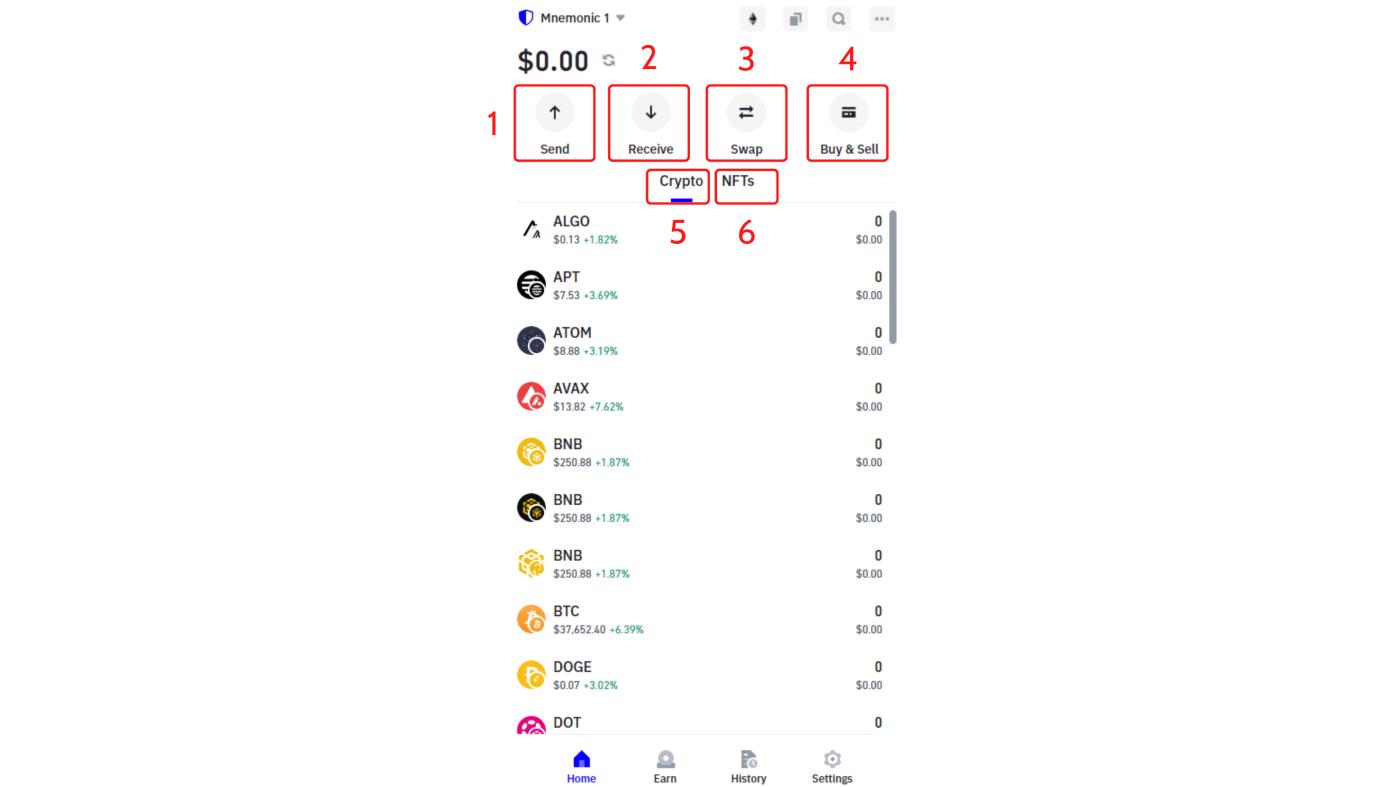
Basic functions of Trust Wallet:
- Send : Allows people to send coins and Token from their wallet to another wallet.
- Receive : Allows people to receive Token from another wallet.
- Swap : Allows people to trade many different types of Token .
- Buy & Sell : Allows people to directly buy coins and Token with fiat money.
- Crypto : Statistics of all coins and Token that people are holding.
- NFTs : Allows anyone to XEM holdings of Non Fungible Tokens .
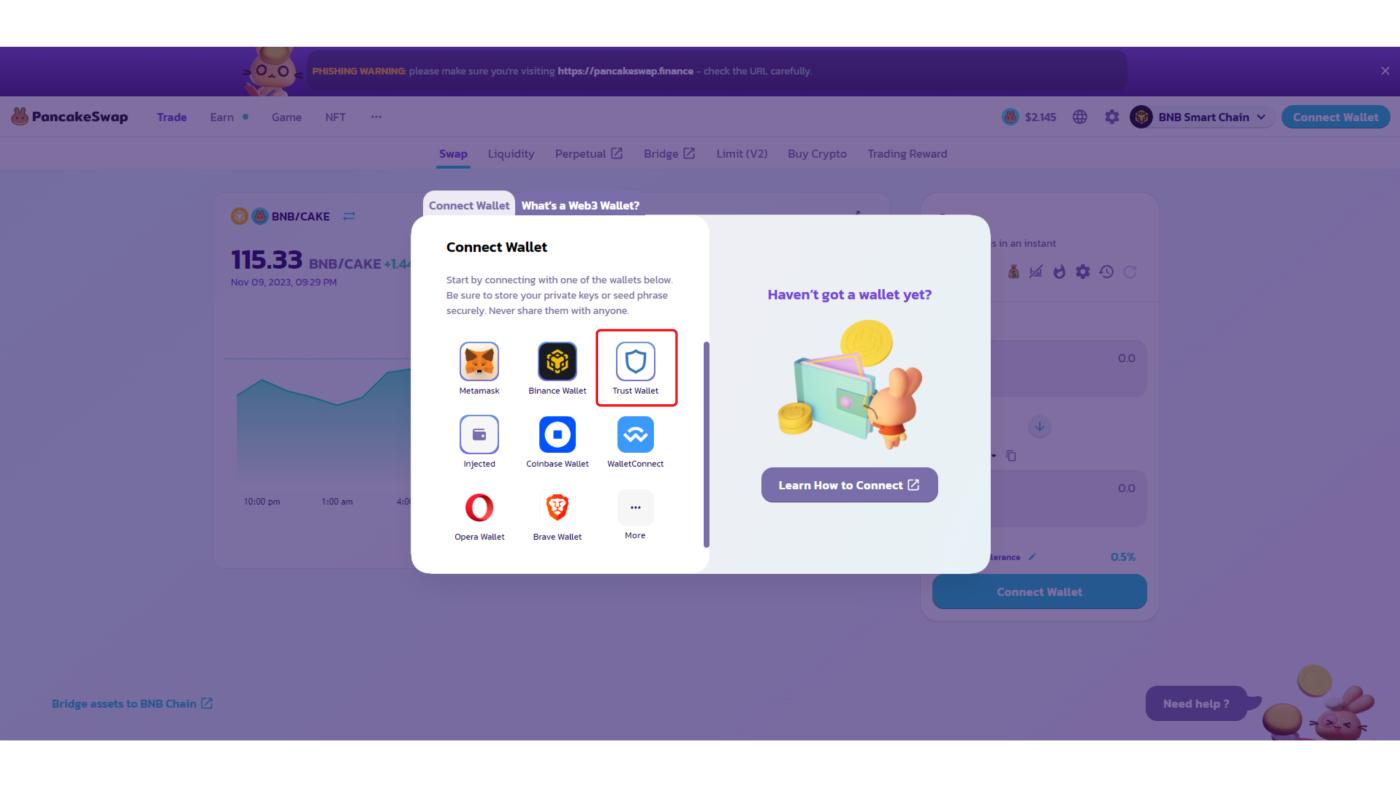
Connect Trust Wallet to another dApp:
- Access any dApp.
- Select the "Connect Wallet" section.
- Select the Trust Wallet icon.
- Confirm the transaction on Trust Wallet to connect.
Instructions for using Trust Wallet on your phone
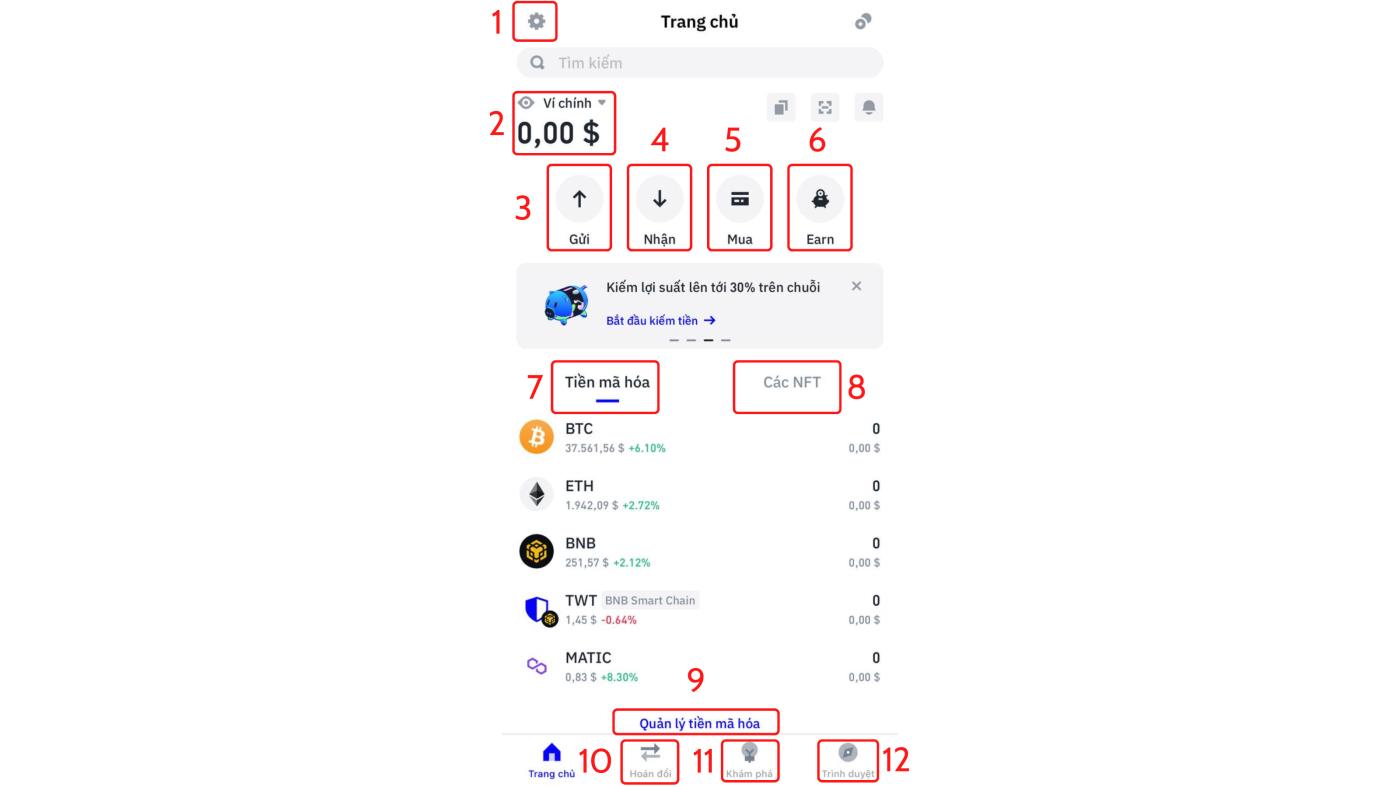
Basic functions of Trust Wallet on phone:
- Allows anyone to install features in Trust Wallet.
- Show everyone's wallet balance.
- Allows people to send money to a previous wallet address.
- Allows people to receive money from another wallet.
- Allows people to directly buy and sell Crypto from fiat money.
- Allows people to Staking and receive interest from the coins they hold.
- Allows everyone to check the coins/ Token they hold.
- Allows everyone to check what Non-Fungible Token they hold.
- People can add or remove Token from the wallet.
- Where people can trade many types of Token with each other.
- Explore Crypto market information updated every day.
- People can use the browser to connect to dApps on their phones easily.
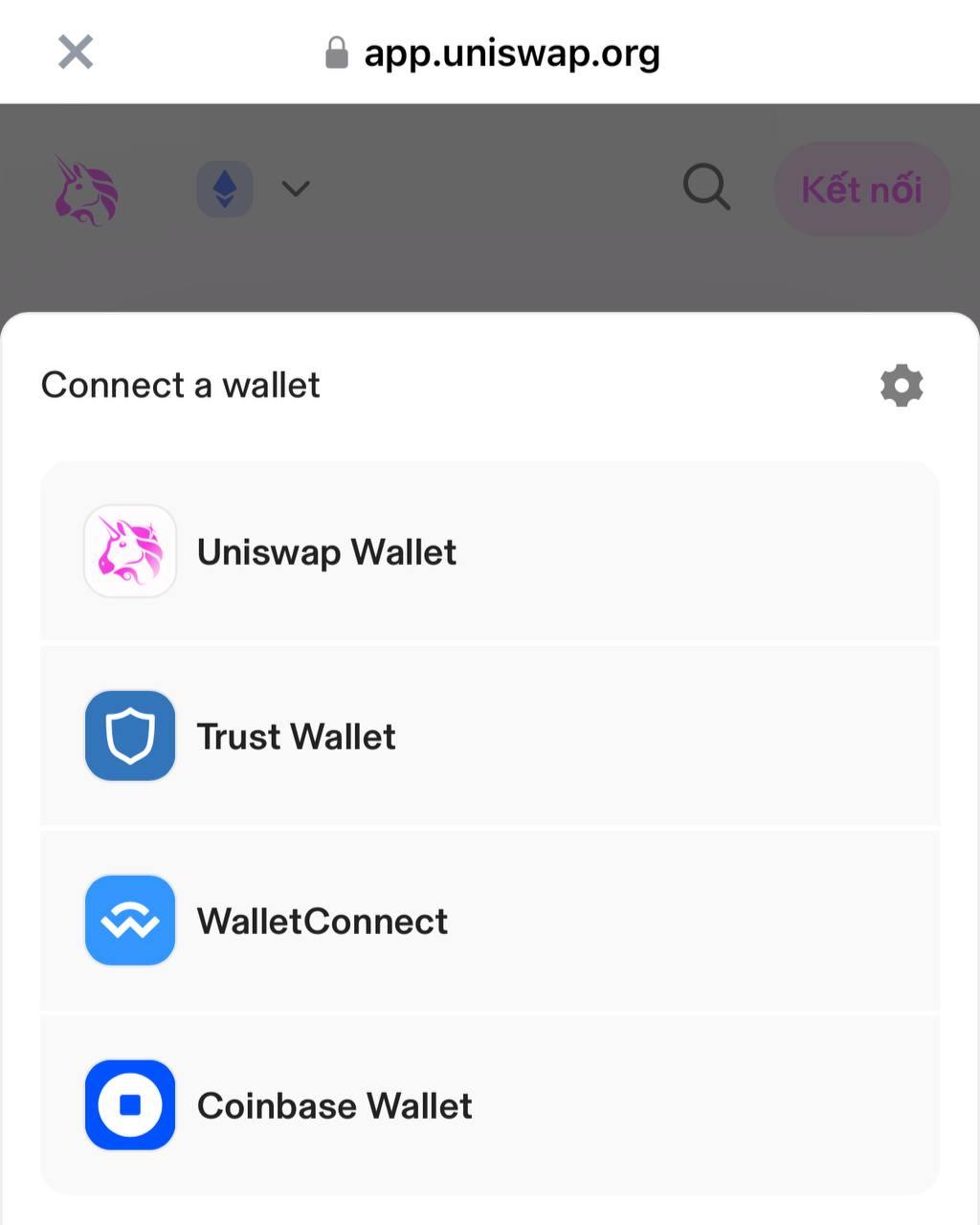
Connect dApp on Trust Wallet phone:
- Go to the browser section of Trust Wallet.
- Select "Connect wallet" to connect the wallet.
- Select the available Trust Wallet icon or select "WalletConnect".
Summary
Above is an overview of what Trust Wallet is as well as basic instructions for using this wallet application. Hopefully, through this article from Hak Research, everyone will be able to use this product easily. easy way.
The post What is Trust Wallet? Instructions for Using Trust Wallet appeared first on HakResearch .