This article is machine translated
Show original
【Daily interaction thread🧵|Synthr Incentive Test Network🪂】
Synthr recently released a public testnet.
🔸The test network points syCredits have been launched and the white paper airdrop has been confirmed.
The following is the detailed interaction method (with pictures)
There are many threads, so it is recommended to save them as bookmarks🔖
👇👇
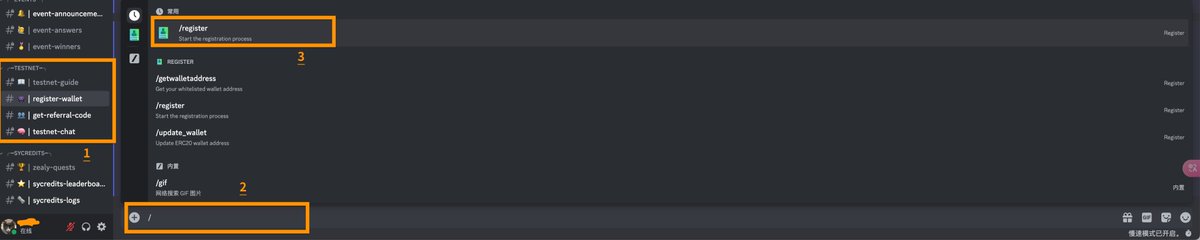
1⃣DC registered wallet
▪️Navigate to the testnet and connect to the wallet:
http:/mvp.synthr.io
▪️Be redirected to Discord to complete verification.
▪️Locate #Register-Wallet and enter the /register command in the text box
▪️The robot will ask the user to “Submit” the address and enter the ERC20 address.
▪️After completing the wallet registration, return to the testnet page.
🔻
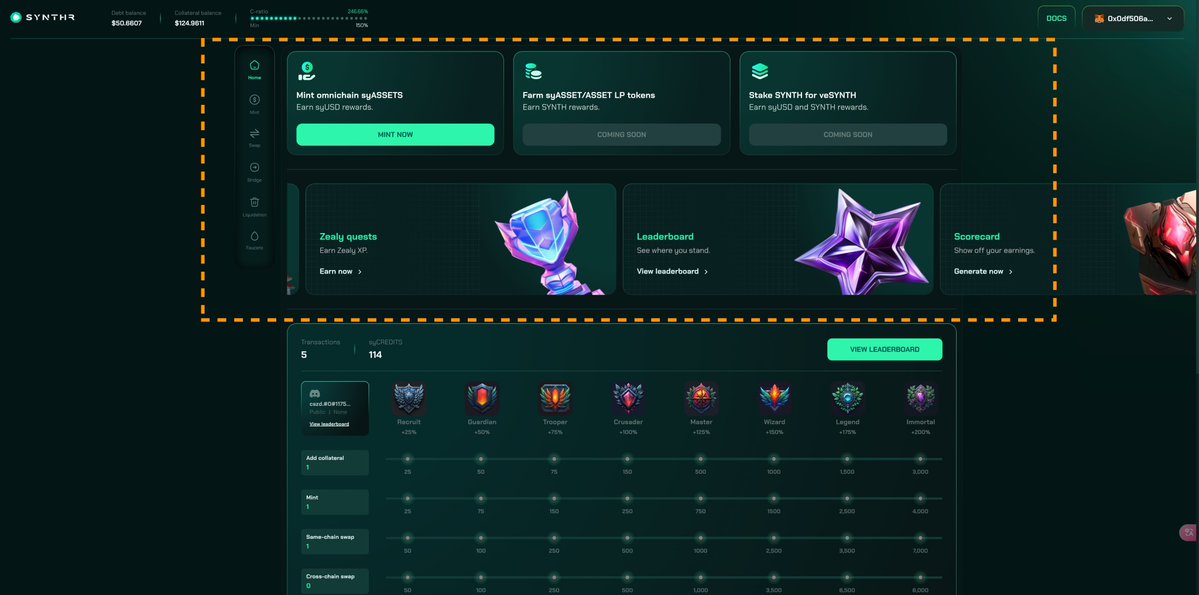
2⃣Add Network and Lingshui The upper half of the webpage is the interactive area.
The lower part is the achievement and milestone area, which can track the number of transactions, syCredits points, and collectible badge achievements.
🔻
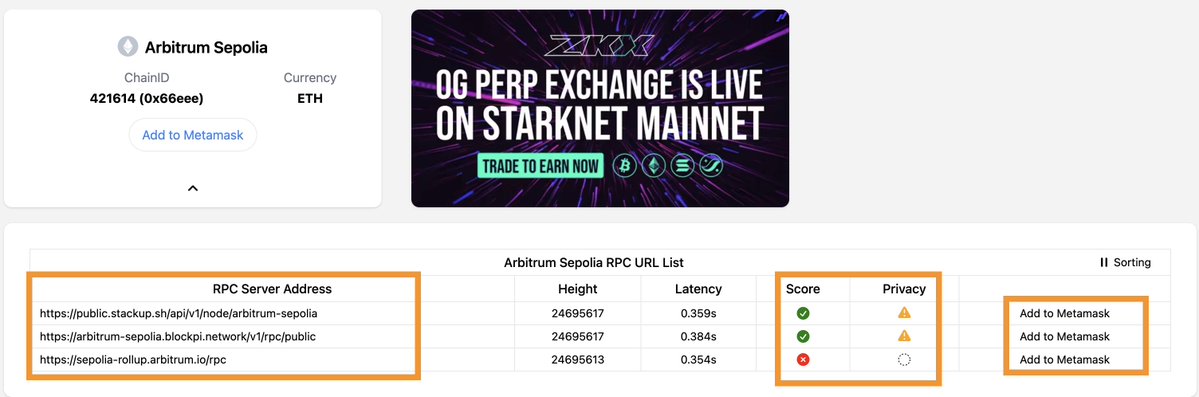
▪️Navigate to Chainlist:
chainlist.org/?testnets=true
▪️Check Include testnet
▪️Enter the chain ID or name to add a network:
Arbitrum Sepolia: 421614
Avalanche Fuji Testnet: 43113
BNB Smart Chain Testnet: 97
Mumbai: 80001
(Different test networks have different RPC interfaces. If an error is reported, try changing the RPC.)
🔻
▪️You will receive two types of coins: Gas coins and test coins.
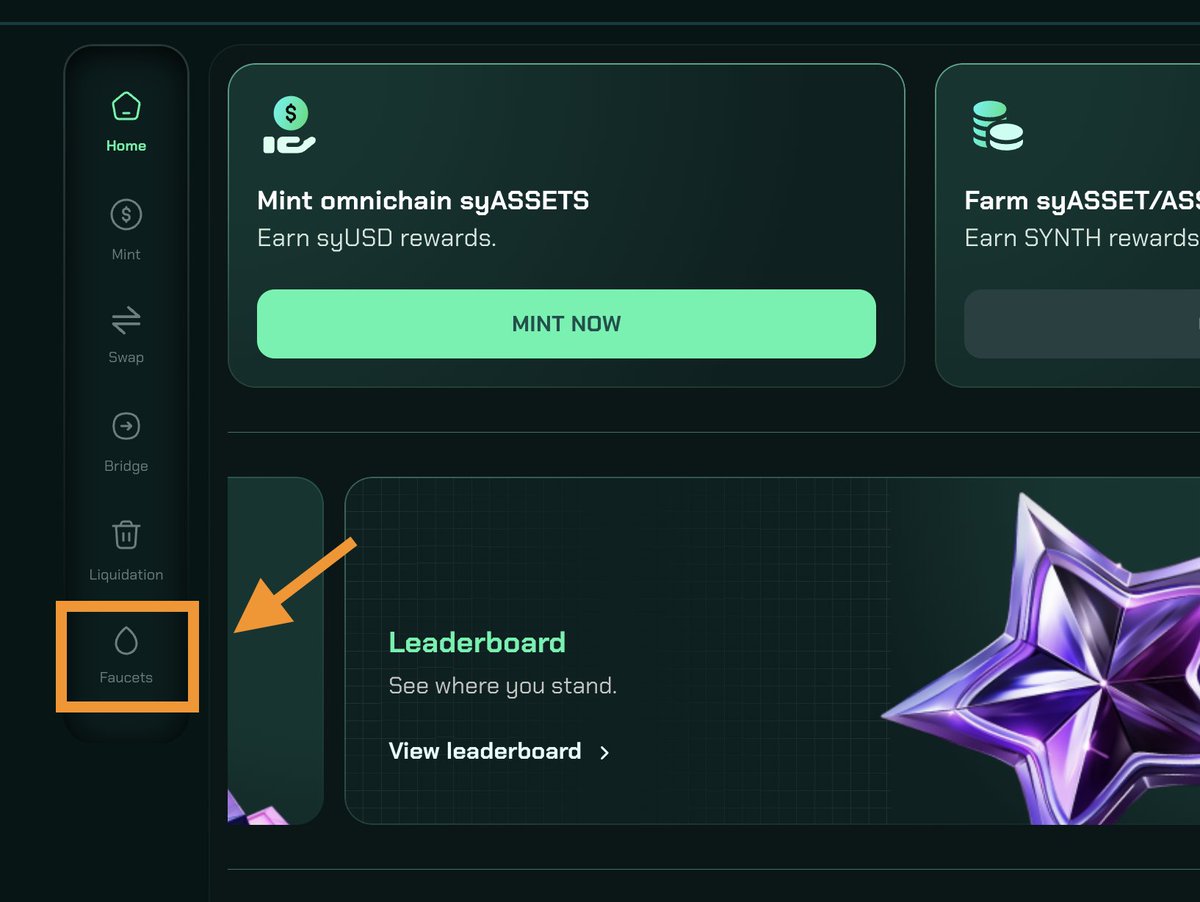
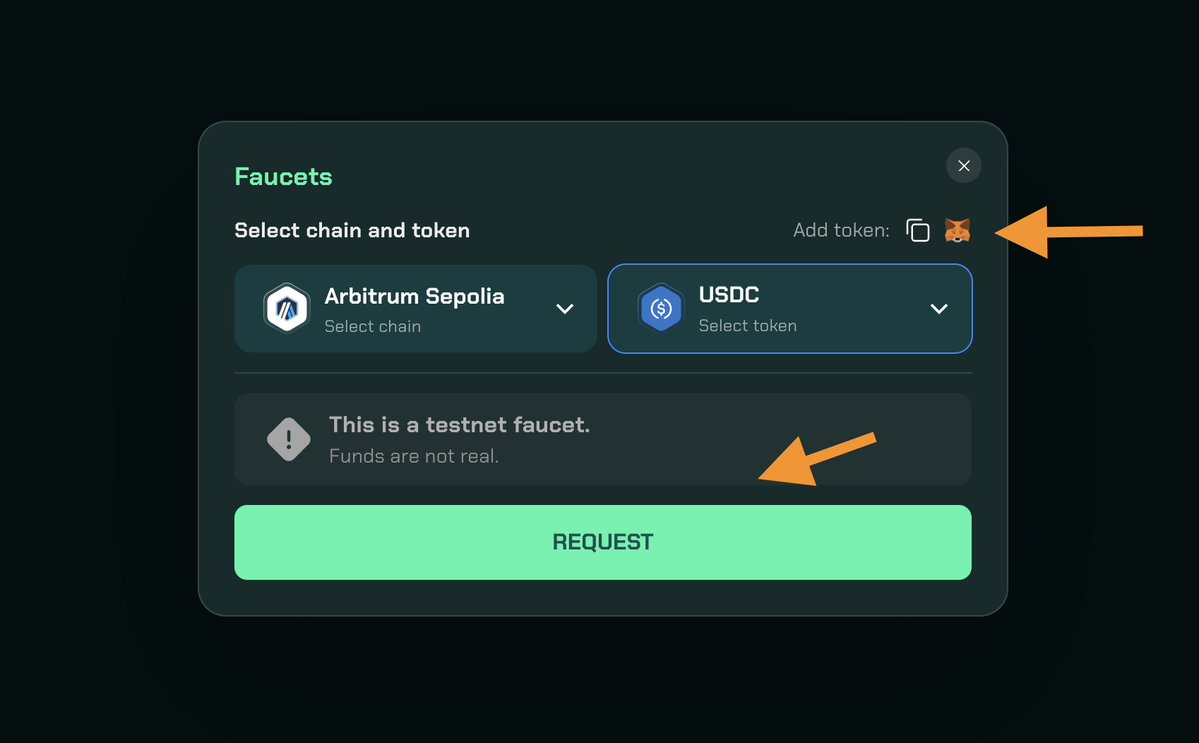
▪️Take Arbitrum Sepolia as an example, find "Faucets" in the sidebar
▪️First receive ETH as Gas, and then receive USDC.
▪️Click on the Metamask icon to add a token contract.
🔸Note: Choose the test chain according to your own needs, but it is recommended to use them all, because SyCredits points are the sum of all chains, and the marginal benefit of the same operation on a single chain will gradually decrease.
3⃣Add Collateral and Mint SyUSD
🔻
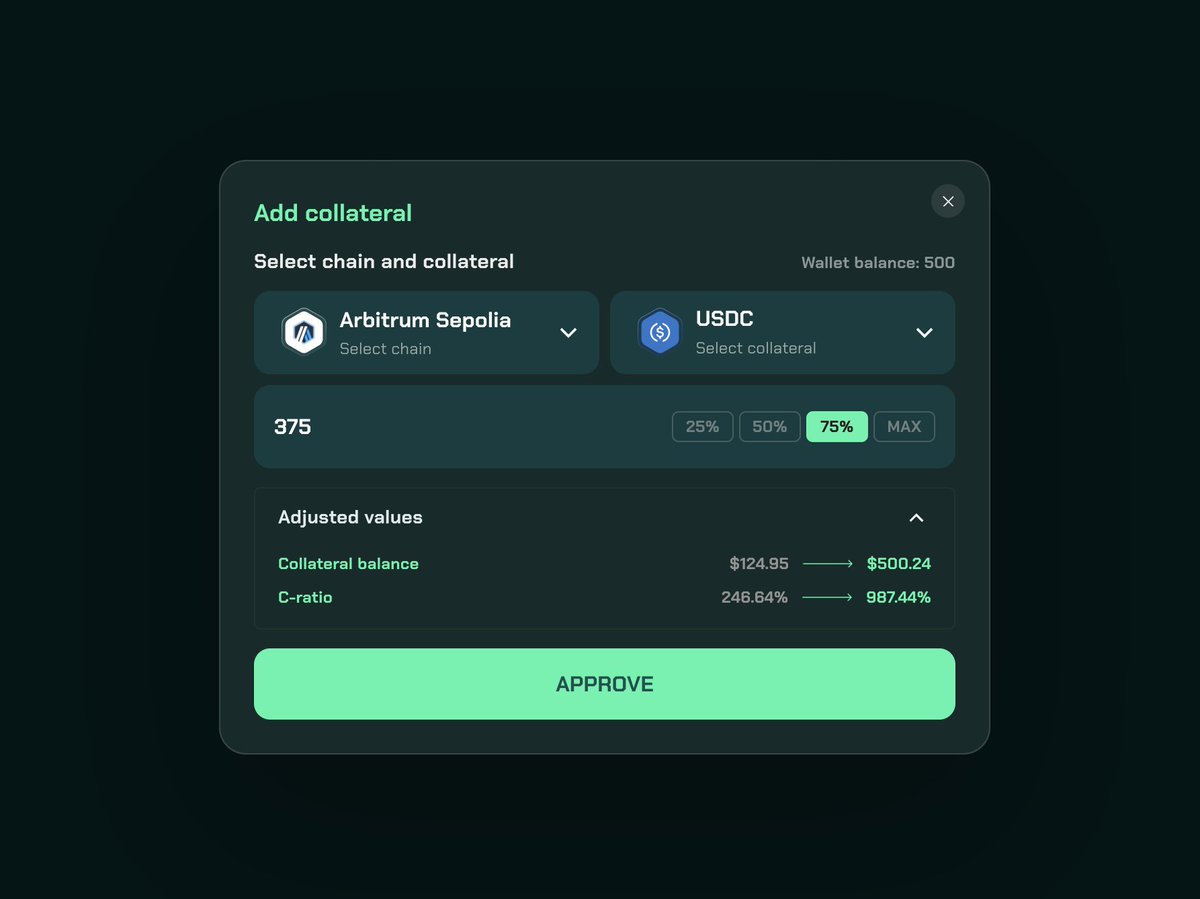
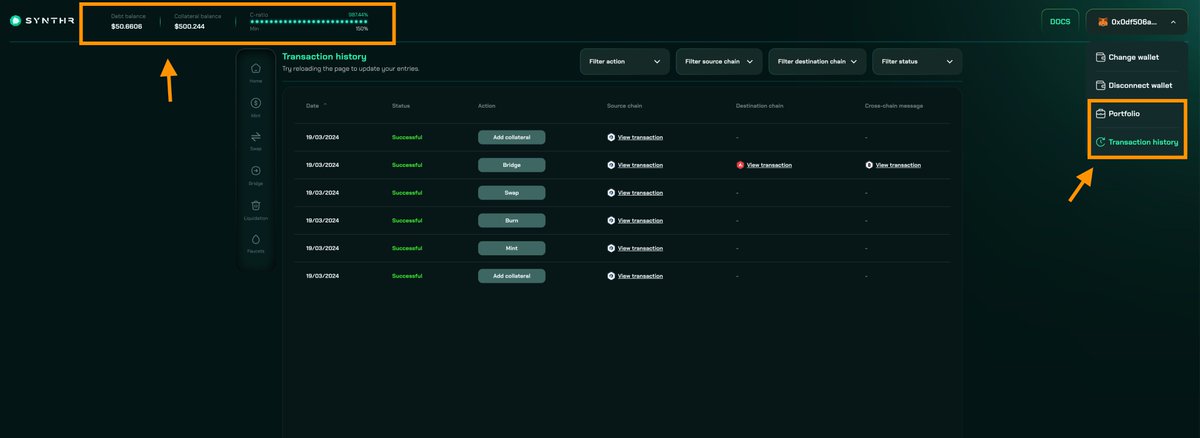
▪️Click "MINT NOW" on the homepage and select "Add collateral"
▪️Enter the mortgage amount, approve the authorization, and confirm the mortgage,
▪️View asset status in the upper left corner and transaction details in the upper right corner.
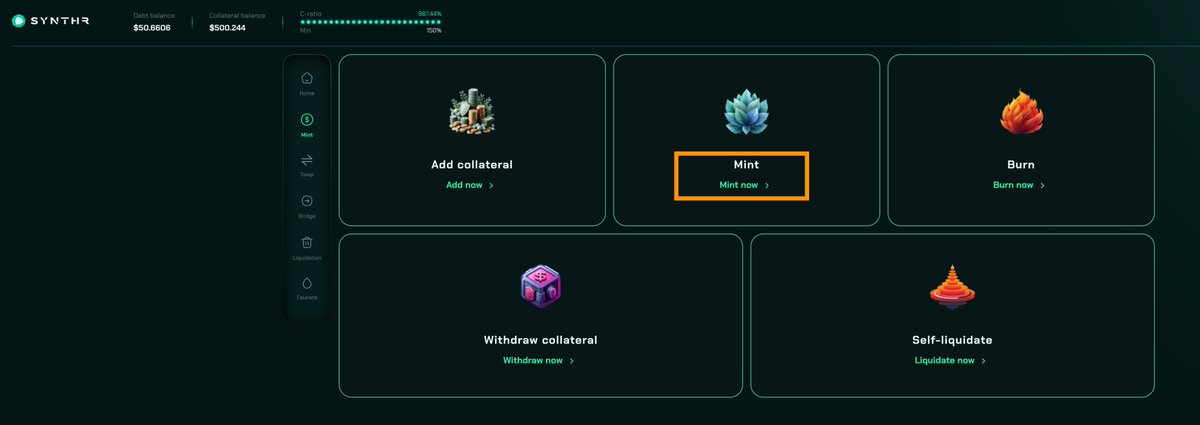
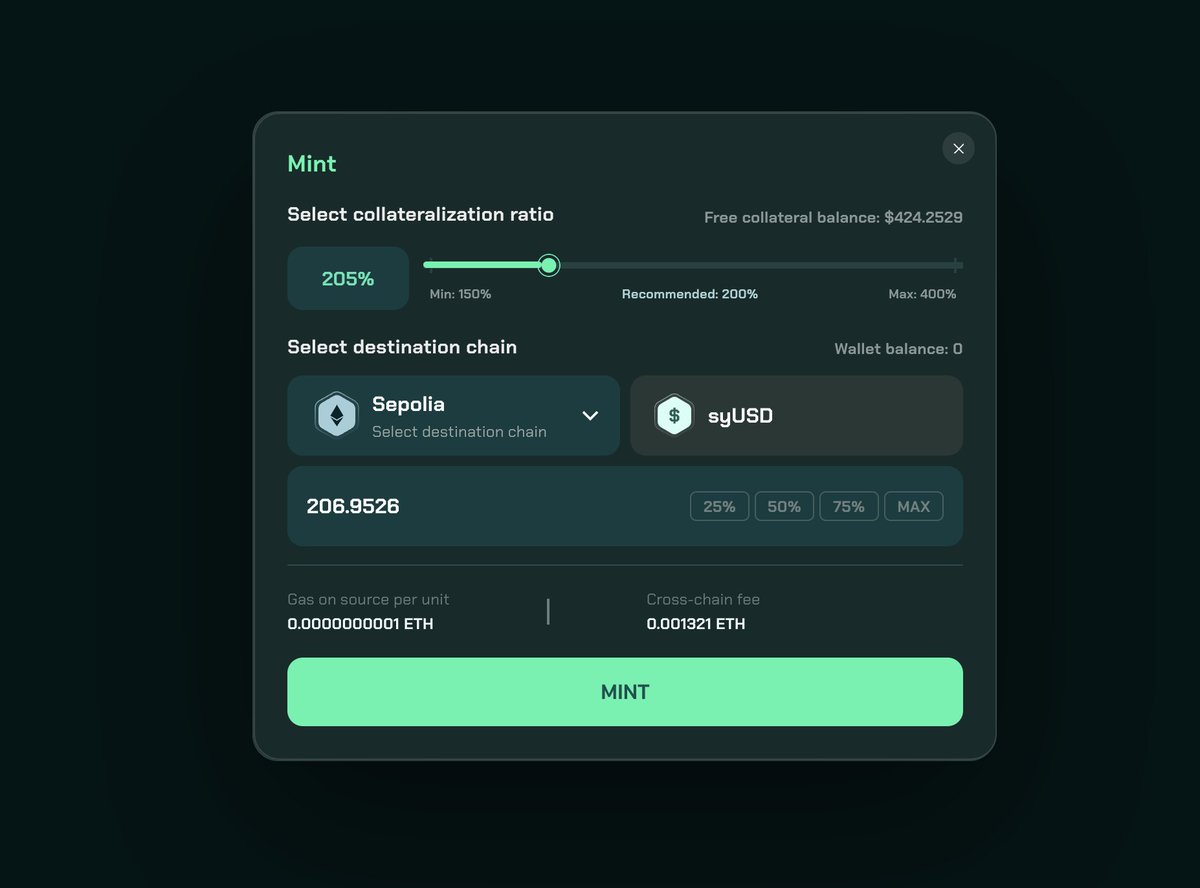
▪️Navigate to Mint on the homepage and select a chain to mint.
4⃣Swap, Bridge and Burn
🔻
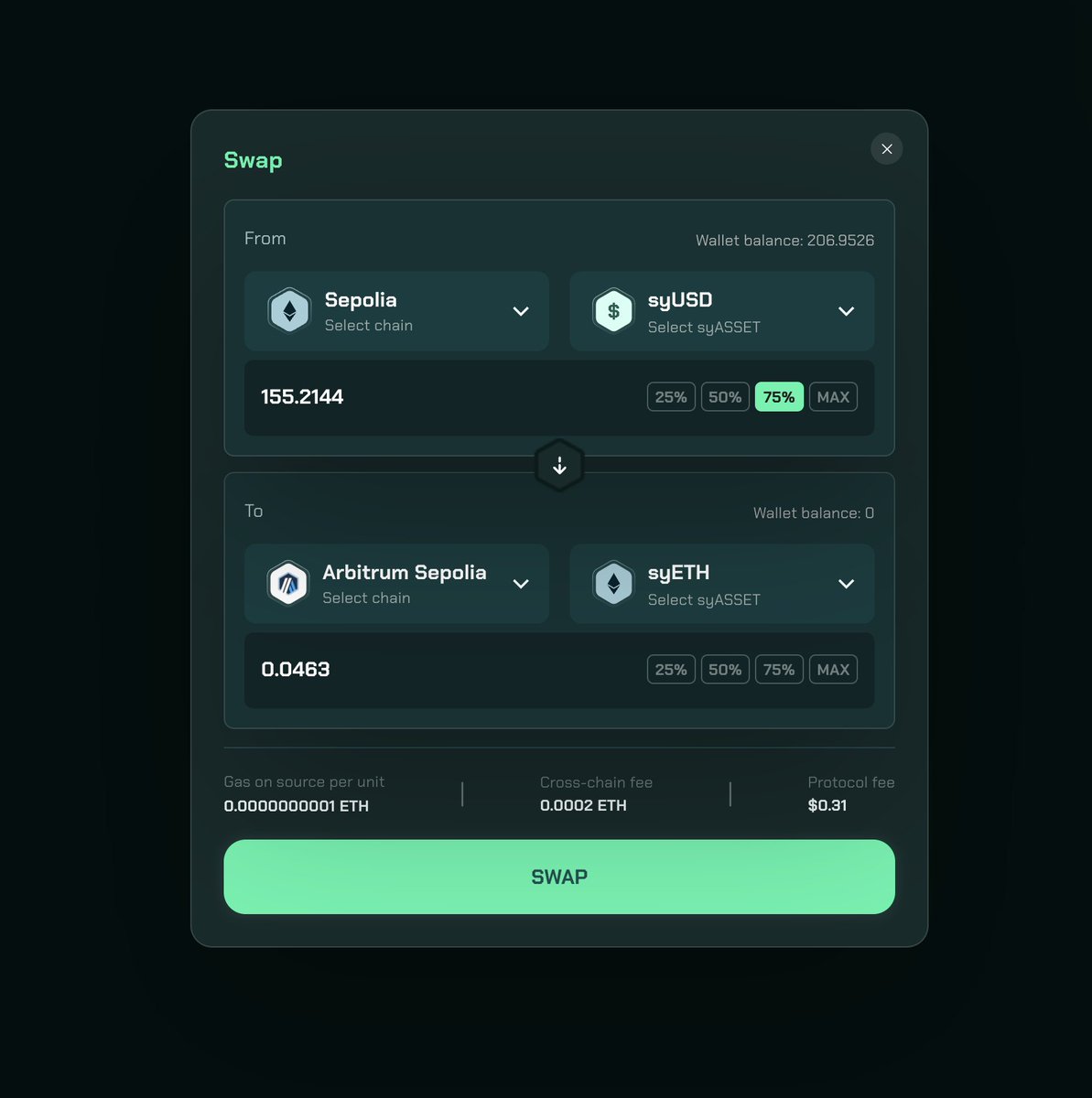
▪️Navigate to “Swap” in the sidebar
▪️Replace Sepolia’s syUSD with Arbitrum’s syETH.
(Same-chain and cross-chain Swap are two independent operations, and badge achievements are calculated separately)
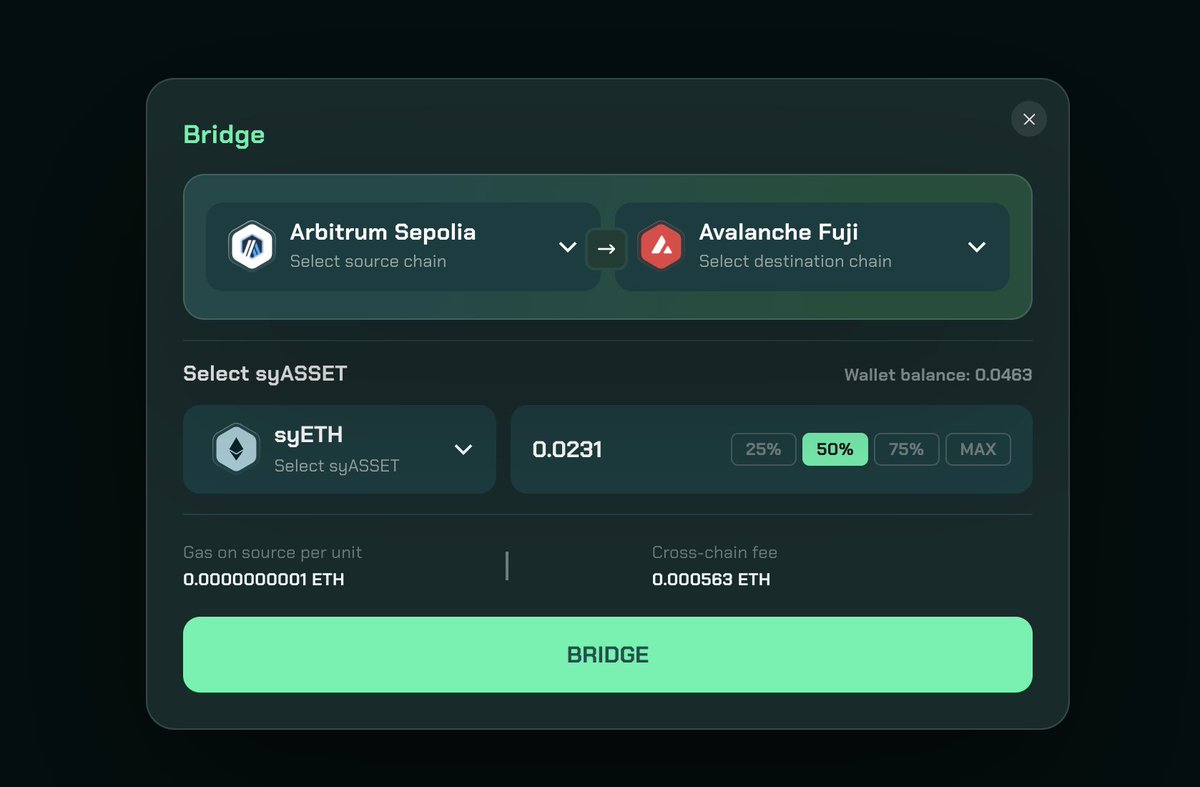
▪️Navigate to "Bridge" in the sidebar
▪️Cross-chain syETH to AVAX from Arbitrum.
(If an error is reported, change a chain)
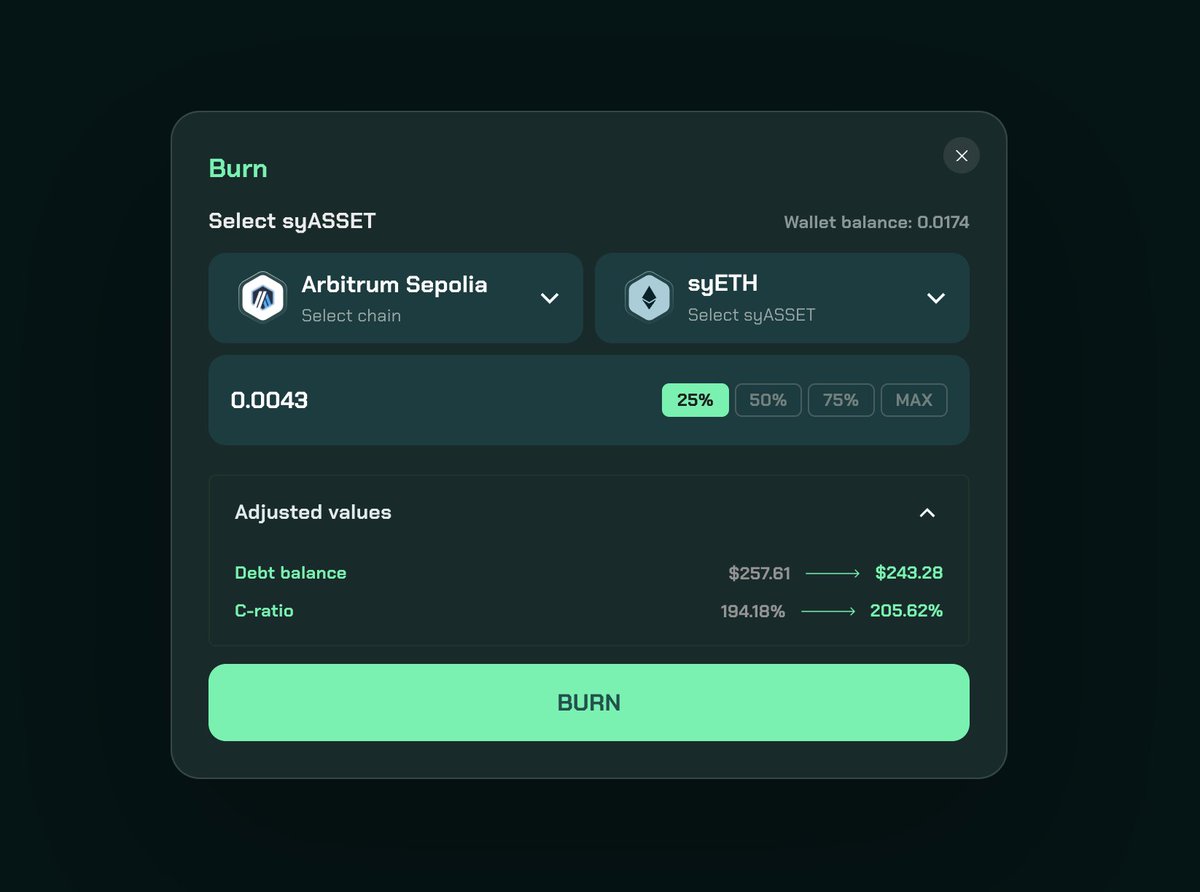
▪️Navigate to “Mint” in the sidebar
▪️Choose "Burn" to burn syETH in Arbitrum.
5⃣ Withdraw assets and liquidate
🔻
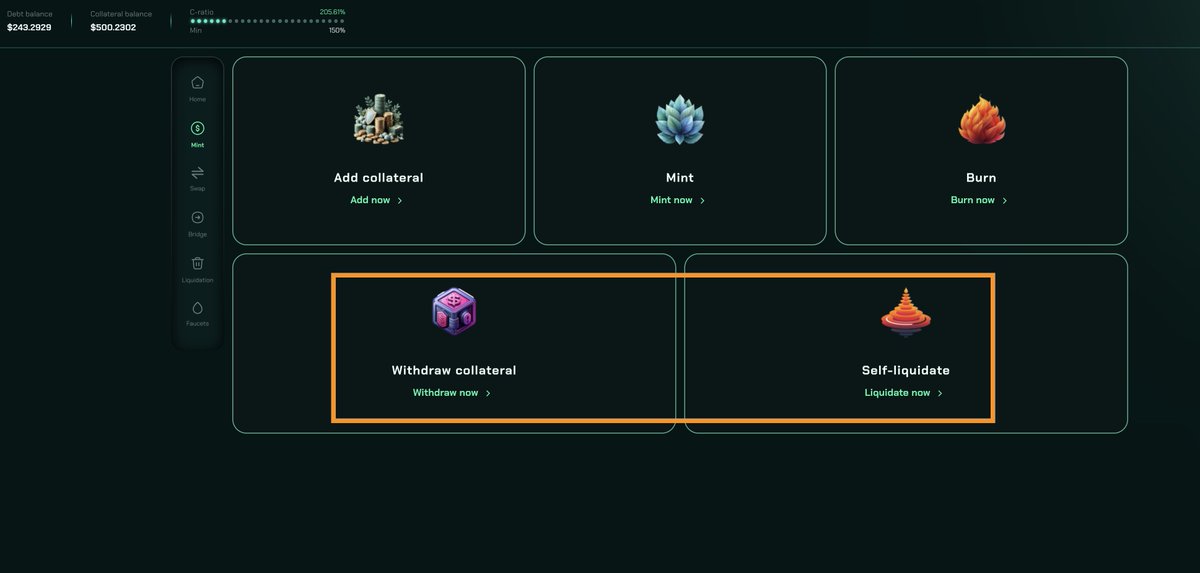
▪️Navigate to “Mint” in the sidebar
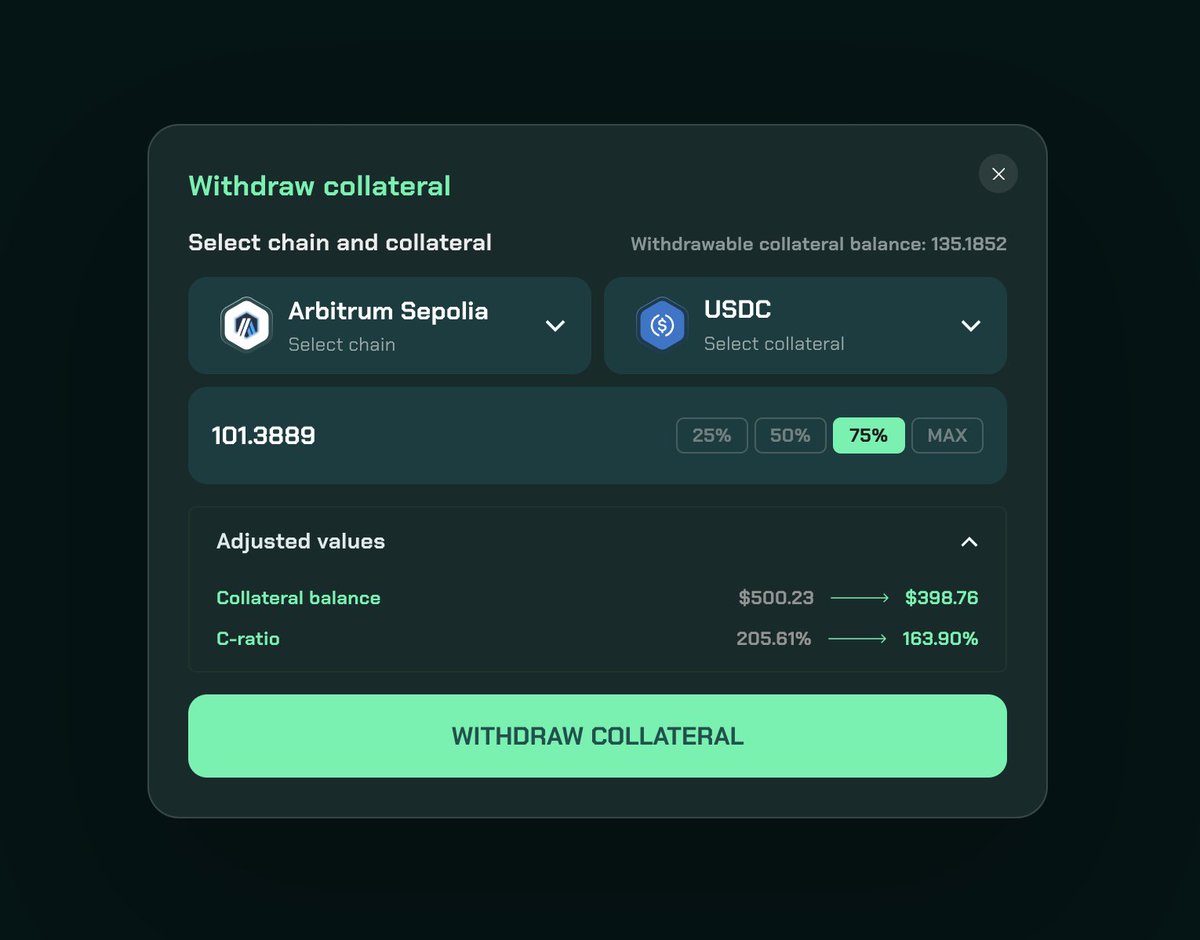
▪️Choose “Withdraw collateral”
▪️Select the previously mortgaged chain to withdraw funds.
🔻
When a user is marked for liquidation, perform the following operations
▪️Burn Sy assets, increase collateral, and self-liquidate.
▪️Note: Points and achievements can be obtained by clearing in the test network
🔸Finally, Zealy XP tasks can also earn points for achievements:
zealy.io/cw/synthr/questboard…

From Twitter
Disclaimer: The content above is only the author's opinion which does not represent any position of Followin, and is not intended as, and shall not be understood or construed as, investment advice from Followin.
Like
Add to Favorites
Comments
Share
Relevant content