Telegram bots are automation programs based on the Telegram app that interact with users and perform various tasks through the Telegram Bot API, greatly expanding the functionality of Telegram software.
Followin is an AI-powered Global Web3 content platform. With real-time analysis and summaries, Followin introduces personalized global news and information that is up to date to spot early investment opportunities. Designed and produced by Followin, Followin Telegram bot is a useful bot that can be used to discover alpha opportunities in Web3.
How can we use this bot? Let's dive in.
What features does the Followin Telegram bot have?
Let's first look at what features the bot has.
「Trending Today」
Trending Today t is generated by Followin based on content data from different platforms across the web, driven by AI algorithms. It shows the most heated and followed news of the day. Enter the command "/hot_news," or click on the feature directly in the dialogue box after entering "/".

Tips:
- Read daily to get the most important industry news of the day easily.
- Discover and seek potential investment opportunities and industry trends.
「Token Data Inquiry」
Followin TG Bot can query data including token price changes, funding rates, long/short ratios, etc. For example, enter the command "/p ETH" to check ETH data.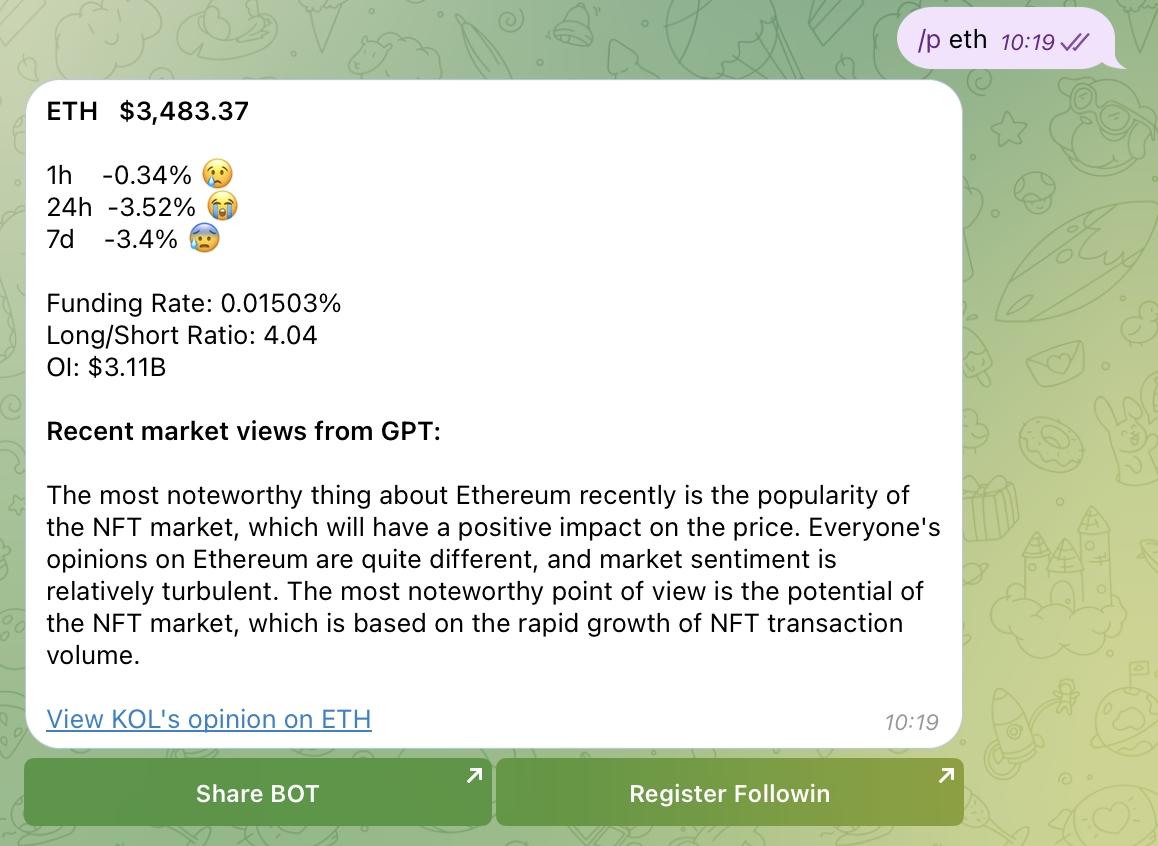
Tips:
- It facilitates finding appropriate token buying and selling points and optimizing investment decisions.
- GPT summarization is a good feature.
- By clicking " View KOL's opinion on ETH," you can access the official token project homepage of Followin (see below), where you can find more information about the project, including comments from popular influencers, media articles, and more.
「Ethereum Network Gas Price」
Users can check the real-time Gas cost on the Ethereum blockchain. Enter the command "/gas" or click directly on this feature in the dialogue box after entering "/".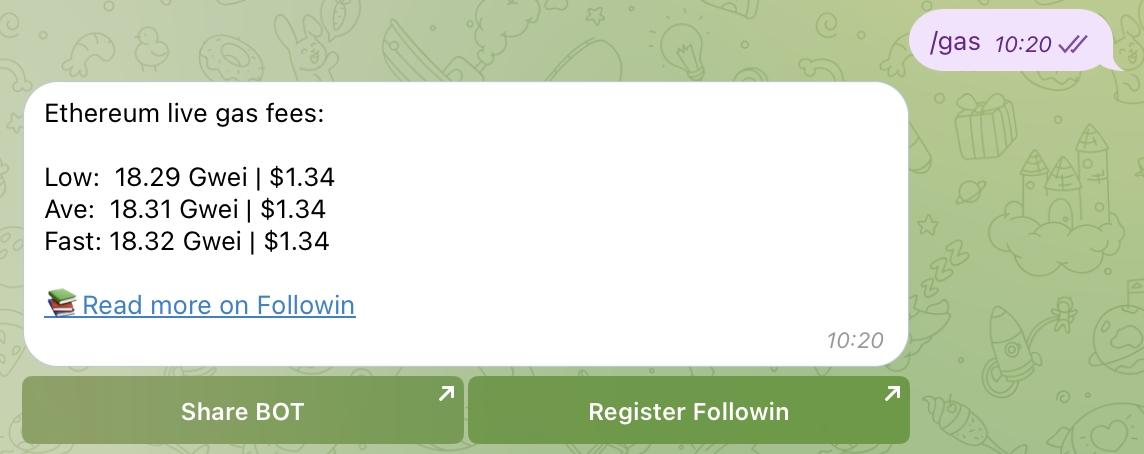
Tips:
- Query the gas fee on the blockchain to see if there are any abnormal on-chain activities.
- Look for moments of low gas fees to interact on the blockchain, reducing costs. This is very useful when interacting with projects to do some airdrop hunting work.
「On-Chain Data」
Users can check the Top 10 hottest traded tokens on the blockchain in the last hour, including volume, number of transactions, pool size, and contract addresses. Enter the command "/chain".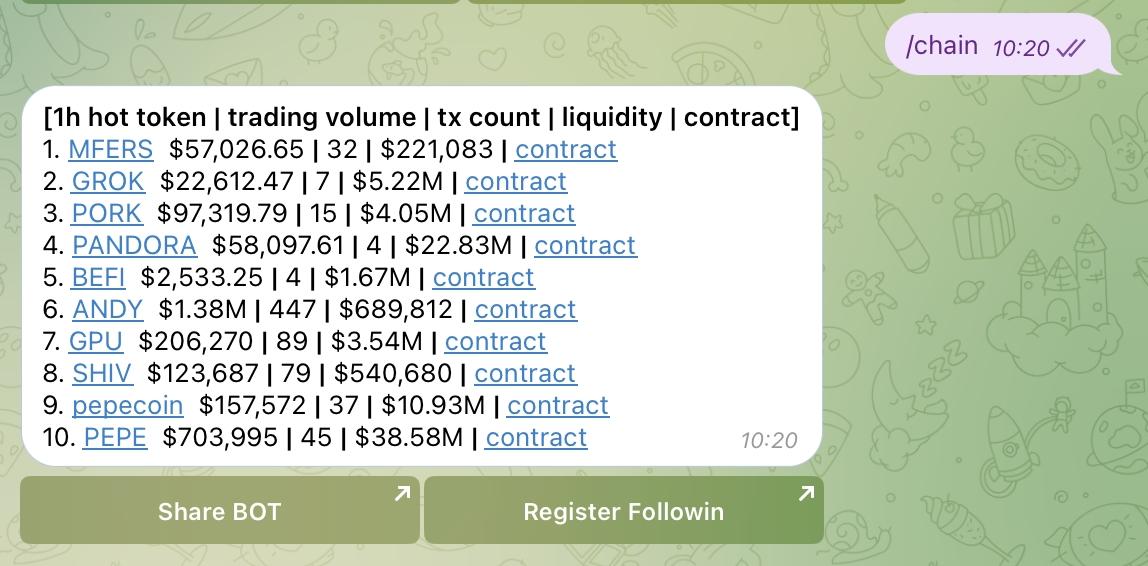
Tips:
- This data is useful for finding early-stage MEMEs.
- Directly find the correct token address through the contract, avoiding fake addresses.
Summary
The Followin Telegram bot has multiple features, and these features are rapidly updated. For example, during the hype of BTC inscriptions, the bot provides real-time blockchain inscription queries, helping investors to quickly grasp and participate in popular inscription launches.
How to Use the Followin Telegram Bot?
For Individuals
Steps for individuals to add and use the Telegram bot are as follows:
- Search for "Followin_alpha_bot" in Telegram and click the "Start" button in the top right corner to add the bot.
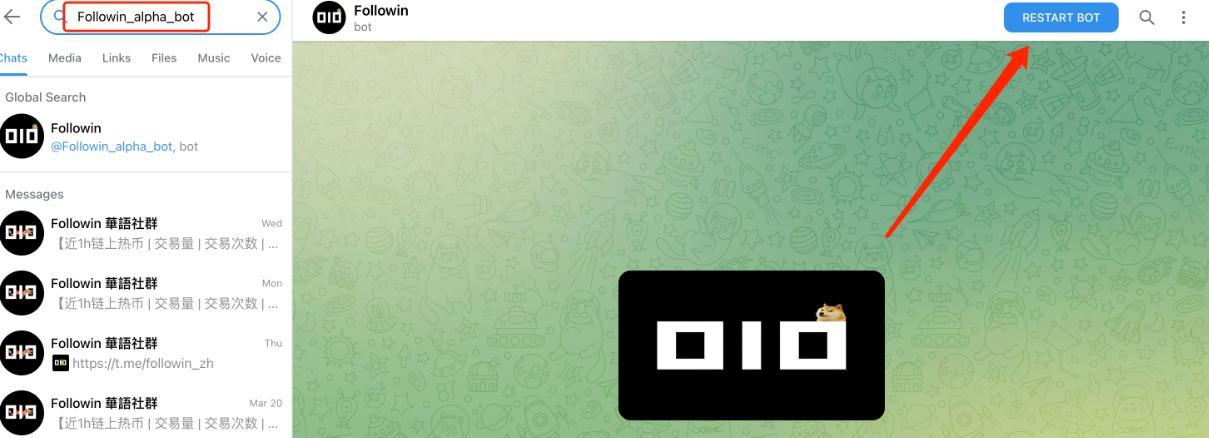
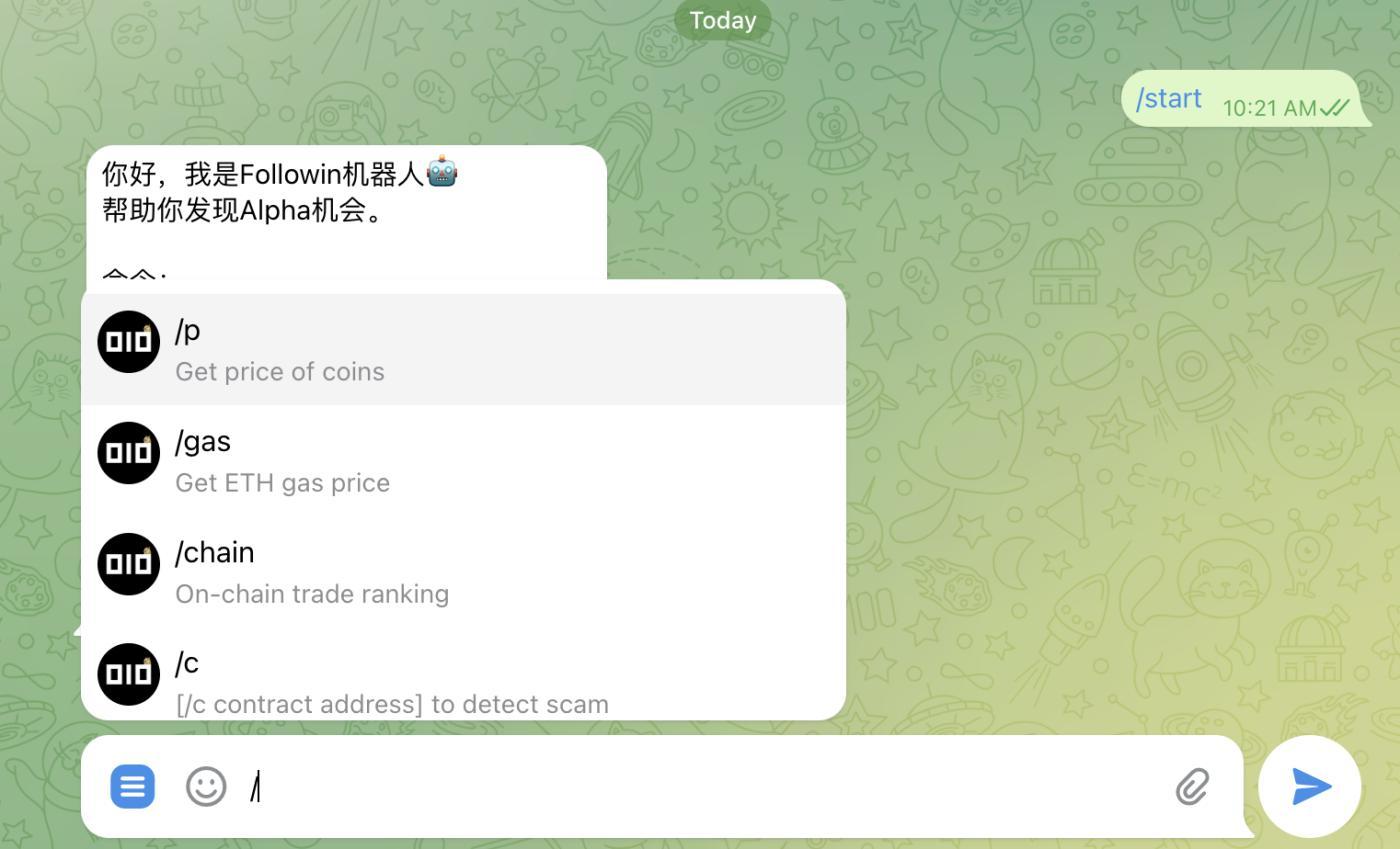
- Enter "/" in the dialogue box to jump to the command input entry, and follow the prompts to access the relevant features. Some can be directly accessed by clicking on the command, like "/gas" for an immediate query; for some, you need to enter the full command, like for token data, enter "/p ETH" completely.
- Add Followin UIDEntering "/linkapp+Followin UID" will link the bot to your Followin account so that new users who register on Followin through content from the bot can bring you referral rewards.
For KOLs and Community Managers
Followin Telegram bot is also very suitable for communities, providing multi-dimensional value to community users.
Steps for KOLs and community managers are as follows:
- Search for "followin_alpha_bot" in Telegram.
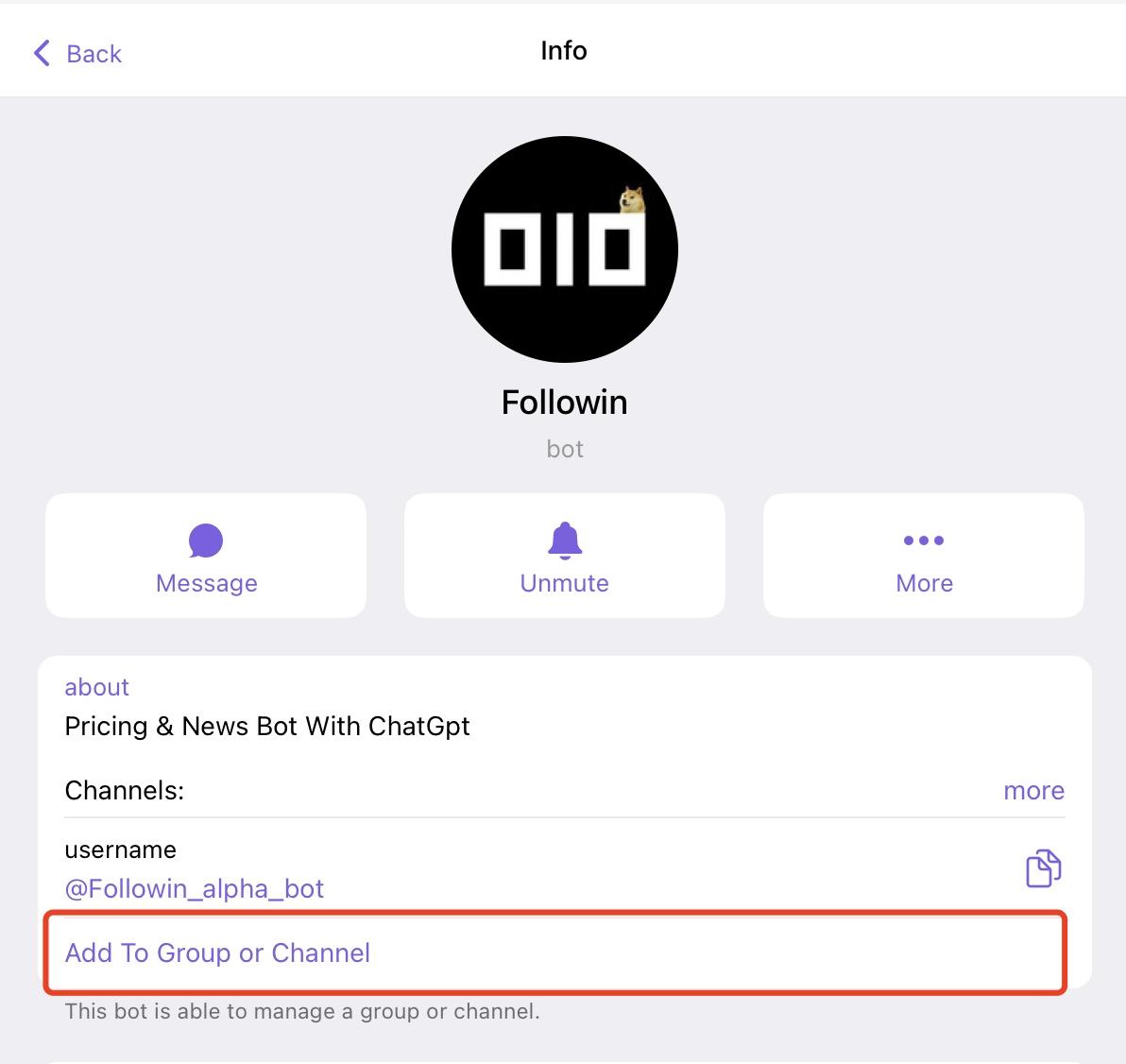
- Click on the "Add To Group or Channel" button in the interface.
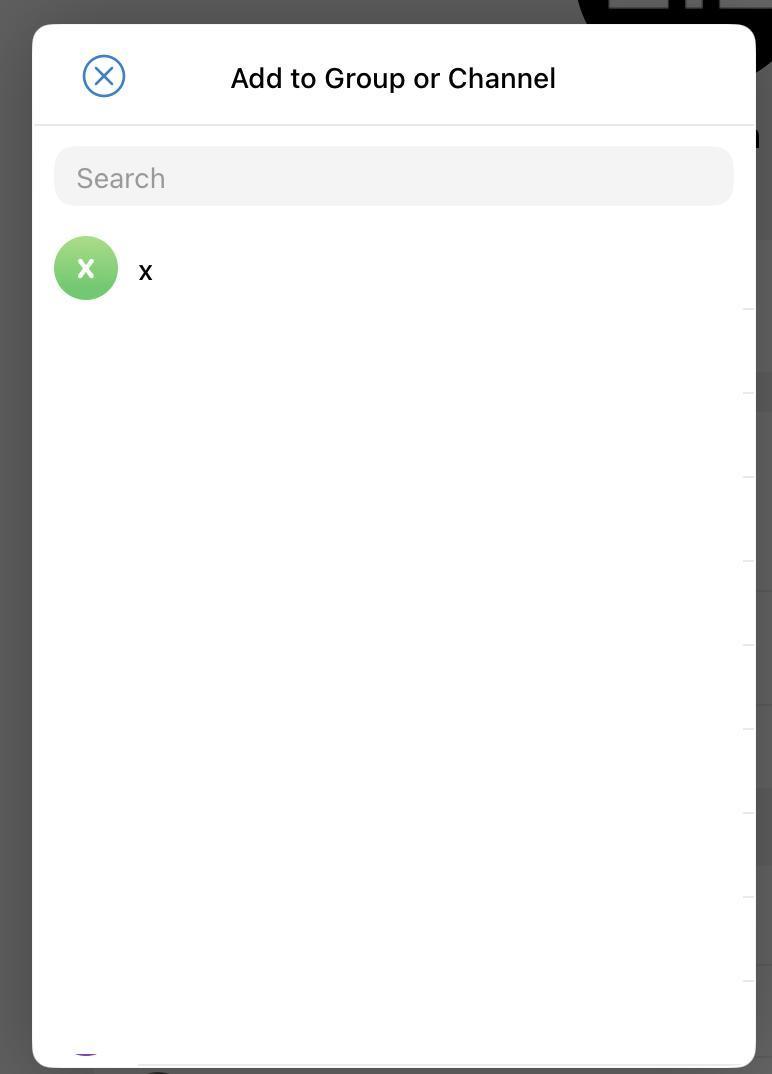
- In the corresponding interface, select the group/channel you want to add the bot to (for example, the x group in the picture).
- After selecting the group, grant the bot the following permissions.
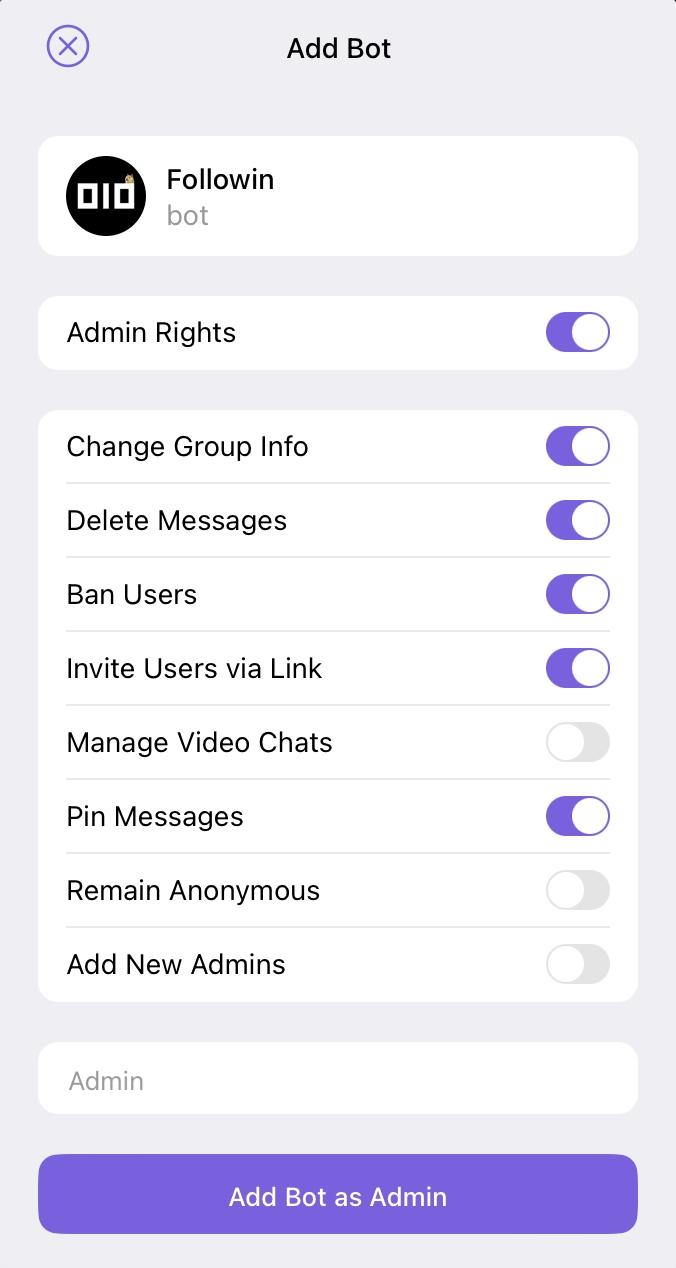
Once added, you can now use the Followin bot in the group.
The Followin bot also supports use in the Line App, and if needed, you can chat privately with @ANDREW0929 in Telegram.