
Author: Shruti
Compiled by: TechFlow TechFlow
TechFlow Summary: Recently, Clawdbot has gone viral on the X platform (formerly Twitter), earning the nickname "Claude with arms." This article, written by Shruti, dedicates 40 hours to in-depth research, peeling back the technical veneer of the marketing slogan to reveal the true nature of Clawdbot to readers.
The article not only breaks down its core architecture and operating logic as an autonomous AI agent, but also honestly delineates the task boundaries between "out-of-the-box" and "requires heavy configuration".
For developers, researchers, and content creators looking to leverage AI for efficiency improvements in the Web3 era, this is a valuable guide to avoid pitfalls and get started. It soberly points out that the productivity tools of the future are not magic, but rather a learning curve that requires continuous investment.
The full text is as follows:
Clawdbot is now ubiquitous on X.
A photo of the Mac Mini, a vague statement that reads "I've automated everything." People call it the "future," without explaining why.
I spent 40 hours studying the documentation, analyzing use cases, watching tutorials, and reading every implementation guide I could find.
The following is what everyone is hyping up but nobody is really explaining, including the parts they've omitted for convenience.
Let me explain Clawdbot in layman's terms.
Forget about those technical terms for now.
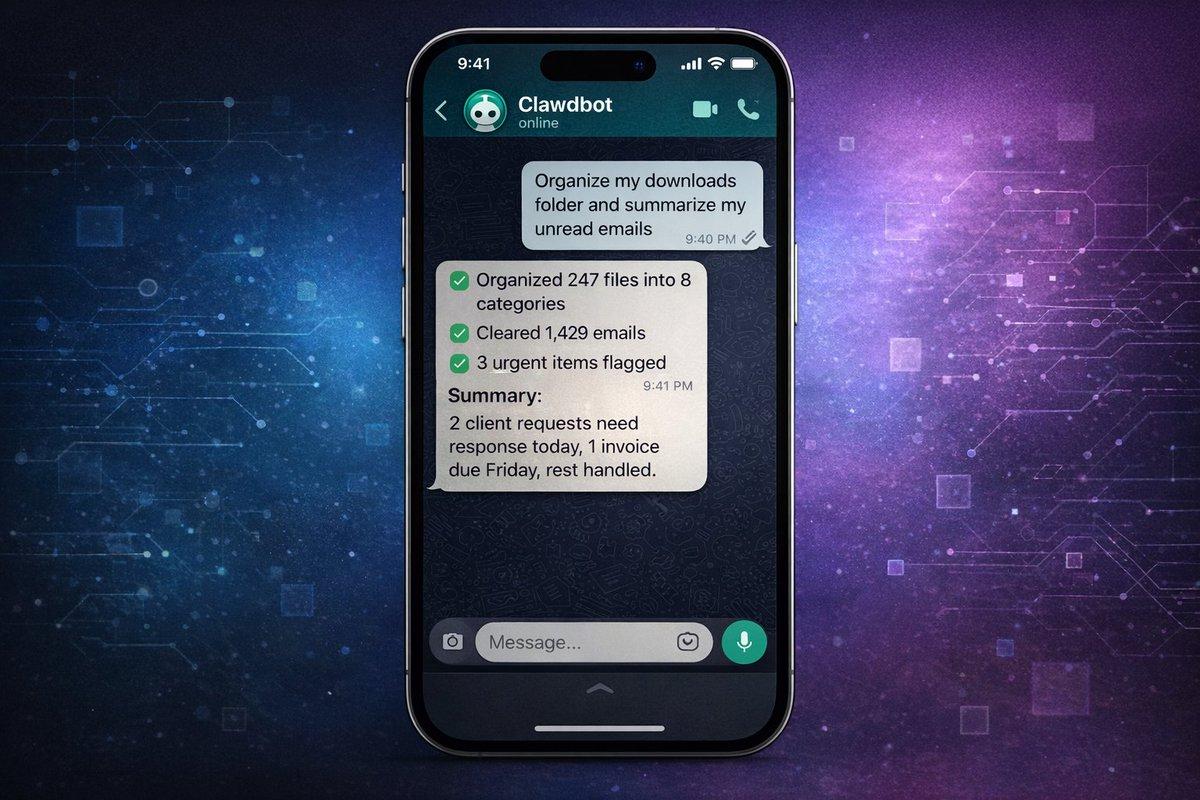
Clawdbot means "Claude with arms".
Do you know how to chat with Claude and get answers? Imagine if Claude could actually execute those answers on your computer. Install software, run scripts, manage files, monitor websites, send emails. All done with simple text commands from WhatsApp, Telegram, or iMessage.
It is an AI agent that can not only think, but also act.
This can be understood as follows:
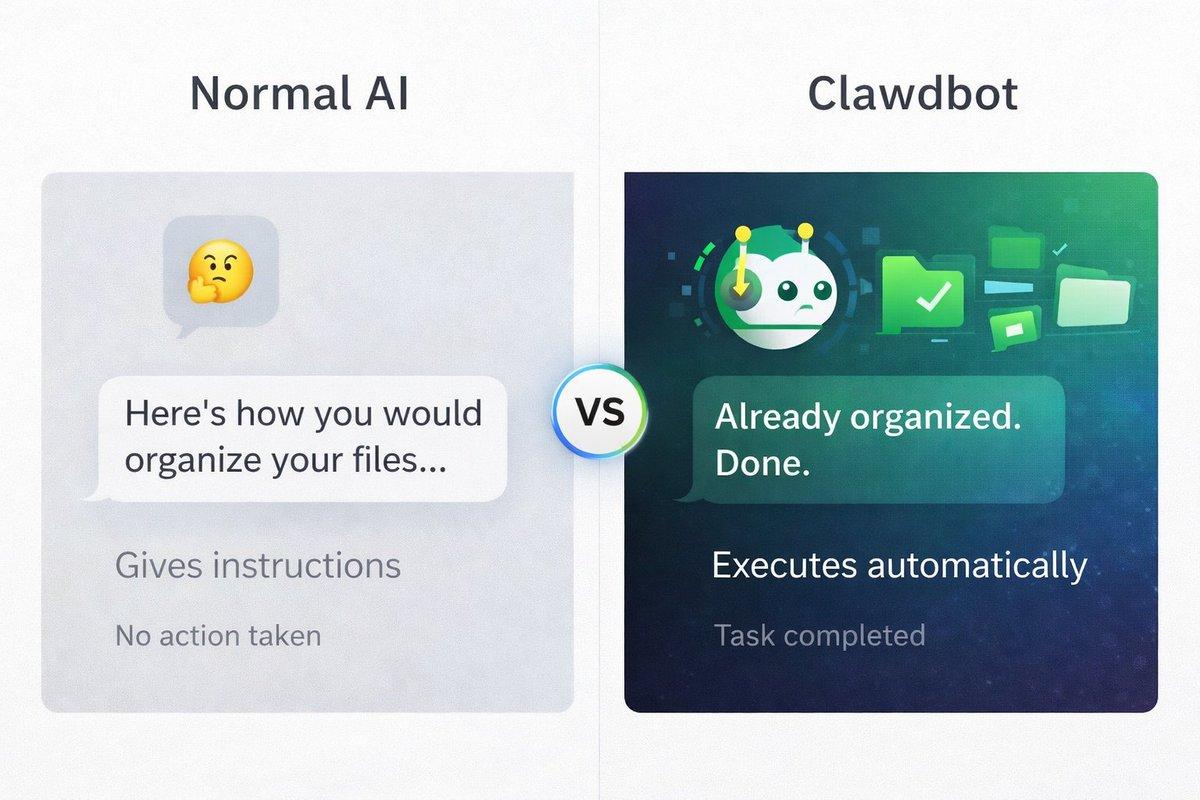
Ordinary AI: "This is how you organize your files." Clawdbot: "While you're still reading this, it has already organized your files."
Ordinary AI: "You should check out these 10 market news sources." Clawdbot: I've already scraped them, summarized them, and sent you the highlights via text message.
This is what people mean by "Autonomous AI." It doesn't just answer questions. It accomplishes tasks.
Are there any pitfalls? Some tasks can be run immediately, while others require you to build automated processes first. See below for details…
Why are people so crazy about it?
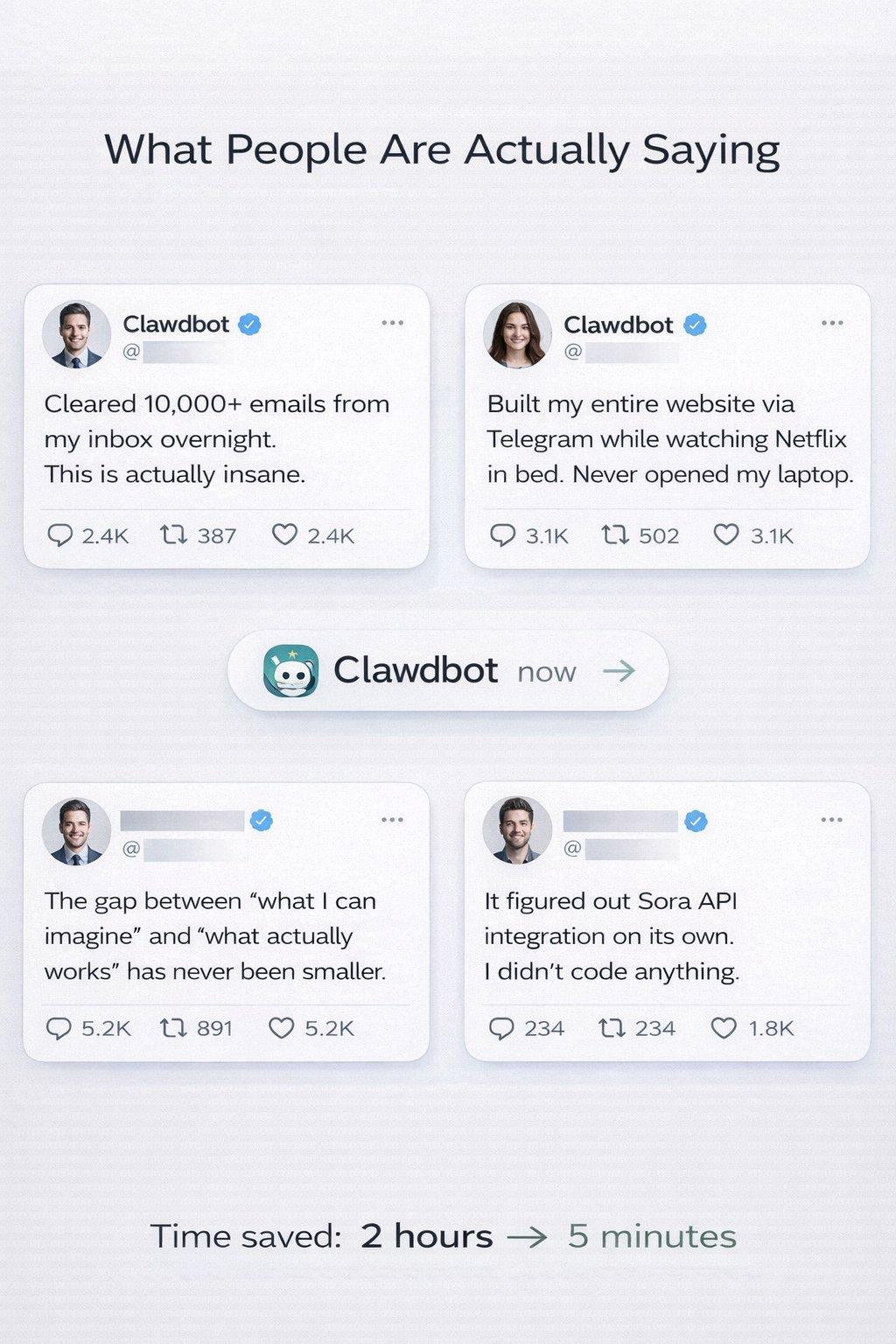
The comments on Twitter sound almost fake:
"I cleaned up 10,000 emails in my inbox overnight."
"I built my entire website using Telegram while watching Netflix."
"It figured out the integration of the Sora API on its own."
"It automated 80% of my work within 48 hours."
Here are the differences between it and all other AI tools:
- It runs on your computer, not in some cloud interface, but on your actual machine. It has access to your files, applications, and data.
- You can control it anytime, anywhere: WhatsApp on your phone, Telegram on your iPad, and iMessage on your watch. You're no longer tied to a browser.
- It can use any application on your computer —email clients, browsers, terminals, scripts. If you can do it manually, Clawdbot can potentially do it autonomously.
- It can build its own tools —that's the craziest part. You can ask it to create a "skill" (a reusable process), and with proper guidance, it can write code, install, and get started.
Someone asked their Clawdbot, "Can you access my university course schedule?"
Clawdbot replied, “No, but I can build a skill to do that. Give me a minute.”
After some iterations and optimizations, it created this integration.
Important warning: This is not magic. Building complex automation still requires:
- Clear instructions
- Understanding what is possible
- Testing and optimization
- Sometimes it takes several hours to set up.
But the framework for autonomous execution is real.
How does it work?
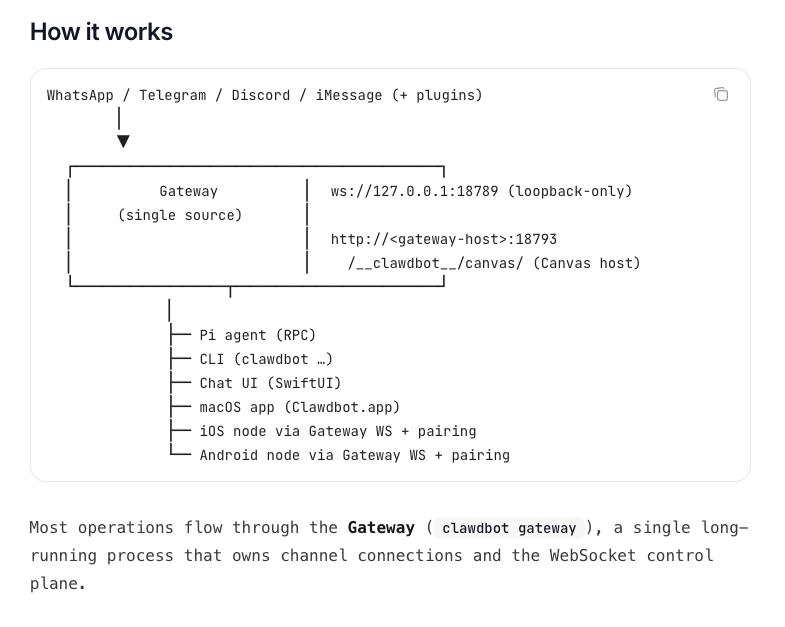
Clawdbot's architecture: Messages from any platform flow through a central gateway and tasks are executed on your computer.
You send a message via WhatsApp, Telegram, Discord, or iMessage. The message is sent to a gateway—a single process running on your computer that acts as a control center.
Then the gateway will:
- Route your request to Claude (via Anthropic's API).
- Execute commands on your computer
- Manage your chat application connections
- File operations and automation
You can interact with it in the following ways:
- Instant messaging applications (WhatsApp, Telegram, etc.) – most commonly used
- CLI (Command Line Interface) – for end users
- macOS/iOS/Android Apps - Native Interface
- Chat UI (Browser) — Web-based Control Panel
Everything runs locally on your machine. The gateway is the bridge between your messaging and computer functionality.
The actual setup isn't as difficult as it looks.
The GitHub page looks intimidating. Terminal commands, MCP server, JSON configuration.
But the truth is: basic setup for technical users takes 20-30 minutes, while for non-technical users it takes 1-2 hours.
You need to prepare:
- A Mac, Linux PC, or Windows PC with WSL2
- Install Node.js (free, 5-minute installation)
- One Anthropic API key (pay-as-you-go, cost depends on usage)
- WhatsApp, Telegram, iMessage, Discord or Slack
Actual setup process:
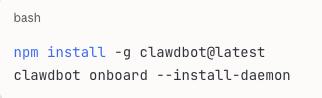
The introductory wizard will guide you through the process:
- Connect to your chat application
- Set permissions
- First test command
The first test most people try is: "What files are in my downloads folder?"
Clawdbot will list them.
Organize them by type.
Done. PDFs in one folder, images in another, documents categorized.
This takes effect immediately and requires no additional settings.
What takes effect immediately? What needs to be deployed?
This is the part that no one has explained clearly.
Clawdbot has two levels of capabilities:
Level 1: Ready to use right out of the box (setup takes only a few minutes)
These features are available after you install Clawdbot:
✅File Management
- Organize my download folder
- Find all PDFs from last month.
- "Back up my documents"
✅Basic research
- Search for the latest news about [topic]
- "Summarize these 5 articles" (paste the URL)
- What's trending on [the platform]?
✅ Calendar/email access (if you have set up CLI access)
- What is my schedule for today?
- "Read my last 10 emails"
- Search my emails for [keywords]
✅Simple Automation
- Run this script every morning at 8 AM.
- Monitor changes to this website.
- "Remind me when [file] is updated"
✅Text processing
- "Summary of this document"
- "Extract key points from this record"
- Convert this data to CSV
Time invested: a few minutes. These are immediate or near-immediate.
Tier 2: Powerful but requires construction (requiring hours to days).
These require custom skills, API connections, and configuration:
⚠️Advanced Email Management
- Automatically categorize thousands of emails
- Intelligent filtering and archiving
- Processing based on custom rules
Required: Email client CLI setup, custom workflow, testing
⚠️Trading /Market Automation
- Real-time price monitoring
- Abnormal trading volume alert
- Automated data analysis
Requirements: API access from the data provider, custom monitoring scripts, authentication.
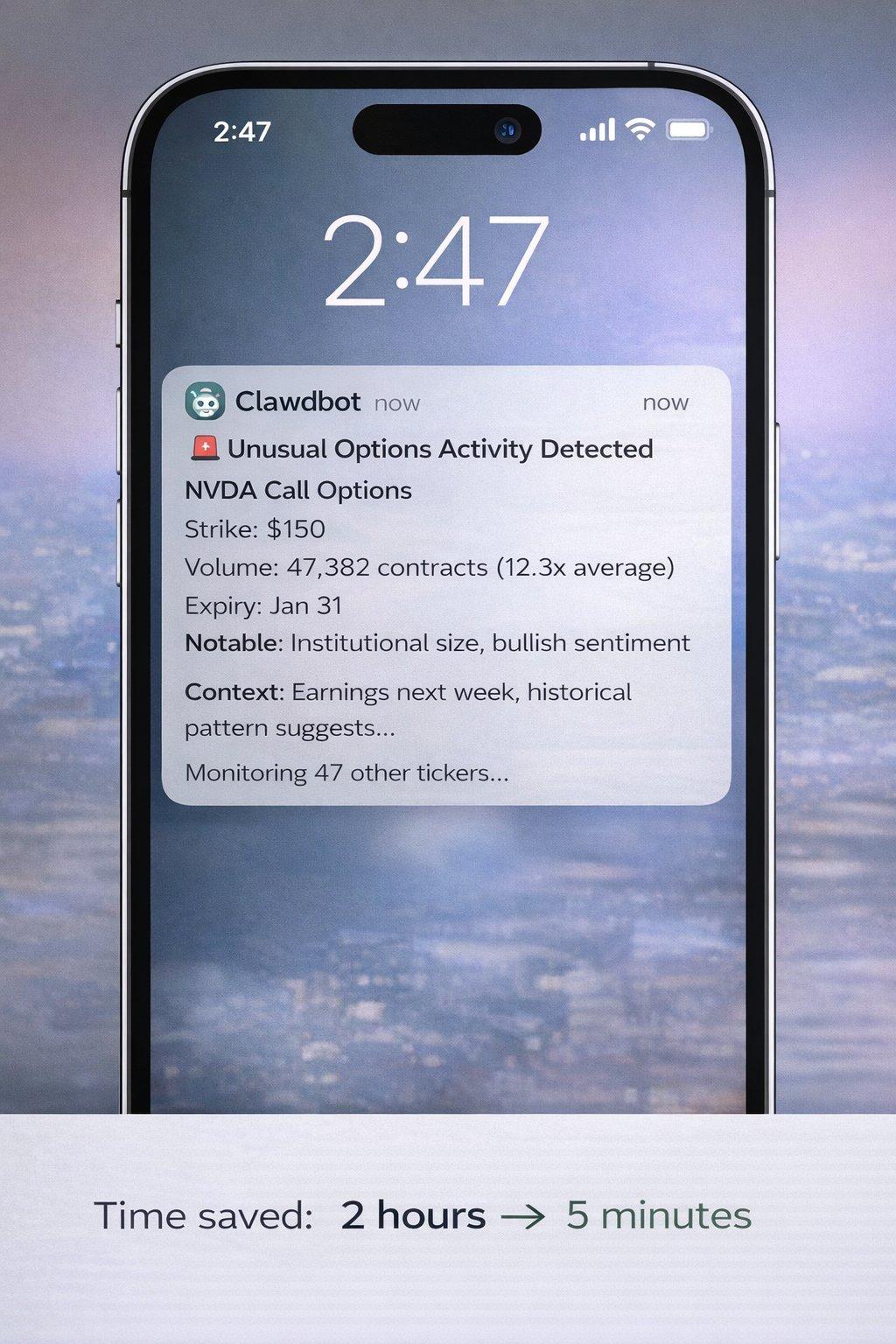
Advanced trading alerts like these are possible with Clawdbot, but require hours of custom setup, API access, and configuration. It's not magic generated instantly, but once built, it's truly powerful.
⚠️Social Media Automation
- Multi-platform release
- Interactive tracking
- Brand monitoring
Requirements: Social media API access, custom integration, rate limiting handling
⚠️ Complex code projects
- Build a complete application
- Managing GitHub repositories
- Automated testing and deployment
Requirements: proper setup, clear requirements, and iterative optimization
⚠️Custom Integration
- Connect to proprietary system
- Building workflows across multiple applications
- Advanced Data Pipelines
Requirements: Understanding of APIs, custom skill development, and maintenance.
Time investment: Depending on the complexity, it can take anywhere from several hours to several days.
Practical Applications
Let me show you the actual achievable goals at each level:
Immediate use cases (ready to use today)
Document organization
What happens when you execute the command: "Organize my downloads folder by file type and date":
- Clawdbot scans your downloads
- Create folders by type (PDF, image, document, etc.)
- Move the file to the appropriate folder.
- If required, you can add date-based subfolders to save time: 20 minutes of manual sorting → 10 seconds of real results: it really works out of the box.
Basic research and summary
Command: "Find 10 recent articles on AI security. Summarize the main concerns." What will happen:
- Web search for recent articles
- Extract key content
- Identifying common themes
- Delivering structured summaries saves time: 1 hour of reading → 5 minutes to summarize real results: Take effect immediately with web search functionality.
Schedule Management
Command: "What's on my calendar tomorrow?" What will happen:
- Check your calendar
- List all events
- Preparation time estimates can be provided.
- Identify conflicts to save time: Manually check the calendar → Complete instantly. Note: Calendar access permissions need to be set first (one-time configuration).
Document processing
What happens when you execute the command: "Extract all email addresses from these 20 PDFs":
- Read each PDF
- Identify email patterns
- Compilation main list
- Time-saving deduplication: 2 hours of manual work → 2 minutes of real results: effective immediately for text-based PDFs.
Advanced use cases (configuration required)
People assume you can do it immediately:
❌ "Tracking unusual options activity and alerting me in real time"
❌ "Automatically publish the optimized copy on 5 social media platforms"
❌ "Monitor 100 competitors and analyze their strategies"
What you actually need to do:
- Determine the data sources (which APIs, which websites).
- Configure authentication (API key, access token)
- Developing monitoring skills (with the help of Clawdbot, but still requires work).
- Testing and optimization (handling edge cases, rate limiting, bugs)
- Maintenance (API may change, skills need to be updated)
Real-world example of an advanced workflow: Objective: Monitor specific Twitter accounts for highly interactive posts. Step 1: Set up Twitter API access (30 minutes - 2 hours) Step 2: Build monitoring capabilities using Clawdbot (1-2 hours) Step 3: Test and optimize alert thresholds (30 minutes) Step 4: Deploy and run (ongoing) Total time investment: 2-4 hours Initial setup Continuous value: 24/7 automated monitoring
This is achievable, but it won't be done instantly.
When it comes to social media automation, if you're specifically looking to automate content creation and publishing, consider Postey. While Clawdbot excels at general computer automation, tools like Postey handle social media-specific workflows (copy generation, multi-platform publishing, scheduling, and analytics) without requiring custom skills or API management. Different tasks call for different tools.
The real results people have achieved
Let me show you some real reviews and clarify what each one actually requires:
A tweet from @Sully :
"I cleaned up over 10,000 emails in my inbox (a 45% reduction!)"
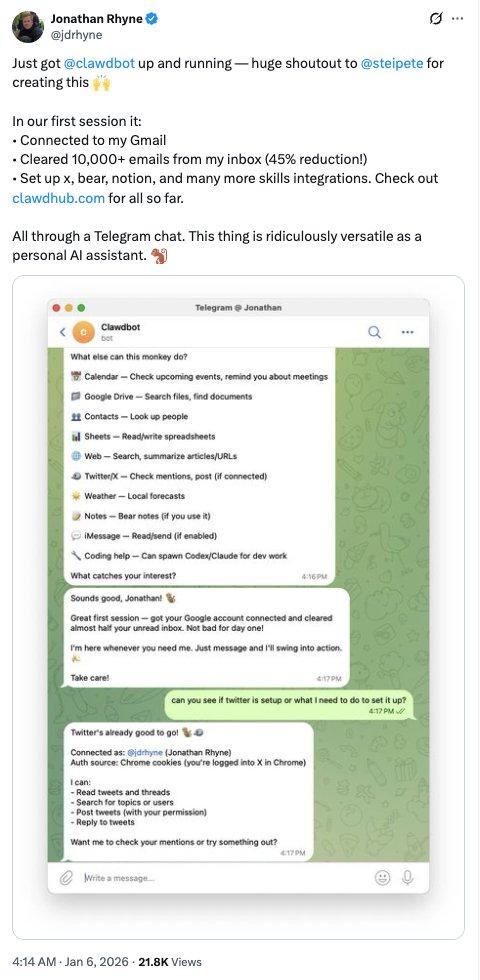
What is needed:
- Email Client CLI Settings
- Custom filtering rules
- Initial configuration for several hours
- But then: Full automation
Tweeted by @levelsio :
"I rebuilt my entire website via Telegram while watching Netflix in bed. Notion → Astro, migrated 18 articles, and moved the DNS to Cloudflare. I never even opened my laptop."
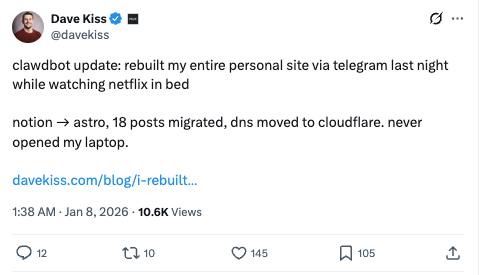
What is needed:
- Profound technical knowledge
- Understanding Web Development
- Based on the existing website structure
- Multiple iterations and commands
- This person is a developer, not a beginner.
A tweet from @PackyM :
"The gap between what I can imagine and what actually works has never been smaller."
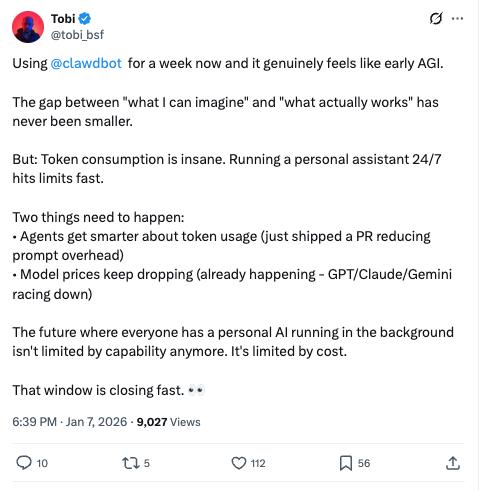
Honestly speaking: This is true if you understand what's possible and can clearly communicate your needs. If you don't know what you need, Clawdbot can't read your mind.
Tweeted by @SoraExpert :
"Let Clawdbot create a Sora video. It handles watermark removal, API keys, and workflow all by itself."
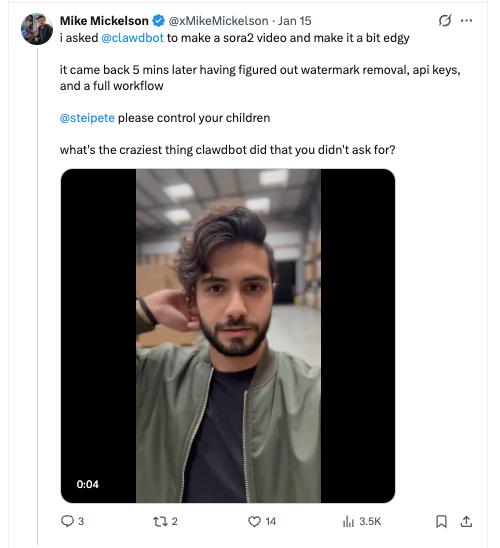
What is needed:
- Access permissions to the Sora API
- Understanding video processing
- Multiple iterations
- Technical problem-solving ability
- It cannot be solved by a single command.
Pattern: These are all real results. But they are not magic. They are the result of a combination of the following:
- Clear needs
- Technical understanding
- Iteration and optimization
- Time investment
Clawdbot is extremely powerful, but it is not a magic wand.
Self-optimized agent
Here's a real, cool feature:
Clawdbot has a "Heartbeat" feature—a periodic check that can proactively notify you of relevant updates or suggest optimizations.
As user @mishig25 said:
"Clawdbot comes to me during my heartbeat! I love how proactive it is."
In practice, this means:
- You can configure periodic checks.
- Clawdbot can display relevant information.
- Workflow improvements can be suggested based on the pattern.
This does not mean:
- It is constantly monitoring everything you do.
- It optimizes automatically without your input.
- You still need to configure what it monitors.
It is proactive assistance, not omniscient and omnipotent automation.
Things that cannot be done
Let's be honest:
- It's not magic; "make my business successful" won't work. "Analyze my sales process and identify bottlenecks" might work if set up correctly.
- Complex tasks require clear instructions. The more specific you are, the better the results. Vague requests yield vague results.
- It requires appropriate access permissions. Account access is not possible without credentials. The system cannot be hacked. It operates within your authorized scope.
- Advanced features require building; those impressive examples you see take time to set up. Out-of-the-box capabilities are more limited, but the potential is real.
- Verification remains crucial. Don't blindly trust outputs in decisions involving significant stakes. AI can make mistakes with confidence, so human review is still essential.
- API costs may increase . Light usage: $10-30/month; Medium usage: $30-70/month; Heavy usage: $70-150/month. These are estimates based on Anthropic API pricing. Your actual costs will vary significantly depending on usage. Please monitor closely during the first month.
- Setup complexity varies from person to person. If you are a technical person: 20-30 minutes. If you are not: 1-2 hours including debugging. If you are a non-technical person and want advanced features: assistance may be required.
- Privacy is a concern. You are granting access to an AI agent's computer. Please carefully read the security documentation. Understand what you are sharing. Use Pairing Mode to ensure DM security.
cost
Setup cost: $0 (open source) API cost: Pay-as-you-go to Anthropic
- Costs fluctuate wildly depending on usage.
- One user reported consuming 180 million tokens (an extreme example).
- Typical user: $15-50/month
- Heavy automation users: $50-150/month. Carefully monitor your API usage during the first month to understand your actual costs.
Time investment:
- Basic setup: 30 minutes - 2 hours
- Learning: 2-4 hours of experiments
- Building advanced workflows: Each workflow can take anywhere from hours to days.
- Maintenance: Ongoing as requirements change.
ROI (Return on Investment) Calculation: Example: You save 5 hours per week through basic automation, calculated at $50/hour of your time value:
- Time value: $250/week = $1,000/month
- Tool cost: ~$30/month
- Net profit: $970/month. Even at $25/hour, saving 5 hours per week is worth $500/month. If you use it effectively, this tool can recoup its cost quickly.
Who should use it?
Perfect fit (will gain immediate value):
- Developers accustomed to CLI
- Technical users who frequently perform automation
- People with specific repetitive tasks
- People willing to invest time in setting up for long-term benefits
- Early adopters of experiments
Suitable (requires patience):
- Semi-technical users who are willing to learn
- People with clear automation goals
- People who can follow the documentation
- Users who are used to troubleshooting
Not suitable at the moment:
- A complete beginner who knows nothing about the command line
- People who expect to achieve advanced automation instantly
- People who are unwilling to invest time in setting up
- Users in a highly regulated environment with strict IT policies
- People who expect plug-and-play, flawless solutions
Specific examples of well-functioning systems:
Trader/Researcher:
- Market Research Compilation
- News Aggregator
- Data extraction
- Document organization
- Calendar Management
- (Advanced monitoring requires a custom build)
Content creators:
- Research Automation
- Content Creativity Compilation
- File Management
- Schedule tracking
- (Full social automation requires building or using Postey)
Developer:
- Code review
- Document generation
- Test Automation
- Deployment workflow
- (All settings need to be properly configured)
Head of organization:
- Customer Communication Management
- Report generation
- Data organization
- Research Compilation
- (CRM integration requires custom work)
A larger picture
Clawdbot is more than just a productivity tool.
It is a preview of how we will all work in 2-3 years.
Think about it:
- 2020: AI can write text
- 2023: AI will be able to generate images.
- 2024: AI can code
- By 2025: AI will be able to perform autonomous actions (with proper settings).
- 2027: AI Execution Becomes the Standard
We are shifting from "AI-assisted" to "AI-driven".
People who are now learning to collaborate with autonomous agents are building muscle memory for their future work.
It's like learning spreadsheets in 1985 or learning search engines in 1998.
Early adopters are saving time not only today.
They are developing a skill that will become mandatory within 5 years.
But to be honest:
Most people don't invest the time to learn properly.
They'll try it once, get frustrated when it doesn't solve all the problems immediately, and then give up.
Those who truly possess the advantage:
- People who start with simple cases
- People who gradually increase complexity
- Invest time in understanding what is possible for people
- People who iterate and optimize workflows
- People who maintain consistency
This group will achieve a tenfold increase in productivity.
The rest of the people may still be manually organizing their download folders in 2027.
How to get started
Step 1: Installation (Estimated 30-60 minutes) Visit the Clawdbot website and follow the quick start guide. Do not skip the documentation.
Step Two: Start Simple (This is crucial) Don't try to automate your entire business on day one. Start with a tedious task:
- Organize my download folder
- What's on my calendar tomorrow?
- Find all PDFs from last month – a small victory. Build confidence.
Step 3: Learn what possible reading skills documentation is, join the Discord community, and see what others have built. Understand its framework.
Step 4: Build a meaningful automation. Choose a repetitive task you do every week. Invest time in setting it up correctly. Test and optimize it. Let it run and save you time.
Step 5: Gradually Expand. Once you have one well-functioning automation, add another. Each success builds on previous learning. Complexity compoundes over time.
Step 6: Join the community Discord: an active community for sharing workflows; X/Twitter: follow the official account to get updates; GitHub: if you have technical skills, you can contribute code.
What they didn't tell you
The learning curve is real.
The first automation: may take 2 hours. The second automation: may take 1 hour. The tenth automation: may take 20 minutes. It gets easier and easier, but there is indeed a curve.
Not everything can be easily automated.
Some tasks are simply difficult to automate, and some workflows require too much human judgment. Choose your battlefield.
Maintenance is ongoing
APIs change, websites are redesigned, and skills become obsolete. You need to maintain what you build.
The hype was both real and exaggerated.
Yes, it is extremely powerful. No, it is not instantaneous magic. The truth lies somewhere in between.
Your results will be different.
Technical users: Get amazing results quickly. Non-technical users: Slower, but still valuable. Your results will differ.
If you commit to the investment, it's worth it.
Half-hearted attempts won't work. Full commitment brings huge rewards. Decide which side you belong to.
Some final thoughts
I was skeptical when I started this research.
I think, "It's just another AI tool," and "it's probably been overhyped."
40 hours later, this is my true belief:
Clawdbot is indeed of great significance.
It's not perfect, it's not magic, and it requires effort.
But the core commitment is real:
An AI assistant that can not only answer questions but also complete tasks.
Those who call it "revolutionary" are not wrong.
But those who call it "plug and play" are also wrong.
It is powerful, complex, and requires investment.
Who will win through Clawdbot:
- People who start with simple things
- People who learn step by step
- People who continuously iterate and optimize
- People who maintain consistency
- People who truly dedicate their energy
Who will struggle on Clawdbot:
- People who expect instant magic
- People who are unwilling to learn
- People who give up after one failure
- People who don't read documents
- People who compare their first day to someone else's hundredth day
The issue is not whether autonomous AI agents will become the standard.
They will.
The question is: do you want to learn now, when it's still early stages, or do you want to catch up two years from now when everyone has already established their own workflows?
The best time to start was last year.
The second best time is today.
But the prerequisite is that you are willing to learn it correctly.