This article is machine translated
Show original
Wrote a detailed tutorial
Teaching everyone how to generate this kind of one-image flow model or product introduction promotional image
Also teaching how to modify images generated from web pages using Figma
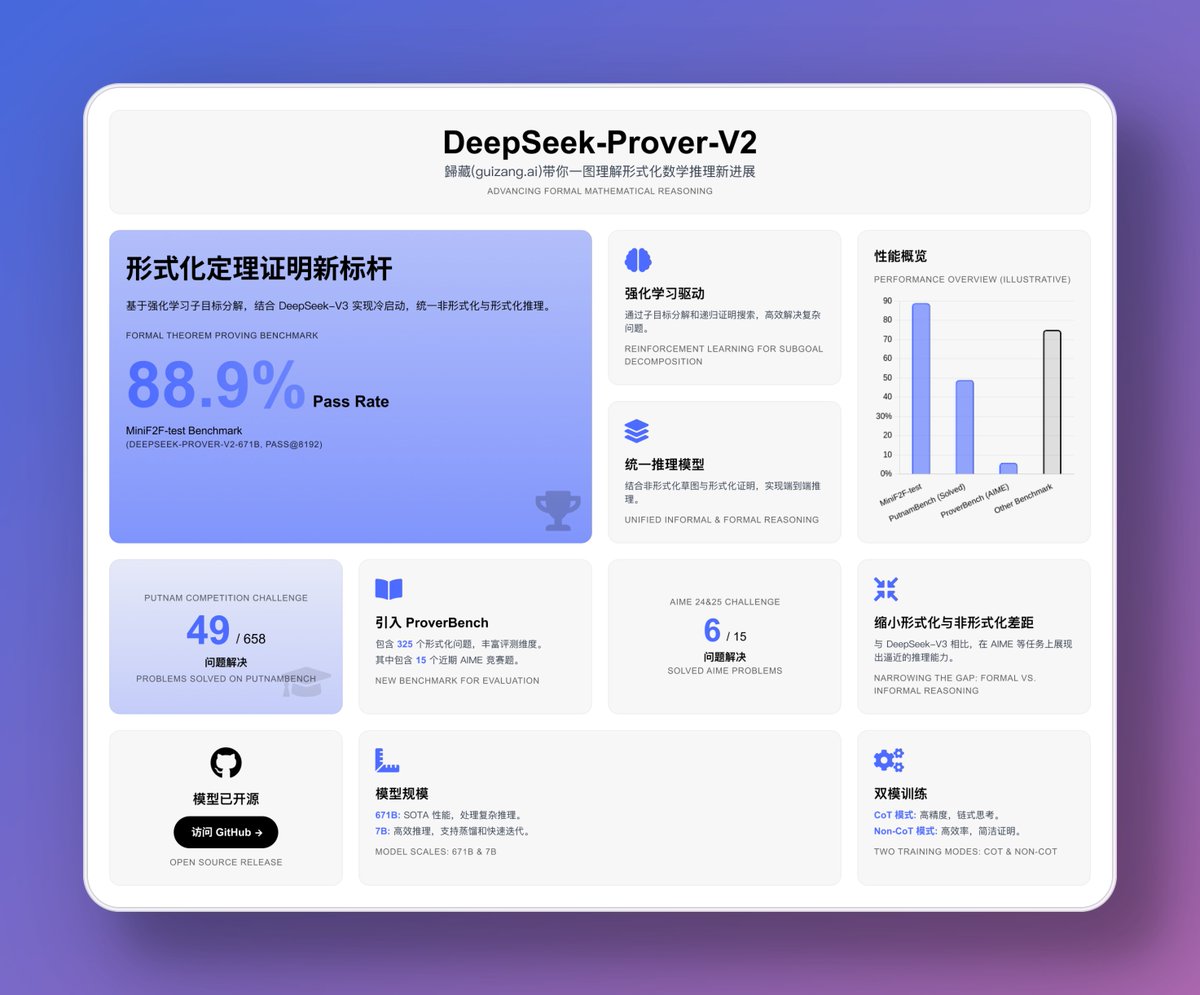
If you can’t wait for the construction, you can see here: mp.weixin.qq.com/s/uQQ7R8rBUXZ...
You can also refer to this one from Orange: x.com/oran_ge/status/191721521...
Generate a web page
Let's take DeepSeek-Prover-V2 as an example. As I said before when talking about Vibe Coding, the first generated result is crucial, so we need to prepare some things.
First, the paper or introduction blog of the model:
If you want to introduce product updates, you need to upload a document. If it is a paper, a PDF will do. If it is an introduction blog, just select all the web page content and save it.
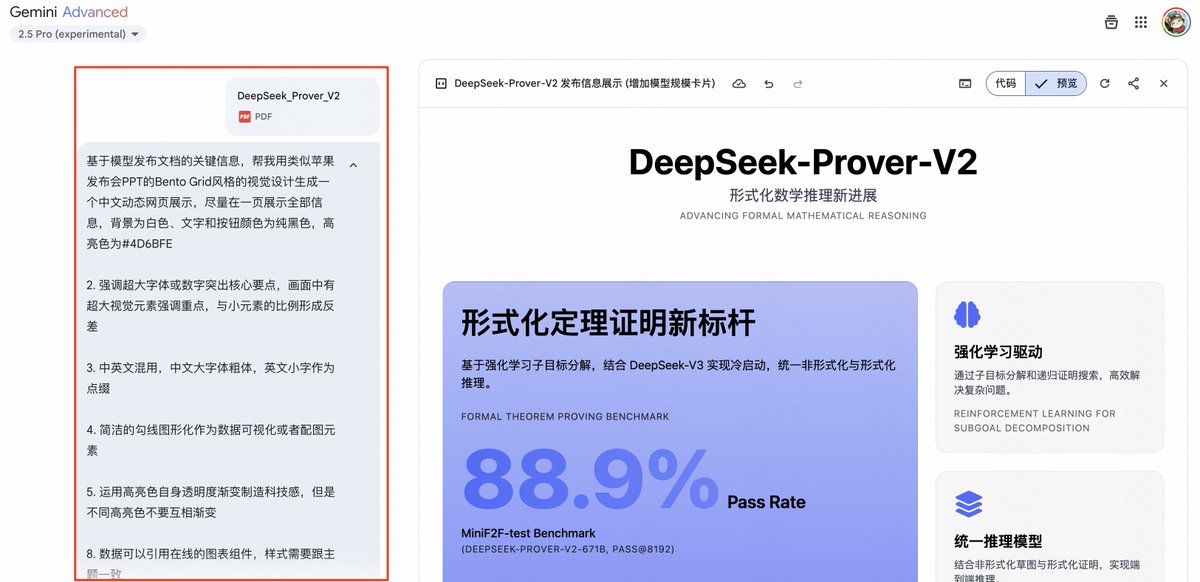
Tips:
Based on the key information of the model release document, help me generate a Chinese dynamic web page display using a Bento Grid style visual design similar to Apple's press conference PPT. The specific requirements are:
1. Try to display all information on one page, with a white background, pure black text and button colors, and #4D6BFE highlight color
2.
Generally, the first result is good at this time. If there is no problem, you can just take a screenshot with the largest display area.
But there are often some small problems, such as the layout problem that the title is not added with cards and borders, or the cards in a certain part do not take up all the space, such as my Deepseek has this problem.
This kind of problem makes AI
Figma fine-tuning design draft
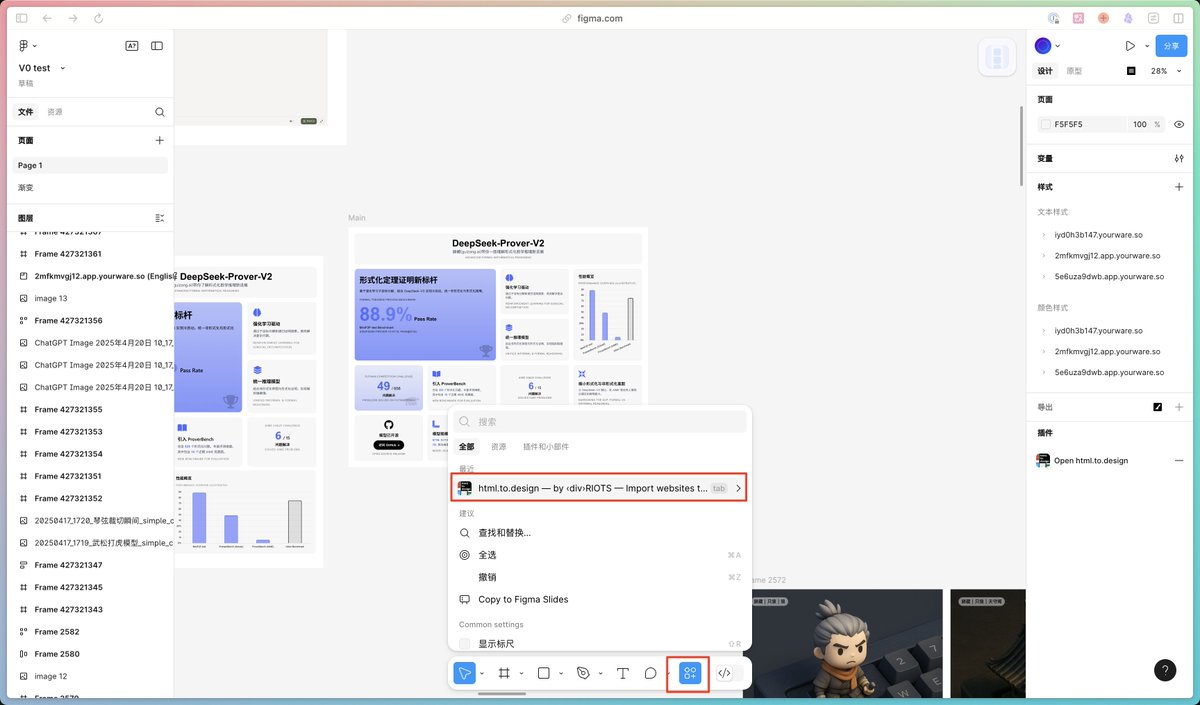
First, we need to find the core Figma plug-in html. to. design that we will use this time. Just click the icon circled in the Tab bar below in any Figma file and search.
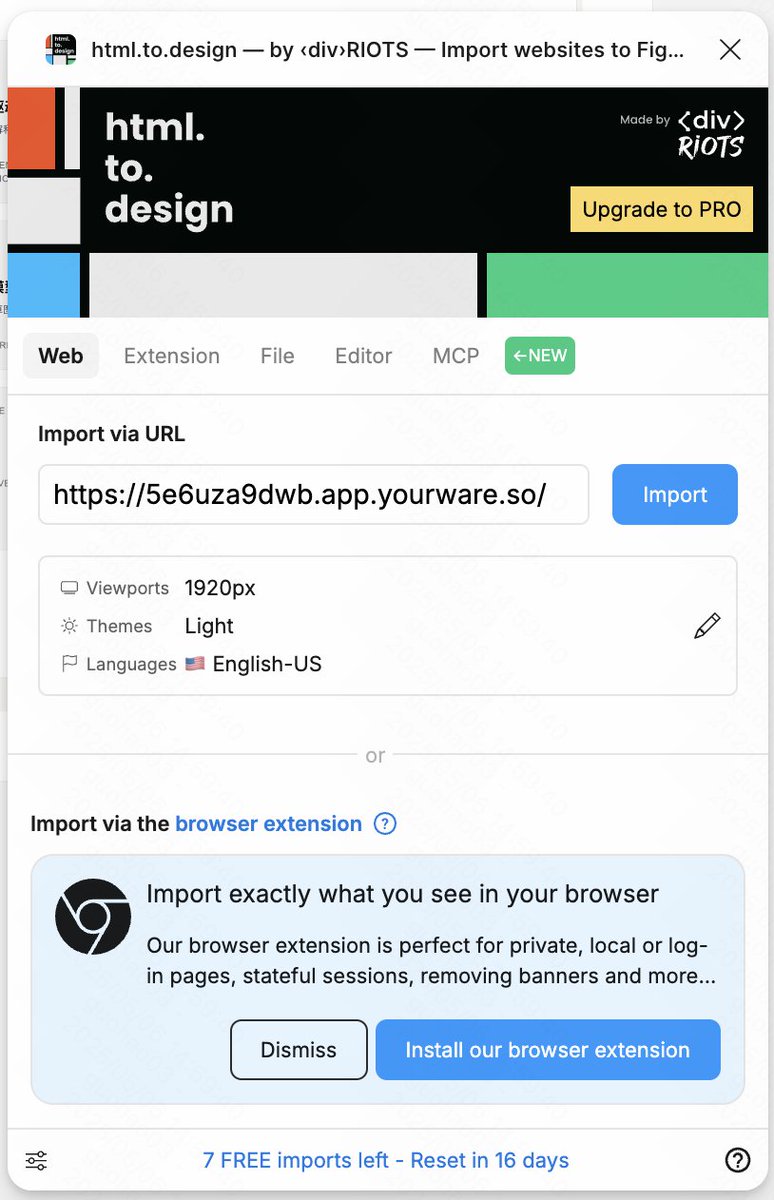
Then we enter the web address to be imported. If you don't have it, you can use Youware to deploy it, and then click the Import button.
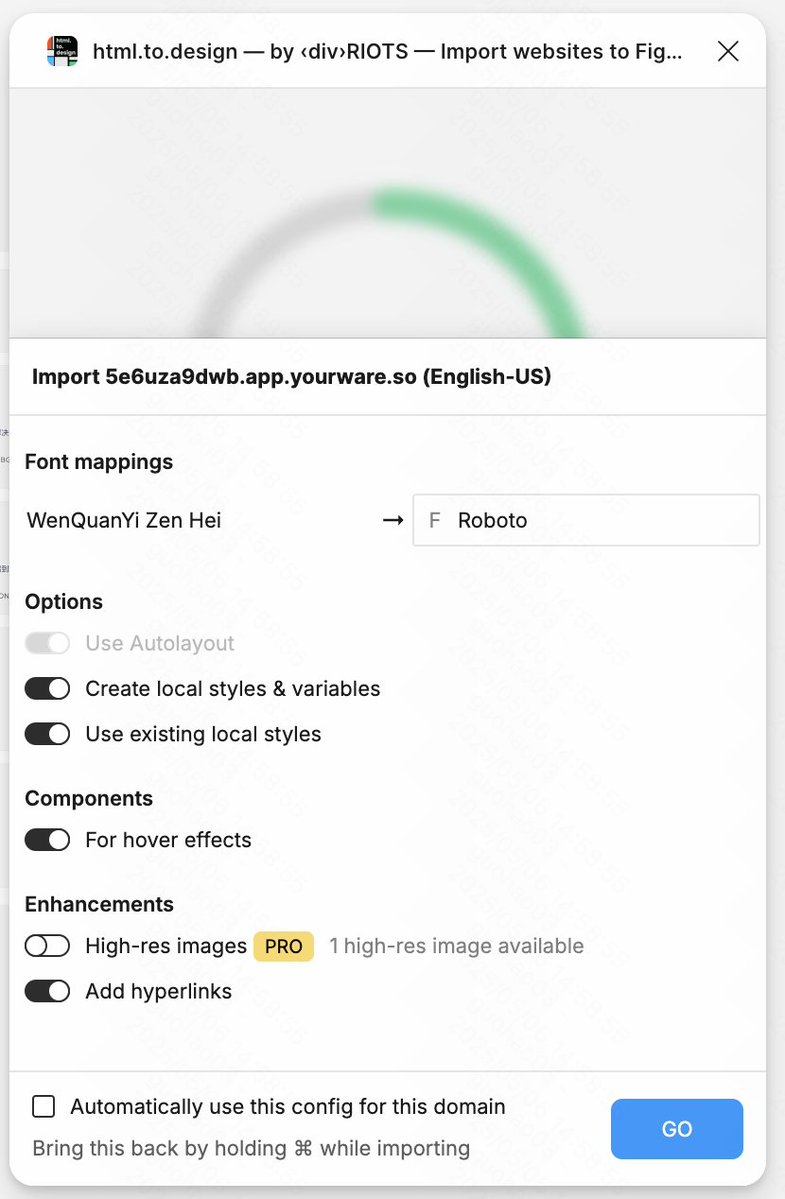
After importing, it will generally ask you to select other options. You can turn on all the switches except those that are not allowed to be turned on. Then, in the Font Mappings font setting, you need to select the replacement font. If your webpage has Chinese, I recommend you to change it to Pingfang SC.
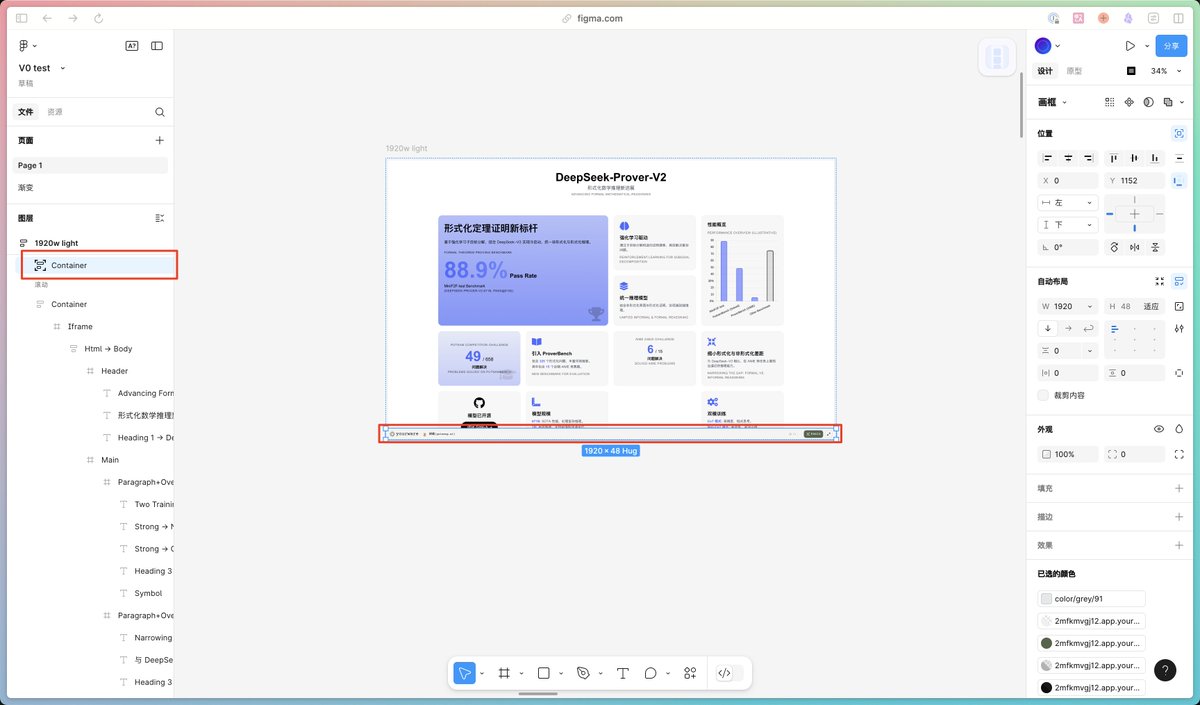
Then you can see the imported web page, which is a complete drawing board, and there are many parts of Youware's lower navigation that we don't need. You can just select this part and delete it.
After deleting the useless tab bar, we found that there is no content in the Iframe, and the actual content is in the Iframe with a red box and no weight.
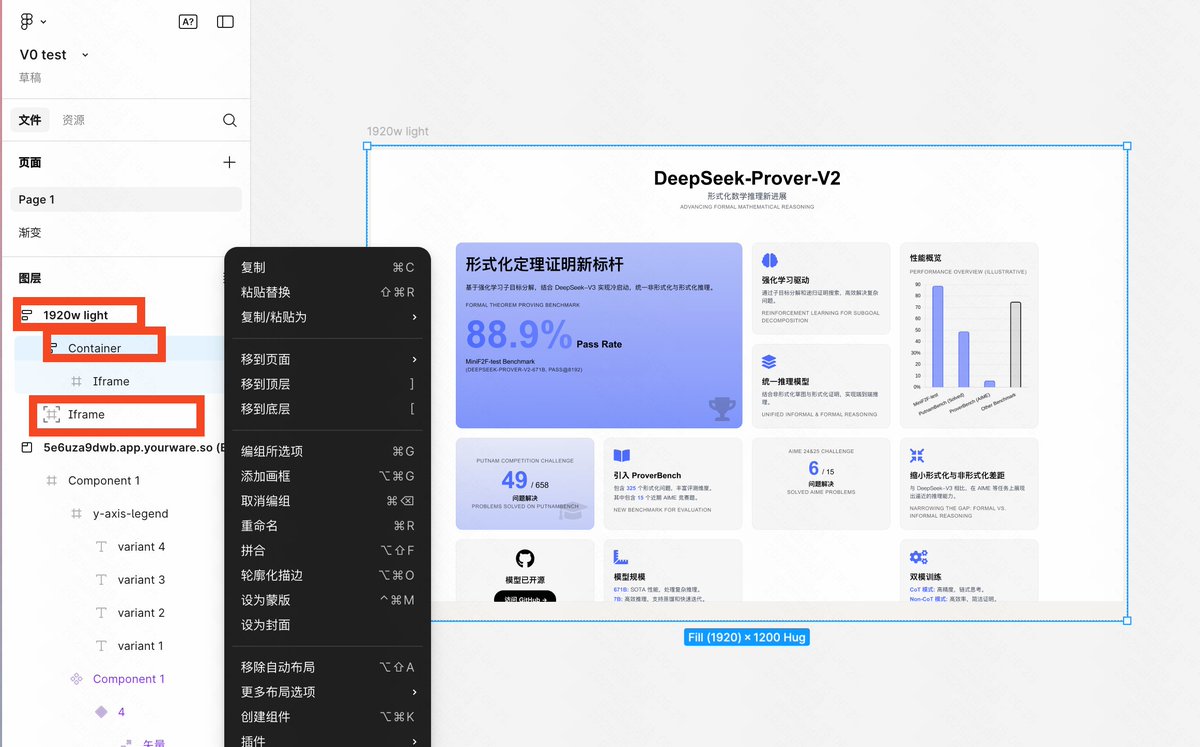
Finally, we are going to make our changes
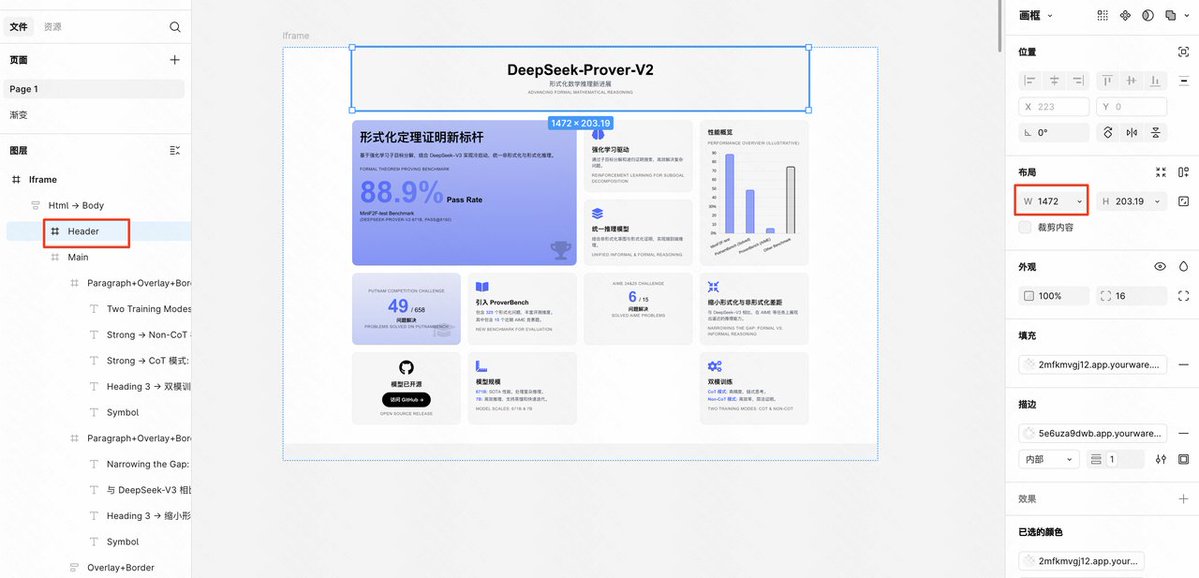
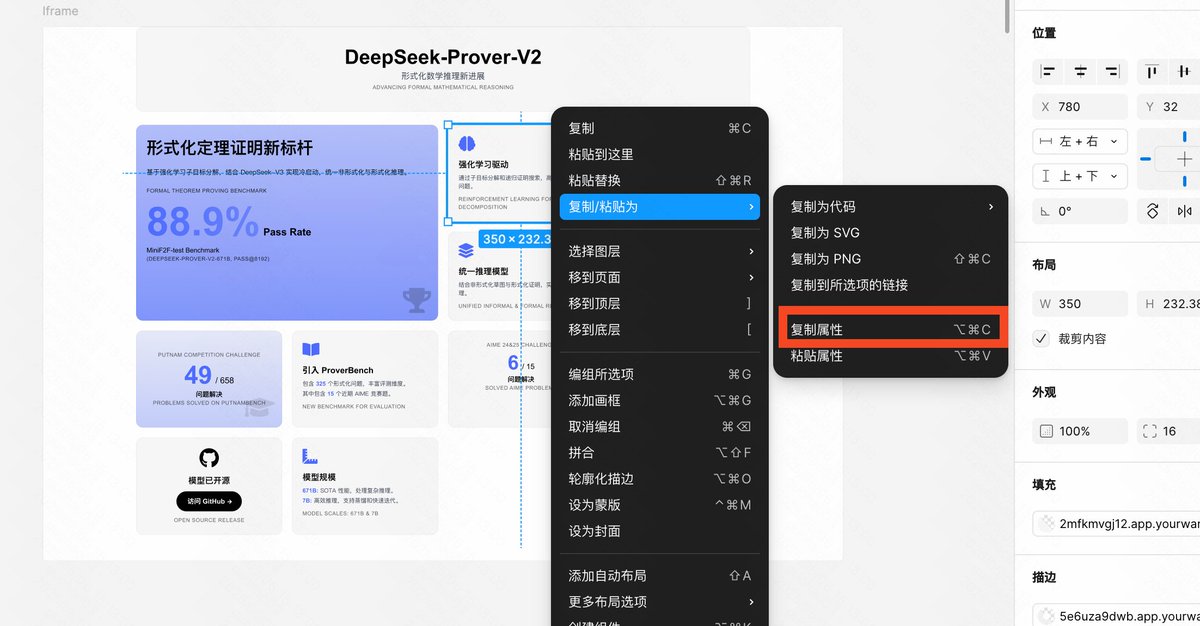
First, we want to add a card to the header. At this time, we select and find that the width of the header is wider than the width of all the cards below, so we change their width to 1472px.
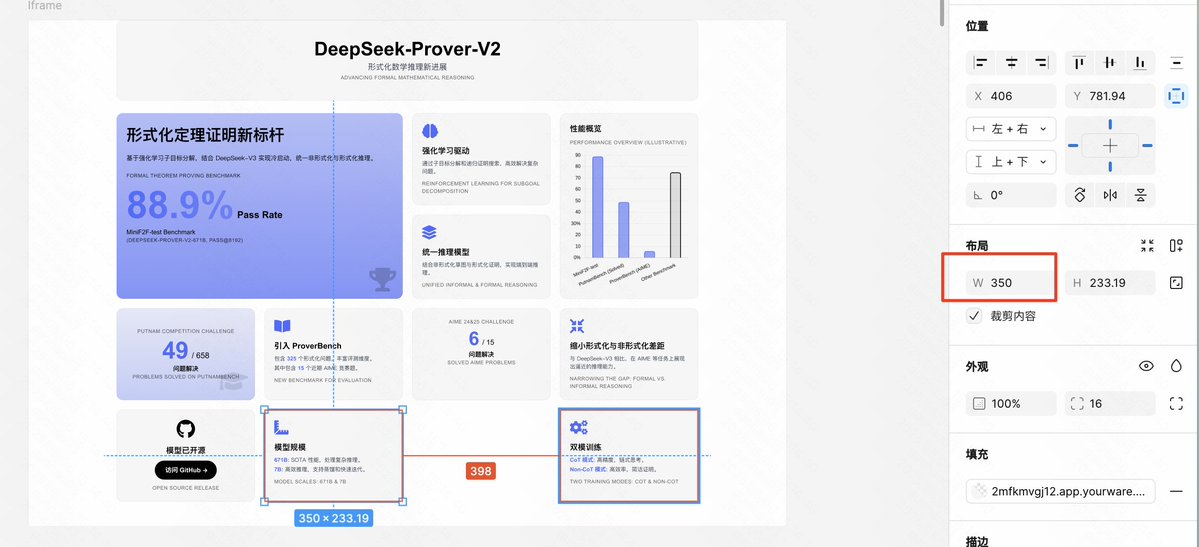
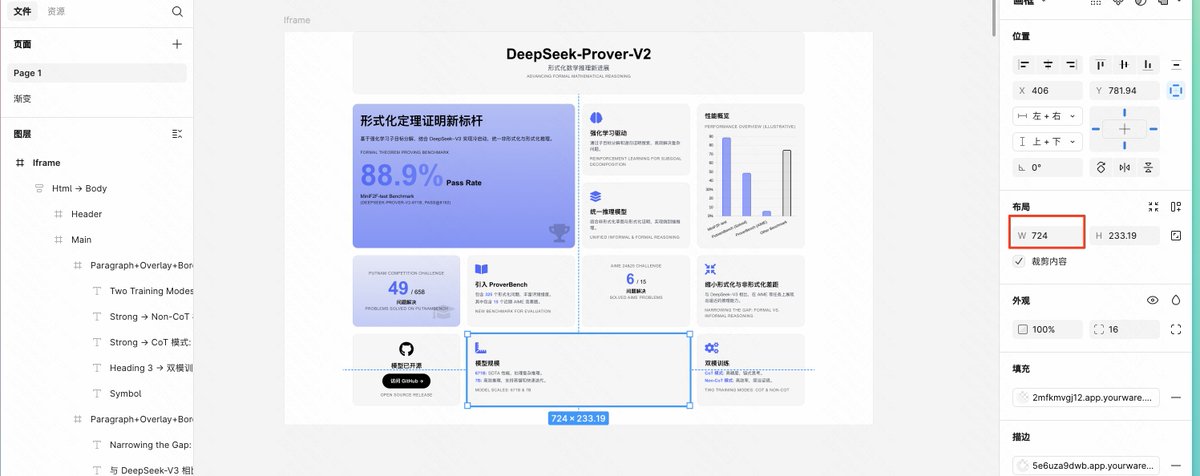
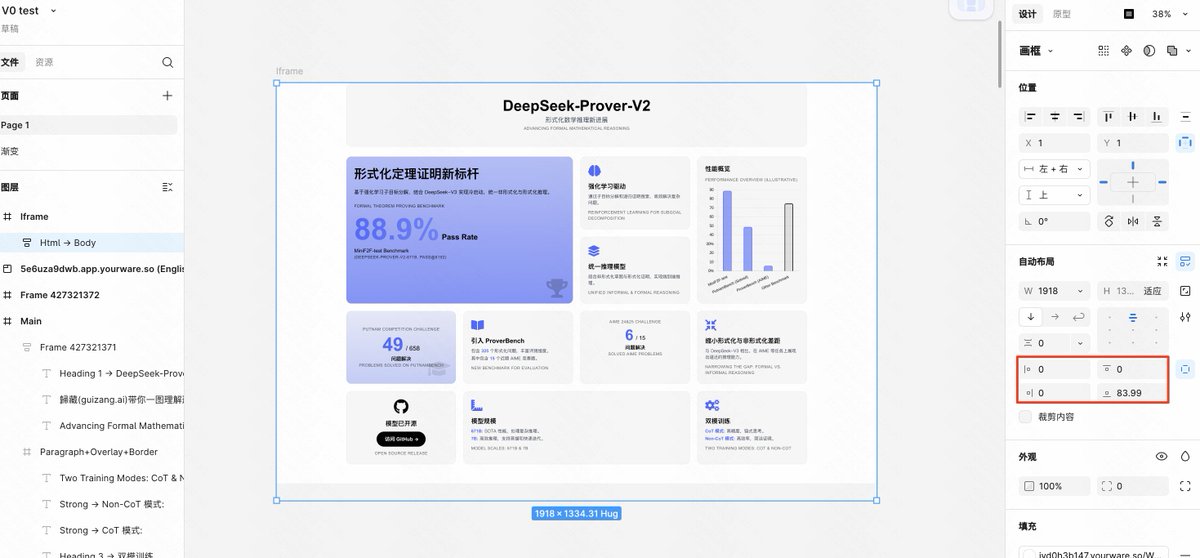
Finally, we do the last step before exporting. There are some problems with the margins around the entire card. The left and right are very wide and the top and bottom are very narrow. We want them to be the same. At this time, we only need to select the html-Body layer and change the spacing of the red frame part to a uniform 32.
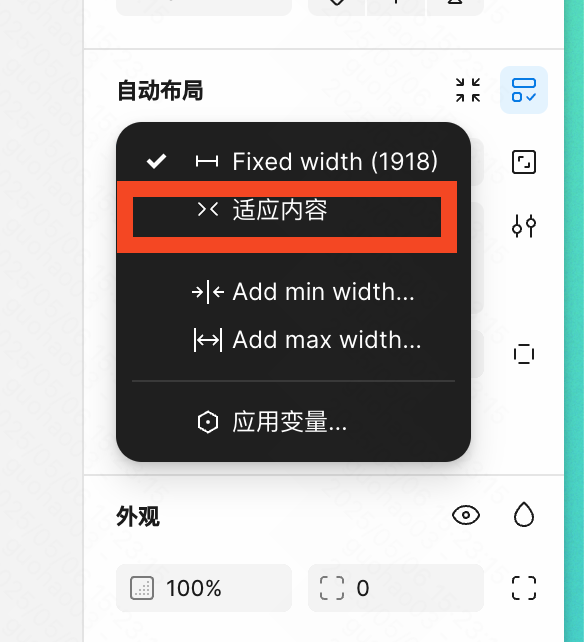
Then change the width of html-Body here to adapt to the content.
Finally, the top Iframe
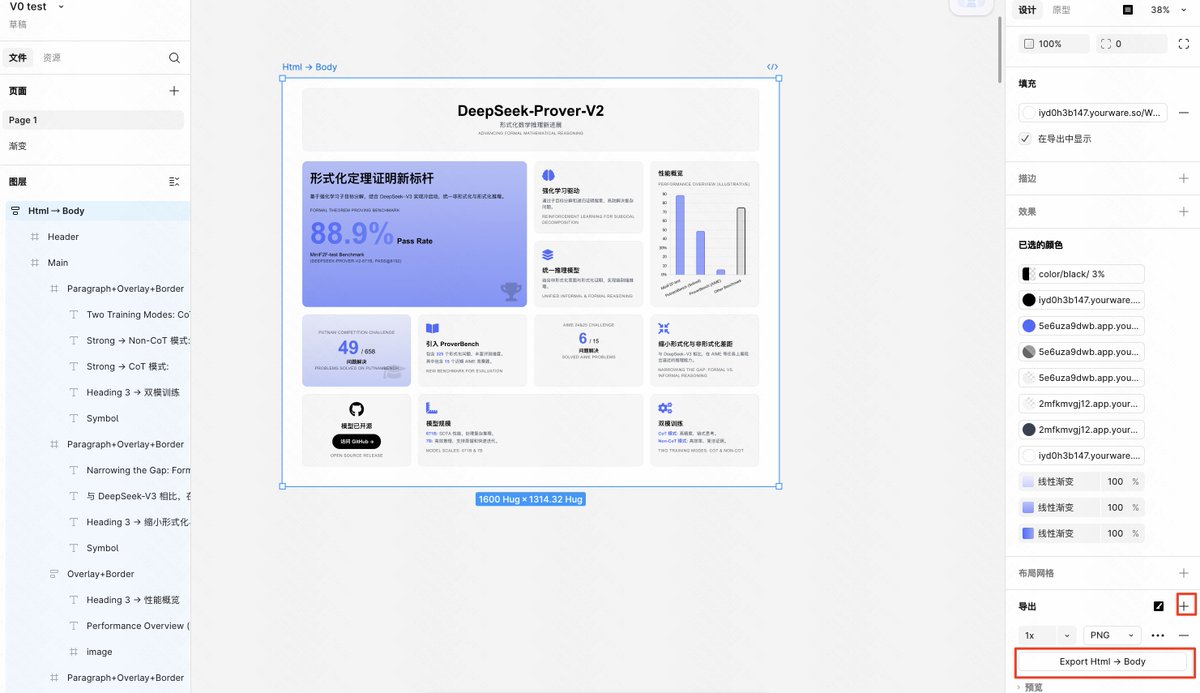
If you want to add a gradient border to the image like the one I showed above, you can use a tool like postspark (postspark.app/screenshot).
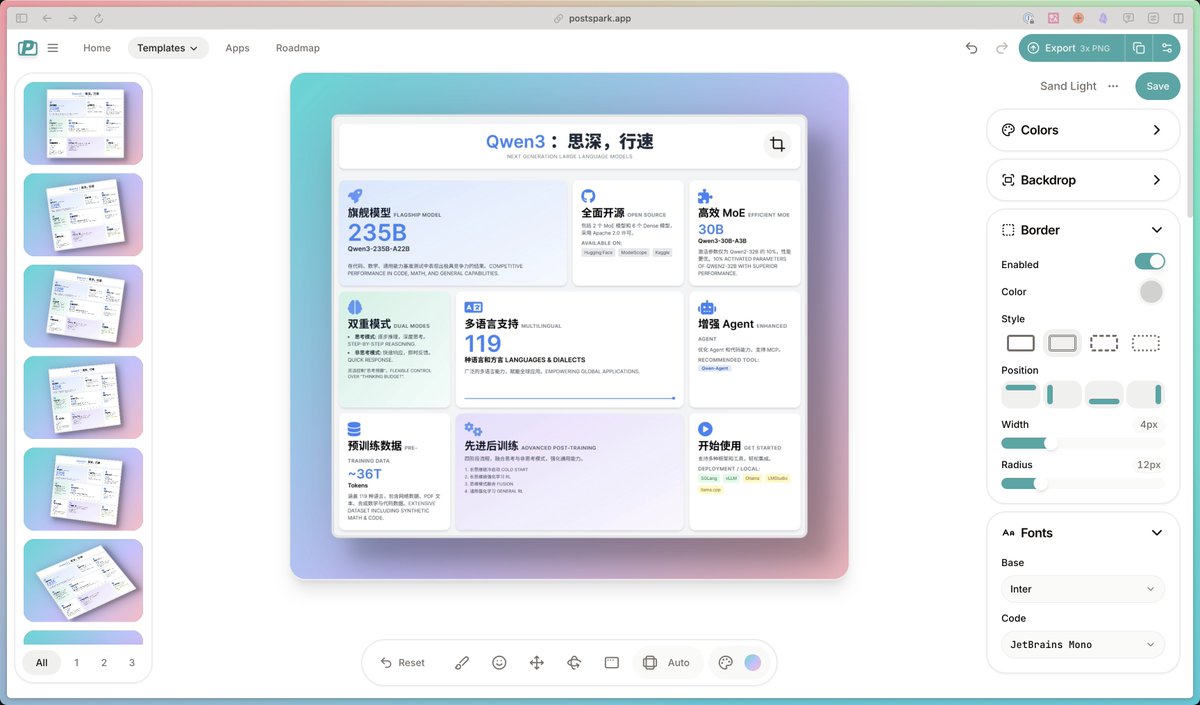
Well, today's image generation tutorial ends here.
Finally, you are welcome to @ me in the comment area or other platforms to submit your homework

From Twitter
Disclaimer: The content above is only the author's opinion which does not represent any position of Followin, and is not intended as, and shall not be understood or construed as, investment advice from Followin.
Like
Add to Favorites
Comments
Share